
How to Delete a Hard Drive The Definitive Guide
If you want to truly delete a hard drive, dragging files to the trash bin won't cut it. The only way to ensure data is gone for good is to use specialized methods that overwrite or destroy the data, making it completely unrecoverable. These methods can be software-based, like writing random data over every sector, or physical, like shredding the drive into tiny pieces.
Why Dragging Files to the Trash Is Not Enough
It's a common—and dangerous—misconception that deleting a file or formatting a hard drive wipes it clean. When you hit "delete," the operating system doesn't actually remove the data. It just erases the pointer that tells your computer where to find it, marking that physical space on the drive as available for something new.
Think of it like the table of contents in a book. Deleting a file is like ripping out a chapter's entry from that table of contents. The chapter itself, the actual data, is still printed on the pages, perfectly readable until a new chapter gets written over it. Until that happens, anyone with the right recovery tools can easily flip through and read the "deleted" information. This leftover data is known as data remanence.
The Hidden Risks of Incomplete Deletion
For any business, this security gap is a massive liability. An old hard drive from a server, employee laptop, or medical device that isn't properly sanitized is a data breach waiting to happen. If that device falls into the wrong hands, sensitive information like customer records, financial reports, or patient histories can be retrieved with shocking ease.
This isn't just a hypothetical scenario. Regulations like GDPR and various U.S. state laws mandate secure data destruction. Just wiping drives isn't enough; studies consistently show that advanced recovery tools can pull data from supposedly "erased" HDDs. You can find more details on the growing importance of professional hard drive destruction on sphericalinsights.com.
Key Takeaway: Standard file deletion just hides data from the operating system. The information remains fully intact and recoverable until it's overwritten, posing a severe security and compliance risk for any organization.
Understanding True Data Sanitization
To properly erase a hard drive, you need to perform data sanitization—the process of deliberately, permanently, and irreversibly removing the data. The objective is to make the information completely unrecoverable, even with sophisticated forensic tools. This is the only way to be certain your organization's sensitive information is gone forever.
Effective data sanitization is a mandatory step in the IT asset lifecycle. It’s your best defense against:
- Data Breaches: Preventing unauthorized access to confidential company, client, or employee data.
- Compliance Violations: Meeting legal and regulatory requirements for data privacy and avoiding steep fines.
- Reputational Damage: Protecting your brand’s trust by demonstrating a serious commitment to data security.
Grasping this core principle is the first step toward building a solid data destruction policy. You can explore our expert insights on how secure data destruction protects your organization from these threats. In the next sections, we’ll walk through the specific methods that achieve this critical level of security.
Choosing the Right Data Sanitization Method
When it comes to securely deleting data from a hard drive, one size definitely does not fit all. Using the wrong method can either leave your company’s sensitive information exposed or needlessly destroy a perfectly good piece of hardware. The real key is matching the right technique to the data’s sensitivity and the drive’s next destination.
Fortunately, the National Institute of Standards and Technology (NIST) gives us a clear roadmap in its Special Publication 800-88. This guide lays out three core methods for data sanitization: Clear, Purge, and Destroy. Getting familiar with these is the first step to making a smart, compliant decision for your company's IT assets.
Many of the things people think are secure—like dragging files to the trash or doing a quick format—just don't cut it. They leave a trail of breadcrumbs for anyone with basic recovery tools.
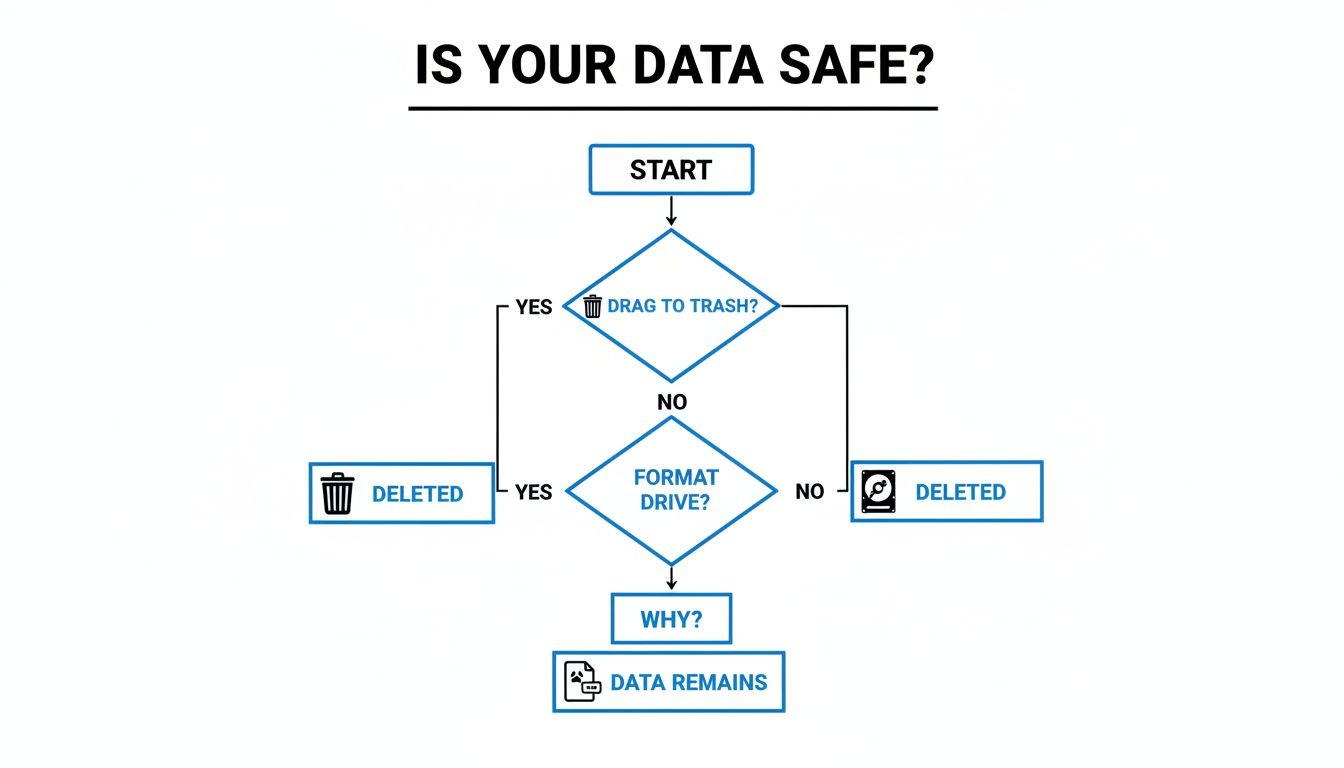
As you can see, both simple deletion and formatting leave recoverable data on the device, which is a major risk for any business.
To help you decide which approach is right for your equipment, let's compare the three NIST-approved methods. Each offers a different level of security and determines whether the asset can be reused.
Comparing Data Sanitization Methods Clear vs Purge vs Destroy
| Method | Technique | Best For | Security Level | Asset Reusability | Typical Use Case |
|---|---|---|---|---|---|
| Clear | Software Overwriting | Low-risk data, internal reuse | Good | High (fully reusable) | Reassigning a laptop to a new employee |
| Purge | ATA Secure Erase, Cryptographic Erase | Sensitive data, external resale/donation | High | High (fully reusable) | Sanitizing servers before remarketing |
| Destroy | Shredding, Degaussing, Crushing | Classified data, end-of-life media | Highest (Absolute) | None (unusable) | Disposing of damaged drives with PII |
Ultimately, choosing between Clear, Purge, and Destroy comes down to a risk assessment. For internal redeployment, Clear is often enough. For anything leaving your control, Purge is the professional standard. And for the highest-risk scenarios, nothing beats the certainty of Destroy.
Clear: Wiping Drives With Software Overwriting
The ‘Clear’ method is all about using software to write over existing data with random characters, usually patterns of ones and zeros. Think of it like painting over a canvas—the original image is still there underneath, but it’s completely obscured. This makes the original data extremely difficult to recover with standard software tools.
It’s the perfect solution for low-risk assets that you plan to keep within the company. A classic example is an employee laptop being prepared for a new hire. The old data has to go, but the machine itself is still valuable.
You’ll often see a couple of common overwrite standards:
- DoD 5220.22-M: A well-known three-pass standard once favored by the U.S. Department of Defense.
- NIST SP 800-88 Clear: A single, thorough pass of overwriting that’s more than sufficient for today’s hard drives.
One crucial point: this method works best on traditional spinning Hard Disk Drives (HDDs). While you can run overwrite software on Solid-State Drives (SSDs), their internal architecture can leave pockets of old data untouched, making the process unreliable.
Purge: Using The Drive’s Own Firmware to Erase
When you need a much higher level of security, ‘Purge’ is the way to go. This isn't about external software; it's about telling the drive to erase itself using its own built-in, factory-level commands. This makes data recovery practically impossible, even for a forensics lab with sophisticated tools. Best of all, the drive is left in perfect, reusable condition.
This is our go-to for sanitizing drives that hold sensitive information but aren't headed for the shredder. It’s fast, highly effective, and leverages the hardware’s own security features.
Two Purge techniques are the industry standard:
- ATA Secure Erase: This command is built right into the firmware of most modern HDDs and SATA-based SSDs. When you trigger it, the drive’s controller erases every single block of data—a process that’s far more complete and quicker than any software could manage from the outside.
- Cryptographic Erase (CE): This is the ultimate method for self-encrypting drives (SEDs). Instead of wiping data, CE works by instantly destroying the unique encryption key stored on the drive. Without that key, all the encrypted data on the drive becomes permanent, unreadable gibberish. It’s the fastest and most secure way to sanitize a modern, encrypted drive.
The Purge method is especially vital for SSDs, given their unique structure. We cover this in much more detail in our guide on how to properly wipe SSDs, which gets into the specific challenges they pose.
Destroy: When There’s No Room for Doubt
For your most sensitive data, for drives that are damaged, or for any asset that has reached its end-of-life, ‘Destroy’ is the only method that provides 100% certainty. This involves the physical annihilation of the storage media, making it completely unusable and ensuring the data is gone forever. There is no coming back from this.
This is the required method for classified data or any situation where the risk of a breach is simply too high to tolerate.
Expert Insight: Don't try this at home. We've seen it all—drilling holes, taking a hammer to a drive, even microwaving them. These DIY methods often leave data-bearing platters intact enough for a determined attacker to recover information in a lab.
Professional destruction is about total obliteration.
- Shredding: We use industrial shredders that chew hard drives into tiny, confetti-like metal fragments that get mixed with thousands of other shredded devices.
- Degaussing: A degausser subjects magnetic media like HDDs and tapes to an incredibly powerful magnetic field, instantly scrambling the stored data into a blank slate. Just remember, this won't work on flash-based SSDs.
- Crushing: A hydraulic press with thousands of pounds of force bends, breaks, and shatters the drive and its internal platters, making data recovery physically impossible.
Opting for physical destruction gives you an auditable, foolproof outcome. It’s the final word in data security, guaranteeing your organization is protected from end-of-life data breaches.
A Practical Guide to Software-Based Erasure
When physical destruction isn't the right move, software-based erasure is the go-to method for sanitizing drives you plan to reuse or resell. This process, often called overwriting, works by writing new data over every single sector of the drive, burying the old information for good. It's a highly reliable way to wipe a hard drive, but the right approach completely depends on the type of drive you're handling.
Let's walk through a real-world scenario. Imagine you’re an IT manager prepping a batch of laptops for a new department. The old data has to be unrecoverable, period. But the machines themselves are perfectly good and need to go back into service. This is exactly where software erasure shines.
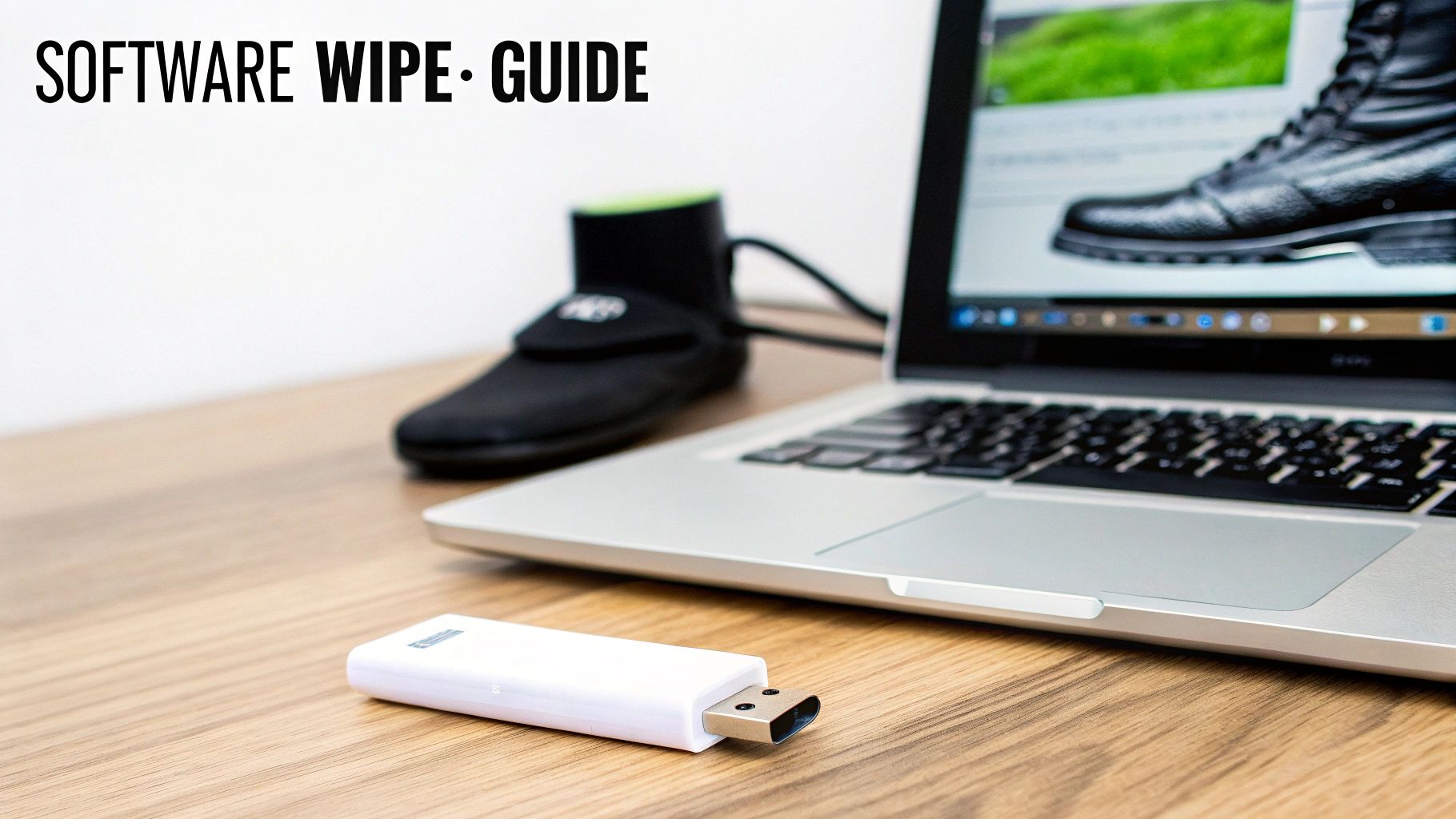
The general workflow is pretty straightforward: create a bootable USB drive loaded with erasure software, boot the target computer from that USB, and run the wipe directly on the internal drive. This is crucial because it ensures the computer’s operating system isn’t running, giving the software full, unrestricted access to every part of the disk.
The Right Tool for Traditional HDDs
For older, spinning hard disk drives (HDDs), a classic and still-effective tool is Darik's Boot and Nuke (DBAN). It's an open-source utility that you boot from a flash drive to overwrite the target drive with pseudorandom numbers. Years ago, a multi-pass standard like the DoD 5220.22-M was common, but for modern HDDs, a single, thorough overwrite is more than enough to stop even lab-based recovery attempts.
Here’s the basic process you’d follow:
- Create a Bootable Drive: First, download the DBAN ISO file. Then, use a tool like Rufus to create a bootable USB stick.
- Boot the Target Machine: Plug in the USB, restart the computer, and jump into the BIOS/UEFI settings to tell it to boot from the USB drive instead of the internal hard drive.
- Select the Drive: DBAN will show you a list of detected drives. This is the most critical step—double-check that you are selecting the correct drive. Wiping the wrong one is an irreversible mistake.
- Choose the Method and Start: Pick your overwrite method and kick off the process. Keep in mind, this can take several hours depending on the drive's size and speed.
This method works incredibly well for HDDs because their data storage is linear and predictable. But if you try this same trick on an SSD, you're in for a surprise.
Why Software Overwriting Fails on SSDs
Solid-state drives (SSDs) are a completely different beast. They use complex wear-leveling algorithms to spread writes evenly across all memory cells, which helps the drive last longer. This means when you think you're overwriting a specific block of data, the SSD’s controller might just remap that write to a different physical spot, leaving the original data untouched in a now-inaccessible block.
Running multiple overwrite passes on an SSD isn't just ineffective; it causes unnecessary wear on the drive’s memory cells. You're reducing its lifespan without gaining any extra security.
For this reason, you should never rely on traditional overwriting software like DBAN to securely wipe an SSD. You need to use the drive’s own built-in security features instead.
Securely Erasing SSDs with Manufacturer Tools
The most effective way to sanitize an SSD is by using the ATA Secure Erase or NVMe Format commands. These are firmware-level instructions that command the drive's controller to reset every memory cell to a clean state. The process is incredibly fast—often taking just a few minutes—and is far more thorough than any external software could ever be.
Many SSD manufacturers provide their own free software to make this easy:
- Samsung Magician: Offers a "Secure Erase" feature for its SSDs.
- Crucial Storage Executive: Includes a "Sanitize Drive" function.
- Western Digital Dashboard: Provides similar secure wipe capabilities.
If you're in an IT department managing a mix of different brands, it can be more efficient to use tools built into operating systems or specialized Linux environments that can issue these commands directly. To get a better handle on all the options, check out our complete breakdown of the best hard drive wiping software for various situations.
No matter which tool you use, the final step is always verification. After any erasure process, it’s critical to reboot the system and confirm the drive is completely empty and unformatted. This verification step is your proof that the data sanitization was a success.
When Physical Destruction Is the Only Answer
Software-based erasure methods are fantastic, but they all depend on one critical assumption: the drive actually works. What happens when it doesn't?
For extremely sensitive data, for drives that are failing, or for media that has simply reached its end of life, relying on software is a gamble. This is where physical destruction becomes the only guaranteed path to data security.
When the goal is absolute, undeniable data elimination, you have to move beyond erasure and into annihilation. This isn’t about just wiping a hard drive; it's about making it physically impossible for the data to even exist. There's no undo button. No recovery lab can piece together shattered platters or reverse the effects of a powerful magnetic field.
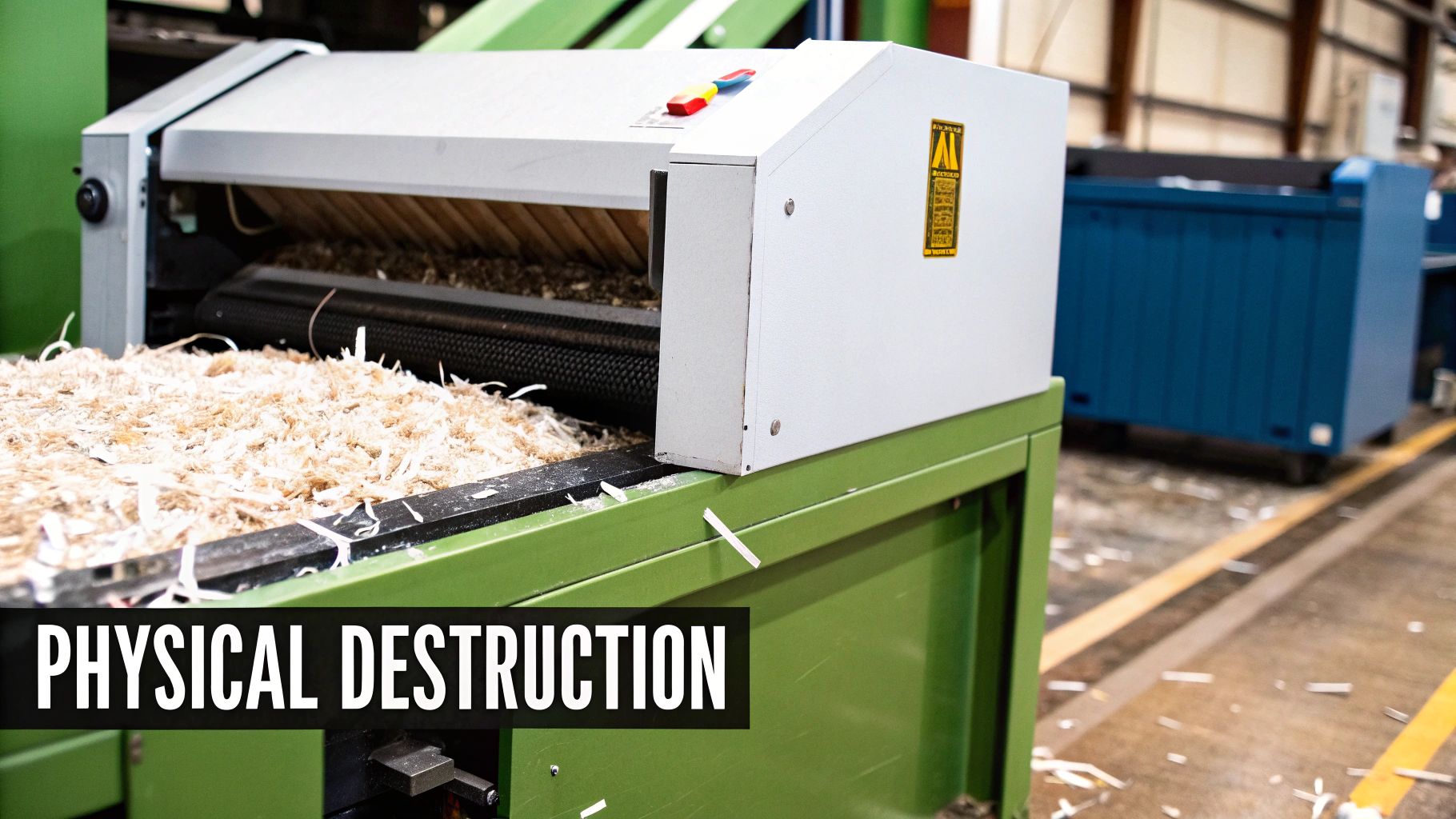
This level of certainty is non-negotiable for sectors like government, healthcare, and finance. For them, a certificate of destruction is far more valuable than a used piece of hardware.
Common Methods of Physical Destruction
Professional ITAD partners use specialized, industrial-grade equipment to guarantee total data obliteration. Each method is chosen based on the type of media to ensure the destruction is complete and irreversible.
- Shredding: This is the most common and visually satisfying method. An industrial shredder grabs the hard drive and pulverizes it into small, twisted metal fragments, often no larger than a dime. These fragments are then mixed with material from thousands of other devices, making reconstruction a fantasy.
- Degaussing: Specifically for magnetic media like traditional HDDs and backup tapes, a degausser generates an incredibly powerful magnetic pulse. This pulse instantly scrambles all the stored data into random noise. It's important to remember that degaussing is completely ineffective on SSDs, which use flash memory.
- Crushing/Pulverizing: A hydraulic press applies thousands of pounds of force to bend, break, and shatter the hard drive casing and the delicate platters inside. The goal is to deform the platters so severely that the read/write heads can never again follow the data tracks.
These professional methods stand in stark contrast to the risks of DIY attempts.
The Dangers of DIY Destruction
It’s tempting to think a drill press or a sledgehammer can get the job done. While these methods feel destructive, they are dangerously unreliable and fail to meet any compliance standard. A determined forensics expert can often recover significant amounts of data from the undamaged sections of a drilled or hammered platter.
Overwrite methods, even a DoD 3-pass, can take up to eight hours for a 10TB drive and still leave a 15-20% recovery risk under lab conditions. Physical destruction? Zero percent. In Europe, GDPR fines averaging €1.2 million are pushing banks and hospitals toward professional shredders. Learn more about the market forces driving secure destruction on intelmarketresearch.com.
Think about a hard drive platter like a CD. If you drill a hole in a CD, the music on the outer edges is still perfectly playable. The same logic applies to a hard drive platter, where huge amounts of data can survive localized damage.
When to Choose Destruction Over Erasure
Deciding to physically destroy a drive is a strategic choice based on risk. If you find yourself in any of these scenarios, destruction is the safest and most logical path forward.
- The Data Is Highly Sensitive: For classified government information, protected health information (PHI), or critical financial data, the risk of exposure is simply too great.
- The Drive Is Damaged or Non-Functional: You can't run erasure software on a drive that won't power on or is clicking away with a mechanical failure. Physical destruction is your only option.
- The Technology Is Obsolete: Old, small-capacity drives have little to no resale value and can be a liability to keep in storage. Destroying them is often more cost-effective than attempting to sanitize them.
- Compliance Mandates It: Your industry regulations (like HIPAA or GLBA) or internal security policies may explicitly require physical destruction for certain types of data.
Choosing professional destruction provides an audit-proof process, complete with a Certificate of Destruction that serves as legal evidence of your due diligence. For organizations looking to implement a compliant program, you might be interested in our guide on how to shred and recycle your IT assets securely. It’s the ultimate peace of mind for your most critical data.
Finding a Certified Partner for IT Asset Disposition
At a certain point, trying to manage old IT assets in-house just doesn't make sense anymore. It becomes more of a liability than a cost-saver. Once your company starts juggling dozens—or even hundreds—of devices during a tech refresh, the risks of a data breach or environmental fine go through the roof. This is when partnering with a professional IT Asset Disposition (ITAD) provider shifts from a good idea to a critical business decision.
An expert ITAD partner takes the entire burden of asset retirement off your team's shoulders. They handle everything from secure logistics and onsite pickups to certified data sanitization and responsible recycling. They can even remarket equipment that still holds value. This frees up your internal IT staff to focus on projects that move the business forward, not spend hours wiping drives one by one.
The Core Benefits of a Professional Partnership
Working with a certified ITAD vendor transforms asset disposal from a logistical nightmare into a secure, compliant, and efficient process. You're essentially offloading risk and reclaiming valuable time.
The biggest win here is bulletproof risk mitigation. We’ve all heard the horror stories. DIY methods like taking a hammer or drill to a hard drive fail 40% of forensic tests. A single data breach now costs companies an average of $4.45 million. A professional partner ensures 100% destruction verification and eco-friendly recycling, often boosting reuse rates to 90% or more—a goal similar to Microsoft's #NoShred initiative. The hard drive destruction industry is a highly specialized field, and you can see a breakdown of the top global players on sphericalinsights.com.
Another key benefit is guaranteed compliance. A reputable partner lives and breathes regulations like HIPAA, GDPR, and NIST SP 800-88. More importantly, they give you the paperwork to prove it, which is invaluable if an auditor comes knocking.
What to Look for in an ITAD Provider
Not all ITAD companies are created equal. When you're vetting a potential vendor, you need to look for specific credentials that prove their commitment to security and responsible recycling. Your checklist should include a few non-negotiables.
- Industry Certifications: Look for R2 (Responsible Recycling) and e-Stewards. These are the gold standards in our industry, proving a provider meets the highest benchmarks for data security, environmental safety, and worker health.
- Documented Chain of Custody: The second an asset leaves your building, you need a clear, unbroken record of where it is and who has handled it. A secure chain of custody is the hallmark of a professional operation and is essential for accountability.
- Certificates of Data Destruction: This is your audit-proof evidence. Whether a drive is wiped, degaussed, or physically shredded, your partner must provide a formal certificate that details the asset's serial number and the exact method used. This document is your legal proof of due diligence.
Expert Tip: Always ask a potential partner about their downstream vendor management. A truly certified provider should be able to show you exactly how they audit their own partners to ensure nothing—from shredded metal to circuit boards—ever ends up in a landfill.
Making the Right Choice for Your Organization
Choosing an ITAD partner is about much more than just finding someone to haul away old computers. You are entrusting them with your company's data security and brand reputation. The right provider becomes an extension of your own team, offering total transparency, reliability, and deep expertise.
Think about a hospital decommissioning a data center. The servers and drives inside contain thousands of highly sensitive patient records. A certified ITAD partner would manage this project with serialized asset tracking, secure transport in locked, GPS-tracked vehicles, and might even perform onsite shredding for the highest-risk media. Every single step would be documented, giving the hospital a rock-solid audit trail.
This level of professional service removes all the guesswork and ensures your organization meets its legal and ethical obligations. For more tips on vetting local providers, you can learn more about what to look for when searching for ITAD companies near you and find a partner that truly aligns with your security requirements.
Of course. Here is the rewritten section, crafted to sound like an experienced human expert.
Common Questions We Hear About Wiping Hard Drives
Even with a solid plan, a few questions always seem to pop up right when you’re about to wipe a drive. We get these all the time from IT managers and data center pros, and getting the right answers is the difference between a secure process and a costly mistake.
Let's clear up some of the most common points of confusion.
Is a Factory Reset Good Enough to Securely Delete a Drive?
In a word, no. A factory reset is really just a surface-level cleanup. It’s designed to revert the operating system back to its original state, wiping out your apps and settings. But it doesn't actually overwrite your personal files and sensitive data.
What this means in the real world is that someone with basic, off-the-shelf recovery software could pull a surprising amount of your "deleted" information right off that drive. For true data security, you have to use a proper sanitization method like multi-pass software overwriting or, even better, physical destruction.
A Certificate of Destruction is more than just a piece of paper. It's a formal document from a certified ITAD vendor that serves as your audit-proof record, confirming that your assets were securely destroyed according to standards like NIST 800-88. This certificate is absolutely essential for proving compliance with regulations like HIPAA or GDPR and acts as legal proof that you did your due diligence.
How is Wiping an SSD Different From an HDD?
The way you wipe a drive comes down to the technology inside, and SSDs and HDDs are built completely differently. With traditional spinning hard disk drives (HDDs), multi-pass overwriting software works great because it writes new, random data over the old data in a straightforward, linear way.
But trying that same method on a Solid-State Drive (SSD) is not only less effective, but it can also wear out the drive. Because of how SSDs use wear-leveling to spread data around, you can't be sure you've overwritten every last block. For SSDs, the only real options are:
- ATA Secure Erase: This is a command built right into the drive's firmware that essentially resets every single memory cell to a blank state.
- Cryptographic Erase: The fastest and most elegant solution. It instantly renders all data unreadable by simply deleting the drive's internal encryption key. Without the key, the data is just a jumble of useless code.
Can't I Just Drill a Few Holes Through My Hard Drive?
It definitely feels final, but drilling holes in a drive is a surprisingly unreliable way to destroy data. Think of it like tearing a few pages out of a book—the rest of the story is still there. A determined forensics expert could potentially recover data from the undamaged sections of the drive's platters.
This is why professional shredding or crushing is the standard for any regulated or sensitive data. It ensures the entire drive, including every square millimeter of the platters, is physically destroyed. There's simply zero chance for data recovery. For any business, drilling is never a secure or compliant option.
When you need absolute certainty that your data is gone for good, partnering with a certified expert is the only way to eliminate risk. Dallas Fortworth Computer Recycling offers nationwide, compliant data destruction services that provide the audit-proof documentation your organization needs. Ensure your data is securely and professionally destroyed today.