
How to Completely Clear a Hard Drive for Good
Dragging a file to the trash or running a quick format feels final, but it's a dangerous illusion. To completely clear a hard drive, you have to use methods that overwrite the actual data, making it impossible to recover. Simply deleting a file just removes the pointer to it, leaving the real information intact and surprisingly easy to get back with common software.
The Illusion of Deleting Files
It’s a common mistake to think that formatting a drive or emptying the recycle bin makes sensitive data disappear. For anyone responsible for IT security, the truth is far more concerning. That action is like tearing the table of contents out of a book—the pages, full of information, are still there, just waiting for someone to find them. This lingering data is a concept known as data remanence.
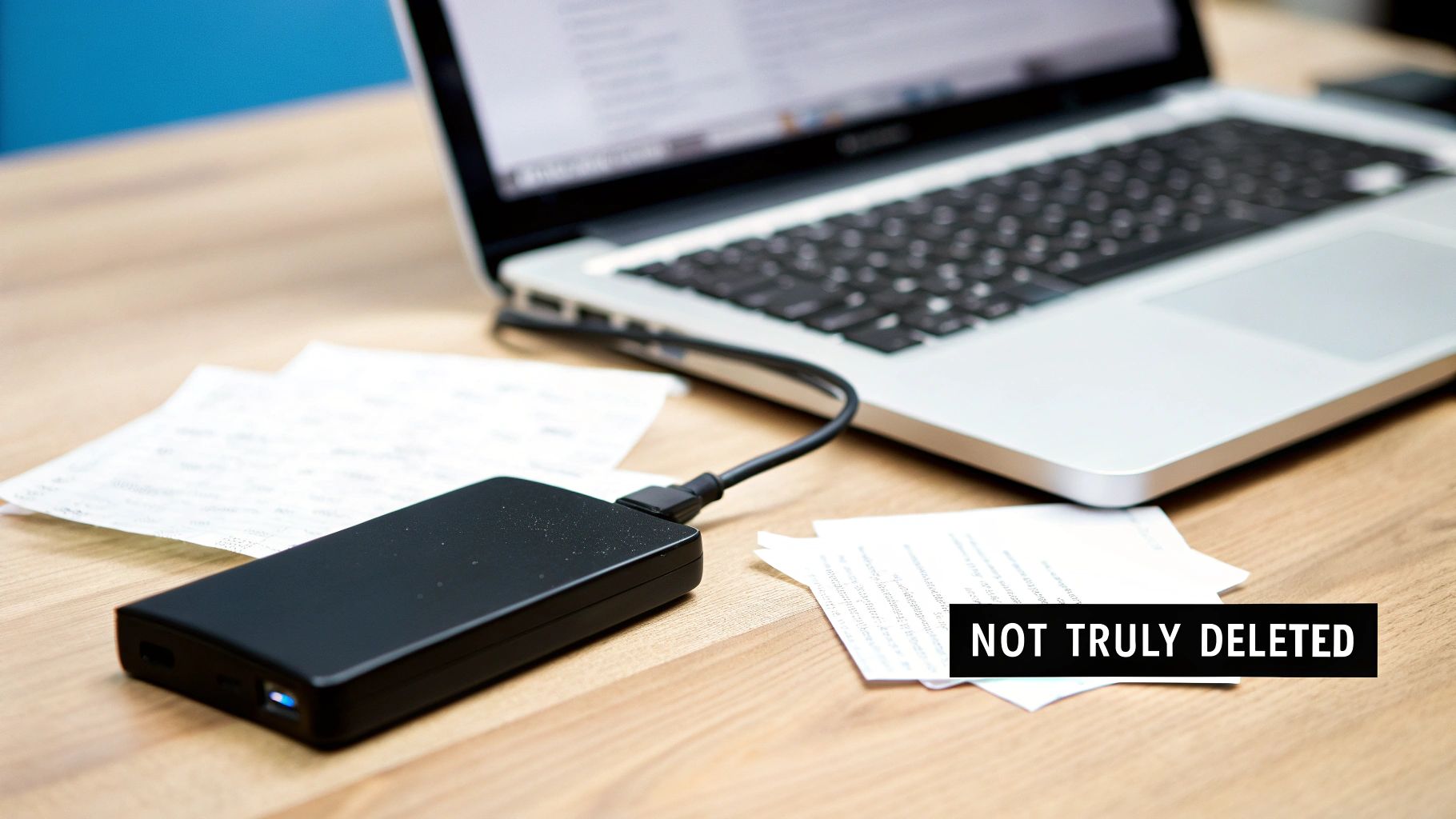
As this image shows, even after "deletion," residual magnetic traces can remain on a hard disk platter. For IT directors and compliance officers, this oversight creates a massive—and often unacknowledged—security hole that can persist for years.
Understanding Data Remanence
Data remanence is the technical term for the digital data that sticks around even after you’ve tried to erase it. This single phenomenon is why professional, certified data destruction methods are non-negotiable for any organization handling sensitive information. Without proper sanitization, you are essentially leaving the door wide open for a data breach.
The consequences can be severe, especially in regulated industries. A retired server from a healthcare provider could still hold thousands of patient health records (PHI). An old laptop from the engineering department might contain proprietary R&D data. If these assets are resold or recycled without being properly cleared, the risk of exposure is immense. This is where understanding the difference between simple deletion and secure erasure becomes critical. You can learn more about why certified processes are so important by reading our detailed guide on secure data destruction.
The Real-World Consequences of Improper Disposal
The risks aren't just theoretical; they have tangible, costly impacts. When you get IT asset disposal wrong, you can face:
- Costly Data Breaches: Fines for non-compliance with regulations like HIPAA or GDPR can be financially crippling.
- Reputational Damage: The loss of customer trust after a breach can inflict long-term harm on your brand.
- Legal Liability: Organizations can face lawsuits from individuals whose data was compromised.
The scale of this problem is growing fast. In 2023, the United States alone recorded 3,205 data breaches, affecting over 353 million people. This explosion in breaches underscores why simply hitting "delete" falls dangerously short.
When you decommission an IT asset without certified data erasure, you're not just disposing of hardware—you're gambling with your organization's security, compliance, and reputation. Every drive is a potential liability until proven otherwise.
Ultimately, understanding the limits of basic file deletion is the first step toward building a secure and compliant IT asset disposition strategy. Relying on professional, verifiable methods is the only way to ensure your sensitive data is gone for good.
Exploring Software-Based Data Wiping
When a computer or server is scheduled for reuse, donation, or resale, software-based wiping is the only way to sanitize the data without destroying the hardware. The process uses specialized tools to overwrite every single sector of a hard drive with layers of random, meaningless data. It's the digital equivalent of burying the original information so deep that recovery becomes practically impossible.
This is a world away from a simple format, which just erases the file index and leaves the actual data intact. A true software wipe writes directly onto the disk platters, and its effectiveness comes down to the erasure standard you choose. That standard dictates exactly how many times the drive is overwritten and what patterns are used.
Decoding Overwriting Standards
The world of data sanitization is filled with acronyms and standards, each offering a different level of security. For an IT manager, knowing the difference is key to making a sound decision based on risk, compliance, and operational efficiency.
For example, a single-pass wipe is a common baseline where the drive is overwritten once with zeros. It's fast and often sufficient for low-risk data or internal redeployment. For more sensitive information, however, multi-pass standards are the way to go.
Here are a few of the most recognized standards you'll encounter:
- DoD 5220.22-M: A well-known standard from the U.S. Department of Defense that specifies a three-pass overwrite (passes with zeros, ones, and then random characters). While it’s an older standard, its methodology is still widely respected and built into many professional wiping tools.
- NIST 800-88: The National Institute of Standards and Technology provides guidelines now considered the modern benchmark. It defines "Clear," "Purge," and "Destroy" methods, with Purge involving overwriting or cryptographic erasure that protects data against advanced, lab-level recovery.
- Gutmann Method: This is one of the most intensive standards out there, performing a staggering 35 passes with different data patterns. It was originally designed for older drive technologies. While it's arguably overkill for modern drives, it still represents the highest level of software-based security available.
Choosing the right one is a trade-off. A 35-pass Gutmann wipe on a large-capacity drive could take days to complete, whereas a single-pass wipe might finish in just a few hours.
Comparing Common Data Erasure Standards
To help clarify the options, this table breaks down the most widely used data sanitization standards and their typical applications in a business IT asset disposition context.
| Standard Name | Method Overview | Number of Passes | Best For |
|---|---|---|---|
| DoD 5220.22-M | Overwrites with zeros, then ones, then a random character. | 3 Passes | Resale or donation of assets containing sensitive but non-classified business data. A widely accepted commercial standard. |
| NIST 800-88 Clear | Overwrites data using standard read/write commands on logical storage. | 1 Pass | Internal redeployment of devices within the same secure environment where data risk is low. |
| NIST 800-88 Purge | Overwrites the physical media, uses block erase, or cryptographic erase. Protects against advanced recovery. | 1+ Passes | Devices containing PII, PHI, or intellectual property. Required for many compliance frameworks. |
| Gutmann Method | Uses a complex sequence of 35 different overwrite patterns. | 35 Passes | Extreme security needs or sanitizing very old drive types. Generally considered excessive for modern HDDs and SSDs. |
Ultimately, the goal is to select a standard that aligns with your organization's data classification policy and risk tolerance without creating unnecessary operational delays.
Choosing the Right Standard for the Job
The decision on which sanitization standard to use should never be arbitrary. It needs to align directly with the sensitivity of the data and the asset's next destination. For assets holding non-sensitive operational files that will be reused internally, a simple one-pass overwrite is usually efficient and perfectly adequate.
But if that same device held financial records, intellectual property, or protected health information (PHI), a more robust, multi-pass method like the DoD 5220.22-M or NIST 800-88 Purge is a much safer bet. This is especially true if the asset will leave your organization's direct control through resale or donation. For those looking to dive deeper, our guide on the best hard drive wiping software compares different tools and the standards they support.
The core principle is risk mitigation. The greater the potential damage from a data breach, the more rigorous your sanitization process must be. Matching the wipe standard to the data classification is a fundamental step in responsible IT asset disposition.
Verification and Reporting Are Non-Negotiable
A software wipe isn't finished when the progress bar hits 100%. The final—and arguably most important—step is verification and documentation. You must validate that the wipe was successful and that every sector was overwritten as intended.
Professional data erasure tools automate this by performing a read-back verification after the final pass. This check confirms that none of the original data is recoverable. After that, the software must generate a detailed, tamper-proof report, often called a certificate of sanitization. This is your auditable proof that the job was done right.
This report should always include:
- Asset Details: Serial number, make, and model of the hard drive.
- Method Used: The specific sanitization standard applied (e.g., NIST 800-88 Purge).
- Verification Status: A clear "Success" or "Completed" message.
- Timestamp: The exact date and time the erasure was finished.
Without this documentation, you have no way to prove due diligence in an audit or security incident. For any business, this auditable trail is an absolute necessity.
When Physical Destruction Is the Only Answer
Software-based data wiping is a powerful tool, but it's not foolproof for every scenario. There are times when the data is so sensitive, the drives are so old, or the risk of failure is so high that the only acceptable outcome is absolute, physical annihilation. This is the final word in data security.
The goal isn't just to make data unreadable—it's to make the storage medium itself cease to exist in any usable form.
For IT leaders decommissioning assets that held proprietary research, patient health information (PHI), or classified government data, physical destruction offers the ultimate peace of mind. When you need a 100% guaranteed method to clear a hard drive, nothing beats turning it into tiny, unrecognizable fragments of metal and plastic. It completely changes the conversation from "is the data recoverable?" to "there is nothing left to recover."
Industrial Shredding Explained
Industrial shredding is exactly what it sounds like, but on a much more powerful and precise scale. Think of a paper shredder, then imagine a machine capable of tearing through solid steel, aluminum, and circuit boards with thousands of pounds of force. Certified IT asset disposition (ITAD) partners use these machines to obliterate hard drives, SSDs, and other media into particles that meet specific security standards.
The entire process is meticulously controlled from start to finish.
- Inventory and Scanning: First, each drive's serial number is scanned and recorded to maintain a strict, unbroken chain of custody.
- Destruction: Drives are then fed into the shredder, where massive rotating steel teeth grab, tear, and pulverize them.
- Particle Sizing: Finally, the resulting fragments are forced through a screen, ensuring they are smaller than a required size—often just a few millimeters—making any attempt at reassembly physically impossible.
This method works on all media types, including traditional hard disk drives (HDDs), solid-state drives (SSDs), and magnetic tapes. For SSDs, which can sometimes be resistant to software wiping techniques, shredding is often the preferred method because it destroys the individual memory chips.
When compliance with regulations like HIPAA or FACTA is on the line, the visual confirmation of physical destruction provides an unparalleled level of assurance. You don't have to wonder if a wipe was successful—you can see the results right in front of you.
The Power of Degaussing
Before shredding, some high-security protocols require an additional step for magnetic media like HDDs and tapes: degaussing. A degausser is a machine that generates an incredibly powerful magnetic field, many times stronger than the one used to write data onto the drive's platters in the first place.
When a hard drive passes through this field, the magnetic alignment of the domains storing the data is instantly and permanently scrambled into a random, uniform state. The process renders the drive completely inoperable and the data gone forever. After degaussing, the drive is essentially a sterile piece of metal and plastic, but it is still physically destroyed to prevent any misunderstanding about its usability.
It’s important to remember that degaussing only works on magnetic media. It has no effect whatsoever on the flash memory chips found in SSDs, which is another reason why a multi-faceted approach involving shredding is so critical. If you're managing a mix of assets, a certified partner can guide you on the right combination of methods. To see how these services integrate into a full recycling program, you can explore the process of how to shred and recycle your electronics responsibly.
Scenarios Demanding Physical Destruction
Knowing when to insist on physical destruction is key to managing risk. While software wiping is perfect for asset reuse and remarketing, destruction is the only option in certain high-stakes situations.
Consider these common scenarios:
- End-of-Life Drives: Hard drives that are faulty, damaged, or have reached the end of their reliable service life can’t be securely wiped with software.
- Highly Classified Data: For drives containing government secrets, military intelligence, or top-tier corporate R&D, physical destruction is often mandated by policy.
- Compliance Mandates: Certain regulations may explicitly require physical destruction for specific data types, such as patient records under HIPAA.
- Legacy Technology: Older tapes and drives may not be compatible with modern wiping software, making destruction the only viable security option.
In these cases, attempting a software wipe just introduces unnecessary risk. Physical destruction eliminates that risk entirely, providing a definitive and defensible end to the data's lifecycle.
Choosing Your Method: Wiping vs. Shredding
Deciding how to completely clear a hard drive is more than just a technical choice—it's a critical risk management decision. The right method hinges on two things: the sensitivity of your data and the future of the hardware. You’ll need to weigh software erasure against physical destruction to make sure your choice aligns with security policies, compliance needs, and your bottom line.
This decision creates a clear fork in the road. One path, software wiping, preserves the hardware for reuse or resale, which can offer a return on your initial investment. The other path, physical destruction, gives you absolute certainty that the data is gone forever, making it the only real choice for your most sensitive assets.
A Practical Decision Framework
To make the right call, start by asking one simple question: What is the next step for this asset? Your answer will immediately narrow down the options.
- Reuse or Resale: If a laptop is being refreshed for another employee or a server is being sold on the secondary market, the hardware must stay functional. In this case, software wiping is your only viable path.
- Recycle or Scrap: If the hardware is obsolete, damaged, or holds data so sensitive that no risk is acceptable, its value is essentially zero. Here, physical destruction is the most secure and appropriate choice.
For example, a marketing agency refreshing employee laptops for a local charity can confidently use a multi-pass software wipe like NIST 800-88 Purge. The hardware is preserved, and the data is securely sanitized. In contrast, a healthcare provider decommissioning a data center SAN that held patient records must choose physical destruction to eliminate any possibility of a breach and meet HIPAA requirements.
This decision tree visualizes the straightforward path for choosing physical destruction when data must be made irrecoverable.
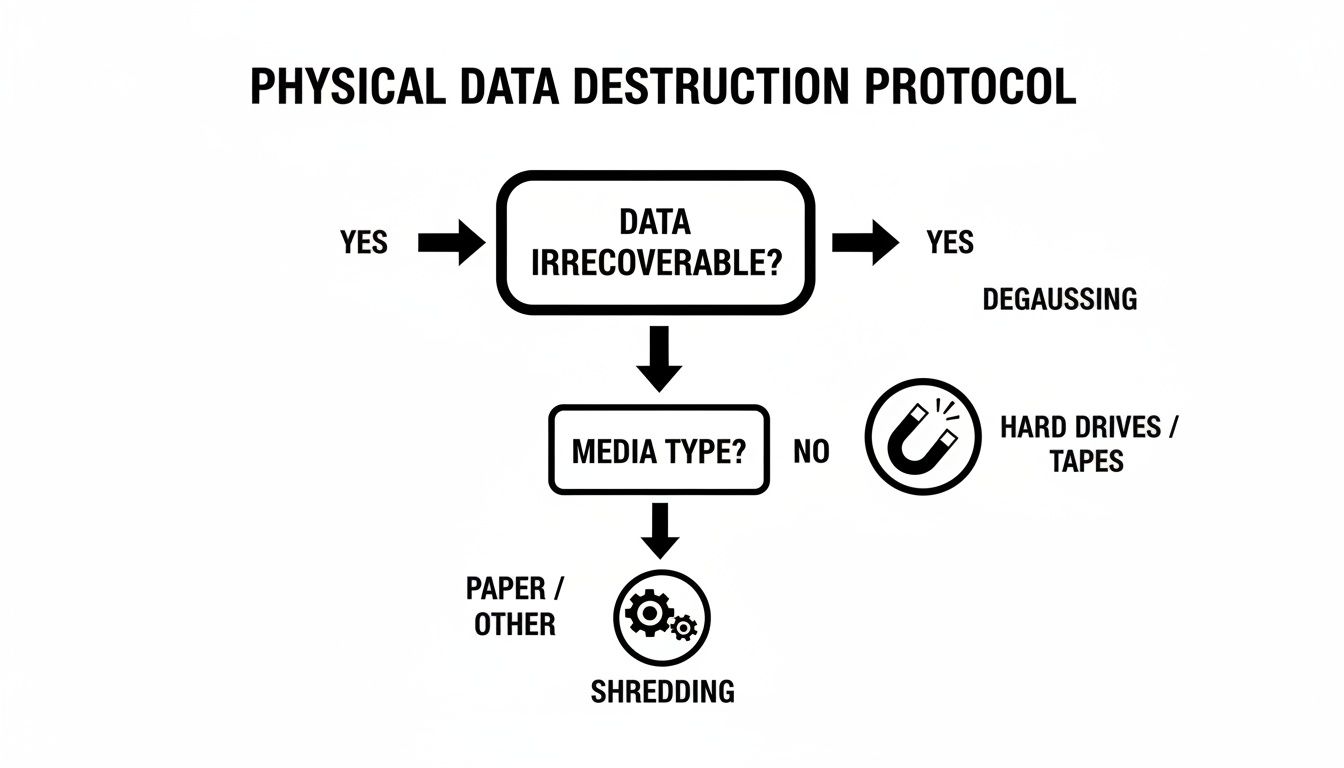
As the graphic shows, once you commit to destruction, the specific method—degaussing versus shredding—depends on the media type and your security protocol.
To help clarify which path is right for different situations, here's a quick decision matrix.
Decision Matrix: Wiping vs. Physical Destruction
| Factor | Software Wiping (Erasure) | Physical Destruction (Shredding/Degaussing) |
|---|---|---|
| Asset's Future | Best for reuse, resale, or internal redeployment. The hardware remains fully functional. | Only for assets being recycled or scrapped. The hardware is rendered completely unusable. |
| Data Security Level | High. Compliant with standards like NIST 800-88. Secure for most business data. | Absolute. The highest level of security. Data is physically irrecoverable. |
| Best Use Case | Employee laptop refreshes, IT hardware remarketing, data center upgrades where drives will be reused. | End-of-life servers with PII/PHI, damaged drives, proprietary R&D data, military/government assets. |
| Cost & ROI | Lower upfront cost. Preserves asset value, allowing for cost recovery through resale. | Higher upfront cost. Eliminates any potential for asset remarketing or value recovery. |
| Verification | Requires a certified software tool that generates an auditable report of successful erasure. | Verified through visual inspection and documented with a Certificate of Destruction. |
| Compliance | Suitable for GDPR, HIPAA, and SOX when properly documented and validated. | The most defensible option for meeting strict compliance mandates like HIPAA, GLBA, and PCI-DSS. |
Ultimately, this table shows there's no single "best" method—only the best method for a specific asset and its data.
Considering Data Sensitivity and Compliance
Your own internal risk policies and external regulatory mandates are the next critical factors. General business files simply don't require the same level of security as proprietary intellectual property or personally identifiable information (PII).
The core principle is simple: the higher the data's sensitivity, the lower your risk tolerance should be. For data that, if exposed, could cause significant financial or reputational damage, physical destruction is the most defensible strategy.
Regulatory bodies often don't prescribe a specific method, but they do demand that your chosen process renders data completely irrecoverable. For organizations governed by HIPAA, GDPR, or SOX, the auditable finality of shredding provides clear, indisputable proof of compliance.
When Software Wipes Fall Short
The demand for absolute data destruction is growing for a good reason. The global hard drive destruction service market, valued at USD 1.65 billion, is projected to hit USD 5.05 billion by 2035, driven by escalating data security needs. This growth reflects a critical reality: software wipes aren't always enough.
You can learn more about these market trends from the top companies in hard drive destruction.
A software wipe can fail if a drive has bad sectors or mechanical issues, potentially leaving recoverable data fragments behind. In fact, with failing drives, data recovery from bad sectors can approach a 100% success rate. Physical destruction bypasses these issues entirely.
Making the right choice between wiping and shredding is fundamental to a secure IT asset disposition program. It ensures you not only protect your organization's data but also meet your compliance obligations without fail.
Ensuring a Defensible Chain of Custody
When you completely clear a hard drive, the job isn't truly finished until the paperwork is done. In the world of IT asset disposition (ITAD), documentation is your ultimate defense against compliance failures and legal headaches. This is where a defensible chain of custody comes in—it’s an unbroken, chronological audit trail that follows every single asset from the moment it leaves your control to its final, verified destruction.
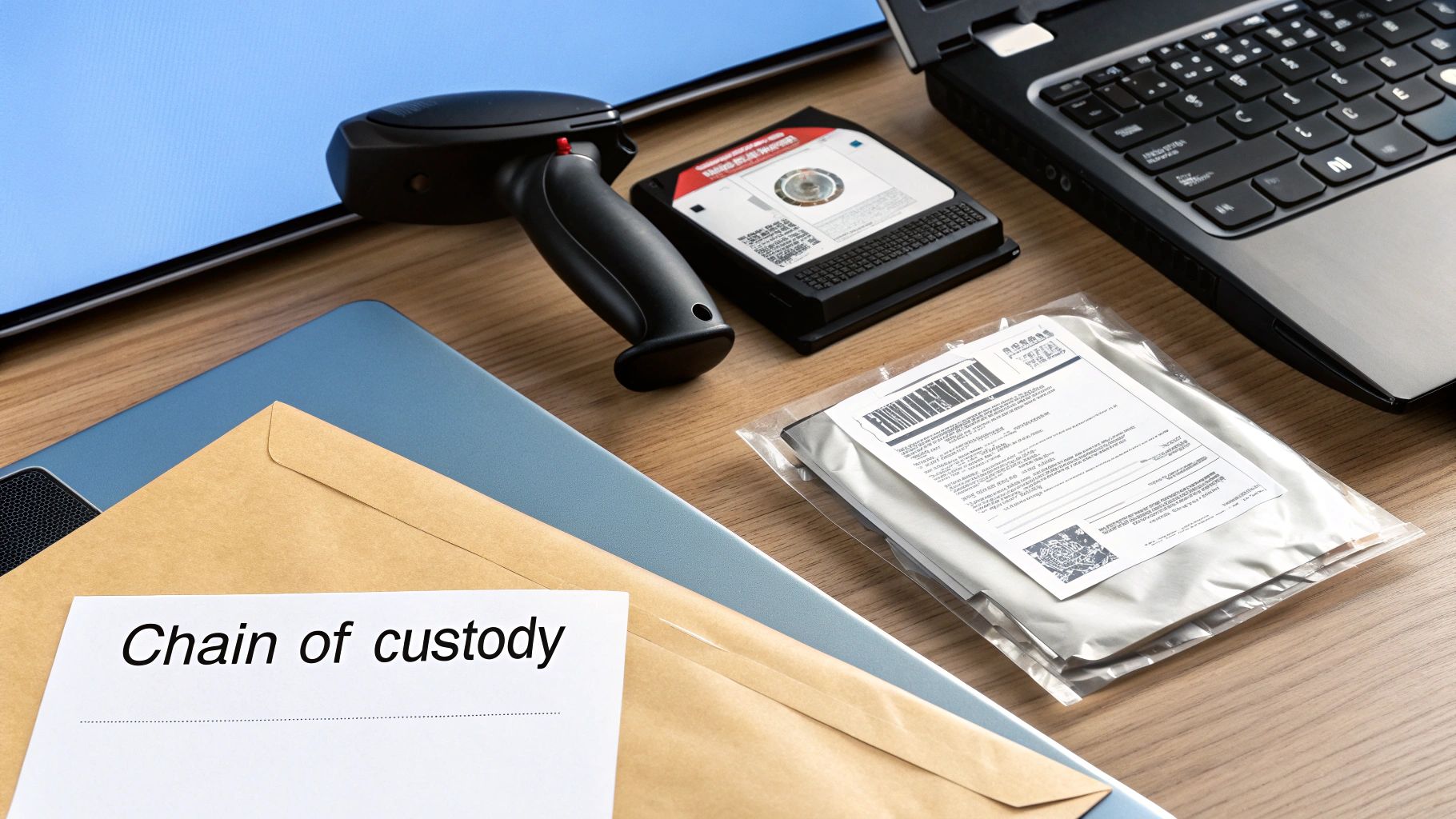
Think of it less as a box-ticking exercise and more as building a legal record. It's the hard evidence that proves you followed every required security protocol and stands up to scrutiny in any audit.
The Anatomy of an Audit Trail
A rock-solid chain of custody is built on meticulous tracking at every single step. It starts the moment a certified technician arrives at your site. Every asset—each hard drive, server, or laptop—has its serial number scanned and logged right then and there, before it's even moved. This initial scan lays the foundation for the entire audit trail, making sure nothing gets lost along the way.
From that point on, the documentation just keeps building:
- Secure Transport: Records detail how the assets were moved in locked, GPS-tracked vehicles.
- Facility Check-in: Once at the secure ITAD facility, every serial number is scanned again to confirm receipt.
- Destruction Log: The specific method of destruction—whether shredding or degaussing—is recorded for each individual asset.
This step-by-step logging creates a seamless story with no gaps, leaving nothing for auditors or regulators to question.
The Certificate of Data Destruction
The final piece of this puzzle is the Certificate of Data Destruction (CoD). This isn't just a receipt; it's a legally binding document that serves as your official proof of compliance. It formalizes the successful destruction of your data-bearing assets and is absolutely essential for meeting regulations like HIPAA, SOX, and GDPR. You can learn more about what makes this document so critical by exploring the role of a Certificate of Destruction for hard drives.
A valid CoD must include specific, verifiable details:
- A unique certificate number for easy tracking.
- The name and address of your organization.
- A full, itemized list of all assets destroyed, including serial numbers.
- The exact date and the method used for destruction.
- An official signature from the certified ITAD partner.
This certificate effectively transfers liability. It is the formal declaration from your certified partner that they have taken responsibility for the secure and permanent destruction of your data, protecting your organization from future claims.
Why This Documentation Matters So Much
The growing emphasis on verified destruction is a direct response to the limits of software-based wiping, especially when dealing with older or faulty hardware. The hard disk destruction equipment market is seeing major growth, with commercial use alone topping $450 million as organizations face stricter data privacy laws.
This trend is fueled by a startling fact: even drives with bad sectors or head issues can have surprisingly high data recovery rates—up to 99-100% in some scenarios. Without a robust chain of custody and a certified CoD, your organization is left exposed. This documented proof is what separates a managed, low-risk process from a potential compliance disaster.
When to Partner with a Certified ITAD Provider
Wiping a handful of drives yourself is one thing. But when you’re facing a pile of retiring assets, the DIY approach quickly becomes unmanageable, inefficient, and frankly, a huge risk.
For any organization handling a significant volume of old IT equipment, partnering with a certified IT Asset Disposition (ITAD) provider isn't just a convenience—it’s a critical business decision. The moment you're dealing with dozens or hundreds of devices, the potential for a costly mistake skyrockets. A trusted ITAD partner transforms data destruction from a logistical headache into a secure, managed process, freeing up your already-stretched IT team to focus on their real jobs.
Identifying the Key Triggers
So, when is it time to make the call? A DIY approach starts to fall apart when you hit certain triggers. If any of these sound familiar, it’s time to bring in a professional.
- Large Volumes of Devices: Decommissioning an entire office or data center involves more than just wiping drives. An ITAD partner handles the secure logistics, inventory tracking, and serialized reporting for hundreds or thousands of assets at once.
- Highly Regulated Data: If you’re handling Protected Health Information (PHI), financial records, or other sensitive data governed by HIPAA, SOX, or GDPR, the stakes are simply too high for guesswork. Certified providers guarantee compliance and give you the auditable proof you need to pass any scrutiny.
- Lack of Internal Resources: Let's be realistic. Securely wiping and documenting the destruction of countless drives requires specialized software, equipment, and dedicated staff hours. Most IT departments just don't have the bandwidth.
- Strict Environmental and Reporting Standards: Certified ITAD vendors are also experts in responsible e-waste recycling. They ensure old equipment is processed in an environmentally compliant manner, providing the reports that support your corporate sustainability goals.
For most organizations, the decision is simple: when the risk of a data breach and the cost of non-compliance outweigh the perceived savings of a DIY approach, a certified partner becomes the only logical choice.
An ITAD provider offers a streamlined, defensible process that lets your team get back to work. By outsourcing this critical end-of-life process, you gain peace of mind and a clear, documented audit trail. To better understand what to look for, you can explore our guide on selecting from top IT asset disposition companies that meet these standards. This strategic partnership ensures every asset is handled securely, responsibly, and in full compliance with all relevant regulations, protecting your organization from every angle.
Frequently Asked Questions About Clearing Hard Drives
When it comes to data destruction, IT managers and compliance officers have plenty of questions. Getting the right answers is critical for security and for proving you've done your due diligence. Here are some of the most common queries we handle every day.
A question we hear all the time is whether a simple factory reset is enough. Let's be clear: a factory reset is not the same as a secure wipe. A reset just reverts a device’s software back to its original settings, but it rarely overwrites the actual data. Your files are often still sitting on the disk, easily retrievable with common software tools. To truly and completely clear a hard drive, you need to use certified data sanitization software or physical destruction.
Physical Destruction Methods
When physical destruction is the only acceptable route, the conversation usually turns to degaussing versus shredding. Both are highly effective, but they work in very different ways.
- Degaussing blasts the drive with a powerful magnetic field, instantly scrambling the data on the platters and rendering the drive useless. It’s incredibly fast and perfect for magnetic media like traditional HDDs and tapes.
- Shredding is exactly what it sounds like—an industrial machine physically chews the drive into tiny, mangled pieces. It offers undeniable visual proof that the drive is gone for good.
While both are top-tier security measures, shredding works on all drive types. This is especially important for Solid-State Drives (SSDs), which are immune to degaussing because they don't store data magnetically.
Verifying Successful Data Destruction
"How do I know the data is really gone?" This is probably the most important question of all. Verification is the final, non-negotiable step in any professional data destruction process. Without it, you have no defensible proof that you met your compliance obligations.
The method of destruction dictates the type of proof you receive. For software erasure, the tool must generate a detailed report confirming the overwrite was successful across every sector. When working with a certified ITAD vendor for physical destruction, you should always receive a formal Certificate of Data Destruction.
This certificate is a legal document. It lists the serial numbers of the destroyed assets and confirms the exact method used, creating a clear, auditable trail that protects your organization. It's the cornerstone of a defensible ITAD strategy, ensuring you can confidently answer any audit or inquiry about how you handle end-of-life data. It effectively shifts liability and provides definitive proof that your data was managed responsibly.
When you need absolute certainty that your data is destroyed and your organization is protected, trust the experts. Dallas Fortworth Computer Recycling offers certified, nationwide data destruction services with a fully documented chain of custody. Contact us today to schedule your secure IT asset pickup.