
The Business Guide to Secure Data Destruction
Hitting the 'delete' key on your computer doesn't actually erase anything. Think of it like tearing a page out of a book's table of contents—the chapter is still there, just a bit harder to find. Secure data destruction, on the other hand, is the process of permanently and irreversibly destroying that information, making it impossible to recover. It's the equivalent of shredding the entire book and then incinerating the shreds.
Why Data Destruction Is A Critical Business Function
Most businesses see old computers, servers, and hard drives as little more than office clutter taking up space. In reality, they are ticking time bombs of sensitive information. Every retired IT asset holds a digital ghost of its past, from customer lists and private financial records to proprietary business strategies.
Disposing of these assets improperly opens your organization up to a cascade of devastating consequences that go far beyond a simple IT mistake. A single data breach from a discarded hard drive can trigger crippling regulatory fines, cause irreversible damage to your brand, and entangle you in complex legal battles. This turns a simple act of disposal into a high-stakes business continuity function.
The Real-World Risks of Negligence
Failing to implement a formal secure data destruction process isn't just an oversight; it's a significant gamble with your company's future. The risks are tangible and can impact every corner of your organization:
- Financial Penalties: Regulations like HIPAA and FACTA come with steep fines for non-compliance, often reaching millions of dollars for a single incident.
- Reputational Damage: A public data breach can permanently tarnish a company's reputation, leading to lost customers and a serious hit to your market value.
- Legal Consequences: Businesses can face lawsuits from affected customers, partners, and employees, resulting in costly legal fights and settlements.
- Loss of Intellectual Property: If sensitive trade secrets are recovered from improperly discarded devices, competitors can gain an immediate and unfair advantage.
In essence, secure data destruction is not an expense but an investment in risk mitigation. It is a non-negotiable part of the IT asset lifecycle, protecting a company's financial stability, reputation, and legal standing.
A Rapidly Growing Industry
The intense focus on data privacy and security has fueled a massive demand for professional data sanitization. The global secure data destruction services market is currently valued at around $15 billion and is projected to skyrocket to approximately $35 billion by 2033. This growth, tracked by firms like Archive Market Research, shows just how seriously modern businesses are taking the threat of data exposure from their retired assets.
Ultimately, secure data destruction is a core component of a broader strategy known as IT Asset Disposition (ITAD). Properly managing the end-of-life for your technology is the only way to ensure your data disappears for good.
Comparing The Three Core Methods Of Data Destruction
Once your organization commits to secure data destruction, the next logical question is: how do we actually do it? There’s no single, one-size-fits-all answer. Instead, there are three primary methods, each built for different scenarios, types of media, and security needs. Understanding how they differ is the key to making smart decisions about your IT assets.
Think of it like getting rid of a sensitive paper document. You could scribble over every word until it’s unreadable, use a powerful magnet to scramble the ink, or just run it through a high-security shredder. Each one gets the job done, but they work in fundamentally different ways.
This decision is a critical checkpoint in any IT asset disposition (ITAD) plan. The flowchart below shows just how different the outcomes can be.
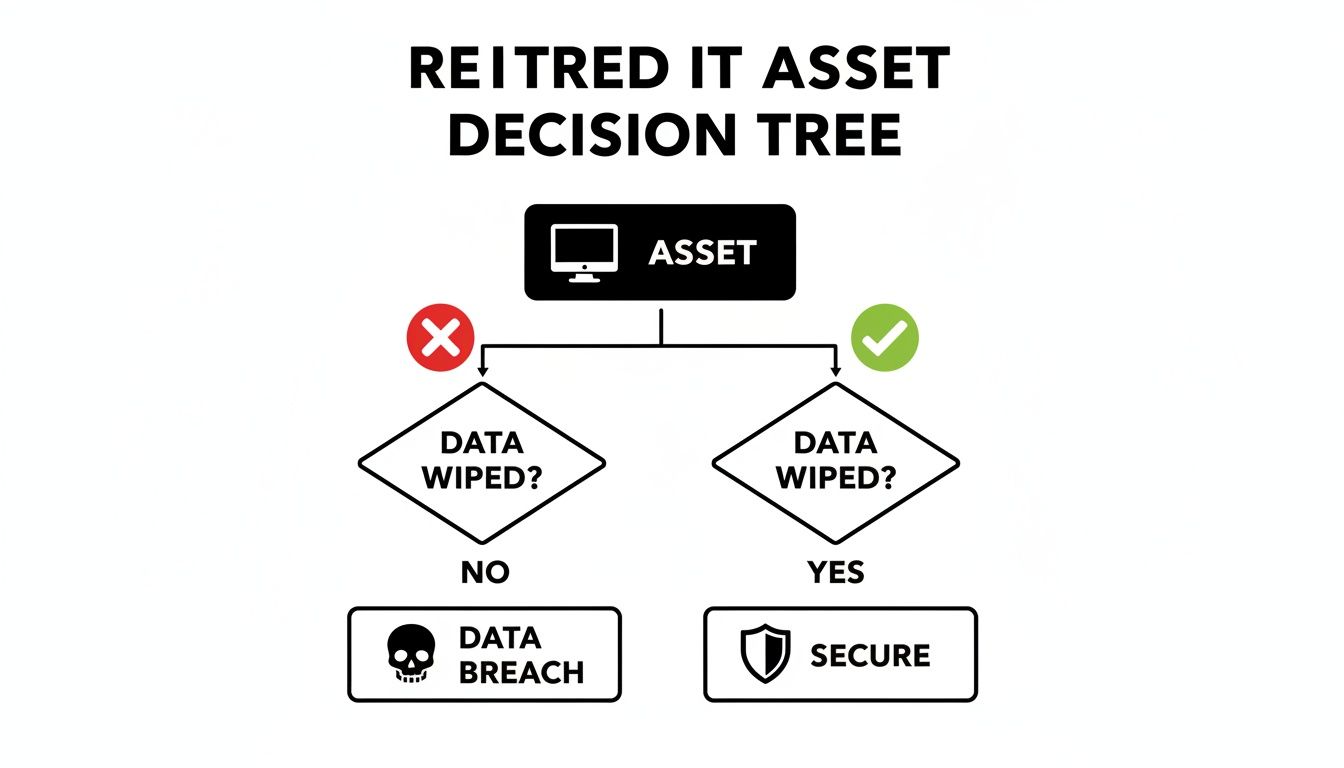
As you can see, choosing a secure data destruction plan is the only path to a secure outcome. Neglecting it is a direct line to a data breach.
To help you decide which path is right for your assets, let's break down the three core methods. We've put together a simple table to give you a quick overview of how they stack up against each other.
Secure Data Destruction Methods At A Glance
| Method | How It Works | Best For | Key Advantage | Consideration |
|---|---|---|---|---|
| Software Overwriting | Uses specialized software to write patterns of ones and zeros over existing data, making it unrecoverable. | Hard Disk Drives (HDDs) and Solid-State Drives (SSDs) intended for reuse, resale, or donation. | The device remains physically intact and fully functional, preserving its value. | The process can be time-consuming for large volumes of drives. |
| Degaussing | A powerful magnetic field is used to instantly neutralize the magnetic domains on a drive's platters, permanently erasing data. | Magnetic media like HDDs and backup tapes that need fast, high-security erasure. | Extremely fast and effective for erasing large quantities of magnetic drives at once. | Renders the hard drive unusable and is completely ineffective on SSDs. |
| Physical Destruction | The media is shredded, crushed, or pulverized into tiny fragments, making data recovery physically impossible. | End-of-life or damaged media, SSDs, and situations requiring the highest level of security. | The most definitive and foolproof method, providing absolute certainty of data obliteration. | The asset is completely destroyed, eliminating any possibility of reuse or resale. |
Each of these methods has a clear purpose. Now, let’s dig a little deeper into how they work in the real world.
Method 1: Software-Based Overwriting
Often called data wiping or data erasure, software-based overwriting is the digital version of scribbling over old text in a notebook until the original words are totally gone. This technique uses specialized software to write patterns of ones and zeros across the entire surface of a storage device, effectively replacing every bit of the original data.
This can be done in multiple "passes" to guarantee the old data is impossible to recover. It's the perfect solution when the storage device itself is still valuable and you want to reuse, resell, or donate it.
Key advantages include:
- Asset Reuse: The biggest benefit is that the hard drive or device stays physically intact and ready for a second life.
- Auditability: Professional data wiping software creates verifiable reports and certificates of erasure, giving you a clear audit trail for compliance.
- Environmental Friendliness: By enabling reuse, overwriting helps cut down on e-waste and extends the life of valuable IT hardware.
For businesses looking to handle this in-house, you can explore the best hard drive wiping software to see what solution fits your needs.
Method 2: Degaussing
Degaussing is a powerful and highly effective method for magnetic storage media, like traditional Hard Disk Drives (HDDs) and magnetic tapes. Imagine using a giant magnet to completely scramble the audio on an old cassette tape—it’s the same principle. A degausser blasts the drive with a powerful magnetic field that neutralizes the magnetic domains where data is stored.
This process instantly and permanently erases everything, making the drive completely unreadable. The catch? It also destroys the drive's firmware, which means the device itself is permanently unusable. It’s also important to know that degaussing does not work on Solid-State Drives (SSDs), since they don't store data magnetically.
Degaussing offers an extremely high level of security for magnetic media by fundamentally changing the physical properties used to store data. It ensures total and irreversible data removal.
Method 3: Physical Destruction
When data is extremely sensitive, or the storage media is old and obsolete, physical destruction is the most definitive method you can choose. This is the ultimate form of secure data destruction—think of it as putting a confidential document through a high-security, cross-cut shredder until it's nothing but confetti.
Physical destruction involves shredding, crushing, or pulverizing the media into tiny, unrecognizable pieces. This process makes data recovery physically impossible and is the required method for many government and military security standards.
It is the go-to solution for:
- Solid-State Drives (SSDs): Since degaussing doesn’t work on SSDs, shredding is the most reliable way to destroy their individual memory chips.
- End-of-Life Media: Perfect for damaged, obsolete, or non-functional drives where reuse isn't an option.
- Maximum Security Needs: When you need absolute, unquestionable certainty that the data is gone forever to meet the highest compliance standards.
Ultimately, choosing the right method comes down to carefully evaluating the media type, the sensitivity of the data, and your organization's goals for its retired assets.
Navigating Data Destruction Compliance Standards
Failing to properly destroy data isn't just a security risk—it's a direct path to serious legal and financial trouble. Compliance standards for data destruction aren't bureaucratic hurdles; they are established frameworks designed to create a legally defensible security program. Following them proves you’ve done your due diligence and shields your organization from the fallout of non-compliance.
Think of these standards as the official blueprints for secure data destruction. They provide clear, repeatable processes that turn a complex security requirement into a series of actionable, auditable steps. For any organization handling sensitive information—from customer PII to proprietary company data—adhering to these guidelines is non-negotiable.
Understanding NIST 800-88: The Gold Standard
In the United States, the most influential framework is the National Institute of Standards and Technology (NIST) Special Publication 800-88, "Guidelines for Media Sanitization." This document is the undisputed gold standard, offering a risk-based approach to data destruction. It goes far beyond simply hitting "delete" and outlines three distinct levels of sanitization, each designed for different scenarios and data sensitivities.
A simple way to think about these levels is to imagine you're securing a sensitive document:
- Clear: This is like using white-out. You’ve covered up the original information, but a determined effort might reveal what was underneath.
- Purge: This is like using a cross-cut shredder. The data is broken into such small, jumbled pieces that reassembling it is practically impossible.
- Destroy: This is the equivalent of incinerating those shreds. The media is physically obliterated, making the data gone forever with zero chance of recovery.
Let's break down what each of these levels means in a real-world, digital context.
The NIST 800-88 guidelines are all about helping organizations make smart, informed decisions. The goal is to ensure the effort you put into sanitizing media is directly proportional to the sensitivity of the data stored on it.
The framework defines specific techniques for each level of sanitization, ensuring the chosen method is right for the media type and the security level of the information. The requirements for a public-facing web server, for instance, are vastly different from those for a server holding classified government data.
The Three Levels of NIST Sanitization Explained
Understanding the difference between Clear, Purge, and Destroy is fundamental to building an effective data disposition policy. Each level corresponds directly to the methods we discussed earlier—software overwriting, degaussing, and physical destruction—and helps you decide which one to use.
NIST Clear
This level uses software-based techniques to sanitize data in all user-accessible storage locations. It relies on standard read/write commands to overwrite the media with new data, usually a pattern of all zeros or a random sequence. This method is best for devices that will be reused within the organization, where the data is considered low-risk.NIST Purge
This method offers much stronger protection. It uses physical or logical techniques to make data recovery infeasible, even with state-of-the-art laboratory tools. Methods include degaussing for magnetic media or using a drive’s built-in "Secure Erase" command. Purging is necessary when media leaves your organization's direct control, such as for resale or donation.NIST Destroy
Just as the name implies, this is the ultimate form of sanitization. It renders the storage media completely unusable and makes data recovery impossible. Methods include shredding, pulverizing, melting, and incineration. This level is required for the most sensitive data and for media that is damaged or at the absolute end of its life. For a deeper look into the documentation that validates this process, learn more about why a certificate of destruction for hard drives is so important for your records.
Industry-Specific Regulations Matter
Beyond NIST, many industries face their own stringent data protection laws. For healthcare organizations, the Health Insurance Portability and Accountability Act (HIPAA) mandates that electronic protected health information (ePHI) be rendered unreadable and unusable before IT assets are disposed of.
Similarly, financial institutions must comply with the Fair and Accurate Credit Transactions Act (FACTA), which includes the Disposal Rule. This rule requires businesses to take reasonable measures to destroy consumer report information, making secure data destruction an explicit legal obligation. Non-compliance with these regulations can trigger fines reaching into the millions, underscoring just how critical a documented and certified destruction process really is.
Implementing A Bulletproof Data Disposition Process
Knowing the theory behind secure data destruction is a great start, but putting it into practice is what actually protects your business. A strong data disposition process isn't just a list of rules—it's a systematic, repeatable framework that turns a critical security task into a manageable business function. Without it, even the best intentions can lead to a disastrous data breach.
This process is your company's playbook for handling retired IT assets. It ensures every hard drive, server, and phone is managed securely from the moment it’s taken offline until its final destruction. It eliminates guesswork and human error, creating a solid defense against accidental data leaks. The goal isn't just to destroy data, but to build a bulletproof system that proves it was done right.
Step 1: Start With A Comprehensive IT Asset Inventory
You can't protect what you don't know you have. The entire process rests on a detailed IT asset inventory. This is more than a simple spreadsheet; it's a living record of every single piece of data-bearing hardware your company owns.
For each asset, your inventory should track the essentials:
- Serial Number: The unique identifier for perfect tracking.
- Asset Type: Is it a server, laptop, or external drive?
- Location: The physical department or data center where it lives.
- User Assignment: Which employee or team is responsible for it?
- Status: Is the asset active, in storage, or flagged for retirement?
A solid inventory gives you the visibility to manage the entire lifecycle of your tech, making it simple to spot assets that are ready for secure disposition.
Step 2: Classify Your Data Sensitivity
Not all data is created equal. The files on a marketing laptop are worlds apart from the financial records on a server. A data classification policy is crucial for applying the right level of security to the right assets. This approach keeps you from overspending to protect low-risk data or, far worse, under-protecting your most sensitive information.
A common tiered system looks something like this:
- Public Data: Information that’s already openly available.
- Internal Data: Business info not meant for public release, but its disclosure wouldn't cause major harm.
- Confidential Data: Sensitive information like employee PII or business contracts that could cause moderate damage if breached.
- Restricted Data: Your most critical assets, like trade secrets or customer financial records, where exposure would have severe consequences.
By assigning a classification level to each IT asset, you can match the data destruction method—like NIST Purge or physical destruction—directly to the risk involved. For more on this, see our guide on how to dispose of old computers safely.
Step 3: Establish An Unbroken Chain Of Custody
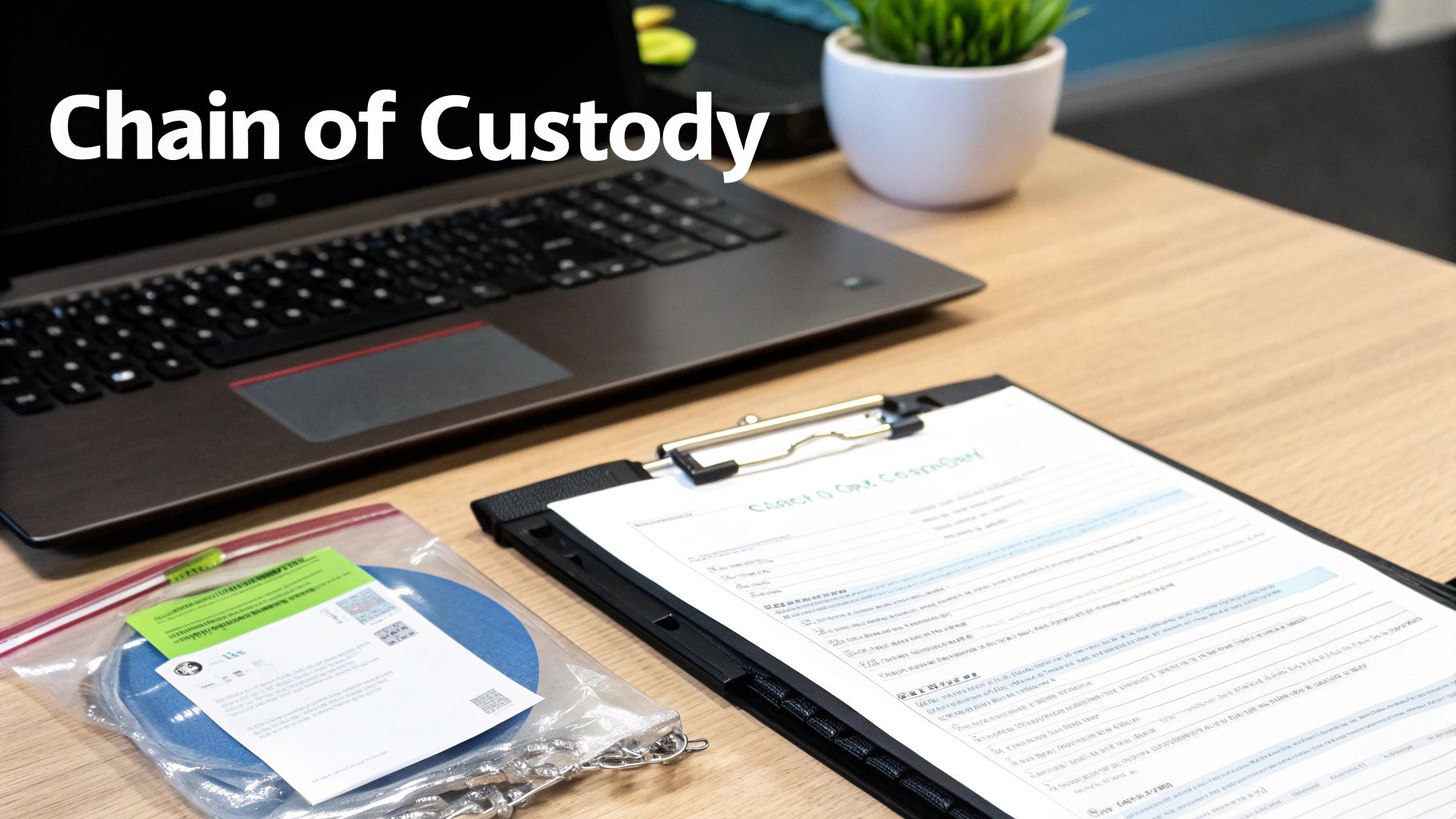
The chain of custody is the single most important part of a secure data disposition process. It’s the unbroken, documented trail that tracks every touchpoint of an asset, from the moment it's unplugged to its final destruction. Think of it as the evidence log for your data security.
A documented chain of custody is your legal and compliant proof that an asset was handled securely at every stage. It proves you never lost control, eliminating the risk of devices "disappearing" in transit.
This documentation needs to meticulously record who handled the asset, when it was transported, where it was stored, and how it was ultimately destroyed. Any weak link in this chain creates a security hole and a compliance failure. Given that mishandled hardware is a prime target for data thieves, this isn't a step you can afford to get wrong.
Finally, your process needs to end with auditable proof. Always demand a Certificate of Destruction from your ITAD partner. This official document is the final entry in your chain of custody, certifying the date, method, and serial numbers of the assets destroyed. It’s what officially closes the loop on your security and compliance obligations.
How To Choose A Secure Data Destruction Partner
Picking an IT asset disposition (ITAD) partner is one of the most critical decisions you'll make for your data security program. This isn’t just about getting old equipment hauled away; it’s about handing over your company's most sensitive information to a third party. The right partner becomes a trusted extension of your security team. The wrong one can expose you to staggering financial and reputational damage.
A smart choice goes way beyond the price tag. You need to dig into a vendor’s certifications, their documented processes, and their commitment to both security and environmental responsibility. A truly reliable partner offers a transparent, auditable process that guarantees your data is handled securely from the moment it leaves your building until it’s verifiably destroyed.
Verify Industry Certifications and Compliance
First things first: check their credentials. Industry-leading certifications aren't just fancy logos for a website—they are hard-earned proof that a vendor has passed rigorous third-party audits and meets the highest standards for secure data destruction.
Be on the lookout for these key certifications:
- NAID AAA Certification: This is the gold standard for the data destruction industry. It verifies everything from employee background checks and access controls to a documented chain of custody.
- e-Stewards or R2 Certification: These certifications are all about responsible electronics recycling. They ensure your retired assets are managed in an environmentally sound way, keeping toxic e-waste out of landfills.
A vendor holding these certifications has a proven, verifiable commitment to doing things the right way, protecting both your data and the environment.
Choosing a certified partner is non-negotiable. It's the single most effective way to validate a vendor's claims and ensure their processes meet regulatory and industry best practices.
Scrutinize Their Chain-of-Custody Process
A vendor's chain-of-custody process is the backbone of their security promise. Think of it as an unbroken, documented trail that follows your assets from your door to their final disposition. A weak or incomplete chain of custody is a massive red flag—it’s where assets get lost, stolen, or mishandled.
When you're vetting a partner, ask them to walk you through their process, step-by-step:
- Asset Tracking: How are individual assets tagged and scanned? Insist on serialized tracking from beginning to end.
- Secure Logistics: Are their vehicles locked and GPS-tracked? Are the employees handling your assets background-checked and properly trained?
- Facility Security: What does security look like at their processing facility? You should hear about 24/7 surveillance, strict access controls, and monitored alarm systems.
- Reporting and Documentation: What proof do you get? A reputable vendor will provide a serialized inventory list and a formal Certificate of Destruction when the job is done.
For a deeper dive into vetting vendors, check out our guide on what to look for in top IT asset disposition companies.
Evaluate On-Site and Off-Site Service Capabilities
Finally, think about where the destruction happens. The best vendors offer both on-site and off-site services, giving you the flexibility to match the service to your security needs.
- On-Site Destruction: A mobile shredding truck comes right to your facility to physically destroy hard drives and other media while you watch. This provides the ultimate peace of mind and is perfect for highly sensitive data.
- Off-Site Destruction: Your assets are securely transported to the vendor’s facility for destruction. This can be more cost-effective for larger volumes of equipment, as long as the partner has an ironclad chain-of-custody and a secure plant.
A quality partner will work with you to assess your risk profile and recommend the service that fits your compliance requirements and budget. By carefully evaluating certifications, chain of custody, and service options, you can confidently choose a partner who will protect your data, your reputation, and your peace of mind.
Secure Destruction Meets Sustainable Recycling
Once your data is gone, the story isn't over. Secure data destruction is the first, non-negotiable step, but what you do with the physical hardware afterward says a lot about your company’s commitment to corporate responsibility. Just tossing sanitized devices into a dumpster isn't just a missed opportunity—it creates serious environmental risks.
This is where data security and environmental stewardship come together. A modern IT Asset Disposition (ITAD) strategy doesn’t see retired hardware as trash. It sees it as a resource to be managed responsibly, protecting both your sensitive information and the planet.
Beyond Destruction: The E-Waste Challenge
Electronic waste, or e-waste, is one of the fastest-growing waste streams in the world. Old computers, servers, and monitors are packed with hazardous materials like lead, mercury, and cadmium. When these devices end up in a landfill, those toxins can leach into the soil and groundwater, causing long-term environmental damage.
A certified ITAD partner handles this dual responsibility by implementing a structured, eco-friendly process after the data is destroyed. This prevents pollution and ensures your organization stays compliant with environmental regulations, which are only getting stricter.
A truly comprehensive ITAD program recognizes that its duty extends beyond data security. It must also ensure that every component of a retired asset is handled in an environmentally responsible manner, turning a compliance task into a positive contribution.
Prioritizing Reuse And Responsible Recycling
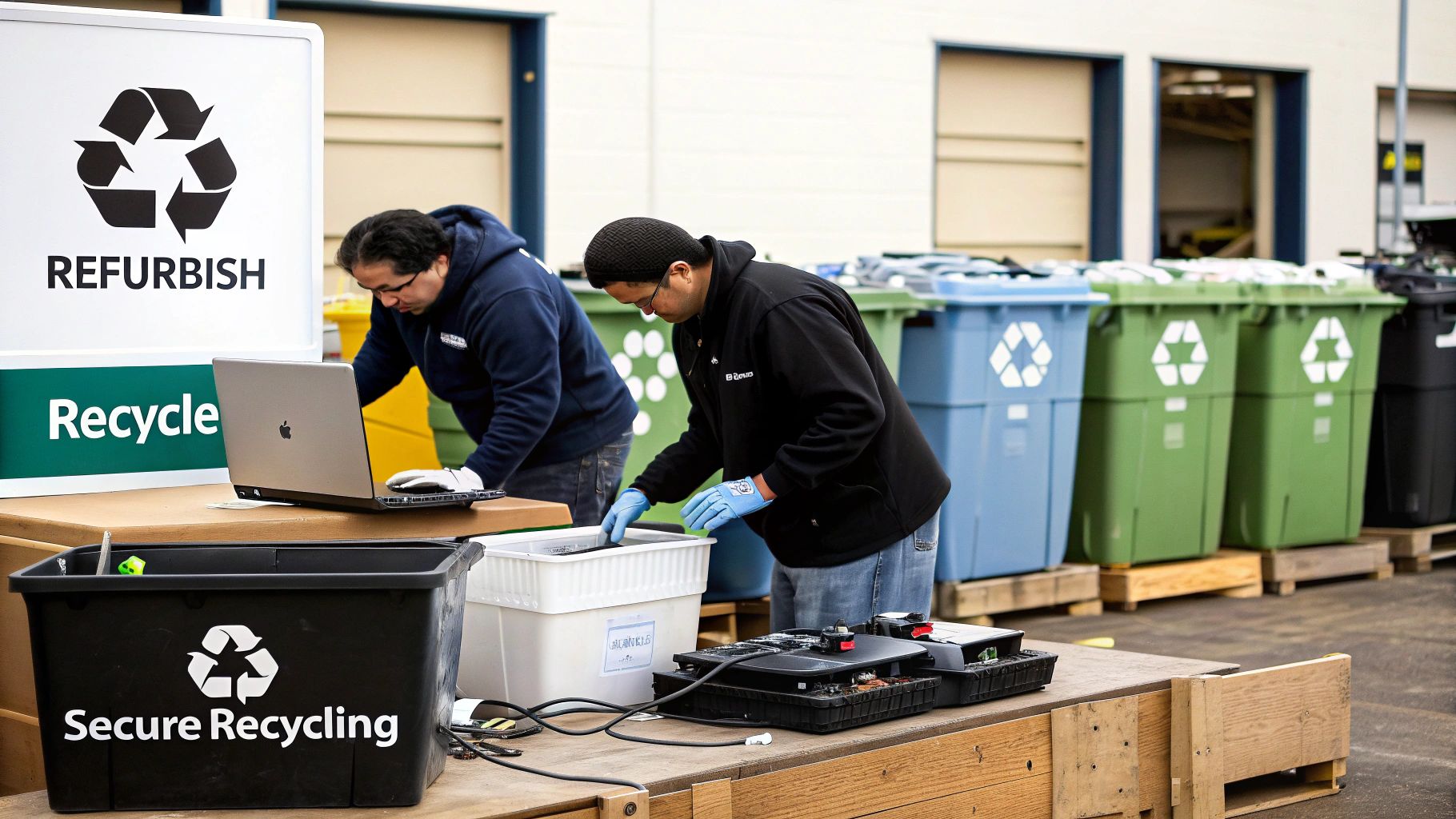
The most sustainable thing you can do with retired IT assets is to give them a longer life. A skilled ITAD partner will first check if sanitized equipment can be refurbished and put back to work. This not only keeps valuable hardware out of the waste stream but can often generate a return on your original investment.
For assets that are too old or damaged to be reused, the focus shifts to responsible materials recovery. This isn't just about crunching metal; it's a careful process:
- Careful Disassembly: Devices are methodically broken down into their core components—circuit boards, plastics, metals, and more.
- Materials Sorting: Each material type is sorted and directed to certified downstream processors for proper recycling.
- Compliance Assurance: The entire chain of custody is documented to prove that no hazardous materials were landfilled.
This sustainable approach elevates your secure data destruction process. It's no longer just a security measure; it becomes a powerful statement about your company's commitment to corporate social responsibility. It shows customers, employees, and stakeholders that you are dedicated to protecting both their data and our shared environment.
Frequently Asked Questions About Secure Data Destruction
Even with a solid plan, questions always come up when it's time to put data destruction into practice. Here are some straightforward answers to the most common queries we hear from business leaders, designed to give you the clarity you need to make the right call.
What Is The Difference Between Wiping And Shredding A Drive?
Think of it this way: wiping a hard drive is like meticulously redacting a sensitive paper document. You take a black marker and go over every single word until the original text is completely gone. The piece of paper still exists, but the information on it is impossible to recover. This process, also known as software overwriting, makes a drive safe for reuse or resale, preserving its value.
Shredding, on the other hand, is like feeding that same document into a high-security cross-cut shredder. It physically pulverizes the drive into tiny, useless pieces. This is the ultimate form of data security, perfect for drives that are at the end of their life or are damaged, but it completely eliminates any chance for reuse.
Do SSDs Need Different Destruction Methods Than HDDs?
Yes, and this is a critical distinction that many people miss. Traditional hard disk drives (HDDs) store data on magnetic platters. That’s why methods like degaussing (using a powerful magnet) work so well on them. But solid-state drives (SSDs) use flash memory chips and have no magnetic parts, making them totally immune to degaussing.
For an SSD, you can use specialized software to wipe the drive, but for absolute, guaranteed destruction, physical shredding is the only way to go. Shredding ensures every single memory chip holding your data is smashed into oblivion. Trying to degauss an SSD is like trying to erase a book with a magnet—it simply doesn't work.
When it comes to SSDs, NIST-compliant options are clear: use certified software wiping if you plan to reuse the drive, or physical shredding for final disposal. Degaussing is never an effective or compliant method for SSDs.
What Documentation Should I Get From My Vendor?
Your proof of compliance is the documentation you receive at the end. A reputable data destruction partner will always provide a Certificate of Destruction, which is the final, crucial step in your chain of custody.
This isn't just a simple receipt. It's a formal, legally defensible record that should include specific details:
- A unique serial number for tracking the certificate.
- The date and location where the destruction occurred.
- A serialized inventory of all media that was destroyed.
- The exact destruction method used (e.g., shredding, wiping).
- A statement transferring custody and liability from your business to the vendor.
This certificate officially closes the loop on your IT asset's lifecycle and protects your organization.
Ready to implement a secure, compliant, and sustainable data destruction strategy? Dallas Fortworth Computer Recycling offers nationwide, certified services to protect your organization's sensitive information while responsibly managing retired IT assets.