
How to Completely Wipe a Hard Drive for Enterprise Security
It’s a common, and frankly dangerous, assumption that dragging files to the trash or running a quick format actually knows how to completely wipe a hard drive. When you "delete" a file this way, all you're doing is removing a signpost pointing to where the data lives. The data itself is still there, just waiting to be found. True data sanitization means overwriting that data so it’s gone for good.
Why Dragging Files to the Trash Is a Security Risk
Thinking that deleting files or formatting a drive is a permanent solution is one of the biggest misconceptions in IT. In reality, it’s like tearing out a card from an old library's card catalog. The card is gone, but the book—your data—is still sitting on the shelf for anyone with the right tools to find.
This action just tells the operating system that the space occupied by the file is now available for new data. Until something new is actually written over it, the original information remains perfectly intact and can be pieced back together with widely available recovery software. For any business, that’s a massive vulnerability just waiting to be exploited.
The Hidden Dangers of Improper Disposal
The consequences of improper data disposal aren't just theoretical; they hit your bottom line and your reputation hard. These threats go way beyond a simple privacy slip-up.
A few of the key risks include:
- Regulatory Penalties: Getting caught out of compliance with data protection laws like HIPAA or GDPR can lead to crippling fines. We’re talking millions of dollars for a single incident.
- Brand and Reputational Damage: A public data breach shatters customer trust. Rebuilding that trust can take years and almost always leads to losing customers.
- Loss of Intellectual Property: Drives that aren’t properly wiped could hand your trade secrets, financial records, or strategic plans directly to competitors or cybercriminals.
A foundational study highlighted just how persistent this problem is. Researchers bought 200 used hard drives from online marketplaces and found that a staggering 67% of the drives still held personally identifiable information (PII). This included everything from Social Security numbers to banking details, even though the sellers claimed the drives were wiped. What’s really shocking is that only 10% had undergone any real form of secure erasure. You can find more details on these staggering statistics about hard drive data.
The core takeaway is simple: if the data isn't verifiably destroyed, you have to assume it's exposed. This mindset is the bedrock of any defensible data destruction program.
Ultimately, professional data sanitization isn't just a technical best practice—it's a non-negotiable part of modern enterprise security. Understanding this difference is the first critical step in protecting your organization’s most valuable asset. Failing to do so is like leaving the vault door wide open.
Choosing the Right Data Destruction Method
Picking the right way to wipe a hard drive is a critical call that hinges on security needs, asset value, and compliance rules. Not every sanitization method is built the same, and the best choice really depends on the storage media—whether it's an old-school magnetic hard disk drive (HDD) or a modern solid-state drive (SSD)—and what your organization plans to do with the asset afterward.
A simple file deletion just doesn't cut it. That's a common misconception that leaves a massive security gap.
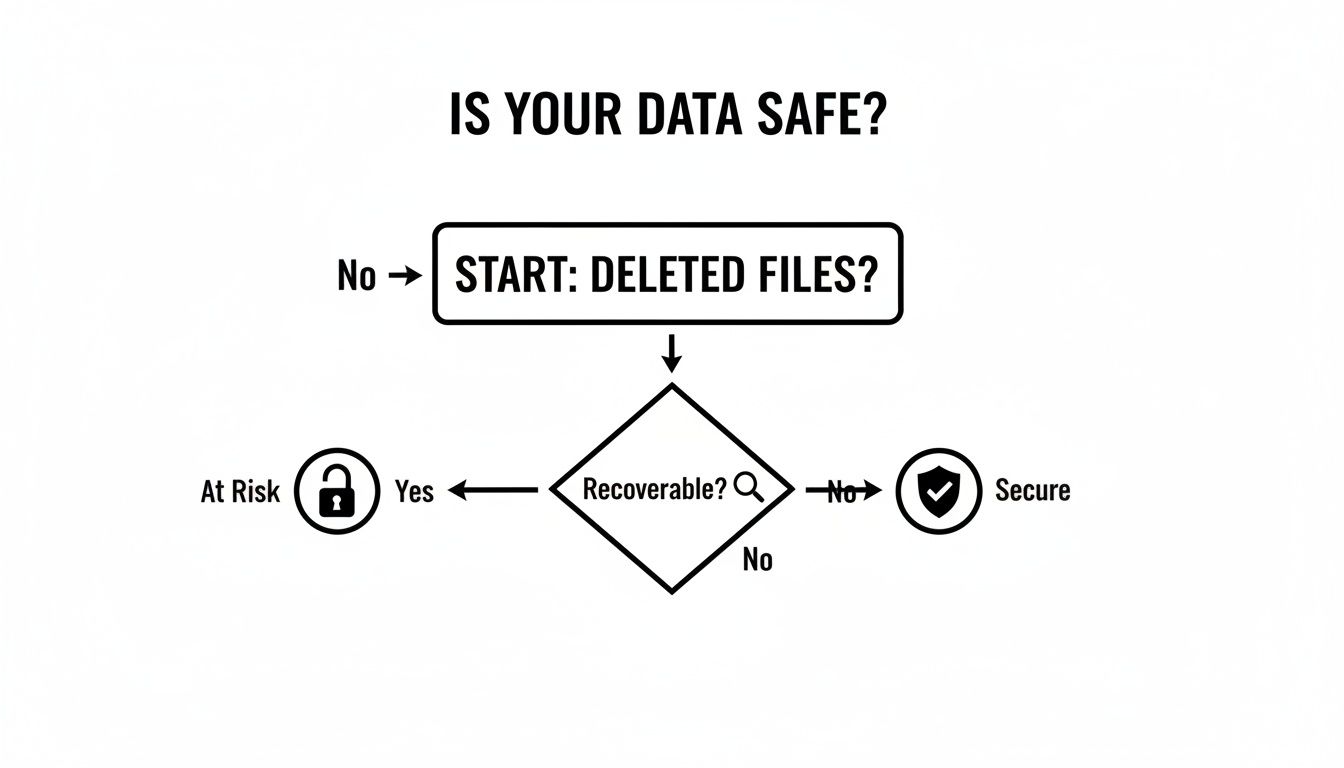
As the flowchart shows, if your "deleted" data is still recoverable—and it almost always is without proper sanitization—your information is still completely exposed. Real security is only achieved when that data is gone for good, with no chance of recovery.
To help you decide, we've broken down the four primary methods used in enterprise IT asset disposition.
Comparing Data Destruction Methods for Enterprise Use
This table gives you a quick, at-a-glance comparison of the four main data destruction methods. It's designed to help IT leaders and compliance officers match the right strategy to their specific assets and security policies.
| Method | Best For | NIST 800-88 Compliance | Key Advantage | Key Limitation |
|---|---|---|---|---|
| Software Overwriting | Reusing or reselling HDDs | Yes (Clear, Purge) | Preserves hardware for reuse/resale | Less effective and slow on SSDs |
| Cryptographic Erase | Rapidly sanitizing self-encrypting drives (SEDs), especially SSDs | Yes (Purge) | Nearly instantaneous | Requires SEDs with encryption enabled from the start |
| Degaussing | High-security sanitization of HDDs and magnetic tapes | Yes (Purge) | Extremely high security for magnetic media | Renders the drive unusable; ineffective on SSDs |
| Physical Destruction | End-of-life assets or maximum-security scenarios | Yes (Destroy) | 100% foolproof data elimination | Completely destroys asset value; no chance of reuse |
Each of these methods has a clear role. Software wiping is for preserving value, crypto-erase is for speed, degaussing is for high-security magnetic media, and physical destruction is the final answer when no risk is acceptable. Let's dig into the details.
Software Overwriting for Asset Reuse
When your goal is to redeploy, donate, or resell a hard drive, software-based wiping is your go-to. This technique works by writing new patterns of ones and zeros over every single sector of the drive, effectively burying the old data.
While a single pass is often sufficient, many compliance standards, like the DoD 5220.22-M, mandate multiple passes for guaranteed sanitization. It's a proven method for HDDs, but its effectiveness on SSDs is questionable due to their complex architecture, which includes features like wear-leveling and over-provisioning that can hide data remnants.
For companies that want to handle this process in-house, you can find a solid overview of the best hard drive wiping software designed for business environments. The biggest win here is that the hardware stays functional, maximizing your return on investment while providing a verifiable report for your audit trail.
Cryptographic Erase for Speed and Efficiency
For any modern self-encrypting drives (SEDs), cryptographic erase (CE) is a game-changer. It’s incredibly fast and just as secure as other methods. Instead of taking hours to overwrite data, CE simply deletes the media encryption key (MEK) that secures the drive.
Once that key is gone, the data becomes a completely useless jumble of ciphertext. It's compliant with NIST SP 800-88 guidelines and is the preferred method for SSDs where traditional overwriting falls short. Its main advantage is speed, allowing a data center to sanitize hundreds of drives in the time it would take to wipe just a few with software.
The catch? The drive has to be an SED, and encryption must have been turned on from day one. If the drive wasn't encrypted from the start, this powerful option is off the table.
Degaussing for Magnetic Media Sanitization
Degaussing is a brute-force approach that's only for magnetic media like HDDs and tapes. A degausser blasts the drive with a powerful magnetic field, instantly scrambling the magnetic domains on the platters where your data lives.
This process permanently destroys every bit of data, but it also renders the drive completely unusable. While it offers an extremely high level of security, its major drawback is that it’s useless on SSDs, which rely on flash memory chips that are immune to magnetism.
- When to Use It: Degaussing is perfect for high-security environments that need to sanitize HDDs on-site before they're moved for final destruction.
- Compliance: Degaussers approved by the National Security Agency (NSA) meet the absolute highest government standards for data sanitization.
Physical Destruction for Ultimate Security
When data is so sensitive that even a tiny risk is unacceptable, physical destruction is the only way forward. This means shredding, crushing, or pulverizing the drive into tiny fragments. It is the one method that guarantees data is 100% unrecoverable, no matter what type of drive it is.
Physical destruction is the final word for drives at the end of their life or for any organization with a zero-risk policy. It’s the gold standard for compliance and offers total peace of mind—after all, you can't recover data from a pile of shredded metal.
The Technical Realities of Wiping HDDs vs SSDs
When it comes to wiping a hard drive, it's critical to understand that not all drives are the same. The tried-and-true methods we've relied on for years with traditional Hard Disk Drives (HDDs) are often useless—and sometimes even harmful—when applied to modern Solid-State Drives (SSDs). Their core designs are so different that they demand completely separate approaches to data sanitization.
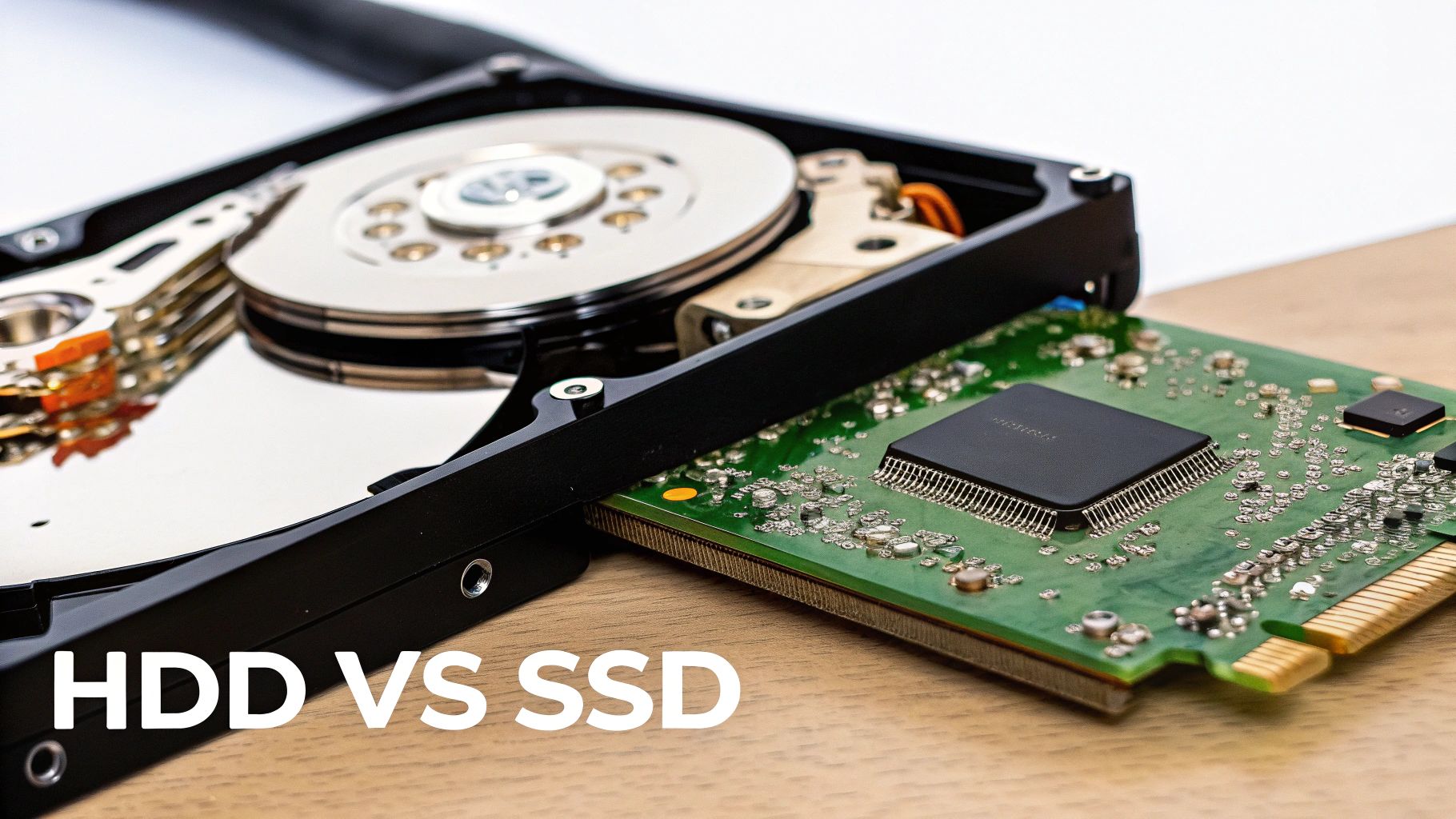
An HDD is a mechanical device that stores data on spinning magnetic platters. Wiping one correctly involves using software to write new data, usually patterns of zeros and ones, over every single sector. This process, called overwriting, effectively buries the old information under the new. For decades, multi-pass protocols like the DoD 5220.22-M standard were the gold standard, designed to eliminate even the faintest magnetic traces. For an HDD, especially one you plan to reuse, this is a proven path to secure erasure.
The Unique Challenges of Wiping SSDs
SSDs are a whole different beast. They have no moving parts and use flash memory chips controlled by a sophisticated internal processor. This controller uses several clever tricks to boost performance and extend the drive’s lifespan, but those same features create major roadblocks for traditional wiping software.
Here's what makes SSDs so tricky to wipe:
- Wear-Leveling: This algorithm spreads write operations evenly across all the memory cells to keep any one spot from wearing out too fast. When you think you're overwriting a specific piece of data, the SSD's controller might just write the new data to a completely different physical location, leaving the original data perfectly intact and hidden.
- Over-Provisioning: SSD manufacturers set aside a chunk of the drive's total storage capacity—often 7% to 25%—that is completely invisible to you and your operating system. The controller uses this space for maintenance tasks. Any old data sitting in this over-provisioned area is untouchable by standard overwriting tools.
- Garbage Collection: This is a background cleanup process that reorganizes data for efficiency. The drive's controller runs it on its own schedule, which can leave fragments of your sensitive data scattered in places you can't see or access.
Attempting a multi-pass overwrite on an SSD is not just ineffective; it's a bad idea. You'll inflict a huge number of write cycles on the drive, reducing its lifespan, all with no real guarantee that you've actually wiped the data.
The Right Way to Wipe Each Drive Type
Given these deep architectural differences, a one-size-fits-all approach is a recipe for a data breach. To be effective and compliant with standards like NIST SP 800-88, you have to tailor the sanitization method to the media.
For HDDs, the path is straightforward:
- Use a reputable software tool to perform a multi-pass overwrite. Methods like the 3-pass DoD 5220.22-M are still solid industry standards.
- Always verify the wipe. A professional sanitization process isn't complete until you've run a verification step that reads the drive to confirm the overwrite was successful.
For SSDs, you need to forget about software overwriting and use the tools built into the drive itself:
- ATA Secure Erase: This is a firmware command built into most modern SATA SSDs. When you trigger it, the drive’s controller flushes all stored electrons from the flash memory, resetting it to its factory state. It's the most effective way to erase everything, including data in those hidden over-provisioned areas.
- Cryptographic Erase (CE): If the SSD is a self-encrypting drive (SED), this is the simplest and quickest method by far. You just delete the media encryption key, which instantly renders all the data on the drive into useless, unreadable gibberish.
Executing these commands takes the right software. On a Linux system, for example, the hdparm utility can issue the ATA Secure Erase command to a SATA drive, while the nvme format command is used for newer NVMe SSDs. For a deeper look at the technical side, you can learn more about the specifics of wiping SSD drives specifically and how these commands really work.
Using the wrong tool for the job doesn't just waste your time—it leaves you with a false sense of security that can have disastrous consequences.
Building a Defensible Data Destruction Program
Successfully wiping a drive is a huge technical win, but from a business risk and compliance perspective, it's only half the job. The real test comes when an auditor asks you to prove you did it correctly. This is where a defensible data destruction program comes in, built on an unbreakable chain of custody and a rock-solid audit trail.
This process elevates data wiping from a simple IT task to a documented, auditable business function. It’s what insulates your company from legal and financial blowback. Without it, you’re just crossing your fingers and hoping for the best.

Establishing an Unbreakable Chain of Custody
The moment a drive is slated for retirement, it becomes a liability. Your chain of custody is the documented proof that this liability was managed securely at every single step, from an employee's desk to its final disposition. This isn't just about paperwork; it's your primary line of defense.
A strong chain of custody is all about meticulous, verifiable actions:
- Asset Tagging and Logging: Every drive needs a tag and its serial number logged immediately. This central log should track its physical location and the employee responsible for it at all times.
- Secure Transport: When drives move—even just to a different room—they must be in locked, secure containers. Every handoff needs a signature. No exceptions.
- Access Control: The storage area for decommissioned drives must be physically secure, with access limited to authorized personnel. An access log should detail who entered, when, and why.
An undocumented asset is a rogue asset, and a rogue asset is a data breach waiting to happen. For a more detailed look, our guide on IT asset management best practices provides a deeper dive into these fundamentals.
Navigating Key Compliance Frameworks
Understanding the rules that govern data disposal is absolutely non-negotiable. Different industries and data types fall under various regulations, and auditors expect you to know which ones apply to your business. Claiming ignorance is never an accepted excuse.
You’ll most likely run into these three major frameworks:
- NIST SP 800-88: This is the gold standard for media sanitization from the National Institute of Standards and Technology. It outlines three methods—Clear, Purge, and Destroy—and provides clear guidance on which to use for different media types and security levels.
- HIPAA: The Health Insurance Portability and Accountability Act has ironclad rules for protecting patient health information (PHI). Any drive that has ever held PHI must be sanitized according to NIST guidelines to avoid staggering fines.
- DoD 5220.22-M: While largely superseded by NIST 800-88, this old Department of Defense standard is still cited in many corporate policies. It’s famous for specifying a 3-pass overwrite method, which remains a benchmark for wiping HDDs.
Your internal policy should explicitly name the standards you follow. This simple step shows auditors that your process is based on established best practices, not just arbitrary decisions.
The Critical Role of a Certificate of Destruction
Once the sanitization is complete, the final and most important piece of your audit trail is the Certificate of Destruction (CoD). This is the legal document that officially proves the assets were destroyed in a compliant manner.
A proper CoD isn’t just a piece of paper. It must include:
- A unique serial number for the certificate itself.
- The exact date and location of the destruction.
- A detailed list of the serial numbers of every single drive that was destroyed.
- The specific method used (e.g., shredding, degaussing, NIST Purge).
- A signature from an authorized official at the destruction facility.
This document is what closes the loop on your chain of custody. It’s the final record that proves you met your legal and regulatory obligations. Without it, you have no verifiable answer when an auditor asks, "Show me what happened to these assets."
The stakes for getting this right are incredibly high. The corporate landscape is littered with cautionary tales, with the Identity Theft Resource Center noting a record number of data breaches in 2023. These incidents contributed to an average breach cost of $4.88 million in 2024, a figure that underscores why simply reformatting a drive—a method that a shocking 56% of IT professionals mistakenly believe is sufficient—is a dangerous gamble. Protect your organization from becoming another statistic.
When to Partner with a Certified ITAD Vendor
Deciding between handling data destruction yourself or bringing in a specialist is a major fork in the road. A DIY approach might seem like it saves money when you're dealing with just a few drives, but that math changes fast as your company grows.
The moment you’re facing a large-scale hardware refresh, navigating strict compliance rules, or simply don’t have the right equipment, the risks of going it alone can completely wipe out any perceived savings. An IT Asset Disposition (ITAD) vendor isn't just a service provider—they're a partner in risk transference. They take on the operational, legal, and reputational headaches of data sanitization, freeing up your team to focus on what they do best.
Triggers for Outsourcing Data Destruction
Knowing when to make the call to an expert is everything. Certain situations should be an immediate red flag that your internal team is stretched too thin. If any of these sound familiar, it’s time to seriously consider bringing in a partner.
- Large-Scale Hardware Upgrades: Decommissioning a data center or rolling out new laptops for the whole company can generate hundreds, if not thousands, of old devices all at once. Trying to manage that internally is a logistical nightmare that pulls your best IT people off revenue-generating projects for weeks.
- Strict Compliance Requirements: If your business is in a regulated field like healthcare (HIPAA) or finance (GLBA), the paperwork and proof required are intense. Certified ITAD vendors build their entire process around these standards, giving you the audit-ready documentation you need to pass any inspection.
- Lack of Specialized Equipment: Do you have an industrial shredder or an NSA-approved degausser in the back room? For most companies, that’s a hard no. Trying to physically destroy drives with a drill press from the maintenance shop isn't just ineffective—it’s non-compliant and leaves you wide open to risk.
- Need for Asset Value Recovery: A good ITAD partner doesn’t just destroy things. They assess retired assets for any remaining value. They can securely wipe, refurbish, and resell equipment that still has life in it, often sharing the profits back with you. Suddenly, a cost center becomes a source of revenue.
The market for professional hard drive destruction is expected to balloon from USD 1.65 billion in 2024 to USD 5.05 billion by 2035. That’s a massive jump, and it tells you that more and more businesses are choosing to offload this risk. In fact, many big cloud providers and ITAD firms now destroy 90% of drives right away, adopting a zero-risk policy. If you want to dig into the numbers, you can discover more insights about the hard drive destruction industry.
The Cost-Benefit Analysis of DIY vs Professional ITAD
Let's walk through a real-world scenario. Imagine a mid-sized company with 500 employees is refreshing all its laptops. The internal IT team could try to wipe every single drive themselves. That means pulling staff, buying software licenses, logging every serial number, and generating their own reports—all while crossing their fingers that their process is good enough to stand up in an audit.
Now, let's see how that compares to working with a certified vendor.
| Factor | DIY Approach | Certified ITAD Partner |
|---|---|---|
| Risk | High (internal liability, human error) | Low (risk is transferred to the vendor) |
| Labor Cost | High (diverts skilled IT staff) | Included in service fee |
| Compliance | Uncertain, difficult to prove | Guaranteed with Certificates of Destruction |
| Efficiency | Slow, resource-intensive | Fast, scalable, and systematic |
| Value Recovery | Minimal to none | Maximized through established resale channels |
A certified partner brings the expertise, the heavy-duty equipment, and—most critically—objective, third-party proof that the job was done right. They issue a legally defensible Certificate of Destruction that lists every single asset, a document that is the gold standard for being audit-ready.
Choosing a vendor with the right credentials is non-negotiable. Certifications like R2 (Responsible Recycling) ensure that your partner adheres to the highest standards for both data security and environmental responsibility.
In the end, it really comes down to your appetite for risk. An ITAD partner provides a clear, secure, and efficient way to wipe a hard drive and its associated liabilities off your books for good. For any organization that takes security and compliance seriously, that peace of mind is priceless. If you want to understand what these credentials mean, you can learn more about the importance of being an R2 Certified electronics recycler and how it protects your business.
Answering Your Top Hard Drive Wiping Questions
When it comes to data sanitization, IT leaders and compliance officers always have a few critical questions. Getting the answers right is the key to protecting your organization from risk. Let's tackle some of the most common questions we hear about wiping hard drives the right way.
What’s the Most Secure Way to Wipe a Hard Drive?
The honest answer is: it depends on the drive and your company’s risk tolerance.
For absolute, 100% irreversible data removal, physical destruction is the undisputed champion. Shredding or pulverizing a drive into tiny fragments is the only way to guarantee nothing can ever be recovered. This is standard practice for government agencies and organizations handling extremely sensitive data.
But if you plan to reuse or resell the drive, destruction is obviously off the table. In that case, we always point clients to the NIST SP 800-88 guidelines:
- For HDDs: A multi-pass software overwrite, followed by a complete verification pass, is the best practice. It thoroughly sanitizes the drive while keeping the hardware intact.
- For SSDs: Stick with the built-in ATA Secure Erase command or, even better, Cryptographic Erase. These methods work directly with the drive's firmware to wipe all data, including in areas that software can't reach.
Can Data Be Recovered After a Drive Is Degaussed?
No. Once a traditional magnetic hard drive (HDD) has been run through a powerful, NSA-approved degausser, the data is gone forever. The intense magnetic field completely scrambles the magnetic orientation on the drive’s platters, effectively resetting them to a blank state.
It's a total wipe at the physical level. But remember, this method is completely useless for Solid-State Drives (SSDs).
Because SSDs use non-magnetic flash memory chips to store data, degaussing has zero effect on them. For SSDs, you have to use Cryptographic Erase or physical destruction to achieve the same level of security.
Does Drilling Holes in a Hard Drive Work?
Drilling holes in a hard drive is a common DIY attempt at destruction, but it’s a huge security risk in a business environment. While it makes data recovery harder for an amateur, it is not a foolproof method and fails to meet any compliance standard like NIST SP 800-88.
A determined attacker with forensic lab equipment could still potentially pull data fragments from the undamaged parts of the platters. For any organization that needs an audit trail, DIY methods like drilling just aren't a defensible solution. Professional shredding is the only way to guarantee complete destruction.
What Is a Certificate of Destruction and Why Do I Need One?
A Certificate of Destruction (CoD) is a formal document issued by a certified ITAD partner that serves as your official audit record. It confirms that specific assets were securely destroyed according to data privacy regulations. This document is the cornerstone of any defensible data security program.
A proper CoD isn’t just a piece of paper; it’s your proof of due diligence. It must include key details like:
- The date and method of destruction (e.g., shredding, degaussing).
- A complete inventory of unique serial numbers for all destroyed devices.
- A formal statement of compliance with standards like NIST or HIPAA.
This certificate is your ultimate liability shield in a compliance audit or legal inquiry. Our guide on the importance of a certificate of destruction for hard drives offers a closer look at why this document is non-negotiable for risk management.
When you need to know your data is gone for good with an auditable, compliant process, trust the experts. Dallas Fortworth Computer Recycling provides certified, nationwide IT asset disposition services to protect your business from risk. Schedule your secure electronics disposal today.