
Plano computer recycling: Secure IT Asset Recovery & Compliance
Retiring old IT equipment might seem like a simple cleanup job, but for businesses in Plano, it's a critical decision loaded with security and compliance risks. Proper Plano computer recycling is about much more than just disposal—it's about protecting sensitive data, staying on the right side of Texas regulations, and guarding your company's reputation against a costly breach. A certified process turns this potential liability into a secure, documented, and straightforward operation.
Why Smart Businesses Prioritize Computer Recycling
For IT leaders in Plano, managing outdated technology is far more complex than just clearing out a storage closet. Every retired server, laptop, and hard drive represents a potential vulnerability.
Simply wiping a device or, worse, leaving it forgotten on a shelf, is like leaving a back door open to your company’s most sensitive information. This is where a strategic approach to computer recycling becomes absolutely essential.
Think of your company’s old hardware as a decommissioned bank vault. Even after the cash is gone, the vault itself is still a secure container that requires a formal, documented process to be safely removed. You wouldn't just leave it on the curb. The same principle applies to your IT assets; they hold residual data that, if compromised, could lead to serious financial and reputational damage.
Beyond Disposal: A Matter of Risk Management
The biggest reason to have a formal recycling program is simple: risk management. A single data breach can cost a company millions, and old hard drives are a surprisingly common source of these incidents. A professional partner ensures this risk is completely eliminated through certified processes.
Key considerations for Plano businesses include:
- Data Security: Making sure every single byte of sensitive customer, financial, and proprietary data is permanently destroyed according to standards like NIST 800-88.
- Regulatory Compliance: Adhering to federal laws like HIPAA for healthcare data and state-specific Texas regulations governing electronic waste disposal.
- Environmental Responsibility: Preventing hazardous materials like lead and mercury from ending up in local landfills, which aligns with corporate sustainability goals. You can learn more about the numerous benefits of e-waste recycling in our detailed guide.
A certified recycling partner doesn't just haul away old equipment. They provide an auditable chain of custody that proves your organization acted responsibly, protecting you from legal challenges and demonstrating due diligence to stakeholders and clients.
Ultimately, prioritizing professional Plano computer recycling shifts the process from a logistical headache to a core part of your company's security and compliance strategy. It’s an investment in peace of mind, ensuring that when your technology’s lifecycle ends, your company’s data and reputation remain secure.
The Journey of a Recycled IT Asset
Ever wonder what actually happens to a computer after it leaves your Plano office for recycling? It’s not just a matter of tossing it into a bin. Instead, it kicks off a secure, fully documented journey designed to protect your business while recovering valuable resources.
This entire process is professionally known as IT Asset Disposition (ITAD). It’s a complete shift in thinking, moving away from the old, risky habit of "dispose and forget" to a modern, secure "dispose and document" strategy.
It all starts with a secure pickup right from your facility. This first step is absolutely critical. Professional recycling partners use locked, GPS-tracked vehicles to ensure a solid chain of custody from the moment your assets leave your control. Think of it as an armored car service, but for your data and hardware.
Intake Auditing and Sorting
Once your equipment arrives at the certified processing facility, it immediately undergoes an intake audit. Every single asset is scanned, its serial number is recorded, and a detailed inventory is created. This meticulous documentation is what gives you a clear, auditable trail from start to finish.
After the audit, technicians begin a crucial sorting process, evaluating each item to determine its best path forward:
- Refurbishment: Devices that are still functional and relatively modern are often slated for refurbishment. After secure data destruction, they can be repaired, upgraded, and prepared for resale, which extends their useful life.
- Parts Harvesting: Some equipment might not be fully functional but still contains valuable components like RAM, processors, or power supplies that can be salvaged and reused in other machines.
- End-of-Life Recycling: Anything that's obsolete, broken, or has no resale value is designated for de-manufacturing and materials recovery.
Old, outdated disposal methods left businesses exposed. Today, a modern ITAD process transforms that liability into a documented, secure, and compliant asset management function. The table below breaks down the key differences.
Old vs Modern Approaches to IT Asset Disposal
| Aspect | Outdated 'Dispose and Forget' Method | Modern 'Dispose and Document' Method |
|---|---|---|
| Data Security | High risk of data breaches from unsecured hard drives. | Certified data destruction with certificates provided. |
| Documentation | No tracking or proof of disposal. | Detailed inventory and chain of custody reporting. |
| Compliance | Fails to meet HIPAA, GLBA, and other legal standards. | Provides auditable records to prove compliance. |
| Environmental | Assets often end up in landfills, creating e-waste. | Promotes reuse and responsible materials recovery. |
| Value Recovery | No opportunity to recover value from functional assets. | Remarketing and parts harvesting generate a return. |
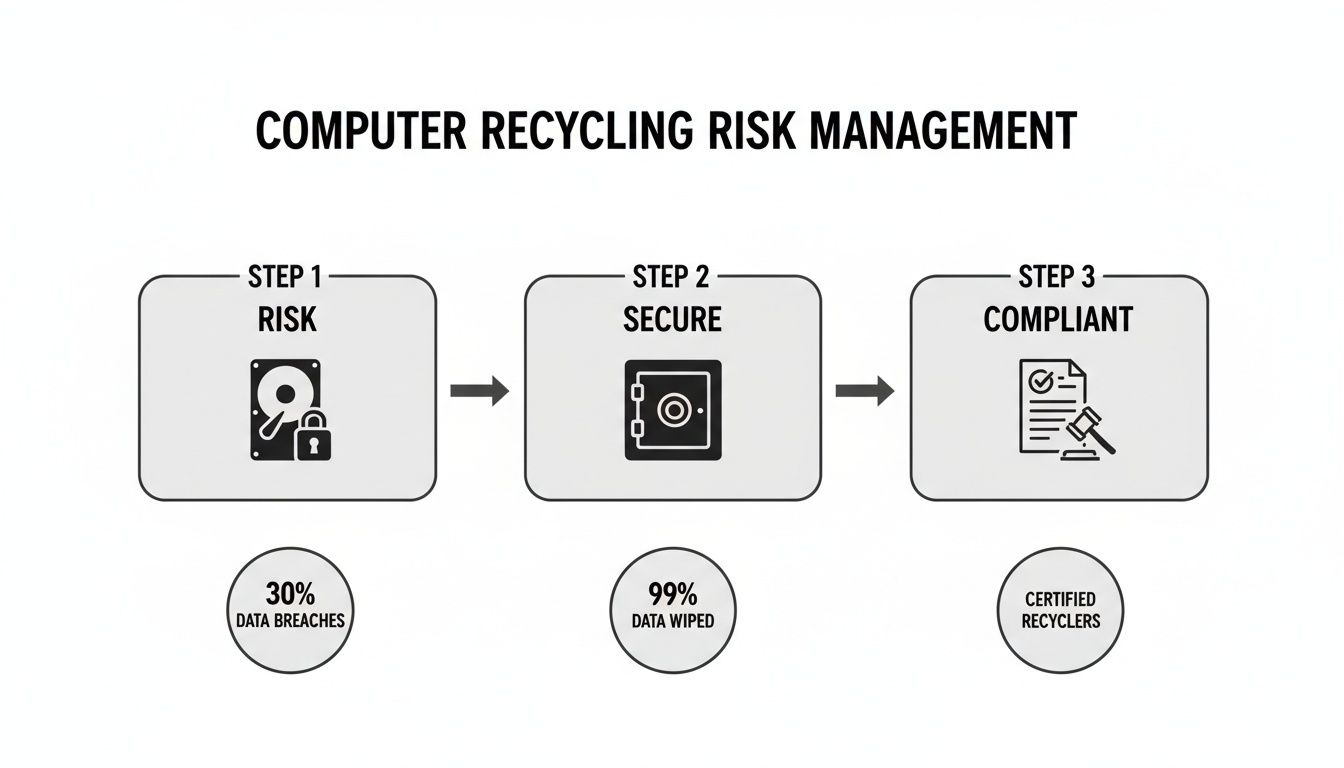
By following a structured path of secure handling and certified processes, your business effectively neutralizes the risks tied to data-bearing IT assets. This infographic shows how that shift from risk to security happens.
From Old Tech to New Resources
For assets marked for recycling, the process moves into de-manufacturing and material recovery. This is where the concept of "urban mining" truly comes to life. Instead of digging materials from the earth, we extract them from old electronics.
Circuit boards, for example, contain small but significant amounts of gold, silver, palladium, and copper.
The core principle here is to treat old technology not as waste, but as a rich source of raw materials. This approach minimizes our reliance on landfills and reduces the environmental toll of manufacturing new products from scratch.
The entire lifecycle, from the moment we pick it up to its final disposition, is carefully managed. For a deeper dive into the strategic side of this, you can learn more about what is IT asset disposition in our comprehensive article. This journey ensures every piece of your retired technology is handled securely, responsibly, and in full compliance with all regulations.
Protecting Your Data During Electronics Recycling
For any IT director in Plano overseeing computer recycling, one question rises above all the rest: what happens to our data? When a server, computer, or hard drive leaves your control, the absolute priority is making sure the sensitive information it holds is gone for good.
Just hitting 'delete' or running a standard format isn't enough. Not even close.
That common mistake is like crumpling up a confidential report and tossing it in an office trash can. It might look gone, but anyone determined enough can easily smooth it out and read every word. In the same way, off-the-shelf software can recover data from formatted drives with shocking ease, leaving your business wide open to a breach.
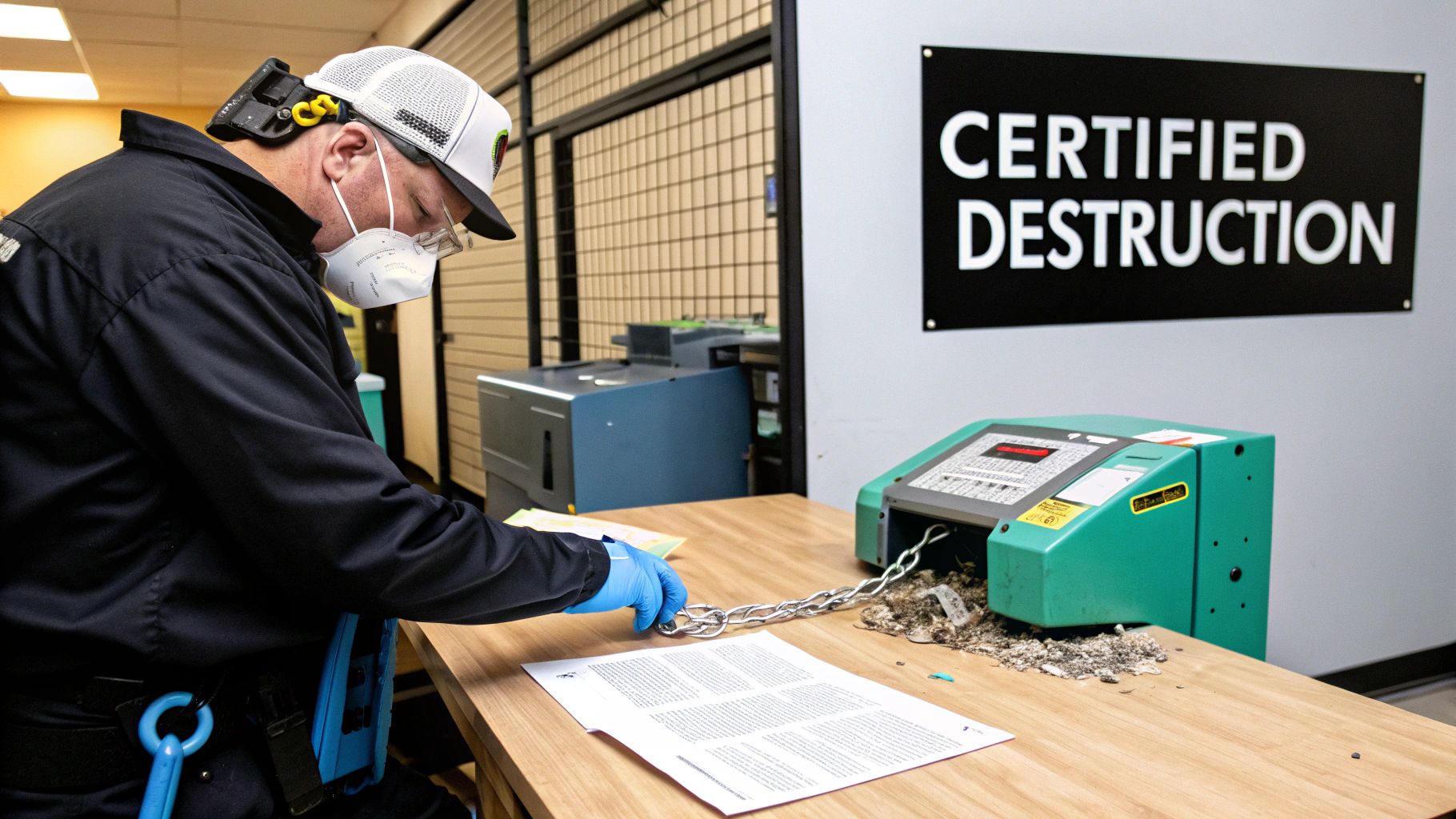
Real data security demands a process that is both irreversible and fully documented. This is where certified data destruction comes into play. Think of it as the digital equivalent of a cross-cut paper shredder that turns sensitive documents into useless confetti. There’s no putting it back together.
The Gold Standard for Data Destruction
The industry playbook for sanitizing data is the NIST 800-88 guideline, published by the National Institute of Standards and Technology. This isn't just a suggestion; it's a technical framework for making data completely unrecoverable. Professional recyclers build their entire security process around these protocols, offering a few key methods to get the job done right.
- Data Wiping (Purge): This involves specialized software that overwrites every single sector of a hard drive with random data, often multiple times. It erases the original information beyond recovery while leaving the drive physically intact and ready for reuse.
- Degaussing (Purge): Using an incredibly powerful magnetic field, this technique scrambles the magnetic coating on a hard drive or tape where data is stored. It's a fast, total wipe that also renders the drive permanently unusable.
- Physical Destruction (Destroy): This is the final word in data security. The process involves physically shredding, crushing, or disintegrating the hard drive into tiny metal fragments. When the device no longer exists, neither does the data.
The right method depends on your company's security policies and if you want to potentially resell the drives. But for absolute certainty, physical destruction is the ultimate guarantee. You can find a more detailed breakdown of these methods in our guide on security and data destruction services.
Navigating Legal and Compliance Requirements
Beyond just protecting your business, certified data destruction is a non-negotiable part of legal compliance. A host of federal and state regulations require the secure handling of sensitive data, and the penalties for getting it wrong can be severe.
For any business in Plano, these are the big ones to watch:
- HIPAA (Health Insurance Portability and Accountability Act): If you handle any protected health information (PHI), HIPAA’s strict data protection rules follow that data all the way through device disposal.
- GLBA (Gramm-Leach-Bliley Act): Financial institutions are required to protect consumers' private financial data throughout the entire lifecycle of the asset holding it.
- Texas State Laws: Texas has its own specific laws governing data privacy and e-waste, making local compliance just as critical as federal rules.
A professional Plano computer recycling partner lives and breathes these regulations. Their processes are built from the ground up to meet—and often exceed—these legal standards. It’s not just about dodging fines; it’s about fulfilling your responsibility to protect the people who trust you with their information.
The Power of a Certificate of Destruction
So, how do you prove your data was handled correctly? The answer is in the paperwork. Once the destruction process is complete, a certified recycler issues a Certificate of Destruction.
This document is more than just a receipt. It is your official, legally defensible proof that your data-bearing assets were handled and destroyed according to certified standards. It includes serial numbers of the destroyed devices, the date of destruction, and the method used.
This certificate is your shield against liability. If your company's disposal practices ever come into question, this document provides indisputable proof that you did your due diligence, protecting your reputation and your bottom line. Data destruction processes employ industrial shredders or secure wiping methods that render hard drives unrecoverable, with recyclers providing certificates of destruction documenting compliance. For enterprise IT directors and data center operators managing large-scale retirements, the combination of transparent pricing, documented chain-of-custody procedures, and certified data destruction services—all available through established Plano-area partners—creates auditable compliance workflows essential for regulated industries including healthcare and government sectors.
A Playbook for Your Commercial Recycling Pickup
Setting up a commercial electronics recycling pickup in Plano shouldn't be a source of stress or uncertainty. The entire process, from your first call to the final report, is built around a series of secure, transparent steps. This playbook is designed to give you a clear roadmap, taking the guesswork out of your next IT asset disposition project.

It all starts with a simple phone call or online scheduling request. This is where you'll give us a general idea of what you need. You don't need a perfect, itemized list at this point—a rough count of the equipment is all it takes to get the ball rolling.
Preparing Your Assets for Pickup
Once your pickup is on the calendar, the main thing you need to do is get the equipment ready for our team. This simple preparation step ensures the collection is fast and causes minimal disruption to your workday.
Here’s a quick checklist to make it easy:
- Assign a Point of Contact: Designate one person from your team to meet our logistics crew on pickup day. They'll show us where the equipment is and sign off on the initial paperwork.
- Create a Basic Inventory: Put together a simple list of the major items you're retiring—things like the number of servers, desktops, laptops, and monitors. This helps our crew arrive with the right gear and enough truck space.
- Consolidate Equipment: If you can, gather all the electronics in one easy-to-access, ground-floor spot like a conference room or loading dock. This makes the collection process go much, much faster.
Think of it like packing before a move. The better you organize things beforehand, the smoother everything goes on the big day.
A professional recycling partner will never ask your staff to do the heavy lifting. Their trained and insured crew handles all the on-site work, including palletizing, shrink-wrapping, and loading everything onto the truck.
This is a huge differentiator for professional Plano computer recycling services. The liability and the labor are on the vendor, not your employees. For companies that need a complete solution, you can explore the full range of business computer recycling services in Dallas Fort Worth to see just how comprehensive these programs can be.
What to Expect on Pickup Day
On the scheduled day, our team will show up ready to manage the entire physical collection. They'll have everything they need, from pallet jacks and dollies to packing materials.
The process is designed for security from the very beginning. Every asset is carefully packed and loaded into a locked, GPS-tracked vehicle. This establishes a secure chain of custody the moment your equipment leaves your building—a critical step for compliance and your peace of mind.
Understanding Accepted Equipment
One of the most common questions we get from IT managers is about what exactly we can and can't take. A certified commercial recycler accepts a huge range of business technology.
Commonly Accepted Items:
- Computers & IT Gear: Desktops, laptops, servers, network switches, routers, and accessories like keyboards and mice.
- Office Electronics: Printers, scanners, copiers, fax machines, and VoIP phone systems.
- Data Storage Media: External hard drives, USB flash drives, backup tapes, and optical media like CDs and DVDs.
- Specialty Electronics: Medical and lab equipment, point-of-sale systems, and industrial testing devices.
By following this simple playbook, you can turn what feels like a daunting cleanup project into a secure and manageable process. Our goal is to make the logistics invisible, allowing you to focus on your business while we handle the complexities of retiring your IT assets.
How to Choose the Right Recycling Partner
Choosing a partner for your Plano computer recycling needs is far more than just finding someone to haul away old equipment. It’s a critical security and compliance decision. Think of it like hiring a specialized firm to transport and destroy sensitive company documents; you wouldn't just hand them over to the lowest bidder without verifying their credentials and processes.
The right partner protects your business from data breaches, environmental fines, and reputational damage. The wrong one can expose you to all three. Here’s how to ask the right questions and identify a vendor who treats your assets with the security they demand.
H3: Start with Certifications
The single most important filter when evaluating a potential partner is their certifications. These aren't just fancy badges on a website. They are hard-earned proof that a third-party auditor has rigorously verified the recycler’s processes meet strict industry standards for security, safety, and environmental responsibility.
Look for these two gold-standard certifications:
- R2 (Responsible Recycling): This certification ensures the recycler follows documented best practices for data security, environmental protection, and worker safety through every step.
- e-Stewards: Considered one of the most rigorous standards, e-Stewards has a strong focus on preventing the illegal export of hazardous e-waste to developing countries.
A vendor without at least one of these certifications is a significant red flag. You can read more about what it means to be an R2 certified electronics recycler in our detailed overview.
H3: Scrutinize Their Data Destruction Methods
After confirming certifications, your next focus should be on how they handle your data. Never accept vague promises of "secure wiping." You need to know the specifics.
Ask potential partners to detail their data destruction methods. Do they follow the NIST 800-88 guidelines for media sanitization? Do they offer both software-based wiping and physical destruction like shredding? Most importantly, will they provide a formal Certificate of Destruction that lists the serial numbers of every single sanitized or destroyed drive? That document is your non-negotiable proof of compliance.
H3: Evaluate Downstream Transparency and Insurance
So, what happens to your equipment after it leaves the initial facility? This is the concept of a downstream vendor chain, and it’s where less reputable players cut corners. A professional recycler will be completely transparent about where materials go for final processing and should have a strict policy against exporting non-functional electronics.
A key question to ask is, "Can you provide a full, auditable chain of custody report from pickup to final disposition?" A trustworthy partner will confidently say yes and have the documentation to back it up.
Furthermore, make sure they carry adequate insurance, including pollution liability and data breach coverage. This protects your organization in the unlikely event that something goes wrong. The scale of a processor’s operation often indicates their capability. For example, a major DFW processor like STS Electronic Recycling operates a facility over 150,000 square feet and maintains a strict no-landfill policy, showing the level of infrastructure needed to handle regional e-waste properly. You can learn more about their no-landfill policy and facility on stselectronicrecyclinginc.com. This capacity is why a service provider like Dallas Fortworth Computer Recycling partners with established, high-capacity processors.
To help you vet potential partners, use this simple checklist during your evaluation process.
Vendor Evaluation Checklist
| Evaluation Criteria | Questions to Ask | Why It Matters |
|---|---|---|
| Certifications | Are you R2 or e-Stewards certified? Can you provide a copy of your certificate? | Verifies third-party audited compliance with industry standards for security and environmental safety. |
| Data Destruction | What are your specific data destruction methods? Do you follow NIST 800-88 guidelines? | Vague answers are a red flag. You need clear, documented processes for data sanitization. |
| Documentation | Will we receive a Certificate of Destruction with serialized inventory? | This is your legal proof that data-bearing devices were properly handled and destroyed. |
| Downstream Chain | Can you provide a transparent, auditable chain of custody for all materials? | Ensures your e-waste isn't illegally exported or dumped, protecting you from environmental liability. |
| Insurance | Do you carry pollution liability and data breach insurance? Can you provide a COI? | Protects your business from financial risk in case of an environmental incident or data breach. |
| Logistics | Do you have your own trucks and background-checked employees for pickups? | Confirms they control the security of your assets from the moment they leave your facility. |
Choosing the right recycling partner in Plano means prioritizing security and accountability over just a low price. By using these criteria, you can confidently select a vendor that will protect your data, ensure compliance, and manage your retired IT assets with the professionalism they deserve.
Common Questions About Computer Recycling
Even with a solid plan, a few questions always pop up when it's time to handle an IT asset disposition project. Getting straight answers helps your Plano business move forward with confidence, knowing every detail is covered. Here are a few of the most common things we hear from IT leaders.
What Does Business Computer Recycling in Plano Typically Cost?
The honest answer is: it depends. The final cost hinges on the volume and type of equipment you have, the logistics of the pickup, and the level of data destruction you need. A job that requires our team to pack and palletize everything on-site will have a different cost structure than a simple dockside collection of pre-staged equipment.
In many cases, the value of newer assets can offset or even completely cover the recycling costs for older, obsolete gear. On the other hand, specialized equipment or anything with hazardous materials might come with a processing fee. For businesses with 25 or more devices, a professional pickup is the standard approach. The only way to get a hard number is to request a custom quote from a certified vendor who can give you a transparent breakdown based on your specific inventory.
Can Residents Use Your Business Recycling Services?
Our services are built specifically for businesses, government agencies, schools, and other organizations. We’re set up to handle bulk IT asset management, certified data destruction, and the kind of auditable documentation that commercial clients absolutely must have for compliance.
For personal electronics, we always point Plano residents to the fantastic community collection events hosted by the City of Plano. They are usually held on the second and third Saturdays of each month at designated spots and are the best way for individuals to responsibly dispose of old electronics.
How Do I Get Proof My Data Was Destroyed?
This is the single most important question, and the answer is non-negotiable. Once your hard drives and other data-bearing devices have been sanitized or physically destroyed, your recycling partner must issue a Certificate of Destruction.
This isn't just a receipt—it's a legal document that serves as your official, auditable proof that you met your compliance obligations. It confirms the data is gone forever, lists the serial numbers of the destroyed assets, and details the specific destruction method used. This certificate is what protects your organization from the fallout of a potential breach and proves you did your due diligence.
A reputable partner provides a formal Certificate of Destruction after the work is complete. This legal document serves as your official, auditable record that all data-bearing devices were destroyed according to certified standards like NIST 800-88.
For a secure, compliant, and straightforward way to manage your company's retired IT assets, you need a team of experts. Dallas Fortworth Computer Recycling provides certified data destruction and responsible electronics recycling designed for businesses across Plano and the nation. Schedule your professional recycling pickup today.