
How to Completely Erase Hard Drive: Secure, Permanent Data Wipe
To truly erase a hard drive, you have to use a method that completely overwrites the data, making it impossible to recover. Just dragging files to the trash and hitting "empty" won't cut it. That simple action only removes the pointers to the data, leaving the actual information right where it was, easily restorable with basic software.
Real erasure means using specialized tools to write new information—usually just zeros or random characters—over every single sector of the drive.
Why Dragging Files to the Trash Is Not Enough
So many people think that moving a file to the recycling bin and emptying it is the end of the story. It's a dangerous misconception that creates massive security holes for everyone from individuals to large corporations.
When you "delete" a file, the operating system doesn't actually wipe the data from the hard drive's magnetic platters or an SSD's flash cells.
Instead, it just erases the file's entry in the master file table, which is basically the drive's index. Think of it like ripping the table of contents out of a book. All the chapters and pages are still there and perfectly readable; you just don't have a handy guide to find them anymore. The space that data occupies is now marked as "available," so new data can be written over it eventually. Until that happens, though, the original data is sitting there, fully intact and recoverable.
The Real-World Risks of Incomplete Deletion
This difference between deleting and erasing has serious consequences. For a business decommissioning old computers, simply "deleting" sensitive client records or financial data before recycling the hardware is a recipe for a data breach. A 2019 study found that over 60% of second-hand drives purchased online still had recoverable personally identifiable information (PII).
For an individual, that could be personal photos, tax documents, or login credentials falling into the wrong hands. For a business, the stakes are much higher. Improperly decommissioned hardware can lead to:
- Devastating Data Breaches: A single recovered hard drive with customer data can trigger a massive security incident, costing millions and destroying your brand's reputation.
- Compliance Failures: Regulations like GDPR, HIPAA, and CCPA have strict rules for data disposal. If you can't prove that data was irretrievably destroyed, you could face severe fines.
- Intellectual Property Theft: Imagine a competitor getting their hands on a drive from your R&D department. It could contain trade secrets, proprietary formulas, or strategic plans.
The core principle of data security is that information is a liability until it is verifiably destroyed. Assuming a simple delete is sufficient is one of the most common and costly mistakes an IT department can make.
Moving Beyond Deletion to True Erasure
Understanding this fundamental difference is the first step toward a solid data security strategy. The goal isn't just to make files invisible—it's to make them permanently unreadable.
To completely erase a hard drive, you have to use methods that overwrite every single bit of data. This process is known as data sanitization, and it's why professional IT Asset Disposition (ITAD) partners focus on certified processes. If you're managing sensitive assets, you'll want to understand the specifics of secure data destruction services to ensure full compliance and peace of mind. True erasure isn't just a technical task; it's a critical part of modern risk management.
Choosing Your Data Destruction Method
Picking the right way to completely erase a hard drive isn't a one-size-fits-all decision. The best approach comes down to the type of drive you're handling, your specific security needs, and whether the hardware needs to be reused. Getting this choice right is fundamental to protecting sensitive information and staying compliant.
Not all methods are created equal. An approach that works perfectly for a traditional spinning hard disk drive (HDD) might be completely ineffective—or even damaging—to a modern solid-state drive (SSD). We'll walk through the three primary techniques that IT pros rely on to make sure data is gone for good.
This flowchart highlights the critical difference between just "deleting" a file and truly erasing it so it's permanently unrecoverable.
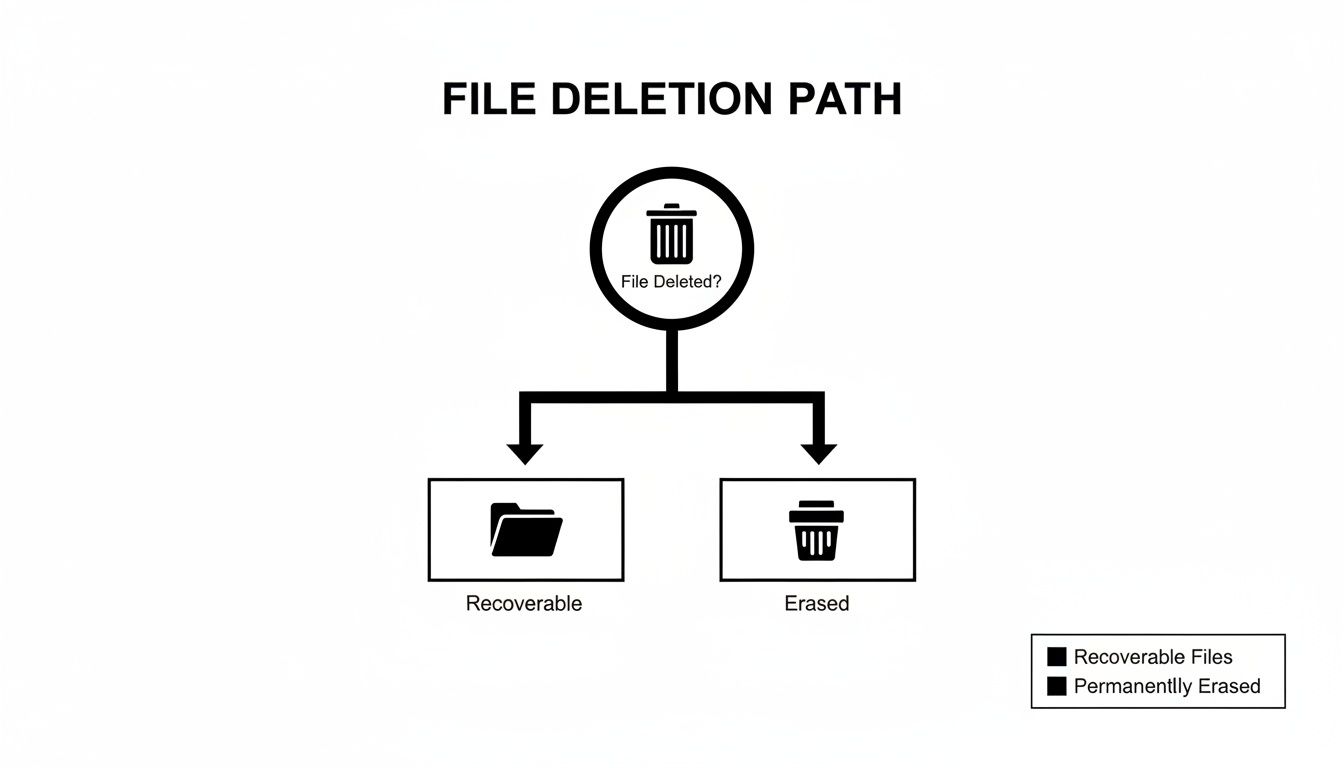
The key takeaway here is simple: files sent to the trash are just hidden, not gone. A true erasure process makes them fundamentally inaccessible, which is exactly what you need.
To help you decide, here’s a quick comparison of the main data destruction methods.
Data Destruction Methods at a Glance
This table breaks down the three primary data destruction methods, helping you choose the right approach based on your specific security, compliance, and asset reuse requirements.
| Method | Best For | Allows Reuse? | Key Advantage | Key Limitation |
|---|---|---|---|---|
| Software Wiping | Traditional HDDs intended for redeployment or resale. | Yes | Verifiable and cost-effective for asset reuse. | Very slow on large drives; less effective for SSDs. |
| Cryptographic Erasure | Modern SSDs and Self-Encrypting Drives (SEDs). | Yes | Extremely fast (seconds) and preserves drive lifespan. | Only works on drives with built-in encryption. |
| Physical Destruction | End-of-life, failed, or extremely sensitive drives. | No | The ultimate guarantee that data can never be recovered. | The drive is completely destroyed and cannot be reused. |
Now that you have a high-level overview, let's dive into the specifics of each technique.
Software-Based Wiping for HDDs
For traditional spinning hard drives that you plan to reuse, software-based wiping is the go-to method. It uses specialized software to overwrite every single sector of the drive with new, meaningless data, effectively burying the old information.
Think of it like painting over a canvas. The original image is still technically underneath, but it's completely obscured by layers of new paint. For added security, the process can be repeated multiple times.
- How It Works: The software writes patterns of ones, zeros, or random characters across the entire physical surface of the drive's platters.
- Common Standards: Methods like the DoD 5220.22-M standard (with its three overwrite passes) or the NIST 800-88 Clear standard are widely accepted. Today, NIST 800-88 is considered the modern gold standard.
This method is thorough, verifiable, and perfect for getting HDDs ready for resale, donation, or internal redeployment. The only real downside is that it can be incredibly time-consuming, especially for high-capacity drives. Wiping a multi-terabyte drive can easily take many hours to complete just a single pass.
Cryptographic Erasure for SSDs and SEDs
When you're dealing with modern storage like SSDs and self-encrypting drives (SEDs), a different approach is far more effective. Cryptographic Erasure, or "crypto erase," doesn't overwrite data in the traditional sense. Instead, it destroys the encryption key used to scramble the data in the first place.
Because all the data on an SED or modern SSD is already encrypted by default, deleting that key instantly renders all stored information permanently inaccessible and indecipherable. It’s like locking a vault and then melting down the only key—the contents are still inside, but they're irretrievably lost.
The real beauty of Cryptographic Erasure is its speed. What takes hours with software wiping can be accomplished in just a few seconds, all without causing the write-wear on flash memory cells that overwriting does.
This near-instantaneous process is the preferred method for any SSD. Trying to use traditional overwriting software on an SSD is not only slow but can also seriously degrade the drive's lifespan. Fortunately, most modern SSDs have built-in secure erase commands that execute this process flawlessly. You can learn more about these best practices in our detailed guide on the security aspects of data destruction.
Physical Destruction for End-of-Life Media
Sometimes, a drive just needs to be rendered completely and physically unusable. This is where physical destruction comes in, reserved for drives that are at their absolute end-of-life, have failed, or hold such sensitive data that a "scorched earth" approach is non-negotiable.
- Degaussing: This technique uses an incredibly powerful magnet to neutralize the magnetic fields on an HDD's platters, instantly destroying all data. It's fast and effective for magnetic media but completely useless against SSDs.
- Shredding: This is the most definitive method. The drive is fed into an industrial shredder that grinds it into small metal fragments, ensuring no part of the platters can ever be reassembled or read.
Physical destruction is the ultimate guarantee of data elimination, but it obviously prevents any reuse of the asset. For organizations in regulated industries like healthcare or finance, this method, backed by a certificate of destruction, is often the only way to meet strict compliance obligations.
Wiping a Drive with Windows and macOS Tools
While you'll need enterprise-grade software for large-scale IT projects, you don't always need a complex suite to handle a single machine. Both Windows and macOS have powerful, built-in utilities that can securely erase a drive. They're perfect for prepping a personal laptop for sale, donation, or recycling.
Knowing how to use these native tools is a valuable skill. It's a reliable first line of defense for one-off jobs, making sure your personal data doesn't fall into the wrong hands. It's just as important, though, to know their limits—especially in a business setting where an auditable paper trail is non-negotiable.
Securely Erasing a Drive in Windows
Modern Windows versions (Windows 10 and 11) have made secure wiping surprisingly easy. The magic is in the "Reset this PC" feature, which goes beyond just reinstalling the OS to thoroughly clean the drive.
This isn't a quick format. It's a real data sanitization pass. By choosing to "Remove everything" and then "Clean the data," you're telling Windows to perform a secure wipe by overwriting the drive's contents. It makes data recovery incredibly difficult for anyone without nation-state-level forensic tools.
Here's how to get it done:
- In Windows 10, go to Settings > Update & Security > Recovery.
- In Windows 11, you'll find it under Settings > System > Recovery.
- Click "Get started" under "Reset this PC."
- Choose the "Remove everything" option. This is the critical step.
- Next, select "Change settings" and make sure the "Clean data" option is enabled.
Turning on the "Clean data" option tells Windows to run a one-pass overwrite across the entire drive. It takes longer, but this is what turns a simple reset into a genuine, secure data wipe.
This process is highly effective for getting a Windows machine ready for a new owner. It nukes your data and installs a fresh copy of Windows, leaving it ready for setup. The one thing it doesn't do is provide a formal certificate of erasure, which is a key requirement for corporate or regulatory compliance.
Using Disk Utility on macOS
Apple's approach to data erasure has changed along with its hardware. The process is completely different depending on whether you have an older Intel-based Mac or a modern Mac with an Apple T2 Security Chip or Apple Silicon (M1, M2, M3 series).
On older Macs without a T2 chip, you can use Disk Utility to perform a secure erase that overwrites data. When you boot into Recovery Mode and open Disk Utility, the "Erase" function includes "Security Options." From there, you can choose how many times you want the drive overwritten, aligning with older standards like the DoD 7-pass wipe.
On modern Macs with Apple Silicon or a T2 chip, things are much simpler. These machines use hardware-level, always-on encryption. By default, all data is stored in an encrypted state. When you use Disk Utility to erase one of these drives, it performs a Cryptographic Erase.
Instead of overwriting every bit, the system just destroys the encryption keys stored in the chip's Secure Enclave. This instantly renders all data on the drive permanently unreadable—a process that takes just seconds. You won't see "Security Options" on these newer systems because they're completely unnecessary and would only cause needless wear on the SSD.
When to Use Third-Party Tools Like DBAN
While the built-in tools are convenient, there are times when a dedicated, bootable utility is the better choice. Darik's Boot and Nuke (DBAN) is a classic, free tool built for one thing: securely wiping traditional magnetic hard drives (HDDs).
You might reach for DBAN in a few scenarios:
- Wiping Older Hardware: If you have an old PC without a modern Windows version, DBAN is a rock-solid way to sanitize the drive before disposal.
- Erasing a Drive Without an OS: It’s perfect for wiping a loose hard drive that you've pulled from a machine.
- Needing a More Aggressive Wipe: DBAN offers several overwrite methods, including some that perform multiple passes for extra peace of mind.
It's critical to know that DBAN is not recommended for SSDs. Its overwrite methods can cause significant wear and may not even reliably erase all data due to the way SSDs manage data blocks. For an SSD, you should always stick with a manufacturer's utility or a Cryptographic Erase. For more advanced options, our guide on the best hard drive wiping software covers other professional tools.
These DIY methods are perfect for personal use, but they lack the centralized reporting and chain-of-custody documentation that are essential for business environments.
Data Erasure in Enterprise and Datacenter Environments

Wiping drives in a corporate or data center setting takes the principles of secure data erasure and scales them up dramatically. The challenges are magnified exponentially when you’re not just dealing with one laptop, but with entire server fleets, complex RAID arrays, and SANs holding petabytes of sensitive data.
In these high-stakes environments, a manual, one-by-one approach is more than just inefficient—it’s a recipe for security gaps and compliance failures. Managing this process correctly requires a strategy built on three pillars: scalability, auditability, and verifiable proof of erasure.
The Shift to Centralized Erasure Platforms
To handle hundreds or even thousands of IT assets, organizations depend on centralized, network-based erasure platforms. These systems empower IT teams to wipe drives remotely and simultaneously across countless machines, whether they’re in a local data center or spread across multiple office locations.
This approach brings several critical advantages:
- Efficiency at Scale: A single technician can manage the erasure process for an entire rack of servers from one console, which drastically cuts down on labor costs and project timelines.
- Consistency: It guarantees that a uniform, compliant erasure standard like NIST 800-88 is applied to every single asset, removing the risk of human error.
- Simultaneous Processing: It can handle a mix of drive types—SATA, SAS, NVMe—all at once, automatically applying the right erasure method for each.
This centralized command and control is essential for maintaining data security during large-scale hardware refreshes or data center decommissioning projects.
At an enterprise level, data erasure is less about the individual drive and more about the integrity of the process. The ability to manage, verify, and document the destruction of data across the entire asset lifecycle is what separates a secure operation from a risky one.
Maintaining a Bulletproof Chain of Custody
Knowing how to completely erase a hard drive is only half the battle. In a corporate setting, you also have to prove which drive was erased, when it happened, and what the outcome was. This is where a strict chain of custody becomes non-negotiable.
From the moment a server is taken offline, its drives must be tracked with precision. This means recording unique identifiers like serial numbers and asset tags at every step—from decommissioning and erasure to its final disposition, whether that’s resale, redeployment, or physical destruction. Without this documented trail, an organization has no way to prove it handled sensitive data responsibly.
Regulations like GDPR in Europe and HIPAA and CCPA in North America have transformed data destruction from a best practice into a legally enforceable obligation that demands documented proof.
The Critical Role of Certified Documentation
The final, and arguably most important, piece of the enterprise erasure puzzle is the Certificate of Data Destruction. This isn't just a simple confirmation message; it’s a tamper-proof, auditable document that serves as your legal proof that data has been permanently and verifiably sanitized.
A proper certificate must include specific details:
- The erasure standard used (e.g., NIST 800-88 Purge)
- The unique serial number of each drive
- The date and time of the erasure
- The name of the technician who performed the work
- Verification of a successful wipe
This documentation is your shield during an audit and your proof of due diligence if a legal challenge ever arises. For organizations in healthcare, finance, or government, these certificates are a core component of risk management and regulatory compliance. Understanding the full scope of large-scale projects is key, which is why exploring a comprehensive data center decommissioning process can provide essential context.
Given these complexities, many organizations turn to professional IT Asset Disposition (ITAD) services. These partners bring the certified processes, specialized equipment, and guaranteed documentation needed to manage risk across thousands of assets, ensuring every single byte is accounted for and verifiably destroyed.
When You Need to Call a Certified Data Destruction Pro
DIY methods can be fine for a single personal computer, but they just don't scale or offer the protections a business needs. Knowing when to switch from your built-in tools to a professional service is a critical part of managing your organization's risk. This isn't just about convenience—it's about security, compliance, and ultimately, liability.
There are certain situations where calling in a professional is non-negotiable. If you're decommissioning a large volume of devices, the sheer manual effort and high risk of human error are too much for most in-house teams. Likewise, if your business operates under strict regulations like HIPAA or GDPR, you absolutely need the auditable proof that only a certified vendor can deliver.
When Professional Help Is a Must
Think about bringing in a certified data destruction professional when you run into these common scenarios. Trying to manage them internally often introduces unacceptable risks and drains your IT team’s resources.
- Large-Scale Hardware Refreshes: Decommissioning dozens—or hundreds—of computers, servers, or networking devices demands a systematic and verifiable process that DIY software simply can't provide.
- Strict Regulatory Compliance: Industries like healthcare, finance, and government require irrefutable proof that data has been sanitized. A certified partner provides the official Certificates of Data Destruction you need to satisfy auditors.
- Failed or Inaccessible Drives: A hard drive that's physically dead can't be wiped with software. Professionals have specialized equipment to physically shred or destroy these assets, guaranteeing the data is gone forever.
- Lack of In-House Expertise: Not every IT department has the specialized knowledge or tools for every type of media. Partnering with a pro offloads this responsibility and ensures the job is done right, every single time.
The growing emphasis on these requirements is a major reason the global hard drive erasure and degaussing market is expanding at a steady 5.8% CAGR between 2019 and 2026. It's clear that organizations are taking data security more seriously than ever.
The Value of a NAID AAA Certified Vendor
When you do look for a partner, choosing a vendor with a NAID AAA Certification is the gold standard in the data destruction industry. This isn't some simple membership sticker; it's a rigorous, ongoing audit of a company’s entire security process—from employee background checks to facility security and the destruction protocols themselves.
Choosing a NAID AAA Certified vendor isn't just about hiring a service. It's about bringing on a partner who is contractually and professionally obligated to protect your data with the highest level of verifiable security. This effectively shifts the liability from your shoulders to a trusted expert.
This kind of partnership gives you several key benefits that an internal process can rarely match:
- Secure Chain of Custody: From the moment assets leave your facility, they are securely transported and tracked with serialized auditing. This eliminates any gaps where a breach could potentially occur.
- Detailed Audit Reports: You receive comprehensive documentation that details every single asset, its serial number, and confirmation of its successful erasure or destruction.
- Indemnification: Certified vendors often carry liability insurance, which offers your business financial protection and peace of mind in the unlikely event of a data breach.
Ultimately, engaging a professional isn't a cost—it’s a strategic investment in your organization's security and compliance. Our team specializes in providing these secure data destruction services, giving you the confidence that your sensitive information is truly gone for good. This professional approach protects your brand, satisfies auditors, and keeps your business secure.
Data Erasure Questions We Hear All the Time
Even with a solid plan, a few tricky questions always pop up when you’re getting down to the business of wiping drives. Here are the most common ones we get from IT pros, along with some straightforward, practical answers.
Can I Just Wipe an SSD the Same Way I Wipe an HDD?
No, and you’ll cause more harm than good if you try. Running traditional overwriting software (like the old standby, DBAN) on a Solid-State Drive (SSD) is a waste of time and can actually shorten the drive's lifespan. SSDs are smart—they use wear-leveling to spread data writes all over their flash memory cells. That means an overwriting tool will never reliably hit every single block where your data might be hiding.
The right way to handle an SSD is with a Cryptographic Erase. It’s incredibly fast. This command simply destroys the drive's internal encryption key, instantly turning all the stored data into useless, unreadable gibberish. Almost every modern SSD has this feature built right in, and you can usually trigger it from the manufacturer’s own software or within the computer's BIOS/UEFI settings.
What's the Real Difference Between a Quick Format and a Full Format?
Think of a Quick Format like tearing the table of contents out of a book. It just erases the file system's pointers, making the space look empty and available. But all the actual data is still there, ready to be recovered with even basic software tools. It’s fast, but it provides absolutely zero security.
A Full Format (in modern Windows versions) goes a step further. It rebuilds the file system, scans for bad sectors, and writes zeros over the entire drive. While this is certainly better than a quick format, it’s not considered a forensically sound sanitization method. It won’t pass muster for compliance standards like NIST 800-88.
For true, auditable data destruction, a standard format just won't cut it. You need a dedicated erasure method—like a multi-pass overwrite for HDDs or a Cryptographic Erase for SSDs—to be sure the data is gone for good.
If a Drive Is Wiped, Do I Still Need to Physically Destroy It?
For most situations, absolutely not. Once a drive has been properly sanitized using a certified method that meets the NIST 800-88 Purge standard, the data is gone. Period. This is great news because it means the asset can be safely reused, resold, or donated—a choice that's both good for your budget and the environment.
However, physical destruction is the only option in a few specific cases:
- Failed or Damaged Drives: If a drive won’t power on or can't be read by software, shredding is the only way to guarantee the data is destroyed.
- Extreme Security Mandates: For highly classified government data or sensitive corporate R&D, physical destruction provides that final, undeniable proof of erasure.
- Strict Internal Policies: Some companies simply have a non-negotiable policy that all end-of-life storage media must be physically destroyed, regardless of whether it's been wiped.
What Do I Do If a Drive Is "Frozen" and Resists Being Wiped?
A "frozen" state is a common headache, but it’s actually a security feature. Modern drives lock themselves to prevent malware from sneakily issuing an erasure command. You'll run into this all the time when trying to wipe a system's main drive with a third-party tool.
Fortunately, the fix is usually pretty simple. The most reliable method is a quick power cycle. For a desktop, this just means unplugging the drive’s power cable for a moment and plugging it back in. For laptops, a classic trick is to put the machine to sleep (suspend to RAM) and then wake it back up. This simple action often clears the frozen state, letting your secure erase command go through.
When your organization's security and compliance are on the line, trust the experts. Dallas Fortworth Computer Recycling offers certified data destruction services that provide the auditable proof you need to retire IT assets with complete peace of mind. Learn more about our secure and compliant solutions at https://dallasfortworthcomputerrecycling.com.