
A Complete Guide to Security Data Destruction
When we talk about secure data destruction, we're talking about the process of completely and permanently wiping out data on old hard drives, servers, and other digital media. This isn't just about security hygiene; it's a critical final step that ensures sensitive information is gone for good and can never be recovered after a piece of equipment is retired.
This goes way beyond hitting "delete" on a file. Professional methods provide undeniable, verifiable proof that your data has been properly destroyed.
Why Secure Data Destruction Matters More Than Ever
A lot of businesses operate under the dangerous assumption that deleting files or reformatting a hard drive is enough to protect them. It’s not.
Think of it this way: deleting a file is like tearing a page out of a book's table of contents. The page itself is still there, and anyone with the right tools can find it. Similarly, "deleted" data remains on a drive, just waiting to be recovered by easily accessible software.
Every single retired server, laptop, and mobile device is a ticking time bomb until its data is properly destroyed. One misstep can lead to disastrous consequences—we're talking crippling data breaches, massive regulatory fines, and permanent damage to your company's reputation. For any organization handling sensitive information, a professional, certified process isn't just a good idea; it's non-negotiable.
The Scale of the Modern Data Problem
The sheer volume of data we create today makes this challenge even more pressing. Imagine your company’s data is a massive library. You're building new wings so fast that you’ve lost track of which old, sensitive books are being sent out the back door to the recycler. This explosive, often unmanaged growth creates countless opportunities for critical data to fall through the cracks.
By 2025, the world’s total data storage is expected to rocket past 200 zettabytes, with about half of that living in the cloud. At the same time, the financial fallout from ransomware is projected to hit $265 billion annually by 2031, with a new attack happening every two seconds. As this threat landscape expands, every retired asset must be treated as a potential backdoor for cybercriminals.
A single discarded hard drive can contain enough information—customer lists, financial records, employee data—to cripple an organization. Security data destruction is not just an IT task; it is a fundamental pillar of modern risk management.
Moving Beyond Deletion to True Destruction
Ultimately, the goal is to turn a data-carrying asset into a harmless commodity. This requires a deliberate strategy that meets your security needs while also aligning with your environmental responsibilities.
Skipping this final step in the IT asset lifecycle is like building a fortress but leaving the back door unlocked. For more on the environmental side of this, check out the benefits of professional e-waste recycling. A certified data destruction process ensures every digital loose end is securely and permanently tied up.
Understanding the Core Methods of Data Destruction
Once you know you need professional data destruction, the next question is, "How?" Not all methods are created equal, and the right choice boils down to your specific security policies, the value of the hardware, and any compliance rules you have to follow.
Let's break down the three primary ways to make sure your data is gone for good.
Think about a sensitive paper document you need to get rid of. You could scribble over every word with a permanent marker, use a powerful magnet to scramble the ink into an unreadable mess, or just feed the whole page into a woodchipper. These three ideas perfectly mirror the core methods of professional data destruction.
Comparing Data Destruction Methods
To help you decide which approach fits your needs, this table offers a quick side-by-side comparison. It breaks down how each method works, its best-use case, and whether you can reuse the hardware afterward.
| Method | How It Works | Best For | Allows Reuse? | NIST Level |
|---|---|---|---|---|
| Software Wiping | Overwrites all data with random 1s and 0s using specialized software. | Functional drives that will be resold, donated, or redeployed. | Yes | Clear / Purge |
| Degaussing | Uses a powerful magnetic field to neutralize the magnetic data on HDDs and tapes. | Large batches of old magnetic media that need fast, secure sanitization. | No | Purge |
| Physical Destruction | Shreds, crushes, or pulverizes the device into small, irrecoverable fragments. | The most sensitive data; damaged or obsolete drives; meeting strict compliance. | No | Destroy |
Ultimately, the goal is to align the destruction method with the sensitivity of the data and the intended future of the asset.
Software Wiping: Erasing Data Through Overwriting
Data wiping, often called sanitization, uses specialized software to write random characters over every bit of existing data on a hard drive. It doesn't just delete the pointers that help your computer find the files; it actively replaces the data itself with meaningless information, often in multiple passes.
This is our "scribbling with a permanent marker" analogy. The software methodically writes patterns of ones and zeros across every single sector of the drive, making the original information completely irrecoverable. It's the ideal solution when the hardware itself is still valuable and can be reused, resold, or put back to work inside your organization.
The infographic below shows why this matters. Unprotected data is the foundation of risk, creating vulnerabilities that can quickly spiral into major liabilities.
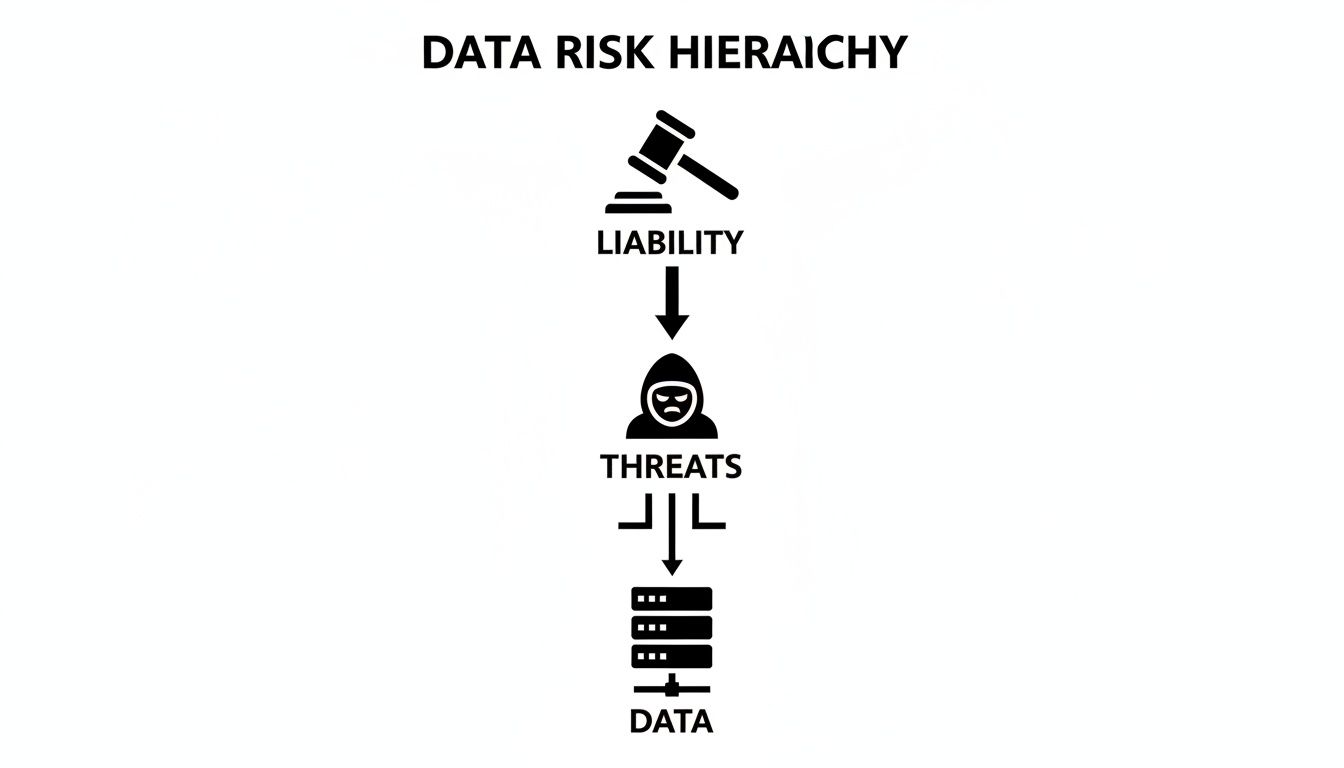
As you can see, vulnerable data is the starting point for security threats, which can escalate into serious legal and financial consequences for any business.
Degaussing: Scrambling Data with Magnetic Force
Degaussing is a more aggressive approach that works on magnetic storage media, like traditional hard disk drives (HDDs) and backup tapes. A degausser is a powerful machine that generates an intense magnetic field.
When a hard drive is exposed to this field, the magnetic coating where data is stored is completely randomized and erased. This is like using a giant magnet to instantly scramble the ink on our metaphorical page, turning it into a chaotic, unreadable blur. The process is extremely fast and effective.
The trade-off? Degaussing also renders the hard drive permanently useless. It’s an excellent choice for quickly sanitizing large batches of magnetic media that are headed for recycling, but not for assets you plan to reuse. It's also important to remember this method is completely ineffective on solid-state drives (SSDs), which don't use magnetic storage.
Physical Destruction: The Ultimate Failsafe
The most straightforward and final method is physical destruction. This means using industrial machinery to shred, crush, or pulverize the storage device into tiny, unrecognizable pieces.
This is the "woodchipper" method. There's no software that could fail and no chance of any magnetic traces surviving. The device is reduced to a pile of metal and plastic fragments, making data recovery physically impossible. For this reason, it's the required method for disposing of top-secret data and the go-to choice for organizations that need maximum security.
Physical destruction is the only method that offers 100% certainty. When a drive contains highly sensitive intellectual property, customer financial records, or patient health information, shredding eliminates every last bit of risk.
Matching the Method to NIST Guidelines
The National Institute of Standards and Technology (NIST) provides the gold standard for media sanitization in its Special Publication 800-88. The guidelines lay out three actions—Clear, Purge, and Destroy—that align perfectly with the methods we've just discussed.
Clear: This involves using software to overwrite data. Standard data wiping tools achieve this, making it a great fit for assets being reused internally where the threat of a sophisticated recovery attempt is low. To get a better sense of the process, you can learn more about how to properly wipe a hard drive for reuse.
Purge: This level goes a step further, using techniques that make data recovery infeasible even with state-of-the-art lab equipment. Degaussing and some advanced overwriting methods meet this standard. It's used for more sensitive data, especially when the device is leaving your company's control.
Destroy: This is the final word in sanitization. It renders data recovery impossible by also destroying the media itself. Physical destruction through shredding or pulverizing is the only way to meet this standard, making it mandatory for the most confidential information.
Navigating Data Destruction Compliance and Regulations
Understanding the technical side of data destruction is only half the battle. The other, and arguably more critical, half is understanding why these processes are so strict in the first place. The short answer is a complex web of legal, industry, and federal regulations designed to keep sensitive information safe.
Failing to comply isn't a simple procedural error; it can lead to massive financial penalties, legal trouble, and a permanent loss of customer trust. Think of these regulations as the non-negotiable rules of the road for handling data. Just like traffic laws prevent chaos on the streets, data protection laws prevent information from falling into the wrong hands and protect consumers, patients, and businesses.
Key Regulations Demanding Secure Data Destruction
While the full list of regulations is long, a few heavy hitters impact nearly every sector. They set the standard for what counts as a compliant security data destruction process.
- HIPAA (Health Insurance Portability and Accountability Act): This is the bedrock of patient privacy in the U.S. healthcare world. It requires any organization handling Protected Health Information (PHI) to make sure that data is "unreadable, indecipherable, and otherwise cannot be reconstructed" when electronic media is retired. For hospitals, clinics, and their partners, certified destruction isn't optional—it's mandatory.
- GDPR (General Data Protection Regulation): This one impacts any company that touches the data of EU citizens. GDPR famously enforces the "right to be forgotten," meaning you must have a clear process to permanently wipe an individual's data on request, even from old backup tapes and retired servers. The fines for getting this wrong are staggering—up to €20 million or 4% of your global annual revenue, whichever is higher.
- FACTA (Fair and Accurate Credit Transactions Act): Created to fight identity theft, FACTA requires any business using consumer reports to dispose of them properly. For digital files, this means taking "reasonable measures" to erase or destroy the data so it can’t be pieced back together.
- SOX (Sarbanes-Oxley Act): Though it focuses on corporate financial accountability, SOX has major implications for data retention and destruction. It requires publicly traded companies to maintain secure control over financial data, which naturally extends to its proper disposal to prevent fraud and protect investors.
These rules have pushed data destruction from a forgotten task into a core part of corporate risk management. The market for these services is booming, with secure data destruction growing from $3.72 billion and projected to hit $5.64 billion by 2029, according to The Business Research Company. This growth is a direct result of more e-waste and the serious financial risks of non-compliance.
The Role of Certifications: NAID AAA and R2
So, how can you be sure a vendor’s process actually meets these tough legal standards? This is where third-party certifications become essential. They aren't just logos on a website; they are your proof that a vendor is committed to security, compliance, and doing things the right way.
A certified data destruction partner doesn't just provide a service; they absorb the complexity of compliance and help mitigate your organization's risk. Their documented process becomes your defensible proof of due diligence.
The two most important certifications in the IT asset disposition industry are:
- NAID AAA Certification: This is the global gold standard for data destruction. To earn it, a vendor has to pass surprise audits covering over 20 operational security areas, from employee screening and facility access to the destruction process itself. It verifies that a company has a secure, documented, and repeatable process.
- R2 (Responsible Recycling) Standard: While its main focus is on environmental responsibility, the R2 standard also includes strict rules for data sanitization. An R2-certified facility must follow NIST 800-88 guidelines to ensure every data-bearing device is properly sanitized before being recycled or resold.
Choosing a vendor with these certifications means you're working with an organization whose entire operation has been vetted by an independent authority. They provide a clear, auditable trail that will hold up under scrutiny.
A key part of that trail is the final report you receive once the job is done. You can learn more about this crucial document in our guide to the Certificate of Destruction for hard drives. It’s the last piece of the puzzle, proving you did your part to comply.
Choosing Between On-Site and Off-Site Destruction
One of the biggest decisions you'll make is where the data destruction actually happens. This choice comes down to two main models: on-site, where everything is destroyed at your facility, and off-site, where assets are securely moved to a specialized plant.
Think of it like this: on-site destruction is like having a mobile shredding truck come to your office. You can stand there and watch every single hard drive get turned into fragments right before your eyes. Off-site, on the other hand, is like using a bonded courier with a GPS-tracked, locked truck to take your assets to a secure, 24/7 monitored facility for destruction.
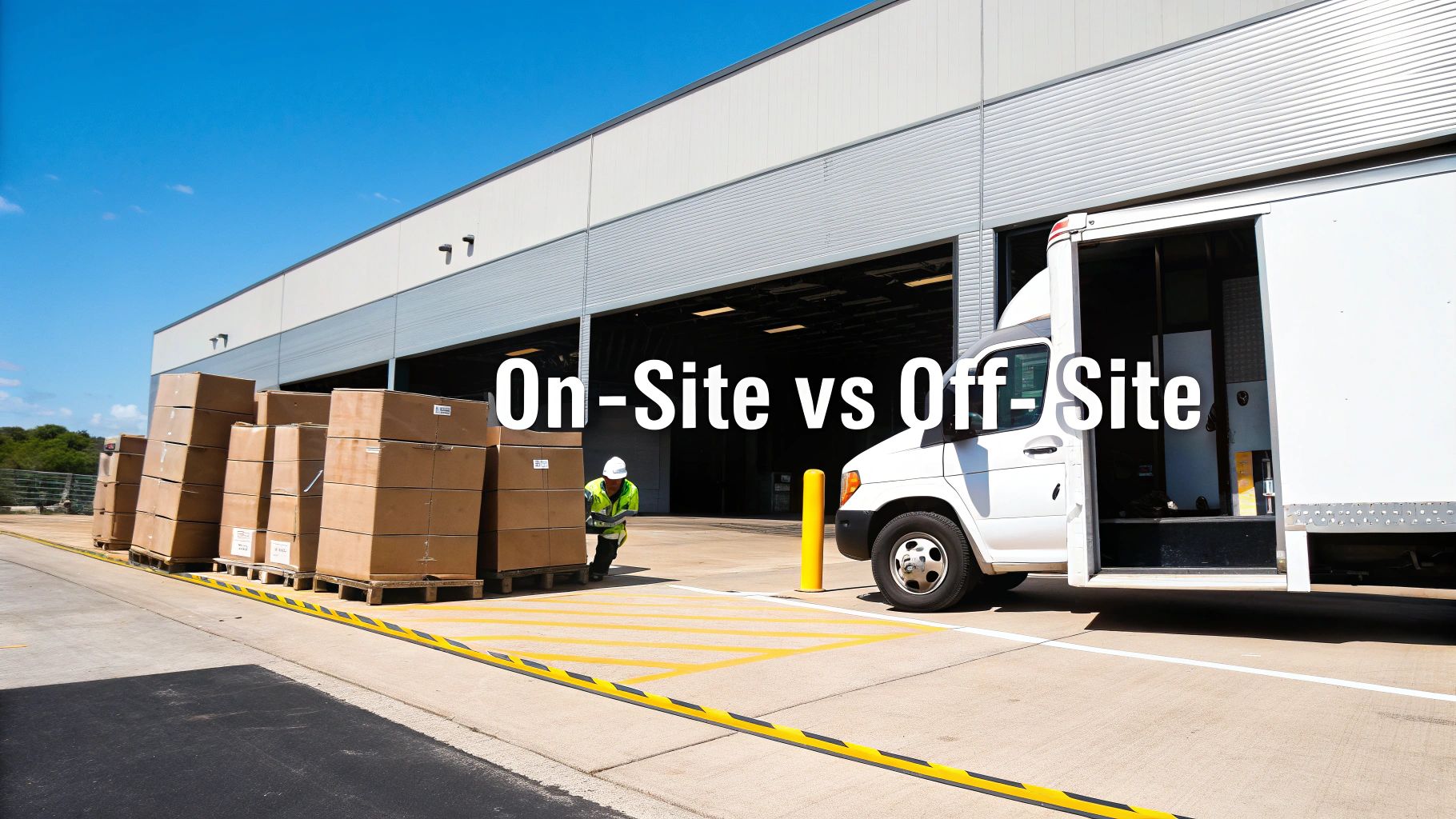
Neither one is universally "better." The right call depends entirely on your company's risk tolerance, compliance rules, and day-to-day logistics.
The Case for On-Site Destruction
On-site destruction brings the entire operation to you. A specialized truck equipped with industrial-grade shredders or degaussers pulls up to your location, and your team can witness the physical destruction of every drive.
This approach offers the highest level of assurance and the shortest possible chain of custody.
- Maximum Security Assurance: Since you can visually confirm the destruction, the risk of a data breach during transit is completely eliminated. Your assets never leave your secure perimeter intact.
- Immediate Verification: You get a Certificate of Destruction right on the spot, often along with a serialized list of the destroyed drives. This is invaluable for audits.
- Ideal for High-Stakes Data: For government agencies, healthcare organizations, or companies with sensitive intellectual property, witnessing the destruction is often a non-negotiable requirement.
This level of security and convenience does come at a higher cost due to the logistics involved. You can learn more and find an on-site shredding partner near you to see if it’s the right fit for your business.
The Advantages of Off-Site Destruction
Off-site destruction is the more common and cost-effective route for most businesses. Here, a certified vendor picks up your IT assets in sealed, locked containers and transports them in GPS-tracked vehicles to a secure, access-controlled facility for processing.
While assets leave your facility, a rigorous chain-of-custody process ensures they are tracked and secured every step of the way. This includes serialized scanning at pickup, locked transport, and monitored processing at the destruction plant.
This model provides major benefits in terms of cost and convenience.
- Cost-Effectiveness: By processing assets in bulk at a centralized plant, vendors can pass significant savings on to you. This makes off-site a budget-friendly choice, especially for larger volumes.
- Minimal Operational Disruption: The pickup is quick and clean, requiring very little of your staff's time. You don't have to deal with noisy shredders or block off areas of your facility.
- Scalability: Off-site is perfect for large-scale projects, like a company-wide hardware refresh or data center decommissioning. A certified partner can handle the logistics of collecting assets from multiple locations seamlessly.
For example, a large corporation managing an office cleanout across several states would find off-site services far more practical. The crucial element is choosing a certified vendor who provides an ironclad, auditable chain of custody from the moment they arrive until the final destruction report is in your hands.
Building an Auditable Chain of Custody
If a compliance auditor ever comes knocking, your single best defense is an unbroken, auditable chain of custody. This isn’t just about paperwork; it's the definitive legal proof that you followed a secure and defensible process from the moment a device left your possession to its final destruction.
Think of it like the evidence log in a criminal investigation. Every single movement and touchpoint must be meticulously documented. A single missing link in this chain can completely undermine your compliance efforts and leave your organization exposed.

This meticulous tracking gives you an irrefutable, timestamped record for every single asset. It transforms the abstract idea of due diligence into a tangible, provable reality.
The Essential Stages of a Defensible Log
A robust chain of custody is built step-by-step, with each stage building on the last. Any certified vendor should provide a clear, verifiable process that includes these critical milestones at a minimum.
Serialized Asset Scanning: The process starts right at your facility. Each device is scanned by its unique serial number, creating an initial inventory that becomes the foundation for the entire audit trail.
Secure and Sealed Transport: From there, assets are loaded into locked, sealed containers. They should be transported in secure, GPS-tracked vehicles, ensuring a continuously monitored journey to the destruction facility.
Monitored Facility Access: Once the truck arrives at the secure plant, the seals are broken, and the inventory is checked against the initial scan. The entire facility should be under 24/7 surveillance with strict access controls.
Final Destruction and Verification: After the devices are physically destroyed, a final check is performed. The serial numbers of the destroyed assets are matched against the original list, officially closing the loop on the process.
This rigorous documentation is your shield. For a deeper look into the entire process, read our overview of professional IT asset disposition services.
Why This Documentation Is Your Legal Shield
The demand for verifiable data destruction has fueled massive industry growth for a reason. Valued at $3.35 billion, the market jumped to $3.72 billion in just one year—an 11.3% growth rate. Projections show it reaching $5.64 billion by 2029, driven by governance demands in data-heavy sectors like healthcare and finance where a breach can be catastrophic. You can find more insights on this market's rapid expansion on researchandmarkets.com.
This growth highlights a critical business reality: undocumented data destruction is functionally the same as no data destruction at all. Without a paper trail, you have no way to prove compliance or defend your organization if a breach investigation occurs.
The final piece of this puzzle is the Certificate of Destruction. This is a legally binding document—much more than a simple receipt. It’s your official declaration that your organization fulfilled its data security obligations, listing every single serialized asset, detailing the destruction method used, and confirming the date of completion. It provides a powerful and complete record for your compliance files.
How to Choose the Right Data Destruction Partner
Picking a vendor for secure data destruction is much more than a simple procurement task; it's a critical risk management decision. The right partner acts as an extension of your security and compliance team. The wrong one can expose your organization to massive liability. Your goal is to find a true partner who provides an auditable, secure, and responsible end for every single IT asset.
Making this choice means looking well beyond a price tag. You need to ask specific, probing questions that reveal a vendor’s real commitment to security and accountability. A reputable partner will welcome this level of scrutiny and have clear, verifiable answers ready. Think of it as a high-stakes interview for a role that guards your company's most sensitive information.
Key Questions to Ask Potential Vendors
To separate the true security experts from basic service providers, your vetting process has to cover certifications, process integrity, and liability. A vendor's answers will tell you everything you need to know about their operational standards.
Start with the essentials—their credentials and track record.
- Are you NAID AAA or R2 Certified? These certifications are non-negotiable. NAID AAA is the gold standard for secure data destruction, while R2 ensures responsible electronics recycling and data sanitization. A lack of these certifications is a major red flag.
- Can you provide a sample Certificate of Destruction? This document is your legal proof that the job was done right. Review a sample to make sure it includes critical details like individual serial numbers, the date and method of destruction, and a clear transfer of custody statement.
- What are your liability insurance levels? A professional vendor must carry substantial liability insurance that specifically covers data breaches. This protects you in the unlikely event something goes wrong.
Verifying Their Process and Accountability
Beyond certifications, you have to dig into their day-to-day operational security. This is where you confirm their promises are backed by a solid, defensible process. Ask them to walk you through their entire chain-of-custody protocol, from the moment their team arrives at your facility to the final reporting.
A vendor who cannot clearly articulate every step of their chain-of-custody process—including employee background checks, secure transport, and facility monitoring—is not equipped to handle your sensitive assets.
You also need to press them on their downstream accountability. Ask them where the shredded materials go and request documentation proving their recycling partners are also certified and audited. A transparent vendor will have no problem providing this information.
Finally, ask for references from companies in your industry. This confirms they understand the specific compliance challenges and security standards relevant to your sector, whether you're in healthcare, finance, or government contracting.
Frequently Asked Questions About Data Destruction
Even with a solid plan in place, specific questions always pop up when it's time to handle a secure data destruction project. Here, we'll give you direct answers to the most common queries we hear from IT and compliance leaders, helping you clear up any confusion and move forward with confidence.
Getting these details right is the first step toward making a truly informed decision.
Common Questions on Destruction Methods
The biggest questions usually circle back to how effective and permanent the different destruction methods really are. It's absolutely crucial to know the difference between just hitting 'delete' and truly sanitizing a device for good.
What is the difference between data wiping and just formatting a hard drive?
Formatting a drive is a lot like ripping the table of contents out of a book. The pages and all the words are still there, and someone with the right tools can piece it all back together. Data wiping, on the other hand, is like taking a permanent black marker and scribbling over every single word on every single page until it's a block of ink. The original data is gone forever, completely unreadable and impossible to recover.
Can data be recovered after physical shredding?
No, not a chance. When a drive is physically destroyed to NAID AAA standards, it’s pulverized into tiny, confetti-like metal fragments. Trying to reassemble those pieces to pull off any usable data is physically and technologically impossible. This is why shredding is the ultimate final step for any media at the end of its life.
Questions About Compliance and Proof
Another area where people often have questions is documentation. Proving you followed a compliant process is just as important as the destruction itself, especially if you ever face an audit.
Is a Certificate of Destruction legally binding?
Yes, a Certificate of Destruction is a critical legal document. It's your official proof that you did your due diligence and securely disposed of sensitive data in line with regulations like HIPAA or GDPR. It must detail the destruction method, list every asset by serial number, and be signed by your certified vendor.
A Certificate of Destruction isn't just a receipt; it's your legally defensible proof that you met your data protection obligations. Without it, you have no way to prove compliance.
Do we need to destroy data on leased office equipment like printers and copiers?
Absolutely. It's a security gap many businesses overlook. Modern office equipment—printers, scanners, and copiers—all have internal hard drives that store a history of every document scanned, job printed, and network it connected to. That data has to be securely destroyed before you return the equipment to the leasing company or sell it. Always confirm the sanitization process with your IT asset disposition vendor to close this common loophole.
Your IT assets hold sensitive data, and ensuring its complete destruction is the final step in protecting your organization. Dallas Fortworth Computer Recycling provides nationwide, certified data destruction and IT asset disposition services, giving you an auditable, secure, and compliant process you can trust. Learn more about our secure IT asset disposition services and schedule a consultation today.