
How to Wipe a Hard Drive Completely An Expert IT Guide
To truly wipe a hard drive clean, you have to do more than just delete files. The only way to ensure the original information is gone for good is to use specialized methods to overwrite every sector of the disk, making the old data completely unrecoverable. Just formatting a drive or dragging files to the trash won't cut it.
Why Simply Deleting Files Is Not Enough
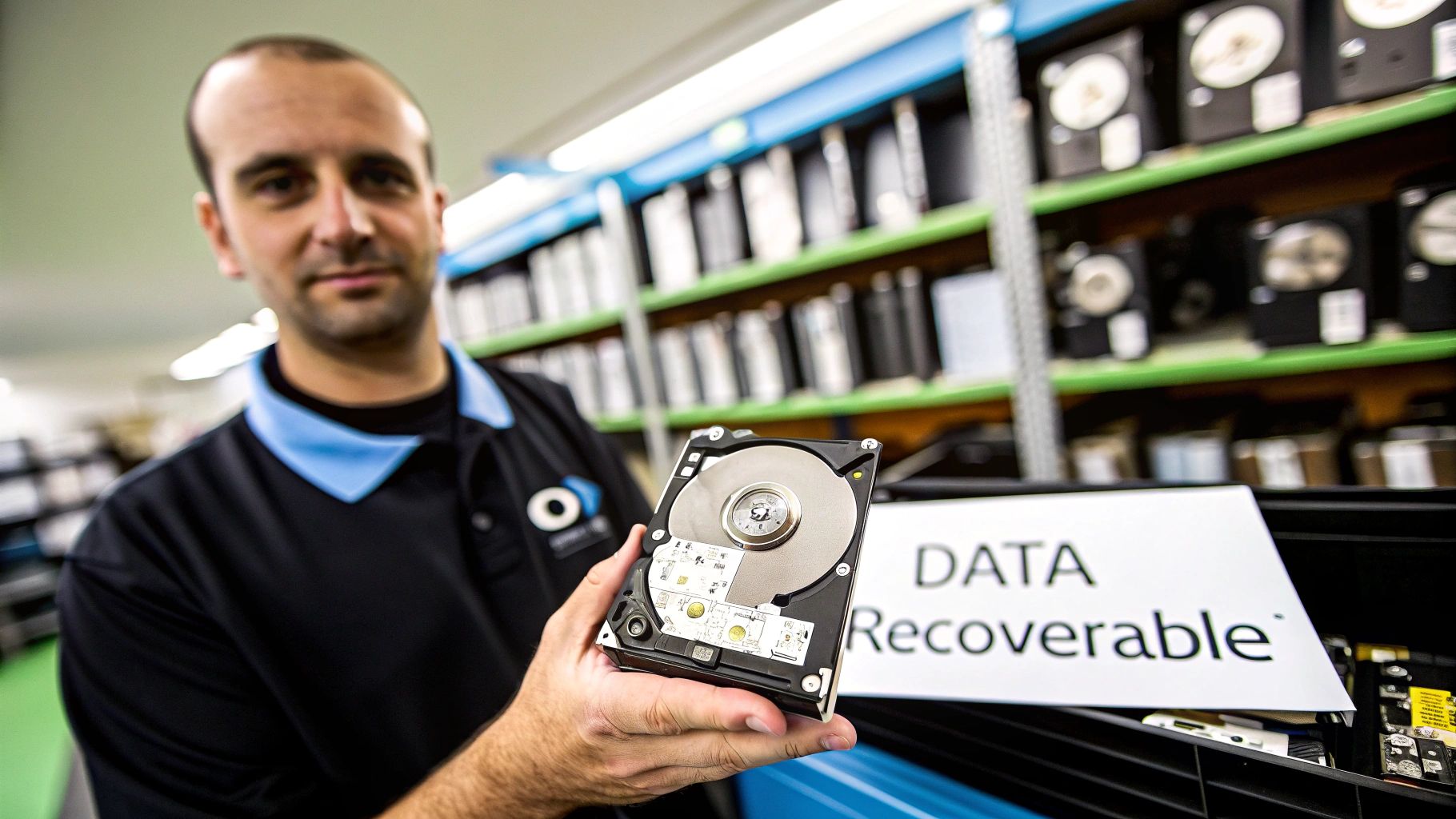
It’s a common—and dangerous—misconception that a standard format or a trip to the recycle bin permanently removes data. When you "delete" a file, the operating system doesn't actually erase anything. It just marks the space that file occupied as available for new data. The underlying ones and zeros remain right where they were.
This leftover data is a ticking time bomb for your organization. Anyone with basic data recovery software can easily reconstruct those "deleted" files, whether they're confidential financial reports or sensitive customer records. This creates a massive security risk, especially when you’re getting rid of old hardware.
The reality is that decommissioned assets often end up on the secondary market. A chilling study brought this risk into sharp focus: researchers bought 200 used hard drives online and found that a staggering 67% of them still contained personally identifiable information. Worse, 11% held corporate data, and a mere 10% had been wiped using a proper, secure method.
The Real-World Consequences of Improper Wiping
Imagine an IT department at a local hospital upgrading its workstations. The team performs a "quick format" on the old hard drives before sending them to an electronics recycler. A few months later, the hospital is hit with a massive HIPAA violation. Why? Someone bought a few of those drives and recovered thousands of patient records, triggering lawsuits, huge fines, and a PR nightmare that shattered the community's trust.
This isn't a hypothetical story; it’s a reflection of real breaches that have cost companies millions. The core mistake was confusing data deletion with data destruction.
Secure data wiping isn't just another IT task—it's a critical part of risk management. Failing to properly sanitize a drive is like leaving a filing cabinet full of confidential documents unlocked on the curb for anyone to take.
A Clear Comparison of Data Removal Methods
To prevent these disasters, it’s vital to understand the difference between insecure and secure methods. The bottom line is whether the data can be recovered. Even for seasoned experts, clarifying these distinctions is a crucial first step toward safely managing computer equipment recycling.
Here’s a quick guide to help you choose the right approach for the job.
Data Deletion Methods At a Glance
The table below breaks down common data removal methods, their effectiveness, and where they fall short. It's a handy reference for making sure you're not leaving your organization exposed.
| Method | How It Works | Data Recoverable? | Best For |
|---|---|---|---|
| Standard Deletion | Moves file to Recycle Bin or Trash. | Yes, instantly. | Clearing desktop clutter. |
| Quick Format | Erases the file allocation table (the index). | Yes, easily with recovery software. | Quickly preparing a drive for reuse internally. |
| Full Format | Scans for bad sectors and erases file table. | Yes, but slightly more difficult. | Prepping a new drive; not for secure disposal. |
| Secure Overwrite | Writes patterns of 0s and 1s over every sector. | No, with proper methods. | Wiping HDDs for reuse or disposal. |
| Physical Destruction | Shredding, crushing, or disintegrating the drive. | No, the media is destroyed. | End-of-life drives with highly sensitive data. |
As you can see, only a secure overwrite or physical destruction guarantees that your data is truly gone. Choosing the right method is foundational to protecting your organization’s data and its reputation.
Choosing Your Data Destruction Method
Let’s be clear: there’s no single “best” way to wipe a hard drive. The right approach depends entirely on what’s inside the machine—specifically, whether you’re working with a traditional spinning Hard Disk Drive (HDD) or a modern Solid-State Drive (SSD). Using the wrong method doesn’t just mean you’ve failed to erase the data; you could actually damage the drive itself.
Your strategy ultimately comes down to two things: the type of drive you have and what you plan to do with it next. Is it going to be reused, resold, or turned into tiny metal bits? Answering that question is the first step toward building a data destruction policy that actually works.
Overwriting for Traditional HDDs
For decades, the go-to method for sanitizing magnetic media like HDDs has been secure overwriting. This process writes patterns of ones and zeros over every single sector of the drive, essentially burying the original data under layers of digital noise. Think of it like painting over a canvas again and again until the original image is completely gone.
Different standards dictate how many times you "paint" over the data. You've probably heard of the DoD 5220.22-M standard, which calls for three passes. While newer standards have largely replaced it for high-security work, the core idea is the same.
- When it works: Secure overwriting is a rock-solid method for sanitizing old-school spinning hard drives.
- Why it fails on SSDs: Trying to overwrite an SSD is a terrible idea. SSDs use wear-leveling to spread writes across their memory cells, which means your software can't guarantee it’s actually hitting every spot where data might be hiding. On top of that, it causes a ton of unnecessary wear on the drive's limited write cycles.
The Modern Approach for SSDs
Solid-State Drives need a smarter, more elegant solution. Since they don’t have magnetic platters, the old methods are completely obsolete. For SSDs, the gold standard is Cryptographic Erase (CE).
The vast majority of modern SSDs are Self-Encrypting Drives (SEDs). This means all the data written to them is always being encrypted by a built-in media encryption key (MEK). A Cryptographic Erase works by simply deleting this one tiny key.
Without the key, all that scrambled data on the drive becomes permanent digital gibberish. The process is almost instant and puts zero wear on the SSD's memory cells. It is, by far, the most efficient and secure way to sanitize a modern drive.
The concept behind Cryptographic Erase is simple but incredibly effective. Instead of spending hours writing over data, you just destroy the one key needed to read it. The data is still there, but it’s permanently locked away and useless.
When Destruction Is the Only Option
Sometimes, you’re not planning to reuse the hardware, or the risk of it leaving your control is just too high. In those cases, physical destruction is the only answer. You’re no longer just sanitizing data; you’re eliminating it for good.
There are two main ways to do this:
- Degaussing: This is strictly for magnetic media like HDDs and tapes. A degausser blasts the drive with a ridiculously powerful magnetic field, instantly scrambling the magnetic domains on the platters where your data lives. It also fries the drive’s firmware, turning it into a very effective paperweight. It is completely useless on SSDs.
- Physical Shredding: This is the final word in data destruction for any drive type. The device is fed into an industrial shredder that grinds it into small fragments. There's no coming back from that—the physical media simply doesn't exist anymore.
Deciding between doing this in-house or calling in the pros often comes down to scale, compliance needs, and risk tolerance. For bigger projects, it's often worth exploring the benefits of certified IT asset disposition companies to ensure everything is handled securely and efficiently.
Making the Right Call for Your Hardware
Having a clear decision-making process based on your hardware inventory is crucial for a secure and compliant policy. A great place to start is the framework laid out in the NIST SP 800-88 guidelines, which provides a clear hierarchy for data sanitization.
Here’s a practical way to think about it:
| If the Drive is… | And the Goal is… | The Best Method is… |
|---|---|---|
| An HDD | Reuse or Resale | Secure Overwrite |
| An SSD (SED) | Reuse or Resale | Cryptographic Erase |
| An HDD | Destruction | Degaussing or Shredding |
| An SSD | Destruction | Shredding |
Following this logic ensures you’re always using the right tool for the job, perfectly balancing your security requirements with the potential to reuse valuable assets.
Your Technical Workflow for Secure Wiping
Alright, let's move from theory to the hands-on process. This isn't just a high-level overview; it's a practical, in-the-trenches guide for your IT team to perform a secure wipe in-house. Getting this right is all about knowing which tool to use for which drive and paying attention to the small but critical details that prevent a catastrophe.
Pre-Wipe Preparation: The Critical First Step
Before you even think about launching any data destruction software, there are a few prep steps that are absolutely non-negotiable. This initial setup is your primary defense against accidentally wiping the wrong drives—a mistake that can be absolutely devastating. I've seen a rushed technician wipe a live production server drive instead of the one slated for decommissioning. Don't be that technician.
First and foremost, physically disconnect all non-target drives. This is the single most effective action you can take. If a drive isn't connected to power and data cables, it's impossible to wipe it by accident.
Next, you'll need to get your wiping tool ready on bootable media, which is almost always a USB flash drive. This lets the software run completely independently of the host operating system, giving it the full, low-level access it needs to properly sanitize the hard drive.
Finally, you’ll need to get into the target machine's BIOS or UEFI settings. You'll need to change the boot order so the computer boots from your USB drive instead of its own internal drive. This is also where you might have to disable security features like Secure Boot, which can sometimes block third-party bootable tools from running.
Wiping HDDs with a Bootable Overwrite Tool
For traditional spinning hard drives (HDDs), the industry-standard approach is a bootable tool that performs a secure overwrite. For years, Darik's Boot and Nuke (DBAN) has been a trusted workhorse for this, though plenty of modern alternatives exist. The core idea is to write patterns of meaningless data across every single sector of the drive, permanently obliterating whatever was there before.
The process itself is pretty straightforward:
- Create the Bootable USB: Download the DBAN ISO file and use a simple tool like Rufus to write it to a USB drive.
- Boot from USB: Plug the drive into the target machine, restart it, and enter the BIOS/UEFI to set the USB as the primary boot device.
- Launch the Wipe: Once DBAN loads, you’ll see a simple menu. Carefully identify the target HDD by its model and size. Double-check, then triple-check. Once you start the wipe, there is no going back.
Pro Tip: A single-pass wipe (like writing all zeros) can take several hours, depending on the drive's size and speed. A multi-pass standard like the 3-pass DoD 5220.22-M will take significantly longer. Make sure you budget enough time for the job.
Handling SSDs with Manufacturer Utilities
As we’ve covered, trying to overwrite an SSD is not only ineffective but can also cause unnecessary wear. For SSDs, the correct approach is a Cryptographic Erase (CE) or an ATA Secure Erase command. The most reliable way to do this is almost always with the drive manufacturer’s own software.
- Samsung: Magician Software
- Crucial: Storage Executive
- Western Digital: Dashboard
These tools are built to communicate perfectly with their own hardware. They can correctly issue the ATA Secure Erase or NVMe Format commands, which tells the drive's internal controller to instantly invalidate all the data. For SSDs, this is by far the fastest and most effective way to achieve complete data sanitization.
This flowchart shows the fundamental difference in how you should approach wiping a drive based on its technology.
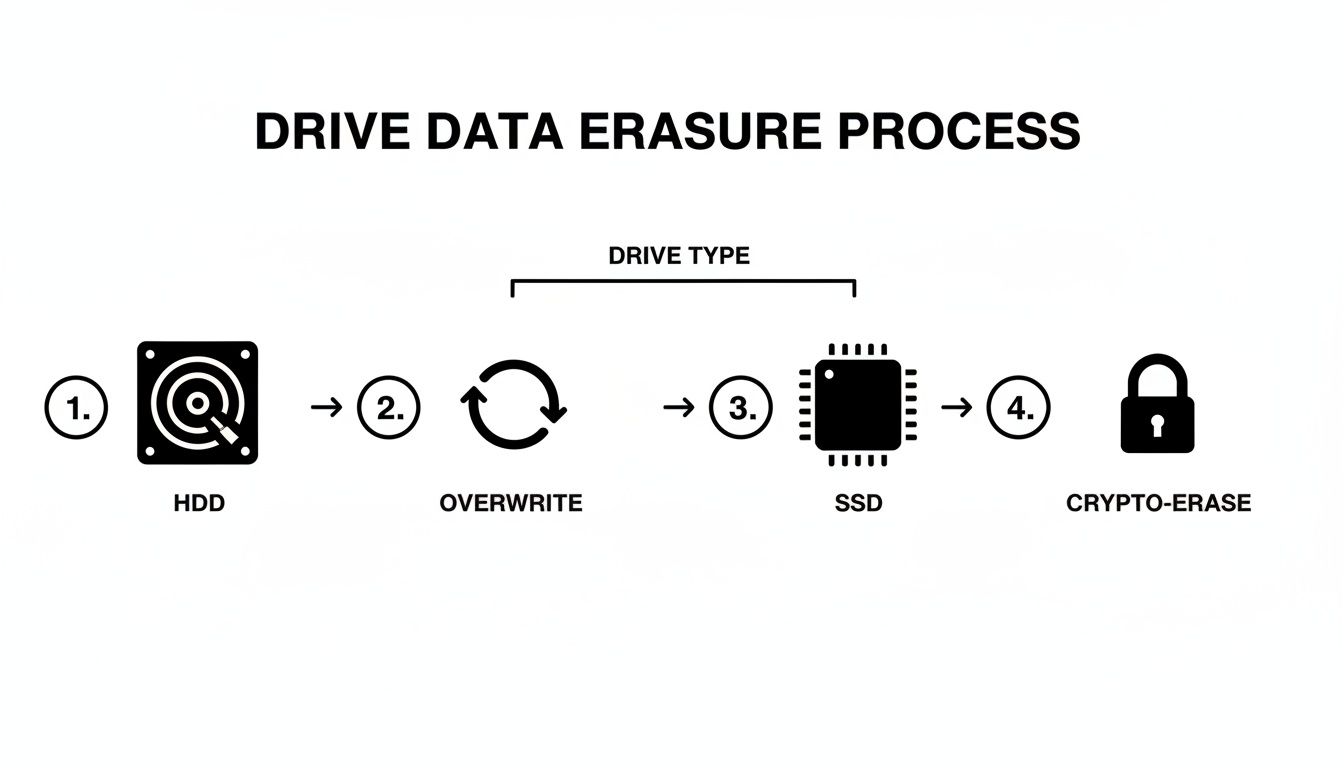
As you can see, the right method—overwriting for HDDs versus a crypto-erase command for SSDs—is dictated entirely by the drive's internal architecture.
Verification and Documentation: The Final Proof
Your job isn’t finished when the progress bar hits 100%. The final, and arguably most important, step is verification. You need to confirm the data is truly gone and then document everything you did. This documentation is the first link in your chain of custody and your proof of compliance.
For an overwritten drive, verification might involve using a data recovery tool to scan the disk and confirm it only finds the overwritten pattern (e.g., all zeros). For a Cryptographic Erase on an SSD, the proof is the success log generated by the manufacturer's software.
Your documentation for each drive should include:
- Asset Tag/Serial Number of the drive
- Method Used (e.g., DoD 5220.22-M 3-pass, ATA Secure Erase)
- Software Used and its version number
- Date and Time of completion
- Technician's Name who performed the wipe
This log is your evidence of due diligence. When you're decommissioning dozens or hundreds of assets, like in a data center refresh, this documentation is absolutely essential. Following a detailed process, like the one outlined in a professional server decommissioning checklist, is vital for maintaining a clear and defensible record of every single action taken.
Navigating Compliance and Documentation
Wiping a drive is a technical task, but proving you did it right is a business necessity. Without a solid audit trail, your data destruction efforts are legally indefensible. This is where documentation shifts from a simple checkbox item to a core part of your risk management strategy.
For organizations in regulated fields, the stakes are sky-high. A hospital can’t just wipe a drive with patient data; it must prove it followed HIPAA’s strict sanitization rules. Likewise, a bank must demonstrate PCI-DSS compliance for any media that ever held cardholder information.
The financial fallout from getting this wrong is severe. The average cost of a data breach hit $4.88 million in 2024, a figure that can easily cripple an unprepared company. As you can see when learning about secure hard drive disposal, healthcare providers often face even steeper costs due to the heavy penalties tied to HIPAA violations.
Building an Unbreakable Chain of Custody
The cornerstone of any defensible data destruction program is the chain of custody. Think of it as the chronological paper trail documenting every single touchpoint an asset goes through, from the moment it’s retired to its final disposition. Any break in that chain creates doubt, and doubt creates liability.
Imagine an IT director tasked with decommissioning 200 employee laptops. A proper chain of custody starts the second a technician inventories the first machine.
A robust process includes these critical steps:
- Serialized Inventory: Log each hard drive by its unique serial number, model, and the asset tag of the computer it came from.
- Secure Transport: If drives are moved, your documentation must show who moved them, when, and to what secure location.
- Methodology Records: The log needs to specify exactly how each drive was sanitized (e.g., "NIST 800-88 Purge via 3-pass overwrite").
- Verification Logs: Attach a record of the software used for verification and the pass/fail result to each serial number.
- Final Disposition: The final entry should state whether the drive was destroyed, recycled, or prepped for reuse.
This level of detail means that if an auditor ever asks about a specific asset, you can pull up its complete history without breaking a sweat.
Demystifying NIST SP 800-88 Guidelines
The National Institute of Standards and Technology (NIST) Special Publication 800-88 is the gold standard for data sanitization. It gives IT leaders a clear, risk-based framework so they can apply the right level of rigor for the job. Instead of a mess of confusing standards, it simplifies the entire process into three distinct categories.
"NIST SP 800-88 provides a practical roadmap. It shifts the focus from arbitrary 'wipe counts' to achieving a specific outcome where data recovery is impossible with the targeted level of effort."
Understanding these categories is the key to creating an internal policy that is both effective and efficient.
The Three Tiers of Sanitization
- Clear: This method uses logical techniques to sanitize data in all user-addressable storage areas. A simple ATA Secure Erase command or a standard drive format falls into this category. It’s designed to protect against basic, non-invasive recovery attempts.
- Purge: This tier applies physical or logical techniques that make data recovery infeasible using state-of-the-art lab methods. Secure overwriting (for HDDs), cryptographic erase (for SSDs), and degaussing are all considered Purge methods.
- Destroy: This is the final step, rendering the media completely unusable through physical destruction. Methods include shredding, disintegrating, pulverizing, or melting. It's the only option when a drive can't be effectively purged or the risk is simply too high.
The Power of a Certificate of Destruction
When all is said and done, the final piece of your compliance puzzle is the Certificate of Data Destruction (CoD). This document serves as your official, legally defensible proof that the data on a specific, serialized asset has been properly destroyed. While an in-house process might generate a software log, a formal CoD—especially one from a certified vendor—carries significant weight during an audit.
For any organization that handles sensitive information, understanding what makes a valid certificate of destruction for hard drives isn't just a best practice; it's a critical safeguard. This certificate links the drive's serial number, the destruction method, and the date of destruction into a single, auditable record. It closes the loop on the asset's lifecycle and, more importantly, your organization's liability.
When to Partner with a Certified ITAD Vendor
Deciding between wiping hard drives in-house or bringing in a specialist is a major strategic choice for any IT department. While handling it yourself offers a sense of direct control, there are absolutely times when the sheer complexity, scale, and risk of a DIY approach just don't add up. Knowing when to make that call is what protects your organization from serious liability.
Partnering with a certified IT Asset Disposition (ITAD) vendor isn't just about offloading a task. It’s about strategically transferring risk and gaining access to specialized expertise, certified processes, and a fully auditable, legally defensible paper trail. This becomes absolutely critical when the stakes are high.
Large-Scale Decommissioning Projects
Picture a full data center refresh or a company-wide laptop upgrade. We're talking hundreds, maybe even thousands of assets. The logistics of securely wiping every single one of those drives are just enormous. Your team would need the physical space, the right wiping stations for various drive types (HDD, SSD, NVMe), and countless hours dedicated solely to this task.
Pulling your skilled technicians away from their core responsibilities for a project this massive inevitably leads to delays and operational strain. A certified ITAD partner, on the other hand, is built for exactly this. They have the infrastructure and streamlined workflows to process thousands of assets efficiently, securely, and with full documentation for every last serial number.
When Compliance and Liability are High
For any organization in a regulated industry—healthcare, finance, government—the consequences of a data breach are catastrophic. The question isn't just how to wipe a hard drive completely, but how you prove it was done in full compliance with standards like HIPAA or PCI-DSS.
This is where third-party certifications become non-negotiable. A vendor with a NAID AAA Certification, for example, is subject to rigorous, unannounced audits of their hiring practices, security protocols, and destruction processes. That provides a level of third-party assurance that's nearly impossible to replicate with an in-house team.
Choosing a certified partner effectively transfers a significant portion of the legal liability. Their Certificate of Data Destruction acts as legally binding proof that you fulfilled your due diligence—a document that can be a lifesaver in an audit or legal challenge.
Maximizing Value and Ensuring Sustainability
A professional ITAD partner does more than just destroy data; they are experts in asset value recovery and responsible electronics recycling. Many of your retired assets, once securely sanitized, may still hold residual market value. An ITAD vendor can test, grade, and resell this equipment through established channels, often returning a portion of the revenue directly to your organization.
This simple shift can turn a cost center into a potential revenue stream.
Furthermore, for assets that have truly reached the end of their life, a certified partner guarantees they are disposed of responsibly. Partners with certifications like R2 ensure that e-waste is handled in an environmentally sound way, keeping toxic materials out of landfills. Exploring the benefits of an R2 certified electronics recycler shows a real commitment to sustainability that aligns with modern corporate responsibility goals.
The growing need for these specialized services is reflected in clear market trends. The global hard drive destruction service market was valued at USD 1.65 billion in 2024 and is projected to explode to USD 5.05 billion by 2035. As you can see from these insights on hard drive destruction services, this growth is driven by organizations realizing the immense risk of improper data handling and the real value of professional partnerships.
Deciding between an in-house project and a certified partner often comes down to a few key factors. This table can help you quickly determine the best path forward.
Decision Matrix: In-House vs. Certified ITAD Partner
| Factor | Consider In-House When… | Consider Certified Partner When… |
|---|---|---|
| Volume of Assets | You have a small, manageable number of drives (e.g., < 25) from a routine refresh. | You're decommissioning hundreds or thousands of assets from a data center or office closure. |
| Compliance Risk | Your data is low-risk, non-regulated, and has no PII/PHI. | You handle sensitive data regulated by HIPAA, PCI-DSS, GLBA, or other strict standards. |
| Internal Resources | Your IT team has the available bandwidth, expertise, and proper equipment for the task. | Your IT team is lean, and their time is better spent on core business-critical projects. |
| Need for Audit Trail | Basic internal logs are sufficient for your company’s policies. | You require legally defensible Certificates of Data Destruction and a serialized audit trail. |
| Asset Value Recovery | The equipment has no resale value, and your only goal is secure disposal. | The retired assets may have residual market value that you want to recover. |
| Sustainability Goals | You have a trusted, simple process for recycling a few non-hazardous electronics. | You need documented proof of responsible recycling for ESG reporting and corporate goals. |
Once you weigh the costs of your team's time, the potential for human error, the immense legal risks, and the logistical headaches, the value of a certified ITAD partner becomes crystal clear for any significant disposition project.
Common Questions We Hear About Wiping Hard Drives
Even with a solid plan, a few tricky questions always pop up when it's time to get rid of old hardware. We get these all the time from IT managers and techs in the trenches. Here are some straight, practical answers to the hurdles you're likely facing.
Is a Quick Format Good Enough Before Donating a Drive?
Absolutely not. This is one of the most common—and riskiest—mistakes an organization can make. A quick format just tears out the table of contents, leaving all the actual data sitting right there on the drive, ready to be recovered with free software.
Anytime hardware is leaving your control, especially when it's being donated, it needs to be properly sanitized. That means a secure, multi-pass overwrite for older HDDs or a cryptographic erase for newer SSDs. It's the only way to be sure you aren't accidentally handing over sensitive company or customer data.
When it comes to corporate donations, the liability of a DIY approach is just too high. The safest move is to partner with a certified ITAD vendor. They'll ensure full compliance, give you the right documentation, and completely eliminate your organization's risk.
Can I Still Use a Hard Drive After Degaussing It?
No, a degaussed hard drive is a goner—it’s completely unusable. Degaussing hits a magnetic drive (like an HDD or old tape) with an incredibly powerful magnetic field that violently scrambles the platters where the data lives.
This process doesn't just wipe your data; it also destroys the essential, factory-written firmware and servo tracks that the drive's read/write heads rely on to navigate. What you're left with is a brick. Think of degaussing as a destruction method, not a sanitization step for drives you hope to reuse.
How Can I Actually Prove a Hard Drive Was Wiped?
Proof isn't just saying the job got done. To satisfy auditors or stand up in a legal dispute, you need a meticulous and verifiable paper trail.
If you’re running the process in-house, you're on the hook for:
- Using professional-grade software that can spit out a certificate of sanitization.
- Logging everything, including the drive’s serial number, the exact method used (like NIST 800-88 Purge), the date, and the final status.
- Keeping these records somewhere secure and accessible for any future audits.
But for the highest level of assurance, nothing beats working with a certified ITAD partner. They provide a formal Certificate of Data Destruction for every single asset they process, identified by serial number. This document is your legally defensible proof that closes the chain of custody and confirms you’ve met your regulatory duties. It's the gold standard for any business that needs to know how to wipe a hard drive completely and prove it without a shadow of a doubt.
When your organization needs absolute certainty in data destruction and a fully documented, compliant process for IT asset disposition, Dallas Fortworth Computer Recycling provides the expertise and certified workflows to protect your business. Learn more about our secure ITAD services.