
10 Best Practices for Data Security: A 2026 Checklist
A breach review should not begin with a firewall. It should begin with a pallet of retired laptops, failed drives, backup appliances, and decommissioned servers waiting to leave your control.
Security programs often look disciplined during active use and exposed at end of life. Devices still hold recoverable data, saved credentials, cached files, regulated records, encryption keys, and forgotten backups long after the business considers them retired. That is the gap boards, regulators, insurers, and plaintiffs examine after an incident.
The mistake is treating asset disposition as an operations task instead of a security control. Internal policy only covers part of the risk. The rest depends on execution across asset tracking, transport, vendor handling, sanitization, destruction, and documented proof. If any part of that chain fails, your organization owns the exposure.
The standard for retirement should match the standard for production. You need documented controls, accountable owners, and evidence that stands up in an audit. That includes approved processes for secure data destruction and IT asset disposition, clear custody records, and vendor oversight that does not stop at contract signature.
This checklist covers the full lifecycle with the final stage in focus. Use it to close the gap between internal policy and third-party execution, reduce end-of-life data risk, and give leadership the records they will ask for when compliance, legal, or incident response demands proof.
1. Data Destruction and Secure Wiping Protocols
If a device is leaving your control, assume the data on it is still recoverable until you've proven otherwise. That applies to laptops headed for resale, failed drives pulled from servers, storage shelves removed during a decommissioning project, and loaner systems sitting in a closet.
Asset retirement is where organizations often rely on vague language like “deleted,” “reformatted,” or “factory reset.” None of that is a control. You need a documented sanitization decision tree that tells staff when to wipe, when to destroy, when to degauss, and when to quarantine a device that can't be processed safely.
What the policy must require
Healthcare teams donating refurbished devices, government agencies retiring restricted equipment, and financial institutions replacing payment systems all need the same baseline. The method has to match the media type and the sensitivity of the data that was stored on it.
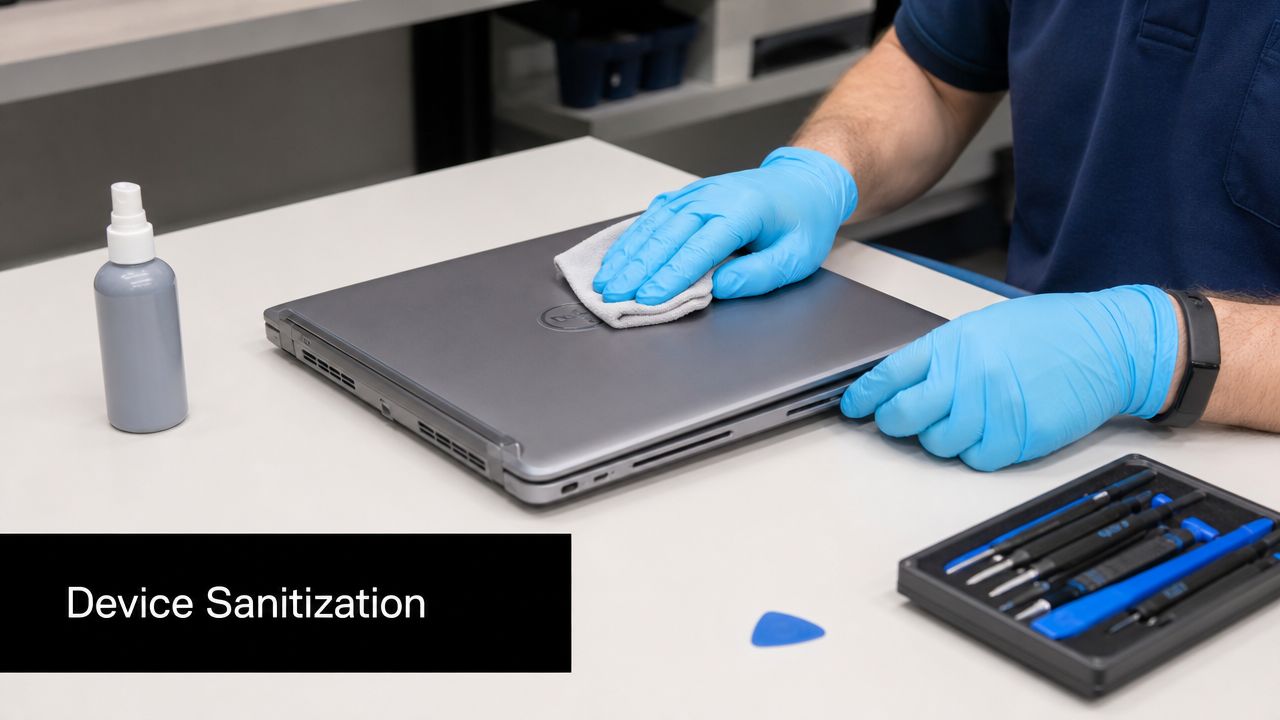
- Define approved methods: Use an approved wiping standard for reusable media, degaussing where appropriate, and physical destruction when reuse isn't allowed or the drive can't be sanitized reliably.
- Match serial numbers to evidence: Require certificates that map destruction or sanitization records to the device or drive serial number in your inventory.
- Audit before release: Hold equipment until an internal pre-disposal review confirms what data may reside on the asset and whether any legal hold or retention rule applies.
Practical rule: No asset leaves your custody, or a secured staging area, without a recorded disposition status.
A large data center shutdown is a good example. Teams often focus on power-down sequencing and logistics, then treat the retired hardware stream as an operations task. It's a security event. Build secure data destruction procedures into the project plan, not the cleanup phase.
Proof matters more than policy
A board member won't care that your procedure says drives are wiped. They'll care that you can show which devices were processed, when they were processed, who handled them, and what happened to any exceptions. If you can't prove that, the control isn't complete.
2. Chain of Custody Documentation and Asset Tracking
The moment a decommissioned device changes hands, your exposure changes with it. If you can't reconstruct who had the asset, where it went, and what condition it was in, you've created a gap that policy alone won't fix.
Chain of custody should start before pickup. Your team needs an asset list, a staging record, handler names, timestamps, transfer acknowledgments, and exception notes for damaged or untagged equipment. Without that, a missing laptop becomes an argument instead of an incident with documented facts.
Build a record you can defend
Universities replacing campus devices, hospital systems consolidating locations, and enterprise IT teams closing branch offices all run into the same issue. Equipment moves fast, and undocumented transfers happen faster.
Use controls that create accountability at every step:
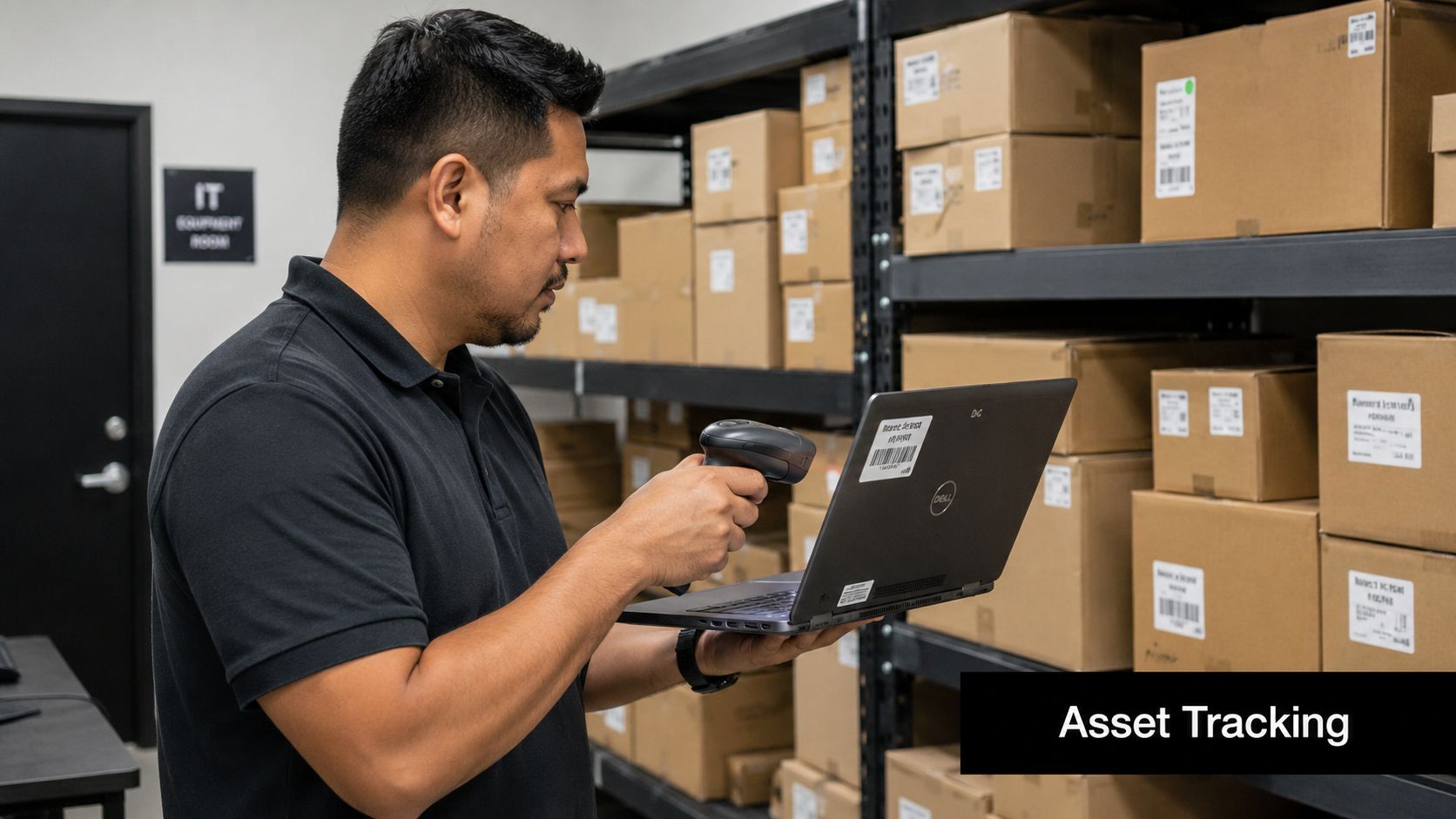
- Tag every asset: Barcode or QR-based tracking reduces confusion during loading, transport, processing, and final reconciliation.
- Record each handoff: Capture timestamps, locations, and named personnel at pickup, receipt, processing, and final disposition.
- Reconcile exceptions quickly: Investigate serial number mismatches, damaged labels, and unmanifested devices the same day, not at quarter end.
Missing documentation is a security finding, even if no breach is confirmed.
For high-sensitivity shipments, require sealed containers, vehicle logs, and status visibility your team can access directly. A strong chain of custody documentation process gives legal, compliance, and security leaders one thing they need most during a review: a timeline.
Treat movement as a controlled event
Retired equipment often gets less scrutiny than production assets because it's “out of service.” That thinking is wrong. The data risk remains until destruction or verified sanitization is complete. Track retired assets with the same discipline you apply to privileged access changes.
3. Certified Vendor Selection and Third-Party Risk Management
A weak disposition vendor can undo strong internal controls. If a third party handles your hardware, transport, storage, wiping, resale, recycling, or downstream material processing, that vendor sits inside your risk boundary whether your procurement file reflects that or not.
Many organizations often overfocus on service convenience and underweight auditability. A vendor may promise secure handling, but if they can't show documented controls, facility discipline, and verifiable downstream processes, you're outsourcing trust instead of risk.
What to verify before you sign
Vendor review should look more like a security assessment than a recycling intake form. Healthcare systems, banks, manufacturers, and public-sector teams should all require evidence that the provider can meet security obligations in practice.
Use a short approval standard:
- Validate certifications directly: Don't rely on logos in a slide deck. Confirm current status through the issuing body.
- Inspect the facility: Walk the process. Review receiving controls, staging segregation, access restrictions, camera coverage, and destruction areas.
- Put audit rights in the contract: Your legal agreement should allow review of relevant controls, records, incident handling, and downstream provider use.
Independent guidance on best practices for data security stresses layered controls, beginning with classification-first protection and then applying RBAC, MFA, encryption, audit logging, and ongoing monitoring to the highest-value datasets first (classification-first security guidance). Your vendor should be able to support that model during disposition, not break it.
Don't separate vendor risk from data risk
If a provider touches devices that once held regulated or sensitive data, security needs to review them. That includes contract terms, breach notification duties, evidence handling, insurance requirements, and offboarding steps if controls degrade. A documented third-party audit review process belongs in your vendor management program.
4. Inventory Management and Asset Lifecycle Documentation
A breach can start at the end of an asset's life, not the beginning. The device leaves a user's desk, drops out of the CMDB, sits in a storage room for six months, and then moves to a recycler with no documented owner, no status history, and no proof of what data it held. That is not an inventory problem. It is a governance failure.
Inventory has to extend through disposition. If an asset record ends when the device stops being productive, your security program loses visibility at the point where residual data risk often shifts to operations, facilities, and third parties. CISOs should require one record of truth that starts at acquisition and ends with documented final disposition.
Build one lifecycle record per asset
Track each asset from purchase through retirement. Record the assigned owner, location history, business use, storage type, encryption status, repair events, support status, custody changes, and final outcome. If the device changes hands internally or externally, the record should show when, why, and under whose approval.
This matters during refresh cycles, relocations, and office closures. A hospital may replace nursing station workstations on schedule, but if retired units are not tied to a lifecycle record, leadership cannot prove whether those systems were wiped, redeployed, destroyed, or left in uncontrolled storage. Boards and regulators care about proof, not assumptions.
Use these controls:
- Automate asset intake and updates: Pull records from procurement, endpoint management, MDM, service desk, and identity systems so inventory reflects real device movement.
- Set retirement triggers: Flag unsupported hardware, inactive endpoints, failed drives, and any storage-bearing device headed for decommissioning.
- Require disposition fields: Do not close an asset record without final status, date, approver, and supporting evidence.
- Archive retired assets: Keep historical records after equipment leaves service so audit, legal, and security teams can reconstruct what happened.
A disciplined IT asset management program gives security, procurement, and operations one auditable source of truth.
Document the devices teams forget
Hidden storage creates hidden liability. Printers, copiers, VoIP phones, firewalls, switches, lab equipment, badge systems, conferencing hardware, and backup appliances often hold data or credentials long after primary use ends. If they are missing from inventory, they are also missing from retirement controls, vendor instructions, and audit evidence.
Storage media details matter here. Your record should identify whether the device contains HDDs, flash storage, removable media, or embedded SSDs, because sanitization and validation requirements differ by media type. For teams retiring solid-state devices, documented handling procedures for wiping SSD drives before disposition should be tied back to the asset record, not kept in a separate operational checklist.
Treat inventory documentation as evidence. At end of life, that record is what connects internal policy to what your vendor did. Without it, chain of custody breaks, disposition proof weakens, and executives lose the ability to show regulators, customers, and auditors that retired assets stayed under control.
5. Secure Device Sanitization Before Reuse or Recycling
A donated laptop still holding browser tokens, saved passwords, or cached files is not a recycling mistake. It is a preventable security failure with legal and reputational consequences. End-of-life control breaks down fast when sanitization is treated as a technician task instead of a policy requirement tied to asset disposition.
Set one rule. No device is approved for reuse, resale, donation, or recycling until sanitization is completed, validated, and recorded against the asset record. C-level stakeholders need more than a statement that equipment was cleaned. They need proof that the method matched the media, the device role, and the data risk.
Reuse requires proof, not assumptions
A visual check does nothing for hidden partitions, stored credentials, firmware settings, sync caches, or embedded flash. Factory resets also fail as a control standard because they are inconsistent across device types and rarely produce defensible evidence.
Build the process around specific requirements:
- Use approved sanitization methods by media type: Define separate procedures for HDDs, SSDs, removable media, and embedded storage.
- Record the exact action taken: Capture the tool, method, date, operator, and result for each device.
- Validate before release: Require technical verification before any item leaves controlled custody for redeployment or downstream disposition.
- Escalate failed devices immediately: If a device cannot be wiped, route it to physical destruction under the correct approval path.
Solid-state media needs special attention. Wear leveling and overprovisioned storage can leave data outside the reach of outdated overwrite routines. Teams handling flash-based devices should follow documented methods for wiping SSD drives before reuse or recycling and tie that evidence to the final disposition record.
Match sanitization to the exit path
A laptop going back into your environment is one case. A failed server drive from a regulated workload is another. Write different standards for internal redeployment, employee reassignment, resale, donation, lease return, and scrap recycling. Include devices that never look like traditional endpoints, such as printers, network gear, conference systems, and appliances with embedded storage.
Many security programs lose control of end-of-life risk. Internal policy may say data must be removed, but third-party execution often varies unless the expected sanitization outcome is written into disposition instructions and verified after the fact. If your vendor cannot show what method was used, on which asset, and with what result, your organization is accepting blind residual risk.
6. Secure Data Handling Procedures and Personnel Training
Most breakdowns in data security happen when a person makes a decision outside the approved process. A device gets stored in an unsecured room. A contractor enters a staging area without escort. Someone loads retired laptops into a personal vehicle because pickup is delayed. None of those failures starts as a malware event. They start as weak handling discipline.
Training has to be role-specific. Your desktop team needs one standard. Facilities and shipping staff need another. Managers who approve pickups, donations, and emergency removals need their own guidance because they often create exceptions without realizing the security impact.
Train for the moments people improvise
Data security guidance increasingly emphasizes sensitivity-based classification, least-privilege access, and the ability to prove where data is stored, who accessed it, and whether retention rules were followed. Those requirements only work when people know how to handle assets and records consistently across the lifecycle.
Focus training on practical situations:
- Staging and storage: Who can access retired equipment, where it can be stored, and how items are labeled.
- Handoffs and transport: What documentation is required before a device moves.
- Escalation paths: Who gets called when a device is missing, damaged, compromised, or found outside process.
“If the device isn't documented, it isn't cleared for movement.”
Run table exercises around real scenarios. A remote employee mails back a laptop without notice. A clinic closes with old PCs still in exam rooms. A contractor finds backup media in a cabinet during construction. Those are the moments where training either prevents a breach or exposes the gap.
Signed acknowledgment beats informal awareness
Policies buried in a portal won't help you during an audit. Require acknowledgments for staff who handle assets, and keep attendance records for contractor onboarding where relevant. If personnel are part of the control, their training record is part of the evidence.
7. Compliance Auditing and Regular Security Assessments
If you only test controls after an incident, you don't have a security program. You have assumptions. Audits and assessments force the organization to verify whether policy matches execution across systems, people, and third parties.
This matters most in areas that tend to drift over time. Backup retention expands. Old storage accumulates. Shared admin access persists. Disposition records stay incomplete because operations considers them “closed enough.” Regular review is how you catch that before an auditor or customer does.
Audit the lifecycle, not just the live environment
A mature review program checks active controls and retired-asset workflows together. C-level stakeholders want proof that data is governed from creation through deletion or destruction, not just while it's in production.
Your audit scope should include:
- Discovery and classification: Can the organization identify where sensitive data lives, including endpoints, cloud apps, and backups?
- Access and logging: Are permissions aligned to role, and are access changes auditable?
- Disposition evidence: Can the team produce destruction records, custody logs, vendor documentation, and exception handling notes?
For broader market context, one industry source valued the U.S. security market at $34.58 billion in 2023 and projected it to reach $71.46 billion by 2032, reflecting sustained enterprise demand for stronger governance, audit trails, and continuous verification (U.S. security market projection and governance context).
Remediation has to be owned
An audit report without deadlines and accountable owners is just documentation. Assign fixes, track them monthly, and escalate overdue items to leadership. The pattern matters more than the template. Review, remediate, retest, and preserve evidence.
8. Encryption and Secure Key Management
A single missed key can turn an encrypted device into a reportable incident. The risk gets worse at end of life, when equipment leaves daily IT control but still contains regulated data, cached credentials, and recovery material. CISOs should treat encryption and key management as part of the disposition chain, not just a production security control.
Use one enforceable standard across active use, storage, and retirement. Full-disk encryption on endpoints should be default. Data in motion should use current transport encryption, such as TLS 1.3. Data at rest should use strong encryption, with keys stored separately from the assets they protect. Microsoft guidance also ties encryption to access control, monitoring, and data minimization, which matters because retention failures increase the volume of data exposed when a device is lost, mishandled, or sent to a vendor before sanitization is complete (Microsoft-aligned encryption and lifecycle perspective).
The control objective is simple. An asset should never travel, sit in storage, or enter downstream processing with both the encrypted data and the means to decrypt it under the same weak custody model.
Set the policy that way:
- Encrypt by default: Apply full-disk encryption to laptops, mobile devices, server drives, and removable media that store sensitive data.
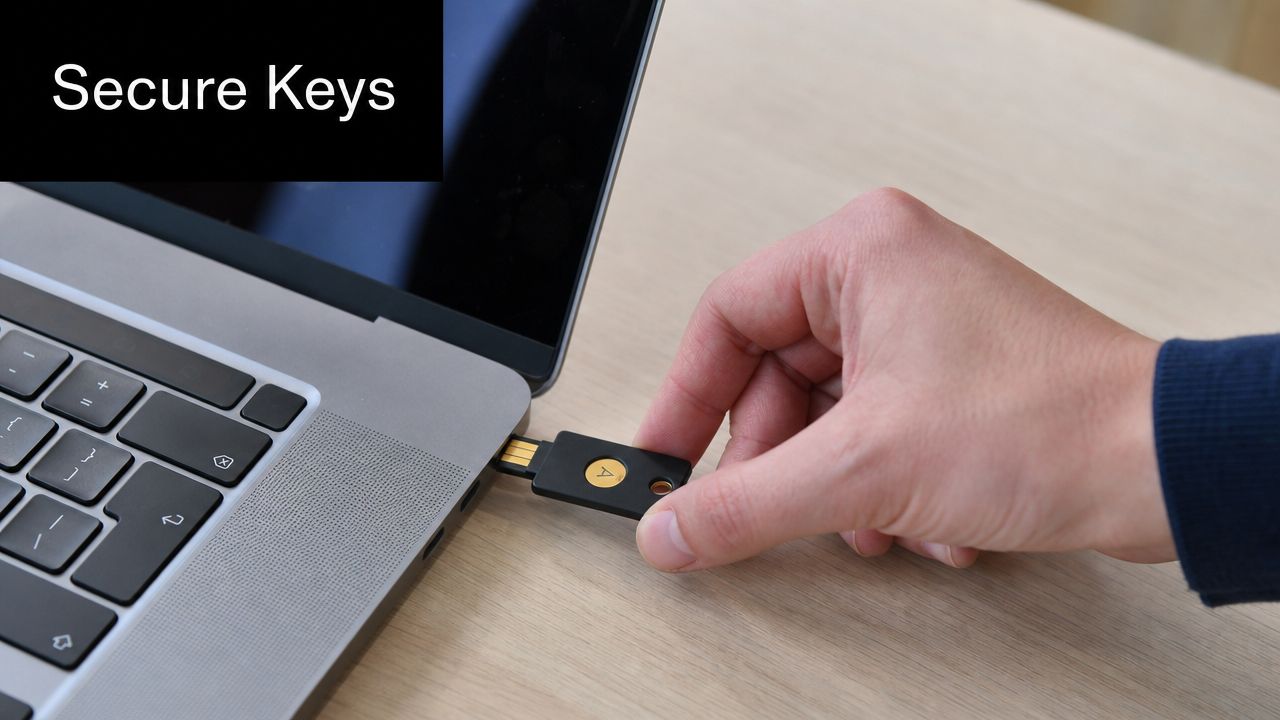
- Separate key custody: Keep recovery keys, escrow material, and administrative access outside the device and outside casual technician access.
- Restrict key access: Limit key management actions to named roles, require approval for recovery events, and log every use.
- Retire keys with evidence: If crypto-erasure is part of your sanitization method, record key destruction in a way auditors and customers can verify later.
Identity controls matter here too. As noted earlier, MFA adoption is now common baseline practice. That does not make encryption optional. It makes weak key governance easier to expose. If an attacker gets into a privileged account, poor separation between identity, device management, and recovery keys can defeat the protection encryption was supposed to provide.
Encrypted devices still need a documented end state. Do not let teams label an asset "safe because it was encrypted" and skip sanitization decisions, custody records, or vendor instructions. At disposition, the standard should answer three questions with proof. Who controlled the keys, when were they revoked or destroyed, and how does the organization show that the asset left service without recoverable data.
9. Secure Transportation and Facility Access Controls
Retired equipment is often most exposed while in motion. It's stacked in a hallway before pickup, transferred through a loading dock, stored overnight in a shared warehouse area, or moved by a carrier your security team has never vetted. That's where a clean internal policy can fail in the physical world.
Perimeter tools don't solve this. Hybrid and cloud-connected environments have already pushed data far beyond the traditional boundary, and guidance increasingly stresses visibility, retention discipline, and continuous risk assessment over simple perimeter reliance (hybrid environment data movement perspective).
Lock down the physical path
A secure workflow treats retired assets like sensitive evidence until processing is complete. That means restricting who can touch them, where they can sit, and how they move.
Use physical controls that security can verify:
- Restrict staging areas: Limit access to named staff and log entry into storage and processing zones.
- Control loading activity: Require supervised pickup windows, manifest review, and sealed containers when appropriate.
- Review facility safeguards: Cameras, visitor procedures, badge logs, and separation of processed versus unprocessed assets should all be visible during a site visit.
A practical example is a branch closure. Equipment often gets consolidated quickly, and local managers may prioritize speed over controls. If devices sit in an unsecured room over a weekend, your formal data protection policy won't matter. Physical handling is part of best practices for data security, especially during retirement and transfer.
Transportation should be auditable
Ask simple questions. Who loaded the equipment? Which assets were on the vehicle? Where were they stored on arrival? Who opened the receiving area? If those answers aren't captured, tighten the process.
10. Incident Response Planning and Breach Notification Procedures
Even a strong program can still face a loss event. A shipment goes missing. A drive appears in inventory with no destruction record. A contractor reports unprocessed devices in an unsecured area. When that happens, speed matters, but documented action matters more.
Your incident response plan has to include end-of-life scenarios, not just ransomware, phishing, and production system compromise. A retired asset incident can trigger the same legal, contractual, and regulatory consequences as any other data exposure.
Write the playbook before you need it
The plan should define who investigates, who preserves evidence, who contacts legal counsel, who speaks with the vendor, and who decides whether notification obligations apply. Keep the process tight and executable.
Include these elements:
- Trigger definitions: Spell out what counts as a disposal-related incident, including missing assets, broken custody, failed sanitization, and undocumented downstream handling.
- Evidence handling: Preserve manifests, camera footage, chain-of-custody records, and communications with vendors.
- Communication rules: Pre-approve notification paths for executives, legal, compliance, insurance, customers, and regulators where applicable.
A missing retired device is not an operations issue first. It's a potential breach event.
Run drills that simulate the exact failures teams tend to dismiss. A pallet arrives short. A serial number on a destruction certificate doesn't match the inventory record. A former employee's laptop is found in general recycling. Those scenarios expose whether your program can move from suspicion to verified fact without confusion.
Post-incident review should change the process
Every incident should produce a control improvement. Update intake forms, tighten pickup approvals, revise vendor requirements, or retrain staff. If the same failure can happen again the same way, the response wasn't complete.
Top 10 Data Security Best Practices Comparison
| Item | Implementation Complexity 🔄 | Resource Requirements ⚡ | Expected Outcomes 📊 | Ideal Use Cases 💡 | Key Advantages ⭐ |
|---|---|---|---|---|---|
| Data Destruction and Secure Wiping Protocols | High, multiple sanitization methods, certification & audits | Specialized tools/vendors, time, certified procedures | 📊 Eliminates residual data risk; provides certificates for compliance | IT asset disposition, regulated industries (healthcare, finance, government) | ⭐ Prevents data breaches; produces audit evidence |
| Chain of Custody Documentation and Asset Tracking | Moderate, process integration and consistent records | Inventory systems, barcode/QR, staff time for logging | 📊 Verifiable audit trail; faster incident investigations | Large-scale disposals, multi-site decommissioning, regulatory audits | ⭐ Ensures accountability; reduces unauthorized diversion |
| Certified Vendor Selection & Third‑Party Risk Management | Moderate, vendor evaluation, contracts, ongoing monitoring | Legal review, audit reports, on-site inspections, vendor management | 📊 Reduces supply‑chain risk; contractual recourse if incidents occur | Outsourced disposition, cross-border recycling, high-risk data environments | ⭐ Lowers liability; demonstrates due diligence |
| Inventory Management & Asset Lifecycle Documentation | High, CMDB integration, continuous data upkeep | Automated discovery tools, tagging (RFID/barcode), staff for reconciliation | 📊 Complete asset visibility; fewer orphaned devices; audit readiness | Enterprises, multi-campus organizations, regulated sectors | ⭐ Enables informed disposition planning; financial traceability |
| Secure Device Sanitization Before Reuse or Recycling | Moderate, technical wiping, firmware/OS remediation, verification | Wiping/forensic tools, trained technicians, QA sampling | 📊 Safe device reuse; certified sanitization reports; reduced e‑waste | Refurbishment programs, donation initiatives, reuse-driven cost recovery | ⭐ Extends device life; supports sustainability and revenue recovery |
| Secure Data Handling Procedures & Personnel Training | Low–Moderate, policy creation and role‑specific programs | Training platforms, time, management enforcement, background checks | 📊 Fewer human errors; consistent handling and incident reporting | Any organization with sensitive assets; facilities with external partners | ⭐ Reduces insider risk; improves compliance through awareness |
| Compliance Auditing & Regular Security Assessments | High, periodic audits, testing, remediation tracking | External auditors/consultants, scanning tools, remediation budget | 📊 Identifies control gaps; provides documented compliance evidence | Regulated environments, organizations seeking maturity validation | ⭐ Validates controls; drives continuous security improvement |
| Encryption & Secure Key Management | Moderate–High, cryptographic infrastructure & policies | HSMs/TPM, key management systems, cryptographic expertise | 📊 Strong data confidentiality; crypto‑erase option simplifies sanitization | Mobile/laptop fleets, databases, environments with high‑value data | ⭐ Protects data at rest/in transit; allows key destruction as sanitization |
| Secure Transportation & Facility Access Controls | Moderate, physical security design and operational controls | Secure vehicles (GPS), surveillance, guards, access control systems | 📊 Reduces theft and tampering; auditable movement logs | Transporting high‑value equipment, secure staging and recycling facilities | ⭐ Protects physical assets; supports forensic/insurance claims |
| Incident Response Planning & Breach Notification Procedures | High, cross‑functional plans, playbooks, regular drills | IR team, legal/PR, forensic retainers, communication systems | 📊 Faster containment; compliant breach notifications; lessons learned | Organizations with sensitive data or high breach risk | ⭐ Minimizes impact; ensures organized communication and regulatory compliance |
Turning Best Practices into Standard Procedure
The strongest data security programs don't stop at production controls. They carry the same discipline through storage, transfer, retention, backup, reuse, recycling, and destruction. That's the difference between a policy set and a defensible program.
The common thread across these best practices for data security is simple. Start with visibility. Classify what matters. Limit access. Encrypt sensitive data. Log activity. Remove what you no longer need. Then extend those same controls into retirement, where organizations often lose procedural rigor just because the asset is no longer useful to the business.
That final stage deserves executive attention. End-of-life hardware still contains business risk. If a laptop, SSD, server, backup appliance, or network device leaves your control without proper handling, the exposure doesn't care that the equipment was marked surplus. Regulators, customers, insurers, and auditors won't care either. They'll ask for evidence. You need to show where the asset was, who handled it, what data risk it posed, what method was used to sanitize or destroy it, and what documentation proves completion.
This is why documentation has to sit alongside technical controls. Chain of custody, lifecycle inventory, destruction records, vendor due diligence, facility controls, and incident procedures aren't administrative overhead. They're the proof layer that turns security intent into something your leadership team can defend. Without that layer, a mature-looking security stack can still fail under audit or after a loss event.
It also means security leaders shouldn't treat IT asset disposition as a procurement afterthought. It's a governance function. The handoff between internal teams and an outside disposition partner is one of the highest-friction points in the entire data lifecycle because that's where policy meets transport, labor, facilities, and downstream process. If you don't control that handoff, you don't fully control the data risk.
A qualified ITAD provider can help close that gap by supporting documented pickups, custody controls, certified destruction workflows, and audit-ready reporting. Dallas Fortworth Computer Recycling is one example of a provider in this category for organizations that need secure retirement of technology assets with documented handling. The right fit depends on your security requirements, asset profile, internal approval structure, and evidence expectations.
The standard to hold is clear. No untracked assets. No undocumented handoffs. No vague wiping claims. No vendor black boxes. Build those rules into procedure, enforce them consistently, and your organization will be in a much stronger position to show that data security extends to the very end of every asset's lifecycle.
If your organization needs a documented path for secure IT asset retirement, Dallas Fortworth Computer Recycling provides B2B ITAD and electronics recycling services focused on chain of custody, certified data destruction, and compliant handling for end-of-life technology.