
Secure recycling of computer components: A practical guide
Before any hardware leaves your premises, you need a formal IT Asset Disposition (ITAD) framework in place. This isn't just bureaucratic red tape; it's your primary defense against costly data breaches and environmental non-compliance fines. A solid framework establishes clear policies and a governance structure, ensuring every retired asset is handled securely and consistently from the moment it’s unplugged to its final, documented disposal.
Building Your Secure IT Asset Disposition Framework
Before a single server is taken offline or a laptop is set aside for disposal, a rock-solid internal framework is absolutely non-negotiable. This goes way beyond ticking compliance boxes. It's the foundation of your entire security posture for retired assets.
An ad-hoc approach, where different departments handle old equipment however they see fit, is a recipe for disaster. A well-defined ITAD policy prevents these risky, inconsistent decisions by creating a repeatable, auditable process that holds every piece of hardware to the same high standard.
Defining Policy and Governance
Your ITAD policy is the official rulebook for the entire recycling of computer components lifecycle. It must be practical and align with how your organization actually operates. Start by outlining the core objectives. Is the top priority data security? Environmental compliance? Recovering value from old gear? For most businesses, it’s a strategic blend of all three.
Governance is all about assigning ownership. Your policy must clearly state who is responsible for each step of the process. For example:
- Department Heads are often responsible for identifying assets ready for retirement.
- The IT Department typically manages the asset inventory and handles the data sanitization.
- A Designated ITAD Coordinator might oversee vendor relationships and final documentation.
This clear division of labor eliminates confusion and guarantees accountability. Without it, critical tasks like verifying data destruction or tracking the chain-of-custody can easily fall through the cracks.
Crafting Essential Policy Clauses
A strong policy is built on specific, enforceable clauses that leave no room for interpretation. These clauses are the pillars that support your entire framework, each addressing a specific risk and defining the required actions.
Your ITAD policy is more than a document—it's an active shield. It protects your data, your brand reputation, and your bottom line by turning a potential liability into a controlled, secure, and documented process.
A comprehensive ITAD policy should be built around several key pillars to ensure total security and compliance.
Key Pillars of an ITAD Policy
This table outlines the essential components every organizational ITAD policy should include to ensure security and compliance.
| Policy Component | Objective | Key Actions |
|---|---|---|
| Data Security Mandate | Ensure 100% of data is destroyed before assets leave the premises. | Specify acceptable data destruction methods (e.g., NIST 800-88) and require Certificates of Data Destruction for all media-bearing devices. |
| Environmental Compliance | Prevent illegal dumping and ensure adherence to federal and state e-waste laws. | Mandate the use of certified recyclers (e.g., R2v3, e-Stewards) and prohibit the export of hazardous e-waste to developing nations. |
| Chain-of-Custody | Maintain an unbroken audit trail for every asset from retirement to final disposition. | Require serialized asset lists, secure logistics protocols, and a final settlement report from the vendor confirming the outcome for each item. |
| Asset Evaluation | Maximize value recovery from retired equipment. | Establish criteria for identifying assets suitable for resale versus those that must be destroyed, considering age, condition, and market value. |
These pillars form a non-negotiable foundation for any secure ITAD program.
The market for recycled electronics is huge. The global e-waste recycling market, which is driven by computer components, was valued at $45.33 billion in 2023 and is projected to hit $66.33 billion by 2029. Yet, a staggering $62 billion in recoverable resources was lost in 2022 because only 22.3% of the 62 million tonnes of e-waste was properly recycled.
By creating a structured framework, your organization not only protects itself but also contributes positively to a more sustainable circular economy. For a deeper look into this process, learn more about what IT asset disposition truly entails.
Mastering Asset Tracking and Data Sanitization
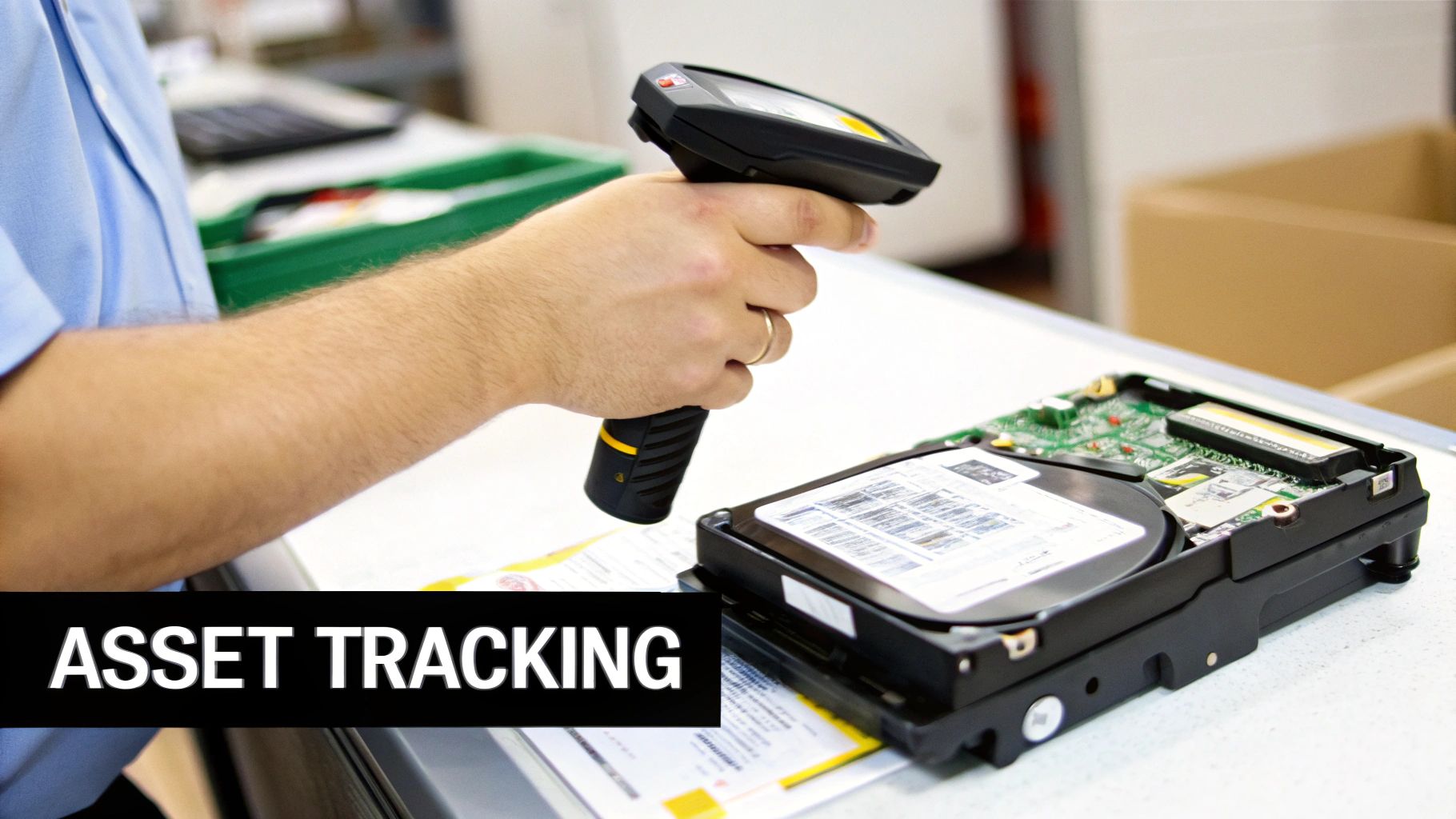
It’s a simple rule of thumb in IT asset management: you can't secure what you can't track. Before you can even think about the recycling of computer components, you need an ironclad inventory of every single asset slated for disposal. A spreadsheet that gets updated "whenever someone remembers" isn't just inefficient; it's a massive liability waiting to happen.
A solid asset management system acts as your single source of truth. It should log every device from the day it’s purchased to its final disposition, capturing serial numbers, asset tags, assigned users, and physical location. This meticulous record-keeping is your first and best line of defense against loss and theft.
The moment a device is marked for retirement, its status in your inventory needs to be updated. This simple action flags the asset for the proper ITAD process, ensuring it doesn't end up forgotten in a storage closet or, even worse, disappearing completely.
Classifying Assets Based on Data Risk
Not all data is created equal, and neither are the devices that store it. A critical next step is to classify assets based on the sensitivity of the information they contain. This classification directly determines the level of data destruction required.
For instance, a server that once processed customer financial data demands a far more rigorous sanitization protocol than a marketing team's old presentation monitor. Creating clear classification tiers helps streamline the entire process and ensures you're allocating resources where they matter most.
Common classification tiers usually look something like this:
- Level 1 (High Risk): Devices containing PII, financial records, intellectual property, or protected health information (PHI). These assets require the highest level of certified data destruction, without exception.
- Level 2 (Medium Risk): Assets with internal company data that isn't public but would have a limited financial or regulatory impact if exposed.
- Level 3 (Low Risk): Equipment with no data storage capabilities—think monitors, keyboards, and mice—or devices that have already been verifiably wiped and are ready for refurbishment.
This tiered approach ensures you apply the most stringent—and often more expensive—destruction methods only where they are absolutely necessary.
Choosing the Right Data Destruction Method
Once an asset is classified, it's time to choose the right method to neutralize its data. The goal is simple: make data recovery completely impossible. This is how you protect your organization's sensitive information for good. There are three primary methods, each suited for different scenarios.
The question isn't whether data can be recovered from a retired hard drive; it's how much it will cost your organization when it is. Certified data destruction is not an expense—it's insurance against a catastrophic breach.
Understanding the difference between wiping, degaussing, and shredding is absolutely essential for both compliance and security.
Data Destruction Methods Compared
| Method | Best For | How It Works | Key Consideration |
|---|---|---|---|
| Data Wiping (Sanitization) | Functional HDDs & SSDs intended for reuse or resale. | Software overwrites every sector of the drive with random data, making original data unrecoverable. | Must meet standards like NIST 800-88. SSDs require specific "Secure Erase" commands. |
| Degaussing | Magnetic media like HDDs and backup tapes. | A powerful magnetic field scrambles the magnetic domains on the drive's platters, destroying the data. | Renders the hard drive unusable. Ineffective on SSDs as they don't store data magnetically. |
| Physical Shredding | All media types, especially damaged or non-functional drives and SSDs. | An industrial shredder grinds the device into small, unrecognizable fragments. | The ultimate "proof of destruction," ensuring zero chance of data recovery. |
For businesses looking to maximize value through remarketing, software-based data wiping is the go-to choice. For a detailed breakdown of options, check out our guide on the best hard drive wiping software.
However, when a drive is faulty or held your most sensitive data, physical shredding offers undeniable finality. This crucial stage ensures that when your computer components are sent for recycling, they are nothing more than raw commodities—plastic, metal, and circuit boards—with absolutely no trace of your organization's data.
Choosing the Right E-Waste Recycling Partner
Picking a partner for the recycling of computer components is one of the most important calls you'll make in your entire ITAD program. This is not a simple procurement job where the lowest bid wins. You're handing over your company's sensitive data, its legal compliance standing, and its environmental reputation to this vendor.
Think of your ITAD partner as a direct extension of your own security and compliance teams. Their procedures, certifications, and overall security posture reflect directly on your business. A mistake on their end can lead to a disastrous data breach or steep regulatory fines for you, making a thorough vetting process absolutely non-negotiable.
Verifying Essential Certifications
The first and easiest filter for any potential recycling partner is their industry certifications. These aren't just logos to make a website look good; they are proof that a third-party auditor has dug deep into the recycler's processes and confirmed they meet high standards for security, environmental responsibility, and worker safety.
In North America, two certifications stand out as the gold standard:
- R2v3 (Responsible Recycling): This is the most current and comprehensive standard, built around a "reuse first" mindset. It enforces strict requirements for data sanitization, testing and repair processes, and tracking materials all the way to their final destination.
- e-Stewards: Developed by the Basel Action Network, this standard is best known for its absolute ban on exporting hazardous e-waste to developing nations. It keeps a sharp focus on environmental protection and corporate accountability.
A vendor holding one or both of these certifications shows a serious commitment to doing things the right way. You can learn more about how being an R2 certified electronics recycler adds a critical layer of assurance for your organization. Asking for a copy of their current certificate isn't just okay—it's a necessary step in your due diligence.
Auditing Security Protocols and Logistics
Beyond the paperwork of certifications, you need to get into the nitty-gritty of the vendor’s daily security operations. This is where theory meets reality. A truly secure partner will be completely transparent about their facility's security and how they handle logistics.
Here are some direct questions to ask during the vetting process:
- Facility Security: Do you have controlled access points? 24/7 video surveillance? Secure, segregated areas for storing our assets before data is destroyed?
- Employee Screening: Do all employees who handle our equipment undergo thorough background checks and regular security training?
- Secure Logistics: What does your chain-of-custody look like during transport? Are you using sealed, GPS-tracked trucks? Are the drivers your employees or third-party contractors?
A quality partner should welcome these questions and give you clear, confident answers. Any hesitation or vague responses should be a major red flag.
A vendor’s security is only as strong as its weakest link. An unvetted driver or an unsecured loading dock can completely undermine the most advanced data destruction technology. Real security is an end-to-end commitment.
Demystifying Chain-of-Custody Documentation
The final piece of this puzzle is the documentation. An unbroken, auditable paper trail for every single asset is the ultimate proof of a secure and compliant disposal process. Your partner must provide detailed reporting that creates this trail.
A complete chain-of-custody report should include:
- A serialized inventory list that matches what left your building.
- A Certificate of Data Destruction for every single device that held data.
- A final settlement report detailing if each item was recycled, resold, or destroyed.
This documentation isn't just for your files; it’s your proof of due diligence if an auditor or lawyer comes knocking. It closes the loop on each asset's lifecycle, giving you the peace of mind that only comes from a fully accountable process.
The need for these rigorous partnerships is only growing. By 2030, global e-waste is projected to hit a staggering 82 million tonnes annually. Even more concerning, as consumption outpaces our ability to manage it, documented recycling rates are expected to fall to just 20%, a drop from 22.3% in 2022. You can read more about these trends in the full Global E-waste Monitor report. Choosing a certified partner ensures your company is part of the solution, not the problem.
Getting Smart About Value Recovery and Environmental Rules
The modern way to handle the recycling of computer components is a balancing act between environmental responsibility and smart financial planning. On one hand, you have a complicated web of environmental regulations that can hit you with steep fines. On the other, there's a real chance to get money back from your retired gear, turning a cost center into a source of revenue.
When you manage this process well, you're not just offloading old equipment—you're running a sustainable and strategic IT asset disposition (ITAD) program. This dual focus keeps your company compliant while also protecting your budget.
Staying on the Right Side of Regulations
When you get rid of electronic equipment, you're not just tossing old hardware. You're handling items classified as universal waste under the Resource Conservation and Recovery Act (RCRA), which the EPA enforces. Computer parts are full of materials like lead, mercury, and cadmium—stuff you definitely don't want leaching into a landfill.
Ignoring these rules isn't a small mistake. It can lead to massive fines and, just as bad, serious damage to your company's reputation. This is exactly why working with a certified e-waste recycler is so important. A vendor holding an R2v3 or e-Stewards certification has already proven they can handle these materials correctly, essentially taking that compliance burden off your shoulders.
The Big Decision: Reuse or Recycle?
Being compliant is just the starting point. The real strategic win comes from squeezing every last drop of value from your retired assets. Not every old laptop or server needs to meet the shredder. Many devices still have significant value if they’re managed the right way.
The trick is making a smart, informed decision for each piece of equipment: should we try to resell it, or should it be responsibly recycled?
Value recovery isn't just a "nice-to-have" anymore. For a lot of companies, it’s a key financial goal that helps offset the costs of data destruction and logistics, making the whole ITAD program self-sustaining.
To make this call, you need a simple, practical way to evaluate each device as it comes offline.
A Framework for Recovering Asset Value
Sorting your outgoing equipment into two streams—one for remarketing and one for recycling—doesn't have to be complicated. You just need to assess each item against a few key criteria.
- Age and Functionality: Is the gear less than three to four years old? Does it power on and work as expected? If so, it's a great candidate for refurbishment and resale.
- Cosmetic Condition: A few scuffs and scratches are usually fine. But major physical damage, like a cracked chassis or broken screen, almost always means it’s heading for the recycling pile.
- Component Value: Sometimes a whole unit is too old to sell, but its parts are not. Individual components like RAM, CPUs, and certain GPUs can often be harvested and sold separately.
- Market Demand: A quick search on secondary markets gives you a good feel for an item's worth. If similar models aren't selling, recycling is the logical next step.
This simple evaluation process turns disposal from a chore into an opportunity. For businesses ready to build out this capability, our corporate e-waste solutions offer a structured path for managing this entire lifecycle.
Creating a clear decision-making process helps your team consistently spot chances to recover value. This approach not only brings in revenue but also extends the life of technology—a huge plus for sustainability.
Reuse vs. Recycle Decision Matrix
To simplify the process, here’s a quick comparison to help you decide whether to remarket or recycle specific computer components based on their age, condition, and data security requirements.
| Asset Characteristic | Best for Reuse/Remarketing | Best for Recycling/Destruction |
|---|---|---|
| Age | Less than 4 years old; current or recent generation models. | 5+ years old; obsolete or unsupported technology. |
| Condition | Fully functional, powers on, passes diagnostics. Minor cosmetic wear. | Non-functional, fails diagnostics, significant physical damage. |
| Data Security | Data can be securely sanitized with certified wiping software. | Data sanitization is not possible; physical destruction is required. |
| Component Value | Contains high-demand parts (e.g., modern CPUs, large RAM modules). | Components are outdated or have no secondary market value. |
| Market Demand | Active demand on secondary markets for the device or its parts. | No resale market; logistics costs would exceed potential return. |
By using a matrix like this, you create a system where responsible recycling and smart remarketing work together. The end goal is to manage every asset's end-of-life for maximum security, compliance, and financial return.
Putting Your Recycling Program Into Action
You’ve built a solid strategy and vetted a partner—now it's time to get the hardware moving. This is where your policies meet the pavement, turning plans into a smooth, repeatable workflow. A successful disposition project really comes down to tight coordination between your team and your recycling vendor. It’s all about ensuring security and accountability from the moment an asset is staged for pickup until the final reports land on your desk.
This process is what transforms that retired hardware back into valuable commodities or ensures its responsible, documented destruction.
The decision flow for optimizing asset value during the recycling of computer components is pretty straightforward. You evaluate, then decide whether to reuse or recycle.
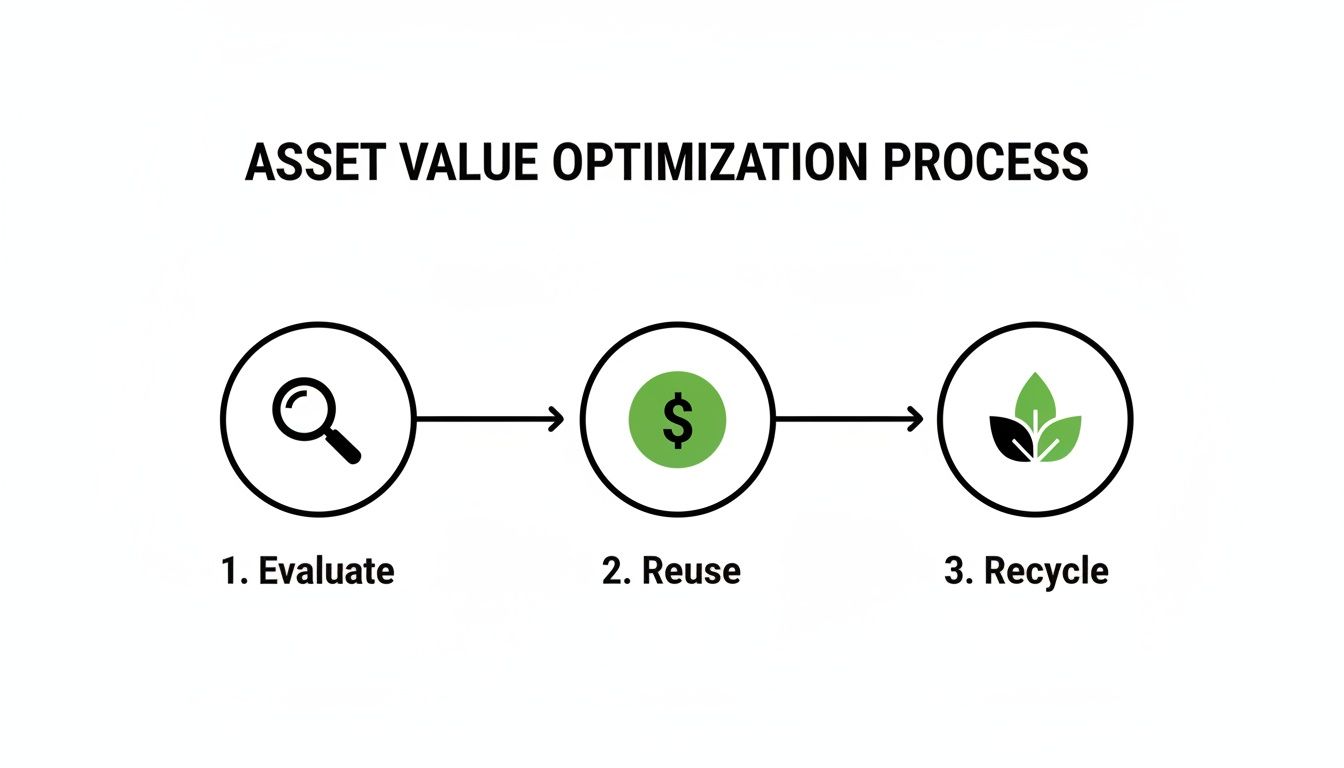
This visual just underscores a key point: every asset needs a quick evaluation to determine if reuse or recycling is the best path forward for security, compliance, and value.
Pre-Pickup Preparation Checklist
Before the truck ever backs up to your loading dock, your team needs to have everything staged and ready to go. I’ve seen it happen—a chaotic pickup day creates openings for mistakes, like a pallet getting missed or documentation being incomplete. Getting this right beforehand makes the handoff efficient and secure.
Your internal checklist should nail down a few key items:
- Final Asset Inventory: This is non-negotiable. The physical count of pallets, servers, and bins must perfectly match the serialized list you send your vendor. Any discrepancy needs to be solved before that equipment leaves your building.
- Secure Staging Area: Designate a locked, monitored area for all outgoing assets. This simple step prevents unauthorized access and stops equipment from being accidentally added or removed from the shipment.
- Packing and Labeling: Make sure pallets are securely shrink-wrapped. Every single one should be clearly labeled with your company’s name and a project or pickup number so it can be easily identified on the other end.
A disciplined approach here minimizes confusion on pickup day and immediately strengthens your chain of custody.
Managing On-Site Logistics
When your vendor’s truck arrives, you need a designated point person from your team on-site to oversee the entire process. This person is your liaison, ensuring the vendor’s crew operates exactly according to your security protocols.
During the pickup, this liaison should be doing three things:
- Verifying the identity of the vendor’s personnel.
- Supervising the loading to prevent damage and confirm every designated asset is collected.
- Signing the bill of lading or pickup receipt, making sure it accurately reflects the number of pallets or containers being hauled away.
The moment your assets cross the threshold of your loading dock is a critical handover in your chain of custody. Active supervision and clear documentation at this stage aren't optional—they are essential for maintaining an unbroken audit trail.
Post-Pickup Verification and Reporting
Your work isn't done when the truck pulls away. The final, and arguably most important, phase is getting and validating the downstream documentation from your partner. This paperwork is your official proof of a secure and compliant disposition.
Within the timeframe laid out in your service agreement, you should expect two key documents:
- A Certificate of Data Destruction: This document certifies that all data-bearing devices were sanitized or destroyed according to standards like NIST 800-88. It absolutely must list the serial numbers of the drives processed.
- A Final Settlement Report: This is the detailed accounting for every asset. It will specify if an item was recycled, resold, or destroyed, and if applicable, break down any revenue share you earned from remarketed equipment.
Review these documents thoroughly to ensure they line up with your initial inventory. This final check closes the loop, giving you an airtight, auditable record that proves your organization’s commitment to responsible ITAD. This level of diligence is more important than ever. Back in 2019, the world generated a staggering 53.6 million metric tons of e-waste, but only 17.4% was properly recycled.
For help managing your own hardware lifecycle, you can explore professional computer disposal services.
Frequently Asked Questions
Even with a solid plan for recycling your computer components, unique situations always pop up. We get a lot of questions from IT and operations leaders, so we've gathered the most common ones here to give you practical answers for handling the tricky parts of your ITAD program.
What Is The Best Way To Handle Damaged Equipment?
It's a common scene: a server with a dented chassis or a laptop with a shattered screen. The first instinct might be to just label it as scrap, but you need to follow a strict process.
First things first, assess the actual damage. If the hard drive or SSD is physically intact, it absolutely must go through your standard certified data destruction protocol. Never assume that a broken device means the data is gone. A cracked screen has zero effect on the hard drive, and a determined technician could still pull data from it.
Now, if the storage media itself is clearly destroyed—think a hard drive that’s been bent or punctured—physical shredding is your only real option to be 100% sure that data is unrecoverable. No matter what, always document the damage and how you disposed of the asset in your inventory log.
Do We Really Need A Professional Service For A Small Batch Of Computers?
We hear this all the time, especially from smaller businesses or departments that only have a few machines to get rid of. The answer is always a firm yes. The risks tied to data security and environmental compliance don’t shrink just because you have fewer computers.
A data breach from a single improperly disposed laptop can be just as catastrophic as one from a hundred servers. The liability remains the same, regardless of the quantity of your e-waste.
Professional ITAD vendors are set up for smaller pickups. You might encounter a minimum fee, but think of it as an investment in protecting your business. A certified recycler provides the same secure logistics, certified data destruction, and auditable paperwork for five laptops as they do for 500, making sure you stay fully compliant.
How Are The Costs For Computer Recycling Determined?
The cost of recycling computer components isn't a flat rate; it's based on a few key factors. Understanding them will help you budget better and make sense of vendor proposals.
Here's what drives the cost:
- Logistics: This covers everything from the distance to your office and the number of locations to the crew needed for the pickup. A simple pallet pickup from a loading dock costs less than a team clearing out multiple floors of a data center.
- Data Destruction: On-site shredding is typically the more expensive option because it requires bringing specialized trucks and staff to you. Software wiping might be billed on a per-drive basis.
- Labor: If your project requires the vendor's team to do a lot of sorting, palletizing, or asset tagging on-site, those labor costs will be factored in.
- Value Recovery: This is the game-changer. If your old assets still have market value, the money earned from reselling them can offset—or even completely cover—the service costs. Sometimes, it can even result in a payment back to you. A transparent partner will always give you a clear breakdown of this potential return.
Ready to implement a secure, compliant, and cost-effective ITAD program? Dallas Fortworth Computer Recycling offers nationwide services tailored to your organization's needs, ensuring every asset is handled responsibly from pickup to final disposition. Get a free quote today!