
A Guide to Managing End of Life IT Equipment
When we talk about end-of-life IT equipment, we’re referring to hardware that’s no longer useful for its original job or is no longer supported by the manufacturer. This covers everything from servers and laptops to the networking gear that’s been officially retired from active duty. But for a business, that simple definition barely scratches the surface.
What End-of-Life IT Equipment Really Means for Your Business
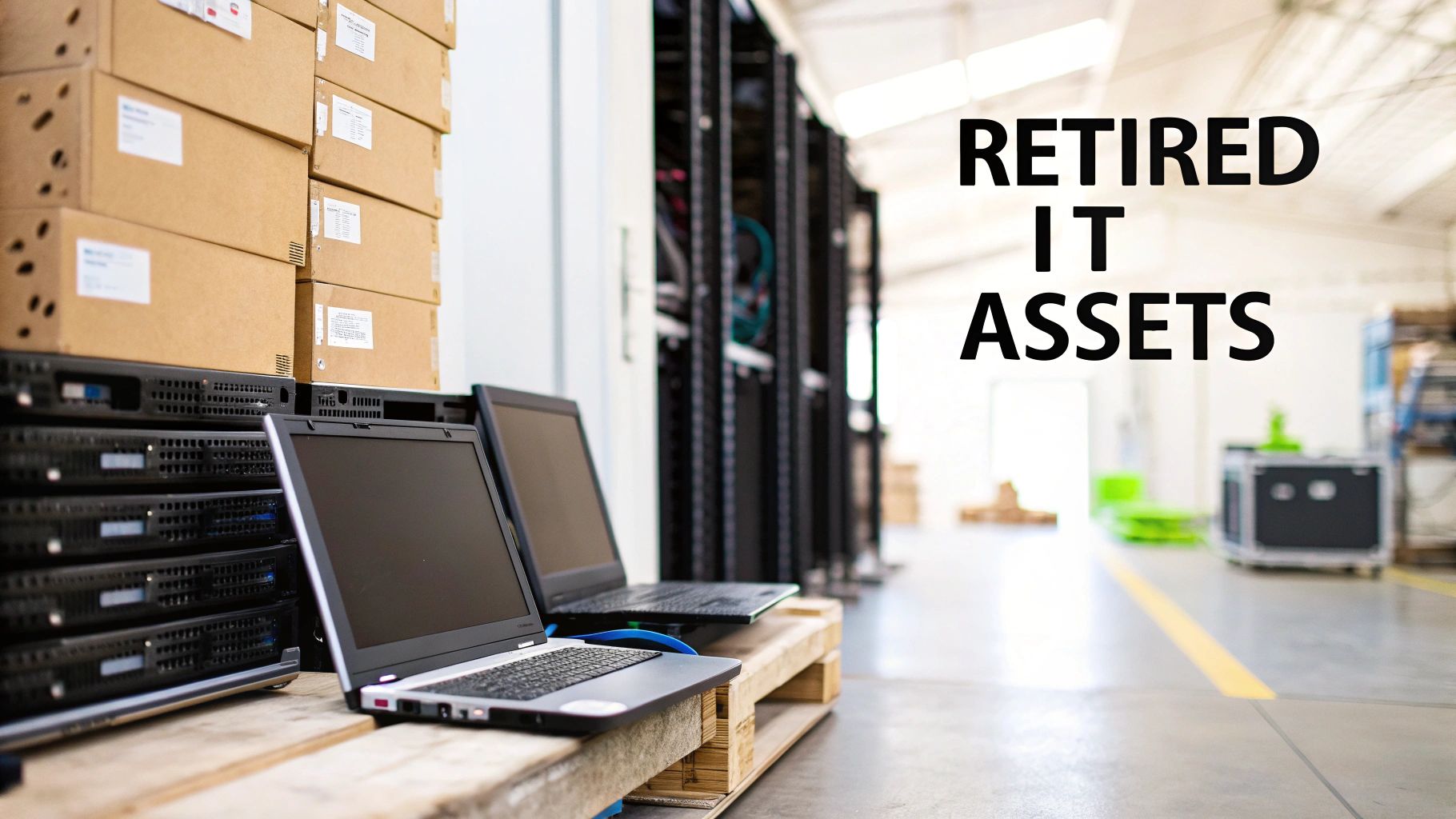
Think of all your retired servers, laptops, and networking hardware as a fleet of decommissioned company trucks. They’re off the road, but they haven’t just vanished. They’re sitting in a storage room, still holding some value but also carrying a ton of liability. You wouldn’t leave old trucks unlocked with the keys in the ignition and sensitive delivery logs on the seat—and you definitely can’t afford to neglect your retired tech.
A Strategic Challenge, Not Just an IT Problem
Mishandling end-of-life IT equipment can set off a domino effect of problems. Those old hard drives are often treasure troves of sensitive data: customer information, financial records, and intellectual property. Just one misplaced device can lead to a devastating data breach, resulting in steep compliance fines and doing irreparable damage to your brand’s reputation. Suddenly, a simple disposal task becomes a critical business function.
Beyond data security, there are also pressing environmental and regulatory concerns. Electronic waste, or e-waste, is full of hazardous materials that can poison the environment if not disposed of correctly. This has led to a growing web of regulations dictating how companies must manage their retired electronics.
The core challenge is shifting your perspective. You have to see retired hardware not as junk to be tossed out, but as a complex asset that needs a strategic disposition plan. That plan has to balance data security, environmental stewardship, and financial opportunity.
The Growing Importance of IT Asset Disposition
Properly managing this process, known as IT Asset Disposition (ITAD), is no longer optional for modern businesses. It's a core piece of risk management and operational excellence.
The market reflects this shift. The IT Equipment Disposal sector is projected to hit $1,257.6 million in 2025, with an 8% compound annual growth rate through 2033. This growth is being fueled by companies realizing that responsible retirement is strategically essential, driven by stricter environmental rules and the massive cost of data breaches.
A proactive strategy doesn't just protect your organization from liability; it can also unlock hidden value. Many retired assets can be securely refurbished and resold, turning what was once a cost center into a new revenue stream. For businesses ready to build a formal system, understanding corporate e-waste solutions is the perfect next step.
The Hidden Dangers of Improper IT Equipment Disposal
When a piece of IT equipment is retired, its journey is far from over. That old server or laptop tucked away in a storage closet still carries an immense potential for harm. Improperly disposing of end-of-life IT equipment isn't just a logistical oversight—it’s a direct threat to your organization’s security, compliance, and reputation.
These retired assets are essentially dormant liabilities. A mishandled hard drive can quickly become a front-page data breach, a misplaced server can lead to crippling regulatory fines, and a shortcut to the local landfill can cause lasting environmental damage. Understanding these intertwined risks is the first step toward building a secure disposition strategy.
The Ticking Time Bomb of Data Security
Every retired device with a storage drive is a potential goldmine for cybercriminals. Simply wiping a drive or performing a factory reset is rarely enough to permanently erase the sensitive information stored within. This data can include everything from customer lists and financial records to employee PII and proprietary trade secrets.
A single compromised device can have devastating consequences. The average cost of a data breach is now millions of dollars, but the financial hit is only part of the story. The loss of customer trust and the long-term damage to your brand’s reputation can be even more costly.
Think of it this way: handing over an old company server without certified data destruction is like leaving the keys to your entire corporate filing cabinet on a public park bench. It’s an open invitation for disaster.
To prevent this, organizations must ensure that all data is rendered completely unrecoverable. This requires a formal process that goes far beyond simple deletion, involving certified data sanitization or the physical destruction of the storage media itself.
Navigating the Maze of Regulatory Compliance
The risks of a data breach are amplified by a complex and ever-growing web of regulations that govern data privacy and e-waste. Governments and industry bodies have established strict rules for how organizations must handle sensitive information and dispose of electronic hardware.
Failing to comply with these mandates can result in severe penalties, including substantial fines and legal action. Key regulations you need to know include:
- HIPAA (Health Insurance Portability and Accountability Act): Sets the standard for protecting sensitive patient health information in the healthcare sector.
- GDPR (General Data Protection Regulation): Governs data protection and privacy for all individual citizens of the European Union and the European Economic Area.
- Sarbanes-Oxley Act (SOX): Requires public companies to maintain proper data integrity and security controls for financial records.
Non-compliance isn't an option. For instance, a significant HIPAA violation can lead to fines reaching up to $1.5 million per year. These regulations make it clear: your responsibility for protecting data extends through the entire lifecycle of your IT equipment, including its final disposition.
The Critical Environmental Impact
Beyond data security and compliance, there is a significant environmental responsibility that comes with managing end-of-life IT equipment. Electronic devices are filled with toxic materials like lead, mercury, and cadmium. When these items end up in a landfill, these hazardous substances can seep into the soil and groundwater, causing serious ecological damage.
This problem is growing at an alarming rate. The world is facing an e-waste crisis, generating over 60 million metric tons in 2025 alone. Projections indicate this will balloon to 82 million tonnes by 2030—an 84% increase from the 44.4 million tonnes recorded in 2015. You can explore more electronic waste projections to see the trend for yourself.
To combat this, responsible recycling standards have been established. Certifications like R2v3 (Responsible Recycling) ensure that an ITAD partner adheres to the highest standards for environmental protection, data security, and worker safety. Choosing a certified partner is essential for minimizing your organization's environmental footprint and supporting a more sustainable, circular economy where materials are recovered and reused.
Choosing Your Disposition Strategy From Reuse to Recycling
Once a piece of hardware is officially retired, you're at a crossroads. This isn't just about clearing out old equipment; it's a strategic decision that directly impacts your budget, data security, and even your company's reputation. Think of it like a branching path—each choice leads to a very different outcome.
The right path depends entirely on the asset's age, condition, and what it’s still worth on the market. A high-performance server that's only a few years old has a much brighter future than a decade-old desktop. The smartest approach is a mixed strategy, letting you pull maximum value from some assets while ensuring others are securely and properly disposed of.
The Five Primary Disposition Pathways
You have several distinct options, and moving beyond a "one-size-fits-all" mindset is key. The goal is to pick the best path for each type of equipment you have.
These five core strategies are the foundation of any solid IT asset disposition (ITAD) program:
- Redeployment: Simply reassigning a working asset to another department or employee. This is by far the most cost-effective move, as it completely sidesteps the need to buy new hardware.
- Resale: For newer equipment that still has market value, resale is a fantastic way to recover a chunk of your original investment. It turns a retired asset from a cost center into a revenue stream.
- Refurbishment: Some gear just needs a few repairs or upgrades to be ready for resale or redeployment. Refurbishing an asset extends its useful life and can significantly bump up its resale price.
- Donation: Giving functional equipment to nonprofits or schools is a powerful way to support the community and strengthen your corporate social responsibility efforts. It can also come with tax benefits.
- Recycling: When an asset is truly at the end of the line with no functional or resale value, responsible recycling is the only option. This guarantees hazardous materials are handled safely and valuable raw materials are recovered.
This decision tree gives you a visual for that initial sorting process, highlighting why checking for data is always the first, most critical step.
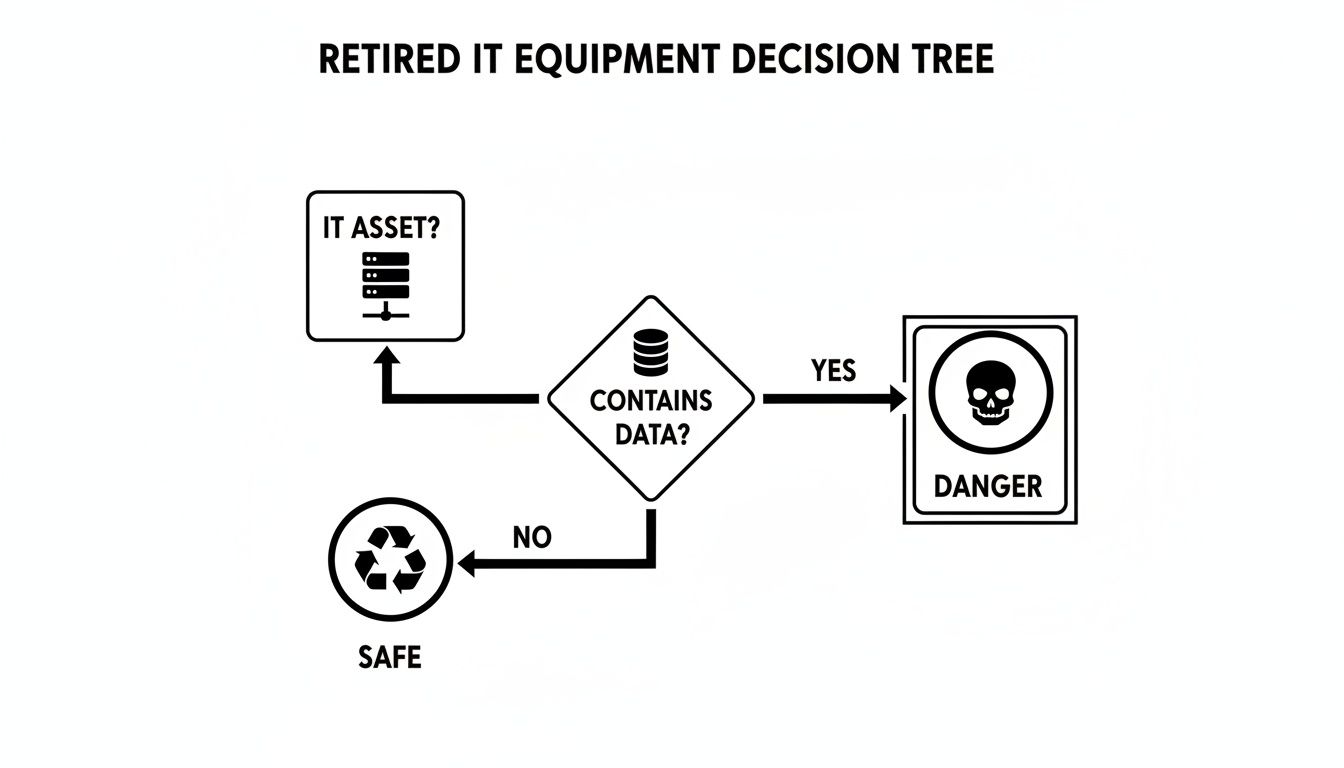
The main takeaway here is simple: if an asset holds data, its risk profile skyrockets, demanding a far more secure and rigorous disposition plan.
Comparing IT Asset Disposition Pathways
To make the best financial and security decisions, it helps to see the options side-by-side. Each pathway offers a different balance of potential return on investment versus the level of security and compliance effort required.
| Disposition Pathway | Best For | Potential ROI | Key Consideration |
|---|---|---|---|
| Redeployment | Functional, still-relevant equipment needed by other internal teams. | Highest | Eliminates new purchase costs, but requires internal logistics. |
| Resale | Newer, high-value assets (servers, enterprise networking gear). | High | Maximizes value recovery, but requires secure data destruction beforehand. |
| Refurbishment | Assets needing minor repairs to significantly increase their resale value. | Medium | Can turn a low-value item into a profitable one; requires a capable partner. |
| Donation | Working but older equipment (laptops, desktops) for community goodwill. | Low | Primarily a social/tax benefit; data must be professionally wiped. |
| Recycling | Broken, obsolete, or valueless equipment that poses an environmental risk. | None | A cost for compliance, but necessary for security and environmental safety. |
Ultimately, a flexible strategy that uses several of these pathways is the most effective. It allows you to intelligently route assets to maximize value while minimizing risk across your entire hardware inventory.
Matching the Strategy to the Asset
Not all retired hardware is created equal. The best disposition path is heavily dependent on what you’re dealing with. A good plan involves grading your assets and sending them down the path that offers the best return—whether that return is financial or social.
A successful disposition program isn't about choosing one path; it's about building a system that intelligently routes different types of assets to their most logical destination.
Here are a few common scenarios:
- A three-year-old enterprise server from a data center refresh is a prime candidate for resale. It still holds significant value in the secondary market.
- A fleet of five-year-old laptops from a sales team upgrade could be redeployed to a department with lower performance needs or donated to a local school.
- A broken, ten-year-old office printer has no functional value and must be sent for certified recycling to ensure it's handled properly.
Understanding the options available through professional computer equipment recycling services is crucial for that final, non-negotiable step for assets that can’t be reused or sold. By carefully evaluating each piece of equipment, you can build a disposition framework that is both flexible and profitable.
Achieving Bulletproof Data Destruction and Compliance
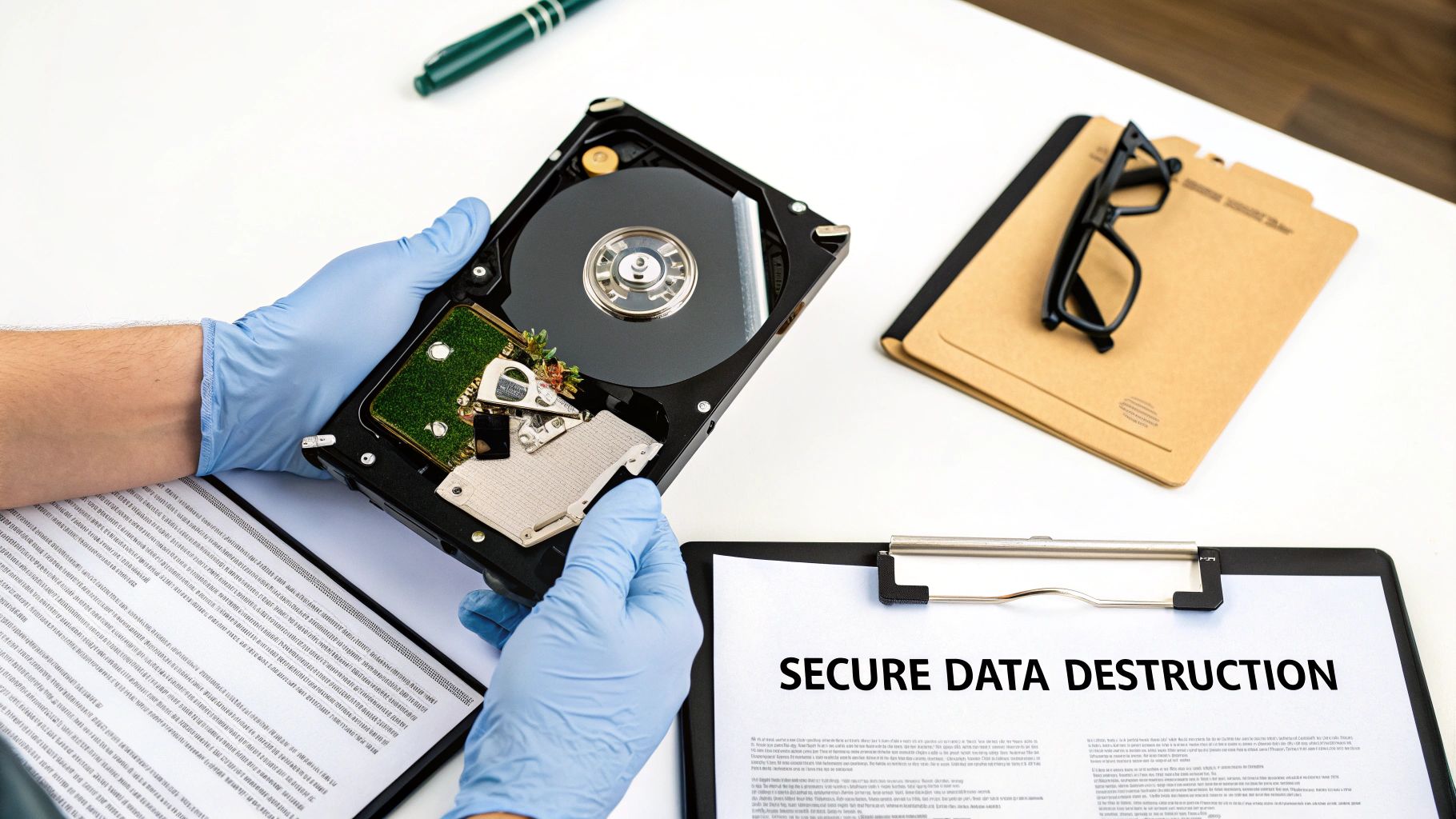
Once you’ve mapped out a disposition path for your old IT gear, you hit the most critical step of all: destroying the data left on it. This isn't just about protecting trade secrets—it’s a non-negotiable requirement for staying on the right side of the law.
Think of an old server's hard drive as a locked filing cabinet. Simply deleting files is like tossing the key but leaving the cabinet on the curb. Anyone with basic tools can still pry it open. Real data destruction means making sure those files are gone forever, with no possibility of recovery.
Understanding the Gold Standard: NIST 800-88
To bring order to this process, the National Institute of Standards and Technology (NIST) created the NIST 800-88 guidelines. This framework is the gold standard for data sanitization, offering a clear roadmap to render data completely unrecoverable. It goes way beyond simple deletion by outlining three distinct levels of media sanitization.
Getting these methods right is crucial. It lets you match the level of data destruction to the sensitivity of the information and where the asset is headed next. A hard drive you plan to resell needs a different approach than one that held top-secret R&D files.
The three NIST methods are:
- Clear: This technique uses software to overwrite existing data with new binary data. It works well for stopping simple recovery attempts but might not hold up against sophisticated forensic tools.
- Purge: A much stronger method that uses techniques like degaussing (for magnetic drives) to make data recovery infeasible, even with state-of-the-art lab equipment.
- Destroy: This is the final and most absolute method. It involves the physical destruction of the media itself through shredding, pulverizing, or incineration. It’s the only way to be completely certain.
For organizations handling highly sensitive data, physical destruction is the only method that provides 100% certainty that information is gone for good. When in doubt, shredding offers total peace of mind.
Software Wipes Versus Physical Destruction
Choosing between a software wipe (Clear or Purge) and physical destruction is a major decision point. A certified software wipe is often perfectly adequate for assets being refurbished for resale, as it keeps the drive functional while sanitizing the data. If you want to dive deeper, we have a helpful guide on how to properly wipe a hard drive for reuse or disposal.
However, for drives that stored proprietary financials, customer lists, or protected health information (PHI), the risk of any potential recovery is just too high. In these situations, physical shredding is the only defensible choice. A professional ITAD partner will shred hard drives into tiny, unrecognizable pieces, making the data permanently and completely destroyed.
The Importance of Certification and Documentation
Destroying the data is only half the battle; you also have to prove you did it. This is where two pieces of documentation become essential: a Certificate of Data Destruction and your vendor’s environmental certifications.
A Certificate of Data Destruction is your official, legal proof that every drive was sanitized or destroyed according to industry standards. This document must list the serial numbers of every single asset processed, creating an auditable paper trail that’s vital for compliance with regulations like HIPAA or GDPR.
Additionally, environmental certifications like R2v3 (Responsible Recycling) signal a vendor’s commitment to doing things the right way. An R2v3-certified partner has been rigorously audited by a third party to confirm they meet the highest standards for data security, environmental protection, and worker safety. This certification is your assurance that your old IT equipment won’t end up in a landfill and that the entire process is handled responsibly from start to finish.
How to Select the Right IT Asset Disposition Partner
Picking a partner to handle your old IT equipment is one of the most critical decisions you'll make in your entire disposition strategy. This isn’t just about finding someone to haul away old hardware; it's about trusting a vendor with your company's sensitive data, regulatory compliance, and environmental reputation.
The right IT Asset Disposition (ITAD) partner acts as a seamless extension of your IT team. The wrong one can expose you to massive risk. You need a partner who can provide an unbroken, documented trail for every single asset, from the moment it leaves your building to its final destination. This process, known as the chain of custody, is your ultimate safeguard against lost assets and data breaches.
Verifying Essential Certifications
The first step in vetting potential partners is checking their certifications. These aren't just fancy badges for a website—they are hard-earned proof that a vendor has passed rigorous, third-party audits confirming their processes meet the highest industry standards.
Look for these two non-negotiable credentials:
- R2v3 (Responsible Recycling): This is the leading global standard for electronics recycling. An R2v3 certification ensures a vendor follows strict guidelines for data security, environmental protection, and worker safety.
- NAID AAA: This certification from the National Association for Information Destruction is the gold standard for data destruction. A NAID AAA certified vendor has proven their methods for wiping or destroying data on hard drives are secure, consistent, and fully auditable.
Without these, you have no independent verification that a vendor’s promises of security or environmental responsibility are actually true.
Asking the Right Questions
Once you've confirmed a vendor has the right certifications, it's time to dig into their day-to-day operations. A trustworthy partner will be transparent and ready to give you clear, detailed answers.
Here are some critical questions to ask any potential ITAD provider:
- How do you track and document my assets from pickup to final disposition?
- Can you provide a sample of your detailed reporting, including asset serial numbers?
- What are your security protocols for transporting our equipment?
- Can I see a sample Certificate of Data Destruction?
- What percentage of the material you process is remarketed, reused, or recycled?
Their answers will reveal a lot about the maturity and reliability of their operations. Vague responses or an unwillingness to provide documentation are major red flags. You should also explore what different computer recycling companies offer to get a sense of the services available in the market.
A strong ITAD partner doesn’t just get rid of assets; they provide a comprehensive, auditable service that protects your organization at every single step. Transparency, robust security, and clear documentation are non-negotiable.
For instance, Microsoft completely transformed its approach to retired hardware by creating Circular Centers, achieving an incredible 90.9% reuse and recycling rate for its cloud hardware. This initiative led to recovering over 3.2 million parts for reuse and donation, cutting new hardware costs while supporting communities. It’s a powerful example of how a sophisticated partner can help turn a disposal process into a value-recovery engine.
Building Your Internal Action Plan for IT Equipment
Knowing the risks and opportunities that come with old IT gear is one thing. Actually building a repeatable, defensible process to manage it is something else entirely. To get from knowledge to action, you need a formal plan that standardizes how your company handles every retired asset, every single time.
This internal blueprint is what protects you from data breaches, compliance fines, and environmental headaches. It removes the guesswork and empowers your team to make consistent, secure decisions. Instead of just reacting to piles of old hardware, you'll have a proactive system that sends each asset down its most logical and valuable path.
Step 1: Inventory and Grade Your Assets
You can't manage what you don't measure. The foundation of any solid plan is a thorough inventory. Start by cataloging all equipment that's already retired or about to be, capturing key details like the model, its age, and when you bought it.
Once you have a list, it's time for triage. Grade each asset based on its condition and what it might still be worth. This simple sorting process helps you quickly separate hardware into logical buckets:
- High-Value: Newer, fully functional equipment with strong potential for resale.
- Functional: Older gear that still works and could be redeployed internally or donated.
- End-of-Life: Broken, obsolete, or low-value items that are headed for secure recycling.
Step 2: Develop a Decision-Making Flowchart
With your assets graded, the next step is to create a simple decision-making flowchart. This visual tool takes the guesswork out of the equation and makes sure every team member follows the same logic. For example, a flowchart might start with a simple question: "Is the asset less than three years old and working perfectly?" If the answer is yes, it gets routed for a resale assessment. If no, it moves on to the next question in the process.
A decision flowchart is your playbook for consistency. It transforms complex choices into a simple, step-by-step process, ensuring that security and value recovery are embedded in every decision your team makes.
Step 3: Define Roles and Responsibilities
Clearly outline who is responsible for each stage of the process. This is where things can fall apart—an asset gets wiped clean but never actually scheduled for pickup because nobody "owned" that step. Assign specific people or roles for inventory management, data destruction oversight, coordinating with vendors, and reviewing all the paperwork.
Step 4: Establish Secure Logistics Protocols
Next, you need to define the precise protocols for physically handling your end of life IT equipment. This means setting up secure storage areas for retired assets, creating a procedure for scheduling pickups with your certified ITAD partner, and requiring chain-of-custody documentation for every single shipment.
For larger projects, like clearing out a server room, a detailed resource like a server decommissioning checklist can be a fantastic template to make sure no step is missed.
Step 5: Implement Robust Documentation and Reporting
Finally, build a system for meticulous record-keeping. In the event of an audit, this is your ultimate line of defense. Your process must ensure you receive and securely file a Certificate of Data Destruction for every single asset that ever held data.
Regular reports should track where assets went, how much value was recovered, and your recycling rates. This creates a clear, auditable trail that proves your program is both effective and compliant.
Frequently Asked Questions
When it's time to retire old IT gear, a few key questions always come up. Here are straightforward answers to the common challenges IT managers face when putting together a smart, secure equipment disposal plan.
What Is the Most Secure Way to Destroy Data on Old Hard Drives?
When data absolutely, positively has to be gone forever, nothing beats physical destruction. Industrial shredding is the only method that guarantees your data is 100% unrecoverable. It’s the gold standard for any device that held sensitive company, customer, or financial information.
While certified data erasure software that follows NIST 800-88 standards is a great, compliant option for drives you plan to resell or reuse, shredding completely removes any possibility of risk. Always make sure your ITAD partner gives you a Certificate of Destruction that lists the serial numbers of every single drive they destroyed. That document is your proof for any compliance audit.
Can Our Company Get Money Back for Old IT Equipment?
Yes, you absolutely can. Many companies don't realize that a good chunk of their retired hardware still has significant financial value. This is especially true for enterprise-grade servers, networking equipment, and newer-model laptops.
A good ITAD partner will evaluate your assets to see what’s marketable. They can then refurbish the equipment and sell it through their secondary market channels. This process, often called value recovery or IT asset remarketing, lets them share the sales revenue with you. It’s a smart way to turn a disposal cost into a positive ROI.
Properly managed, your end-of-life IT equipment can become a source of revenue that helps offset the costs of new technology procurement. It transforms a liability into a financial asset.
What Is a Chain of Custody and Why Does It Matter?
Think of a chain of custody as a documented, unbroken timeline that tracks your IT assets from the second they leave your building to their final destination. It logs every single handoff—from secure transport and warehouse arrival to data destruction and final recycling or resale.
This documentation is mission-critical. It's your auditable proof that every asset was handled securely at every stage. If a regulator ever comes knocking or a data breach investigation occurs, a solid chain of custody report is your definitive evidence that you followed a secure, compliant, and defensible process. It's the backbone of any trustworthy ITAD program.
Ready to turn your retired hardware into a secure, compliant, and valuable asset? Dallas Fortworth Computer Recycling offers nationwide ITAD services with certified data destruction and transparent reporting. Transform your IT asset disposition process with us today.