
Secure Data Destruction DFW A Complete Business Guide
For businesses in the Dallas-Fort Worth area, secure data destruction is an essential security function, not just an IT task. Simply deleting files from old computers, servers, or hard drives is dangerously insufficient, leaving sensitive company and customer data vulnerable to recovery and theft.
Why Secure Data Destruction in DFW Is Business Critical
Think of your company's digital assets like confidential blueprints for a skyscraper. You wouldn't simply toss old copies into a public recycling bin where anyone could retrieve them. Doing so would risk intellectual property theft, corporate espionage, and immense liability.
Retired hard drives and servers are treasure troves of sensitive information—financial records, customer lists, proprietary code, and employee data. Failing to properly destroy this data is a significant, and often unacknowledged, business risk.
The Dallas-Fort Worth metroplex is a major hub for regulated industries like healthcare, finance, and technology. This concentration of sensitive information creates a high-stakes environment where data security is paramount. For DFW companies, the consequences of a data breach extend far beyond a negative headline.
The Real Risks of Improper Data Disposal
Forgetting about the data on old devices can lead to severe operational and financial damage. The primary risks for any DFW organization include:
- Crippling Data Breaches: A single discarded hard drive can contain enough data to fuel a catastrophic breach, leading to loss of customer trust and competitive advantage.
- Steep Compliance Fines: Federal and state regulations, such as HIPAA for healthcare and GLBA for finance, impose strict rules for data disposal. Non-compliance can result in fines reaching millions of dollars.
- Irreparable Reputation Damage: News of a data breach travels fast, eroding customer loyalty and deterring potential partners and investors. Rebuilding a tarnished reputation can take years.
This growing need for professional services is reflected in market trends. The global data destruction service market is projected to grow from USD 12 billion in 2025 to an astounding USD 39.3 billion by 2035.
North America is expected to claim a 38% share of this market, driven by strong regulations and the high cost of data breaches, which now average $4.45 million per incident.
In the bustling DFW economy, professional data destruction isn't an expense—it's an investment in risk management, brand protection, and regulatory compliance. It's a non-negotiable step in the IT asset lifecycle.
As your company's technology evolves, a formal process for retiring old assets becomes crucial. An effective IT asset disposition (ITAD) strategy ensures that every device is handled securely from the moment it's taken offline until its data is verifiably destroyed.
This guide serves as a complete resource for IT directors, compliance officers, and business leaders in DFW seeking to implement a bulletproof data destruction plan.
Understanding the Methods of Secure Data Destruction
When your business needs to get rid of old hard drives and servers, hitting the delete button just doesn't cut it. To truly protect your sensitive information, you need a proven method of secure data destruction. But here's the thing: not all methods work for all types of technology.
Choosing the right technique is crucial for compliance and making sure that data is gone for good. Think of it like this: you wouldn't use a paper shredder on a block of steel. In the same way, the approach for destroying data on an old magnetic hard drive is completely different from what’s required for a modern solid-state drive (SSD).
Let's break down the four primary methods we use to handle secure data destruction for DFW businesses.
Degaussing: The Magnetic Scramble
Degaussing is a powerful process designed for magnetic storage like traditional hard disk drives (HDDs) and backup tapes. It works by exposing the media to an incredibly strong magnetic field, which instantly scrambles and neutralizes the magnetic particles that store your data.
Imagine your hard drive's data is like a perfectly recorded song on a cassette tape. Degaussing is the equivalent of running a massive, industrial-strength magnet over that tape. The music instantly turns into unusable static. It’s an extremely effective way to permanently erase data, but it only works on magnetic media and almost always renders the drive itself useless afterward.
Physical Shredding: The Brute Force Approach
Physical shredding is exactly what it sounds like—and it's the most definitive method out there. We use powerful, industrial-grade shredders to pulverize hard drives, SSDs, smartphones, and other storage devices into tiny fragments of metal and plastic.
There's no coming back from this. The device is physically obliterated, providing absolute certainty that the data is gone forever. For DFW organizations with the highest security requirements, watching their old drives get turned into a pile of confetti provides unmatched peace of mind.
This is a core part of how DFW businesses can proactively manage risk.
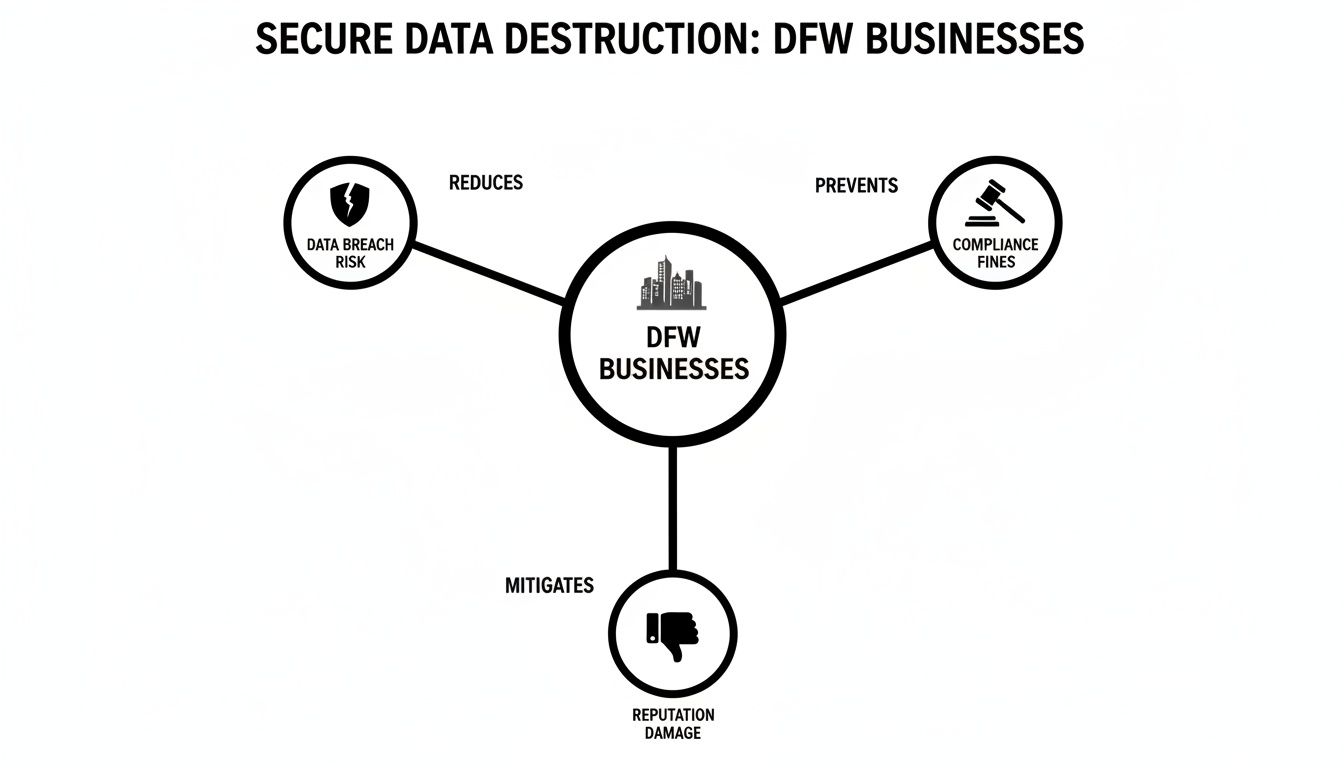
As you can see, a formal destruction process is a direct countermeasure against the threats of data breaches, hefty compliance fines, and serious brand damage.
Cryptographic Erasure: The Digital Lock and Key
Cryptographic erasure, or CE, is a more sophisticated technique used on modern self-encrypting drives (SEDs). These drives are designed to automatically encrypt every piece of data written to them. The process of CE simply involves destroying the unique encryption key.
Think of it as locking your data inside an unbreakable digital vault and then vaporizing the only key. The encrypted data is still technically on the drive, but it's just a jumble of nonsensical code. Without the key, it is permanently inaccessible. This method is incredibly fast, efficient, and allows the drive to be safely wiped and reused.
Data Wiping: The Overwrite Technique
Data wiping, often called data sanitization, uses specialized software to overwrite every sector of a drive with random patterns of ones and zeros. This isn't a single pass; the software writes over the data again and again, ensuring the original information is impossible to piece back together.
This is like taking a whiteboard, writing a secret message, and then scribbling over it with a black marker. Then you erase it and do it again, multiple times. After enough passes, there's no trace of the original message left. You can learn more about the specifics in our guide on how to completely wipe a hard drive.
Comparing Secure Data Destruction Methods
Choosing the right method depends on the type of media, your security policies, and whether you want to reuse the hardware. This table provides a quick comparison to help you understand the best fit for your organization's needs.
| Method | How It Works (Analogy) | Best For (Media Type) | NIST 800-88 Level | Key Advantage |
|---|---|---|---|---|
| Degaussing | Running a huge magnet over a cassette tape, turning it to static. | Magnetic HDDs, LTO Tapes | Purge | Fast and effective for bulk magnetic media. |
| Shredding | Putting a document through a cross-cut paper shredder. | All Media (HDDs, SSDs, Phones) | Destroy | Provides visual, irreversible proof of destruction. |
| Cryptographic Erase | Locking data in a vault and then vaporizing the only key. | Self-Encrypting Drives (SEDs) | Purge | Instantaneous and allows the drive to be safely reused. |
| Data Wiping | Writing gibberish over a message on a slate, erasing it, and repeating. | HDDs, some SSDs | Clear / Purge | Allows for hardware reuse and remarketing. |
Each of these methods provides a certified and auditable way to protect your business, but they aren't interchangeable. The key is to match the technique to the technology and your compliance needs.
This isn't a niche concern anymore. The data erasure market is projected to reach USD 8.1 billion by 2033, with physical shredding seeing the fastest adoption. Why the boom? Because audits consistently find that up to 95% of discarded drives still contain recoverable data, making certified destruction an absolute necessity for any responsible business.
Navigating Data Compliance Regulations in Texas
For any business in the Dallas-Fort Worth area, data compliance isn't just a best practice—it's a legal and financial imperative. If you fail to manage and destroy sensitive information correctly, you can face serious penalties. But trying to understand all the rules can feel like solving a puzzle with pieces from a dozen different boxes.
The compliance landscape is a patchwork of federal mandates and state-specific laws, each with its own rules for data disposal. Your industry usually determines which regulations you need to focus on most.
Key Federal Mandates for DFW Businesses
Several major federal laws set the foundation for data protection, and they absolutely apply to companies right here in DFW. Three of the most important are:
- Health Insurance Portability and Accountability Act (HIPAA): If you're a healthcare provider, insurer, or business associate in the DFW medical district or beyond, HIPAA is non-negotiable. Its rules demand that Protected Health Information (PHI) be rendered unreadable and impossible to reconstruct before disposal. This applies to every hard drive, server, and piece of old medical equipment.
- Gramm-Leach-Bliley Act (GLBA): Financial institutions, from the big banks in downtown Dallas to local credit unions in Fort Worth, must follow GLBA. Its Safeguards Rule specifically requires a written security plan that includes the secure disposal of all consumer financial information.
- Fair and Accurate Credit Transactions Act (FACTA): This one impacts nearly every business that handles consumer reports. The FACTA Disposal Rule is clear: you have to dispose of this information securely. That means burning or pulverizing paper files and completely destroying or erasing electronic files so the data can't be "practically read or reconstructed."
These federal laws create a high bar for data security. But on top of that, Texas adds its own layer of protection that every local business needs to know.
Think of it this way: federal laws set the "what" (protect the data), while a mix of federal and state laws defines the "how" (shred it, wipe it, and prove you did it).
Texas-Specific Data Protection Laws
In addition to federal oversight, Texas has its own strong legislation. The Texas Identity Theft Enforcement and Protection Act (Business & Commerce Code § 521) is the key law for DFW businesses.
This state law mandates that businesses must take appropriate steps to dispose of customer records holding sensitive personal information. It also requires you to notify affected people if a data breach occurs. Most importantly, if you hire a third-party vendor for secure data destruction in DFW, your company is still responsible for making sure they do the job right.
The Auditable Trail: A Compliance Checklist
Proving you did your due diligence means creating an auditable trail. It’s not enough to just destroy the data; you have to document the entire process from start to finish. Here’s what that process must include:
- Secure Chain of Custody: From the second a device is unplugged, you need to track its location and who handles it. This paper trail proves the asset was secure at every single step, from your office to the destruction facility.
- Serialized Asset Tracking: Every single hard drive, server, or device must have its serial number recorded. This confirms that the exact device on your inventory list is the one that gets destroyed. No exceptions.
- A Certificate of Destruction (CoD): This is your official proof of compliance. It’s a legal document confirming your data was destroyed according to all relevant regulations. A valid CoD must list the serial numbers of every asset that was destroyed.
This documentation is your single best defense in an audit. For a closer look at this critical document, you can learn more about the importance of a Certificate of Destruction for hard drives. Without this definitive proof, you’re leaving your business wide open to major legal and financial risks.
Choosing Between Onsite and Offsite Data Destruction
Once you’ve nailed down the right destruction method, the next big question is where it all happens. When you're looking at secure data destruction in DFW, your choice boils down to two models: onsite at your facility or offsite at a secure processing plant.
Each one has its own set of pros and cons, and the best fit really depends on your company's security needs, budget, and how your operations are set up.

There’s no single "correct" answer here; it’s all about your specific situation. A high-security law firm in downtown Dallas might insist on the absolute certainty of onsite shredding. Meanwhile, a large corporation on a suburban campus retiring thousands of devices might find offsite destruction a more practical and budget-friendly choice.
The Case for Onsite Mobile Destruction
Onsite destruction, often called mobile destruction, brings the entire operation right to your curb. A specialized truck, fully equipped with industrial-grade shredders or degaussers, pulls up to your DFW location. The destruction is done right there while you watch.
This method delivers the ultimate peace of mind. The main benefits are crystal clear:
- Unbroken Chain of Custody: Your hard drives and other media never leave your sight before being destroyed. This completely erases any risk that comes with transporting live data.
- Immediate Verification: You and your team can witness the physical destruction of every single drive. It’s instant, undeniable proof that the job is done right.
- Maximum Security: For industries dealing with extremely sensitive information, like defense contractors or financial HQs, this is often the only option that satisfies strict internal security policies.
The trade-off for this level of security and convenience is usually a higher price tag, since it involves mobilizing specialized equipment and a trained crew just for your site. You can get a better feel for this process by exploring more about onsite shredding services available near you.
The Advantages of Offsite Plant-Based Destruction
Offsite destruction is a different approach. A secure, GPS-tracked truck arrives at your DFW office to pick up your assets in locked containers. They are then transported to a certified destruction facility.
At the plant, every device is destroyed under constant video surveillance, and you get a full report documenting the entire process. This model is all about efficiency and scale, making it the go-to choice for many organizations.
- Cost-Effectiveness: Because the vendor can process assets from multiple clients at a centralized, high-volume plant, the per-unit cost is almost always lower.
- Logistical Simplicity: This is the perfect solution for large-scale projects, like a data center decommissioning in Richardson or a multi-floor office cleanout in Plano. Your vendor handles all the heavy lifting, transport, and logistics.
- Comprehensive Processing: Offsite facilities are built to handle a much wider range of materials—and much larger volumes—than a mobile truck can, which smooths out the process for bigger jobs.
Ultimately, the decision comes down to your organization's risk tolerance. If any risk from transporting data is simply unacceptable, onsite is your answer. If you have a trusted, certified partner with a rock-solid, documented chain-of-custody process, offsite offers major logistical and cost benefits.
Onsite vs Offsite Destruction A Decision Matrix
Making the final call between onsite and offsite destruction can feel tough. This matrix is designed to help IT managers across the Dallas-Fort Worth metroplex weigh the critical factors and choose the best path for their organization's specific needs.
| Factor | Onsite (Mobile) Destruction | Offsite (Plant-Based) Destruction | Best For… |
|---|---|---|---|
| Security | Maximum. Assets are destroyed before leaving your premises, eliminating transport risk. | High. Secure, tracked transport to a certified facility with 24/7 surveillance. | Organizations with the strictest internal security mandates or handling classified data. |
| Cost | Higher. Includes mobilization fees for trucks and personnel for a single client visit. | Lower. Economies of scale from a centralized facility result in better pricing. | Companies looking to optimize their budget, especially for large-volume projects. |
| Verification | Immediate & Visual. Your team can witness the destruction in real time. | Documented. Verification is provided via a Certificate of Destruction with serial numbers. | Businesses that require absolute, firsthand proof of destruction for compliance or internal policy. |
| Convenience | High. The process happens at your location with minimal disruption to your staff. | Highest. The vendor handles all logistics, transport, and disposal—a true "set and forget" service. | Large-scale IT asset retirement projects or data center cleanouts. |
By comparing these elements against your internal policies, compliance requirements, and budget, you can confidently select the service that provides the right balance of security and practicality for your DFW business.
Your Checklist for Vetting a DFW Data Destruction Partner

Choosing a partner for secure data destruction in DFW is a critical security decision, not just a line item on a budget. The right vendor is an extension of your compliance team, while the wrong one can open you up to enormous financial and reputational risk.
To protect your organization, you need to go beyond a simple price comparison. This means vetting potential partners on their certifications, security protocols, and their ability to provide a clear, auditable trail for every asset. This checklist gives you the questions you need to ask to make a secure and informed choice.
Verify Industry Certifications and Insurance
First things first, you need to confirm the vendor has the right credentials. These certifications aren't just logos for their website; they prove a commitment to rigorous, third-party audited standards for security and environmental responsibility.
Any potential partner must provide current proof of these key items:
- NAID AAA Certification: This is the undisputed gold standard for our industry. It requires strict security protocols covering everything from employee background checks and facility access control to a documented chain of custody. A vendor without it shouldn't be handling your sensitive data.
- R2 (Responsible Recycling) Certification: If your project involves recycling electronics after data destruction, R2 certification is non-negotiable. It ensures the vendor follows safe and environmentally sound practices for managing e-waste.
- Liability Insurance: Always ask for a certificate of insurance that specifically includes Downstream Data Liability coverage. This policy is what protects you if a data breach occurs due to the vendor's process.
A vendor’s certifications are the foundation of trust. If they can’t provide clear, current proof of NAID AAA and adequate liability insurance, they are an unacceptable risk for your DFW business.
Scrutinize Their Chain-of-Custody Process
A secure chain of custody is the unbroken, documented trail that tracks your hard drives and other media from the moment they leave your facility until they are confirmed destroyed. Any vagueness or weakness in this process is a major red flag.
Ask potential vendors to walk you through their exact procedure. The market for secure data destruction is growing fast, with North America expected to account for 38% of the global market by 2035. This is driven by regulations and the fact that studies show over 60% of decommissioned devices still contain recoverable data.
To ensure your partner meets best practices, ask these specific questions:
- How are assets secured during transport? Look for specifics like locked bins, sealed trucks with GPS tracking, and secure loading/unloading procedures.
- Are your drivers and technicians background-checked, bonded, and in uniform?
- How is each asset's serial number captured and tracked from our office to the point of destruction?
- Can you show me a sample Certificate of Destruction that includes this serialized reporting?
A professional partner will have clear, immediate answers. For DFW businesses that need the highest level of assurance, services like hard drive shredding in Fort Worth offer a perfect example of a secure, transparent, and fully auditable process.
Assess Their Reporting and Documentation Capabilities
The final proof of a job done right is the documentation you receive afterward. These documents are your key to proving compliance in an audit, so they need to be detailed, accurate, and delivered promptly.
Make sure their service includes:
- Serialized Reporting: The Certificate of Destruction absolutely must list the unique serial number of every single drive or device destroyed. A simple weight or item count is not enough for a real audit trail.
- Timely Delivery: Your vendor should commit to a clear timeline for providing the Certificate of Destruction, usually within a few business days after the service is completed.
- Secure Portal Access: Reputable vendors often provide a secure online portal where you can access and manage all your documents, from certificates to detailed asset reports.
Using this checklist helps you evaluate a DFW data destruction partner on what truly matters: their ability to deliver security, compliance, and accountability.
Frequently Asked Questions About Secure Data Destruction
Even after you've mapped out a plan, you're bound to have a few practical questions. Here are the answers to some of the most common things we're asked by IT and business leaders across the Dallas-Fort Worth area.
How Is Pricing for Data Destruction Services Structured?
The cost for secure data destruction in DFW really comes down to a few key variables: the method you choose (like shredding versus wiping), how much equipment you have, and whether we come to you or you come to us.
Typically, you'll see pricing structured either per hard drive or by the total weight in pounds. If you opt for onsite mobile destruction, the quote will usually include a one-time trip charge to cover getting the truck and our crew to your location. Offsite services can sometimes offer a lower per-unit cost since all the work happens efficiently at our own secure facility.
Before you sign anything, make sure you get a detailed, itemized quote. A transparent partner will break down every line item, from transport fees to the cost per drive, so there are absolutely no surprises. For bigger jobs like a full data center cleanout, we can often work out a flat project fee.
What Happens to E-Waste After Data Destruction?
A certified, responsible ITAD partner operates on a strict zero-landfill policy. This isn't just good for the planet; it's a core part of corporate social responsibility and a firm requirement for certifications like R2 (Responsible Recycling).
Once your devices are physically shredded and we've confirmed the data is gone for good, the fragments are securely moved to a certified downstream recycling partner. From there, a specialized process kicks in to separate the e-waste back into usable, commodity-grade materials:
- Aluminum from hard drive cases is recovered.
- Steel from the chassis and other internal parts is sorted out.
- Precious metals like gold, silver, and palladium are carefully extracted from the circuit boards.
This whole process ensures that those raw materials get back into the manufacturing supply chain, which minimizes your company's environmental footprint and bolsters your sustainability goals.
How Quickly Do I Receive a Certificate of Destruction?
You should know exactly when to expect your Certificate of Destruction (CoD) because it will be clearly spelled out in your service level agreement. When you're vetting vendors, this is a detail you can't afford to overlook.
For onsite destruction services, our team will usually give you a preliminary receipt or bill of lading right on the spot. Your final, official Certificate of Destruction, which includes a serialized list of every asset we destroyed, is then delivered electronically within 1-3 business days.
With offsite destruction, it takes just a bit longer. You can expect your serialized CoD within 5-7 business days after your equipment arrives and is processed at our secure plant. Nailing down this timeline upfront is key to keeping your audit trail clean and complete.
Can You Handle Specialized Medical or Financial Equipment?
Absolutely. An experienced ITAD vendor that holds the right certifications is fully prepared to manage the disposal of specialized equipment from regulated industries like healthcare and finance. For us, this is a core service, not a special request.
Handling gear that falls under HIPAA or GLBA requires specific protocols that go well beyond standard data destruction. Any partner you choose must be able to show you they have real-world experience with the unique hardware and data security demands of your industry. Choosing a vendor with documented expertise in your field is the only way to guarantee total, auditable compliance.
Ready to build a secure and compliant IT asset disposition plan for your DFW organization? Dallas Fortworth Computer Recycling delivers certified, fully auditable data destruction and electronics recycling services designed for local businesses.