
Austin Texas Recycling: Business Compliance & IT Disposal
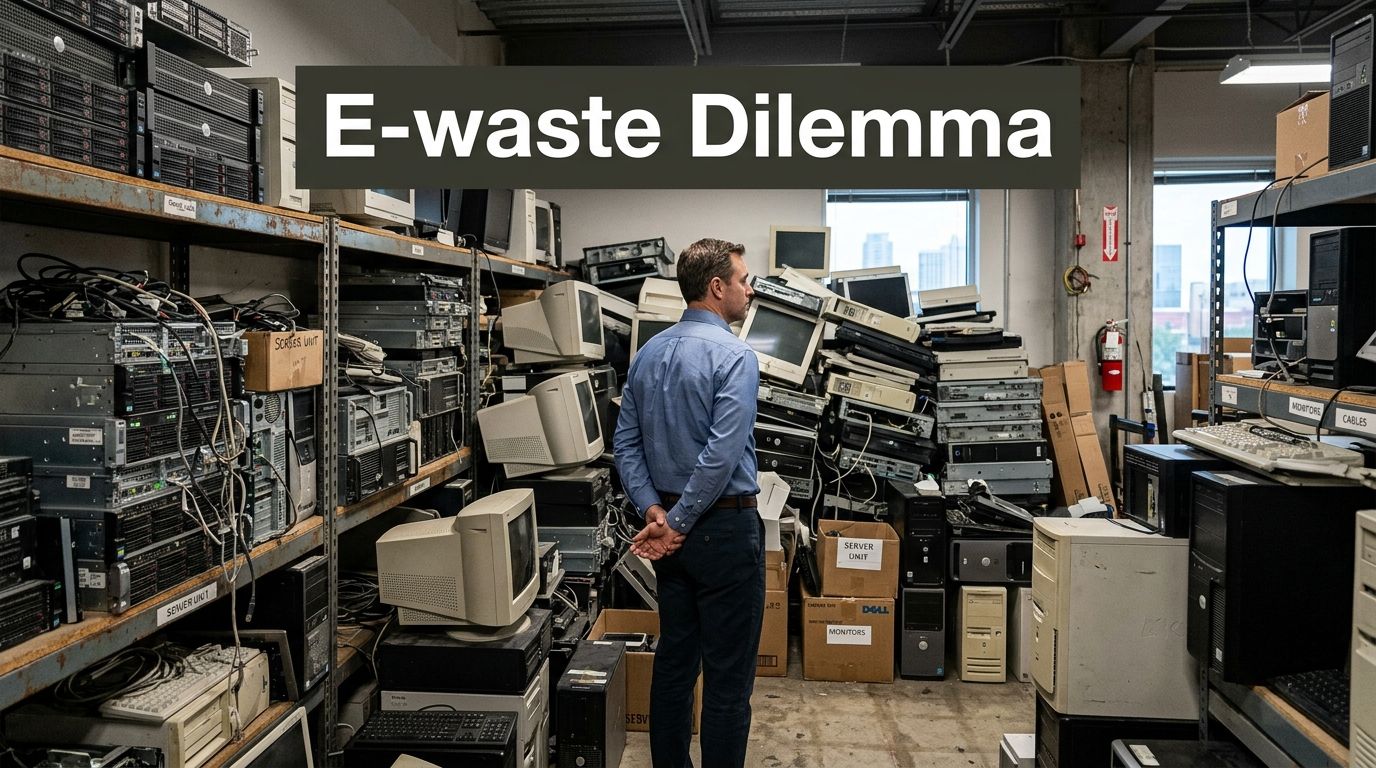
The storage room usually tells the story before the spreadsheet does. A few retired laptops sit on a shelf. Then come the old desktops, failed monitors, network switches, badge readers, printers, and a stack of drives someone meant to deal with last quarter. In many Austin companies, that pile grows because the disposal path feels unclear.
That confusion makes sense. Austin is known for ambitious sustainability goals, but most public guidance people find first is built around household recycling, curbside carts, and residential drop-off habits. Business electronics don't fit neatly into that system. They bring data security risk, asset tracking problems, vendor liability, and documentation requirements that a standard recycling checklist doesn't solve.
For Austin businesses, austin texas recycling isn't just about getting equipment out of the office. It's about proving where each asset went, what happened to the data on it, and whether your process can stand up to procurement review, legal scrutiny, or an internal audit.
Your Guide to Business Electronics Recycling in Austin
An Austin IT manager can follow every local sustainability headline and still have no clear answer for what to do with a room full of retired workstations and servers. That's the core issue. Business teams aren't trying to recycle a few household gadgets. They're trying to retire assets in bulk without losing control of drives, serial numbers, or compliance records.
Public information around local recycling tends to focus on residents. There's a documented gap in guidance on secure electronics recycling for Austin businesses, especially around commercial volumes, certified data destruction, and chain of custody, even though commercial recycling requirements exist under the Universal Recycling Ordinance, as noted by Circular Services on Austin recycling guidance.
That gap creates predictable mistakes:
- Assets sit too long: Equipment remains in closets, server rooms, or storage cages because no one wants to authorize a risky pickup.
- Facilities gets pulled in late: By the time operations or office management gets involved, the inventory is already incomplete.
- Data handling gets treated as an afterthought: Teams focus on hauling and overlook whether drives were wiped, shredded, or documented.
- Residential habits get applied to commercial waste: Staff assume local recycling options that work for households also work for enterprise equipment.
A workable process starts with a different mindset. Don't treat electronics as trash. Treat them as regulated, data-bearing business assets until the final disposition record is in hand.
Practical rule: If you can't produce an inventory, a custody trail, and a destruction record, you don't have a disposal process. You have a hope-based process.
For companies trying to sort out pickups, service expectations, and local timing, a practical starting point is this Austin recycling schedule guide for electronics and pickups. It helps separate general city recycling information from the kind of planning businesses require.
Navigating Austin's E-Waste Landscape for Businesses
Austin's environmental ambitions are real. The city adopted a zero waste strategy in Texas early and set a goal of diverting 90% of trash from landfills by 2040, according to Waste Dive's reporting on Austin's zero waste plan. That's important context, but it doesn't answer the day-to-day question a business has to solve. Who handles your retired electronics, under what rules, and with what proof?
For companies, the critical issue isn't the slogan. It's the operating model. A 2025 audit found Austin was off-track, with diversion at 37% in 2024, and noted that private haulers handle 85% of waste from businesses and apartments, creating inconsistent messaging and compliance gaps under the Universal Recycling Ordinance. That finding comes from Austin Monitor's audit coverage of Austin Resource Recovery and zero waste goals.
Why business recycling feels harder in Austin
Residential recycling has a visible structure. People know there are city programs, curbside services, and public education. Commercial electronics disposal is more fragmented. A business may lease office space, share loading access with other tenants, rely on a property manager's waste vendor, and still retain full responsibility for what happens to data-bearing devices.
That produces three practical problems.
- Responsibility gets blurred: IT, procurement, facilities, legal, and property management may all assume someone else owns end-of-life electronics.
- General recycling language hides special handling needs: A pallet of monitors isn't the same as a locked bin of failed SSDs from finance or HR.
- Private-hauler dependence increases variance: One building may have a capable vendor relationship. The next may have no process beyond removing items from sight.
What the Universal Recycling Ordinance means in practice
The ordinance matters because it signals that Austin expects commercial properties and multi-family sites to provide recycling. But from an IT asset disposition standpoint, that requirement is only the beginning. The ordinance doesn't replace your internal controls for retired technology.
A company still needs to decide:
- Which devices are reusable, remarketable, or ready for material recycling.
- Which assets contain regulated or sensitive data.
- Whether the receiving vendor can document downstream handling.
- How pickups, loading, and custody transfer will be managed.
This is why generic office recycling programs often break down when electronics enter the mix. Paper, cardboard, and bottles can move through routine building waste channels. Laptops, servers, backup appliances, phones, access-control hardware, and medical tech cannot be treated casually.
Business compliance in Austin often fails at the handoff point. The equipment leaves the office, but nobody can later prove who took it, what was done to it, or where it ended up.
The risk isn't only environmental
The local sustainability conversation usually centers on landfill diversion. For B2B teams, the bigger immediate exposure is operational. Missing records can create problems in vendor management reviews, insurance inquiries, legal holds, security investigations, and procurement audits.
A disciplined local process should include these basics:
- Named ownership: One department must own final signoff on asset disposition.
- Written acceptance rules: Staff need to know what can go into routine recycling and what requires secure ITAD handling.
- Pickup control: Equipment shouldn't be left unattended in a dock area waiting for an unknown truck.
- Disposition records: Certificates and itemized manifests should be retained in an organized system.
If your team is comparing local options, this overview of electronic disposal services in Austin for business equipment is useful because it frames electronics retirement as a compliance workflow, not a hauling problem.
Building Your Compliant IT Asset Disposition Workflow
A good ITAD workflow doesn't start when the truck arrives. It starts when an employee flags an asset for retirement. If you wait until pickup day to identify equipment, check for drives, or sort reusable devices from scrap, the process will drift.

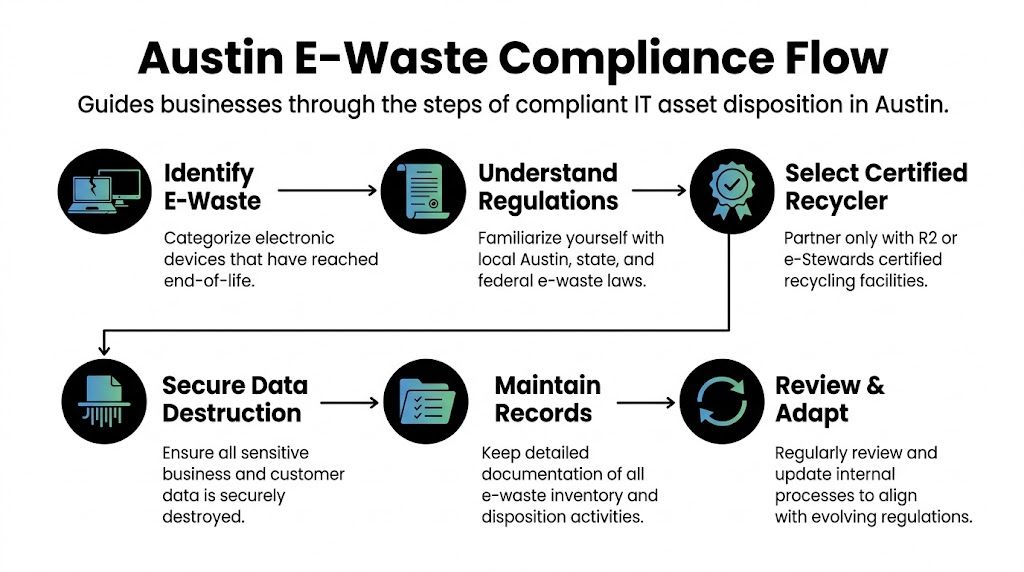
The strongest internal programs use a repeatable chain. Intake. Classification. Data handling. Packaging. Transfer. Reconciliation. That sequence matters because each step creates the evidence needed for the next one.
Start with an asset triage list
Before any vendor sees the equipment, build an internal disposition list. This can live in your CMDB, asset management tool, spreadsheet, ticketing system, or procurement platform. What matters is consistency and accountability.
At minimum, capture:
- Device identity: Asset tag, serial number, model, assigned user, and department.
- Condition status: Working, damaged, incomplete, or nonfunctional.
- Data profile: No storage, encrypted storage, unknown storage, or confirmed sensitive storage.
- Disposition path: Redeploy, donate, resell, recycle, or destroy.
- Approval trail: Who authorized retirement and when.
Don't create one giant category called "e-waste." That label causes teams to throw valuable and sensitive equipment into the same stream. A working laptop with no issue beyond age belongs in a different path than a failed NAS unit from a finance environment.
Separate value recovery from destruction decisions
Companies lose control when they assume every retired device should be shredded immediately. They also create risk when they chase reuse without verifying data handling. The right answer depends on the asset.
A practical classification model looks like this:
| Asset Type | Primary Question | Typical Best Path |
|---|---|---|
| Current-generation laptops | Can it be redeployed after secure wiping and testing? | Reuse or remarketing |
| Failed desktops with intact drives | Has the data-bearing media been secured? | Destroy media, recycle remainder |
| Monitors and peripherals | Does it contain storage or regulated components? | Recycle or redeploy |
| Rack servers and storage arrays | Are drives, controllers, and configs documented? | Controlled decommissioning |
| Mobile devices | Is mobile device management release complete? | Wipe, verify, then reuse or recycle |
Data destruction isn't one thing
Teams often say "we wiped it" as if that settles the issue. It doesn't. Data destruction should match the media type, the business risk, and your documentation standards.
Common methods include:
- Software wiping works when the drive is functional and you need an auditable sanitization record before reuse or resale.
- Degaussing can be appropriate for certain magnetic media, but it also affects whether the device remains reusable.
- Physical shredding is the clearest route for failed drives, highly sensitive media, or assets that won't be remarketed.
Each method has trade-offs. Software wiping supports asset recovery value but requires process discipline and verification. Physical destruction reduces ambiguity but also ends any reuse option. The mistake is choosing one method by habit instead of policy.
If the storage media is damaged, inaccessible, or of uncertain origin, physical destruction is usually the cleaner operational decision.
Build chain of custody before pickup day
Chain of custody isn't a certificate at the end. It's the record of possession changes from the moment an asset leaves active use. That's where many Austin businesses need tighter controls.
Use a custody design that answers four questions:
- Who touched the device internally?
- Where was it staged?
- When did the vendor accept it?
- How was receipt reconciled against your manifest?
That means using tamper-evident containers where appropriate, restricting access to staging rooms, and requiring signoff at transfer. For high-volume pickups, assign one employee to read off the manifest while another verifies pallet labels or container counts.
Stage equipment like you're preparing for audit, not cleanup
A cluttered pickup area causes errors. Drives get separated from parent assets. Loose laptops vanish into the wrong gaylord. Labels fall off. A rushed dock hand mixes production hardware with obsolete scrap.
Use simple staging rules:
- Group by disposition path: Reuse items in one zone, media destruction in another, commodity recycling in another.
- Keep accessories attached when needed for remarketing: Power supplies and docks matter if the device may be reused.
- Mark exceptions clearly: Broken, missing drive, swollen battery, locked BIOS, or unknown owner.
- Photograph pallets or containers before release: Images help when counts don't match later.
Reconcile the paperwork after the truck leaves
The handoff isn't the finish line. Review incoming vendor documentation promptly. Match certificates, serial-level lists, and destruction records against your internal inventory. If anything is missing, raise it immediately while the transaction is fresh.
At this stage, mature teams gain an advantage. They don't just store paperwork. They reconcile it.
A reliable post-pickup checklist includes:
- Manifest match: Confirm every listed item appears in vendor receipt records.
- Exception review: Identify assets marked unreadable, damaged, or unmatched.
- Destruction evidence: Ensure media destruction records align with the correct asset batch.
- Retention filing: Store disposition records where legal, security, and procurement teams can retrieve them later.
For teams formalizing these controls, this primer on what IT asset disposition means for business operations gives useful language for policy development and internal buy-in.
Vetting and Selecting a Certified Recycling Partner
Choosing the wrong recycler can undo every internal control you built. A polished pickup process means little if the downstream vendor can't document data destruction, subcontracts material handling without accountability, or treats your equipment as anonymous scrap.
The safest approach is simple. Assume every vendor claim needs verification.
What certification should signal
For business electronics, certifications such as R2 or e-Stewards matter because they indicate the recycler has been evaluated against formal requirements tied to environmental practices, data security controls, and operational discipline. Certification alone isn't enough, but lack of certification should force much harder questions.
A credible vendor should be able to explain:
- how they track inbound assets
- how they handle data-bearing devices
- whether they process material directly or rely heavily on downstream partners
- what documentation you receive after pickup
- what insurance and liability protections they carry
If a recycler gets evasive on any of those points, treat that as meaningful information.
The questions that reveal real risk
A sales sheet rarely tells you what happens when a drive is unreadable, when a pallet arrives with count discrepancies, or when a downstream processor rejects material. Your review process should.
Here is a practical vendor screen.
| Vetting Category | Key Question to Ask | Ideal Answer / Green Flag |
|---|---|---|
| Certification | What current certifications do you hold for electronics recycling and data-bearing assets? | Provides current R2 or e-Stewards documentation and explains scope clearly |
| Data destruction | How do you handle wiping, shredding, failed drives, and mixed media types? | Gives specific methods, exceptions handling, and documentation procedures |
| Chain of custody | How is equipment tracked from pickup through final processing? | Uses serialized manifests, signed transfer records, and auditable internal tracking |
| Downstream accountability | Where do non-reusable materials go after your facility handles them? | Identifies downstream vendors and accepts accountability for that chain |
| Reporting | What records do clients receive after completion? | Provides manifests, destruction certificates, and clear exception reporting |
| Insurance | What coverage applies to environmental issues and data-related incidents? | Can describe active coverage and provide proof when requested |
| Pickup operations | Who handles loading, packaging guidance, and onsite transfer procedures? | Explains secure pickup steps and roles without vague language |
| Exceptions and disputes | How are count mismatches or unidentified assets resolved? | Has a documented reconciliation process with named contacts |
| Reuse programs | How do you determine whether equipment is reused or recycled? | Applies a documented testing and grading process rather than ad hoc decisions |
| Contract clarity | Are service terms, excluded items, and responsibilities written clearly? | Uses explicit scopes of work and straightforward disposition language |
Red flags that show up early
Most bad outcomes leave clues before the first pickup. Teams just ignore them because the vendor is convenient, cheap, or fast.
Watch for these warning signs:
- "Free recycling" with no process detail: Free isn't automatically bad, but if the economics are opaque, ask what value the vendor is extracting and how your data risk is controlled.
- No serial-level documentation: Bulk weight tickets don't solve IT audit needs.
- Loose language about destruction: "We take care of hard drives" isn't a method.
- No downstream answers: A vendor should know where material goes after initial sorting.
- Overbroad acceptance promises: If they claim they take everything with no caveats, push harder on batteries, damaged gear, medical equipment, and specialty devices.
The right recycler sounds operational, not promotional. They answer with procedures, records, and scope limits.
This is why many procurement teams start by reviewing what an R2 certified electronics recycler is expected to provide. It gives a practical baseline for evaluating vendor claims before legal and security teams get involved.
Special Considerations for Austin's Key Industries
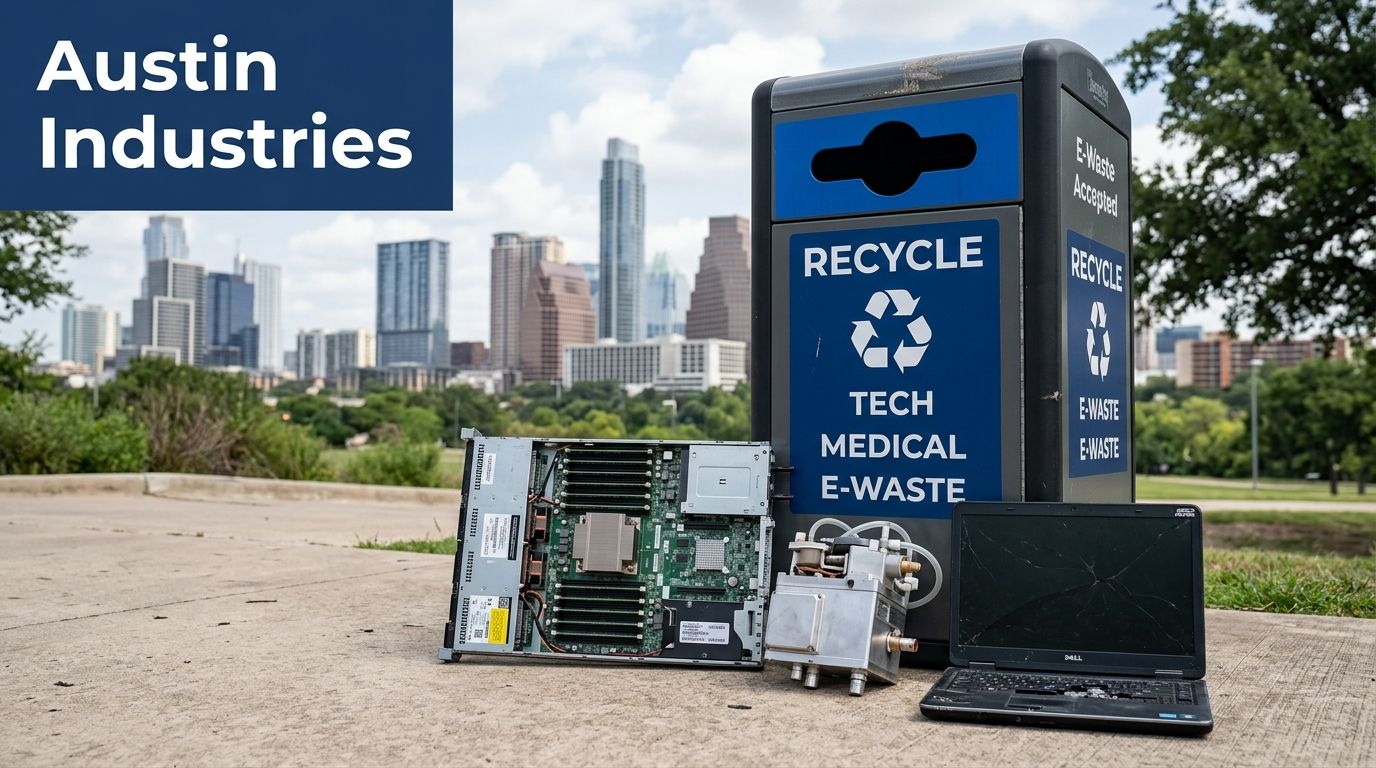
Austin businesses don't retire electronics in the same way. A data center team pulling hardware from racks has different problems than a clinic replacing imaging workstations or a nonprofit clearing donated desktops from a storage room. The controls should adjust to the environment.
Data centers and infrastructure teams
A server retirement project often looks manageable on paper until the first rack comes down. Then teams discover rail kits mixed with live hardware, undocumented drives in storage arrays, and network gear with configuration data still loaded.
For data center work, the strongest practice is to run disposition as a decommissioning project, not a recycling pickup. That means staged rack mapping, asset-to-rack verification, media extraction control, and documented signoff at each removal point. If a vendor can't support that level of structure, they're better suited to commodity pickup than critical infrastructure retirement.
Healthcare providers and laboratories
Healthcare and lab environments tend to hold more hidden data than people expect. It's not just desktops at nursing stations. It can include analyzers, imaging support hardware, embedded storage in specialty devices, and local data cached on print or scanning systems.
A clinic that treats these devices like office surplus can create major compliance exposure. The safer path is to assume any connected or user-authenticated device may contain sensitive information until proven otherwise. In practice, that means closer coordination among IT, biomedical teams, compliance staff, and facilities before any asset leaves the site.
In regulated environments, uncertainty itself is a risk signal. If no one can confirm whether a device stores data, handle it as if it does.
Government and public sector departments
Government teams usually have an extra layer of controls around surplus property, procurement rules, and records retention. The challenge isn't only secure disposal. It's proving that the disposition method matched agency policy and that public assets moved through an authorized path.
That usually calls for tighter pre-approval, more detailed manifests, and clearer segregation between reusable public property and material that must be destroyed. Convenience-based pickups tend to cause trouble here. Policy-driven handoffs work better.
Nonprofits and multifamily-related operations
Austin's business recycling conversation often overlooks organizations that don't have enterprise budgets or dedicated IT staff. That's especially true for nonprofits and operations tied to multifamily properties. Available resources skew residential, while practical guidance on compliance and electronics reuse is thin.
That gap is documented. For nonprofits and multifamily housing in Austin, challenges such as infrequent recycling pickups, low participation, and limited guidance under the Universal Recycling Ordinance leave organizations needing cost-effective electronics reuse programs and clearer compliance support, as noted in this discussion of recycling gaps for nonprofits and multifamily operations in Austin.
For these groups, the best outcome often comes from separating needs into two tracks:
- Usable equipment with budget value: Refurbish, redeploy, or place through a structured reuse program.
- Broken or risky equipment: Route through documented recycling and data destruction with minimal onsite burden.
That split helps stretch budgets without turning a donation closet into a liability.
From Compliance Chore to Strategic Asset Management
When companies treat retired electronics as a cleanup task, they usually react late. Equipment accumulates. Documentation gets patchy. Security only hears about disposal after the assets are already staged. That's how routine recycling becomes avoidable risk.
The better frame is strategic asset management. End-of-life handling affects security, procurement, sustainability, legal defensibility, and budget recovery. A strong process doesn't just remove old hardware. It creates a controlled exit for business assets.
The core discipline is straightforward:
- understand the local business context for austin texas recycling
- build an internal workflow before pickup day
- choose a recycler based on certification and process, not convenience
- keep records that hold up after staff changes and audits
Teams that already manage hardware throughout its lifecycle should connect ITAD to the same systems they use for inventory, refresh planning, and policy enforcement. If you're looking at that broader maturity step, reviewing best IT asset management software for tracking and control can help you tie retirement workflows back to the rest of asset governance.
Done right, electronics recycling isn't the end of the process. It's the final controlled stage of ownership.
Frequently Asked Questions
Does Austin curbside recycling work for business electronics
Not in the way most businesses need. Public-facing recycling guidance in Austin is largely built around residential programs, while business electronics require secure handling, data destruction, and documentation. For commercial volumes, use a dedicated IT asset disposition process rather than general recycling habits.
What should be documented for each electronics pickup
Keep an internal asset list, approval record, custody transfer record, and final vendor paperwork. For data-bearing devices, maintain destruction evidence tied back to the assets you released. The goal is to show what left, who accepted it, and how final disposition was completed.
Should we wipe drives ourselves before scheduling a recycler
Sometimes yes, but only if your team has a documented method and can verify completion. Many organizations choose to control device collection internally, then use a qualified recycler for formal destruction or sanitization. What matters is that the method fits the media type and leaves an auditable record.
Can a business donate old computers instead of recycling them
Yes, if the devices are still suitable for reuse and your team has addressed all data security requirements first. Donation should still follow inventory controls, sanitization procedures, and approval rules. Donation without documentation creates the same traceability problem as poor recycling.
What's the biggest mistake Austin businesses make with e-waste
They wait too long and let electronics pile up without ownership. Once assets are mixed together in storage, teams lose track of users, drive status, and final disposition needs. The easiest way to avoid that is to trigger your ITAD workflow when an asset is retired, not when the room is full.
How often should a company schedule electronics recycling
Use a schedule that matches your refresh cycle and storage risk. Some companies need recurring pickups. Others can use event-based pickups tied to office moves, hardware refreshes, or decommissions. The right cadence is the one that prevents uncontrolled accumulation of retired devices onsite.
Dallas Fortworth Computer Recycling helps organizations handle secure, compliant IT asset disposition with documented data destruction, audit-ready chain of custody, and responsible electronics recycling services nationwide. If your Austin team needs a practical plan for retiring laptops, servers, drives, medical equipment, or data center hardware, contact Dallas Fortworth Computer Recycling to schedule a consultation.