
Computer Recycling Pickup Dallas: Secure IT Disposal & Easy Scheduling
That storeroom overflowing with old tech isn't just a space issue—it's a security and compliance risk. A professional computer recycling pickup Dallas service is the modern, secure answer for businesses. It transforms an IT headache into a documented, compliant process that protects your data and brand.
Why Smart Businesses Use a Recycling Pickup Service
That cluttered back office or warehouse packed with outdated computers, servers, and monitors is more than an eyesore. For any IT Director or business leader in Dallas, it represents a significant and often overlooked liability. Every retired device can hold sensitive corporate data, customer information, or proprietary secrets.
Improperly disposing of this e-waste opens your organization to substantial risks. These aren't just hypothetical threats; they are real-world scenarios with costly consequences. A single hard drive ending up in the wrong hands can lead to a devastating data breach, damaging your company's reputation and eroding customer trust.
Moving Beyond Simple Disposal
Furthermore, regulatory bodies are watching closely. Laws like the Texas Computer Equipment Recovery Act place specific responsibilities on businesses for the end-of-life management of their electronics. Failure to comply can result in steep fines and legal trouble. Simply taking old equipment to a local drop-off or, worse, putting it in a dumpster, is no longer a viable option.
This is where a strategic partnership with a certified B2B recycler comes in. It shifts the process from a logistical burden to a strategic advantage. Instead of managing a complex and risky disposal task internally, you offload it to experts who specialize in secure and compliant IT asset disposition (ITAD).
The core benefit is turning a potential liability into a documented asset. A certified pickup service provides an auditable trail, proving your organization took every necessary step to protect data and comply with environmental regulations.
This proactive approach does more than just clear out space. It accomplishes several key business objectives:
- Mitigates Risk: Ensures all data is destroyed according to industry standards, protecting you from breaches.
- Ensures Compliance: Provides the necessary documentation to satisfy regulatory requirements.
- Demonstrates Responsibility: Showcases your company's commitment to environmental stewardship and data security.
Ultimately, choosing a professional computer recycling pickup in Dallas is a forward-thinking business decision. You can learn more about the broader benefits of e-waste recycling and how it impacts your bottom line. It protects your brand, secures your most valuable digital assets, and solidifies your reputation as a responsible corporate citizen.
Preparing Your IT Assets for a Flawless Pickup
A smooth, secure computer recycling pickup in Dallas doesn't just happen when the truck shows up. The real work starts beforehand. Taking the right preparation steps is the key to an efficient process that protects your data and keeps you compliant from start to finish.
First things first: you need a clear, accurate inventory of every asset you're getting rid of. This isn't just about counting pallets. It's about documenting exactly what’s inside them—think asset tags, serial numbers, and device types. This detailed list creates crucial transparency for your own records and for your recycling partner.
Organize Your Equipment Strategically
With your inventory complete, it's time to physically sort the equipment. I tell clients to think of it like organizing mail; you wouldn’t mix sensitive contracts with promotional flyers. The same principle applies here. Grouping similar items makes the pickup crew’s job faster and dramatically cuts down on potential errors.
A good sorting plan might look something like this:
- Pallet 1: General office desktops and laptops.
- Pallet 2: Network gear, like servers, switches, and routers.
- Pallet 3: Miscellaneous peripherals such as keyboards, mice, and monitors.
- Separate, Secure Area: Any devices holding highly sensitive data that need special handling, like executive hard drives or medical equipment.
This kind of clear separation allows the pickup team to quickly identify and load everything, making sure it all matches your inventory. For more specific advice on handling different devices, our guide on how to dispose of old computers safely offers some great tips.
This is where IT asset management shifts from being a headache to a real strategic advantage.
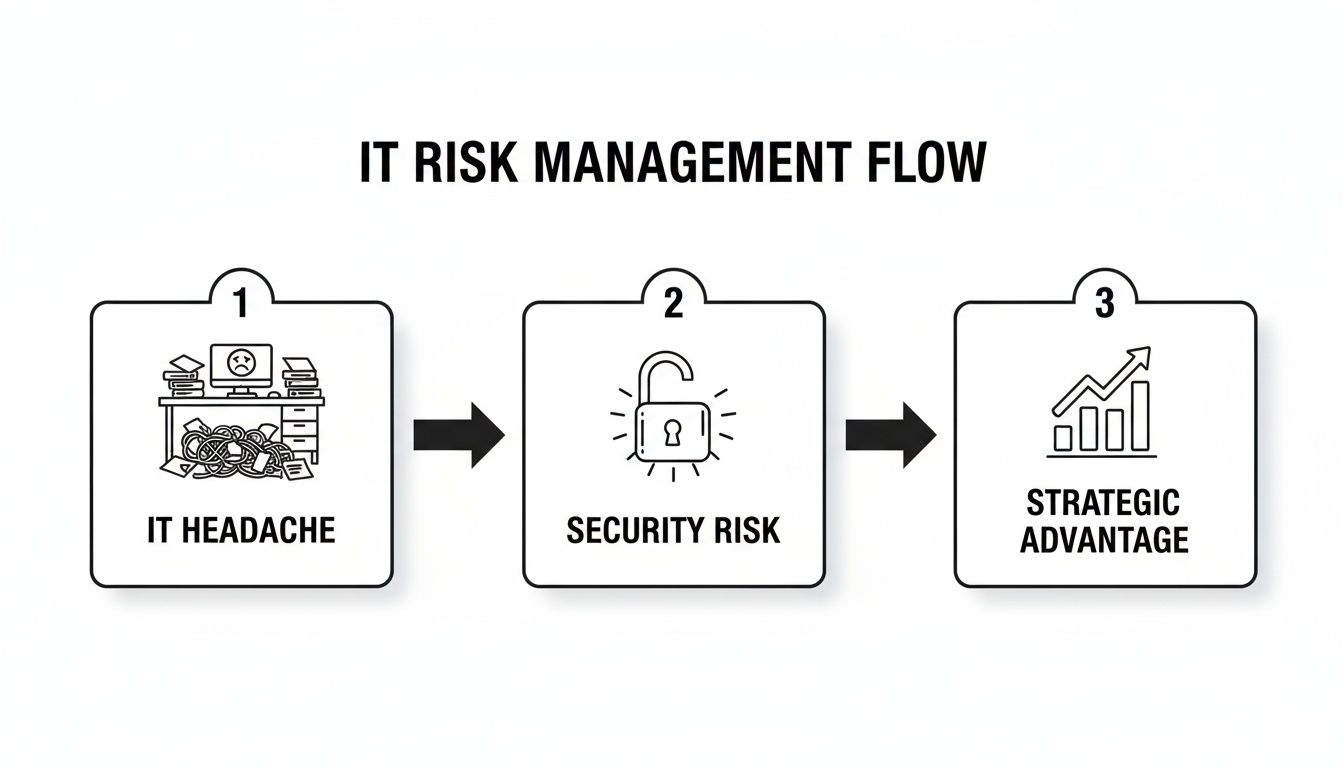
When you proactively deal with old technology, you're not just cleaning out a storage room. You're actively closing security gaps and turning a compliance task into a documented, secure, and finished project.
Choose the Right Data Destruction Method
Once your assets are organized, we get to the most critical step: data destruction. Simply deleting files or reformatting a drive is not enough. That data can often be recovered. You have to make absolutely certain the information is gone for good.
The method you choose will depend on the sensitivity of your data and your industry's compliance rules.
Imagine a Dallas healthcare provider. They have standard PCs from their administrative offices but also lab equipment that falls under strict HIPAA rules. Each set of devices requires a completely different approach.
- Software Wiping: This is a great fit for the office PCs. We use specialized software to overwrite the entire hard drive with random data, following standards like NIST 800-88. This makes the original information impossible to recover and allows the drive to be safely reused.
- Degaussing: For a faster solution on magnetic media like tapes or older hard drives, a powerful magnetic field instantly neutralizes the data. It's incredibly effective but does render the drive unusable.
- Physical Shredding: This is the ultimate security measure, perfect for the HIPAA-regulated lab equipment. The hard drives are fed into an industrial shredder that reduces them to small, unsalvageable metal fragments. This offers undeniable proof of destruction.
For any device that ever held financial records, patient data, or proprietary intellectual property, physical shredding is the gold standard. It removes all doubt and delivers the highest level of security for a compliant computer recycling pickup in Dallas.
To make sure everything is ready for a secure and compliant pickup, a simple checklist can be your best friend. It helps ensure no steps are missed and that your team and ours are perfectly aligned on pickup day.
Pre-Pickup Asset Preparation Checklist
| Preparation Step | Key Action | Why It Matters |
|---|---|---|
| Inventory Creation | Document all assets with type, serial number, and asset tag. | Provides a master list for tracking and ensures full accountability. |
| Data Security Assessment | Identify which devices hold sensitive vs. non-sensitive data. | Determines the required data destruction method (wipe, degauss, or shred). |
| Physical Segregation | Group assets by type and data sensitivity onto separate, labeled pallets. | Speeds up the pickup process and prevents handling errors. |
| Labeling | Clearly label each pallet with your company name and its contents (e.g., "Wiped Laptops – Pallet 1 of 4"). | Maintains a clear chain of custody and helps the logistics team work efficiently. |
| Staging Area | Move all prepared assets to a single, accessible location like a loading dock. | Ensures a quick and non-disruptive pickup with minimal impact on your operations. |
Following this checklist transforms a potentially chaotic project into a streamlined, predictable process.
Finally, make sure every pallet or container is clearly labeled. A simple tag with your company name and the contents is all it takes to keep the chain of custody intact from the moment your assets leave your facility.
Scheduling Your Computer Recycling Pickup in Dallas

Once you've prepped and inventoried your old IT assets, it's time to get them out of your facility. Booking a pickup is a pretty simple affair, but the quality of the information you provide upfront makes all the difference.
Think of it this way: the more details your recycling partner has, the faster they can give you an accurate quote and plan the logistics. You’ll want to have your asset inventory handy, with a good estimate of the quantities and types of equipment. Are we talking about a few dozen laptops, or are there heavy-duty servers and network racks involved?
Providing the Right Information for a Quick Quote
The physical details of your office are just as crucial as what you're getting rid of. Spelling these out from the start prevents any last-minute hiccups and ensures the pickup crew shows up with the right people and equipment for the job.
When you reach out for a quote, be ready to share these key points:
- Location Access: Is there a loading dock available? Or will the team need to navigate through a main entrance, stairs, or an elevator?
- Asset Staging: Have you consolidated all the equipment in one spot on the ground floor, or is it scattered across multiple levels or even different buildings?
- Special Requirements: Be sure to mention any specific building security protocols, limited pickup hours, or other logistical hurdles the crew might face.
For example, a pickup from a downtown Dallas high-rise with only a freight elevator has completely different logistical needs than one from a suburban office park with a dedicated loading bay. Giving us these specifics helps us accurately plan the labor and time required, which means a more precise quote for you. If you need more tips on local options, our guide on finding computer recycling near me in Dallas is a great resource.
What to Expect on Pickup Day
On the day of your pickup, our professional, uniformed team will arrive ready to handle everything. Your main job is simply to grant them access to the staged equipment and have someone available to sign off on the initial paperwork.
This document, typically a bill of lading, is what formally transfers the custody of your assets to us.
From the moment your equipment is loaded onto our truck, a secure chain of custody is established. Every pallet is tracked, and the entire process is documented to give you full accountability from your door to our processing facility.
Our crew will work quickly to load all the assets, making sure the pallet count aligns with what was agreed upon. They’re trained to handle sensitive electronics with care, ensuring a safe and organized removal. This smooth handover lets you offload your old tech knowing it's being managed securely and compliantly by experts from start to finish.
Understanding the Costs and Finding the Value
Sooner or later, every business leader gets to the bottom line: what’s a computer recycling pickup in Dallas going to cost? There’s no simple, one-size-fits-all answer. The final price tag depends entirely on the scope of your project.
Think of it this way: the cost is shaped by logistics, labor, and the level of data security you require. A straightforward pickup from a ground-floor loading dock is a much different job than having a crew clear out multiple floors in a downtown high-rise. Understanding what drives the price helps you get a clear, accurate quote with no surprises.
Factors Influencing Your Recycling Quote
To give you a better idea of what to expect, here are the main variables that will influence your final quote:
- Transportation: This covers the distance from your offices to the processing facility and the type of truck needed for the job.
- Labor: The hands-on effort required on-site is a major factor. Are we collecting equipment from a single storage room, or from individual offices spread across a large campus? Will our crew need to handle stairs?
- Data Destruction: On-site hard drive shredding offers immediate, verifiable destruction and is considered a premium service. It has a different cost structure than off-site data wiping.
- Specialty Items: Some equipment requires special handling. Heavy items like old CRT monitors or large server racks add to the cost due to their weight and the specific processes needed to recycle their components safely.
When you provide these details upfront, a professional recycler can give you a precise, all-inclusive quote. This is key for managing your IT budget without any last-minute financial headaches.
Shifting the Conversation From Cost to Value
While the initial expense is a natural focus, the real conversation should be about value and risk. A professional IT asset disposal service is much more than a disposal fee—it’s an investment in protecting your organization. The cost of a certified pickup is tiny compared to the potential $4.24 million average cost of a data breach.
Beyond security, there's another side to the value equation: your old equipment isn't always just junk. Many devices, particularly newer laptops, servers, and enterprise networking gear, often retain significant market value.
A smart strategy is to partner with a recycler who can identify these valuable assets for remarketing. The revenue generated from selling functional equipment can often offset—or in some cases, completely cover—your recycling and data destruction costs.
This approach transforms a line-item expense into a powerful value-recovery opportunity. Instead of just paying to get rid of old technology, you could break even or even see a return on your assets. It’s a fantastic way to stretch your IT budget while ensuring everything is handled securely. Always ask potential partners if they offer a transparent revenue-sharing model for any equipment they remarket.
Ensuring Full Compliance and Chain of Custody
For any business handling sensitive information, proof of proper IT asset disposal isn't just a good idea—it's an absolute requirement. A successful computer recycling pickup in Dallas isn't over when the truck drives away. It truly concludes when you have the paperwork in hand to validate the entire process.
This documentation is your official record, proving that every piece of equipment was managed securely and responsibly from your door to its final disposition.
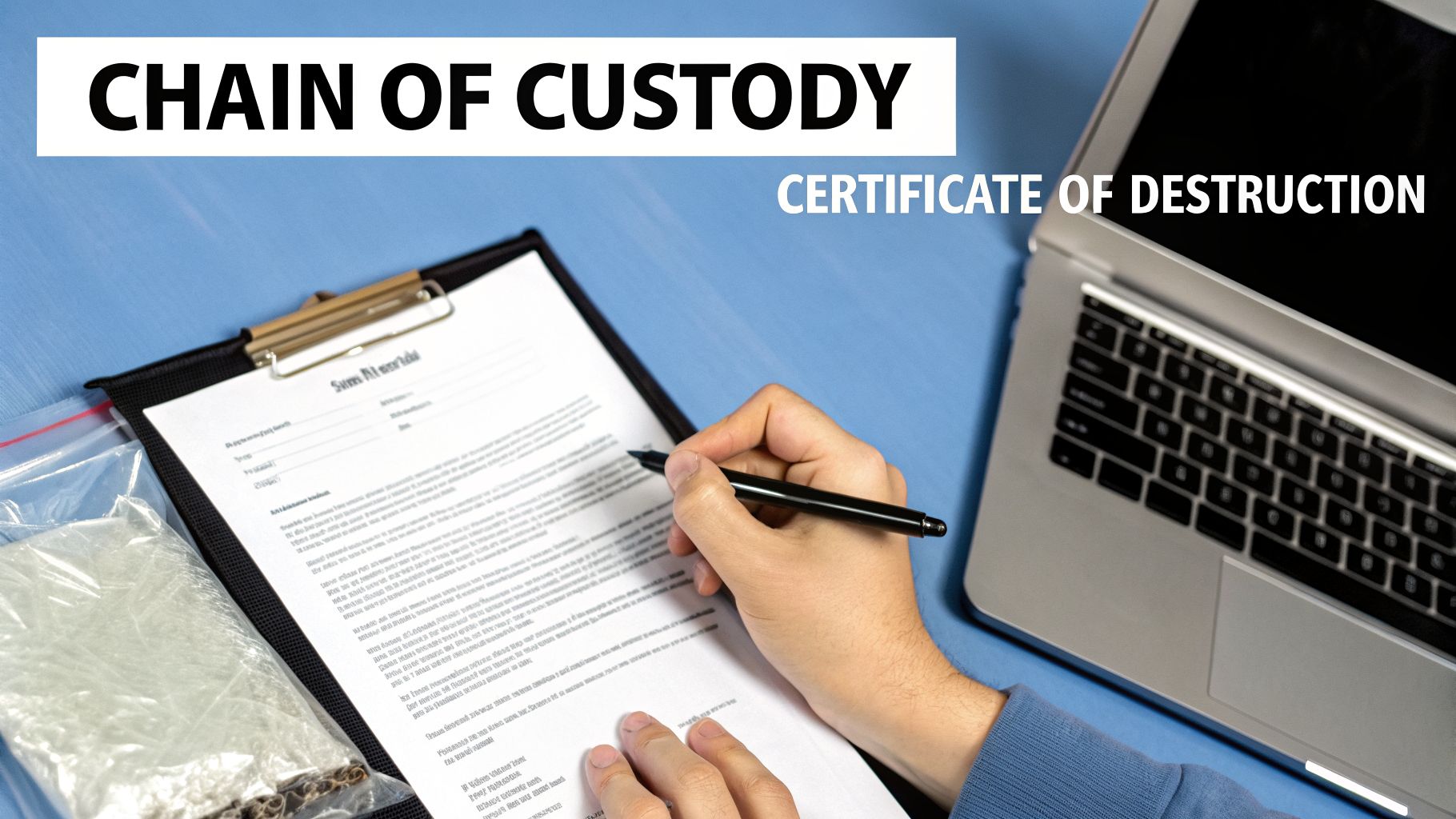
Think about a compliance audit. An auditor isn't going to take your word for it that old hard drives were wiped. They need to see concrete proof. This is where a formal Chain of Custody document becomes indispensable. It’s a detailed log that creates a clear, unbroken trail of possession for your assets from the moment they leave your facility.
A proper Chain of Custody will include pickup details, asset serial numbers, and signatures at every handover point. It eliminates any guesswork and provides the accountability demanded by regulations like HIPAA or SOX.
Differentiating Key Compliance Documents
Once your assets arrive at a secure processing facility, the documentation gets more specific. You’ll receive certificates confirming the fate of your equipment, and it's critical to know the difference between the two main types.
These documents aren't interchangeable. Each one serves a distinct, vital purpose in your overall compliance strategy.
- Certificate of Recycling: This confirms that non-data-bearing electronics—think monitors, keyboards, and printers—were processed in an environmentally sound manner. It certifies that hazardous materials were managed correctly and that usable commodities were kept out of landfills.
- Certificate of Destruction: This is the most important document for your data security. It provides serialized proof that hard drives and other data storage devices were physically destroyed or irretrievably sanitized. This is non-negotiable for any device that has ever held corporate, customer, or employee data.
For most organizations, the Certificate of Destruction provides the ultimate peace of mind. It’s the official, auditable evidence that your data is gone for good, shielding your business from the catastrophic risk of a data breach.
For a deeper look at what these documents should include, our article on obtaining a Certificate of Destruction for hard drives offers comprehensive details. This paperwork is what transforms a simple pickup into a fully documented and defensible compliance event.
Why Industry Certifications Matter
So, how can you be sure your recycling partner actually adheres to the highest standards? The answer is third-party certifications. These aren't just logos for a website; they are hard-won credentials that prove a recycler's commitment to security, environmental responsibility, and ethical operations.
The two most recognized standards in the ITAD industry are R2v3 and e-Stewards. A recycler holding these certifications has passed rigorous audits covering everything from their data security protocols to how they manage their downstream partners. When you choose a certified partner for your computer recycling pickup in Dallas, you are automatically aligning your business with global best practices for risk management.
The amount of e-waste generated in Texas is staggering. As companies face more pressure to manage it responsibly, compliant pickup services are essential. They deliver the chain-of-custody documentation needed to satisfy regulatory demands, divert hazardous materials from landfills, and turn a routine corporate refresh into a responsible, fully documented disposition event. You can learn more about Texas's e-waste management goals and see just how vital this documentation has become.
Common Questions About Computer Recycling in Dallas
Even with a solid plan in place, we find that IT managers and business owners always have a few questions before scheduling a computer recycling pickup in Dallas. It's completely understandable—you're dealing with sensitive data and valuable assets.
We've handled countless pickups across the DFW metroplex, and the same key concerns tend to pop up. Here are the straight-up answers to the questions we hear most often.
How Can I Be Sure My Data Is Truly Destroyed?
This is, without a doubt, the number one question we get. Just handing over a pallet of old hard drives can feel like a massive leap of faith, and it should. Any reputable, certified recycling partner will not only offer multiple data destruction methods but also provide concrete proof of the job done.
The absolute gold standard for data security is on-site physical shredding. A mobile shredding truck comes directly to your facility, and you can physically witness your hard drives, SSDs, and backup tapes being torn into tiny, unrecoverable pieces. Afterward, you’re issued a serialized Certificate of Destruction, which is your official, auditable record that the data has been permanently eliminated.
A Certificate of Destruction isn't just a piece of paper; it's your legal and compliance safeguard. It formally transfers liability for the data from your organization to the recycling partner, providing undeniable proof of secure disposal in case of an audit.
What Types of Equipment Do You Accept?
As a B2B-focused recycler, we handle a massive range of IT and electronic equipment. Our services are built for business-grade technology, but that umbrella covers just about everything you’d find in a modern office or data center.
Here’s a quick rundown of what we typically accept:
- Computers & Servers: Desktops, laptops, all types of servers, and even mainframe equipment.
- Networking Gear: Switches, routers, firewalls, and business telecom systems.
- Data Storage: External hard drives, NAS devices, SANs, and all forms of backup tapes.
- Office Peripherals: LCD and LED monitors, printers, keyboards, mice, and all the cables that come with them.
- Specialized Equipment: We also work with organizations that have unique hardware, like medical devices, lab equipment, and point-of-sale (POS) systems, which often have their own special handling protocols.
If you have some unusual or very old equipment, it's always smart to confirm with us beforehand. As you weigh your options, our guide on finding reliable computer recycling near me can also provide some helpful context.
Is There a Fee for a Computer Recycling Pickup in Dallas?
The answer here really depends on the specifics of the job. Costs are generally shaped by factors like the driving distance to your facility, the amount of labor needed on-site, and the data destruction services you require. For example, on-site shredding is a premium service and has a different cost than off-site data wiping.
However, many business pickups can be done at a very low cost or even for free. This often happens when the equipment still has remarketing value. Newer laptops, servers, and networking gear can frequently be refurbished and resold. The revenue generated from those sales can be used to offset or entirely cover your service fees. Always insist on getting a transparent quote that clearly breaks down any costs and potential value-recovery credits.
Ready to clear out your old IT assets securely and responsibly? At Dallas Fortworth Computer Recycling, we provide certified, compliant, and hassle-free solutions for businesses of all sizes. Schedule your computer recycling pickup today. https://dallasfortworthcomputerrecycling.com