
Finding Computer Recycling Near Me A Guide For Businesses
When you type "computer recycling near me" into a search bar, you're doing more than just looking for a pickup service—you're making a critical decision that impacts your data security, regulatory standing, and brand reputation. For most businesses, that back closet full of old tech isn't just an eyesore; it's a liability, and every single hard drive is a potential data breach waiting to happen.
Why Finding The Right Computer Recycling Is Mission-Critical
For IT managers and data center teams, those overflowing storage rooms packed with outdated desktops, laptops, and servers represent a serious risk. Every unused device isn't just collecting dust; it's a ticking time bomb. Choosing the right recycling partner—whether local or national—is a strategic move to shield your company from massive fines and build trust with your stakeholders.
This isn't just about clearing out space. It's about closing security loopholes for good.
Improperly disposed-of electronics can easily wind up in the wrong hands, exposing sensitive corporate data, private customer information, and valuable intellectual property. The fallout from a single data breach can be financially devastating and cause permanent damage to your company's hard-won reputation.
The True Cost of Inaction
Letting that pile of e-waste sit has tangible costs, both financially and environmentally. In 2019, the world generated a staggering 53.6 million metric tons of electronic waste, yet only 17.4% of it was properly documented and recycled. For a business, that statistic translates directly to heightened risk.
On the flip side, there are incredible benefits of e-waste recycling, from recovering valuable resources to saving massive amounts of energy. For instance, recycling just one million laptops saves enough energy to power 3,660 US households for an entire year, all while recovering precious metals.
The interconnected risks of data exposure, regulatory penalties, and reputation damage create a powerful case for professional IT asset disposition.
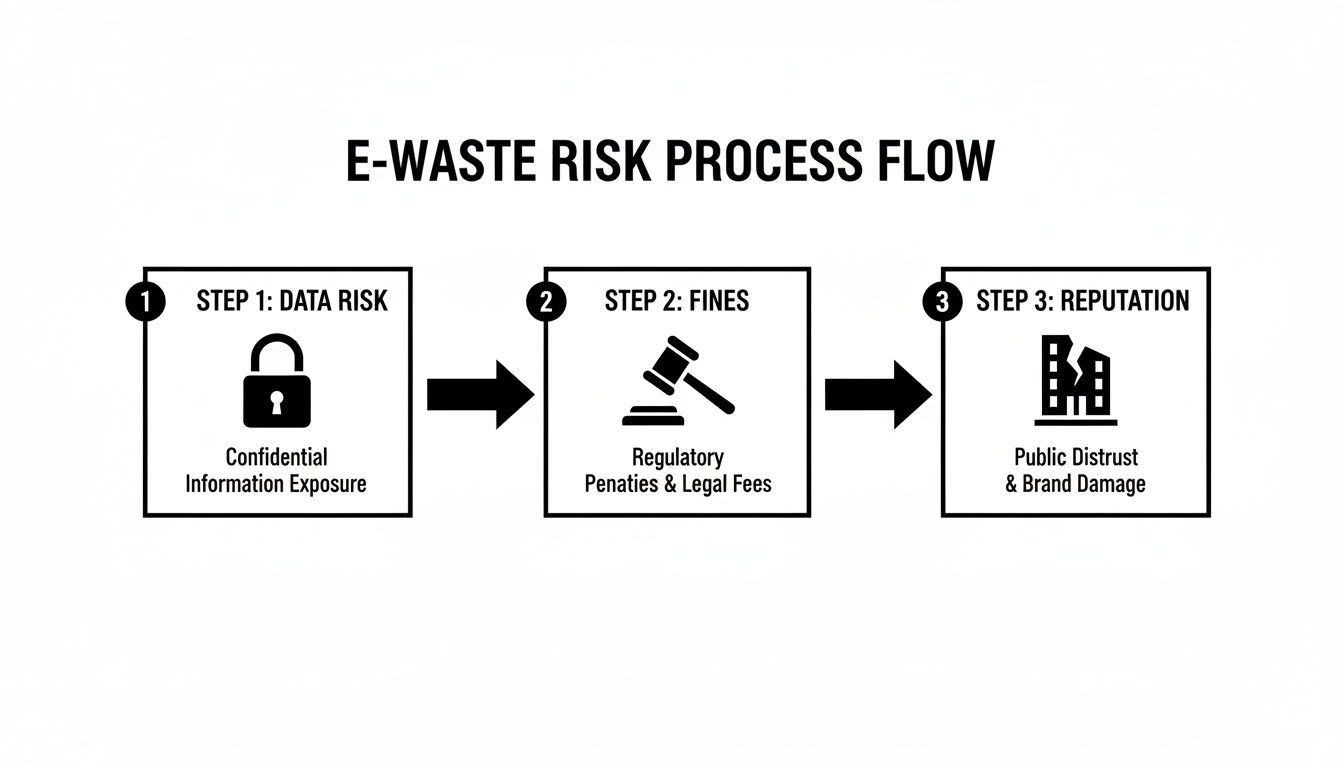
As you can see, one misstep in the disposal process can set off a cascade of negative consequences, starting with a data leak and ending in a complete loss of public trust.
More Than Just Disposal
Ultimately, a professional computer recycling service offers much more than just hauling away your old equipment. It provides a documented, auditable process that proves your organization has met its legal and ethical obligations.
A certified recycling partner delivers peace of mind by providing a clear chain-of-custody for every asset, ensuring your data is destroyed according to industry standards and your hardware is handled responsibly.
This documented trail is your best defense in an audit and a clear signal to customers and stakeholders that you take data security and environmental stewardship seriously. Finding the right "computer recycling near me" is really about finding a partner in risk management.
How To Vet Potential E-Waste Recycling Partners

Just picking the first company that pops up for "computer recycling near me" is a huge gamble. The real difference between a responsible partner and a compliance nightmare is hidden in the details of their process. Moving past a simple search to properly vetting a vendor requires a sharp focus on three key areas: certifications, data security, and environmental accountability.
Doing your homework isn't just a good idea—it's your best defense against data breaches and regulatory fines. Let's dig into exactly what to look for and the questions you absolutely must ask.
Confirm Industry Certifications
Legitimate e-waste recyclers don't just say they're responsible; they prove it. They invest significant time and money into earning third-party certifications that validate their commitment to the highest industry standards. These aren't just logos for a website—they represent tough, ongoing audits of a facility's security, environmental impact, and worker safety.
In the U.S., the two certifications that carry the most weight are R2 and e-Stewards.
- R2 (Responsible Recycling): The latest version, R2v3, is the gold standard. It’s an incredibly thorough framework covering everything from data sanitization and security protocols to how they manage their own downstream vendors.
- e-Stewards: This certification is well-known for its strict, zero-tolerance policy against exporting hazardous e-waste to developing nations, putting a heavy emphasis on responsible materials management.
When talking to a potential partner, don't just take their word for it. Ask for a copy of their current certificate and check its status on the official certifying body's website. If you want a partner who can truly protect your organization, understanding why being an R2 certified electronics recycler is so important is the first step.
Any hesitation from a vendor to provide proof of certification is an immediate red flag. Transparency is everything in this business, and certifications are the bedrock of that trust.
Scrutinize Data Destruction Methodologies
Let's be clear: the single greatest liability in this process is the data on the devices you’re getting rid of. Any professional recycler must offer data destruction methods that meet or exceed recognized standards, and the NIST 800-88 Guidelines for Media Sanitization is the benchmark. This framework lays out precise procedures for purging, clearing, or physically destroying data based on the device and data sensitivity.
To get the full picture of a recycler's capabilities, you need to ask direct, pointed questions.
Here’s a practical example. Say your company is in healthcare and bound by strict HIPAA rules. You can't leave anything to chance. A truly compliant partner should be able to bring a mobile shredder to your facility, physically destroy the hard drives on-site while you watch, and give you a serialized list of every destroyed drive before the shredded metal ever leaves your property. That’s an unbreakable chain of custody.
Investigate Environmental Policies and Downstream Audits
So, where do your old computers really end up? It’s a question too many IT managers overlook, but it's vital for environmental compliance and protecting your company’s reputation. A reputable recycler will be completely transparent about their downstream partners—the other specialized companies they use to process materials like plastics, circuit boards, and precious metals.
A vague answer like, "Oh, we recycle everything responsibly," just doesn't cut it. You need proof.
A partner genuinely committed to environmental stewardship will be proud to show you their playbook. They’ll detail how they prioritize reuse and refurbishment to extend an asset's life and how they ensure that what can't be reused is handled by other certified, audited vendors. For any organization serious about sustainability and minimizing risk, this level of transparency isn't just nice to have—it's non-negotiable.
Finding the right partner takes more than a quick search. You need to ask tough questions that force potential vendors to prove their worth. To help you with this, we’ve put together a quick checklist.
Key Questions To Ask Potential E-Waste Recycling Partners
These questions are designed to cut through the sales pitch and get to the heart of a recycler's security, compliance, and environmental practices.
| Area of Concern | Crucial Question to Ask | Why It Matters (The 'Red Flag' to Watch For) |
|---|---|---|
| Certifications | "Can you provide a copy of your current R2 or e-Stewards certificate?" | Red Flag: Hesitation, providing an expired certificate, or having no certifications at all. This suggests a lack of independent oversight. |
| Data Security | "What specific methods do you use to comply with NIST 800-88, and can you provide a serialized Certificate of Destruction?" | Red Flag: Vague answers like "we wipe the drives" or offering only a generic, batch certificate. This indicates a weak audit trail. |
| Chain of Custody | "Describe your chain-of-custody process from the moment our assets leave our facility to their final disposition." | Red Flag: A process that isn't fully documented, uses unsecured vehicles, or can't track individual assets. |
| Downstream Vetting | "How do you audit your downstream partners, and can you provide documentation tracing our assets?" | Red Flag: Inability to name their partners or provide proof of their vetting process. This is how e-waste ends up in landfills. |
| On-Site Services | "Do you offer on-site hard drive shredding, and what is the process for witnessing and documenting it?" | Red Flag: A "no" to on-site services, or an overly complicated and expensive process. This limits your security options. |
| Reporting | "What kind of reporting can we expect? Can you provide a sample report?" | Red Flag: Offering only basic reports without asset-level detail (serial numbers, make, model). This hinders compliance and auditing. |
Using this table as a guide during your vetting process will ensure you cover all your bases, helping you find a partner who doesn't just take your old equipment but actively protects your organization.
Preparing Your IT Assets For Secure Pickup
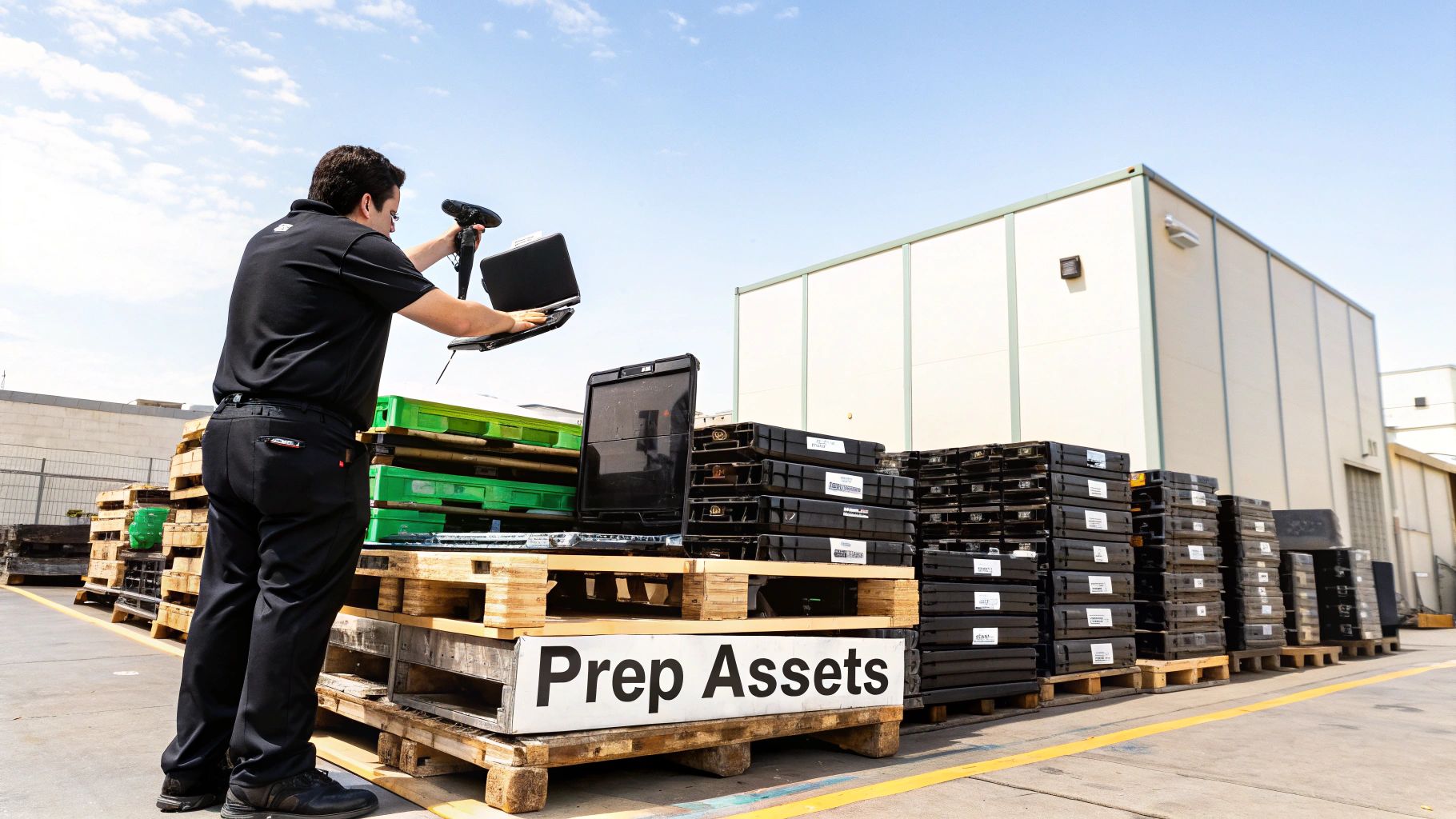
A smooth, secure handover of your retired IT equipment doesn't start when the truck arrives. It begins with smart internal preparation. Getting your assets organized before the pickup is one of the most effective ways to guarantee the entire process is efficient, auditable, and secure from start to finish.
This prep work is much more than just tidying up a storage closet. It’s an operational necessity that directly impacts the accuracy of your final reports, the security of your data, and the speed of the disposition project. Doing it right makes your job easier and helps your chosen recycling partner deliver the precise documentation you need to prove compliance.
Create A Detailed Asset Inventory
First things first: you need to know exactly what you’re getting rid of. Creating a detailed inventory is the foundation of a defensible chain-of-custody. This list has to be more than a simple head count of desktops and laptops; it needs specifics for auditing.
A simple shared spreadsheet is often the best tool for the job. It’s collaborative, easy to update, and can be shared directly with your recycling vendor.
Your inventory should capture the following for each asset:
- Asset Tag Number: Your internal identifier for the device.
- Serial Number: The manufacturer’s unique ID, which is critical for tracking.
- Device Type: (e.g., Laptop, Desktop, Server, Switch)
- Make and Model: (e.g., Dell Latitude 7420, HP ProDesk 600 G5)
- Physical Location: (e.g., Building A, Storage Closet 3B)
This level of detail is what allows the final report from your recycler to match your records perfectly, creating that closed-loop audit trail. This is your first line of defense if an auditor ever questions what happened to a specific device.
Segregate and Prioritize High-Risk Assets
Not all devices carry the same data risk. A network switch or a monitor is one thing, but a server that once held sensitive customer data or a laptop used by a C-suite executive is another story entirely. Separating these devices is a smart security practice.
Go through your inventory and identify assets that contain personally identifiable information (PII), financial records, or proprietary company data. These devices should be physically separated from the general e-waste and clearly marked for priority handling. For instance, you could put all high-risk hard drives into a locked container or designate a specific pallet for devices that need on-site data destruction.
By flagging high-risk assets, you empower your recycling partner to apply the most secure data destruction methods where they matter most, ensuring compliance with regulations like HIPAA or FACTA.
This proactive step demonstrates due diligence. It also helps streamline the data destruction process once the equipment gets to the recycling facility, as your recycler can immediately pull those items for the specific security protocol you require—whether that’s a seven-pass data wipe or immediate physical shredding. You can learn more about how to dispose of old computers safely in our detailed guide.
Consolidate and Stage Equipment For Pickup
With your inventory complete and high-risk assets segregated, the final step is getting the equipment ready for a smooth logistical handover. Messy piles of loose equipment are inefficient and increase the risk of damage or loss during transit.
Securely stack desktops, servers, and other hardware onto pallets. Use shrink wrap to secure the load and prevent anything from shifting or falling off. This not only makes the pickup faster and safer for the logistics team but also helps keep your inventoried equipment organized and accounted for.
Here are a few pro tips for staging:
- Label Everything: Attach a printed copy of your inventory list to each pallet it corresponds to. This simple action helps the pickup crew verify the load on-site and avoids confusion.
- Clear a Path: Make sure there is a clear, unobstructed path from your storage area to the loading dock or pickup point.
- Confirm Logistics: Let your recycling partner know ahead of time how many pallets to expect and if there are any special access requirements, like security check-ins or specific loading dock hours.
This kind of thorough preparation transforms a potentially chaotic pickup into a predictable, professional, and secure event. It sets the stage for a successful partnership and ensures you get the accurate, auditable reports needed to close the loop on your asset disposition project.
The Real Costs and Benefits Of E-Waste Compliance
For many IT departments, finding a "computer recycling near me" service gets lumped in with other operational expenses—just another line item on the budget. But thinking of professional IT Asset Disposition (ITAD) as a simple cost is a fundamental misunderstanding of its value. This isn't about disposal fees; it's an investment in risk management with a direct, measurable impact on your company's bottom line.
Failing to manage e-waste properly isn’t a neutral choice. It’s an active acceptance of serious financial and regulatory risk. The real costs don't show up on a recycling invoice—they surface in the catastrophic aftermath of a compliance failure.
The Financial Equation Beyond Pickup Fees
At first glance, the money part seems simple: you pay a fee, and old equipment gets hauled away. A sophisticated ITAD partner completely changes that dynamic. Many retired assets, especially servers and enterprise-grade laptops, are packed with recoverable precious metals like gold, silver, palladium, and copper.
With large volumes of equipment, the commodity value of these materials can often offset or even exceed the cost of the recycling service. Suddenly, a potential expense becomes a cost-neutral or even revenue-positive activity. But the most critical financial calculation has nothing to do with scrap metal—it's about avoiding risk.
Think about it this way: a single improperly disposed-of laptop containing customer data leads to a breach. The average cost of a data breach now tops $4.45 million. That nominal fee for certified data destruction now looks like the smartest investment your department could have possibly made.
Navigating The Treacherous Waters Of Compliance
This is where partnering with a certified recycler becomes completely non-negotiable, especially for businesses in regulated industries. A complex patchwork of stringent laws governs data privacy, and the penalties for getting it wrong are severe.
- HIPAA (Health Insurance Portability and Accountability Act): For any healthcare organization, a single lost hard drive with patient data can trigger fines reaching up to $1.5 million per violation category, per year.
- GDPR (General Data Protection Regulation): If you handle data belonging to EU citizens, violations can cost you up to €20 million or 4% of your global annual revenue, whichever is higher.
- FACTA (Fair and Accurate Credit Transactions Act): This law mandates the proper destruction of consumer information. Failing to comply can lead to significant federal and state penalties, not to mention expensive class-action lawsuits.
These regulations aren't just suggestions; they are legal requirements with real teeth. A certified recycler provides the documented proof—like a serialized Certificate of Data Destruction—that serves as your evidence of due diligence when auditors and regulators come knocking. Understanding the environmental impact of electronic waste adds another critical layer of corporate responsibility to this equation.
A Market Driven by Risk and Regulation
The intense pressure for secure, compliant recycling is fueling a massive industry shift. Short device lifespans and strict data security mandates have turned professional e-waste management from a niche service into a critical business function.
The business electronics e-waste recycling market, valued at $3.436 billion in 2025, is projected to grow at a 9.1% CAGR through 2033. This growth sends a clear signal: for IT directors, partnering with professionals to handle retired desktops and laptops isn't optional—it's essential for dodging costly GDPR or HIPAA violations. You can find more details in this market analysis of the business electronics e-waste recycling industry.
This explosive growth means more vendors are out there, but it also underscores the absolute need for careful vetting. The right partner understands that their service isn't just about recycling metal and plastic; it's about protecting their clients from catastrophic financial and reputational harm. They see themselves as an extension of your own compliance and security team.
When you engage a certified ITAD provider, you are proactively managing risk, satisfying auditors, and protecting your company’s most valuable assets: its data and its reputation.
Verifying The Job Is Done With Proper Documentation
Finding a "computer recycling near me" partner doesn't end when the truck drives away. For any IT manager serious about security and compliance, the most critical part of the job is just beginning. This is the verification stage, where all your due diligence pays off.
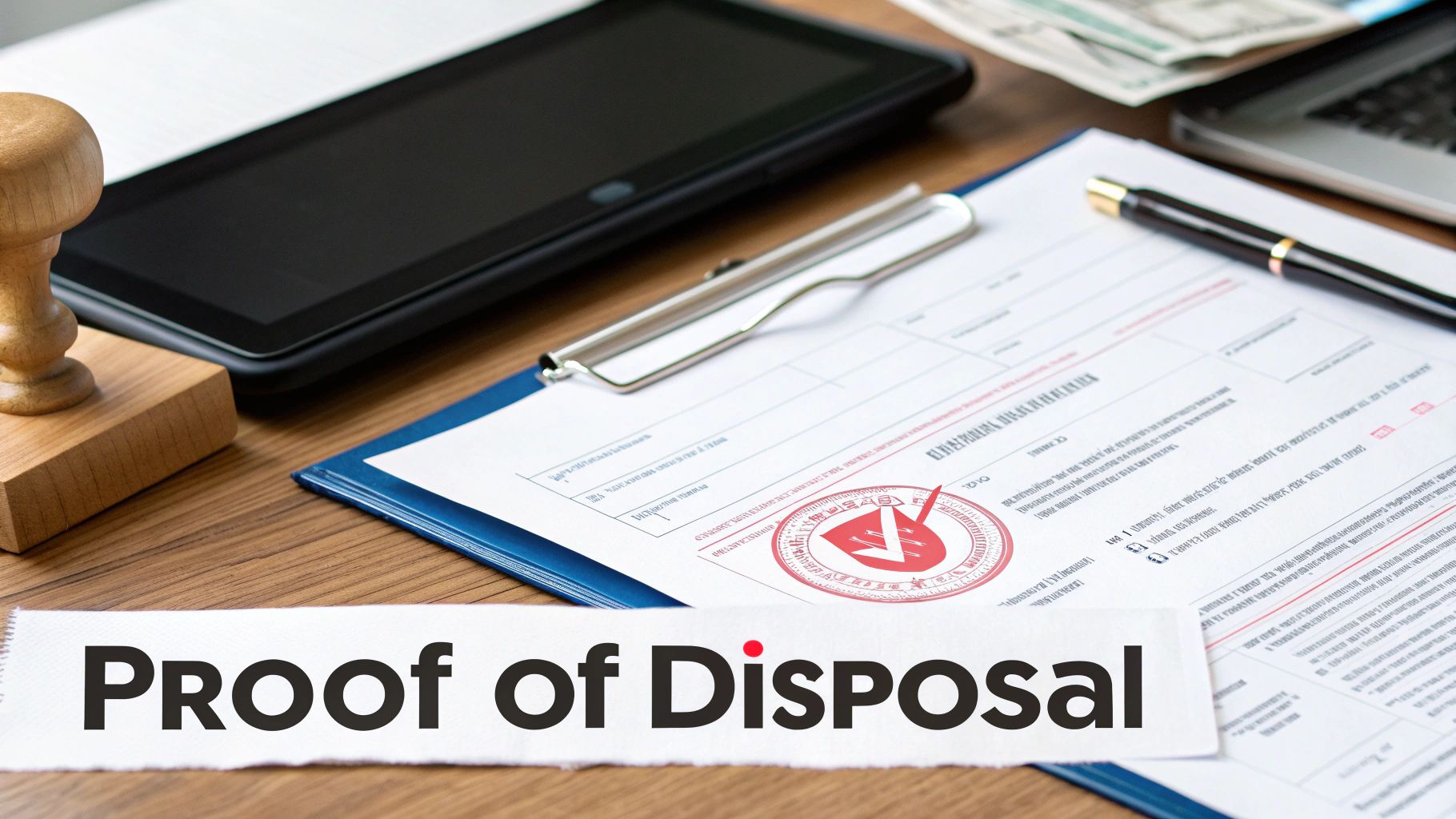
It’s all about the paperwork. Without the right documentation, you have zero tangible proof that your data was destroyed or your old equipment was handled responsibly. This documentation is your shield during an audit and the ultimate proof that you did everything by the book.
The Detailed Inventory Reconciliation Report
The very first piece of paper you should expect is a final, detailed inventory report. I'm not talking about a simple bill of lading. This needs to be a granular, serialized list you can hold up against the initial inventory you took before the pickup.
A proper reconciliation report must include:
- Matching Serial Numbers: Every single device should have a serial number that lines up perfectly with your asset list.
- Final Disposition Status: The report needs to clearly state what happened to each asset—was it refurbished, dismantled for parts, or sent for material recovery?
- Date of Processing: Key dates provide a clear, auditable timeline for your records.
Think about it. When an auditor asks about a specific laptop retired six months ago, you can pull this report, point to the serial number, and show exactly when and how it was processed. That's how you close compliance gaps instantly.
The All-Important Certificate of Data Destruction
This is the document that matters most. A Certificate of Data Destruction (CoD) is a formal, legally binding paper confirming that all data on your devices was permanently and irreversibly destroyed. It's your official proof of data sanitization.
A generic certificate stating "100 hard drives destroyed" is worthless. A truly auditable CoD is serialized, listing the individual serial number of every single hard drive or SSD that was wiped or physically shredded. You can learn more about what makes a proper certificate of destruction for hard drives in our detailed guide.
This serialized link between a device and its destruction is non-negotiable. It creates an unbroken chain of custody that satisfies strict regulations like HIPAA, FACTA, and GDPR.
Understanding Your Environmental Impact Summary
Beyond data security, a top-tier recycling partner will provide a report detailing the environmental impact of your project. This summary turns your IT asset disposal project into a measurable win for your company's sustainability goals.
This report typically breaks down metrics like:
- Total weight of e-waste diverted from landfills.
- Pounds of hazardous materials (like lead and mercury) safely recovered.
- Estimates of recovered commodities such as steel, aluminum, and precious metals.
This paperwork is invaluable for Corporate Social Responsibility (CSR) and Environmental, Social, and Governance (ESG) reporting. It gives your leadership team concrete data to prove a real commitment to sustainability.
This level of detailed reporting is especially critical today. By 2022, global e-waste hit 62 million tonnes, but only a dismal 22.3% was properly recycled. Choosing a certified partner with transparent reporting ensures your assets don’t become part of the problem and gives you documented proof of your compliance.
Common Questions About Corporate Computer Recycling
Even with a solid plan, you're bound to have questions when managing an IT asset disposition project. Juggling data security, costs, and logistics can feel like a lot, but getting the right answers clears the path. Here are the most common questions we hear from IT managers and business owners looking for a local computer recycling partner.
We've kept the answers direct and practical to give you the clarity you need to move forward with confidence, knowing your company’s assets are handled securely and responsibly from start to finish.
How Much Does Computer Recycling Cost?
This is usually the first question, and the honest answer is: it depends. Most professional ITAD partners base their pricing on the type and volume of equipment you have. For large batches of relatively new laptops or servers, the service can often be cost-neutral or even generate a return for your business.
How? Through value recovery. Your retired assets still contain valuable components and precious metals that can be refurbished or reclaimed. A reputable recycler will assess the fair market value of your equipment and credit it against service fees for logistics, data destruction, and processing.
Here’s a quick look at what influences the final cost:
- Asset Value: Newer, higher-spec equipment like enterprise servers or recent-model laptops has more resale value, which can offset or eliminate your costs.
- Logistics: The distance to your facility, the number of pallets, and any special needs (like on-site packing) can affect the transportation price.
- Data Destruction Method: On-site hard drive shredding is typically more expensive than off-site data wiping because it requires specialized equipment and on-site labor. However, it offers the highest level of security assurance.
- Hazardous Materials: Older items like CRT monitors or certain batteries often have a net recycling cost due to the hazardous materials they contain.
Always ask for an itemized quote that clearly explains any potential fees and credits.
A transparent partner will never hide costs. They should be able to explain exactly how they calculate value and what services are included, ensuring you don't face any surprise charges on the final invoice.
Do We Need to Wipe Hard Drives Before Pickup?
While it might seem like a good idea, wiping drives internally is often unnecessary and can even be less secure if it's not done correctly. Certified ITAD vendors use enterprise-grade software and hardware that meets NIST 800-88 standards for media sanitization—a benchmark your internal tools might not hit.
A professional recycler’s entire workflow is built around a secure chain of custody. This means your devices are transported in locked, GPS-tracked vehicles and processed in a secure, access-controlled facility. They are set up to handle drives with sensitive data as a standard part of their daily operations.
Letting your certified partner handle data destruction gives you two key advantages:
- Liability Transfer: The moment they take custody of your assets, the responsibility for data security shifts to them.
- Auditable Proof: You get a serialized Certificate of Data Destruction, a legally defensible document proving every single drive was properly sanitized.
In short, you don't need to wipe the drives yourself. Focus on your inventory list and let the experts provide the certified, documented destruction required for compliance.
What Happens to Our Old Computers After They Are Recycled?
This is a critical question that hits on both environmental responsibility and data security. A reputable, certified recycler follows a strict "disposition hierarchy" designed to maximize sustainability and resource recovery. Your assets don't just get dumped in a landfill.
First, every device is triaged to see if it can be reused. If a laptop, desktop, or server is still functional and has market value, it will be securely refurbished and resold. This is by far the most eco-friendly option, as it extends the product's life and reduces the demand for new manufacturing.
For equipment that's too old or broken for reuse, the focus turns to responsible recycling.
- Demanufacturing: Devices are carefully dismantled into their core components—circuit boards, plastic casings, metal frames, and power supplies.
- Material Recovery: These separated materials are then routed to specialized downstream partners who extract and refine commodities like copper, aluminum, gold, and plastic.
- Hazardous Waste Management: Toxic materials such as lead, mercury, and cadmium are isolated and managed according to strict environmental regulations to prevent pollution.
A certified partner will be able to give you transparent reporting on their downstream vendors, proving that every piece of your old equipment was handled the right way.
What Is the Difference Between R2 And e-Stewards Certification?
When you start vetting local computer recycling services, you'll see these two certifications pop up constantly. Both are excellent signs that a recycler is committed to high standards, but they have slightly different points of emphasis.
| Feature Comparison | R2 (Responsible Recycling) | e-Stewards |
|---|---|---|
| Primary Focus | A balanced approach covering environmental, health, safety, and data security practices. | A strong emphasis on preventing the export of hazardous e-waste to developing countries. |
| Global Reach | Widely adopted globally, with a flexible framework that can be adapted to various regions. | Known for its strict, globally consistent standard against toxic waste exports. |
| Data Security | Mandates data sanitization in accordance with recognized standards like NIST 800-88. | Also requires rigorous data security protocols, ensuring data is destroyed before assets are processed. |
| Downstream Vetting | Requires certified recyclers to track and verify their downstream partners. | Enforces a very strict chain of custody to ensure no hazardous materials are improperly exported. |
At the end of the day, a vendor with either R2v3 (the latest version) or e-Stewards certification has passed rigorous third-party audits. Choosing a partner with one of these credentials is one of the most effective ways to mitigate risk and ensure your company is working with a legitimate, responsible provider.
Ready to simplify your IT asset disposition? At Dallas Fortworth Computer Recycling, we provide secure, compliant, and nationwide recycling services tailored for businesses like yours. Schedule your free pickup today and let our experts handle the rest.