
Electronics Recycling Scottsdale AZ: Secure Business Data
You probably have some version of this sitting in your environment right now: a closet with retired laptops, a shelf of failed switches, a stack of monitors after an office refresh, or a pallet of mixed equipment from a relocation. Nobody wants to own it. Finance sees scrap. Facilities sees junk. IT knows better.
For a Scottsdale organization, electronics recycling isn't a cleanup task. It's a data security event, a compliance event, and a chain-of-custody event. If one server, laptop, phone, or copier leaves your control without a documented process, you've created a governance problem that can outlast the hardware itself.
That is why Electronics Recycling Scottsdale AZ should be handled like any other risk-managed IT workflow. The right process protects data, separates reusable assets from regulated waste, and gives your organization the paperwork to prove it acted responsibly.
Understanding Your Recycling Obligations in Scottsdale
Scottsdale gives residents a way to recycle electronics. Businesses should not mistake that for a business-grade disposition program.
According to the City of Scottsdale electronics recycling page, the city's official program is not a curbside or general drop-off service. Residents may use appointment-based services or scheduled events, and the city lists four 2026 collection dates, February 7, April 4, October 3, and December 5, from 7:30 a.m. to 2 p.m. The same page says the program excludes business waste, CRT monitors, and fluorescent bulbs.
That single detail changes the conversation for any IT director. If your organization is decommissioning office endpoints, clearing a branch location, or rotating out storage gear, the municipal option is not your path.
Why business electronics need a different process
A commercial disposition project has three requirements that municipal collection programs aren't built to handle:
- Documented ownership transfer so you can show where each asset went
- Controlled data destruction before equipment moves downstream
- Disposition records that satisfy internal audit, legal, procurement, and security teams
A truckload of mixed devices isn't just material to remove. It's a set of assets with different risk profiles. A keyboard and a hard drive don't belong in the same compliance category. Neither do a flat-panel monitor and a multifunction printer with local storage.
Practical rule: If a device ever stored, cached, transmitted, or processed business data, treat disposal as part of your security program, not your janitorial program.
Organizations usually need a formal IT asset disposition workflow, not an ad hoc haul-away. If your team needs a baseline definition, this overview of what IT asset disposition means in practice is a useful starting point.
The real exposure sits in two places
First, there is data liability. Improper retirement of laptops, phones, servers, copiers, external drives, and network appliances can create exposure under privacy, contractual, or sector-specific obligations. The exact rule set depends on your business, but the pattern is consistent. Regulators and counterparties care less about your intent than your controls.
Second, there is environmental handling. Electronics contain components that can't be treated like ordinary office trash. Some devices are straightforward to route. Others require specific downstream handling, especially older or specialized equipment.
A Scottsdale business also has a practical constraint. The city's resident-focused service accepts a defined set of items and excludes others, which is another reason commercial operations need a separate channel rather than trying to fit business disposition into a residential framework.
What works and what fails
What works is a process owned by IT, security, procurement, or operations with clear handoffs and vendor controls.
What fails is the common shortcut:
- Facilities schedules a pickup without asset records
- Users say they “deleted everything”
- Mixed equipment leaves the building without serial tracking
- Weeks later, nobody can match what was removed to what was destroyed or recycled
That isn't recycling. It's unmanaged risk with a receipt attached, if you're lucky enough to get even that.
Preparing Your Assets for Secure Disposition
Before any vendor touches your equipment, your internal preparation decides whether the project stays controlled or turns chaotic. The strongest recyclers can only document what your organization identifies and segregates correctly.
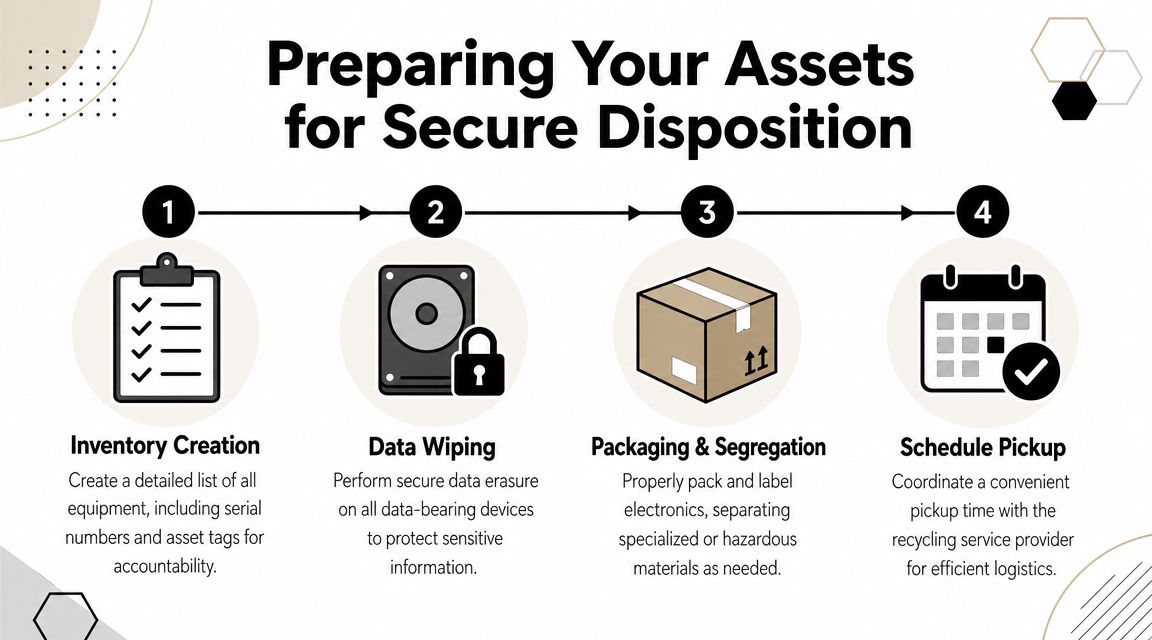
Start with inventory, not boxes
The basic mistake is boxing equipment first and sorting later. That approach saves a few minutes on day one and creates hours of reconciliation work afterward.
Build an inventory before removal. At minimum, log:
- Device type such as laptop, desktop, server, switch, phone, printer, or monitor
- Manufacturer and model so downstream handling is easier
- Serial number or asset tag because item-level traceability matters
- Data-bearing status so your team knows which assets require sanitization controls
- Final intent such as recycle, destroy, redeploy, or evaluate for resale
One documented regional commercial workflow uses intake and inventory by serial number, followed by data destruction before any downstream processing, then certificate issuance and routing into domestic recycling channels, as described in this commercial e-waste partner workflow overview.
That sequence matters. It gives you an auditable path instead of a pile count.
Deletion is not sanitization
If an employee says a laptop was “wiped” because files were deleted or the machine was reformatted, assume the data is still recoverable until a controlled method says otherwise.
For business assets, your options usually fall into three buckets:
- Software wiping for drives you intend to keep in reuse or resale channels
- Degaussing where appropriate in highly controlled destruction environments
- Physical destruction for failed drives, high-risk media, or devices that can't be reliably sanitized
The same documented workflow notes that hard drives and SSDs can be wiped on a standalone, network-isolated unit using a DoD 5220.22-M 7-pass method, and that the resulting Certificate of Data Destruction records the destruction method, drive serial numbers, equipment used, and completion date. If your team needs a technical primer, this guide on how to wipe a hard drive completely helps separate consumer shortcuts from defensible business practice.
Delete, quick-format, and factory reset are user actions. Sanitization is a controlled process with logs, method, and verification.
Segregate assets before pickup day
Mixed loads cause avoidable mistakes. Separate your material into handling groups before the truck arrives.
- Data-bearing devices should be staged together and clearly marked for wipe or destruction.
- Peripherals and low-risk accessories such as keyboards, mice, and cables can move in bulk streams.
- Special handling items like CRTs or certain batteries should be isolated because they may follow different acceptance rules or fee structures.
- Potential value-recovery equipment should not get tossed into a scrap gaylord with broken hardware.
A clean staging plan also speeds the vendor's intake. That means fewer discrepancies, fewer callbacks, and less debate later about whether a device was included.
Assign one internal owner
Every project needs one person who can answer questions on-site. Usually that's an IT manager, asset manager, or infrastructure lead.
That person should control three decisions:
| Decision area | What must be confirmed internally |
|---|---|
| Asset scope | What is leaving, and what is staying |
| Data treatment | Which items require wipe, shred, or other sanitization |
| Approval path | Who signs off on final inventory and disposition records |
Without that owner, pickup crews end up taking direction from whoever is available. That's when mislabeled pallets, missing drives, and undocumented exceptions start showing up.
Evaluating Electronics Recycling Vendors
Most vendor mistakes happen before the first pickup. They happen in procurement, when a business compares electronics recyclers as if they're all selling the same service.
They're not.
In the Scottsdale market, serious providers distinguish themselves with R2v3, ISO, and NAID AAA credentials. One Scottsdale-area provider states its local operation is certified to R2v3 and ISO standards, and another reports NAID AAA and R2v3 certifications while offering free business pickup Monday through Friday, 8:00 a.m. to 5:00 p.m., as described on this Scottsdale electronics recycling service page. Those credentials matter because enterprise disposition depends on auditability, controlled data destruction, and responsible downstream handling.
Certifications are a screening tool, not decoration
A certificate logo on a homepage isn't enough. Ask what the certification governs in the vendor's operation.
A capable partner should be able to explain:
- how assets are logged
- when data destruction occurs in the workflow
- what records you receive
- how they manage downstream vendors
- how exceptions are handled for failed, damaged, or nonstandard equipment
If a sales rep can't walk through those controls in plain language, the certification isn't helping you operationally.
This is also where third-party audit expectations for ITAD vendors become useful. External review doesn't eliminate risk, but it does help separate documented process from marketing language.
What chain of custody looks like in real life
Chain of custody sounds abstract until something goes wrong. Then it becomes the first thing legal, security, and compliance ask for.
In practical terms, it means your organization can show:
- what assets were handed over
- when custody changed
- who received them
- how data-bearing items were treated
- what final disposition occurred
If a vendor only provides a generic weight ticket or a one-line invoice, that's not enough for a business-grade retirement project.
A recycler should be able to prove what happened to your assets without relying on memory, email threads, or handwritten notes.
Certified ITAD partner vs uncertified recycler
Here is the comparison that matters when you're evaluating Electronics Recycling Scottsdale AZ providers.
| Feature | Certified ITAD Partner | Standard Uncertified Recycler |
|---|---|---|
| Asset intake | Item-level intake with serial-based controls | Often bulk acceptance with limited item traceability |
| Data destruction | Documented methods and formal records | May rely on informal assurances or customer assumption |
| Chain of custody | Defined custody transfer and auditable handling | Limited visibility once material leaves your site |
| Downstream accountability | Structured routing through approved channels | Downstream vendors may be unclear |
| Reporting | Certificates and detailed project documentation | Basic receipt or commodity-style invoice |
| Specialized assets | More likely to separate reuse, destruction, and regulated streams correctly | More likely to treat mixed loads as scrap |
| Audit readiness | Built for security, legal, and procurement review | Weak support if an internal or external audit occurs |
The low-cost option often looks efficient because it removes clutter quickly. But speed without records is expensive when a finance review, cyber incident review, or customer questionnaire asks for proof.
Questions that reveal the real vendor
Don't ask only for pricing. Ask for process detail.
Use questions like these:
- When is data destroyed? If the answer isn't before downstream processing, keep digging.
- What identifier do you track? Serial numbers are the cleanest benchmark for asset-level accountability.
- What paperwork do you issue? You want more than a pickup confirmation.
- How do you handle nonworking drives? Failed media still contains data.
- Who handles downstream material? Responsible routing matters as much as front-end collection.
The right vendor sounds operational. The wrong one sounds vague.
Coordinating Logistics Pickup vs Drop-Off
For a business, drop-off is usually the wrong model. It creates avoidable custody gaps, consumes staff time, and increases the chance that equipment leaves your site without proper records.
A scheduled pickup is cleaner. Your team controls staging. The vendor controls transport. Both sides can match inventory at the point of handoff.
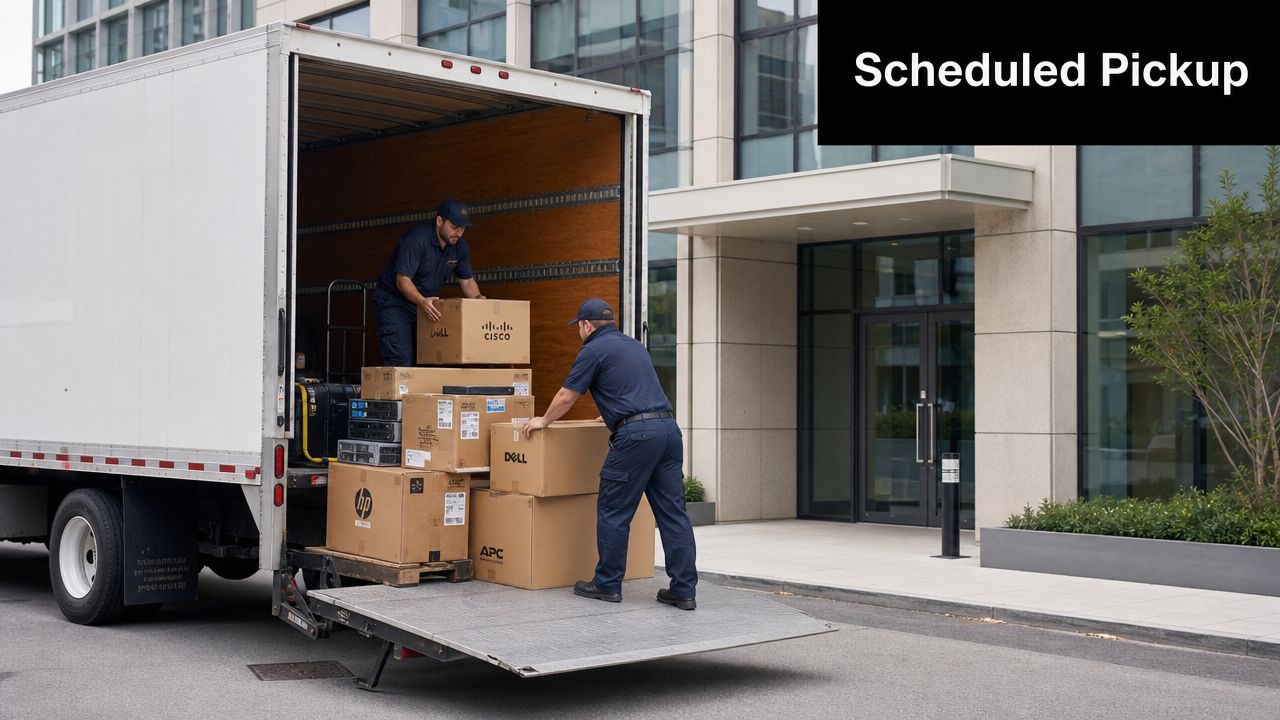
What a professional pickup should include
A proper business pickup isn't just a truck at the curb. It should look coordinated before the crew arrives.
Expect the vendor to ask for:
- Inventory scope so they know what equipment is coming
- Building details such as loading dock access, elevators, stairs, or security procedures
- Site contact who can release assets and answer exceptions
- Packaging status including whether equipment is boxed, palletized, or loose
If your organization needs a benchmark for service expectations, this overview of business electronics pickup coordination reflects the kind of planning that prevents day-of confusion.
How to stage the load
You don't need warehouse perfection, but you do need order.
Group assets by category. Keep data-bearing equipment separate from accessories. Label anything that should not leave the site. If you have pallets, use them. If you don't, at least create clearly defined zones for pickup crews.
That staging discipline does two things. It shortens on-site handling time, and it reduces disputes over what was collected.
Pickup beats employee carloads
I've seen organizations try the “everyone bring old gear to the recycler” approach. It feels practical until someone forgets a box in a trunk, mixes company devices with personal electronics, or drops assets at a location that can't issue the right records.
If your assets matter enough to inventory, they matter enough to move under controlled pickup.
Drop-off can work for a resident with one dead printer. It does not scale for an office refresh, a branch closure, or a data center cleanout. Once the volume rises, the cost of informal handling quickly outweighs any perceived convenience.
Managing Specialized and High-Value Assets
The easy part of electronics recycling is usually the commodity material. Old keyboards, broken monitors, and cable bins don't create many strategic decisions. The harder part is the equipment that carries either higher risk or higher residual value.
That includes server hardware, storage arrays, networking gear, medical devices, lab equipment, and newer endpoint fleets that may still have remarketing potential.

Data center gear needs a different playbook
A Scottsdale office cleanout and a Scottsdale data room decommissioning are not the same project.
With servers, blade chassis, SAN gear, firewalls, and rack-mounted appliances, the risk sits in both the media and the complexity of removal. You may be dealing with:
- drives spread across multiple enclosures
- rail-mounted hardware that needs careful extraction
- appliances with hidden storage
- redundant components that can be redeployed if identified early
A disciplined team separates the project into two tracks. One track handles media accountability and destruction. The other handles physical removal, resale review, and recycling.
That distinction matters because not every retired server is scrap. Some units belong in destruction streams. Others may still fit secondary-use markets if they are tested, complete, and documented properly.
Healthcare and lab environments add another layer
A healthcare clinic or laboratory usually has mixed-risk equipment. Some devices contain storage. Others don't. Some can move through standard electronics channels. Others require extra internal review because of the way they were used or what systems they touched.
The recurring mistake is treating all regulated environments as if the answer is “destroy everything.” That's safe in the narrowest sense, but it often wastes recoverable equipment and doesn't replace the need for documentation anyway.
A better approach is selective control:
- identify data-bearing components first
- remove or sanitize media under documented procedures
- separate specialty equipment from general office electronics
- confirm whether the recycler has actual experience with those categories
Recovery value should be considered before scrap decisions
IT directors often inherit a pile of retired assets after the useful planning window has already passed. At that point, everything looks obsolete. That can be an expensive assumption.
Functional business laptops, recent desktops, enterprise networking equipment, and some server components may qualify for remarketing or reuse rather than straight recycling. The key is to evaluate that path before devices are physically damaged, mixed with low-grade scrap, or stripped of components without records.
This isn't just a finance issue. It is an operations issue. Value recovery offsets project cost, and it also pushes more equipment into reuse channels instead of premature destruction.
The best disposition outcome is not always the one that destroys the most hardware. It's the one that applies the right control to the right asset.
Donation can also make sense for selected equipment if your organization has CSR goals and the devices are appropriate for secondary users. But donation should still follow the same front-end discipline: inventory, data sanitization, and documented transfer.
Finalizing Your Project with Auditable Documentation
If the truck left and all you received was “everything was taken care of,” the project is not closed. It's exposed.
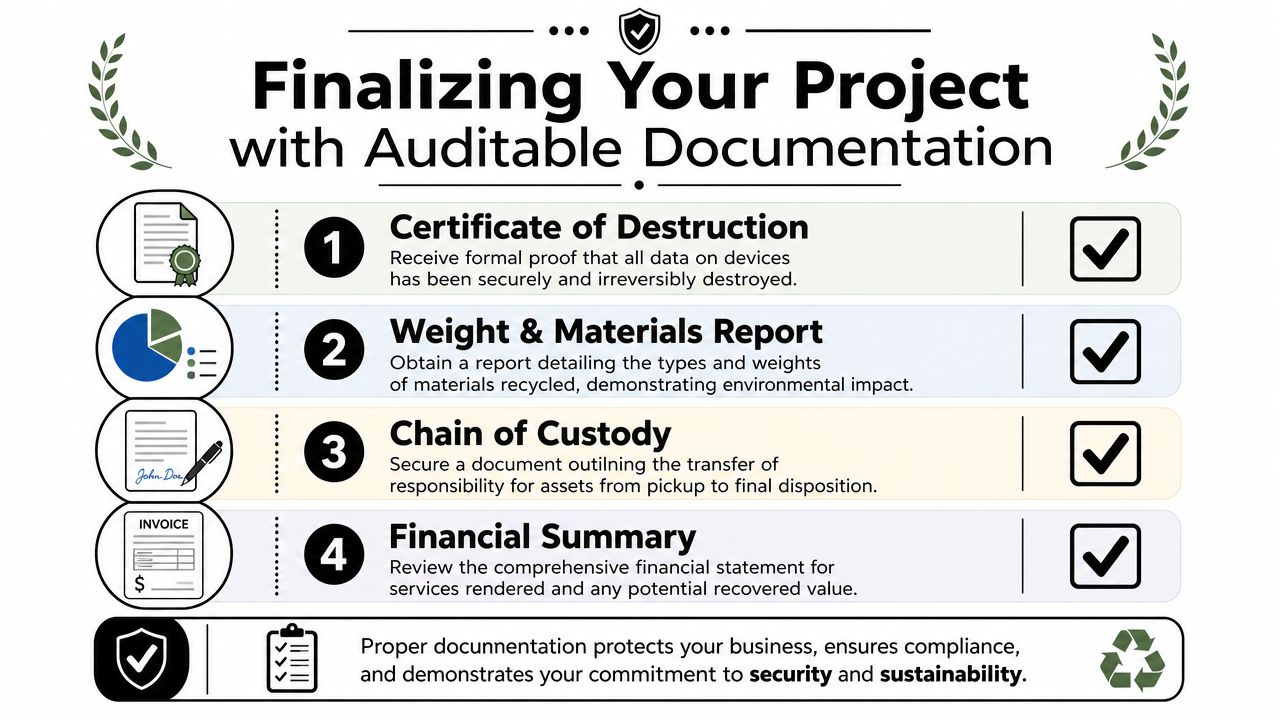
The final control in Electronics Recycling Scottsdale AZ is documentation. This is the proof that your organization acted intentionally, transferred assets responsibly, and handled data-bearing devices under a defensible process.
The two records you should insist on
The first is a Certificate of Data Destruction for applicable media and devices. Earlier in this article, the documented regional workflow established the standard elements that matter: destruction method, serial numbers, equipment used, and completion date. If your vendor doesn't provide those details where appropriate, your audit trail is thin.
The second is a Certificate of Recycling or Disposition. This should identify the provider, service date, and what happened to the assets at a level your internal stakeholders can use.
A useful guide to chain of custody documentation in IT asset disposition shows why these records are more than administrative paperwork. They are your evidence base.
What good paperwork looks like
Ask for records that answer concrete questions, not marketing language.
| Document | What it should clearly show |
|---|---|
| Certificate of Data Destruction | Which devices or media were destroyed or wiped, by what method, and when |
| Certificate of Recycling or Disposition | What material entered recycling, reuse, or other final channels |
| Pickup record | Date, site, vendor identity, and transfer confirmation |
| Asset list or serialized attachment | The item-level detail that ties your inventory to the outcome |
Generic certificates with no asset detail create a false sense of security. They look official, but they don't help much when an auditor asks for proof that a specific drive, laptop, or server was handled correctly.
Use documentation to close the loop internally
Once records arrive, don't just file them away. Reconcile them.
Your team should verify:
- Inventory match between internal list and vendor records
- Exception handling for items that were missing, damaged, or excluded
- Method match between what you requested and what the vendor performed
- Retention in whatever system supports audit, legal, or procurement review
Mature IT teams differentiate themselves. They don't treat documentation as the vendor's job alone. Instead, they treat it as the final step in asset governance.
Good documentation doesn't create compliance by itself. But without it, you usually can't prove compliance happened.
When the next internal audit, customer questionnaire, insurance review, or security incident lands on your desk, that paper trail is what turns “we believe it was handled properly” into “here is exactly what happened.”
If your organization needs a B2B partner for secure, documented IT asset disposition, Dallas Fortworth Computer Recycling provides nationwide support for electronics recycling, data destruction, data center decommissioning, and specialized equipment handling. For Scottsdale businesses that need pickup coordination, chain-of-custody discipline, and audit-ready disposition records, they are built for the kind of risk-managed process enterprise IT teams need.