
Securely Donate Electronic Equipment for Organizations
Your storage room probably has the same problem I see in a lot of IT environments. Retired laptops are stacked on shelves, old monitors are leaning against a wall, a few network appliances are waiting for a decision, and nobody wants to be the person who signs off on moving them out before data, compliance, and audit questions are settled.
For regulated organizations, that hesitation is rational. Donating corporate technology sounds simple until you add patient data, financial records, CJIS requirements, procurement controls, asset tags, and legal hold concerns. At that point, “just donate it” stops being a sustainability initiative and becomes an IT asset disposition project with real operational and compliance consequences.
That’s why the right way to donate electronic equipment isn’t to treat donation as a side activity. It works best when you run it like any other controlled disposition stream: inventory first, sanitize correctly, document movement, verify outcomes, and keep a defensible record from pickup through final disposition.
Beyond the Landfill Why Donating Electronics Matters
The overflow closet is usually where this discussion starts. Equipment gets retired faster than teams can process it, especially after refresh cycles, office moves, mergers, endpoint standardization projects, or data center cleanouts. If that backlog sits long enough, it turns into a mix of usable equipment, obsolete hardware, and growing risk.
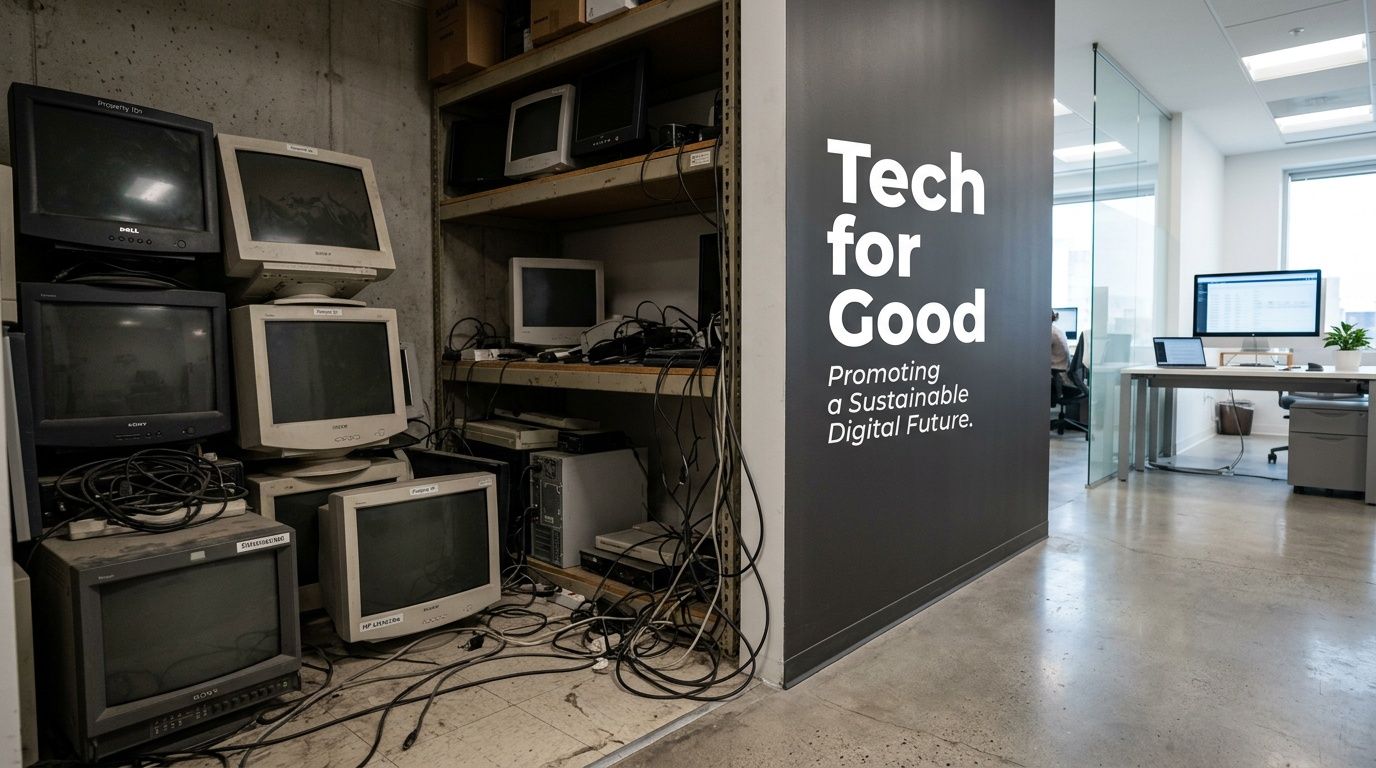
The bigger issue is that your storage room is part of a global waste stream that’s getting worse, not better. In 2022, the world generated 62 million tonnes of e-waste, an 82% increase from 2010. Projections show 82 million tonnes by 2030, yet only 22.3% is properly collected and recycled, according to the Global E-waste Monitor 2024.
Why reuse matters before recycling
For an IT director, the practical takeaway is simple. If a device is still viable, extending its life is usually better than shredding it immediately. Reuse delays replacement demand, keeps working equipment in circulation, and reduces pressure on recycling channels that are already struggling to keep pace.
That matters because hardware manufacturing carries a heavy environmental burden. Donation isn’t a substitute for secure disposition, but when you can route functional devices into reuse instead of immediate destruction, you reduce waste and support a more efficient lifecycle.
Practical rule: Treat donation as a controlled reuse strategy, not as a feel-good cleanout exercise.
There’s also a business dimension. Donation programs can support community access, sustainability reporting, and internal ESG goals without forcing IT to compromise on security. The mistake is assuming those benefits happen automatically. They don’t. They happen only when the equipment is screened, sanitized, tracked, and handed off through a process that can stand up to procurement, legal, and audit review.
Why regulated organizations need a different playbook
Consumer donation advice usually tells people to factory reset a device and drop it off. That guidance falls apart in healthcare, finance, education, and government. Corporate devices can hold regulated information, licensed software, VPN artifacts, saved credentials, endpoint management residue, or cached records long after a user thinks the machine is “empty.”
That’s why donation has to sit inside your broader disposition policy. It should align with your data security standard, your environmental handling requirements, and your reporting obligations. If your organization already tracks the environmental impact of electronic waste, donation is one of the few options that can address both sustainability and social value at the same time, as long as the controls are real.
The Pre-Donation Blueprint Your Internal Checklist
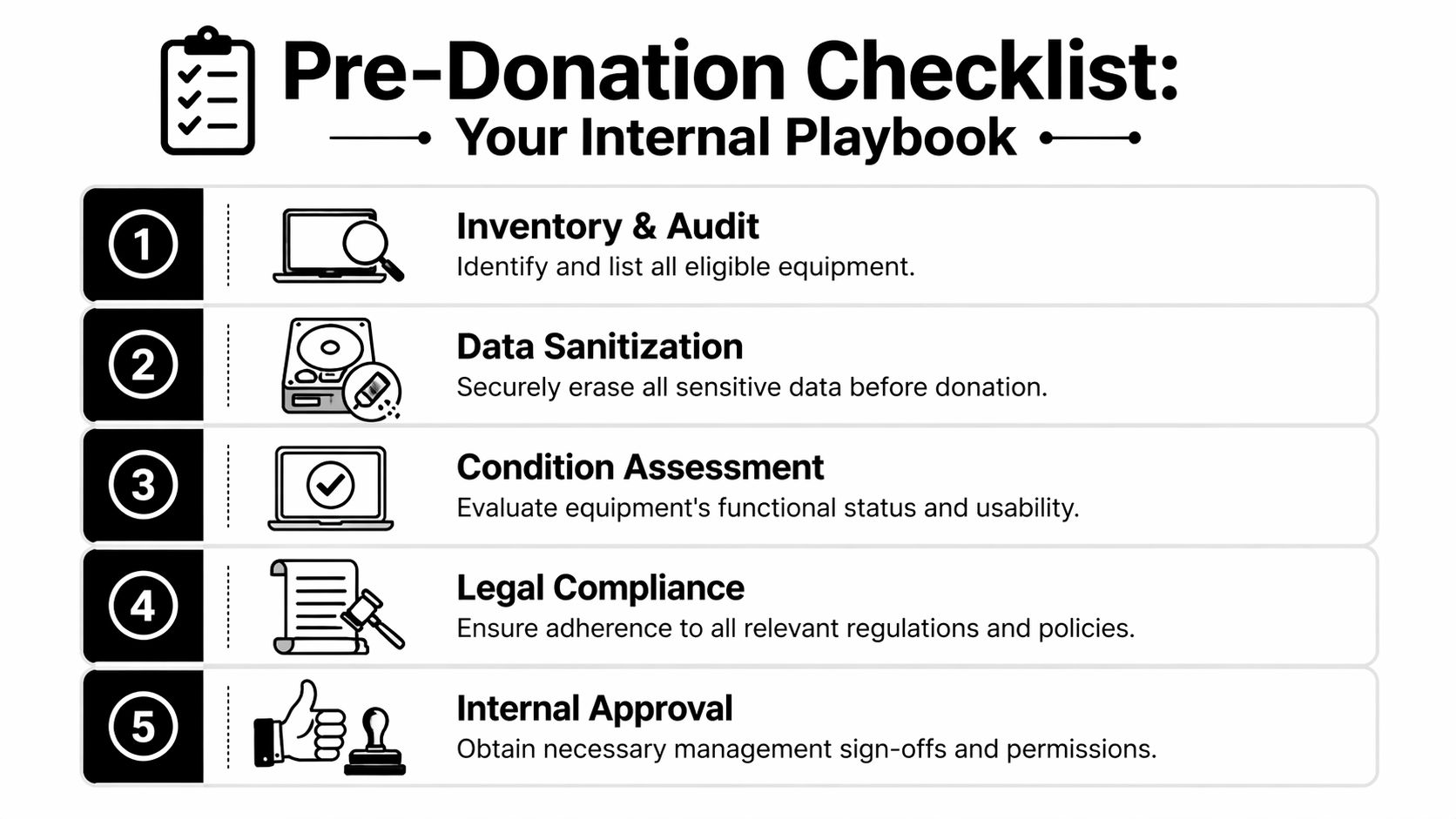
Before anything leaves the building, your internal process has to answer three questions. What do we have. Is it suitable for donation. Has data been sanitized to the right standard.
If you skip any of those, the project gets messy fast. Devices arrive at a partner facility with no usable asset list, units that don’t power on are mixed with viable inventory, and somebody discovers too late that “wiped” meant “quick formatted.” That’s how donation projects turn into compliance escalations.
Build the asset inventory before you touch the hardware
Start with a disposition inventory, not a pickup request. Your list should identify the device type, manufacturer, model, serial number, assigned location, asset tag, and ownership status. You also want to flag devices that may contain regulated data, removable media, encrypted drives, BIOS locks, or mobile device management ties.
A workable internal review usually includes:
- Asset validation: Confirm the item belongs to your organization and isn’t leased, under warranty return, or subject to a vendor take-back clause.
- User and department check: Verify nobody still needs the device, and confirm there’s no active legal hold or investigation issue tied to it.
- Technical status: Note whether it powers on, has a damaged screen, missing drive, failed battery, broken ports, or obvious physical damage.
- Data profile: Mark whether the device may contain patient, financial, employee, client, or government data.
This isn’t paperwork for paperwork’s sake. It prevents two common failures. First, teams donate hardware that was never approved for release. Second, they send unusable material into a donation stream that should have gone directly to certified recycling.
Separate viable equipment from false candidates
Not every retired device is a donation candidate. Some equipment is too old to be useful. Some is damaged beyond practical repair. Some still works but can’t support current operating system or security requirements for likely recipients. Good internal screening saves time for everyone.
Use a simple categorization model:
- Ready for donation if the device is functional, resettable, and likely to support a realistic second use.
- Refurbishment candidate if it needs minor work, such as battery replacement, memory upgrades, or reimaging.
- Recycle only if it’s damaged, obsolete, incomplete, or unsuitable for secure redeployment.
Legacy equipment can create more burden than benefit if you push it into donation just because it powers on.
That’s why your technical team should assess practical usability, not just basic boot status. A laptop that starts up but has a failing keyboard, unsupported firmware, and a swelling battery isn’t a community gift. It’s an avoidable handling problem.
Data sanitization is the non-negotiable control
Regulated organizations need discipline. If a device is leaving your control, simple deletion isn’t enough. Reimaging alone isn’t enough. Basic formatting isn’t enough.
According to guidance on NIST 800-88 and computer donation, NIST 800-88 defines Purge as the minimum standard when equipment leaves an organization’s control. Purge methods include cryptographic erasure and degaussing, and they render data recovery infeasible even with advanced laboratory techniques.
That distinction matters because many internal teams still confuse convenience with compliance.
What Clear does and where it falls short
NIST’s Clear method can be appropriate in limited internal scenarios where assets remain under organizational control. It’s a data overwrite approach. It’s useful, but it isn’t the right floor for external donation or offsite disposition.
If the equipment is going to a nonprofit, refurbishment channel, recycler, or third-party processor, Purge should be your minimum expectation.
What your internal sanitization plan should include
A defensible sanitization workflow usually covers these items:
- Method selection: Match the media type to the correct sanitization method. SSDs, HDDs, and self-encrypting drives don’t all behave the same way.
- Exception handling: Define what happens when a drive fails, won’t mount, or can’t complete the intended sanitization process.
- Verification: Record whether sanitization completed successfully, failed, or required physical destruction.
- Custody controls: Limit who can handle unsanitized assets and when they can move.
If your team needs a plain-language reference on wipe methods before donation, this guide on how to completely wipe a hard drive is a useful baseline. The main point is that “factory reset” and “compliant erasure” are not the same thing.
Get internal approvals before pickup day
A surprising number of donation projects stall because IT did the hard work but didn’t line up finance, legal, compliance, or leadership sign-off. Approval should happen before logistics are booked.
Use a short internal release packet that includes:
- Inventory list approved by IT
- Data sanitization standard approved by security or compliance
- Disposition pathway approved by procurement or leadership
- Any tax, donation, or recipient restrictions approved by finance and legal
That package reduces last-minute objections and gives your partner a cleaner, more predictable intake.
How to Choose the Right Electronics Donation Partner
Once your internal list is clean, the next decision is external. Many organizations lose control at this stage. They choose a donation outlet that sounds charitable but can’t explain downstream handling, data destruction practices, or what happens to devices that aren’t reusable.
A professional donation partner should be able to answer operational questions without vague language. If they can’t explain intake, testing, sanitization, repair thresholds, downstream recycling, and reporting, they’re asking you to accept blind spots your auditors won’t accept.
Start with process, not branding
The first screening question is straightforward. Can this provider handle regulated corporate assets, or are they set up mainly for consumer drop-offs?
That distinction changes everything. A partner serving enterprise donors should support serialized intake, controlled transport, formal documentation, and escalation for non-standard assets. They should also be able to tell you what happens when equipment fails refurbishment screening.
The reason this matters is practical, not theoretical. Human-I-T’s device donation guidance notes that successful donation projects depend on pre-screening because some programs receive non-refurbishable legacy devices. A good partner prevents recipients from becoming dumping grounds by routing unsalvageable assets to certified recycling.
Questions that expose weak partners quickly
Ask these before you release a single pallet:
- What sanitization standard do you require before or during intake? You want a precise answer, not “we wipe everything.”
- How do you document custody from pickup to processing? If they can’t describe handoff points, they probably don’t manage them well.
- What happens to assets that fail testing? The answer should include a controlled recycling path.
- Can you provide itemized reporting by serial number or asset tag? Bulk acknowledgments aren’t enough for regulated fleets.
- Do you separate reusable assets from non-viable material during intake? If not, your usable inventory may get blended into scrap.
- Can you support mixed loads? Most corporate projects include a blend of viable donation items and recycle-only material.
If a partner promises a second life for everything, that’s usually a warning sign, not a strength.
Equipment Suitability Quick Reference
| Equipment Type | Generally Accepted For Donation | Often Directed to Recycling |
|---|---|---|
| Laptops | Recent, functional, unlockable units with manageable cosmetic wear | Units with failed boards, swelling batteries, or missing critical components |
| Desktops | Complete systems that still support practical office or educational use | Systems that are incomplete, heavily damaged, or obsolete for modern workloads |
| Monitors | Flat panels in working order with intact screens | Cracked displays, severe image defects, or outdated bulky units |
| Servers | Select systems with realistic refurbishment demand and clear data handling plan | Highly specialized, incomplete, damaged, or end-of-life rack equipment |
| Networking gear | Standard, reusable gear with market or nonprofit demand | Unsupported, failed, or niche hardware with limited redeployment value |
| Printers and copiers | Limited acceptance depending on condition and supportability | Most damaged, oversized, or hard-to-place units |
| Mobile devices | Unlocked, functional devices that pass testing | Locked, damaged, or battery-failed devices |
The table is a screening aid, not a universal rulebook. Actual acceptance varies by program, recipient needs, supportability, and logistics costs. The point is to set expectations internally before your staff labels everything “donation.”
Look for downstream transparency
Even if your immediate contact is credible, you still need clarity on what happens after intake. Who refurbishes. Who recycles. Who handles hazardous components. Who issues documentation. If those steps are outsourced, your partner should still own visibility and accountability.
That’s especially important when a project includes devices that won’t make the cut for reuse. A competent provider should be able to move those items into a documented recycling stream without breaking custody or losing reporting continuity. If you need a benchmark for what a mature processing environment should look like, review how a dedicated electronic recycling center structures secure intake and handling.
Managing Logistics and Ensuring Chain of Custody
Donation projects fail in transit more often than people expect. Not because the idea was wrong, but because the movement of assets wasn’t controlled. Boxes get relabeled, pallet contents don’t match the manifest, a carrier signs for a load with no serialized handoff, or devices are picked up before sanitization exceptions are resolved.
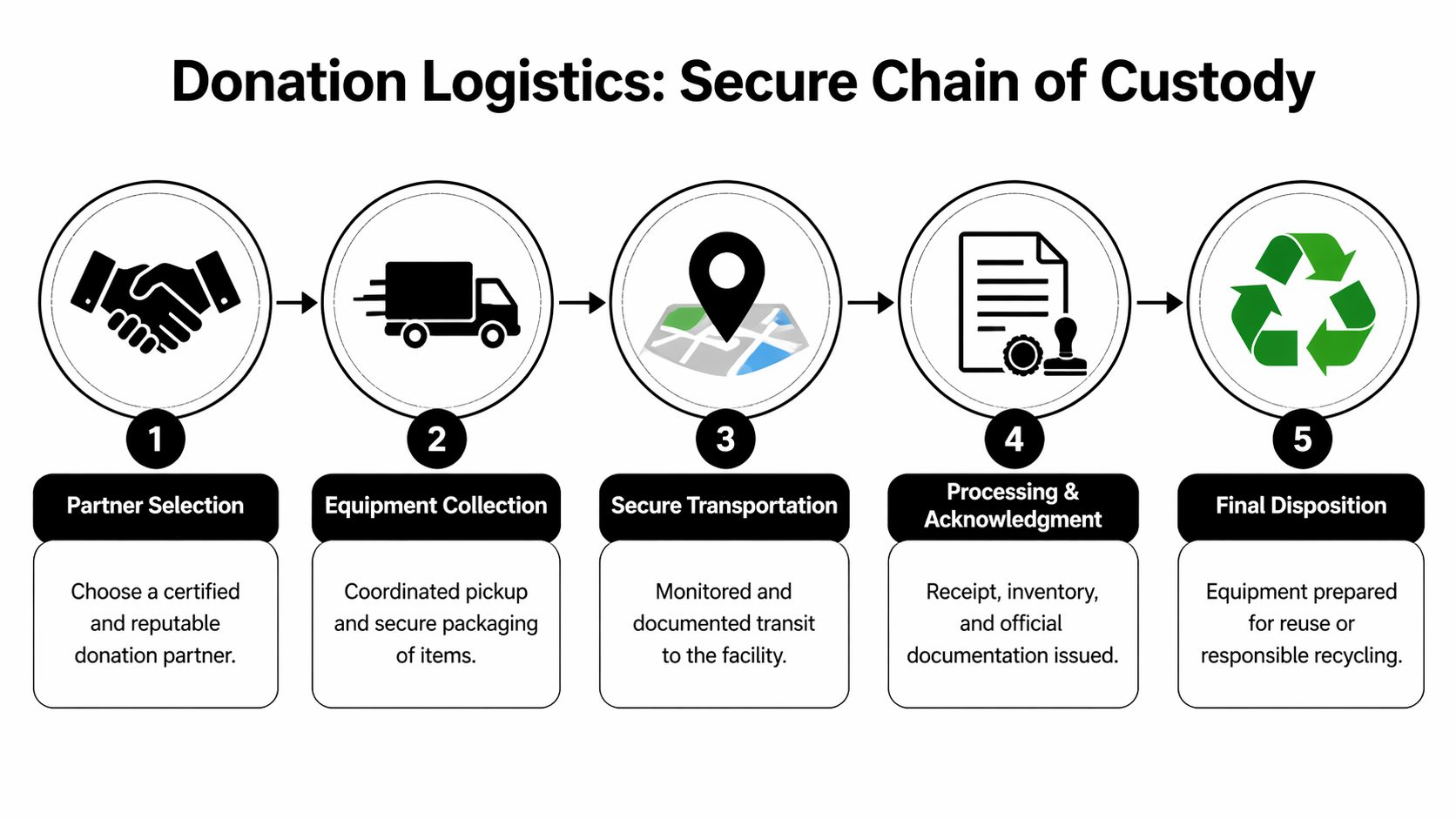
That’s why chain of custody matters. It’s the record of who had the equipment, when they had it, where it moved, and what happened to it at each step. In regulated environments, that record is part of your risk control, not just your logistics paperwork.
What secure pickup should look like
A proper pickup starts before the truck arrives. Your team should know which assets are cleared for release, how they’re packaged, who signs the transfer, and what exceptions stay behind. If a device hasn’t passed your internal approval workflow, it shouldn’t be on the dock.
At pickup, expect discipline in these areas:
- Matched manifests: The pickup list should match what your team prepared internally.
- Controlled handoff: A named representative from your organization should release the equipment.
- Segregation of exceptions: Items awaiting review, failed wipes, or disputed ownership should not travel with approved assets.
- Packaging integrity: Devices should be boxed or palletized in a way that reduces mix-ups and damage.
Track the movement, not just the destination
A lot of donation programs tell donors where devices may end up. Fewer can show the actual path they took. That gap matters because high-level promises don’t help when compliance asks for proof.
TruConnect-ed’s discussion of donation transparency highlights a common problem: many programs make vague “second life” claims while failing to provide metrics on reuse versus recycling rates. With only 22.3% of e-waste formally collected and recycled, auditable tracking is essential if you want to verify impact and maintain confidence in your disposition process.
Your chain of custody should survive a compliance review even if the person who managed the project has already left the company.
Documents you should insist on receiving
Not every organization uses the same forms, but the documentation should cover the same fundamentals. If it doesn’t, you’ll feel the gap later when audit, legal, or finance asks for evidence.
A complete file usually includes:
- Pickup record that identifies date, releasing party, receiving party, and shipment reference.
- Asset-level intake report showing what the processor received.
- Data destruction documentation for assets that went through sanitization or destruction workflows.
- Disposition report stating whether equipment was reused, refurbished, recycled, or destroyed.
- Exception log for missing items, failed devices, or serial mismatches.
If your organization schedules recurring retirements, don’t settle for ad hoc coordination through email threads. A structured electronics pick-up service gives IT, facilities, and compliance a cleaner operating model and reduces the chance that retired assets sit unsecured while people wait for availability.
Keep mixed loads under one custody model
Corporate donation projects are typically mixed. You’ll have some laptops that are strong donation candidates, some desktops that belong in refurbishment, some monitors that should be recycled, and a few odd assets nobody wants to touch. Don’t split those flows too early if it breaks visibility.
The cleaner approach is one custody chain from release through final categorization. That way, even when items move into different outcomes, your reporting remains unified and defensible.
Documentation Tax Benefits and Risk Mitigation
The work isn’t finished when the truck leaves or when the processor acknowledges receipt. The final value of a donation project depends on what you can prove afterward. For most organizations, that proof matters in three places: audit readiness, finance review, and risk control.

Keep the records finance and legal will ask for
If your organization plans to pursue any donation-related tax treatment, involve finance early and document the transaction carefully. The exact tax handling depends on your structure, jurisdiction, and recipient type, so legal or tax counsel should set the rules. IT’s role is to preserve the operational evidence behind the transaction.
That usually means keeping:
- Donation acknowledgments from the recipient or program
- Asset lists tied to the released equipment
- Disposition records showing what was donated versus recycled
- Data destruction evidence for anything that required sanitization before release
- Internal approvals showing the donation was authorized
You don’t want tax questions answered with “we think that pallet was part of the school donation.” You want a file that aligns inventory, handoff, and final outcome.
Documentation is also your liability shield
The strongest reason to document everything isn’t tax. It’s exposure reduction. If a former device surfaces with recoverable data, if a regulator asks how equipment containing sensitive records was handled, or if a department disputes what happened to retired assets, your defense is process plus records.
That’s why certificates matter. A proper certificate of destruction or equivalent record should tie the event to specific assets or media, the method used, the date, and the responsible processor. If your team needs a reference point, review what a certificate of destruction for hard drives should support from an audit perspective.
Good documentation turns a donation from a trust-based activity into a verifiable business process.
Use the outcome in CSR reporting, but only if it’s supportable
There’s also a positive side to all this paperwork. Well-documented donation projects can support credible CSR and sustainability reporting. That’s easier when your impact claims are tied to recognized figures and real disposition records.
For example, the Digital Poverty Alliance report on device donation benefits notes that recycling one million laptops conserves energy equivalent to the annual electricity usage of more than 3,500 U.S. homes. Used responsibly, data points like that help communications teams tell a grounded story about resource conservation and community benefit.
The key word is responsibly. Don’t overstate what happened. Report what your records support.
Frequently Asked Questions on Corporate Donations
Can we donate to a nonprofit we choose ourselves
Yes, but it works best when the nonprofit can accept equipment through a structured process. Many organizations have a specific school, clinic, or community group in mind, and that can be a good fit if the recipient is prepared for intake, testing, support, and end-of-life handling.
The main issue is operational maturity. A direct recipient may care greatly about the donation but still lack the ability to receive a mixed batch of corporate assets, verify readiness, manage software installation, or dispose of unusable items properly. That’s where an intermediary or ITAD partner can help by screening, sanitizing, and separating what’s truly fit for reuse before delivery.
Before approving a direct donation, confirm three things:
- The recipient can use the equipment in its current or refurbished form.
- Your organization can document the transfer clearly.
- There’s a plan for non-viable units so the recipient doesn’t inherit scrap.
Should we remove asset tags and company labels before donation
Usually, yes. Internal asset tags, department stickers, user labels, and facility markings can expose more information than people realize. Even when they don’t contain regulated data, they can reveal naming conventions, locations, employee identifiers, inventory systems, or organizational structure.
A clean release process usually includes physical label removal where practical. If tags can’t be removed cleanly, note that in your internal record and make sure the processor knows the equipment still carries organization identifiers. That keeps the issue visible instead of becoming a surprise later.
For highly sensitive environments, review the device for more than stickers. BIOS splash screens, engraved plates, rack labels, and mobile device enrollment status can all identify the prior owner.
What if some laptops are old but still working
Working isn’t the only standard that matters. The more useful test is whether the device is still practical for a recipient to deploy and support.
A unit may boot successfully and still be a poor donation candidate if it has weak battery life, limited memory, unsupported operating system options, failing ports, or hardware that can’t meet current application requirements. On the other hand, some older systems remain perfectly usable for light office, training, or access tasks after proper refurbishment.
This is why technical screening matters. Don’t let staff use sentimental logic. Use supportability logic.
Can we donate equipment that once held patient or financial data
Yes, but only after the device has moved through a defensible sanitization process and custody control. The answer isn’t based on what kind of organization you are. It’s based on whether the data destruction method, documentation, and transfer controls meet your risk threshold and compliance obligations.
For regulated assets, donation should never be approved based on a user statement like “I deleted everything.” It should be approved only when the device has passed the required sanitization workflow or, if sanitization failed, been redirected to destruction or certified recycling.
If your security or compliance team can’t verify the sanitization outcome, the device shouldn’t be released into a donation stream.
What about servers, switches, and storage gear from a data center refresh
These assets require more caution than endpoint devices. They may contain embedded storage, configuration data, credentials, logs, or tenant information. Even gear without obvious user files can retain sensitive operational data.
In practice, data center equipment is often handled as a separate project class. The hardware may still have reuse value, but the screening burden is higher and the sanitization path needs to account for all media types, including hidden or removable storage. Your infrastructure team should review configurations, remove media where required, and document serial relationships carefully.
If the environment was multi-tenant, regulated, or security-sensitive, keep the approval threshold high. Donation may still be possible, but only after technical review confirms the assets can leave safely.
Can employees claim the devices first
That depends on your organization’s policy, but don’t improvise it. Employee release programs can create fairness issues, tax questions, software licensing problems, and support expectations if they aren’t managed formally.
If you want to allow employee purchase or internal transfer before external donation, create a written policy that addresses eligibility, data sanitization, software removal, support disclaimers, and approval authority. Then run that process before you finalize the donation inventory. Mixing informal employee claims into a live donation project usually creates inventory confusion.
For regulated organizations, employee transfer should never bypass the same sanitization standards applied to any external release.
How should we handle accessories and peripherals
Bundle them intentionally. Power adapters, docks, keyboards, mice, and cables can improve reuse rates when they’re matched correctly, but loose accessory boxes often become sorting problems. If the accessory is necessary for basic usability, try to keep it associated with the device during packing and manifesting.
For items with little donation value, route them through recycling instead of padding a donation count with low-utility material. The objective is functional placement, not volume theater.
A simple approach works well:
- Pair required accessories with the device when possible.
- Group universal accessories by type and clearly label them.
- Recycle damaged or low-value peripheral clutter rather than forwarding confusion downstream.
What if we want reporting on what was reused versus recycled
Ask for that before pickup, not after processing. Some providers can track outcomes at a meaningful level. Others can only give broad summaries. If reuse-versus-recycling visibility matters to your compliance, sustainability, or leadership teams, make it part of the scope from the beginning.
Be specific about what you expect. Itemized reporting, category-level reporting, recipient acknowledgments, and exception handling are different deliverables. If you wait until after the assets are processed, you may find out the provider never captured the data in a way that supports your questions.
Is a one-time cleanup enough
Usually not. The best donation programs are repeatable. A one-time purge clears space, but it doesn’t solve the ongoing retirement cycle that created the backlog in the first place.
A stronger model is to build donation into your standard ITAD workflow. Set review intervals, define donation criteria, align sanitization standards, and maintain a standing partner process for mixed loads. That prevents closets from becoming unofficial graveyards for “temporary” retired gear.
When donation is operationalized, your team spends less time debating each batch and more time moving assets out with confidence.
If your organization needs a secure, auditable way to donate electronic equipment without compromising compliance, Dallas Fortworth Computer Recycling can help you manage the full process. Their team supports B2B and public-sector IT asset disposition with nationwide pickup, certified data destruction, documented chain of custody, and responsible reuse and recycling workflows designed for regulated environments.