
Cash For Laptops: Maximize Your IT Asset Value

Old laptops rarely leave an IT environment cleanly. They pile up in storage rooms, ride out one more lease cycle, or sit on shelves because nobody wants to be the person who signs off on a risky disposal decision.
That hesitation is understandable. A consumer search for cash for laptops mostly leads to trade-in pages, charity roundups, and single-device mail-in offers. None of that helps when you’re sitting on a fleet with regulated data, asset tags, BIOS locks, aging batteries, and finance asking what value is still left on the books.
For an IT director, laptop disposition isn’t a side task. It’s a controlled exit process. The right process protects data, documents custody, recovers residual value, and keeps your organization out of the far more expensive situation where a “quick sale” creates an audit problem later.
From Storage Closet to Strategic Asset
The usual starting point is familiar. You’ve got retired laptops in a closet, on shelving, or stacked in bins after a refresh. Some are recent enough to have resale value. Some are damaged. Some still have labels, user stickers, and docking profiles attached to them. All of them represent risk until they’re processed correctly.
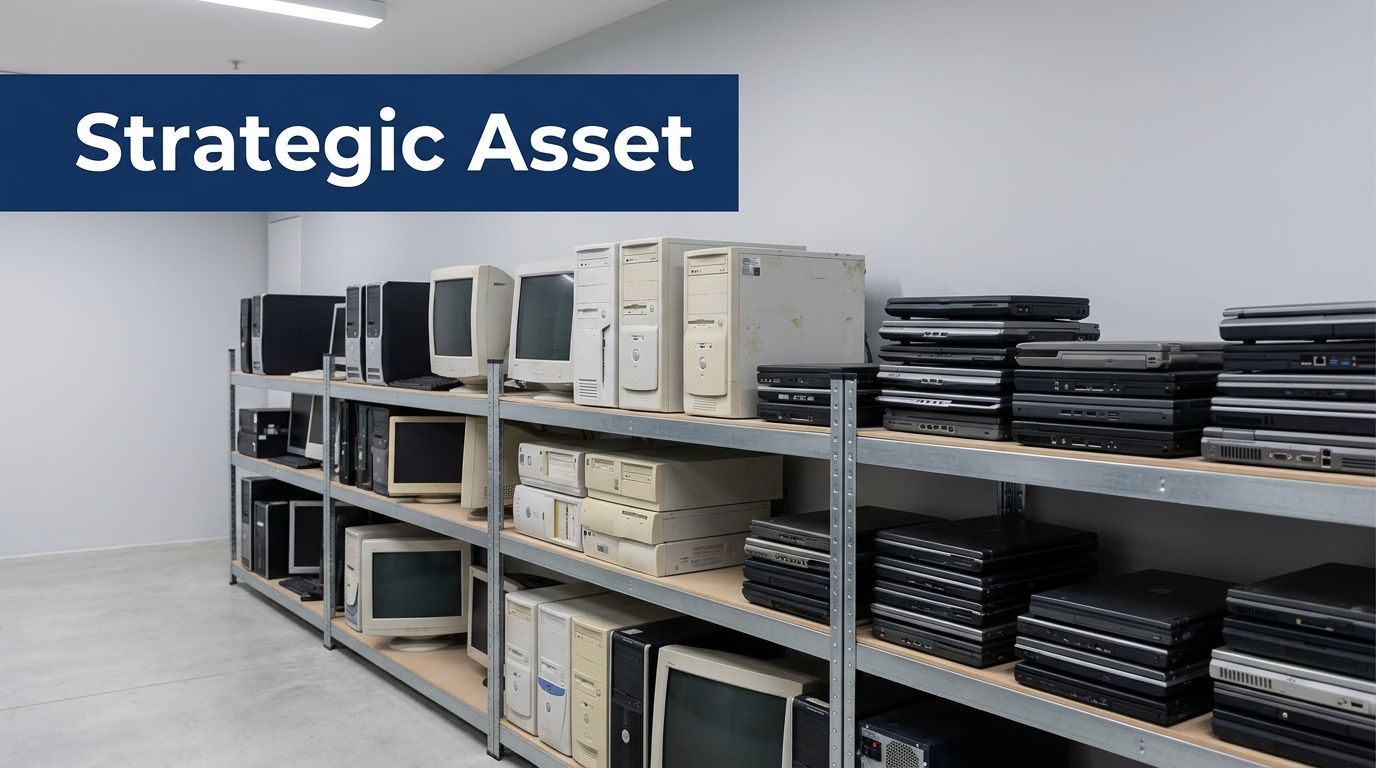
Most articles about cash for laptops miss the part that matters in business environments. One underserved angle is secure value extraction from enterprise laptops through certified data destruction before resale or recycling. Consumer-focused guidance leaves IT managers without a clear path to maximize returns, with industry benchmarks cited at 20% to 50% of original value for functional units, while still meeting compliance expectations such as NAID AAA practices, as noted in this discussion of the gap in consumer-oriented laptop guidance.
Why consumer trade-ins don't solve enterprise disposal
Retail trade-ins have a place. If an employee has one personal MacBook to swap, a retail offer is simple. For a business fleet, that model breaks down quickly.
What usually goes wrong:
- No audit trail: A store receipt isn’t the same as asset-level reporting tied to serial numbers and internal tags.
- Weak custody visibility: Once devices leave your office, you need a documented handoff path, not a generic shipment confirmation.
- No regulated-data posture: Healthcare, finance, education, and public sector teams need proof of sanitization, not an assumption that “the device was reset.”
- Inconsistent grading: Bulk value recovery depends on repeatable testing and condition standards, not a cashier’s one-off inspection.
A formal ITAD process changes the conversation. You’re not asking, “Where can I sell old laptops?” You’re asking, “How do I retire a laptop fleet in a way that satisfies security, finance, compliance, and sustainability at the same time?”
Practical rule: If your legal, compliance, or security team would want paperwork after the laptops leave the building, you’re not dealing with a consumer resale problem. You’re dealing with an ITAD project.
Residual value is real, but it's not the only objective
Cash matters. Finance will ask. Procurement will ask. Leadership will ask. But the strongest business case usually combines four outcomes:
| Objective | What good execution looks like |
|---|---|
| Data security | Sanitization or destruction is documented and defensible |
| Compliance | Chain-of-custody and final certificates are retained for audit use |
| Value recovery | Reusable units are tested, graded, and remarketed properly |
| Environmental handling | Non-reusable equipment is recycled through controlled downstream channels |
That’s why many IT leaders now treat laptop retirement as part of lifecycle management, not just disposal. The same discipline used to deploy and support endpoints should apply when those endpoints leave service. If you need a baseline view of how organizations structure broader business electronics recycling programs, start there before you request bids.
What determines whether old laptops are worth cash
In practice, laptop value is shaped by a short list of variables. None of them are surprising, but many teams don’t document them well enough before asking for quotes.
The core value drivers are:
- Model and generation: Newer enterprise lines from Dell Latitude, HP EliteBook, and Lenovo ThinkPad usually hold value better than commodity consumer models.
- Processor, RAM, and storage: Buyers care about configuration because it affects refurbishability and resale demand.
- Storage type: SSD-equipped systems are often easier to place than older spinning-disk units.
- Cosmetic condition: Cracked bezels, missing feet, bent lids, and heavy keyboard wear all reduce remarketing potential.
- Functional status: A laptop that boots, charges, and passes diagnostics is a different asset from one with board damage or a dead battery.
- Control status: BIOS locks, MDM enrollment, and asset-control software can delay or block resale.
The strategic shift is simple. That storage closet isn’t just holding obsolete hardware. It’s holding a mix of recoverable value, compliance exposure, and environmental responsibility. The organizations that do best with cash for laptops are the ones that stop treating retired devices like clutter and start treating them like controlled assets on the way out.
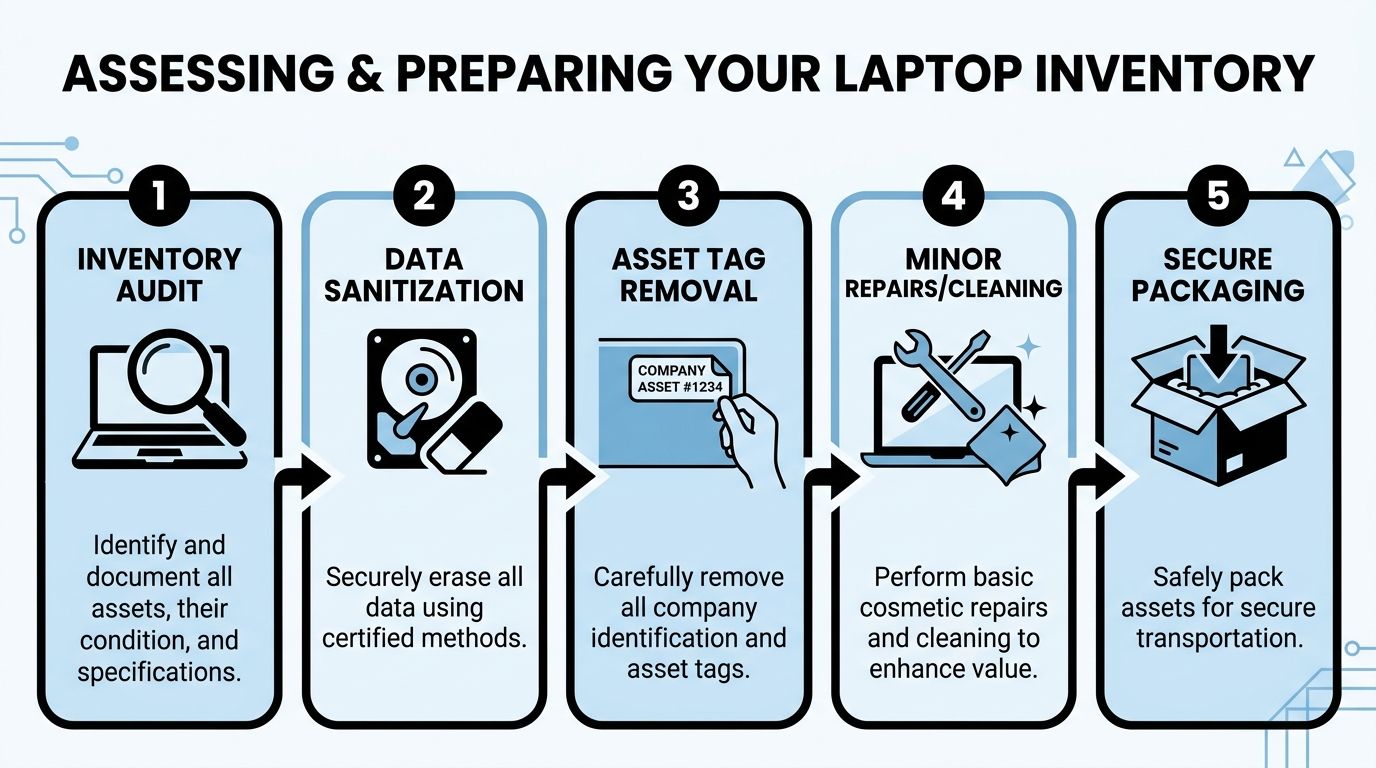
Assessing and Preparing Your Laptop Inventory
The first mistake in a laptop disposition project is asking for pricing before you know what you have. Vendors can only quote accurately when your manifest is accurate. If your count is loose, your specs are incomplete, or your condition notes are optimistic, the settlement won’t match the estimate.
A strong inventory process also makes internal approval easier. Security sees what’s leaving. Finance sees what may still have value. Operations sees what needs to be staged.
Build a real asset manifest
Start with a spreadsheet or asset export that captures more than a device count. For each laptop, record the serial number, manufacturer, model, processor, RAM, storage size and type, screen condition, battery condition if known, and whether the unit powers on.
Keep internal asset tags in the manifest even if you plan to remove the stickers later. That gives you a bridge between your internal records and the vendor’s receiving report.
A practical manifest usually includes:
- Unique identifiers: Serial number, service tag, internal asset ID
- Hardware profile: CPU, RAM, drive type, drive capacity
- Operational state: Boots to BIOS, boots to OS, no power, battery issue, display fault
- Physical notes: Cracks, dents, missing charger, keyboard wear, engraving, sticker residue
- Control notes: BIOS password present, MDM enrolled, Absolute or Computrace status, encryption state
Many first-time sellers lose money. They bundle everything into “used laptops” and assume the market will sort it out. The market does sort it out. Usually in the buyer’s favor.
Treat data sanitization as the center of the project
For a B2B disposition, sanitization is the mandatory step. A proper process uses NIST 800-88 methods such as a 3-pass overwrite, and that approach makes data 99.9% unrecoverable, according to the B2B laptop disposition process described here. The same source notes that incomplete sanitization is linked to 12% of data breaches.
That’s why “we reimaged it” or “we deleted the user profile” doesn’t count as preparation. Formatting a drive isn’t a secure disposition method. Neither is relying on the next owner to wipe it.
If your process can’t prove how data was removed, your process didn’t finish.
Use the right method for the media type. Traditional hard drives and SSDs aren’t handled the same way. Your security team should also decide when logical erasure is acceptable and when physical destruction of the drive is the better option.
If you’re refining endpoint retirement procedures more broadly, this guide to IT asset management best practices is a useful companion to the disposition workflow.
Remove the controls that block resale
A surprising amount of value gets trapped by preventable lockouts. Before pickup, clear everything that would stop diagnostics, redeployment, or lawful resale.
The common blockers are easy to overlook:
BIOS and firmware passwords
If a refurbisher can’t access setup screens, the unit may be downgraded or routed straight to parts recovery.MDM and endpoint management locks
Devices still enrolled in management platforms create activation and provisioning headaches after transfer.Absolute or Computrace persistence
If this isn’t deactivated properly, the next handler may reject the unit.Encryption status
Full-disk encryption is good during active use. It needs to be handled intentionally during sanitization and disposition.User credentials and local profiles
Don’t leave any ambiguity about whether a unit has exited service.
Improve condition where the effort pays back
Not every laptop deserves repair time. Some do. The trick is knowing where small effort improves grade and where it just burns labor.
A few examples from field practice:
- Worth doing: Wiping down lids, screens, and keyboards; removing obvious dust; pairing loose chargers; removing sticker residue without damaging the finish.
- Often worth doing: Replacing a missing caddy or easy-access cover if you already have the part on hand.
- Usually not worth doing: Chasing cosmetic perfection on old low-value units or opening every machine for labor-heavy fixes.
Create condition buckets before anything leaves your site. For example, separate clean functional units from non-booting units, cracked-screen units, and no-power units. A mixed pallet almost always gets priced conservatively.
Stage for accuracy, not speed alone
Teams under deadline tend to rush this phase. That creates the exact discrepancies that cause payout disputes later.
Use a short preparation checklist before release:
- Manifest verified: Count and serials match the staged devices
- Data status confirmed: Sanitized, drive removed, or marked for destruction
- Controls cleared: BIOS, MDM, and persistence tools addressed
- Accessories sorted: Chargers grouped and counted if they’re included
- Visual grade noted: Functional and non-functional units staged separately
Preparation work feels slow when laptops are still in your building. It saves far more time than it costs once those assets hit receiving and somebody has to reconcile what was expected against what arrived.
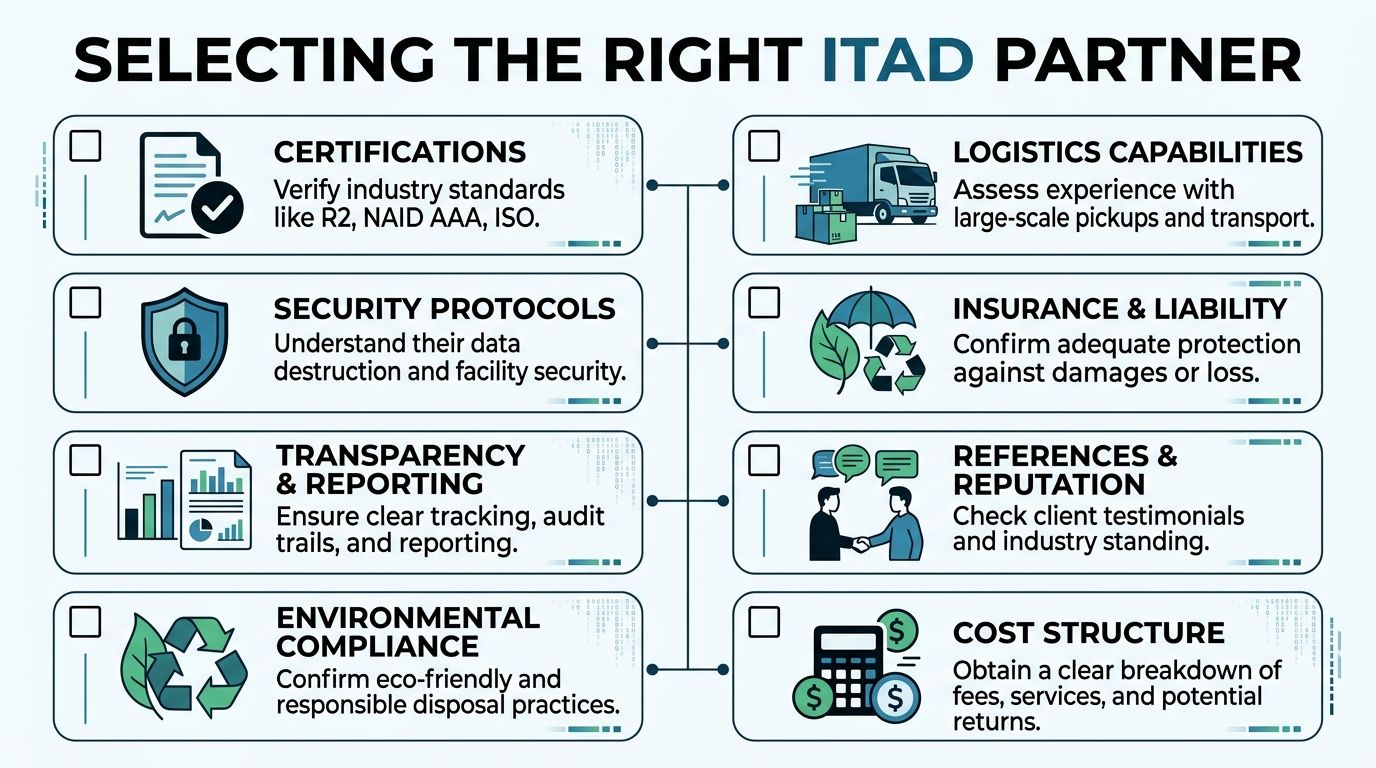
How to Select the Right ITAD Partner
The wrong partner can still offer the highest headline payout. That’s what makes vendor selection tricky. A quote looks attractive until you ask how they document data destruction, what happens after pickup, who handles downstream recycling, and whether they can support a real audit.
The volume of retiring devices isn’t getting smaller. In 2024, U.S. schools spent about $30 billion on laptops, tablets, and educational technology, with devices commonly carrying a 4 to 5 year lifespan, according to Jared Cooney Horvath’s referenced testimony and related figures. That turnover illustrates why scalability matters. Any partner handling enterprise fleets needs to process large volumes securely and consistently, not just pick up a few boxes.
Know which type of vendor you're talking to
Not every company in this market does the same job. Many IT leaders use the term “recycler” for everyone, then expect services that some vendors were never built to provide.
Here’s the practical difference:
| Vendor type | Good fit | Common limitation |
|---|---|---|
| Simple recycler | Scrap-heavy loads, low-value mixed electronics | Limited resale focus, weaker reporting |
| Equipment broker | Value recovery on working assets | May not offer strong data destruction workflows |
| Full-service ITAD firm | Security, reporting, logistics, resale, recycling | Requires more careful SOW review because service scope is broader |
If your fleet includes regulated data, multiple sites, or internal audit oversight, a full-service ITAD partner is usually the better match. You need more than a truck and a scale ticket.
Ask the questions that expose risk
A vendor call gets useful fast when you move past “What will you pay?” and into operational detail.
Use a checklist like this:
- Certifications: Ask what certifications the facility and data destruction process hold. If they reference standards, ask how those standards show up in your final documentation.
- Downstream transparency: Ask where non-reusable equipment goes. If they can’t explain downstream handling clearly, that’s a problem.
- Reporting detail: Confirm whether you’ll receive asset-level reporting, serial-level reconciliation, and final certificates.
- Insurance and liability: Ask what happens if a pallet is damaged, lost, or found to contain unsanitized media.
- Facility security: Find out whether devices are processed in controlled facilities and whether visitor or audit access is possible.
- Logistics ownership: Clarify whether they manage pickups directly or subcontract transport.
Vendor test: If the answer to a security question is “trust us, we do this all the time,” keep looking.
A credible partner should be comfortable discussing wipe methods, receiving controls, exception handling, and how discrepancies are documented. Vague confidence is not a control.
For teams comparing service models, this roundup of IT asset disposition companies can help frame what capabilities belong in a mature vendor review.
Read the quote and SOW like a risk document
A lot of disappointment comes from quote language, not from execution alone. The issue isn’t that the vendor changed the deal. The issue is that the deal was never tightly defined.
Pay close attention to:
Pricing model
Is it fixed lot pricing, unit-based pricing, or a resale share after processing?Grading assumptions
What condition is assumed for quoted value? If your units arrive rougher than expected, how is repricing handled?Scope exclusions
Are batteries, chargers, docks, and damaged units included? If not, where do they go and what does that cost?Settlement timing
What event starts the clock for reconciliation and payment? Pickup, receiving, or final audit?Destruction exceptions
If a drive fails wipe verification, is physical destruction automatic and documented?
The best SOWs remove ambiguity before pickup day. They define who counts what, who signs what, and what happens when actual condition differs from the initial manifest.
The highest offer isn't always the best outcome
A strong laptop disposition project protects your organization first and recovers value second. That doesn’t reduce the importance of cash. It puts that cash in the right context.
A partner who pays slightly less but gives you reliable chain-of-custody records, defensible data destruction, clear reconciliation, and responsible downstream handling may create more total value than a higher bid with weak process controls. IT leaders don’t get criticized for taking the second-best resale number. They get criticized when old devices create security, compliance, or environmental problems after everyone assumed the project was finished.
Navigating Logistics and Ensuring Chain of Custody
Once assets are approved for release, the operational risk shifts from preparation to movement. This is the phase where devices can be damaged, mixed, mislabeled, or transferred without enough documentation. A clean handoff matters because every later report depends on the integrity of this moment.
Consumer trade-in programs from retailers such as Staples and Amazon may offer free shipping for individual devices, but bulk business disposition needs a documented logistics process with verifiable chain-of-custody, as reflected in this overview of retailer trade-in models.

Pack for traceability and condition protection
Don’t think of packaging as a warehouse task. It’s part of value protection. A laptop that leaves your building in one grade and arrives in another because it was packed poorly creates avoidable disputes.
For bulk loads, good practice usually means:
- Use consistent containers: Gaylords, lined boxes, or pallets with clear labeling by asset category
- Separate categories: Keep tested reusable laptops apart from non-functional units and loose batteries
- Avoid overpacking: Screens crack and hinges get stressed when bins are packed carelessly
- Label by manifest group: If Site A and Site B are shipping together, don’t mix them on the same pallet unless the paperwork reflects it
If you’re coordinating pickups across offices, data rooms, or remote facilities, a provider with established electronics pickup services can simplify scheduling and reduce the number of uncontrolled handoffs.
Chain of custody is the control document
At minimum, your chain-of-custody record should identify what was transferred, when it was transferred, who released it, and who accepted it. In better programs, it also ties container counts, pallet IDs, seals if used, and asset ranges back to your manifest.
That record matters for more than security. It helps resolve discrepancies. If a pallet count changes between your dock and the processor’s intake, the chain-of-custody trail is where the investigation starts.
A usable handoff packet often includes:
- Your internal manifest or shipment summary
- Pickup acknowledgment signed by both parties
- Container or pallet count
- Transfer date, time, and location
- Named contacts for release and receipt
Chain-of-custody isn’t paperwork for paperwork’s sake. It’s the evidence trail that proves your devices didn’t disappear into a gray area between “picked up” and “processed.”
Watch the battery issue early
Lithium-ion batteries are a common source of shipping trouble. They’re easy to ignore because they’re built into most laptops, but they still affect packaging, labeling, and transport readiness.
Problems usually show up when teams include swollen batteries, loose battery stock, or damaged units without flagging them ahead of time. That can delay pickup or force repackaging. It can also change which carrier or transport method is acceptable.
The cleanest approach is to identify battery exceptions during staging, not while the driver is waiting on the dock.
Pickups beat ad hoc drop-offs for controlled projects
A self-managed drop-off can work for a very small lot. For a real fleet, managed pickup is usually safer. It limits the number of people touching the assets, creates a formal release event, and keeps the process aligned with the SOW.
The strongest logistics runs have a simple rhythm:
- staging completed by your team
- manifest approved internally
- pickup window confirmed
- assets released to named personnel
- receiving acknowledgment issued
- reconciliation starts after intake
That sequence reduces ambiguity. And in laptop disposition, ambiguity is where value leaks and accountability gets fuzzy.
Finalizing the Disposition and Capturing Full Value
The laptops are gone, but the job isn’t finished. The last phase decides whether your organization gets the value, documentation, and closure it expected. In this stage, disciplined teams separate “pickup completed” from “project completed.”
The first document to watch for is the processor’s intake or audit report. That report should reconcile against your manifest and show what was received, what was tested, what was remarketable, and what moved to recycling or destruction.
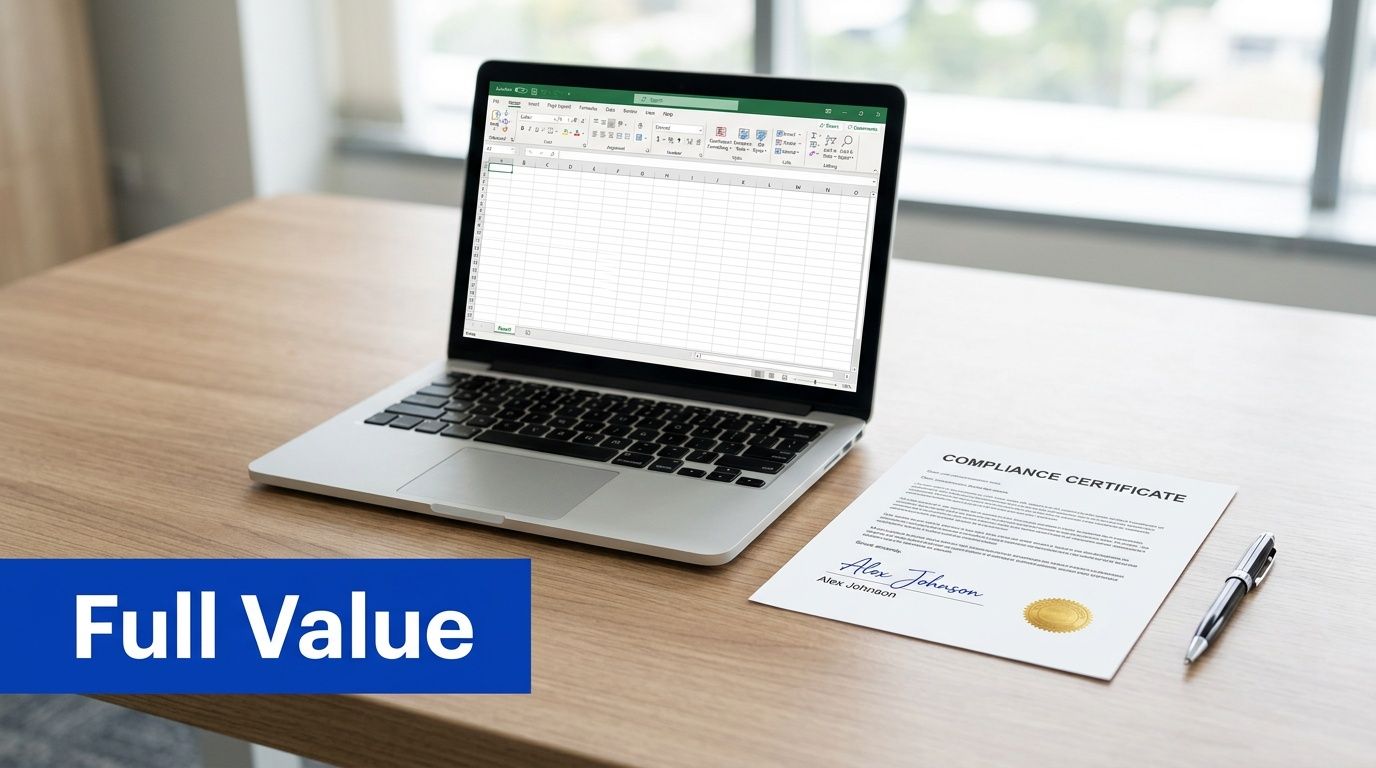
Reconcile the vendor report against your records
Don’t just compare the total quantity. Compare the exceptions. The meaningful questions are usually about mismatch, not volume.
Look closely at:
- Missing serials: Devices on your manifest that don’t appear in the receiving report
- Unexpected additions: Units that arrived but weren’t listed originally
- Condition disputes: Laptops quoted as reusable but graded down after test
- Sanitization outcomes: Drives destroyed instead of wiped, or units held for exception review
A calm reconciliation process is one of the best reasons to maintain a detailed manifest from the start. If your internal records are vague, you won’t have much basis to challenge a downgrade or receiving discrepancy.
Understand how the settlement model affects your outcome
Payment structures vary, and each one shifts risk differently. Some buyers prefer a fixed lot offer. Others use unit-level pricing or a resale-share model after testing.
The practical trade-off is straightforward:
| Settlement model | What it favors | What to watch |
|---|---|---|
| Fixed lot pricing | Speed and certainty | Conservative pricing if your manifest is weak |
| Unit-based pricing | Better alignment to actual asset mix | More grading scrutiny |
| Revenue share | Upside on stronger reusable inventory | Longer time to final settlement |
There isn’t a universal best option. If your team has a disciplined manifest and good condition control, more detailed pricing can work in your favor. If your inventory is mixed and time matters more than optimization, a simpler model may be better.
Accessory handling also matters more than many teams expect. Chargers, docks, and matching power adapters can improve remarketing outcomes on reusable units. Missing accessories don’t always kill value, but they can narrow the resale channel.
Close the compliance loop
The financial settlement is only half the finish line. The compliance finish line is the final documentation set. That usually includes a Certificate of Data Destruction, a Certificate of Recycling, and any asset-level reporting that supports your retention requirements.
Store those documents where audit and security teams can retrieve them later. Don’t leave them in an email chain that disappears when a project manager changes roles.
A disposition project is only as complete as the records you can still produce months later.
For government agencies and nonprofits, the outcome can extend beyond recovered cash. Post-2025 federal mandates require documented value recovery, enabling agencies to redirect proceeds from asset disposition toward community initiatives and digital equity programs, as described in this overview tied to public-interest laptop access programs. In those environments, the paperwork supports both compliance and mission impact.
If your internal process includes evaluating parts harvesting, component resale, or mixed-value streams, this resource on where to sell computer parts can help frame those decisions alongside whole-unit disposition.
Bring finance in at the end, not just the beginning
Recovered value should be documented clearly for accounting, especially when assets were already fully or mostly depreciated. Finance usually needs a clean settlement summary tied to asset retirement records, not just a payment stub.
That final handoff should answer three questions cleanly:
- what left service
- how it was processed
- what value, if any, was recovered
When those answers are documented, cash for laptops becomes more than a one-time cleanup project. It becomes a repeatable lifecycle process that stands up to review.
Frequently Asked Questions for IT Leaders
How long does a laptop disposition project usually take
It depends on asset count, site count, and how prepared your inventory is before pickup. Projects move faster when the manifest is clean, control locks are removed, and staging is complete before the vendor arrives. Delays usually come from internal approvals, incomplete inventory records, and exception handling after intake.
What happens to laptops that don't work
Non-functional laptops still belong in the same controlled process. Some will be harvested for parts. Others will go directly to material recycling after data-bearing media is handled appropriately. The important point is that non-working status doesn’t remove the need for documentation, and it doesn’t justify skipping secure processing.
Should we wipe devices ourselves or let the ITAD partner do it
That depends on your policy, staffing, and risk tolerance. Some organizations prefer to sanitize in-house before release. Others rely on the ITAD partner’s certified process and final reporting. Either approach can work if it’s controlled, documented, and aligned with internal security requirements. What doesn’t work is assuming a factory reset or drive reformat is sufficient.
Can we include docks, monitors, and other hardware in the same project
Usually yes, if the vendor supports mixed loads and the SOW reflects it. The cleaner approach is to list each asset class separately in the manifest rather than blending everything into one line item. Different categories often follow different value and recycling paths.
Is there a minimum volume for pickup
Many providers do have practical minimums, but they vary by geography, asset mix, and whether the load has remarketing value. A smaller lot may still qualify if it’s paired with other equipment or collected during a regional route. It’s better to ask early than assume your volume is either too small or large enough.
What if some devices are still enrolled in MDM or have BIOS passwords
Flag that before the assets leave your site. Lock issues can reduce value, delay processing, or force a change in disposition path. Clearing those controls in advance is one of the easiest ways to prevent payout disputes.
Do chargers and accessories matter
Yes, especially for reusable units. Matching chargers can help a refurbisher test and resell systems more efficiently. If you have accessories, count them and include them in the manifest instead of tossing them loose into a box at the end.
What's the biggest mistake first-time IT sellers make
They treat the project like surplus removal instead of controlled asset disposition. That leads to weak manifests, informal handoffs, unclear data handling, and disappointment when the final settlement doesn’t match the initial estimate.
If you’re planning your first major fleet retirement and want a partner that understands secure, documented, nationwide B2B disposition, Dallas Fortworth Computer Recycling can help you handle laptops and other IT assets with compliant data destruction, clear chain-of-custody, and practical value recovery.