
Your 2026 Guide to Electronics Destruction Near Me

Your latest refresh is done. New laptops are deployed, old desktops are stacked in a conference room, retired servers are sitting in a cage, and someone has already asked whether facilities can “just recycle it.”
That’s the moment when a routine hardware project turns into a risk management problem.
Most searches for electronics destruction near me lead to local drop-off pages, consumer recycling lists, or generic junk removal options. That’s not enough for an IT director managing regulated data, internal audit expectations, and a chain of retired assets moving across multiple offices or data center locations. You need a process that proves what happened to each asset from pickup through destruction and downstream recycling.
Your Guide to Secure Electronics Destruction
A pile of retired devices is never just a storage problem. It’s a mix of data exposure, compliance liability, and environmental responsibility. If even one laptop, server drive, firewall appliance, or medical workstation leaves your control without documentation, you’ve created a gap your auditor, legal team, or compliance officer may later have to explain.
The scale of the problem is bigger than many realize. In 2022, the world generated 62 million tonnes of e-waste, but only 22.3% was formally collected and recycled, according to the Global E-waste Monitor figures summarized here. For businesses, that matters because unmanaged electronics don’t just disappear. They move into landfills, informal channels, resale streams, or unverified handlers where both data and hazardous materials can be mishandled.
What enterprise teams are actually trying to solve
Mid-size and enterprise organizations usually aren’t asking, “Where can I get rid of old computers?” They’re asking more specific questions:
- Data security: Were drives destroyed or sanitized in a way that stands up to audit?
- Traceability: Can we show who touched the assets, when, and where?
- Environmental compliance: Did the recycler process hazardous components correctly?
- Operational control: Can this work across multiple sites without creating chaos for local teams?
That’s why secure electronics destruction should be treated as part of your IT asset disposition program, not as a cleanup task delegated at the end of a project.
What works and what fails
The strongest programs start with inventory discipline, controlled pickup, serialized tracking, and final documentation that ties every asset to a disposition outcome.
What fails is familiar:
Unlabeled pallets, informal pickups, “we wiped everything” assurances, and generic recycling receipts create exposure you can’t unwind later.
A credible destruction process has to answer three questions clearly:
- What assets were handed over
- How those assets were transported and controlled
- What final destruction or recycling outcome each asset received
If your current vendor can’t show that chain from start to finish, your organization is relying on trust where it should require evidence.
Why Compliant Destruction Is a Business Imperative
There’s a practical reason mature IT teams don’t treat electronics disposal as a facilities issue. Recycling and destruction aren’t the same thing.
A recycler may be able to collect devices. That doesn’t mean they can protect regulated data, preserve chain-of-custody, or produce the documentation your organization needs if an auditor asks for proof six months later. For any business holding employee records, customer information, financial files, healthcare data, legal matter content, or internal intellectual property, simple removal is not an acceptable endpoint.
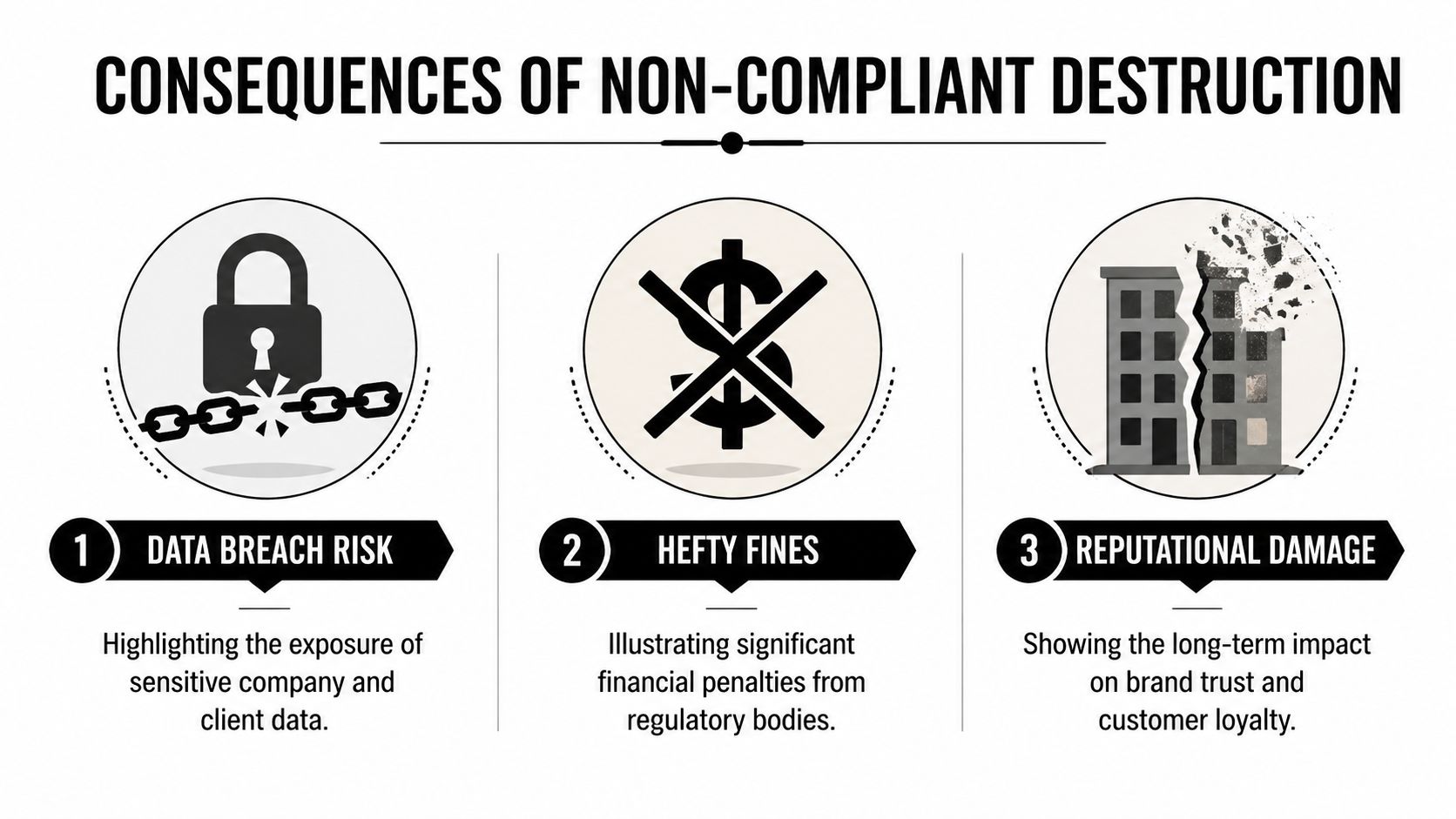
The real cost of getting this wrong
Healthcare organizations have HIPAA concerns. Financial firms deal with FACTA and Gramm-Leach-Bliley obligations. Public sector teams face retention, procurement, and disposal controls that often require proof, not intent. Across all of them, the failure pattern looks similar: old devices leave the building, but nobody can produce a clean record of who handled the media and how it was destroyed.
The direct risk is obvious. Data left on drives can be recovered if the media wasn’t properly sanitized or physically destroyed. The secondary risk is often worse. If your organization can’t prove due diligence, regulators, auditors, insurers, and clients may assume the controls were weak from the start.
Destruction protects more than data
Compliant destruction also protects your operations in less obvious ways:
- Procurement credibility: Your team can approve refresh cycles faster when end-of-life handling is already standardized.
- Audit readiness: Internal audit gets a repeatable package instead of chasing one-off receipts and emails.
- Legal defensibility: Counsel has actual records if a dispute arises over retired equipment.
- Brand protection: Customers and partners expect disciplined handling of sensitive devices.
Practical rule: If a vendor’s process ends with “we recycle electronics,” keep asking questions. You need to know how they handle data-bearing assets, who signs for them, how they’re tracked, and what proof you receive at the end.
Responsible destruction still supports value recovery
A secure program doesn’t mean every asset has to be shredded immediately. Some equipment can be evaluated for reuse or remarketing if policy allows and if data sanitization standards are met first. Other assets should go straight to physical destruction because the risk profile is too high.
There’s also a broader business case for proper ITAD. The U.S. Electronic Goods Recycling industry is projected to reach $28.1 billion in revenue by 2024, and recycling one million laptops saves enough energy to power more than 3,500 U.S. homes annually, according to IBISWorld industry data. That environmental value is real, but it only helps your organization if the process is secure first.
If your team is reviewing media sanitization options, this guide on how to completely wipe a hard drive is a useful reference point for understanding where software wiping fits and where it doesn’t.
Choosing Your Method Onsite vs Offsite Destruction
The right method depends on your risk profile, asset volume, location footprint, and internal controls. Most IT directors narrow the decision to onsite destruction or offsite destruction at a secure facility. Both can work. Both can also fail if the vendor’s chain-of-custody is weak.
The mistake is assuming onsite is always safer or offsite is always cheaper. The better question is this: which method gives your organization the strongest combination of control, documentation, and operational efficiency for this specific project?
Onsite destruction when visibility matters most
Onsite destruction is often the preferred option when your policy requires witnessed media destruction or when executive stakeholders want the highest level of immediate control. The vendor brings shredding equipment or another approved destruction capability to your facility, and your team can observe the process.
That reduces the transport window for data-bearing media. It also simplifies internal communication because compliance, legal, or security teams can confirm destruction happened at your location.
Onsite is usually the better fit when:
- You have highly sensitive media: Executive devices, legal hold exclusions, patient data systems, or financial storage media often warrant direct observation.
- Your policy requires witness verification: Some organizations want security or IT staff physically present for destruction.
- You need fast closure: Assets can move from storage to destruction without another handoff.
The trade-off is operational. Onsite projects require space, scheduling coordination, loading access, and often more planning at the facility level.
Offsite destruction when scale drives the project
Offsite destruction works well when the project involves broad regional pickups, large volumes, or mixed assets that need sorting, testing, and downstream processing in a controlled plant environment. For enterprise programs, offsite often becomes the default because it scales better across many locations.
What matters is whether the transfer from your site to the processing facility is fully documented. Sealed containers, serialized inventory, signed custody records, receiving reconciliation, and final reporting matter more than the word “offsite.”
For teams comparing options, onsite shredding services are worth reviewing alongside facility-based destruction so you can match the method to the policy, not the other way around.
Onsite vs Offsite Electronics Destruction Comparison
| Criteria | Onsite Destruction | Offsite Destruction |
|---|---|---|
| Security visibility | Highest direct visibility because staff can witness destruction at the location | Strong if custody controls are documented from pickup through facility intake |
| Logistics | Requires dock access, staging space, and tighter scheduling on your site | Easier for multi-site rollouts and large consolidated loads |
| Best use case | Sensitive media, executive scrutiny, immediate verification needs | Enterprise volumes, recurring pickups, mixed asset streams |
| Documentation | Can include witnessed destruction records plus standard certificates | Often produces more detailed plant-based reconciliation and serialized reporting |
| Throughput | Effective for focused media destruction events | Better for broad programs involving drives, devices, peripherals, and recycling streams |
| Cost profile | May be justified when policy demands direct observation | Often more efficient when processing larger quantities across locations |
What usually works best
Many organizations land on a hybrid model. They use onsite destruction for selected media categories and offsite processing for the rest of the equipment stream. That gives security teams confidence without forcing every retired keyboard, monitor, thin client, and cable bundle through an expensive process built for drives.
The strongest decision is the one your team can defend later with policy alignment and documentation, not the one that sounds most secure in a kickoff meeting.
Navigating Certifications and the Compliance Landscape
A vendor can say all the right things and still leave you exposed. Certifications and standards help separate firms with controlled processes from firms that are solely material transporters. For IT directors, the goal isn’t to collect logos. It’s to understand which credentials map to data security, environmental controls, and audit evidence.
What the key certifications tell you
Start with the categories that matter most in ITAD:
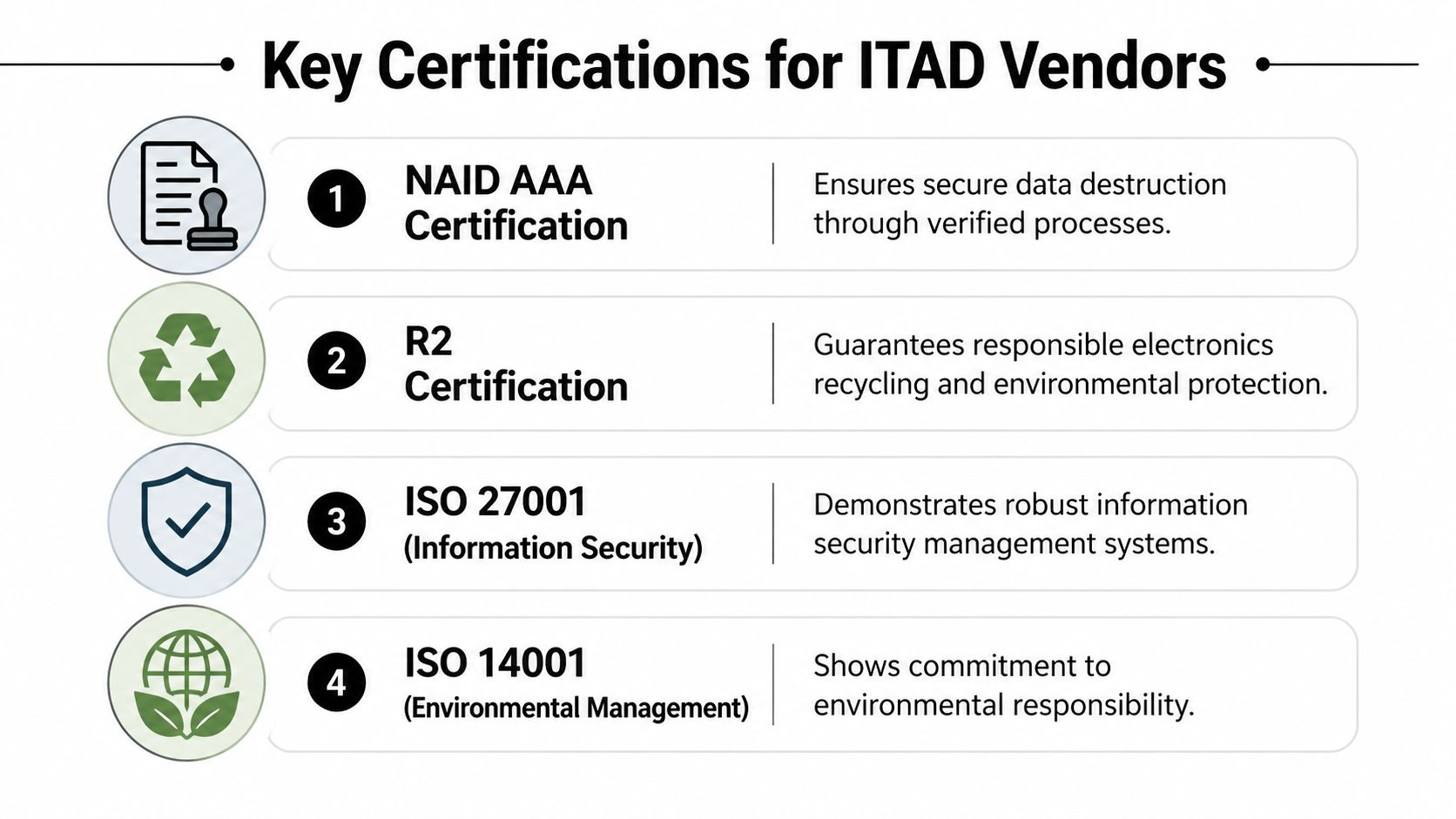
- NAID AAA: This is commonly used to assess secure destruction operations and process discipline around data-bearing materials.
- R2: Focuses on responsible electronics reuse and recycling practices, including downstream control.
- e-Stewards: Emphasizes responsible recycling and stronger restrictions around environmental handling and export risk.
- ISO 27001 and ISO 14001: These can support confidence in information security management and environmental management systems when a vendor maintains them.
No single certification replaces your own due diligence. But together, they help you evaluate whether the vendor’s claims are backed by audited procedures.
Standards that affect your data decisions
For data-bearing assets, the disposal conversation should always come back to sanitization standards. Certified data destruction must meet standards like DoD 5220.22-M or NIST 800-88, which require physical shredding or certified wiping because simple deletion leaves data recoverable, as outlined in this summary of data destruction compliance standards. That same source notes that a certificate of destruction is essential for proving compliance.
Many “electronics destruction near me” options fall short. They may collect devices, but they can’t explain whether they sanitize SSDs differently from magnetic drives, whether failed drives are automatically shredded, or how they document exceptions.
If you’re comparing environmental credentials in the market, review what an R2 certified electronics recycler is expected to control. It’s one of the clearest ways to assess whether a provider has mature downstream and processing discipline.
What your certificate of destruction should include
A usable certificate of destruction isn’t a decorative PDF. It should help support legal, security, and audit review. At minimum, you want clarity around:
Who performed the service
Legal business name, facility details, and service date should be clear.What was covered
The document should identify the asset group, media category, or serialized list tied to the destruction event.How destruction occurred
Physical shredding, degaussing, certified wiping, or another approved method should be stated plainly.Authority and traceability
Signoff, project references, and links to pickup or chain-of-custody records should connect the certificate to the broader job file.
Compliance is broader than one document
HIPAA, FACTA, internal retention policies, and contractual data handling obligations all have one practical demand in common. Your organization must show that retired technology was controlled and disposed of responsibly.
Audit view: A certificate matters, but it only becomes defensible when it matches inventory records, custody logs, and the actual scope of assets removed.
That’s why experienced IT teams ask for the full documentation package, not just the headline certificate.
Your Step-by-Step Vendor Vetting and Scheduling Process
Most vendor problems start before pickup day. They begin during selection, when the buying team focuses on price and pickup availability but skips the harder questions about traceability, receiving controls, and final documentation.

A 2023 US GAO report highlighted that 60% of organizations lack a verifiable e-waste chain-of-custody, risking fines of up to $50,000 per violation under RCRA, according to the summary published by MicroAnt. For an enterprise buyer, that changes the standard immediately. You’re not hiring a hauler. You’re selecting a partner that can preserve evidence.
Start with internal preparation
Before you contact vendors, get your own house in order. A rough asset count is better than no count, but a categorized inventory is better still.
Capture at least:
- Asset type: Laptops, desktops, servers, network gear, drives, monitors, printers, lab equipment.
- Data-bearing status: Separate anything with storage media from peripherals and non-data devices.
- Location details: Office, warehouse, data center cage, clinic, branch, or remote site.
- Handling constraints: Badge access, loading dock limits, required escorts, or security windows.
That prep does two things. It improves quote accuracy, and it reveals whether a vendor asks the right questions back.
Questions that expose weak vendors quickly
A serious provider should be able to answer these without vague language:
- How do you document custody from pickup through final processing?
- Do you track by pallet, container, serial number, or all three depending on asset class?
- What happens if your receiving count doesn’t match the pickup manifest?
- Which media gets wiped, and which media gets physically destroyed by default?
- Can you support multi-location pickups under one reporting structure?
- What final records do we receive, and how are exceptions handled?
If the answers stay at the marketing level, move on.
For broader comparisons, this overview of IT asset disposition companies is a practical starting point for understanding what enterprise-grade scope should look like.
Vet the workflow, not just the certifications
Certifications matter, but execution matters more on the day your assets move. Ask for the operational sequence in plain English.
A strong answer usually includes these phases:
Pickup authorization and scheduling
Named contacts, service window, site rules, and scope confirmation.Collection and handoff
Containers, labels, signatures, and the point where custody transfers.Transport and intake
Secure movement, receiving checks, and reconciliation against the manifest.Processing and disposition
Wiping, shredding, degaussing, dismantling, reuse review, recycling, and hazardous material segregation where needed.Reporting and closeout
Certificate of destruction, serialized audit file, and issue resolution if anything is missing or unreadable.
What scheduling should look like in practice
A good scheduling process is boring. That’s a compliment. It should be predictable, confirmed in writing, and specific about what your site team needs to do before the truck arrives.
If a provider can’t explain who signs at pickup, how assets are packaged, and when you’ll receive final documentation, you don’t have a process. You have a hope.
Your internal checklist should include site access, loading path, parking instructions, after-hours limitations, contact names, and any policy requirements for witnesses or escorts. This is especially important for healthcare campuses, government facilities, and high-security office towers where logistics can derail an otherwise compliant job.
Understanding the Destruction Process and Your Audit Trail
Once the truck leaves, most clients stop seeing the process. That’s exactly why documentation matters. The physical work inside the facility should be controlled, but your organization also needs records that let you reconstruct the full path of each asset class after the fact.
What actually happens to the equipment
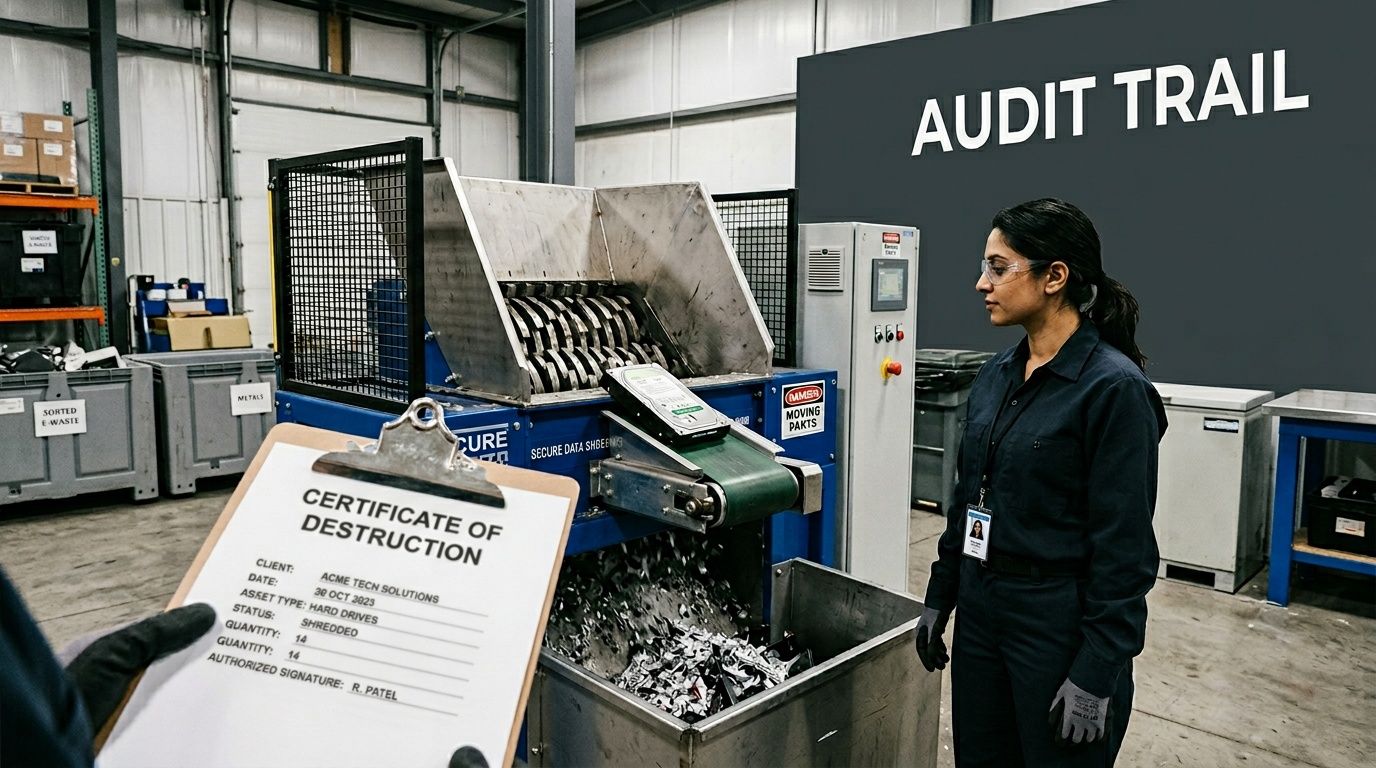
Different materials follow different processing paths. Drives and storage media may be physically shredded or sanitized through an approved wiping process if policy permits. Non-data equipment such as monitors, cables, and metal chassis is typically dismantled into material streams for recovery and hazardous component separation.
At capable facilities, this isn’t an improvised teardown. Certified R2 and e-Stewards facilities implement zero-landfill policies, can process multiple truckloads daily, and recover 60-80% of equipment weight as reusable materials while isolating hazardous substances like lead and mercury, according to this overview of certified electronics recycling operations.
The documents that make the process defensible
The final deliverable should be more than a single certificate. A complete audit trail often includes:
- Pickup records: Date, location, contacts, asset categories, and custody signoff.
- Manifest or serialized list: What was tendered, often by asset tag, serial number, container ID, or grouped lot.
- Receiving reconciliation: Confirmation that the facility intake matched the shipment.
- Disposition reporting: Whether assets were destroyed, wiped, recycled, or sent into approved reuse channels.
- Certificate of destruction: Formal statement tying the project scope to the approved destruction method.
If your team needs a benchmark for the final document itself, review what to expect in a certificate of destruction for hard drives. It’s the cornerstone record, but it works best when backed by the supporting files listed above.
How to read the audit trail like an auditor
Internal audit and compliance teams usually look for consistency, not just completion. They want to see that the documents line up.
Look for these points of agreement:
| Audit item | What should match |
|---|---|
| Pickup date | Service records, manifest, and certificate |
| Asset identifiers | Inventory list, intake report, and disposition report |
| Destruction method | Statement of work, processing notes, and certificate |
| Scope of job | Quote, pickup documentation, and final reporting package |
If one document says “hard drives destroyed” but the serialized report doesn’t show the drives, you have work to do before closing the file.
Strong ITAD records should let a third party answer a simple question without calling the vendor: what was picked up, where it went, how it was handled, and how the organization knows that happened.
That’s the standard worth holding.
Take Control of Your Electronics End-of-Life Strategy
Electronics destruction isn’t a side task after a refresh. It’s part of your security, compliance, and operational control framework.
The organizations that handle this well do three things consistently. They use certified destruction methods for the right asset types. They maintain a clear chain of custody from pickup through processing. And they keep an audit-ready file that stands up to internal review, customer scrutiny, and regulatory questions.
If your current process depends on verbal assurances, generic recycling receipts, or local drop-off convenience, it’s time to tighten it up. A disciplined end-of-life strategy reduces avoidable risk and makes future refreshes easier to execute.
Frequently Asked Questions About Electronics Destruction
Can we recover value from retired equipment before destruction
Sometimes, yes. Devices that still have resale or reuse potential can be evaluated, but only after your data handling policy is satisfied. For some organizations, that means certified wiping plus documentation. For others, especially where risk is high, physical destruction remains the only approved path.
What about non-data equipment like monitors, cables, and printers
Those items still matter because they carry environmental handling obligations even if they don’t contain recoverable data. A professional ITAD program should separate non-data equipment into proper recycling streams and manage hazardous components through approved downstream channels.
Is a local drop-off option enough for a business
Usually not for mid-size or enterprise organizations. Drop-off can work for consumer recycling or very small quantities, but it rarely provides the chain-of-custody, scheduling control, and audit documentation a business needs. That gap becomes more serious when multiple offices, regulated data, or internal compliance teams are involved.
Should every asset be shredded
No. The right method depends on the asset and your policy. Data-bearing media often requires physical destruction or certified sanitization. Other devices may go through reuse, parts harvesting, or materials recovery if they can be processed within your security and compliance requirements.
What’s the most important question to ask a vendor
Ask how they prove custody from pickup to final disposition. If the answer is unclear, everything else is secondary.
If your team needs a nationwide, audit-ready approach to end-of-life IT, Dallas Fortworth Computer Recycling can help you build a secure process around chain-of-custody, certified data destruction, compliant recycling, and clear final documentation. Schedule a consultation to map your asset types, locations, and compliance requirements into a disposition plan that your IT, security, and audit teams can all support.