
Electronic Recycle Columbus Ohio: Business Guide
The most common advice for electronic recycle columbus ohio is also the least useful for an IT director. Search results push you toward free drop-offs, county programs, and community recycling drives. That advice works for a family cleaning out a garage. It doesn't work for a business retiring laptops, phones, servers, network gear, or regulated equipment.
A business asset isn't just trash with a power cord. It may hold customer records, employee data, financial files, patient information, authentication tokens, licensed software, or internal intellectual property. Once you treat commercial IT like residential e-waste, you lose control over the two things that matter most: documented data destruction and chain of custody.
That's the gap in Columbus. Local information overwhelmingly serves residents, while business buyers get very little practical guidance on audit trails, pickup controls, or compliance workflows. If you're responsible for infrastructure, security, procurement, or facilities, the right question isn't "Where can I drop this off for free?" It's "How do I retire these assets without creating legal, operational, and reputational risk?"
Why Free Columbus Recycling Events Are a Risk for Your Business
Free community events have a place. They help households keep electronics out of landfills, and Columbus has active local participation. But if you're managing commercial assets, they're the wrong tool.
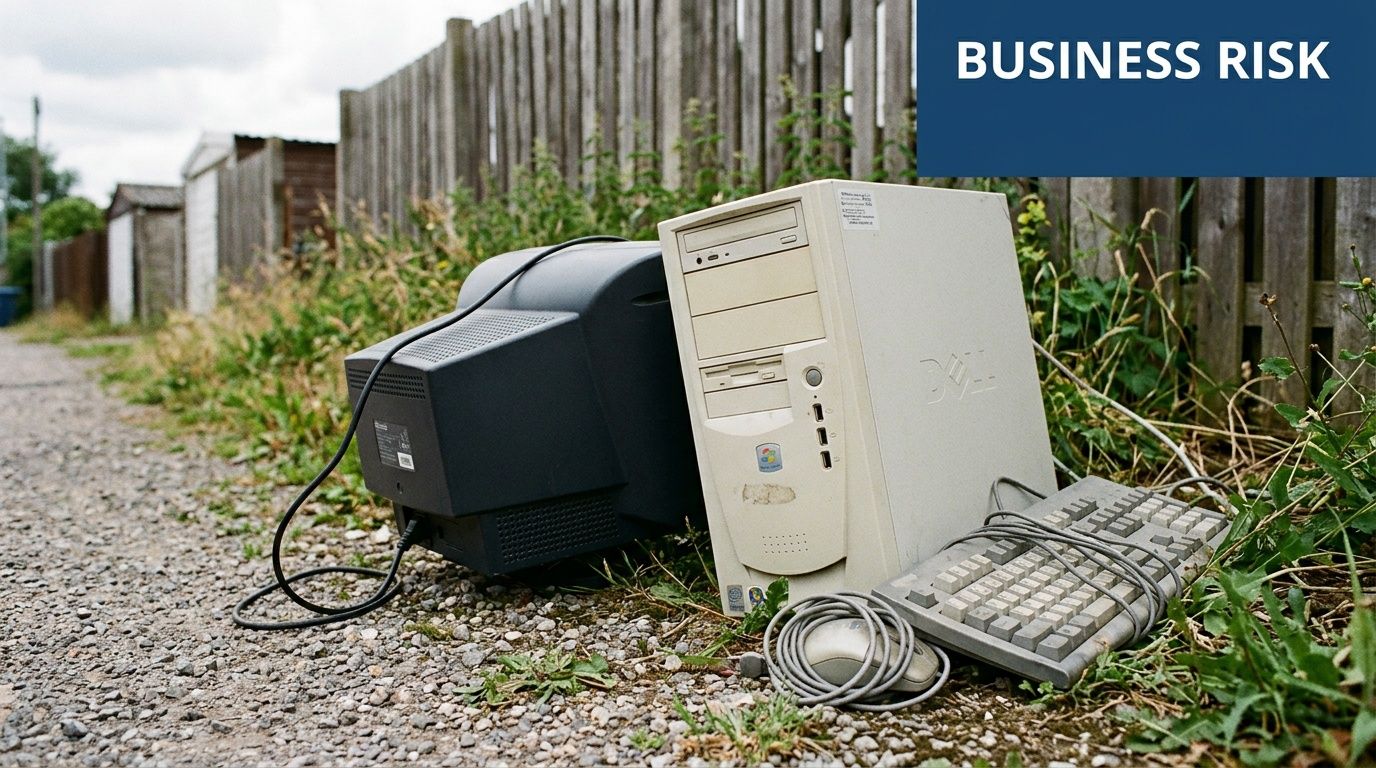
The biggest problem is simple. Residential recycling is designed around material collection, not controlled disposition. Local Columbus content heavily emphasizes free resident drop-offs and event-style recycling, while offering very little detailed guidance for business-scale certified destruction, audit trails, or HIPAA-oriented handling, as noted by Columbus electronics recycling coverage focused on residential drop-offs.
Free isn't the same as safe
When a staff member loads old desktops into a personal car and takes them to a public event, several controls usually disappear:
- Asset tracking breaks. Nobody may record serial numbers, asset tags, or who released each device.
- Custody becomes informal. Once devices leave the office, your organization may not have a defensible handoff record.
- Data handling becomes opaque. You may hear broad references to standards, but broad references aren't the same as device-level proof.
- Internal policy gets bypassed. Facilities, IT, security, legal, and procurement often aren't aligned on what left the building.
That's why "free" can become expensive. The direct recycling fee might be zero, but the hidden cost is uncertainty. If your compliance team, auditor, cyber insurer, or executive leadership later asks what happened to a retired hard drive, "we took it to an event" isn't an answer.
Practical rule: If the recycler can't give you serialized intake records and destruction documentation, the process isn't strong enough for business assets.
Commercial electronics require a different workflow
A retired office monitor and a retired laptop aren't equivalent. One is mostly a materials handling issue. The other can be a security event waiting to happen.
For Columbus organizations with multiple locations, remote staff, or scheduled refresh cycles, the safer approach is a pickup model built for commercial volumes and documentation. A provider offering business electronics recycling pickup services is operating in a different category than a public drop-off event. The value isn't convenience alone. It's control.
What works and what doesn't
A quick sorting rule helps:
| Scenario | Usually acceptable | Usually risky |
|---|---|---|
| Household devices with no business data | Community event | Minimal concern |
| Office monitors with no storage | Depends on internal policy | Still needs asset tracking |
| Laptops, desktops, phones, tablets | Controlled business ITAD | Public event drop-off |
| Servers, storage arrays, backup devices | Certified destruction workflow | Any informal disposal |
| Medical, lab, or regulated devices | Documented compliant handling | General e-waste collection |
The popular advice in Columbus isn't wrong. It's just aimed at the wrong audience. If you're an IT director, you don't need a convenient disposal tip. You need a process that survives scrutiny.
Building Your E-Waste Inventory and Compliance Map
Most failed IT disposition projects don't fail at pickup. They fail earlier, when the organization can't answer basic questions about what it's retiring.
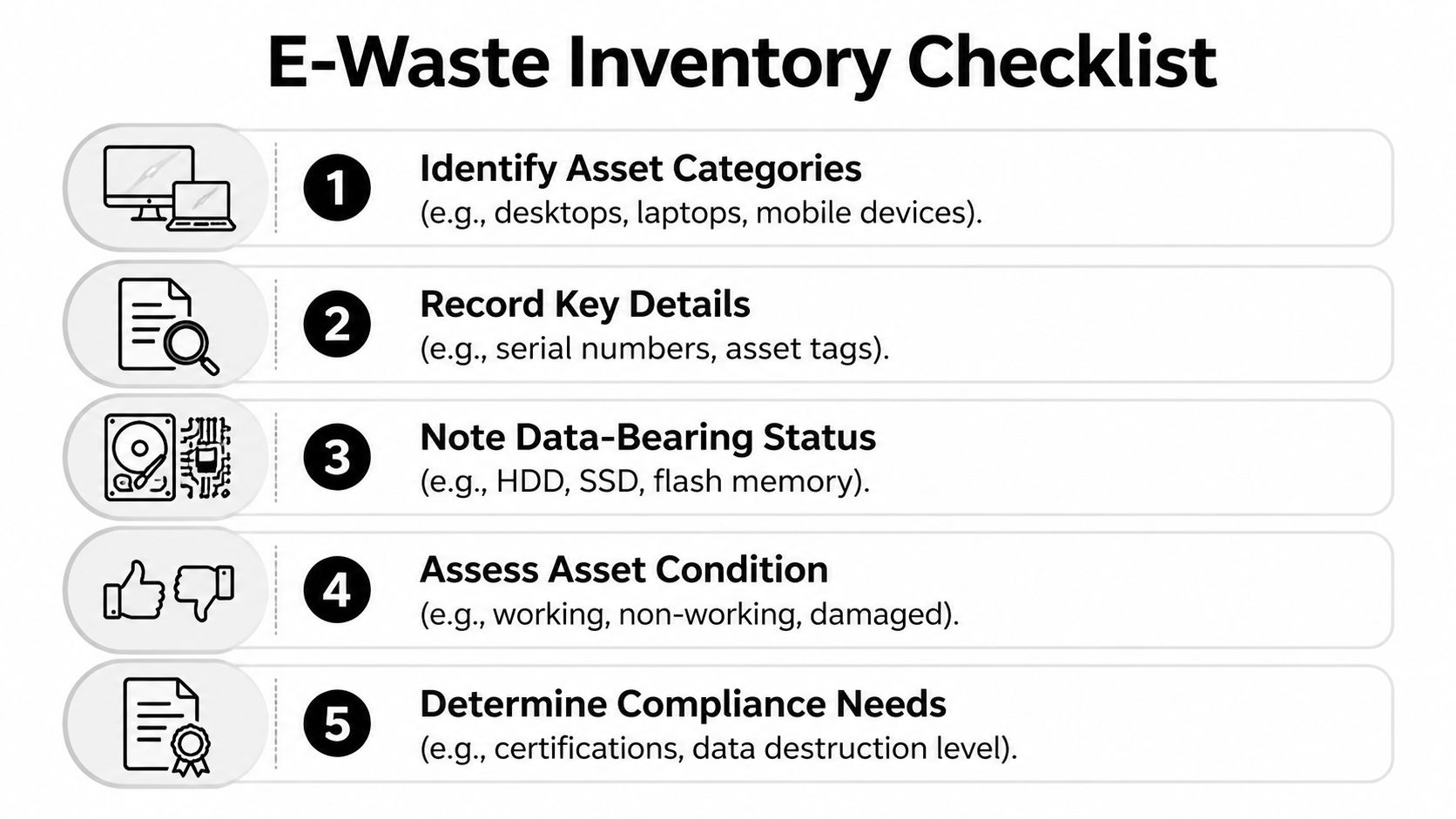
If your inventory is vague, the rest of the process gets vague too. Vague inventory leads to weak quotes, pickup delays, missing records, and arguments later about whether a device was wiped, destroyed, or never collected.
Start with asset classes, not a pile of gear
Don't begin by counting boxes in a storage room. Build categories first so your team can assess risk consistently.
Use buckets such as:
End-user computing
Laptops, desktops, thin clients, docking stations, tablets, and phones. This category often carries the highest routine data exposure because users save files locally and credentials remain cached.Infrastructure equipment
Servers, SAN or NAS devices, backup appliances, firewalls, switches, and telecom hardware. Some devices don't look like obvious storage assets, but they may still retain logs, configs, and network details.Peripheral and embedded devices
Printers, copiers, scanners, badge systems, conferencing equipment, and specialty hardware. These are easy to overlook, especially devices with internal drives or flash memory.Regulated or specialized equipment
Medical devices, lab instruments, and systems tied to controlled workflows. These need extra review before disposition.
A structured inventory framework is easier to maintain if your team already follows documented IT asset management best practices.
Record the details that matter in an audit
A useful inventory is more than a model name. At minimum, track:
- Unique identifiers such as serial number and internal asset tag
- Physical location including building, floor, closet, lab, rack, or user assignment
- Custodian or business owner who can confirm release authorization
- Data-bearing status such as HDD, SSD, flash storage, removable media, or unknown
- Condition including working, damaged, locked, missing drive, or partially disassembled
- Disposition path such as redeploy, resale, recycle, or destroy
- Compliance sensitivity based on the type of information that may reside on the device
Many teams often get sloppy with documentation. They document the easy things and skip the risky ones. The skipped fields are exactly what your recycler, auditor, or legal team will ask for later.
Treat "unknown storage status" as a risk category, not an administrative inconvenience.
Map assets to obligations
Now connect the inventory to actual business requirements. A laptop used by HR doesn't carry the same review burden as a lobby display. A decommissioned lab workstation may require more careful handling than a generic office desktop.
A practical map looks like this:
| Asset type | Likely concern | Required control |
|---|---|---|
| User laptop | Employee and customer files | Verified erasure or physical destruction |
| Phone or tablet | Email, MFA apps, cached access | Secure wipe with device-level records |
| Server or storage unit | Bulk business data | Strong destruction method, serialized tracking |
| Printer or copier | Stored documents and scan history | Review internal storage before release |
| Lab or healthcare device | Regulated records or settings | Compliance review and special handling |
Build a release-ready manifest
Before requesting quotes, create one final working document. It should show what is being retired, where it sits, whether it stores data, and what kind of destruction or recycling path it needs.
That document does three things at once:
- It gives vendors enough detail to scope the job correctly.
- It helps facilities and security plan the physical removal.
- It gives your internal stakeholders a single source of truth.
A Columbus IT director doesn't need a perfect spreadsheet on day one. But you do need a credible manifest that distinguishes scrap from risk. Without that, every later promise about compliance is just talk.
How to Vet and Select a Certified Recycling Partner
Vendor selection is where organizations either reduce risk or outsource it to the wrong company. The search phrase electronic recycle columbus ohio returns plenty of options, but a list of recyclers isn't the same thing as a due diligence process.
A serious B2B partner should be able to explain exactly how equipment is received, tracked, destroyed, documented, and processed downstream. If the sales conversation stays at the level of "we recycle responsibly," keep looking.
Use a buyer's scorecard
This checklist works better than marketing claims.
| Evaluation Criterion | What to Look For | Red Flags |
|---|---|---|
| Certifications | Current, relevant certifications with clear scope | Vague mention of standards without proof |
| Data destruction capability | Clear methods for wiping and physical destruction | "We can probably do that" |
| Chain of custody | Serialized intake and handoff records | No sample documentation |
| Insurance and liability | Appropriate coverage and willingness to discuss it | Evasive answers about risk transfer |
| Logistics process | Secure pickup, trained staff, documented packaging or scanning | Casual pickup with no intake controls |
| Reporting | Certificates, inventory reconciliation, final summary | Generic receipt only |
| Downstream handling | Transparent process for reuse, recycling, and residual materials | No explanation of where assets go |
| Experience with regulated environments | Familiarity with healthcare, public sector, labs, or enterprise controls | Residential focus dressed up as B2B |
Certifications are a starting point, not the finish line
A certification matters, but it doesn't replace operational detail. Ask what the certification means in daily handling. Who scans assets at pickup? What happens if a serial number is unreadable? How are failed drives handled? When does the certificate get issued?
If a provider highlights certification, ask to see the workflow that supports it. You can also review what an R2 certified electronics recycler should provide from a process standpoint. The key is translating labels into controls.
Ask for documents before you sign
Procurement teams often wait too long to request samples. Ask early for:
- A sample chain-of-custody form
- A sample certificate of destruction
- A sample recycling or disposition report
- A description of exceptions handling
- A statement of how non-working or damaged storage devices are handled
A credible vendor won't see these requests as unusual. They'll expect them.
If a recycler can't show sample paperwork during vetting, don't assume the paperwork gets better after pickup.
Interview the process, not just the salesperson
The strongest question set is operational. Skip generic prompts like "Tell me about your services." Ask narrow questions that force specifics.
For example:
- How do you verify the count at pickup?
- Do you scan serial numbers on site, at your facility, or both?
- What happens when an asset arrives without an asset tag?
- Can you separate assets for resale, internal hold, and destruction in one project?
- How do you document media removed from parent equipment?
- Who signs the handoff paperwork on both sides?
Those answers reveal whether you're talking to an ITAD operation or a hauling service.
The red flags that matter most
Some warning signs show up repeatedly:
- Overemphasis on free service for mixed commercial loads
- No distinction between monitors and data-bearing devices
- No mention of chain of custody
- Broad claims about standards without device-level reporting
- No comfort with healthcare, lab, or public-sector questions
- Push to move quickly before inventory is complete
Good vendors slow the process down where control matters. Bad vendors speed it up where your organization needs proof.
Choose for auditability, not convenience alone
Convenience matters. Pickup windows, responsive communication, and easy scheduling all help. But those features only matter after the fundamentals are solid.
A qualified recycling partner should leave you with confidence that every asset can be accounted for. If your team can't reconstruct who released the device, who received it, what happened to the data, and how the material was processed, the vendor didn't solve your risk. They just moved it offsite.
Securing Your Data Through Destruction and Chain of Custody
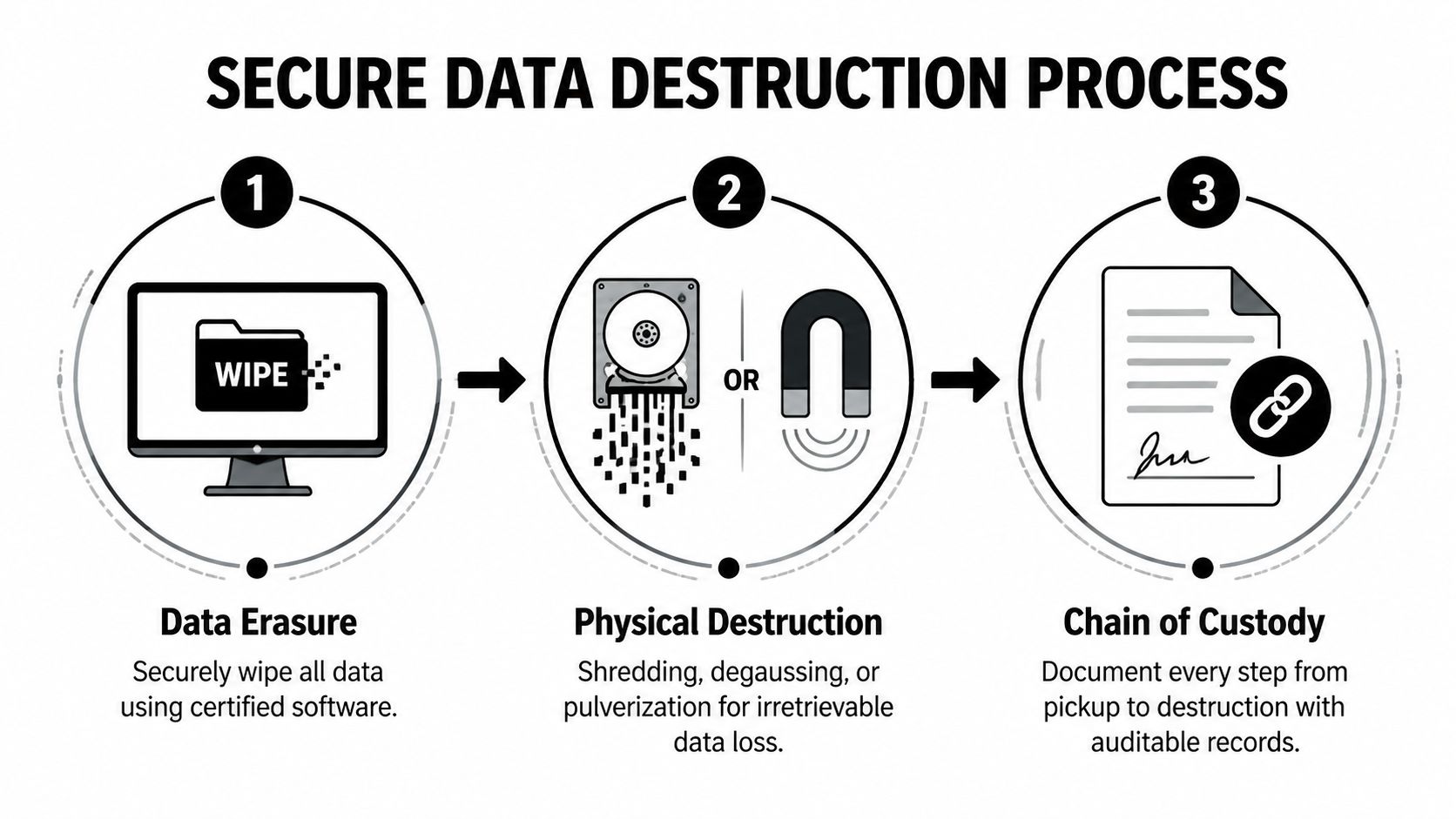
Data destruction gets oversimplified all the time. People talk as if every retired device should be "shredded" or "wiped." In practice, the right method depends on the device, the data sensitivity, the equipment condition, and the level of proof your organization needs.
Pick the method that fits the asset
Three methods show up most often.
Data erasure
Software-based erasure is usually appropriate when the device is functional and the organization wants a documented wipe before reuse or resale. This is common for fleet laptops, desktops, and some mobile devices.
Erasure is useful because it can preserve asset value. But it only works when the storage media can be accessed reliably and the process is documented at the device level.
Degaussing
Degaussing uses a strong magnetic field to disrupt magnetic media. It has a narrower use case because it applies to certain storage types and isn't a universal answer for all modern media.
Teams sometimes ask for degaussing because it sounds secure. The better question is whether it fits the actual drive type and whether your vendor can prove the result in a way your compliance team accepts.
Physical destruction
Physical destruction is usually the safest route for failed drives, high-sensitivity media, and situations where reuse isn't worth the risk. That can include shredding or other forms of irreversible destruction.
This method is often the cleanest answer for organizations that want certainty over residual value, especially for storage pulled from servers or devices with unclear prior handling.
Chain of custody is what makes the method defensible
Destruction by itself isn't enough. A destroyed drive with no paperwork is still a documentation problem.
Think of chain of custody as the written timeline for each asset. It should show:
- What the item was
- How it was identified
- Who released it
- Who received it
- Where it moved
- What happened to its data
- When final disposition was completed
Without that trail, your organization may know what should have happened, but it can't prove what did happen.
The strongest destruction process is the one your security team can explain to an auditor without filling gaps from memory.
What the handoff should look like
A disciplined chain of custody usually includes several checkpoints:
Internal release approval
IT or asset owners approve equipment for disposition.Pickup verification
Devices are counted, labeled, or scanned against a manifest.Transport control
Equipment moves under documented custody rather than informal transfer.Processing intake
The recycler confirms receipt and reconciles what arrived.Destruction or erasure event
The chosen method is applied and recorded.Final certificate and reporting
Your organization receives documentation tied back to the assets.
If any step is informal, the whole chain gets weaker.
Environmental value doesn't remove the need for control
Columbus has strong community engagement around e-waste. Since 2013, Integrated Building Systems' Earth Day drives have collected over 100,000 pounds of e-waste, and national EPA data highlighted in that same discussion states that recycling one million laptops saves enough energy to power over 3,500 U.S. homes for a year, underscoring the resource value in responsible processing, as described in record results from the 2020 Columbus e-waste drive.
That environmental upside matters. But for business assets, it only counts after security is handled correctly. The right sequence is clear: first maintain custody and destroy data properly, then recover reuse and recycling value from what remains.
Ask for proof, not reassurance
Before release, ask exactly what certificate you'll receive and how it ties back to the devices you shipped. Reviewing a model certificate of destruction for hard drives can help your team know what acceptable documentation should look like.
A recycler may sound confident in meetings. Confidence isn't evidence. A certificate tied to specific assets is.
Planning Pickup Logistics and Understanding the Costs
The cost question gets mishandled in Columbus because most public-facing content is built around residential drop-offs. That makes business buyers think in the wrong frame from the start.
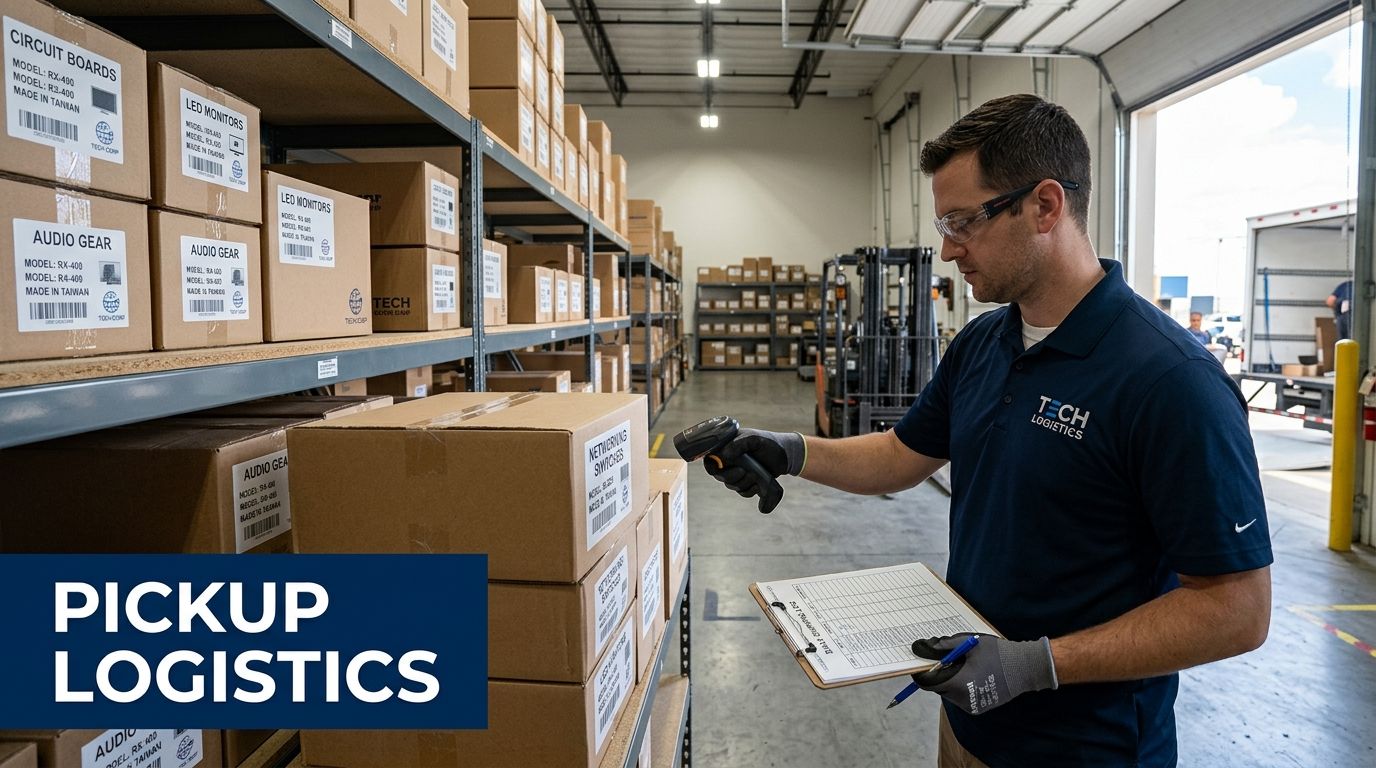
For a household, "free recycling" is the main selling point. For an enterprise, value is found elsewhere: secure pickup, inventory control, data destruction, exception handling, and final reporting. Columbus-area content often highlights free residential services or small item fees, but gives procurement teams little guidance on budgeting business-scale ITAD, where pricing depends on volume, logistics, and destruction requirements, as reflected in local business recycling information with limited pricing detail.
Logistics and price are tied together
You aren't buying a truck ride. You're buying a managed process.
Cost usually changes based on factors like:
Volume and mix of equipment
A pallet of monitors isn't the same project as a mixed lot of laptops, phones, drives, and rack equipment.Data-bearing content
The more storage devices involved, the more labor, verification, and reporting the project requires.On-site requirements
Some organizations need pickup from multiple floors, badge-controlled areas, data centers, clinics, or labs.Packaging and preparation
Loose equipment takes more time than assets staged and labeled in a disciplined way.Reporting depth
A simple weight receipt is one thing. Device-level reconciliation and destruction records are another.
Why free can be the wrong economic choice
A free option may still create internal costs that don't appear on an invoice.
Consider what your team spends when the process is weak:
| Cost area | Low-control disposal | Managed ITAD pickup |
|---|---|---|
| Staff time | Ad hoc sorting and repeated follow-up | Planned once, executed to scope |
| Security review | Uncertainty after release | Clear records tied to assets |
| Procurement clarity | Little budgeting guidance | Defined scope and deliverables |
| Audit readiness | Manual reconstruction | Standard reporting package |
| Risk exposure | Higher | Lower |
The cheapest visible option often creates the most expensive internal cleanup.
Procurement should compare total operational burden, not just the pickup fee.
How to make pickups smoother
The organizations that run this well usually do a few things before the truck arrives:
- Stage by category so laptops, network gear, peripherals, and media aren't mixed together.
- Separate exceptions such as damaged drives, unknown devices, or regulated equipment.
- Assign one owner for day-of-pickup decisions.
- Coordinate with facilities and security so docks, elevators, and access points are ready.
- Freeze late additions unless they can be added to the manifest correctly.
If the recycler offers electronics pick up for businesses, your side still has work to do. Good pickups happen when both teams arrive with the same list and the same rules.
Budget for outcomes, not disposal
An IT director should budget this the same way they'd budget any controlled risk-reduction activity. The invoice covers physical removal, but the business outcome is broader:
- retirement of obsolete assets
- documented destruction of stored data
- reduced burden on internal staff
- support for sustainability reporting
- fewer surprises during audit or incident review
That is a better budgeting conversation than asking whether someone can "take this stuff away for free."
Finalizing Documentation to Ensure Full Compliance
The project isn't complete at pickup. It's complete when your records can withstand audit, legal review, and internal scrutiny.
In 2020, Ohio achieved a 30 percent residential and commercial solid waste reduction and recycling rate, diverting 4.39 million tons from landfills, according to the Ohio EPA solid waste reduction and recycling report. For businesses, that statewide progress matters most when you can document your own contribution and prove your process was compliant.
What documents you should expect
At minimum, request and retain documentation that covers both data destruction and material disposition.
Your packet often includes:
- Pickup or bill of lading record showing date, location, and custody transfer
- Asset-level inventory report listing serial numbers or other unique identifiers
- Certificate of destruction for data-bearing media or devices
- Certificate of recycling or disposition summary showing how material was handled
- Exception report for unreadable tags, missing drives, nonconforming items, or other anomalies
If your vendor sends only a generic receipt, you don't have enough.
Reconcile records before you archive them
Don't file the paperwork as soon as it arrives. Reconcile it first.
Use a simple review sequence:
Match your original manifest to the intake report
Check for missing, extra, or substituted devices.Confirm every data-bearing asset has a clear destruction outcome
No ambiguous status lines.Review exceptions carefully
One unresolved serial number can create a recurring audit problem.Verify dates and locations
The timing should align with your internal release records.
A certificate has value only when it connects back to your own inventory.
Store documents where multiple teams can use them
Keep final records in a place that supports more than one audience. Security may need them for incident response. Procurement may need them during vendor review. Finance may need them for fixed asset reconciliation. Sustainability teams may want them for reporting.
A good internal file usually includes the original manifest, approvals, pickup records, vendor reports, final certificates, and any exception resolutions. Keep the package together rather than scattering it across email threads.
Close the loop internally
Once documentation is complete, update your asset register, note any process failures, and revise your next retirement plan. If labels were missing, fix tagging discipline. If facilities access caused delays, correct scheduling. If regulated devices required special review, build that checkpoint into your standard workflow.
That's how disposal becomes a repeatable compliance process instead of a one-off cleanup project.
Frequently Asked Questions for Columbus Businesses
Can my staff take old office electronics to a free public drop-off?
They can physically do it. They usually shouldn't for business assets. Once employees move company devices through an informal channel, your organization may lose documented custody, consistent intake records, and device-level proof of destruction.
That risk is highest for laptops, desktops, phones, tablets, servers, backup gear, printers with storage, and anything that may contain regulated or confidential information.
Are monitors and keyboards less risky than laptops and servers?
Usually yes, but only if you're certain they contain no storage and your internal asset process still records their release. Businesses get into trouble when they assume all peripherals are harmless. Some devices that look simple still retain settings, logs, or embedded memory.
A practical rule is to separate data-bearing, possibly data-bearing, and non-data-bearing equipment before pickup.
What if we don't know whether a device has a hard drive or flash storage?
Treat it as data-bearing until proven otherwise. That conservative approach avoids the most common mistake in commercial e-waste projects, which is downgrading unknown devices to scrap too early.
This is especially important for old network gear, multifunction printers, specialty medical equipment, lab systems, and small appliances with embedded controls.
Should we choose wiping or physical destruction?
Choose based on data sensitivity, device condition, and whether reuse matters to your organization. If the device works and preserving residual value matters, documented erasure may make sense. If the media is damaged, highly sensitive, or operational certainty matters more than remarketing, physical destruction is often the better path.
The wrong move is picking a method because it sounds cheaper or more aggressive without matching it to the actual asset.
What should we ask for on day one with a recycler?
Ask for process documentation, not just a quote. Specifically request sample custody paperwork, a sample destruction certificate, a description of intake and exception handling, and clarity on how they identify individual devices.
If the vendor conversation stays broad, your post-pickup documentation will usually be broad too.
Is electronic recycle columbus ohio mainly a local drop-off issue, or should we think nationally?
If your company has one office and a small volume of non-sensitive equipment, a local solution may be enough. But if you have multiple locations, recurring refresh cycles, remote staff, or regulated equipment, a broader ITAD model often works better because it gives you one policy, one reporting standard, and one operating rhythm across sites.
That consistency matters more than keeping every transaction hyperlocal.
How should healthcare, labs, and public-sector teams handle this differently?
With more internal review up front. These environments often have stricter release controls, more stakeholders, and less tolerance for ambiguous records. Build in sign-off from the right owners before pickup, isolate specialty assets, and require documentation that matches your audit expectations.
The core mistake isn't choosing the wrong recycler. It's sending regulated equipment into a generic process built for everyday office surplus.
Can we combine sustainability goals with strict security requirements?
Yes, but the sequence matters. First secure the assets, control custody, and document destruction. Then let the recycler maximize reuse and recycling where appropriate. Sustainability and security aren't opposites. Problems happen when companies use sustainability language to justify weak controls.
What's the clearest sign a process is business-ready?
You can trace every significant asset from your inventory to final disposition without relying on memory. If the paperwork tells the full story, the process is mature. If you need verbal explanations to fill in the gaps, it isn't.
If your team needs a business-focused partner rather than another residential-style drop-off option, Dallas Fortworth Computer Recycling provides nationwide IT asset disposition, secure electronics recycling, certified data destruction, and pickup logistics designed for organizations that need auditability, chain of custody, and compliant retirement of technology.