
Mastering Chain of Custody Documentation for ITAD
A lot of IT directors don't think about chain of custody documentation until someone asks for proof under pressure.
The trigger is usually ugly. An auditor wants to see the retirement records for a batch of laptops that left your office months ago. A privacy officer needs to confirm what happened to the failed drives pulled from a storage array. Legal asks whether a specific device was wiped, shredded, resold, or is still sitting in a cage somewhere under someone else's control.
At that point, vague answers become liabilities. “Our vendor picked it up.” “Facilities handled it.” “We have a destruction certificate somewhere.” None of that holds up if you can't reconstruct the asset's journey from handoff to final disposition.
In ITAD, chain of custody documentation is the record that turns disposal from a trust exercise into a defensible process. It proves who had the asset, when they had it, where it went, what happened to the data-bearing media, and whether your organization can stand behind the outcome.
Your First Line of Defense in an Audit
The call usually starts with one simple question.
Where is the hard drive from that server?
Not the rack. Not the host name in the CMDB. The actual drive. The one that came out during a refresh, was tagged for retirement, and left the data center with a stack of other assets. If your team can answer that question with a signed pickup record, serialized manifest, intake confirmation, custody transfers, and final destruction evidence, the conversation stays controlled. If not, the audit stops being routine.
What auditors are really testing
Auditors rarely care about your intentions. They care about whether the record is complete enough to prove control. In ITAD, that means your documentation has to show more than a shipping event. It has to show an unbroken timeline.
A clean record answers practical questions fast:
- Asset identity: Which device or drive are we talking about?
- Custodian trail: Who released it, transported it, received it, and processed it?
- Location history: Where was it at each handoff?
- Disposition proof: Was it sanitized, destroyed, remarketed, or held for exception handling?
That's why many IT teams eventually stop treating chain of custody as paperwork and start treating it as a control layer. If you're reviewing providers for IT asset disposition services in Dallas Fort Worth Texas, this is one of the first capabilities to examine.
A missing custody record doesn't just create an administrative gap. It creates doubt about whether the asset was ever under control after it left your site.
What works and what fails
What works is boring, repeatable discipline. Serialized pickup lists. Signed transfer points. Intake scans at receipt. Exception logs for damaged or mismatched assets. Final reports that tie every item back to the original release.
What fails is informal handling. One spreadsheet maintained by three people. One truck manifest for mixed assets with no drive-level detail. One destruction certificate that covers a date range but not the specific media an auditor is asking about.
When an audit lands, chain of custody documentation becomes your first line of defense because it lets you answer immediately, not reconstruct later.
Understanding Chain of Custody in IT Asset Disposition
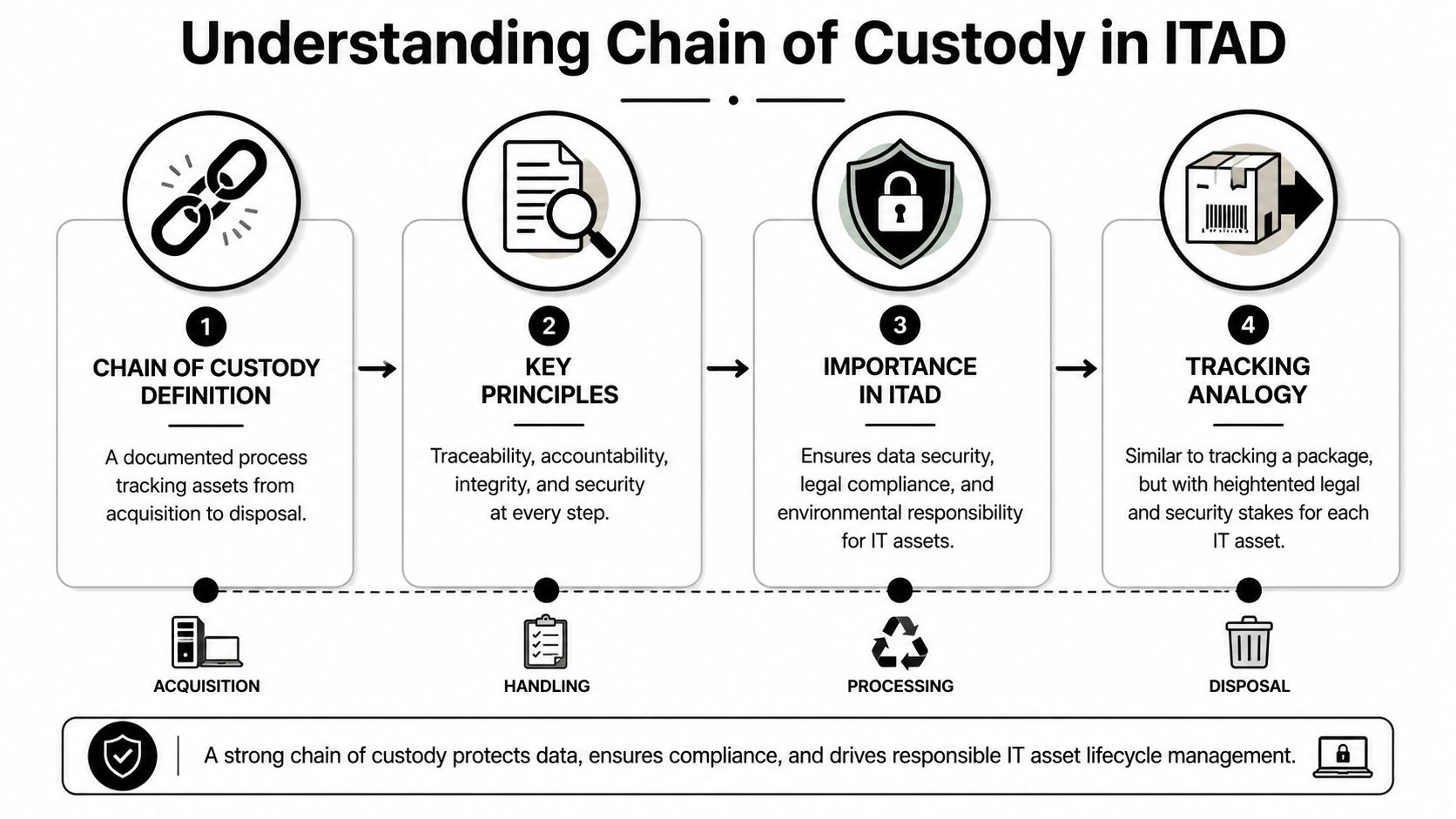
Chain of custody in ITAD is easiest to understand if you think of it as package tracking with legal consequences. A package carrier can tell you when a box was picked up, where it moved, and when it was delivered. Chain of custody documentation does the same thing for retired IT assets, except the standard is much stricter because the contents may include regulated data, licensed software, or evidence relevant to an investigation.
Where the standard comes from
The concept didn't start in recycling or logistics. It comes from evidentiary handling. StatPearls defines chain of custody as the sequential documentation of the “custody, control, transfer, analysis, and disposition” of evidence and notes that evidence may be inadmissible if continuity isn't preserved.
That matters in ITAD because retired equipment often contains digital evidence of one kind or another. Not courtroom evidence in every case, but information that still has to remain authentic, controlled, and provably protected. Once digital evidence became more common, custody standards had to account for the fact that electronic files can be altered without obvious physical signs. That same problem exists with storage media in retired enterprise hardware.
How that applies to IT assets
In a disposal program, the “item” is often more complicated than a box on a pallet. A server chassis may contain multiple drives. A laptop may move through separate physical and digital custody paths. A failed SSD might be removed on site, while the remaining device is sent for remarketing. Each path needs its own record.
That's why chain of custody documentation in ITAD has two jobs at once:
- Track the physical asset through pickup, transport, intake, storage, processing, and final disposition.
- Track the data-bearing media through sanitization, destruction, or forensic handling if an exception is involved.
Why compliance teams care
The legal and regulatory pressure varies by organization, but the operating principle stays the same. If your business handles personal data, patient records, financial information, employee data, or regulated operational systems, you need to prove that retired equipment didn't leave the chain unsupervised.
A bill of lading can confirm movement. It can't usually prove secure handling of the media inside the load. A generic destruction statement can confirm an outcome. It can't usually prove every transfer that happened before that outcome.
Practical rule: In ITAD, disposal without custody documentation is just an undocumented claim.
What IT directors should insist on
For ITAD, a usable custody process should connect your internal asset records to the downstream processing record. That means the serial number or asset tag your team knows must survive the handoff. If it disappears at pickup and gets replaced by a bulk lot reference, you've already weakened the audit trail.
The strongest programs also distinguish between operational convenience and evidentiary strength. Bulk handling is faster. Item-level traceability is safer. When the assets involve drives, backup appliances, laptops, or infrastructure used in regulated environments, the safer option is the one that stands up later.
The Core Components of an Ironclad CoC Record
A chain of custody form isn't strong because it exists. It's strong because every field closes off a future argument.
If an asset goes missing, the identifier matters. If someone questions whether the wrong device was processed, the description matters. If a handoff is disputed, the signatures and timestamps matter. In digital custody, if someone challenges integrity, the hash values matter.
The fields that should always be there
In practical ITAD terms, that translates into a record with these basics:
- Unique identifier: Asset tag, manufacturer serial number, drive serial, pallet ID, or sealed container number.
- Date and time: Not just the pickup date. Each meaningful transfer should be time-stamped.
- Location: Data center room, office floor, branch site, loading dock, secure vehicle, processing cage, shred area.
- Collector or custodian identity: The person releasing, transporting, receiving, or processing the item.
- Transfer acknowledgment: Signature, scan event, or equivalent documented acceptance of responsibility.
- Detailed description: Device type, model, media type, condition, and any exceptions.
For storage media, teams should also expect destruction or sanitization details. If you're validating vendor outputs, compare the custody report against the supporting certificate of destruction for hard drives and make sure both records align by item.
Physical custody and digital custody are related, not identical
A lot of internal programs break down because they document the pallet but not the media. That works until a single drive becomes the issue.
Here's the distinction that matters.
| Element | Physical Asset Custody (e.g., Server Chassis) | Digital Data Custody (e.g., Hard Drive) |
|---|---|---|
| Unique ID | Server serial number, asset tag, rack unit reference | Drive serial number, media identifier, forensic image reference |
| Collection details | Pickup date, time, room, releasing employee | Removal date, time, handler, source device |
| Item description | Model, condition, accessories, seal status | Drive type, capacity, condition, encryption status if documented internally |
| Transfer record | Vehicle manifest, receiving scan, warehouse location | Media transfer log, lab receipt, processing queue entry |
| Integrity control | Tamper seals, cage storage, signed handoffs | Capture method, source hash, image hash |
| Final outcome | Resale, parts harvest, recycling, destruction | Wipe verification, physical destruction, forensic hold |
Why hashes matter for some workflows
Hash values aren't relevant for every retired asset. They are critical when a device or image has to be preserved in a way that proves it didn't change. If your team images a drive before review, the custody record should show the method used and the source and image hash values. The point is repeatable integrity verification.
If the source drive hash and the forensic image hash match, the record supports the claim that the evidence is materially unchanged. If they don't, you have an acquisition or integrity problem.
That's the difference between a document that looks formal and one that can survive scrutiny.
Implementing Best Practices for Documentation and Audits
Most custody failures don't happen because people refuse to document. They happen because the process is fragmented. Pickup records sit with facilities. Intake reports sit with the vendor. Destruction evidence sits in procurement email. Audit requests then force the team to assemble a story from scattered fragments.
The fix is process design. One owner, one retention approach, one review rhythm.
Build the record at the point of movement
The strongest documentation starts before the truck arrives. If your team waits until after pickup to create the custody record, you're already relying on memory.
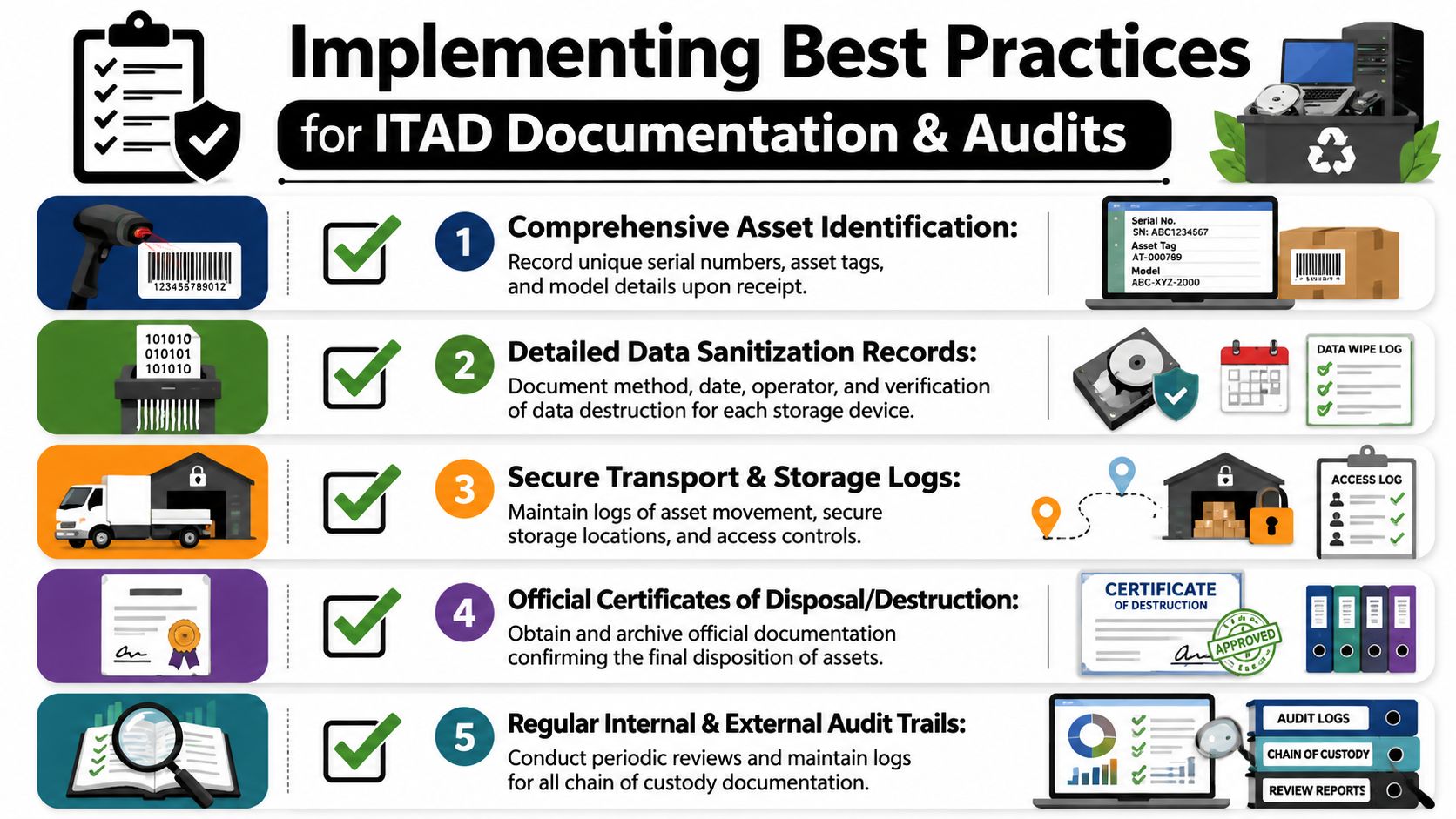
A practical workflow looks like this:
Schedule and pre-register assets
Pull the retirement list from your CMDB, endpoint tool, storage inventory, or data center decommissioning plan. Confirm serials, tags, and media counts before release.Document the handoff on site
Record who released the assets, when they were released, and what was transferred. If seals or containers are used, note them in the manifest.Confirm intake at receipt
Receiving should reconcile what arrived against what was expected. Exceptions need their own log entry, not a side conversation.Tie processing records to the original identifiers
Sanitization, shredding, or resale preparation should reference the same item identifiers captured at pickup.Archive final evidence in one retrievable system
The custody packet should live where audit, legal, security, and compliance teams can find it.
For teams formalizing secure retirement workflows, security data destruction should be documented as part of the custody chain, not treated as a separate afterthought.
Set retention rules before you need them
Retention is where many organizations inadvertently undercut themselves. Kusari's guidance says common retention periods range from 3 to 7 years for routine operational evidence, while records tied to legal proceedings may require indefinite retention until all appeals are exhausted.
That's a useful baseline for ITAD because disposal records often become important long after the project closes. A branch office refresh may seem routine now. It won't feel routine if a dispute, breach review, or legal hold appears later.
Borrow discipline from higher-stakes custody systems
The same Kusari guidance points to election administration requirements from the U.S. Election Assistance Commission, where chain of custody documents include item descriptions, counts, dates, times, and witness signatures. That level of detail matters because every handoff and count must be defensible.
ITAD doesn't need ballot terminology, but it benefits from the same mindset:
- Count what moves: Number of devices, drives, or sealed containers released and received.
- Time-stamp each event: Pickup, intake, processing, and final disposition.
- Capture witnesses when needed: Especially for sensitive removals, on-site destruction, or exception handling.
Run internal audits like a stress test
Don't wait for an external audit to discover your weak points. Run small internal reviews that test whether the record is usable.
Use a sample-based approach:
- Pick a recent retirement event: One office closure, one data center pull, one remote laptop return.
- Trace one asset end to end: Can you show release, transport, receipt, processing, and final outcome?
- Look for broken references: Missing serials, illegible signatures, mismatched dates, or bulk reports with no item mapping.
- Check retrieval speed: If the team needs days to assemble the file, the process isn't audit-ready.
Internal audits should test retrieval, not just existence. A document buried in three inboxes and a shared drive may as well be missing.
Chain of Custody in Action Real-World Scenarios
Theory helps. Scenarios make the weak spots obvious.

A pallet of decommissioned servers
A data center team retires a row of older compute nodes during a migration. The equipment is powered down, unracked, and staged in a controlled room. Before pickup, the team exports the server list from its inventory system and confirms serial numbers against the physical chassis.
At release, the custody record notes the location, the employee authorizing transfer, the pickup team receiving the load, and the pallet or seal identifiers attached to the shipment. When the load reaches the processing facility, intake staff reconcile each server against the manifest. One unit has a damaged tag, so it goes into exception handling until the serial can be matched through other internal records.
That exception log is part of the chain. Without it, the missing tag looks like a custody break.
Some organizations choose on-site shredding near me for the removed drives while moving the empty chassis through standard downstream processing. That split is common, but it only works if the record clearly separates physical chassis custody from media destruction custody.
One remote employee laptop
Remote assets are where informal processes create the most trouble.
An employee leaves. HR disables access. IT ships a return box. The laptop arrives later, often through a different path than corporate office hardware. If the asset is only “received in the mail,” you don't have much of a custody record.
A better process starts when the return is initiated. The laptop's asset tag and serial are linked to the employee and shipping event. On receipt, staff inspect the unit, document condition, confirm identity, and log who accepted it. If the laptop goes to sanitization, the storage media should be tied to the same device record. If the drive is removed because of damage or policy, the new media-level identifier should be added to the chain.
The story that matters later is simple. This laptop belonged to this user, was recovered through this shipment, was received by this handler, was processed under this record, and the data-bearing media reached this final disposition.
If your current workflow can't tell that story cleanly, your custody process needs work.
How a Certified ITAD Partner Guarantees Auditability
Internal teams can manage chain of custody documentation on their own. Many do. The challenge is consistency at scale.
One office move is manageable. A national refresh across branch locations, data centers, remote users, and mixed media types is where internal controls start to fray. Different teams own release events. Different spreadsheets track serials. Different people make judgment calls about exceptions. The result isn't always failure, but it is usually uneven defensibility.
What a mature partner does better
CaseGuard's guidance notes that chain of custody is increasingly a trust and defensibility control for organizations, and that there's little mainstream guidance on operationalizing it across enterprise-scale asset retirement programs, a gap specialized ITAD partners are equipped to fill.
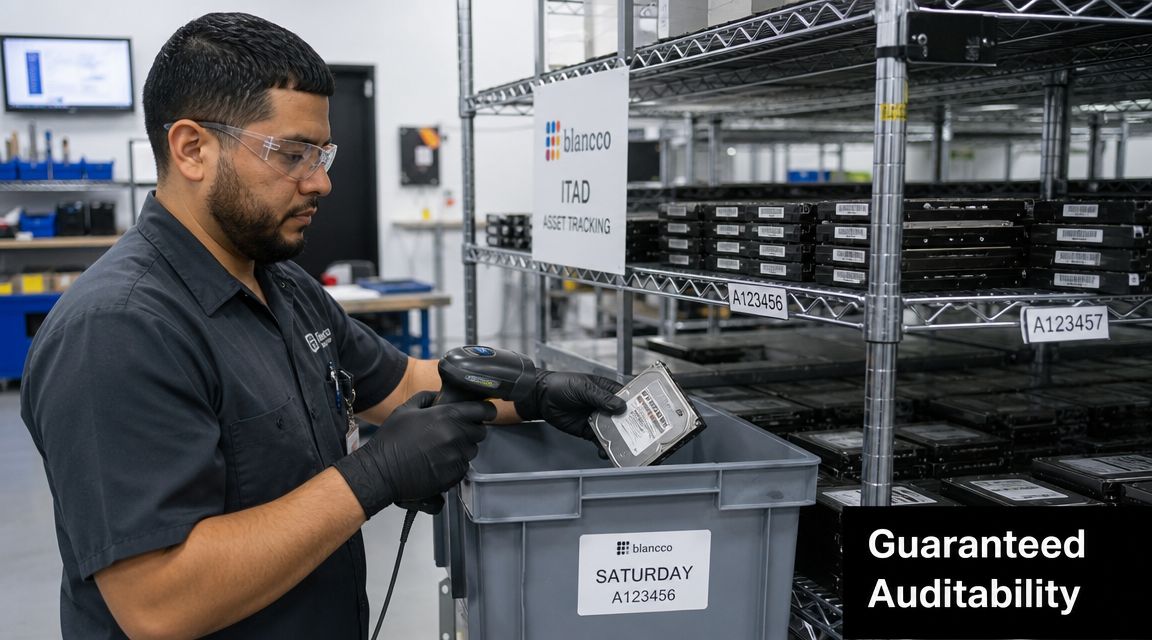
That's exactly the advantage. A mature ITAD partner doesn't just move equipment. It runs a prebuilt custody system.
That usually includes:
- Serialized reporting: Item-level tracking tied to the identifiers your team already uses.
- Controlled logistics: Documented pickup, transport, receipt, and secure storage events.
- Vetted handlers: Defined responsibility at each transfer point.
- Exception management: A formal path for unreadable tags, damaged assets, missing accessories, or separated media.
- Disposition evidence: Records that connect data destruction or recycling outcomes to the original custody trail.
Why this matters to IT leadership
From an IT director's standpoint, the value isn't convenience alone. It's risk transfer with documentation attached.
An internal process depends on your people maintaining discipline during busy refreshes, office moves, layoffs, mergers, and decommissions. A certified partner builds that discipline into the workflow. The documentation is generated as the work happens, not recreated after the fact.
That's especially important for programs that need to stand up to outside review. Certification maintenance matters because auditability is only credible when the underlying process is itself controlled, repeatable, and subject to review.
The best ITAD partner gives you more than a pickup and a certificate. It gives you a record set that can answer uncomfortable questions months or years later.
If you're evaluating providers, ask for sample custody reports, exception logs, intake records, and destruction documentation. Don't settle for a promise that they “track everything.” Ask to see how they prove it.
Frequently Asked Questions About CoC Documentation
Is a standard bill of lading enough for chain of custody?
No. A bill of lading is one custody artifact, not a full custody record. It can show that a shipment moved from one party to another, but it usually doesn't show item-level handling, internal transfers, storage conditions, media processing, or final disposition. For ITAD, it should support the record, not replace it.
How should we handle chain of custody for remote employee assets?
Treat remote returns as controlled recovery events, not ordinary mail. Start the record when the return is initiated, link the shipment to the employee and device identifier, log receipt by a named handler, inspect and document condition, and then continue the chain through sanitization or destruction. Remote assets often create the biggest blind spots because they bypass the usual loading dock and data center routines.
What's the difference between a Certificate of Destruction and a full chain of custody report?
A Certificate of Destruction confirms an end result. A full chain of custody report shows the journey that led to that result. You need both for strong auditability. The certificate says the media was destroyed or sanitized. The custody report shows who controlled it before that happened, when each transfer occurred, and whether the item in the certificate is the same item that left your environment.
Dallas Fortworth Computer Recycling helps organizations retire technology with the kind of audit-ready documentation IT directors need. If your team needs a defensible chain of custody, secure data destruction, and reliable ITAD support across office, data center, and remote asset workflows, visit Dallas Fortworth Computer Recycling to review their services and start a conversation.