
Hard Drive Destruction Arlington Your Ultimate Guide
If you're an IT manager in Arlington staring at a stack of decommissioned hard drives, you already know the risk they represent. For any business in the Dallas-Fort Worth area, professional hard drive destruction isn't just about getting rid of old equipment; it's a critical final step in protecting your company from data breaches and steep compliance fines.
Your Guide To Secure Hard Drive Destruction In Arlington
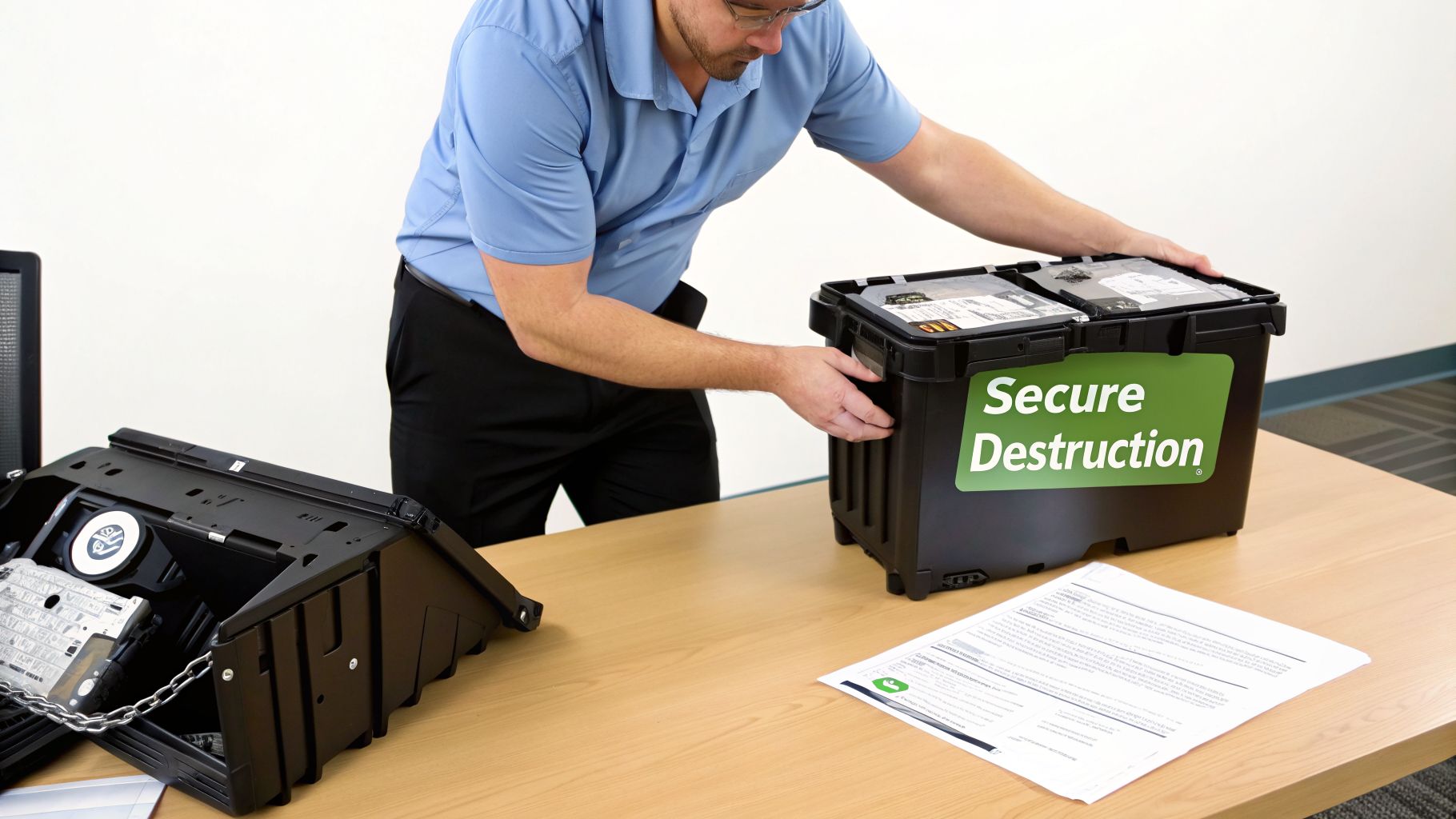
Retiring old IT hardware is a routine part of business, but it's a process filled with risk. Every server, desktop, and laptop holds a drive packed with years of sensitive information—from financial records and client lists to employee PII and proprietary company data.
Many people assume that deleting files or formatting a drive is enough to secure it. This creates a dangerous, false sense of security. It's like ripping the index out of a filing cabinet; all the documents are still there for anyone who knows how to look. Basic data recovery tools can easily restore this "deleted" information, a vulnerability that can lead to catastrophic consequences.
Why Professional Destruction Is Non-Negotiable
This is where professional hard drive destruction in Arlington becomes an essential security control. This isn't just disposal; it's a certified, documented process of complete data elimination. A professional service provides an auditable trail guaranteeing your data has been physically destroyed, making it completely and permanently unrecoverable.
This guide is a playbook for IT managers, data center teams, and business leaders across the Dallas-Fort Worth metroplex. We'll cover everything you need to know.
- Proven Destruction Methods: We’ll explain the difference between shredding, crushing, and degaussing so you can choose the right method for your needs.
- Navigating Compliance: We will break down what regulations like HIPAA and standards like NIST 800-88 mean for your Arlington business.
- Choosing a Partner: You'll get a checklist for selecting a certified vendor who provides a secure chain of custody and a Certificate of Destruction.
- Local DFW Considerations: We’ll provide insights specific to the Arlington and greater North Texas business environment.
The goal of professional hard drive destruction is to turn a high-risk data asset into harmless, recyclable scrap metal. It’s the final, definitive step in a secure IT asset lifecycle, providing absolute peace of mind that your data is gone for good.
By the end, you'll have a clear framework for making hard drive destruction a key part of your data security strategy. This entire process falls under the umbrella of IT asset disposition, and you can learn how to build a complete program by reading our guide to creating a comprehensive IT asset disposition strategy for your Arlington business in our detailed article.
Why Dragging To The Recycle Bin Is A Security Nightmare
Most people think that hitting 'delete' or dragging a file to the Recycle Bin makes it vanish forever. For businesses in Arlington, this common misunderstanding creates a huge, and often completely overlooked, security gap. In reality, these simple actions do next to nothing to actually remove the data from your hard drive.
Think of your hard drive like a massive library and its file system as the card catalog. When you “delete” a file, you aren’t burning the book. You’re just ripping out the index card that tells you where to find it. The book itself—your sensitive data—is still sitting on the shelf, perfectly intact and waiting for someone to stumble upon it.
All the operating system does is mark that physical space on the drive as "available" for new data. Until that exact spot gets overwritten by something else, the original file can be easily recovered using widely available, and often free, data recovery software. This creates a serious risk for any organization.
The Illusion Of A Clean Slate
Even formatting a drive gives a false sense of security. A standard format just erases the library's index and rewrites the addressing tables. It makes the data harder for a casual user to find, but it doesn't physically erase the information itself. A motivated person with the right tools can still piece together a significant amount, if not all, of the "formatted" data.
This is the fundamental reason why just deleting files on a computer is dangerously inadequate for corporate data disposal. There's a critical difference between logical data removal (hiding the data) and physical data destruction (making it permanently unrecoverable).
A study once revealed that sensitive corporate data, including financial spreadsheets and internal memos, was recovered from over 40% of second-hand hard drives purchased online. These were drives the previous owners mistakenly believed had been "wiped."
Real-World Consequences Of Inadequate Deletion
These risks aren't just theoretical. Countless data breaches have started with improperly disposed-of IT assets. Just imagine a healthcare provider in Arlington simply formatting drives that held patient records, or a financial firm deleting files with client investment data. If those drives fall into the wrong hands, the fallout can be catastrophic.
- Data Breach Fines: Regulators can levy severe financial penalties for exposing sensitive data, even if it was unintentional.
- Reputational Damage: The loss of customer trust after a breach can be far more damaging than any fine.
- Competitive Disadvantage: Having your trade secrets or proprietary information exposed can cripple a business.
This is precisely why professional hard drive destruction in Arlington is the only acceptable end-of-life plan for sensitive data. Physical destruction through methods like shredding isn't just about deleting a file; it's about turning the entire hard drive into tiny, unrecognizable pieces of metal. You can learn more by exploring our complete guide on how to completely wipe a hard drive and the standards defining true data sanitization. It's the only way to guarantee that data is gone forever, providing the absolute peace of mind that software-based methods can never offer.
Comparing Hard Drive Destruction Methods
Choosing the right way to destroy old hard drives isn’t just about clearing out storage space—it’s a critical security decision. The method you select directly impacts your risk of a data breach. For any business in Arlington, understanding the differences between shredding, crushing, degaussing, and cryptographic erasure is the first step toward a secure and compliant IT asset disposition plan.
The stakes are high. Simply deleting files does almost nothing to prevent data recovery by a determined party. This chart makes it clear: only physical destruction guarantees your data is truly gone for good.
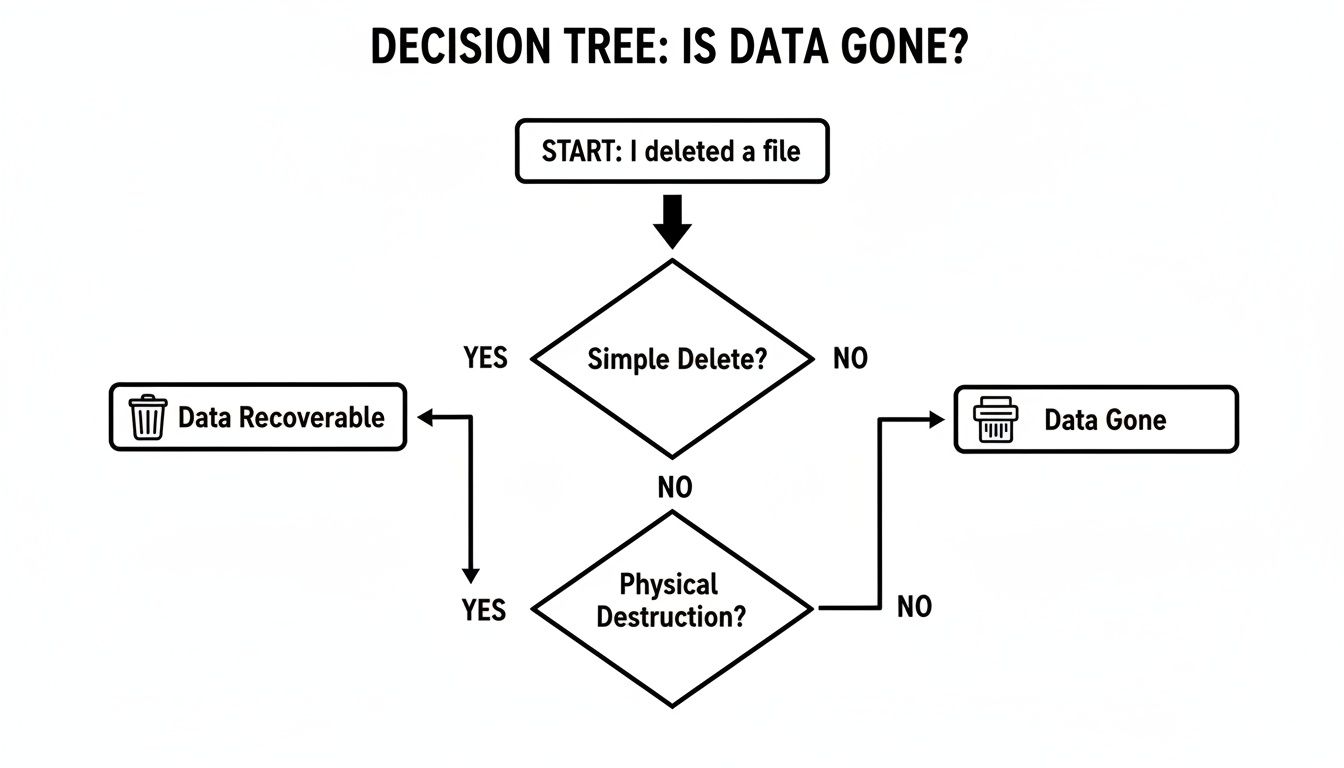
As you can see, hitting 'delete' just isn't enough. Let’s break down the four professional methods used to ensure permanent data removal.
Here's a quick look at how the main destruction methods compare.
Hard Drive Destruction Methods At A Glance
| Method | Process | Best For | Effective on SSDs? | Compliance Level |
|---|---|---|---|---|
| Shredding | Grinds drives into small, mixed metal fragments. | Maximum security; all drive types (HDDs, SSDs). | Yes | Highest (NIST 800-88, HIPAA, etc.) |
| Crushing | A hydraulic press deforms platters and chassis. | Basic physical destruction; primarily HDDs. | No | Moderate |
| Degaussing | A powerful magnet erases data on magnetic platters. | Magnetic media only (HDDs, tapes). | No | High (for HDDs only) |
| Crypto-Erase | Deletes the encryption key, making data unreadable. | Modern Self-Encrypting Drives (SEDs). | Yes | High (when verifiable) |
While this table provides a high-level overview, the details of each process are important for making an informed decision for your organization.
Hard Drive Shredding
When data must be completely and irreversibly destroyed, hard drive shredding is the industry’s gold standard. This physical process uses an industrial shredder to slice, dice, and grind drives into tiny metal fragments, making data recovery impossible.
Think of it as a cross-cut paper shredder, but built to chew through solid steel. The drive’s platters, which hold every bit of your data, are shattered. There's no reassembling that puzzle.
For organizations that need absolute certainty, shredding provides tangible proof of destruction. You can see the pile of confetti-sized metal and know the data is gone forever. This is why it’s the only method trusted for the highest security and compliance needs, from HIPAA in healthcare to NIST 800-88 guidelines for government and enterprise.
Hard Drive Crushing
Crushing is another physical destruction method, but it's more of a brute-force approach. A hydraulic press applies thousands of pounds of force to bend, break, and puncture the hard drive, warping the internal platters.
The goal is to damage the platters so badly they can no longer spin, preventing the drive's read/write heads from accessing data. While this renders a drive useless, it is generally seen as less secure than shredding. With enough resources, a sophisticated forensics lab could theoretically recover data from a merely crushed platter.
Because of this, crushing is often used as a preliminary step before the drive is fed into a shredder, ensuring the device is completely inoperable before final destruction.
Degaussing
Degaussing works on a totally different principle. It uses an incredibly powerful magnetic field to neutralize the data stored on traditional magnetic hard disk drives (HDDs) and tapes. The degausser blasts the drive with an electromagnetic pulse, instantly scrambling the magnetic alignment of the platters and wiping them clean.
For older HDDs, it's a fast and highly effective method. But it comes with a major catch: degaussing does nothing to Solid-State Drives (SSDs).
SSDs don't store data magnetically; they use flash memory. You can expose an SSD to a degausser all day, and the data will remain perfectly intact. This makes degaussing an incomplete solution for any business with a mix of old and new hardware, which is why it's crucial to understand all of your secure hard drive disposal options.
Cryptographic Erasure
Cryptographic erasure, or crypto-erase, is a sophisticated, software-based technique for modern drives. It only works on Self-Encrypting Drives (SEDs), which automatically encrypt all data written to them with a built-in media encryption key (MEK).
The process is brilliantly simple: it just deletes the encryption key. Without that key, all the data on the drive becomes a useless, unreadable scramble of encrypted code. It’s like locking a vault and then melting the only key into slag.
This method is nearly instant and very secure, but its effectiveness relies on verifying that the encryption was properly implemented and the key was truly destroyed. It also leaves the physical drive intact, which may not satisfy certain corporate or government security policies that mandate physical destruction.
Navigating The Compliance Maze In North Texas
For any business in the Arlington area, getting rid of old hard drives isn't just about cleaning out the server room—it's a serious legal duty. The world of data compliance can feel like a tangled web of acronyms and dense rules, but ignoring them can lead to devastating consequences like crippling fines, a ruined reputation, and major legal battles.
Think of these regulations as the rulebook for a high-stakes game. Knowing the rules doesn't just keep you out of trouble; it gives you a strategic edge, protecting your company's most valuable asset—its data—and the trust you've built with your customers.
This isn't just a concern for massive corporations. From healthcare clinics and financial advisors in Tarrant County to local manufacturers and tech startups, any organization handling sensitive information is on the hook. That responsibility follows the data from creation all the way to its final, verifiable destruction.
The Heavy Hitters of Data Regulation
A few key federal regulations and industry standards set the bar for how you must handle data destruction. While the details differ, they all share one common goal: making sure that sensitive information is rendered completely and permanently unrecoverable once it's no longer needed.
- HIPAA (Health Insurance Portability and Accountability Act): This is the bedrock of data protection in healthcare. It mandates that any electronic Protected Health Information (ePHI) on discarded drives must be made totally unusable. Simply deleting files is a clear and costly violation.
- NIST SP 800-88 (Guidelines for Media Sanitization): Developed by the National Institute of Standards and Technology, this is the technical playbook for data destruction. It outlines the specific methods for clearing, purging, and physically destroying media, with shredding recognized as a primary method for achieving the highest level of sanitization.
- FACTA & GLBA (Fair and Accurate Credit Transactions Act & Gramm-Leach-Bliley Act): These laws are non-negotiable for financial institutions, auto dealerships, and any business handling consumer credit data. They demand the secure disposal of all consumer reports to prevent identity theft.
Failure to comply is much more than a minor paperwork error. HIPAA violations alone can result in fines up to $1.5 million per year, per violation. For a business in Arlington, one improperly disposed of hard drive could ignite a regulatory nightmare.
In a bustling economic hub like the Dallas-Fort Worth metroplex, where Arlington is home to major employers like General Motors' Arlington Assembly plant and Bell Textron, the demand for secure hard drive destruction has soared. The stakes are immense. IBM reports that the average cost of a healthcare data breach has hit a staggering $9.77 million, which explains why over 70% of mid-size to enterprise firms in Tarrant County now require NSA/CSS EPL-listed equipment for hard drive destruction projects. You can discover more insights about the rise of secure destruction services in the DFW area.
This is precisely why having auditable proof of destruction is an absolute must.
The Power of Proof: A Certificate of Destruction
When a regulator or auditor shows up, your best line of defense is a clear and documented paper trail. This is where a Certificate of Destruction (CoD) becomes one of your most valuable assets. It’s far more than a simple receipt—it’s a formal legal document that serves as your official record of compliance.
A proper CoD delivers undeniable proof that your data-bearing assets were destroyed according to all relevant laws. It captures the essential details needed to create an unbroken and auditable chain of custody.
Any credible partner providing hard drive destruction in Arlington will always issue a serialized CoD that includes:
- Unique Serial Numbers: A complete inventory of the serial numbers from every single hard drive destroyed.
- Date and Location of Destruction: Pinpoints exactly when and where the destruction occurred—critical for verifying on-site services.
- Method of Destruction: Clearly states the process used, such as "shredding to 5/8-inch particle size."
- Transfer of Custody: Documents who released the assets and who accepted them, confirming a secure handoff.
- Witness Signature: A line for your representative to sign if they witnessed the destruction firsthand.
This document is your shield. It proves you took your data security obligations seriously and met the legal standard of care. To better understand its importance, check out our guide on the critical role a Certificate of Destruction plays in your compliance strategy. Without it, you’re left relying on memory and trust instead of concrete evidence.
How To Choose Your Hard Drive Destruction Partner

Choosing the right partner for hard drive destruction in Arlington is the most critical decision you'll make in the entire data disposal process. A professional vendor acts as a trusted extension of your IT security team, but the wrong one can expose your organization to massive risk.
This isn't a decision to be made on price alone. You need a partner with an ironclad, auditable process that protects your data from the moment it leaves your hands. Think of it less as a disposal service and more like hiring a specialized security firm—their procedures and documentation are your primary defense against a data breach.
Decoding Key Industry Certifications
When you start vetting vendors, you’ll see a few key certifications mentioned. Knowing what these mean is essential for separating the true professionals from everyone else. These aren’t just logos for a website; they represent a commitment to strict, third-party audited standards for security and responsibility.
- NAID AAA Certification: This is the gold standard in the data destruction industry. The National Association for Information Destruction (NAID) sets incredibly high bars for everything from employee background checks and insurance levels to secure chain of custody protocols. A NAID AAA Certified partner gives you documented proof that they meet the highest security requirements.
- R2v3 Certification: The R2 standard from Sustainable Electronics Recycling International (SERI) is all about responsible electronics recycling. An R2v3 Certified partner ensures that after your drives are shredded, the resulting materials are handled in an environmentally sound way that avoids landfills and promotes commodity recovery.
For any organization managing regulated data, like healthcare or financial records, partnering with a vendor holding both NAID AAA and R2v3 certifications is non-negotiable. It demonstrates you've performed your due diligence for both data security and environmental stewardship.
The rapid growth of tech companies and data centers across the DFW area has created huge demand for compliant disposal. Local hard drive destruction Arlington services, which typically run between $7 and $20 per unit, have become essential. In 2026, the DFW region saw a 25% jump in IT asset disposition requests as nearby hyperscale facilities decommissioned thousands of drives, working to prevent data breaches that now cost companies an average of $4.45 million each. You can read more about how DFW businesses are managing these challenges.
Vendor Selection Checklist For Hard Drive Destruction
Choosing the right vendor is a matter of due diligence. This checklist will help you evaluate potential partners and ensure they meet the security and compliance standards your Arlington business requires.
| Criteria | Why It Matters | What to Look For |
|---|---|---|
| Certifications | Third-party audits (NAID AAA, R2v3) validate a vendor's security, compliance, and environmental processes. | Current, verifiable NAID AAA and R2v3 certifications. Ask for copies of their certificates. |
| Chain of Custody | An unbroken, documented trail is your proof that assets were securely handled from pickup to final destruction. | Detailed procedures, locked containers, secure transport with GPS tracking, and employee background checks. |
| Insurance | Protects your business from liability in the rare event of a data breach caused by vendor negligence. | Proof of general liability and professional liability/data breach insurance. Ask for the coverage amounts. |
| On-Site vs. Off-Site | The ability to witness destruction (on-site) offers maximum security and is often required for strict compliance. | A vendor who offers both options and can clearly explain the security protocols for each service. |
| Reporting | The Certificate of Destruction is your legal and audit-ready proof that the data was properly eliminated. | A serialized Certificate of Destruction and detailed asset reports that list every drive by serial number. |
| Local Presence & Reviews | A local partner understands DFW-area business needs and can provide faster, more reliable service. | A physical address in North Texas, positive online reviews, and local business references you can contact. |
By systematically working through these criteria, you can confidently select a partner who will protect your organization's reputation and ensure you remain compliant.
Understanding Service Models And Pricing
After you’ve shortlisted certified vendors, you’ll need to decide on a service model that fits your operational needs and budget. This often comes down to balancing your organization's specific security requirements against convenience.
On-Site vs. Off-Site Destruction
The primary choice you'll make is whether to have drives destroyed at your location (on-site) or have them transported to the vendor’s secure facility (off-site).
- On-Site Shredding: A mobile shredding truck comes directly to your Arlington office or data center. You can physically witness the entire destruction process, ensuring the drives never leave your custody un-destroyed. This offers the highest level of security and peace of mind.
- Off-Site Shredding: Your drives are inventoried and sealed in locked, tamper-evident containers at your site. They are then transported in a secure, GPS-tracked vehicle to the vendor’s certified plant for destruction. This model is highly secure but requires you to place full trust in the vendor's chain-of-custody process.
Pricing for these services also comes in a couple of common models:
- Per-Drive Pricing: You pay a simple, flat fee for each hard drive destroyed. This is easy to understand and budget, especially for smaller projects.
- Per-Bin Pricing: For larger-scale disposals, a vendor may charge based on the number of secure collection bins filled with drives. This can be more cost-effective for bulk cleanouts.
Before making a final decision, it's smart to compare vendors who specialize in this field. Our detailed guide to the top IT asset disposition companies serving the DFW metroplex can give you valuable context. Always insist on a detailed quote that breaks down every charge, so there are no surprises. A transparent partner provides clear, upfront pricing every single time.
You’ve done the hard work of vetting your options and have a certified partner lined up for your hard drive destruction in Arlington. A little prep work on your end is what makes the difference between a chaotic scramble and a smooth, professional handoff.
This isn't just about making the vendor's job easier—it’s about ensuring the entire process is secure, efficient, and completely buttoned-up for your own records.
Build Your Master Inventory List
Every secure and auditable destruction project starts with a solid inventory. This is non-negotiable. At a minimum, you’ll need a simple spreadsheet that lists the unique serial number for every single drive you’re turning over for destruction.
This list is the cornerstone of your chain of custody. It’s what your vendor will use to check in the assets, and it’s what you’ll use to verify every item on your final Certificate of Destruction. No drive should leave your facility without being on that list.
Next, you’ll need to decide if your team will pull the drives from the servers, laptops, and desktops yourselves. While most destruction vendors can provide this as a service, handling it in-house before they arrive is almost always more cost-effective. If you go this route, have all drives pulled and collected in one secure spot before the scheduled service time.
Pro Tip: Give your vendor an accurate count of the drives when you book the service. This lets them block off the right amount of time and bring the right equipment, which means you get an accurate quote and an efficient service day with no surprises.
Securely Staging Your Assets
Once the drives are inventoried and pulled, they need to be staged for pickup. Don't just leave them in an open office or an unsecured corner. The designated area must be a secure, access-controlled space—think a locked IT closet or a segregated part of your server room.
This simple step prevents any assets from "walking away" or getting misplaced right before the vendor shows up. How you stage them depends on the service you've chosen:
- For On-Site Shredding: Consolidate all the inventoried drives so they are ready to be moved to the mobile shredding truck. Your vendor will typically meet you at your loading dock or another pre-arranged, easily accessible spot.
- For Off-Site Shredding: The vendor will arrive with secure, locked collection containers. Your job is to have the drives ready so your team can place them directly into the bins before they are sealed, documented, and loaded for transport.
Taking these few steps turns what could be a stressful day into a simple, documented, and secure procedure. It reinforces your due diligence and makes the final handover to your destruction partner completely seamless.
Frequently Asked Questions About Hard Drive Destruction
Even with a solid plan, specific questions always come up. Here are direct answers to the most common queries we hear from IT managers and business owners in Arlington about professional hard drive destruction.
What Happens To The Shredded Hard Drive Material?
After your drives are shredded into tiny, unrecognizable pieces, the material is securely transported to a certified recycling partner. This is a highly controlled, zero-landfill process, not just a trip to the dump.
At the recycling facility, specialized equipment separates the aluminum, steel, and other commodities. These raw materials are then smelted down and used to create entirely new products, responsibly turning electronic waste back into a valuable resource.
Is On-Site Or Off-Site Destruction Better For My Company?
The right choice depends entirely on your company’s security policies and compliance requirements. For businesses across Arlington, it’s a decision that balances risk, cost, and auditability.
On-site destruction provides the highest level of assurance. A mobile shredding truck comes directly to your facility, allowing you to physically witness the entire process from start to finish. This is often a non-negotiable for organizations handling healthcare data (HIPAA) or government contracts.
Off-site destruction is also extremely secure when performed by a certified vendor. The process involves locked security containers and GPS-tracked transport to a secure destruction plant. It can be a more cost-effective choice for larger quantities of drives where direct witnessing isn't mandatory.
Key takeaway: If your compliance framework requires an unbroken chain of sight, on-site destruction is the only option. If it requires a documented chain of custody, a certified off-site process is a secure and valid alternative.
How Quickly Do I Get My Certificate Of Destruction?
You should receive your Certificate of Destruction (CoD) almost immediately after the service is complete. Prompt delivery of this document is a key indicator of a professional hard drive destruction Arlington service, as it serves as your official proof for any audit.
For on-site services, the technician will issue the serialized certificate before leaving your location. For off-site services, the CoD is generated and sent to you as soon as the destruction is finished at the secure plant, typically within one business day.
Do I Need To Wipe The Drives Before Shredding?
No. Wiping or degaussing drives before they are physically shredded is redundant, time-consuming, and an unnecessary cost. The entire point of physical destruction is that it renders the data permanently and irretrievably gone, no matter what was on the drive.
Certified shredding to the proper particle size is the definitive method for data sanitization. This process alone satisfies the most stringent standards from agencies like the NSA and DoD, making any prior software-based wiping efforts completely superfluous.
Ready to implement a secure, compliant, and auditable data destruction strategy for your business? At Dallas Fortworth Computer Recycling, we provide NAID AAA Certified on-site and off-site hard drive destruction services designed to protect your organization and ensure total peace of mind. Contact us today to schedule your secure service.