
Computer Recycling Houston TX: Secure IT Disposal
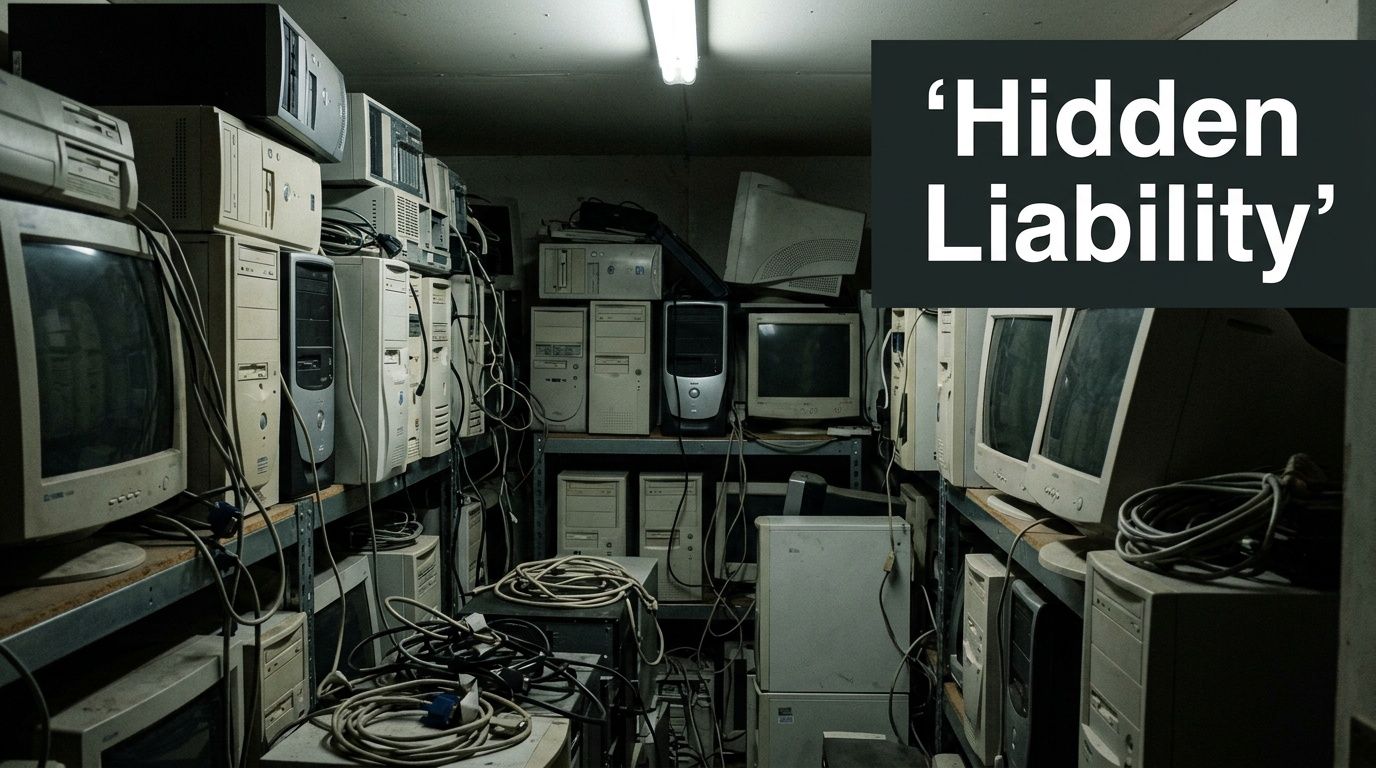
Old desktops under a workbench. Laptops in a locked cabinet with no intake log. A stack of failed drives waiting for someone to “deal with them later.” That’s how computer recycling usually starts inside a Houston business. It doesn’t start as a sustainability project. It starts as a backlog.
For an IT director, that backlog is rarely just clutter. It’s unmanaged data risk, uncertain chain of custody, and a disposal process that often depends on memory instead of documentation. If those assets include user devices, virtual host servers, network appliances, medical endpoints, or finance workstations, the problem gets more serious fast.
Beyond the Storage Closet A Houston Business ITAD Plan
That storage room isn’t neutral space. It’s an area where business records, credentials, and regulated data may still exist on machines nobody is patching, tracking, or protecting properly. If equipment leaves the building without a documented disposition path, you’ve lost control before recycling even begins.
Houston adds another layer of urgency. The city generates 52,969 tons of e-waste annually, a scale that shows how much retired technology is moving through local channels and why organizations need disciplined disposal processes rather than one-off pickups, according to CompuCycle’s Houston e-waste overview.
What ad hoc disposal gets wrong
Most weak disposal programs fail in familiar ways:
- No defined ownership: Facilities stores the equipment, IT remembers what it might be, and procurement assumes someone else handled the retirement.
- No asset-level records: Serial numbers, drive counts, and user assignment history are missing, which makes downstream certificates less useful.
- No risk sorting: A keyboard and a database server don’t belong in the same workflow, but many organizations still treat them as a single “e-waste” category.
- No audit trail: Pickup happens, pallets disappear, and months later nobody can prove what was destroyed, wiped, resold, or recycled.
That’s why a formal IT asset disposition process matters. If you need a practical baseline, this overview of what IT asset disposition means for business equipment is a useful reference point.
Practical rule: If your team can’t answer “where is this asset now, who touched it, and how was data removed,” the device isn’t disposed. It’s still a liability.
What a working Houston ITAD plan looks like
A usable plan does more than schedule a truck. It assigns who inventories assets, who approves release, which devices require stronger destruction methods, and what documentation must return to the business. It also separates household-style recycling assumptions from enterprise obligations.
That distinction matters in computer recycling houston tx searches. Many local results are built around convenience, drop-off, or general recycling. Enterprise IT teams need something tighter: classification, custody, sanitization, and auditable records tied back to internal controls.
Cataloging Your Retiring Tech The Right Way
Before you contact any recycler, get your own house in order. The inventory you create will shape pricing, pickup logistics, data destruction scope, and the quality of the reporting you receive afterward. Weak inventories produce weak outcomes because the vendor has to guess what’s in scope.
An effective catalog isn’t a spreadsheet of “20 laptops, 6 servers, misc cables.” It’s an operational document that lets your team control the handoff.
Build the inventory for decisions, not just pickup
Start at the asset level wherever possible. For each item, capture the fields your team will need during approval, transfer, and post-disposition reconciliation.
Include:
- Asset identifiers: Internal asset tag, serial number, make, model, and device type.
- Location data: Building, room, rack, closet, or department holding the device.
- User or function history: Last assigned employee, business unit, or system role.
- Storage profile: Whether the device contains HDDs, SSDs, removable media, or embedded storage.
- Physical condition: Functional, damaged, incomplete, battery-swollen, or parts-only.
- Retirement route: Reuse candidate, resale candidate, data destruction required, scrap recycling only.
A good inventory does two things at once. It tells the recycler what they’re receiving, and it tells your leadership what risk the organization is releasing.
Separate value recovery from security handling
The biggest inventory mistake is mixing all retired equipment into one bucket. That makes it harder to recover value from usable assets and easier to mishandle sensitive ones.
Use three practical categories:
Assets with reuse or resale potential
Newer laptops, desktops, and some network gear may still have market value if they’re complete and in serviceable condition. These should be screened carefully because remarketing requires confidence in both hardware condition and data sanitization history.Data-bearing assets with high sensitivity
Servers, executive laptops, healthcare endpoints, finance workstations, and storage arrays belong here. These need the strongest documentation and often the strictest sanitization decisions.End-of-life scrap
Broken monitors, nonfunctional peripherals, obsolete towers, damaged boards, and equipment that won’t be refurbished should move directly into compliant recycling streams.
Don’t let “recycling” become a catch-all term. In practice, reuse, remarketing, destruction, and material recovery are different workflows with different controls.
Flag the devices that usually get missed
Teams are usually careful with laptops and servers. They’re less careful with the odd equipment that still stores data.
Watch for:
- Network and security gear: Firewalls, switches, and multifunction appliances may contain configs, credentials, and logs.
- Printers and copiers: Many include hard drives or internal storage.
- Lab and medical devices: Embedded storage is easy to miss and hard to sanitize casually.
- External media: USB drives, backup drives, tapes, and removable SSDs often sit outside the main inventory.
- Loaner pools and spare stock: These devices drift out of normal CMDB discipline and can leave without clean records.
Make the inventory usable during vendor evaluation
Your catalog should help you judge recycler proposals, not just prepare a dock pickup. When a vendor says they’ll provide secure computer recycling houston tx services, your inventory lets you ask better questions.
For example:
- Can they process mixed loads with both resale candidates and shred-only assets?
- Will they track serial numbers individually or only by pallet?
- How do they record missing drives or damaged tags at intake?
- Can they split certificates by department, site, or asset group?
If your inventory is weak, every answer will sound acceptable because there’s nothing concrete to compare against.
Use a release review before anything leaves
Before shipment, run an internal release review with IT, security, and whichever team owns regulated compliance. The goal isn’t bureaucracy. It’s preventing avoidable mistakes such as sending active lease assets, retaining unrecorded drives, or releasing devices from a business unit that still needs legal hold review.
A short approval checklist is enough if it covers the right issues:
- Business approval: The asset is officially retired.
- Data handling decision: Wipe, degauss, shred, or hold for special treatment.
- Ownership confirmation: The organization has authority to dispose of the item.
- Inventory validation: Serial numbers and counts match staged equipment.
- Handoff prep: Packaging and labels support secure transfer.
Strong inventory work feels slow at first. In practice, it speeds the rest of the project because every downstream step becomes clearer, from quote accuracy to final certificate reconciliation.
Achieving Bulletproof Data Destruction
In most ITAD projects, the key question isn’t “can this equipment be recycled?” It’s “can anyone recover data from it before, during, or after processing?” If that answer isn’t airtight, the rest of the disposition plan doesn’t matter much.
Industry-certified electronics recycling operations use standards such as R2v3 and related ISO frameworks, and the verified guidance for Houston-market recyclers states these programs require 100% data destruction success rates on processed hard drives and zero overseas export policies, supporting compliance expectations tied to HIPAA and SOX, as outlined in this electronics recycling certification summary.
Choose the method based on risk and reuse goals
The right method depends on the media type, the regulatory exposure, and whether the hardware still has remarketing value.
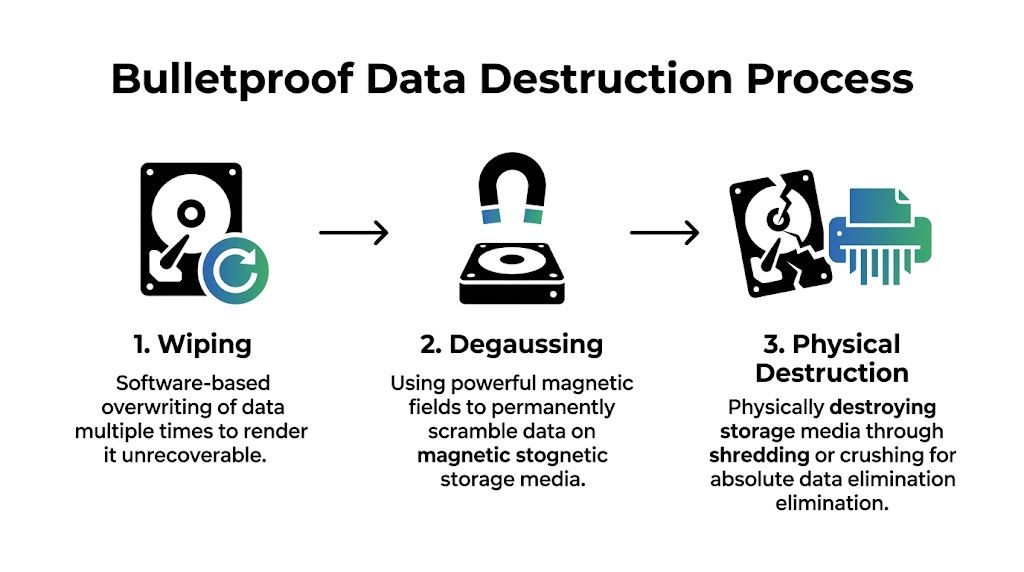
Certified wiping works when the device is functional and you want to preserve asset value. The process should follow documented sanitization procedures such as NIST 800-88 and produce a record tied to the asset. Wiping is often appropriate for redeployable laptops, desktops, and some servers, but only if the media can be reliably addressed and verified.
Degaussing applies to magnetic media. It destroys the magnetic patterns that store data, but it also eliminates the drive’s future usability. That makes it a destruction method, not a resale preparation step.
Physical shredding or crushing is the strongest option when the organization wants finality over reuse. It’s often the cleanest fit for failed drives, highly sensitive environments, and equipment with uncertain sanitization feasibility.
A common mistake is treating shredding as the only “secure” option. It isn’t. Another mistake is treating software wiping as universally sufficient. It isn’t either. The control should match the asset and the risk.
What regulated teams should require
Healthcare, finance, government, and other controlled environments need auditable proof, not verbal assurances. If a recycler says they “securely erase everything,” ask what evidence comes back to you and how that evidence maps to individual assets.
For a defensible process, require:
- Method-level clarity: Which media will be wiped, which will be degaussed, and which will be physically destroyed.
- Asset traceability: Serial-number or equivalent asset-level linkage where feasible.
- Exception handling: A written process for failed drives, unreadable labels, damaged media, and embedded storage.
- Certificate output: Documentation that confirms destruction activity in a way that is useful to your auditors.
For teams comparing providers, this guide to security and data destruction workflows offers a useful operational reference.
Decoding ITAD Certifications for Your Houston Business
| Certification | What It Guarantees | Crucial For Which Industries? |
|---|---|---|
| R2v3 | A structured framework for responsible electronics processing, with strong controls around downstream handling and data-bearing devices | Enterprise IT, healthcare, finance, public sector |
| ISO 9001 | Documented quality management processes, which matters when you need repeatable intake, tracking, and reporting | Any organization that needs consistency and audit readiness |
| ISO 14001 | Environmental management controls for recycling operations and material handling | Organizations with ESG goals, sustainability reporting, or environmental oversight |
| ISO 45001 | Occupational health and safety management, relevant when vendors handle high-volume dismantling and processing work | Large enterprises, government procurement, safety-conscious organizations |
What a certificate should actually prove
A certificate of destruction is only valuable if it closes the loop between your internal records and the vendor’s actions. The stronger versions include enough detail to confirm which batch was processed, how it was handled, and whether any exceptions occurred.
A vague certificate protects the vendor’s paperwork. A detailed certificate protects your organization.
Useful certificates usually align to a shipment, asset group, or individual media set. Weak ones say that some materials were destroyed on some date. That doesn’t help during an audit, a customer questionnaire, or an internal incident review.
Practical method selection by asset type
Here’s the field logic many IT teams use:
- Executive and HR laptops: Often wiped only if the devices are intact and verification is thorough. If custody was loose or drive status is uncertain, physical destruction is cleaner.
- Decommissioned servers from regulated systems: Often separated drive-first. Drives get high-assurance destruction, while chassis and components move into resale or recycling channels.
- Failed magnetic drives in a data center lot: Degauss or shred. Don’t waste time trying to preserve value that no longer exists.
- Mixed office refresh projects: Functional endpoints may go through wipe-and-remarket streams, while damaged or obsolete units go straight to destruction and recycling.
The point isn’t to force one method across everything. The point is to document why each class of equipment received the treatment it did.
Securing the Chain of Custody from Pickup to Processing
Most disposition failures don’t happen inside the shredder. They happen in the handoffs. Equipment sits on a loading dock too long. Pallets are wrapped but unlabeled. A driver collects mixed material with no count verification. Later, someone asks whether a missing laptop was ever on the truck, and nobody can prove it.
That’s why chain of custody matters. It turns a pickup into a documented transfer of responsibility.
Texas already sets a baseline around electronics recycling. State law requires computer and TV manufacturers to provide free recycling services to consumers through programs such as TexasRecyclesComputers.org, and that framework highlights why business disposition needs even stronger documentation and process discipline, as noted by the Houston-Galveston Area Council’s electronics recycling guidance.
What a defensible pickup looks like
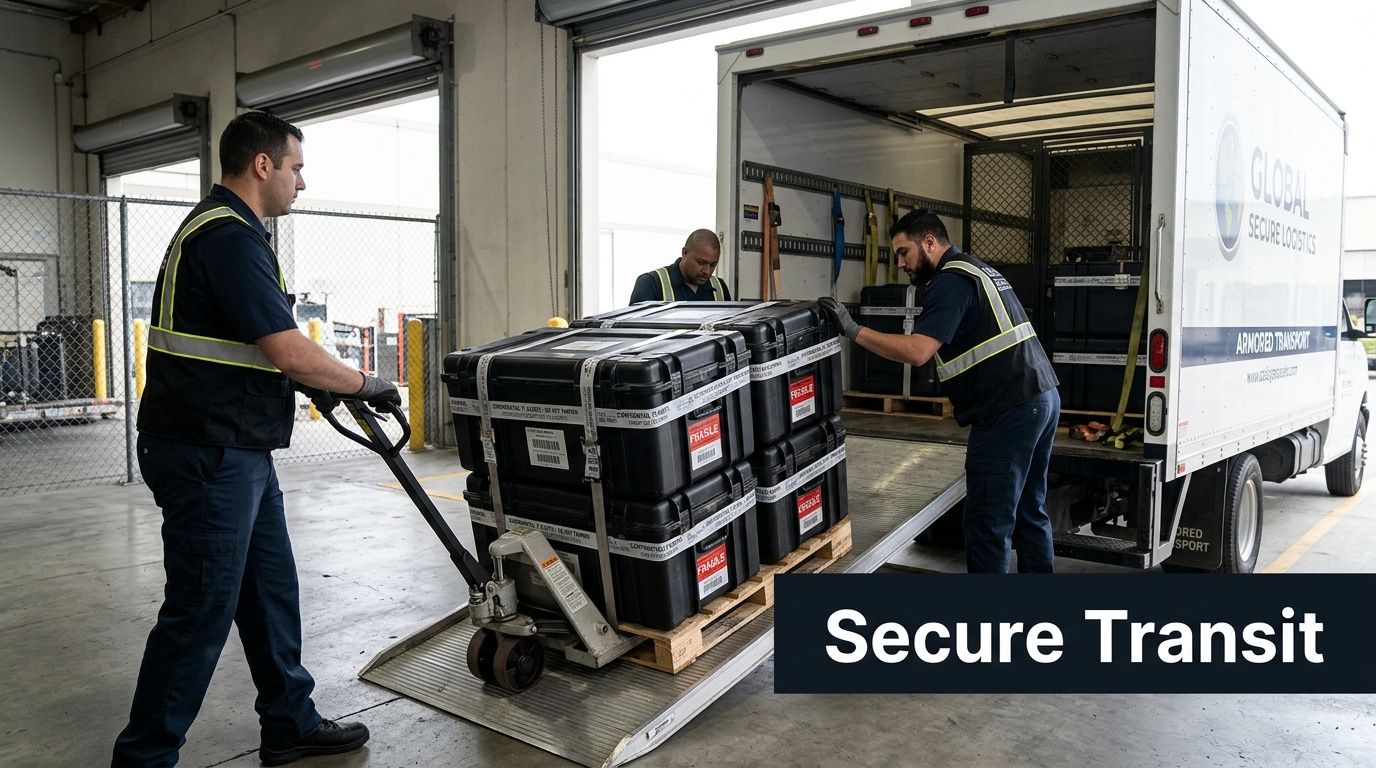
A strong custody chain starts before the truck arrives. Your team stages assets by category, confirms counts against the inventory, and isolates any items that require special handling, such as loose drives, damaged batteries, or equipment under hold.
At pickup, the recycler’s team should be working from a documented manifest or intake list. The exact format can vary, but the handoff should record what left your site and who accepted it.
Key control points include:
- On-site verification: Counts, asset groups, or serialized items are checked before loading.
- Secure packaging: Drives and smaller devices aren’t tossed into generic containers with loose peripherals.
- Named custody transfer: Specific personnel sign or otherwise acknowledge release and receipt.
- Transport controls: Vehicles, routes, and intake timing support secure movement rather than open-ended collection runs.
Follow the asset journey all the way through intake
The custody chain isn’t complete when the truck leaves. It continues at the processor’s facility. That’s where many IT teams stop asking questions, even though intake is where discrepancies tend to surface.
A mature recycler will document receipt, reconcile the load, and identify exceptions quickly. If counts are off, labels are unreadable, or media appears outside the expected scope, you want that flagged early, not buried in a month-end certificate.
The safest chain of custody is the one that makes discrepancies visible immediately.
That’s also why many organizations ask for hard drive certificates of destruction or similar batch-level documentation tied to the transfer event, not just a generic recycling receipt.
Questions that expose weak logistics
Ask these before you release any equipment:
How do you document custody at pickup?
If the answer is informal, the process is informal.What happens when counts don’t match at intake?
You need a defined exception process, not “we usually sort it out.”How are loose drives handled?
These often present the highest risk and deserve a separate control path.Can you distinguish serialized assets from bulk scrap?
If not, your final reporting may be too coarse to satisfy internal audit.What documentation comes back, and when?
Timing matters. Delayed paperwork weakens incident response and audit support.
In computer recycling houston tx projects, secure logistics often gets overshadowed by pricing and convenience. That’s backward. A cheap pickup with weak custody controls can create more risk than the retired assets were worth in the first place.
How to Vet and Select Your Houston Recycling Partner
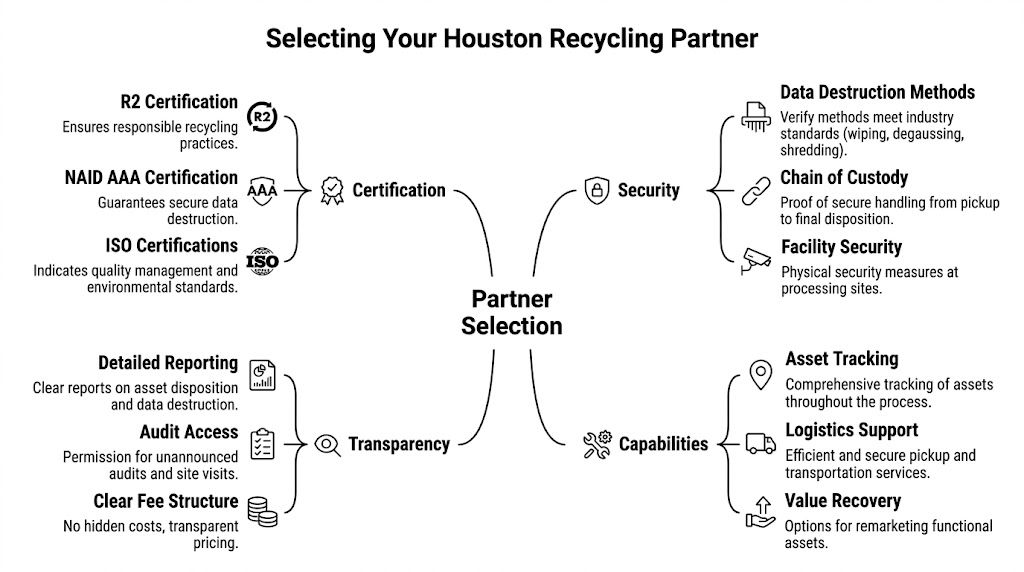
A list of recyclers isn’t a decision framework. That’s the core problem Houston IT buyers run into. Search results tend to blend household recycling, commodity pickup, and enterprise ITAD into the same category, even though the risk profiles are completely different.
The verified market gap is clear. For Houston organizations handling regulated equipment under frameworks like HIPAA or SOC 2, many recycler lists don’t explain how to verify certifications or audit chain-of-custody documentation, and specialized B2B partners are the ones addressing that need, according to this Houston compliance gap analysis.
Why standard checklists fail
Most vendor scorecards ask the wrong first questions. They ask about pickup availability, accepted items, and whether the service is free. Those questions make sense for residential recycling. They aren’t enough for an enterprise retirement program.
A stronger selection process starts with three realities:
- Not every asset should enter the same downstream channel.
- Not every certification means the same thing operationally.
- Not every recycler is built for regulated documentation.
If you’re an IT director, your real objective isn’t “find someone to remove old gear.” It’s “find a partner whose controls hold up under audit, incident review, and leadership scrutiny.”
The four areas that deserve close review
Certification fit
Don’t stop at “are you certified?” Ask which certifications apply to your asset types, your industry obligations, and your expected documentation. A recycler may hold environmental certifications and still be weak on process reporting. Another may support strong destruction workflows but have limited reuse channels.
For many enterprise buyers, an R2 certified electronics recycler is part of the initial screening because R2 points to structured handling of electronics and downstream responsibility. It’s not the only criterion, but it’s a meaningful one.
Documentation depth
This area often separates consumer-oriented operators from business-focused ITAD partners. You need to know what records come back and whether those records can support an audit.
Ask for examples of:
- intake manifests
- chain-of-custody records
- destruction certificates
- serialized asset reports
- exception logs
If the vendor can’t show sample reporting formats, assume the documentation may be too shallow for regulated use.
Security operations
Security isn’t just about destroying drives. It includes who enters your site, how equipment is packed, what happens at intake, and how the facility controls access internally.
Probe for specifics:
- Are pickups handled by trained staff or general freight operators?
- Can they segregate high-risk media on site?
- Do they maintain documented custody from collection through final processing?
- How do they handle unlabeled, damaged, or unexpected storage media?
A vendor that speaks only in marketing terms usually hasn’t operationalized these details well.
Commercial transparency
Price matters, but low pricing can hide weak process design. In business recycling, the hidden cost sits in exceptions, reporting gaps, and avoidable exposure. A clear quote should show what’s included, what triggers additional handling, and how reusable assets are distinguished from scrap streams.
A practical interview script for IT directors
Use direct questions. Don’t soften them.
- Which certifications should matter for my environment, and why?
- How do you document chain of custody from pickup through processing?
- What proof do I receive for wiped drives versus physically destroyed drives?
- How do you handle equipment with embedded storage that isn’t obvious at first glance?
- Can you support site visits, audits, or documentation reviews if my compliance team asks?
- What happens if your intake team finds a discrepancy between manifest and received load?
The quality of the answers tells you more than the marketing deck.
If a vendor can’t explain exceptions, they probably haven’t managed enough real-world exceptions.
Match the recycler to the asset environment
Different organizations should weight criteria differently.
| Organization type | What should matter most |
|---|---|
| Healthcare providers and labs | Data destruction controls, embedded storage awareness, auditable custody, documentation usable for HIPAA-driven internal review |
| Financial and professional services | Asset-level reporting, secure logistics, documented destruction methods, defensible retention of certificates |
| Government and public sector teams | Traceability, procurement-compatible documentation, clear custody records, environmentally compliant downstream handling |
| Data centers and infrastructure teams | Server and drive segregation, project logistics, high-volume intake control, exception reporting |
| Nonprofits and education | Cost control still matters, but they shouldn’t trade away custody or documentation just to simplify removal |
What works and what doesn’t
What works is a recycler that treats your retirement event as a controlled process. They ask for asset data in advance, align destruction methods to risk, document custody at every handoff, and return usable reports.
What doesn’t work is a pickup-only model dressed up as enterprise ITAD. If the service is built around convenience first, compliance usually becomes an afterthought.
One option in this category is Dallas Fortworth Computer Recycling, a B2B ITAD provider that handles services such as certified data destruction, data center decommissioning, and documented chain-of-custody workflows for organizations with compliance-sensitive equipment. Whether you evaluate that firm or another provider, the standard should stay the same: verify the controls, don’t assume them.
In computer recycling houston tx decisions, the partner choice usually determines whether the whole project is routine or painful. The wrong vendor creates follow-up work. The right one reduces it.
Transforming E-Waste into a Strategic Advantage
A Houston IT director approves a refresh, the new equipment arrives on schedule, and the old devices end up stacked in a locked room for six months because no one has agreed on the disposition path. At that point, the problem is no longer recycling. It is idle risk, tied-up space, and an avoidable reporting gap.
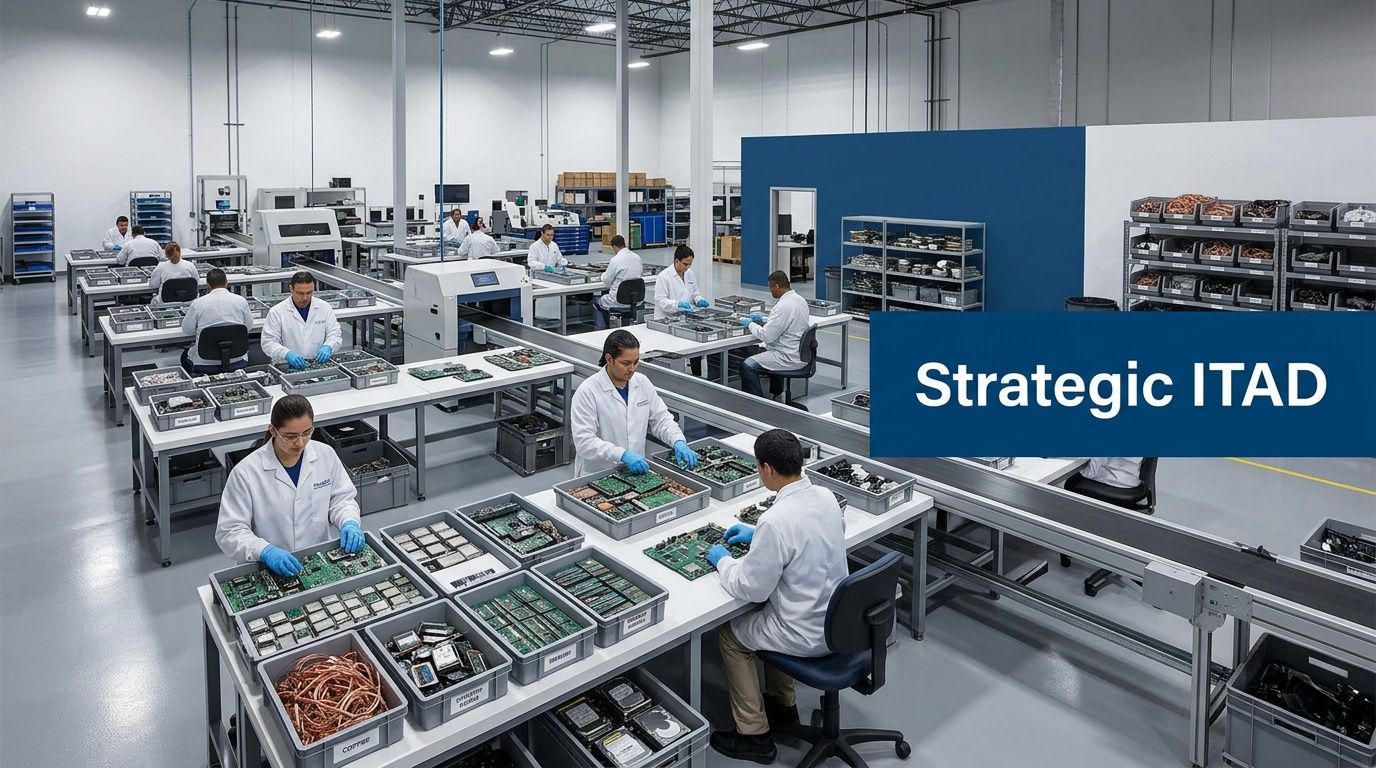
That is why mature organizations treat retired technology as a controlled asset stream with several possible outcomes. Some systems should be redeployed internally. Some have resale value. Some need physical destruction because the data risk or device condition leaves no room for reuse. Some belong in commodity recovery. The decision should follow business requirements, not convenience.
Why leadership should care
Retired equipment is often misclassified as a facilities issue or a cleanup task. In practice, it touches security, compliance, finance, procurement, and ESG reporting at the same time. If every asset goes into a single “scrap” bucket, the organization loses useful options and creates extra work for every downstream team.
A risk-based ITAD model fixes that. High-risk assets get destruction and tighter documentation. Lower-risk assets may qualify for reuse or remarketing if the economics and policy support it. Regulated environments need one more filter. A healthcare group may prioritize HIPAA-aligned destruction records, while a SaaS company under SOC 2 scrutiny may care more about auditable custody logs and exception reporting. The recycling partner should fit that profile.
Strategic benefits leadership will understand
The business case becomes clearer when the program is measured beyond haul-away convenience. Strategic benefits leadership will understand include:
- Lower risk exposure: Fewer unmanaged devices sitting in storage and fewer undocumented handoffs.
- Better capital recovery decisions: Equipment with resale potential is identified before it is mixed into scrap.
- Cleaner operations: Refreshes, office moves, and decommissions create less confusion when retirement workflows are standardized.
- Stronger audit readiness: IT, compliance, and procurement can produce records without rebuilding the story after the fact.
- More credible sustainability reporting: Reuse and material recovery can be documented by asset class instead of described in general terms.
The practical trade-off is straightforward. Organizations that want the fastest possible pickup often give up control points that matter later. Organizations that define disposition rules first usually spend less time chasing answers after the project closes.
What this means for Houston organizations
Houston has no shortage of companies that will remove old equipment. The key question is whether they can support your risk profile. If your environment includes PHI, payment systems, customer-hosted infrastructure, legal hold requirements, or public-sector documentation standards, basic recycling service is not enough.
The stronger approach is to treat e-waste decisions as part of governance. Set policy by asset type. Match destruction and recovery paths to data sensitivity. Require reporting that your security, compliance, and finance teams can use.
That is where computer recycling houston tx becomes a strategic function instead of a cleanup task. The gain is not just reclaimed space. It is documented control, fewer surprises during audits, and a disposition process that supports the business instead of creating follow-up work.
If your team needs a B2B partner for secure, compliant disposition of computers, servers, drives, medical equipment, or data center hardware, Dallas Fortworth Computer Recycling provides nationwide IT asset disposition, certified data destruction, and documented chain-of-custody support designed for organizations that need audit-ready results.