
Secure Houston Computer Recycling Center Guide

The room usually looks the same. Retired laptops on one shelf. A stack of monitors nobody wants to touch. Network gear from the last refresh. A few dead UPS units. Maybe a pallet of drives from a server upgrade sitting in a locked closet because no one wants to be the person who sent them out the wrong way.
If you're a Houston IT director, that backlog isn't a housekeeping issue. It's a security problem, a compliance problem, and eventually a budgeting problem. The hard part is that most local guidance around a houston computer recycling center is written for residents dropping off a printer or an old desktop, not for organizations retiring racks of equipment, handling regulated data, or coordinating disposition across multiple sites.
Your Guide to Business Computer Recycling in Houston
A Houston IT director usually sees the problem before anyone else does. The devices from the last refresh are still in storage, the lease return deadline is getting closer, and Legal or Compliance wants to know exactly what happens once those assets leave the building.
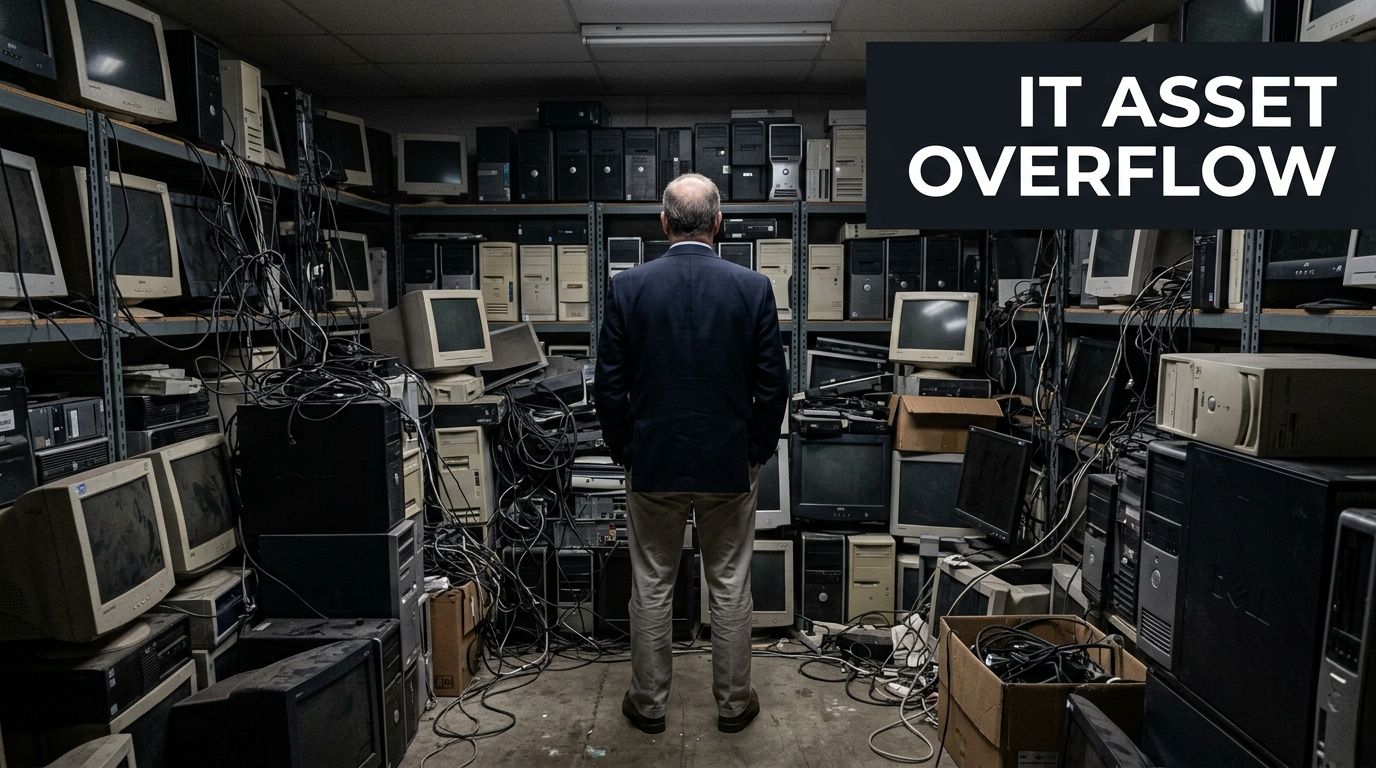
Houston has no shortage of places that will accept old electronics. The primary issue is suitability. Many local pages about a Houston computer recycling center are built around household drop-offs, not enterprise retirement programs with serialized assets, regulated data, site access controls, and documented downstream handling. Even Goodwill Houston's electronics recycling partnership page reflects that consumer-facing orientation.
That distinction matters in business settings.
A facilities team can clear a room. An ITAD partner has to protect chain of custody, support audit documentation, and process volume without slowing your refresh schedule. Those are different capabilities, and Houston organizations in healthcare, energy, finance, education, and multi-site corporate environments need the second one.
The practical question is not whether a vendor recycles computers. The practical question is whether that vendor can receive a business asset stream and control risk from pickup through final disposition. That includes packed pallets, loose devices from office closures, failed drives from infrastructure work, and equipment with data-bearing components that cannot leave your control without documentation.
For procurement and IT leadership, business recycling usually comes down to four operating concerns:
- Security: data-bearing assets need documented handling and destruction
- Compliance: disposition records need to hold up during internal review, customer questionnaires, or an external audit
- Logistics: the vendor needs the staff, vehicles, and process discipline to support your timeline
- Recovery: equipment with resale value should be identified before everything is treated as scrap
If you are comparing providers across Texas, it helps to review how other commercial e-waste recycling center models in Texas structure pickups, processing, and business intake requirements.
A good Houston computer recycling center for business use does more than remove clutter. It reduces legal exposure, shortens project timelines, and gives your team a defensible record of what left, how it was handled, and where it went next.
Beyond the Blue Bin Your ITAD Compliance Checklist
Corporate electronics recycling isn't waste hauling with better branding. It's IT asset disposition, or ITAD, and the order of priorities matters. First comes data risk. Then compliance. Then operational control. Recycling is the final outcome, not the first question.
The quickest way to see whether a houston computer recycling center is built for business use is to stop looking at accepted-item lists and start looking at controls.
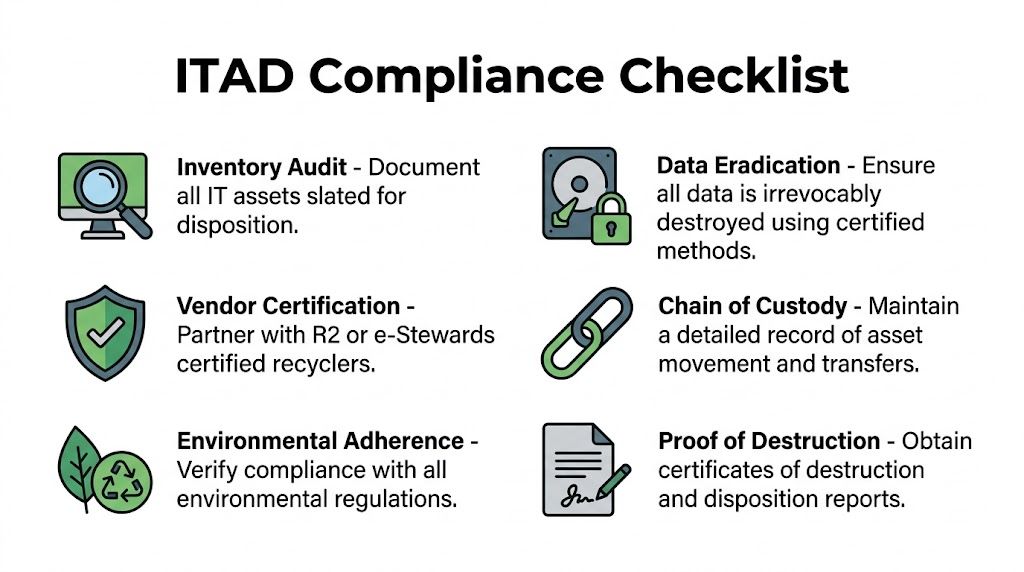
The checklist that actually matters
Use this framework when reviewing any recycler for business use:
Inventory before release
Build an asset list before pickup or drop-off. If devices leave your control before they're logged, you've already weakened your audit trail.Data sanitization standard
Ask which standard the vendor follows and how they apply it to different media types. "We destroy hard drives" is too vague for regulated environments.Certification review
Certifications don't replace due diligence, but they do show whether a facility has submitted to external requirements. In Houston, CompuCycle is identified by the Houston-Galveston Area Council as Houston's first electronics recycler with R2:2013, ISO 14001:2015, ISO 9001:2015, and ISO 45001:2018 certifications, founded in 1996, and operating a 130,000-square-foot facility, as described on the H-GAC used electronics recycling page.Chain of custody
You need to know who handled the assets from pickup through final disposition. That includes internal handoff points, transport, intake, and destruction or recycling records.Environmental handling
Business equipment often contains batteries, boards, plastics, and mixed materials that can't be treated like general scrap. Ask how the recycler manages hazardous components and downstream processors.Certificates and reports
Good vendors issue documentation your compliance, legal, and procurement teams can effectively use. A simple receipt isn't enough for a regulated disposition project.
What certifications mean in practice
Business buyers often overestimate logos and underestimate process. A certification should lead to better questions, not less scrutiny.
- R2 or e-Stewards: These are the first filters for responsible electronics processing and downstream control.
- NAID AAA or documented destruction controls: These matter when the project centers on storage media and information security.
- ISO programs: These point to management systems around quality, environmental operations, and worker safety.
A certified facility is useful only if its day-to-day workflow matches the paper standard. Ask how assets move, how exceptions are handled, and what documents you receive at the end.
Where compliance pressure shows up
Different organizations feel ITAD pressure in different ways:
| Organization type | Main concern | What to verify |
|---|---|---|
| Healthcare and labs | Protected data on endpoint devices and embedded systems | Sanitization method, serialized reporting, handling of specialized equipment |
| Finance and legal | Client data and retention controls | Chain of custody, destruction certificates, internal approvals |
| Government and public sector | Procurement rules and auditable documentation | Vendor certifications, reporting format, accountability by asset |
| Multi-site enterprises | Logistics consistency across offices | Pickup process, packaging guidance, reconciliation reporting |
For teams operating across Texas, it also helps to compare local options with broader commercial ITAD service coverage in Texas, especially if Houston is only one node in a larger refresh program.
The Secure Data Destruction Mandate
Most recycling decisions are reversible until data leaves your control. After that, they aren't.
That's why the first technical conversation with any houston computer recycling center should focus on storage media, not commodity value. Screens, aluminum, and boards can wait. Drives can't. If your organization handles patient records, employee files, legal material, payment data, or engineering IP, the central question is simple: How will this vendor make the data unreadable, and how will they prove it?
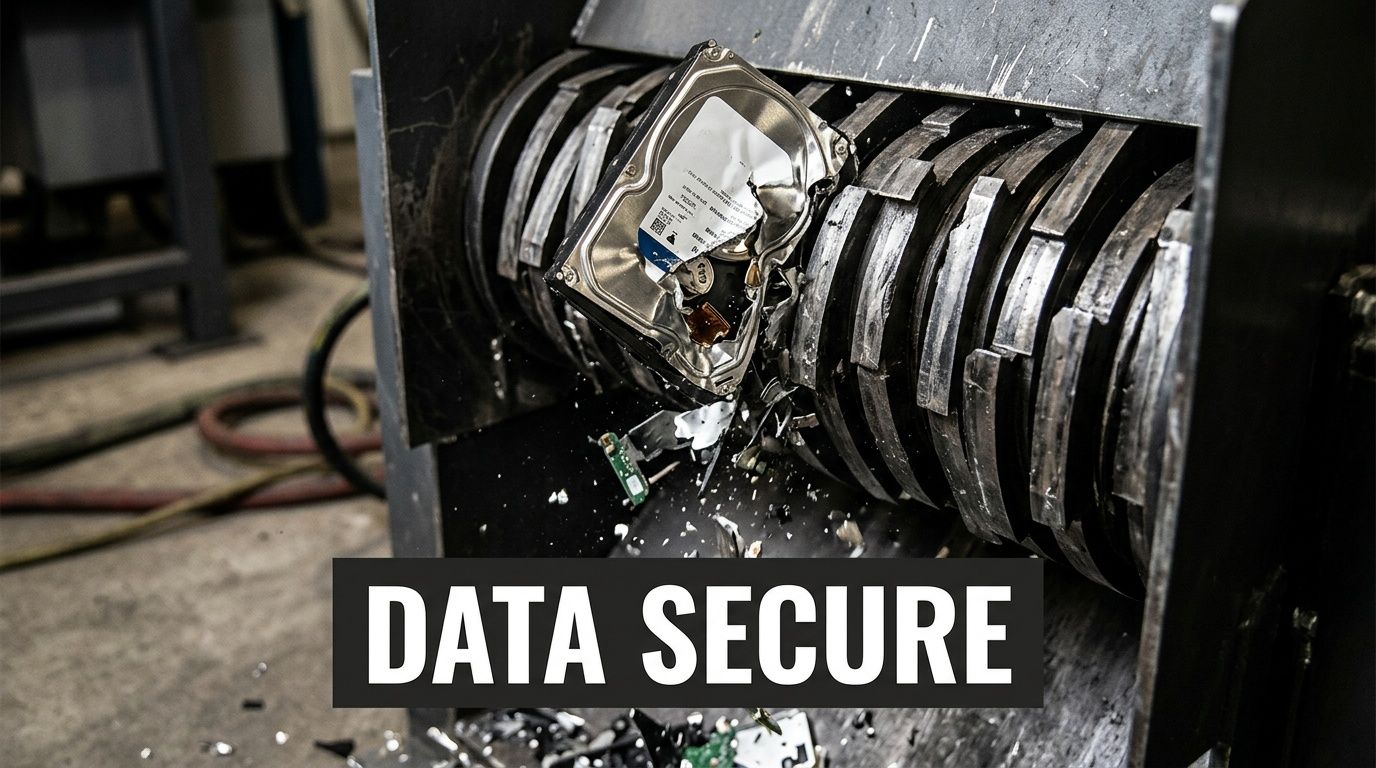
Certified Houston providers describe data destruction around NIST SP 800-88r1 and physical destruction methods such as pulverization. The same Houston market guidance notes that this is especially important in healthcare and that a single breach averages $4.45M in costs, according to STS Electronic Recycling's Houston service page.
Wiping, degaussing, and shredding are not interchangeable
A lot of internal confusion starts here. These methods solve different problems.
Software wiping
For some magnetic drives and certain redeployable devices, software overwriting can be an appropriate path when the device is functional and the process is documented correctly. The upside is that it can preserve reuse value. The downside is that it depends on drive health, process control, and proper verification.
This method works best when:
- The drive still functions: A failed drive can't be reliably wiped through software.
- Reuse matters: Organizations trying to maximize remarketing often prefer sanitization that preserves the asset.
- The vendor verifies completion: You need proof tied to the asset, not a generic statement.
Degaussing
Degaussing applies to magnetic media. It disrupts the magnetic field on the media so data can't be read. It's useful when an organization wants a direct destruction path for certain drive types, but it also renders the media unusable.
What many teams miss is that degaussing doesn't solve every storage scenario. It isn't a one-size-fits-all answer for all modern media, especially where physical architecture differs from traditional hard disk drives.
Physical destruction
Shredding or pulverization is the cleanest answer when the risk tolerance is low, the media is failed, or the organization doesn't want any ambiguity. It is often the most defensible method for sensitive projects because it removes the question of whether a device was fully readable during logical sanitization.
Field judgment: If the drive inventory is mixed, failed, old, or poorly documented, physical destruction usually reduces operational risk faster than trying to sort every edge case for software wiping.
Match the method to the media
A practical policy usually looks like this:
- Laptop and desktop HDDs with reuse potential: Consider wiping if the process is standardized and verified.
- Failed HDDs: Physically destroy.
- Data center drives from sensitive workloads: Favor destruction unless your governance model clearly permits sanitization and resale.
- Mixed lots from office cleanouts: Separate storage media first, then decide path by asset condition and policy.
That decision matrix should be documented before pickup day. If your team debates it while pallets are already wrapped, mistakes happen.
What good documentation looks like
A strong destruction process creates evidence, not just confidence. Ask for:
| Document or control | Why it matters |
|---|---|
| Asset-level inventory | Proves what entered the process |
| Chain-of-custody records | Shows who handled material and when |
| Destruction certificate | Confirms the method and completion |
| Exception handling record | Shows what happened to unreadable or damaged media |
| Final disposition reporting | Reconciles pickup against processed assets |
Bad answers are easy to spot. "We can send a receipt." "We always shred everything, don't worry about it." "Our warehouse team handles that." None of those statements satisfy a serious internal audit.
If your team needs a reference point for how secure media retirement is discussed in the broader ITAD market, review secure data destruction service considerations and then pressure-test local providers against those same standards.
Mapping the Recycling Workflow From Pickup to Processing
A professional ITAD workflow should feel boring. Predictable, documented, and hard to break. That's what you want when devices leave your building.
When a houston computer recycling center handles business assets correctly, the process starts before the truck arrives. Your team and the recycler should already agree on scope, packaging expectations, asset categories, access requirements, and whether any items need on-site segregation.
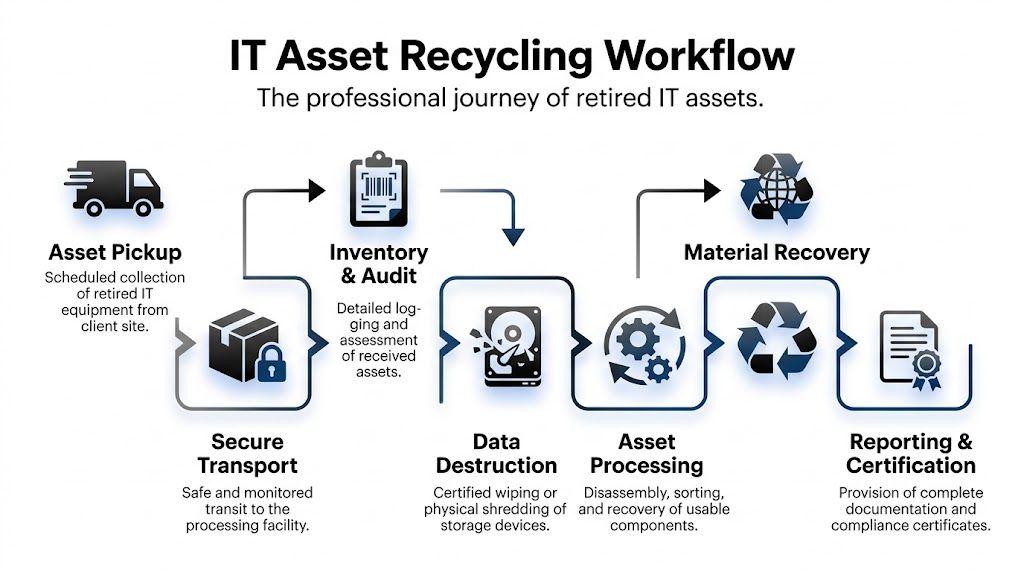
Houston facilities use a multi-stage workflow that begins with classification and can enable up to 95% material diversion from landfills, with data wiped using DoD 5220.22-M standards before downstream recycling, according to the Houston Computer Recycling Center process overview.
The operational path of a retired asset
This is how the workflow should function in practice.
Pickup and transfer
The first risk point is movement offsite. Devices change custody. Packaging gets stressed. Asset counts can drift if the handoff is sloppy.
Strong operators prevent that by using documented pickup procedures, confirming what was loaded, and separating obvious exceptions such as batteries, broken screens, or loose drives that require different handling. If your team is doing a self-delivery drop-off, insist on the same intake discipline you would expect during a pickup project.
Intake and classification
Once assets reach the facility, intake isn't just receiving. It's classification. Equipment gets separated by type, condition, material makeup, and processing path.
This stage determines whether an item will be reused, dismantled, shredded, or sent through another controlled downstream stream. It also prevents contamination of otherwise recoverable material.
Most failures in recycling projects don't happen at the shredder. They happen earlier, when mixed loads arrive with poor labeling and nobody agrees on which assets require special handling.
What happens after data work is complete
Once data-bearing assets have gone through the approved sanitization or destruction path, the recycling side becomes much more straightforward.
- Reusable systems may be evaluated for refurbishment if policy allows.
- Non-working equipment is disassembled into components and material groups.
- Metals, boards, plastics, and other fractions are separated for commodity recovery or specialized downstream processing.
- Hazardous elements are kept out of landfill channels and routed through proper handling streams.
That classification work matters because mixed electronic scrap isn't uniform. A desktop, a monitor, a switch, and a lab device don't belong in the same blind processing path.
Chain of custody should survive every step
You should be able to follow the project from start to finish:
- Approved scope: What the vendor agreed to take.
- Transfer event: What left your site.
- Intake confirmation: What arrived.
- Processing route: What was destroyed, reused, dismantled, or recycled.
- Final reporting: What closed the loop.
If any of those steps are missing, the process may still recycle the equipment, but it won't support the kind of governance most business IT teams need.
For teams comparing destruction-heavy workflows, it's helpful to review shred and recycle service models and use them as a checklist for what should happen inside a controlled disposition chain.
Comparing Houston Recycling Services and Logistics
A Houston IT director usually has to solve two problems at once. The equipment has to leave the building without disrupting operations, and the disposition record has to stand up to internal audit, privacy review, and procurement scrutiny later.
That is why service model matters more in B2B recycling than many local pages suggest. Residential-focused advice tends to stop at accepted items and drop-off options. Enterprise teams need pickup controls, documented reconciliation, site access planning, and a vendor that can scale from a single office refresh to a multi-site decommission.
Local providers do handle business volume. As noted earlier in the article, some Houston recyclers report processing large quantities for commercial clients. The more important question is not whether a vendor can take a big load. It is whether they can do it with clear custody, accurate reporting, and predictable scheduling.
Pickup versus drop-off
The first operational decision is simple. Do you want your staff transporting retired equipment, or do you want the vendor to control the transfer from your dock, suite, clinic, or server room?
| Option | Best fit | Trade-off |
|---|---|---|
| Scheduled pickup | Large volumes, multi-floor offices, regulated assets, data center projects | More scheduling effort, stronger custody control |
| Facility drop-off | Small business loads, non-urgent projects, local self-transport | Lower vendor involvement, more burden and risk on your staff |
| Project-based decommissioning | Closures, migrations, data center work | More planning, better reconciliation and labor coordination |
| Ongoing program | Regular refresh cycles across departments | Better consistency, requires internal policy discipline |
For regulated industries, pickup is usually the safer choice. It reduces employee handling, limits informal storage between collection and shipment, and creates a cleaner transfer event for audit files.
Drop-off can still work for low-volume, low-risk hardware. It becomes a poor fit once you add serialized assets, badged facility access, loading dock limits, or equipment spread across multiple floors.
How pricing usually works
Pricing often looks similar on vendor websites and works very differently in practice. Ask for the billing model in writing before the first pallet is wrapped.
You will usually see four approaches:
- Per-item pricing: Common for monitors, printers, batteries, and specialty devices.
- Per-pound pricing: More common for scrap-heavy loads with limited resale value.
- Flat project pricing: Often the cleanest structure for office closures, refreshes, and decommissions.
- Value recovery or revenue offset: Relevant only if the lot includes reusable business equipment with market value.
Flat pricing tends to reduce disputes when the scope is clear. Per-pound pricing can look cheaper and then get messy if the load includes monitors, batteries, or gear that requires extra labor. Revenue-share conversations deserve extra caution. If a vendor promises upside, ask who decides what gets remarketed, how grading works, and when you receive settlement detail.
Good scope control fixes a lot of pricing problems. Group laptops separately from monitors. Identify batteries, loose drives, and specialty devices before pickup. List anything that needs de-installation, stairs carry-down, or after-hours access.
Logistics details that separate capable vendors from convenient ones
Houston projects often fail on logistics, not recycling capacity. Traffic windows, refinery or port-area access rules, medical campus loading restrictions, and downtown elevator limits all affect labor time and chain of custody.
A capable ITAD partner plans around those constraints before the truck arrives. That includes certificate of insurance requirements, badging, palletization rules, dock appointments, and whether technicians are expected to remove equipment from work areas or receive it staged. If your assets sit in industrial or maritime environments, these Texas port recycling logistics considerations are a useful benchmark for access planning and site readiness.
Multi-site projects need even tighter coordination. One pickup window missed at a branch office can throw off the whole disposition schedule, especially if finance is waiting on asset retirement records.
Notes for healthcare, government, and nonprofits
Healthcare teams should ask about anything that can store or process protected information, even indirectly. That includes imaging workstations, nurse station systems, carts, label printers, and devices with embedded storage. The recycling vendor does not get to decide what is low risk. Your policy should.
Government organizations usually need stronger documentation and tighter procurement alignment. Reporting format matters. So does the ability to reconcile by serial number, site, department, or cost center.
Nonprofits and budget-constrained organizations may benefit from refurbishment or resale credits, but only after data handling rules are settled. Reuse is not automatically better if it weakens control or creates exceptions your staff cannot document.
Commonly Accepted Items at Houston B2B Recycling Centers
| Category | Typically Accepted | May Incur Fees or Special Handling | Generally Not Accepted |
|---|---|---|---|
| End-user devices | Desktops, laptops, tablets | Damaged units with swelling batteries | Items with active lease restrictions if not authorized |
| Displays | Flat-panel monitors | Broken screens, older display types | Severely contaminated items |
| Infrastructure gear | Servers, switches, routers, racks | Large decommission lots needing labor-intensive removal | Equipment still installed without approved access planning |
| Peripherals | Keyboards, mice, docking stations, small printers | Toner-bearing or complex print devices | Consumables unrelated to electronics streams |
| Storage media | Hard drives, some removable media | High-security destruction requests | Unidentified loose media with no project controls |
| Specialized business equipment | Medical, lab, telecom, industrial electronics | Equipment requiring regulated handling or de-install work | Hazard classes outside the vendor's permits |
Before you compare quotes, compare operating assumptions. The cheapest vendor on paper often becomes the most expensive one once missed pickups, weak reporting, change orders, and internal follow-up start consuming your team's time.
Vetting Your Houston ITAD Partner 10 Critical Questions
Most vendor mistakes happen before the first asset moves. They happen during selection, when teams accept polished language instead of asking specific questions that expose operational gaps.
A houston computer recycling center should be able to answer direct questions without hedging. If the answer turns vague when you ask about custody, downstream handling, or exceptions, keep looking.
The ten questions that separate capable vendors from risky ones
What certifications do you currently maintain, and which facility do they apply to?
Good answer: They name the certifications clearly and tie them to the actual processing location.
Red flag: They mention an affiliated company, a past certification, or a partner's credentials.What happens to data-bearing assets from pickup through destruction or sanitization?
Good answer: They describe a controlled sequence with documented handoffs.
Red flag: "Everything is secure" without process detail.Do you provide serialized reporting or only summary paperwork?
Good answer: They explain the level of reconciliation available by asset type.
Red flag: They offer only a generic weight ticket or bulk receipt.Which assets are reused, and who decides that?
Good answer: They can explain decision rules tied to your policy.
Red flag: They reserve broad discretion without your approval parameters.Who are your downstream processors?
Good answer: They can speak to downstream accountability and material paths.
Red flag: They dodge the question or treat downstream handling as proprietary.
If a recycler can't explain where material goes after it leaves their dock, they haven't given you a full risk picture.
The questions that protect your audit trail
How do you manage chain of custody during pickup, intake, and exceptions?
Good answer: They can describe documented transfer points and exception handling.
Red flag: They rely on informal warehouse practices.What documentation will we receive at project close?
Good answer: They specify destruction certificates, disposition summaries, and asset reconciliation.
Red flag: They say paperwork is available "if needed" but can't define it.How do you handle damaged, unlabeled, or mixed assets?
Good answer: They have a standard process for segregating and recording anomalies.
Red flag: They imply the team will "figure it out" onsite.Can you support our internal stakeholders, not just IT?
Good answer: They understand legal, compliance, procurement, facilities, and security all have interests in the project.
Red flag: They speak only to loading equipment onto a truck.What assumptions are you making about our scope right now?
Good answer: They surface uncertainties early.
Red flag: They quote quickly without clarifying access, asset type, or security requirements.
What strong vendor behavior looks like
A reliable partner usually does three things before you sign anything:
- Asks for detail: Asset categories, volume profile, site constraints, and security needs.
- Documents the edge cases: Leased gear, failed drives, batteries, and specialized equipment.
- Sets reporting expectations early: So there are no surprises after processing.
The best ITAD conversations feel more like an audit prep meeting than a junk removal quote.
The practical goal isn't to find a vendor with the slickest sales process. It's to find one whose controls hold up when your compliance officer, privacy counsel, or internal auditor asks for proof months later.
Turning E-Waste into a Strategic Asset
Handled poorly, retired equipment becomes lingering risk. Handled well, it becomes part of your security program, your compliance posture, and your sustainability story.
That's the mindset shift most organizations need. A business recycling project isn't just about clearing space. It's about controlling data exposure, documenting disposition, and building a repeatable process your team can use every quarter instead of reinventing it every time a storage room fills up.
The strongest Houston programs usually share a few traits:
- They treat ITAD as a policy-driven function, not an afterthought.
- They separate data decisions from scrap decisions.
- They choose vendors based on controls and reporting, not just convenience.
- They standardize refresh and retirement workflows across locations.
When those pieces are in place, the outcome improves across the board. Security teams get defensible destruction records. Procurement gets cleaner vendor oversight. Facilities gets space back. Sustainability teams get documented diversion and recycling support. IT gets fewer last-minute fire drills.
A solid houston computer recycling center relationship should reduce uncertainty, not create more of it. If your current process depends on one closet, one technician, and one annual cleanup day, it's time to mature it into a formal ITAD program.
Frequently Asked Questions About Business Computer Recycling
What should we do with leased equipment?
Check the lease terms before you schedule recycling. Many leased assets must go back to the lessor or an approved remarketing channel. The right process is to identify those assets during inventory, separate them physically, and keep them out of any destruction or recycling stream until ownership and return obligations are confirmed.
Can a small business find low-cost recycling options in Houston?
Sometimes, yes, especially for straightforward loads and local drop-off scenarios. But low-cost only works if the security and documentation still match the risk. If the devices hold business data, don't choose a provider solely because the intake is convenient or advertised as free. Ask what documentation and destruction proof you receive.
How should hospitals or labs handle specialized equipment?
Treat those projects as special-category ITAD from the start. Some devices contain embedded storage, protected information, hazardous components, or de-install requirements that don't apply to standard office equipment. Your recycler should understand both the data side and the physical handling side before the equipment moves.
Is employee drop-off of office electronics a good idea?
Usually not for business assets. It breaks custody, weakens your inventory control, and makes final reporting harder. If an organization wants to retire company devices, centralize the process through IT, facilities, or procurement and use a documented business workflow.
Should we wipe devices internally before sending them out?
That can make sense in some environments, but it shouldn't replace vendor-side controls and reporting. Internal wiping also creates its own burden around verification and documentation. If you do it, keep asset-level records and make sure your recycler still documents final disposition clearly.
What if we have a mix of obsolete scrap and newer reusable devices?
Separate them before you request quotes. Mixed descriptions create confusion around pricing, sanitization path, and reuse expectations. A clean inventory split makes the project easier to scope and easier to audit after completion.
Dallas Fortworth Computer Recycling helps organizations retire technology securely and compliantly across Texas and nationwide. If your team needs a partner for data destruction, IT equipment disposal, data center decommissioning, or specialized medical and lab equipment handling, review Dallas Fortworth Computer Recycling for a business-focused ITAD option built around chain of custody, audit-ready reporting, and practical logistics.