
Secure Computer Disposal Dallas Fort Worth A Guide For DFW Businesses
For IT leaders in the Dallas Fort Worth metroplex, retiring old computers is much more than just spring cleaning—it’s a critical security function. This isn't about simply 'getting rid of old tech.' It's about actively protecting your company's reputation, client data, and bottom line. A certified, auditable process gives you the proof you need that your data is gone for good and your company is fully compliant.
The High Stakes Of IT Asset Retirement In DFW
The rapid tech cycles in DFW's booming business scene mean there’s a constant stream of outdated hardware. Every single device, from a server rack in a Plano data center to a sales executive's laptop in Fort Worth, becomes a potential liability the moment it's unplugged. One hard drive can hold a goldmine of proprietary information, client lists, or protected health information (PHI).
That's why choosing a vetted partner for secure computer disposal in Dallas Fort Worth is non-negotiable. The consequences of a misstep are severe, ranging from steep regulatory fines to brand damage that can take years to repair. A professional IT Asset Disposition (ITAD) strategy transforms this task from a logistical headache into a documented, risk-managed business function.
Understanding The Scale Of The Challenge
This isn't just a local problem; it's part of a massive global issue. In 2024, the world generated a staggering 62 million tonnes of e-waste, but only 22.3% of it was properly collected and recycled. This huge gap puts immense pressure on IT directors in competitive markets like DFW to retire assets without risking data breaches or environmental penalties.
This is a direct business risk, plain and simple. Every device that leaves your control without a secure chain of custody is a potential data breach waiting to happen.
The real value of a professional disposal partner isn't just hauling away hardware. It's the transfer of liability and the peace of mind that comes from a verifiable, compliant process protecting your organization from what you don't see coming.
Key Risks In Unmanaged Computer Disposal
Failing to manage computer disposal with a professional approach opens the door to serious vulnerabilities. The table below breaks down the primary risks that DFW businesses face when this critical job is overlooked or mishandled.
| Risk Category | Potential Impact On Your DFW Business |
|---|---|
| Data Breach | Exposure of customer PII, trade secrets, or financial records, leading to massive reputational harm. |
| Regulatory Fines | Non-compliance with HIPAA, SOX, or GDPR can result in penalties reaching millions of dollars per incident. |
| Environmental Liability | Improper dumping can lead to fines for violating state and federal environmental laws. |
| Brand Damage | Negative publicity from a data breach or environmental issue can erode customer trust and your market position. |
Ultimately, a structured approach to corporate electronics recycling in the DFW area turns a high-stakes liability into a manageable, documented process that safeguards your company's future.
Preparing Your Assets For Secure Disposition
Before the disposal truck ever arrives at your Dallas office, the real work begins inside your facility. How you prepare your old IT assets is the single most critical step in guaranteeing a secure and seamless disposition process. This isn't just about clearing out a storage room; it’s about laying the groundwork for compliance and data security.
A little bit of focused effort upfront directly impacts the success of the entire project. It's what separates a smooth, auditable process from a logistical and security nightmare.
Create A Detailed Internal Inventory
The very first thing you need to do is build a complete inventory log before a single piece of equipment leaves your sight. This document is your foundational proof—it establishes the chain of custody from the moment an asset is handed over.
At a minimum, your inventory spreadsheet needs to track these key details:
- Asset Tag Number: Your company's internal ID for the device.
- Serial Number: The unique manufacturer's identifier.
- Device Type: Be specific, like "Dell Latitude 7420 Laptop" or "HP EliteDesk 800 G6 Mini PC."
- Physical Location: The office, floor, or user it came from.
- Data-Bearing Status: A simple "Yes/No" to flag if it contains a hard drive or any storage media.
This master list is what you'll use to reconcile against the final report from your ITAD vendor. Any discrepancies can be spotted and investigated immediately, closing security gaps before they become a real problem.
The Value Of Strategic Segregation
Not all retired equipment carries the same risk. A CEO's laptop containing financial projections is a far greater liability than a simple monitor from the breakroom. That’s why you should physically separate devices based on their data sensitivity.
Think about a mid-size Fort Worth healthcare clinic doing a tech refresh. They would create separate, clearly labeled pallets for each category:
- High-Risk Assets: Laptops and servers from executives, finance, or patient records departments. These demand the highest level of security and are often candidates for on-site hard drive shredding.
- Standard Office Assets: General employee desktops and printers that contain company data but are less sensitive.
- Non-Data-Bearing Assets: Keyboards, mice, and other peripherals that pose no data risk and can go straight to recycling.
Segregating your assets helps your disposal partner work more efficiently and apply the right security measures to the right equipment. It also demonstrates to auditors that you have a thoughtful, risk-based approach to secure computer disposal in Dallas Fort Worth.
The goal of internal preparation is to make the handover to your vendor as clean and auditable as possible. A well-documented and segregated inventory demonstrates due diligence and strengthens your security posture from day one.
Why You Must Avoid DIY Data Wiping
It might seem proactive to have your internal IT team wipe hard drives before pickup, but this is one of the riskiest mistakes a business can make. DIY data wiping is a major compliance trap.
Most software-based wiping methods just don't meet the tough standards required by regulations like HIPAA or SOX. Even more importantly, they lack the one thing you absolutely must have: third-party, auditable proof of destruction. If a data breach happens, an internal log of "wiped drives" won't hold up under scrutiny. A certified vendor's Certificate of Data Destruction will. To understand the complexities involved, you can learn more about how to completely wipe a hard drive in our detailed guide.
Relying on a certified partner's process ensures the job is done right according to standards like NIST 800-88 and, crucially, it formally transfers the liability away from your organization. Your team's time is better spent on core business functions, not on a high-stakes task that offers zero certified assurance.
Understanding Certified Data Destruction Methods
Once you’ve sorted and prepared your old IT assets, the real work begins. The next decision is the most critical: how will you guarantee the data on those devices is gone for good? For any IT leader managing secure computer disposal in Dallas Fort Worth, this isn’t just a technical detail—it’s a matter of trust and liability.
When you hand over a pallet of old laptops or a rack of servers, you’re trusting that your vendor’s process is foolproof. Certified data destruction isn’t just about hitting "delete." It's a formal, verifiable process designed to make data completely unrecoverable, and the method you choose has direct consequences for your company’s security and compliance posture.
This decision tree can help you map out the right path for different assets before you even get to the destruction phase.
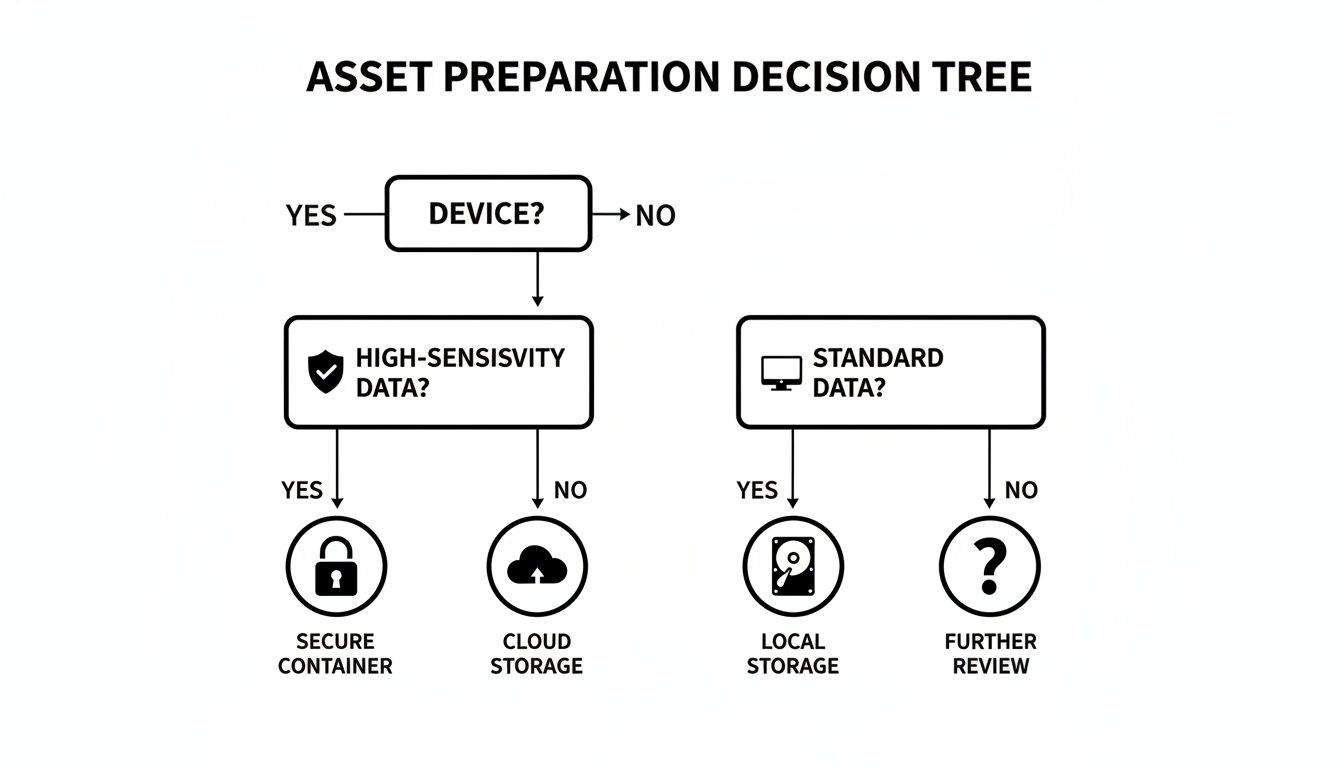
As you can see, the path diverges significantly once you identify devices that held sensitive information.
H3: Data Wiping And The NIST 800-88 Gold Standard
Data wiping, or sanitization, uses specialized software to overwrite every part of a hard drive with random binary data. A professional service doesn't just do this once; they'll run multiple passes to ensure the original data is completely obliterated.
The industry benchmark here is NIST Special Publication 800-88. When a vendor says they provide NIST-compliant wiping, it means they follow a documented, auditable procedure that renders data recovery impossible with current technology.
- Best For: Newer devices with resale value. If you want to remarket recent-model laptops or servers to recoup some cost, wiping keeps the hardware intact and ready for reuse.
- Compliance Level: High. A properly executed wipe, documented with a Certificate of Destruction, is accepted for meeting regulations like HIPAA.
Keep in mind, wiping isn't always the perfect solution. The process can be slow when dealing with hundreds or thousands of drives, and it’s completely ineffective on damaged or non-functional hard drives that won't power on.
H3: Degaussing For Magnetic Media
Degaussing is a different beast entirely. It’s an extremely powerful method that uses a massive magnetic field to instantly and permanently erase the magnetic charge on a traditional hard disk drive’s (HDD) platters.
Think of it as a complete magnetic reset. The process is incredibly fast, but it comes with a massive caveat.
Degaussing is 100% ineffective on Solid-State Drives (SSDs). SSDs use flash memory, not magnetic platters, so they are completely immune to magnets. Degaussing an SSD gives a false sense of security while leaving every bit of data perfectly intact.
H3: Physical Shredding The Ultimate Failsafe
For the highest level of security and absolute peace of mind, nothing beats physical destruction. This is exactly what it sounds like: hard drives, SSDs, and other storage media are fed into an industrial shredder that grinds them into tiny, unrecognizable pieces of metal and plastic.
There’s no software to fail and no room for error. The media simply stops existing.
We’re seeing more and more IT directors across Dallas Fort Worth mandate shredding for any device that ever held financial data, PII, or company IP. It's the only method that offers undeniable, visual proof of destruction. To see this process up close, check out our guide on professional hard drive shredding in Fort Worth.
Choosing the right destruction method is more important than ever. The global electronics recycling market, valued at USD 43.2 billion in 2025, is projected to hit USD 147.9 billion by 2035. Laptops and PCs make up a 45% share of this market, and secure data sanitization is a mandatory first step.
Data Destruction Methods Compared
Here’s a quick comparison to help you weigh your options based on your specific needs.
| Method | How It Works | Best For | Compliance Level |
|---|---|---|---|
| Data Wiping | Software overwrites every drive sector multiple times with random data, following NIST 800-88. | Functional drives with resale value; situations where hardware reuse is desired. | High (HIPAA, SOX, etc.) when documented with a Certificate of Destruction. |
| Degaussing | A powerful magnetic field instantly neutralizes the magnetic data stored on traditional HDD platters. | Rapid destruction of large quantities of magnetic media (HDDs, tapes). | High for magnetic media, but zero effectiveness for SSDs. |
| Shredding | An industrial shredder physically grinds storage media into small, irrecoverable fragments. | Highest-risk data; damaged or non-functional drives; SSDs; ultimate security. | Absolute. Provides visual proof and is the most definitive method for all compliance standards. |
No matter which method you choose, the most crucial deliverable is the paperwork. A reputable partner must provide a Certificate of Data Destruction that lists every single asset by serial number, confirming the date and method of destruction. That auditable document is your ultimate shield in any compliance audit.
How To Select Your DFW Disposal Partner
Once you have a grasp of the data destruction methods out there, the real work begins: finding the right team to handle your equipment. Choosing a partner for secure computer disposal in Dallas Fort Worth is one of the most critical vendor decisions an IT leader will make. The right one acts as a trusted extension of your security team. The wrong one can become your biggest liability.
This isn't a commodity service where you just pick the lowest bidder. You are literally handing over your company's most sensitive information to a third party. Your vetting process should be just as tough as the one you use for a new cybersecurity provider.
Vetting Certifications: The Non-Negotiables
Your first and most important filter should always be certifications. These aren't just fancy logos a vendor slaps on their website; they are hard-earned proof that the company has passed rigorous, third-party audits of its security, environmental, and operational processes.
In the ITAD industry, two certifications stand out:
- R2v3 (Sustainable Electronics Recycling International): This is the leading global standard. It covers everything from data security protocols and responsible recycling to ensuring their own downstream partners are compliant. An R2v3-certified facility has proven its entire process is secure and environmentally sound.
- e-Stewards: Developed by the Basel Action Network, this standard places a heavy emphasis on preventing the illegal export of hazardous e-waste to developing nations.
If a potential DFW vendor can't show you at least one of these certifications, they shouldn't even make your shortlist. It's a non-starter. These credentials establish a baseline of trust and operational competence. You can learn more about what it means to be an R2 certified electronics recycler in our detailed guide on the topic.
Probing Their Process And Security Measures
With a shortlist of certified vendors, it's time to dig into the details. This is where you separate the true professionals from companies just going through the motions. Your goal is to get a crystal-clear picture of their end-to-end process.
Don't be shy about asking direct, pointed questions. A transparent partner will have clear, confident answers and will welcome the scrutiny.
Insider Tip: Always ask to see a sample Certificate of Data Destruction and an inventory report. Are individual serial numbers listed? Is the language clear and legally sound? This certificate is your final piece of compliance evidence, so it needs to be perfect.
Key Questions To Ask Your Potential DFW Partner
When you sit down with a potential partner, use this list to guide the conversation. How they answer will tell you everything you need to know about their security posture and commitment to protecting their clients.
Chain of Custody and Logistics:
- Can you walk me through your chain-of-custody process, from the moment your team arrives at our Dallas or Fort Worth site?
- Are your trucks GPS-tracked? Are they operated by your own background-checked, uniformed employees?
- What specific security measures are in place at your processing facility (e.g., 24/7 video surveillance, access controls, alarm systems)?
Data Destruction and Compliance:
4. Do you perform all data destruction in-house, or is it subcontracted? (In-house is the only acceptable answer for maintaining a secure chain of custody.)
5. How do you audit your downstream recycling partners to ensure they are also compliant and certified?
6. Can you provide on-site shredding services at our location if our policy requires it?
Operations and Transparency:
7. Do you offer any value recovery or remarketing for newer equipment? How is that process tracked and documented?
8. What is your typical turnaround time from pickup to when we receive our final Certificate of Destruction?
9. Can we schedule a tour of your DFW processing facility? (A reputable vendor will always say yes.)
Here’s a quick guide to reading between the lines of their answers:
| Question Category | A Strong Answer Looks Like… | A Red Flag Looks Like… |
|---|---|---|
| Chain of Custody | A detailed, documented process that includes asset tagging, secure transport in locked vehicles, and controlled facility access. | Vague promises like, "we just pick it up and take care of it." No mention of GPS tracking or employee background checks. |
| Data Destruction | A clear explanation of their NIST 800-88 compliant processes, all performed in their own secure, audited facility. | They subcontract destruction to another company, breaking the chain of custody. They're fuzzy on the difference between SSD vs. HDD destruction. |
| Transparency & Auditing | Openly sharing their certifications and sample reports. They welcome a facility tour and have a clear policy for auditing downstream partners. | Hesitation to provide documents or an outright refusal of a facility tour. They can't explain how they vet their own recycling partners. |
Choosing your disposal partner is about building a long-term, trusted relationship. Take the time to do your homework. The right partner for secure computer disposal in Dallas Fort Worth will not only protect your data but also serve as a valuable advisor, helping you confidently manage your compliance and environmental responsibilities.
Meeting Compliance And ESG Goals Through Smart Disposal
A well-executed IT asset disposition (ITAD) program is no longer just a line item for mitigating security risks. For savvy businesses in Dallas and Fort Worth, it's become a powerful tool for achieving the ESG (Environmental, Social, and Governance) goals that matter to customers, investors, and your own team.
What used to be seen as a necessary cost is now a public-facing opportunity. It’s a chance to demonstrate your company’s values, build brand equity, and do the right thing for both your data security and the local community.
The Environmental Pillar: Protecting North Texas
The most direct ESG impact of working with a professional ITAD vendor is environmental. When you choose a partner committed to a zero-landfill policy, you are taking a firm stance against pollution in our own backyard.
Old electronics are full of toxins like lead, mercury, and cadmium. If they end up in a landfill, those materials can contaminate North Texas soil and groundwater for years. A certified recycling process guarantees these materials are either safely recovered for reuse or handled according to strict environmental regulations.
This proactive approach tells a compelling story. It shows your business is a responsible steward of the community, going far beyond basic compliance to protect the ecosystem we all share.
Tackling The Global E-Waste Challenge Locally
The sheer volume of electronic waste is a global crisis with very local consequences. Global e-waste hit a staggering 62 million tonnes in 2024, but formal recycling rates are stuck at just 22.3%.
For businesses operating in the massive USD 80.8 billion North American electronics market, partnering with a specialist for secure computer disposal in Dallas Fort Worth is about more than preventing a data breach. It’s an active contribution to a more sustainable, circular economy right here at home.
Partnering with a certified ITAD vendor is a direct investment in your company’s ESG narrative. It provides documented, third-party proof of your commitment to environmental protection and social good, transforming a routine task into a strategic advantage.
This responsible approach doesn't just bolster your brand's reputation; it also aligns your operations with the growing demand for corporate sustainability from customers and regulators alike.
The Social Pillar: Bridging The Digital Divide
Beyond recycling, your ITAD program can have a tangible social impact. Many retired computers, while no longer fit for a demanding enterprise environment, are still perfectly capable machines. A forward-thinking disposal partner can identify these assets and give them a second life.
This opens the door for powerful corporate citizenship right here in DFW:
- Refurbishment: Devices can be securely wiped, tested, and refurbished for reuse.
- Donation Programs: These refurbished computers can then be donated to local schools, community centers, and nonprofits across North Texas.
- Community Impact: This directly helps bridge the digital divide, getting essential technology into the hands of underserved communities.
Instead of just being a disposal cost, your old equipment becomes a resource that empowers your neighbors. It’s a real, measurable way to show your company’s commitment to social good and build immense local goodwill. To learn more, see our guide on the many benefits of e-waste recycling. This turns retired assets into valuable tools for education and opportunity.
Even after you’ve built a solid ITAD strategy, real-world questions always pop up when it's time to actually get rid of old equipment. For IT managers handling secure computer disposal in Dallas Fort Worth, getting straight answers is key to moving forward with confidence.
Here are the most common questions we hear from DFW businesses, answered directly to help you make the right call.
What Does Secure Computer Disposal Typically Cost In Dallas Fort Worth?
This is usually the first question, but the answer isn't a simple flat fee. The final cost depends on a few key variables: the total volume of equipment, the specific device types, and most importantly, the data destruction method you need. On-site shredding, for example, has a different cost structure than off-site data wiping.
A true B2B partner won’t just give you a per-item price list; they’ll provide a custom quote for your specific project. It's critical to evaluate that quote based on the value of guaranteed security and compliance, not just the lowest price. A transparent partner will always provide a detailed breakdown with no hidden fees, explaining the costs for transport, certified destruction, and recycling. In some cases, if your assets have enough resale value, the service might come at a reduced cost or even no cost at all.
Should We Wipe Hard Drives Ourselves Before Pickup?
We strongly advise against it. While it might seem like a good idea for extra security, trying to wipe drives internally often becomes a compliance and resource trap. Your IT team's methods rarely meet the strict standards of NIST 800-88, and more importantly, they don't produce the third-party, auditable proof you need for regulations like HIPAA.
This approach eats up your IT staff's valuable time without delivering the certified security and liability transfer your business requires.
A professional ITAD partner’s entire process is built around an unbroken, secure chain of custody. Our certified destruction methods are followed by a Certificate of Data Destruction, which legally transfers liability away from your company and gives you the official proof needed to satisfy any compliance audit.
Relying on a certified partner for secure computer disposal in Dallas Fort Worth ensures the job is done right and frees your team to focus on their core duties.
What Is The Turnaround Time From Pickup To Certification?
A professional ITAD provider runs on a tight, well-defined schedule. Here in the fast-paced DFW market, pickups can often be scheduled within just a few business days of your request.
Once your assets arrive at the secure facility, processing typically starts within 48 hours. For a standard batch of equipment, the entire data destruction and recycling process is usually finished in 5-10 business days. After that, you can expect to receive your detailed inventory report and official Certificate of Data Destruction about 15 business days from the original pickup date. For bigger projects, like a full data center decommissioning, a custom timeline will be mapped out with you from the start.
What Equipment Do You Accept Besides Computers?
A comprehensive ITAD partner should be your single point of contact for all retired technology. This simplifies logistics and vendor management for your IT and procurement teams, guaranteeing one consistent, secure process for everything.
Beyond desktops and laptops, we handle a wide range of business electronics:
- Data Center Hardware: Servers, storage arrays, blade chassis, and more.
- Networking Gear: Routers, switches, firewalls, and VoIP equipment.
- Mobile Devices: Secure destruction for company smartphones and tablets.
- Office Peripherals: Printers, scanners, copiers, and monitors.
It's always a good idea to give your vendor a rough inventory list before scheduling a pickup. This helps them confirm they can take everything and plan for any special handling, ensuring the whole process goes off without a hitch.
When your Dallas Fort Worth business needs a trusted, certified partner for secure IT asset disposition, turn to the experts. Dallas Fortworth Computer Recycling provides end-to-end services with a proven track record of security, compliance, and environmental responsibility. Contact us today to learn how we can protect your data and streamline your IT retirement process. Find out more at https://dallasfortworthcomputerrecycling.com.