
HIPAA compliant electronics recycling Texas: Your essential compliance guide
For any Texas healthcare provider, retiring old electronics isn't just a spring-cleaning task—it’s a high-stakes legal obligation. Proper HIPAA compliant electronics recycling in Texas means navigating both federal HIPAA rules and a set of even stricter state laws to ensure patient data (ePHI) is permanently destroyed. Getting this wrong can lead to massive fines and completely shatter the trust you’ve built with your patients.
Understanding HIPAA and Texas Rules for Electronics Disposal

The moment a computer, server, or medical device reaches its end-of-life, it turns from an asset into a serious liability. These devices can hold thousands of patient records, and simply hitting 'delete' or reformatting a drive just doesn't cut it. The data is often still recoverable, leaving your organization wide open to a data breach.
At the federal level, the Health Insurance Portability and Accountability Act (HIPAA) sets the baseline. Its Security Rule is clear: covered entities must have procedures in place to make electronic Protected Health Information (ePHI) unreadable, undecipherable, and otherwise impossible to reconstruct before disposing of the media it's stored on.
But for organizations here in the Lone Star State, that’s only half the story. The legal landscape is far more demanding.
The Texas Factor: HB 300
Texas House Bill 300, also known as the Texas Medical Records Privacy Act, raises the bar significantly higher than HIPAA in several key areas. It broadens the definition of who qualifies as a "covered entity" and comes with much harsher penalties for non-compliance. A critical difference is its mandate for employee training that is specific to Texas law, which directly impacts how your team must handle every device containing ePHI.
This means a disposal policy that seems perfectly fine under HIPAA could still leave you non-compliant in Texas. For instance, the fines associated with HB 300 are staggering, with penalties reaching up to $250,000 per violation for a negligent disclosure of protected health information.
To help clarify the overlapping rules, here's a quick comparison of the key compliance points between federal and state law.
HIPAA vs. Texas Law Key Compliance Points
| Compliance Area | HIPAA Security Rule Requirement | Texas Law Specifics (e.g., HB 300) | Actionable Tip |
|---|---|---|---|
| Data Destruction Standard | "Render ePHI unreadable, undecipherable, and otherwise cannot be reconstructed." | Aligns with HIPAA but penalties for failure are steeper and more readily applied. | Use an ITAD vendor that provides certified data destruction and a detailed Certificate of Destruction for your records. |
| Covered Entities | Healthcare providers, health plans, and healthcare clearinghouses. | Expands definition to anyone who comes into possession of PHI, including vendors and certain business associates. | Assume HB 300 applies to any partner handling your data, not just your primary BAs. |
| Employee Training | Must train workforce on security policies and procedures. | Requires specific training on Texas privacy laws in addition to HIPAA. | Document that your annual compliance training explicitly covers the requirements of HB 300 and its implications for device handling. |
| Penalties for Breach | Tiers based on culpability, up to $50,000 per violation with an annual max. | Can impose fines up to $250,000 per violation and includes potential loss of license. | The financial and operational risk in Texas is significantly higher. Don't treat compliance as a checkbox. |
This table makes it clear: what works in another state might not be enough to protect your organization in Texas. You need a strategy built for both.
The real-world consequences are severe. A single misplaced hard drive from a retired server, if discovered and found to contain unencrypted ePHI, could be interpreted as a breach affecting every patient on that drive. The resulting fines could easily climb into the millions.
What's Really at Stake
The risk goes far beyond the financial penalties. A data breach stemming from sloppy electronics disposal can destroy patient trust—something incredibly difficult, if not impossible, to win back. It can also trigger expensive class-action lawsuits and force you to pay for years of credit monitoring for every affected individual.
Think about these common, everyday scenarios where compliance falls apart:
- An old front-desk workstation is donated to a local charity without the hard drive being professionally destroyed first.
- A third-party recycler handles a pallet of retired office PCs, but you never signed a Business Associate Agreement (BAA) with them.
- A leased multifunction copier is returned to the leasing company, but no one wiped the internal hard drive that stored scans of patient insurance cards and records.
Each of these represents a potential violation of both HIPAA and HB 300. They underscore why you need a documented, airtight process for HIPAA compliant electronics recycling in Texas, from the moment a device is inventoried for retirement to its final, certified destruction.
Understanding these dual legal frameworks is the critical first step. As you plan for larger projects, you can learn more about enterprise IT equipment recycling in Texas to build a stronger foundation. A compliant disposition program isn't just about following rules; it's about fundamentally protecting your patients, your reputation, and your entire organization from preventable harm.
Developing Your Internal Device Retirement Policy
A reactive approach to device disposal is a compliance failure waiting to happen. Before you ever pick up the phone to call a vendor, your first and most critical step is to build a rock-solid internal policy. This document is your first line of defense—a formal IT Asset Disposition (ITAD) plan that acts as the playbook for your entire organization.
Without a clear, written policy, processes become inconsistent and responsibilities get blurry. It's shockingly easy for devices containing sensitive electronic Protected Health Information (ePHI) to slip through the cracks. This isn't just about paperwork; it's about creating a systematic, repeatable process that protects your patients and your practice.
A strong policy is the foundation for any HIPAA compliant electronics recycling program in Texas.
Start with a Comprehensive Asset Inventory
You can't protect what you don't know you have. The very first thing you need to do is conduct a detailed inventory of every single device in your organization capable of storing ePHI. This goes way beyond just laptops and servers.
Your inventory has to account for the assets people often forget, which are just as likely to hold patient data:
- Office Equipment: Think multifunction printers and scanners. Many have internal hard drives that keep a copy of every document scanned.
- Medical Devices: Infusion pumps, EKG machines, and diagnostic imaging equipment frequently have internal memory or removable media cards.
- Portable Media: The countless USB drives, external hard drives, and SD cards used to move patient files around.
- Networking Gear: Even routers and firewalls can contain sensitive configuration data and network logs.
This inventory shouldn't be a simple checklist. It needs to capture key details for each asset: its serial number, physical location, the assigned user or department, and exactly what kind of ePHI it might hold.
Classify Assets and Define Data Risk
Once your inventory is complete, you need to classify those assets based on the sensitivity of the data they hold. Not all devices carry the same level of risk. A server holding your entire Electronic Health Record (EHR) database is obviously a much higher-risk asset than a kiosk computer in the waiting room.
Create a simple, risk-based classification system. For example:
- High-Risk: Devices with extensive ePHI, like servers, storage area networks (SANs), and backup tapes. These demand the most secure data destruction methods, period.
- Medium-Risk: End-user devices like laptops, desktops, and specific medical equipment that may hold smaller sets of patient data.
- Low-Risk: Devices with little to no chance of holding ePHI, such as monitors or keyboards. These can be recycled without data destruction but must still be tracked.
This classification system will directly determine the handling and destruction protocol for each device. It ensures your security efforts are focused where they matter most and helps you decide between onsite or offsite destruction services.
A well-defined policy removes ambiguity. It ensures that every team member, from an IT technician decommissioning a server to a department head requesting a new printer, understands their specific role and responsibilities in the asset retirement lifecycle.
To make this real, your policy has to clearly outline roles. Who is authorized to request a device's retirement? Who is responsible for physically securing it and sanitizing the data? Who manages the relationship with the recycling vendor? Assigning these duties prevents dangerous gaps in your chain of custody.
Essential Elements of a HIPAA ITAD Policy
A robust policy is your roadmap for compliance. It should be a living document, reviewed at least annually, that gives clear instructions for every stage of the disposal process.
Here are the absolute must-have components your policy needs to include.
| Policy Component | Key Objective | Example Implementation |
|---|---|---|
| Scope and Purpose | Defines which assets and personnel the policy applies to. | "This policy applies to all company-owned electronic devices capable of storing data and all employees involved in their lifecycle." |
| Roles & Responsibilities | Clearly designates who is accountable for each step. | "The IT Department is responsible for data sanitization. Department Heads must notify IT of any planned device retirement." |
| Asset Inventory & Tracking | Mandates a system for logging and tracking all assets from acquisition to disposal. | "All IT assets must be logged in the asset management system with serial numbers and assigned users upon deployment." |
| Data Destruction Standards | Specifies the approved methods for data destruction based on asset risk level. | "High-risk assets must undergo physical destruction. Medium-risk assets may be sanitized using NIST 800-88 Purge methods." |
| Chain of Custody | Outlines documentation requirements for tracking the asset at every stage. | "A Chain of Custody form must be completed and signed at every point of transfer, from the user to IT to the recycling vendor." |
| Vendor Management | Sets criteria for selecting and managing third-party recycling partners. | "All vendors handling ePHI must sign a Business Associate Agreement and hold R2v3 or e-Stewards certification." |
Putting this policy together isn't a one-time task for the IT department. It requires real input from compliance, legal, and department heads to make sure it's both practical and enforceable. Once you have it, this document becomes the cornerstone of your security posture for every retired electronic device.
Selecting the Right Data Destruction Method
Thinking that hitting 'delete' or running a standard format on a drive full of patient data is enough is one of the quickest ways to land your organization in hot water with HIPAA. That data is often still recoverable, leaving you with a massive liability. For any Texas healthcare organization, choosing the right data destruction method is a crucial decision, one that directly impacts your security, costs, and compliance with both HIPAA and state law.
The gold standard for this process comes from the National Institute of Standards and Technology (NIST) in their Special Publication 800-88. It lays out three core methods for making data unrecoverable, and understanding the difference is key to making the right call.
Clearing, Purging, and Destroying Data
These three terms from NIST 800-88 aren't just synonyms; they represent escalating levels of data security, and only two are truly relevant for handling ePHI.
- Clearing: This is essentially overwriting data using software or hardware. While it has its uses, it’s not foolproof and won’t stand up to serious forensic recovery efforts. For this reason, clearing is almost always considered inadequate for media that ever held sensitive ePHI.
- Purging (Sanitization): This is a much more thorough process. Methods like degaussing (for magnetic media) or using specialized software to perform multiple, verified overwrites make data recovery exponentially more difficult. This is often the minimum acceptable standard for HIPAA compliance when you plan to reuse the media.
- Destruction: This is the final word in data security. It means physically destroying the media so that data recovery is flat-out impossible. Common methods include shredding, disintegration, pulverizing, and incineration.
For healthcare providers, the conversation should always start—and usually end—with purging and destruction. The risk tied to ePHI is simply too high to mess around with basic clearing methods. The choice between the two really boils down to the media type and your organization's tolerance for risk.
Software Wiping vs. Physical Shredding
In practice, the decision for most healthcare organizations comes down to two main approaches: software-based purging and physical destruction. Each has clear pros and cons.
Software-based wiping uses certified programs to overwrite every single sector of a hard drive with random data, often in several passes. This method keeps the physical drive intact, allowing it to be reused or resold, which can help offset some of the disposition costs. The downside? It can be slow, and its effectiveness on newer Solid-State Drives (SSDs) is sometimes questionable due to their internal wear-leveling technology.
Physical shredding, on the other hand, is definitive. A commercial-grade shredder designed for electronics grinds hard drives, backup tapes, and other media into tiny, unsortable fragments. This is the only way to be 100% certain the data is gone for good. While it means you can't reuse the asset, it provides absolute peace of mind, which is why it’s the default requirement for high-security environments.
This visual guide helps simplify that first critical decision when a device is ready for retirement.
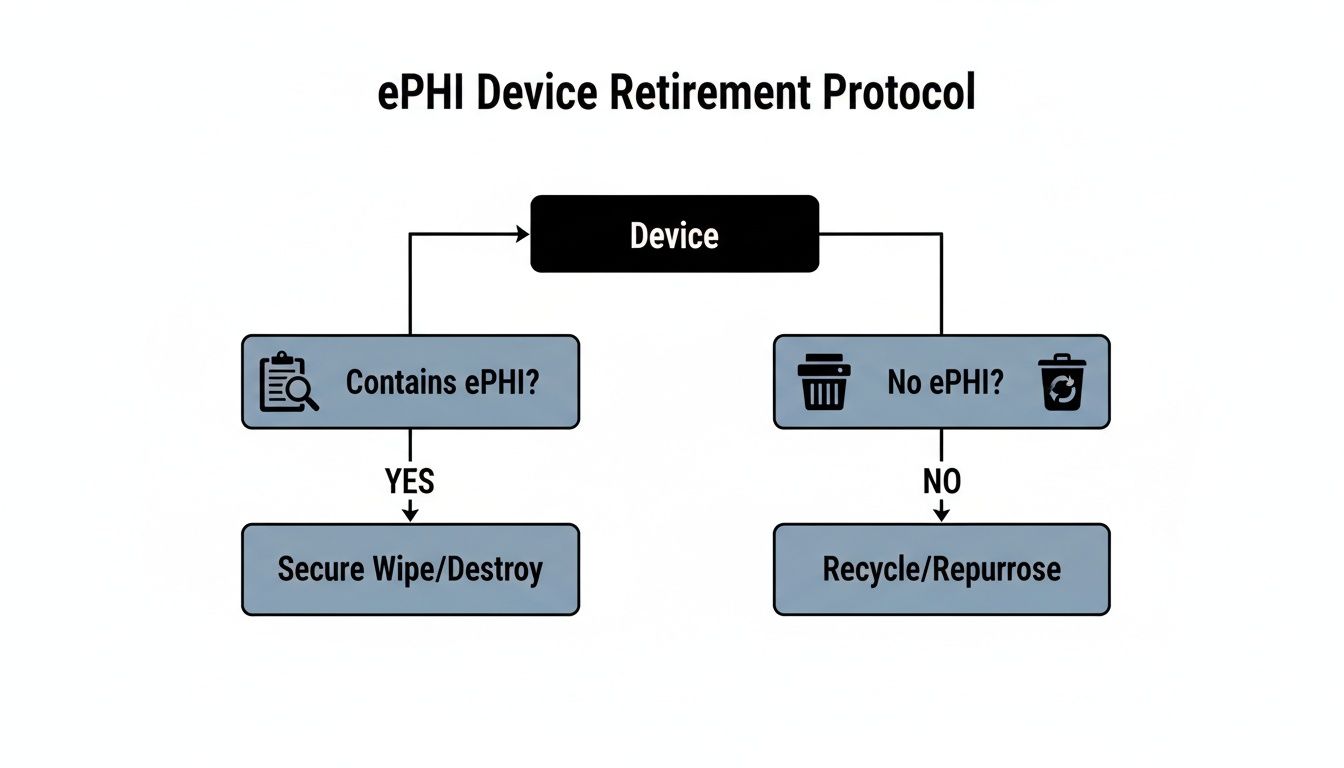
The flowchart reinforces a simple truth: once a device is identified as holding ePHI, the only compliant path forward involves secure, permanent data removal.
The Great Debate: Onsite vs. Offsite Destruction
Once you’ve chosen a method (like shredding), the next question is where it will happen. Both onsite and offsite services offer secure options for HIPAA compliant electronics recycling in Texas, but they serve different logistical and security priorities.
Onsite Destruction
A mobile shred truck comes right to your facility, whether you're in Dallas, Houston, Austin, or anywhere else in Texas.
- Pros: You get to witness the entire destruction process firsthand. This provides the ultimate chain-of-custody assurance, as there is zero risk of a data breach during transit.
- Cons: This service can be more expensive and might cause a minor operational disruption at your facility while the truck is present.
Offsite Destruction
Your assets are securely picked up and transported in a locked vehicle to a certified destruction plant.
- Pros: This is typically a more cost-effective option, especially for large volumes of equipment, and it won’t disrupt your daily operations.
- Cons: This method requires absolute trust in your vendor’s chain of custody, from secure transport to facility access controls and surveillance.
Ultimately, choosing between them is a risk management decision. If your organization has zero risk tolerance or you're decommissioning a server with millions of patient records, onsite shredding offers undeniable proof of destruction. For more routine disposals of lower-risk devices, a thoroughly vetted offsite partner with rock-solid security protocols is a perfectly compliant and efficient choice.
Understanding the full scope of secure data handling is critical, and you can learn more about certified data destruction services to see what best fits your needs. The right method ensures that when your old electronics head off for recycling, the patient data they once held is truly gone forever.
How to Vet Your Texas Electronics Recycling Partner
Picking an electronics recycling vendor is one of the biggest decisions you'll make when retiring old IT assets. When you hand over those devices, you're not just getting rid of clutter—you're trusting that partner with your organization's compliance and reputation. For a Texas healthcare provider, this isn't about finding a recycler. It's about finding a security partner.
One wrong move here can blow up all your careful internal prep work and land you with a reportable data breach. This vetting process is where you'll separate the real, secure pros from the vendors who just talk a good game. It all starts with one make-or-break document.
The Business Associate Agreement Is Your First Checkpoint
Before you waste time talking about price or logistics, your very first question to any potential partner has to be: "Will you sign a Business Associate Agreement (BAA)?" If their answer isn't an immediate and confident "yes," that's your cue to end the conversation.
A BAA is a legally required contract under HIPAA that holds your vendor (the Business Associate) to the exact same standards for protecting ePHI that you are. It makes them just as accountable.
But don't just accept any old template. Your legal or compliance team needs to review their BAA to make sure it contains ironclad clauses that protect you, including:
- Permitted Uses of ePHI: The agreement must state that the vendor can only use ePHI for the specific purpose of data destruction and recycling. Nothing else.
- Breach Notification: It needs a clear timeline and process for how they'll notify you of a data breach—even if it happens with one of their own downstream partners.
- Auditing Rights: You need the right to audit their security practices, facilities, and paperwork to confirm they're actually doing what they say they are.
- Subcontractor Liability: The BAA must make it crystal clear that your primary vendor is responsible for any subcontractors they use. If their partner messes up, your partner is on the hook.
A vendor that hesitates on a BAA or tries to argue over the language is waving a giant red flag. It tells you they either don't grasp the seriousness of handling ePHI or they aren't confident they can actually meet the standards.
Look for Verifiable Industry Certifications
Once the BAA is locked in, you need to verify their credentials. In the electronics recycling world, the gold standards are R2v3 (Responsible Recycling) and e-Stewards. These aren't just logos they can slap on a website; they represent proof that the vendor has passed intense, third-party audits covering data security, environmental practices, and worker safety.
These certifications are non-negotiable because they force vendors to:
- Maintain a documented chain of custody for every single asset.
- Implement serious facility security, like 24/7 surveillance and strict access controls.
- Run thorough background checks on every employee who handles sensitive equipment.
- Audit their own downstream partners to ensure they meet the same tough standards.
For any Texas provider, working with a certified recycler is a core part of demonstrating due diligence. Ask for a copy of their current certificate and verify it yourself on the certification body's website. To get a better handle on this, you can learn more about why using an R2 certified electronics recycler is so vital for compliance.
The Crucial Questions to Ask Any Potential Vendor
With certifications confirmed, it's time to interview them. Treat this like you're hiring someone for a critical role on your compliance team, because you are. Here’s a checklist of questions you should be asking every potential HIPAA compliant electronics recycling partner in Texas:
- Can you walk me through the physical security protocols at your facility? (Listen for mentions of 24/7 surveillance, alarm systems, and badge-controlled access points).
- What is your screening process for employees who will be handling our equipment?
- Do you perform all data destruction in-house, or do you use subcontractors? If you use them, how do you vet them and hold them accountable?
- Can we witness the destruction? Either on-site at our location or via secure video feed at yours?
- What, specifically, is included on your Certificate of Data Destruction? (The answer should be a list of individual serial numbers for every destroyed drive).
- Can you give us references from other healthcare organizations you work with here in Texas?
Their answers should be direct, confident, and backed by documentation. If you get vague responses or they seem reluctant to be transparent, walk away. A true partner will welcome these questions as a chance to prove they're the right choice to protect your data.
Mastering Chain of Custody for Audit Readiness
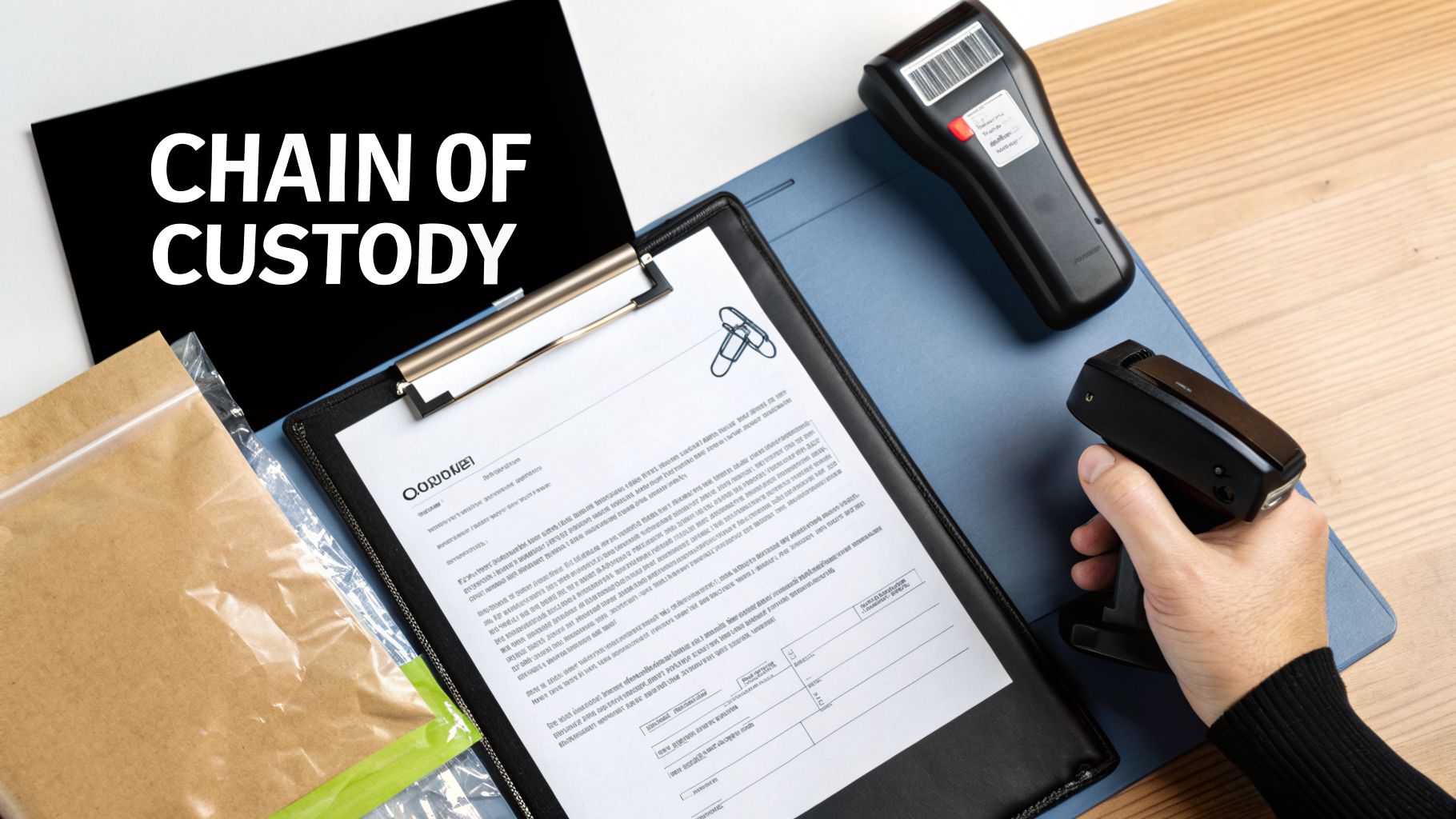
If you ever find yourself facing a HIPAA audit, your most valuable asset won't be a lawyer—it will be your documentation. A truly defensible program for HIPAA compliant electronics recycling in Texas relies completely on an unbroken chain of custody.
This paper trail is your hard evidence of due diligence. It proves you tracked every single device containing ePHI from the moment it was retired to its final, verified destruction. Without it, you're left asking auditors to simply trust you, and that’s a risky position for any healthcare provider.
Building Your Chain of Custody Documentation
Your chain of custody log should begin the instant a device is marked for retirement. Think of it as a physical or digital ledger that follows that asset through every single handover, much like how evidence is handled in a legal case. Every person who touches it needs to sign for it.
The process actually starts inside your own walls. When a department manager hands over an old laptop, they should sign it over to an IT technician. That technician then signs to confirm they received it, logging the asset’s serial number, make, and model into a transfer log. This internal tracking is just as vital as the final handoff to your disposal vendor.
A solid chain of custody form must include:
- Asset Details: A complete description of each device, including type, make, model, and serial number.
- Signatures and Dates: Fields for every person who relinquishes and receives the asset to sign and date the transfer.
- Location Tracking: Notes identifying where the asset is coming from and where it's going (e.g., from "Radiology Dept." to "IT Secure Storage").
- Condition of Asset: A quick note on whether the device is functional or damaged.
This creates a clear, chronological history. If an asset ever goes missing, you can pinpoint exactly where in the process the breakdown happened.
The Cornerstone: Your Certificate of Data Destruction
After your vendor destroys the data—whether through shredding, degaussing, or sanitization—they are required to give you a Certificate of Data Destruction (CoD). This is arguably the most critical document in your entire compliance package. A vague or incomplete certificate is a huge red flag for auditors and simply won't hold up under scrutiny.
A legitimate CoD is far more than a simple receipt. It's a formal, legal attestation that the data on specific devices has been rendered permanently unrecoverable according to recognized standards like NIST 800-88.
Your Certificate of Data Destruction is the final chapter in your device's story. It must be detailed enough to prove, without a doubt, that the ePHI on each specific hard drive has been completely and irreversibly destroyed. An auditor will look for this level of detail.
The certificate has to tie back directly to your initial asset inventory. You should be able to pick any serial number from your original disposal list and find that exact number on the CoD. Knowing what makes for a valid certificate is crucial, and you can learn more about the specific requirements for a Certificate of Destruction for hard drives.
Assembling Your Audit-Ready Compliance Package
When an auditor shows up, you won't have weeks to get your paperwork in order. You need a complete, organized package ready to go at a moment's notice. This file should be maintained for a minimum of six years, in line with HIPAA's record retention rules.
For every batch of retired assets, your audit-ready file for HIPAA compliant electronics recycling in Texas must contain:
- Your Internal ITAD Policy: The official document that governs your entire process.
- The Signed Business Associate Agreement (BAA): Your contract with your IT asset disposal partner.
- The Original Asset Inventory List: The initial list of all devices slated for disposal, complete with serial numbers.
- Chain-of-Custody Forms: The signed logs documenting every internal and external transfer.
- The Certificate of Data Destruction: The final proof from your vendor, listing every serialized asset that was destroyed.
With this complete package on hand, you can confidently prove to any auditor that you have a robust, documented, and fully compliant process. This isn't just about passing an audit; it's about proving you've taken every necessary step to protect your patients' most sensitive information.
Common Questions on HIPAA Compliant Electronics Recycling
Even with a solid plan, specific questions always come up when it's time to retire electronics. In a field as regulated as healthcare in Texas, confusion can lead to costly mistakes. We often see the same issues trip up IT and compliance leaders, so let's tackle them head-on.
Think of this as your quick-reference guide for those real-world scenarios every organization eventually faces. Getting these details right is what turns a good policy into a truly defensible one.
What About Leased Equipment Like Copiers and Printers?
This is a huge one, and a shockingly common source of data breaches. When you return a leased multifunction printer or copier, you remain 100% responsible for the ePHI on its internal hard drive. These devices store images of every single document scanned, copied, or faxed.
Before that machine leaves your facility, you must have a documented process to sanitize its data.
- Check your lease agreement. It should specify the data destruction requirements upon return. Don't assume anything.
- Coordinate with the leasing company. Many offer certified data wiping as part of the return, but you have to request and verify it.
- Demand proof. Always insist on a Certificate of Data Destruction for that specific machine's hard drive, just as you would for your own assets.
Never assume the leasing company will handle security for you. If they can't provide a certificate, you must treat that hard drive as your own and have it destroyed by your certified ITAD partner before returning the machine.
Do We Need to Destroy Devices That Don't Work?
Yes, absolutely. A non-functional hard drive is not a secure hard drive. The ePHI stored on the drive's platters is still perfectly intact, even if the device itself won’t power on. A broken laptop or a dead server represents a massive data liability.
A dangerous misconception is that if a device is broken, the data is gone. In reality, data recovery experts can often pull information from physically damaged or non-functional media. For HIPAA, a broken device must be treated with the same high level of security as a working one.
Physical destruction is the only acceptable outcome for non-functional media that once held ePHI. The drive must be shredded or pulverized, making data recovery impossible. This is a non-negotiable step for any program focused on HIPAA compliant electronics recycling in Texas.
How Long Must We Keep Disposal Records?
HIPAA’s official rule is that you must retain all required documentation for six years from the date of its creation or the date it was last in effect, whichever is later. This mandate applies directly to all your electronics disposal records.
Your "audit-ready" compliance package should be archived and easily accessible for at least that long. This includes:
- The Certificate of Data Destruction
- Complete Chain of Custody logs
- The original asset inventory for that specific disposal project
That six-year clock starts the moment your vendor issues the final destruction certificate. Proper record-keeping is just as important as the destruction itself. When evaluating partners, it's wise to explore our guidance on selecting from top computer recycling companies to ensure they meet these stringent documentation standards.
Can Our IT Staff Just Wipe the Drives Themselves?
While technically possible, relying on an internal IT team to perform data wiping introduces significant risks and documentation challenges. Professional ITAD vendors use specialized, certified software and hardware that provides automated, verifiable results.
Relying on an internal team often lacks the third-party validation that auditors look for. A certified vendor gives you an independent, legally binding attestation that the job was done correctly. This external validation is powerful evidence in an audit—it proves you didn’t just grade your own homework. Unless your team has specific training and certified tools for NIST-compliant sanitization, partnering with a specialist is the safer, more defensible path.
Ready to build an airtight, compliant process for retiring your IT assets? Dallas Fortworth Computer Recycling offers certified, secure, and auditable solutions for HIPAA compliant electronics recycling in Texas and nationwide. We provide the documentation and peace of mind you need. Contact us today to secure your data and protect your organization. Learn more at https://dallasfortworthcomputerrecycling.com.