
Your Guide to E-Waste Pickup DFW for Modern Businesses

For any business in the Dallas–Fort Worth area, arranging for professional e-waste pickup in DFW isn’t just a cleanup task. It's a critical security and compliance measure. Working with a certified IT asset disposition (ITAD) partner gives you a defensible process that protects your business from data breaches, regulatory fines, and damage to your reputation.
Why Your DFW Business Needs a Strategic E-Waste Plan

In a major tech hub like Dallas–Fort Worth, retired IT assets are a constant byproduct of growth. Too many organizations still treat electronics disposal as an afterthought—something for the facilities team to handle. This perspective isn't just outdated; it's dangerous.
Improperly handling old computers, servers, and hard drives exposes your company to serious risks that go far beyond environmental concerns. The biggest threat is data security. Every retired device, from an office laptop to a data center server, is a potential goldmine for criminals. Simply deleting files or running a factory reset is not enough to make data unrecoverable.
Without certified data destruction, sensitive information—customer records, financial data, intellectual property—can easily fall into the wrong hands. The result is often a devastating and costly data breach.
The Real Costs of Non-Compliance
For businesses in regulated industries like healthcare or finance, the stakes are even higher. Regulations such as the Health Insurance Portability and Accountability Act (HIPAA) and the Gramm-Leach-Bliley Act (GLBA) have strict rules for protecting sensitive information, all the way through disposal.
A compliance failure can lead to staggering financial penalties, legal battles, and a permanent loss of customer trust. Imagine a mid-size Dallas healthcare provider undergoing a HIPAA audit. A documented e-waste pickup DFW service, complete with a chain of custody and serialized certificates of destruction, becomes their proof of due diligence. It turns a potential liability into a documented, defensible business process.
A pickup receipt is not a certificate of destruction. Audit-ready compliance requires serialized, documented proof that data was irrecoverably destroyed according to established standards. This is the core value a professional ITAD partner provides.
Understanding DFW's E-Waste Challenge
The sheer volume of electronic turnover in our region highlights the need for specialized management. For example, a single Universal Recycling Technologies facility in North Fort Worth processes over 10 million pounds of electronic waste annually, making it the largest operation of its kind in the Southwestern U.S.
This massive scale, reported by GreenSource DFW, shows just how crucial a formal e-waste pickup DFW program is for local companies.
A strategic e-waste plan delivers several key advantages:
- Mitigates Data Breach Risks: Ensures all data is destroyed according to NIST 800-88 standards, protecting your company from liability.
- Ensures Regulatory Compliance: Provides the documentation needed to satisfy auditors for regulations like HIPAA, SOX, and PCI-DSS.
- Protects Your Brand Reputation: Shows a clear commitment to data security and environmental responsibility.
- Improves Operational Efficiency: Frees up your IT team from the complexities of asset disposal so they can focus on core business functions.
Ultimately, partnering with a certified e-waste service isn't an expense—it's an investment in risk management. To learn more about the positive outcomes, check out our guide on the benefits of e-waste recycling.
How to Schedule Your E-Waste Pickup in DFW

Arranging a commercial e-waste pickup in DFW is a simple, straightforward process. Our goal is to make the logistics transparent and predictable, so your team can plan the removal without disrupting daily operations. The more details you can provide upfront, the more accurately we can quote and schedule your service.
It all starts with the initial contact, which you can make through our website form, an email, or a quick phone call. This is where you’ll give us the basic details for your project.
Gathering Your Initial Information
Think of this as the discovery phase. To figure out the right resources for the job—from truck size to the number of technicians—we need a clear picture of what you have. The most critical piece of information here is your equipment inventory.
You don't need a perfect, line-by-line list right away, but a solid estimate is key. Just try to categorize your assets and give us a rough count.
- Computers & Laptops: About how many desktops and laptops need to go?
- Servers & Networking Gear: Do you have rack-mounted servers, switches, or firewalls? An estimated count helps us gauge the weight and potential value.
- Monitors: A rough number of CRT and LCD monitors is helpful, as they are handled differently.
- Peripherals: Keyboards, mice, and cables can be estimated by the box or pallet.
From our experience, the single most helpful detail you can give us is an estimated pallet count. For example, telling us, "We have approximately 10 pallets of mixed IT equipment," immediately gives us a clear sense of the job's scale. It’s far more useful than a vague "a lot of old computers."
An accurate initial inventory doesn't just speed up your quote; it makes it more precise, preventing surprises and helping you budget effectively.
Detailing Your Location and Access
Once we have an idea of what we're picking up, the next step is understanding the where and how. We need to know the logistical details of your DFW facility so our team can access the equipment safely and efficiently.
Consider the path our crew will need to take from where the equipment is currently stored to our truck. This information ensures we show up prepared for a smooth removal.
A few key logistical questions to have answers for:
- Is there a loading dock? A dock-high truck makes loading heavy pallets much faster.
- If not, is it a ground-level pickup? This tells our team to bring a truck equipped with a liftgate.
- Is the equipment on an upper floor? If it is, is there a freight elevator we can use?
- Where is the equipment staged? Is everything consolidated in one room near an exit, or is it scattered across multiple offices and storage closets?
A project at a downtown Dallas high-rise with equipment on the 20th floor requires very different planning than a pickup from a single-story warehouse in an Irving industrial park. Providing these specifics upfront helps avoid delays on pickup day. For more tips on organizing a collection, you can find helpful advice in our overview of our Dallas computer recycling pickup service.
Finalizing the Schedule and Special Requirements
After you’ve provided your inventory and location details, you’ll receive a service proposal and quote. This is the perfect time to communicate any special requirements you might have. For instance, do you need on-site services like hard drive shredding before the assets leave your facility? Mentioning this now allows us to build it right into the project plan.
While our typical service windows are during standard business hours, we can often arrange for after-hours or weekend pickups to minimize disruption. Lead times vary with the job's complexity, but most DFW-area pickups can be scheduled within 3-5 business days. Letting us know your ideal timeline helps us align our schedule with yours, ensuring a smooth and timely removal of your retired IT assets.
Preparing Your Assets for a Secure and Efficient Pickup
Once your e-waste pickup DFW service is on the calendar, a little prep work on your end makes all the difference. Proper staging not only ensures our team can work quickly and efficiently but also protects your equipment and solidifies the first crucial link in your chain of custody.
The first step is to get everything in one place. If your old assets are scattered across different offices, storage closets, or floors, bring them all to a single, easily accessible location. A spot near a loading dock or a ground-floor exit is ideal. This simple step dramatically speeds up the removal process and minimizes disruption to your workplace.
For businesses with multiple locations, like offices in both Dallas and Plano, consolidating everything at one main site is usually the most efficient approach. If that’s not practical, just let your pickup coordinator know. We can easily plan for multiple stops and will help you sort out the logistics. You can learn more about how we handle local logistics in our guide to business computer recycling in Plano.
Palletizing Equipment for Safe Transport
With all your equipment gathered, the next job is to get it onto pallets. Securely stacking your assets on standard 40"x48" pallets is the industry-standard method for safe handling. It keeps the gear protected and allows our team to use pallet jacks and liftgates for a fast, smooth load-out.
Think of palletizing like building with blocks—the goal is a stable, dense, and securely wrapped stack.
- Build a Strong Base: Always start with the heaviest and bulkiest items on the bottom. This means servers, large desktop towers, and UPS battery backups go first.
- Create Stable Layers: Stack items in uniform layers. Place desktop towers side-by-side to create a flat, even surface for the next layer of equipment.
- Handle Monitors with Care: LCD screens are fragile. We recommend stacking them screen-to-screen or back-to-back, with a piece of cardboard between them to prevent scratches and pressure damage. Never place heavy items on top of monitors.
- Box Up the Small Stuff: Keyboards, mice, docking stations, power cords, and other peripherals should all be boxed up. You can then use these boxes to fill gaps and make the pallet more stable.
- Shrink-Wrap Securely: Once your pallet is built (try not to go higher than six feet), wrap it tightly with several layers of shrink wrap. Start at the bottom, wrap up to the top, and then back down a few times, making sure the wrap anchors the load to the pallet itself.
This level of care is vital. Properly palletized assets are far less likely to be damaged during transport, which is especially important for any devices that might have resale or remarketing value.
Creating an Asset List for Chain of Custody
While you’re consolidating and palletizing your equipment, it's the perfect time to build out a detailed inventory list. This list is the foundation of your chain-of-custody documentation and serves as the master key connecting the physical hardware leaving your facility to the Certificate of Destruction you'll receive later.
Your inventory doesn't need to be overly complicated, but it must contain a few key identifiers for each asset.
- Serial Number: This is the most critical piece of information for tracking individual items.
- Asset Tag (if applicable): Be sure to include your company’s internal asset tag number.
- Equipment Type: (e.g., Laptop, Server, Switch)
- Manufacturer & Model: (e.g., Dell Latitude 7420, Cisco Catalyst 9300)
Real-World Scenario: A Dallas data center operator is decommissioning a full rack of servers. As their team removes each server, router, and switch from the rack, they simply scan the serial number into a spreadsheet. When the pickup is complete, they provide us with that list. Weeks later, when they get their Certificate of Destruction, they can cross-reference every single serial number, giving their auditors undeniable proof that each specific asset was properly destroyed.
This documentation bridges the gap between the physical pickup and the final disposition, creating an auditable trail that will stand up to any internal or external scrutiny.
As the DFW area's tech footprint expands, so does the infrastructure for managing the resulting e-waste. This is evident in WM's recent launch of a $62 million state-of-the-art recycling facility in Fort Worth. This plant uses AI-powered technology to process up to 144,000 tons of material annually—a massive investment in our region’s recycling capacity. You can learn more about this major development on Dallas Innovates.
Understanding Data Destruction and Chain of Custody
Once you’ve scheduled an e-waste pickup DFW service, the conversation shifts from logistics to security. A professional IT Asset Disposition (ITAD) partner doesn’t just haul away old electronics; we provide a secure, documented, and defensible process for managing the sensitive data on those devices.
This is where a solid understanding of data destruction and chain of custody becomes essential. You're handing over equipment that holds company secrets, customer information, and financial records. Simply hoping for the best isn't a security strategy—you need verifiable proof that your data was handled correctly and destroyed permanently.
Choosing the Right Data Destruction Method
Not all data destruction is the same. The right method depends on your internal security policies, the type of media, and whether you want to recover any value from the hardware. The goal is always to make the data completely unrecoverable.
Making an informed choice is critical. What works for an old hard drive won't work for a modern SSD, and the level of security needed for routine office laptops is different from that for servers holding proprietary R&D data. To help, here’s a look at the most common techniques.
Data Destruction Methods Compared
This table breaks down the three primary methods, how they work, and what they’re best suited for.
| Destruction Method | How It Works | Best For | Compliance Level (NIST 800-88) |
|---|---|---|---|
| Software Wiping | Overwrites the entire drive with random binary data, often in multiple passes. The physical drive remains intact. | HDDs and SSDs from which you want to recover asset value through resale or reuse. | Clear / Purge |
| Degaussing | A powerful magnet destroys the magnetic field on a drive, erasing all data. The drive is rendered inoperable. | HDDs and magnetic tape backups. Does not work on SSDs. | Purge |
| Physical Shredding | The drive is fed into an industrial shredder and ground into tiny, unrecognizable fragments. | The most secure option for any media, especially failed drives or those containing highly sensitive data. | Destroy |
For example, a batch of five-year-old laptops with HDDs might be perfect for software wiping if you hope to recover some value. On the other hand, a set of decommissioned enterprise SSDs containing intellectual property should almost certainly be physically shredded for maximum security.
Before any of this can happen, your assets need to be organized for a smooth and secure handoff.
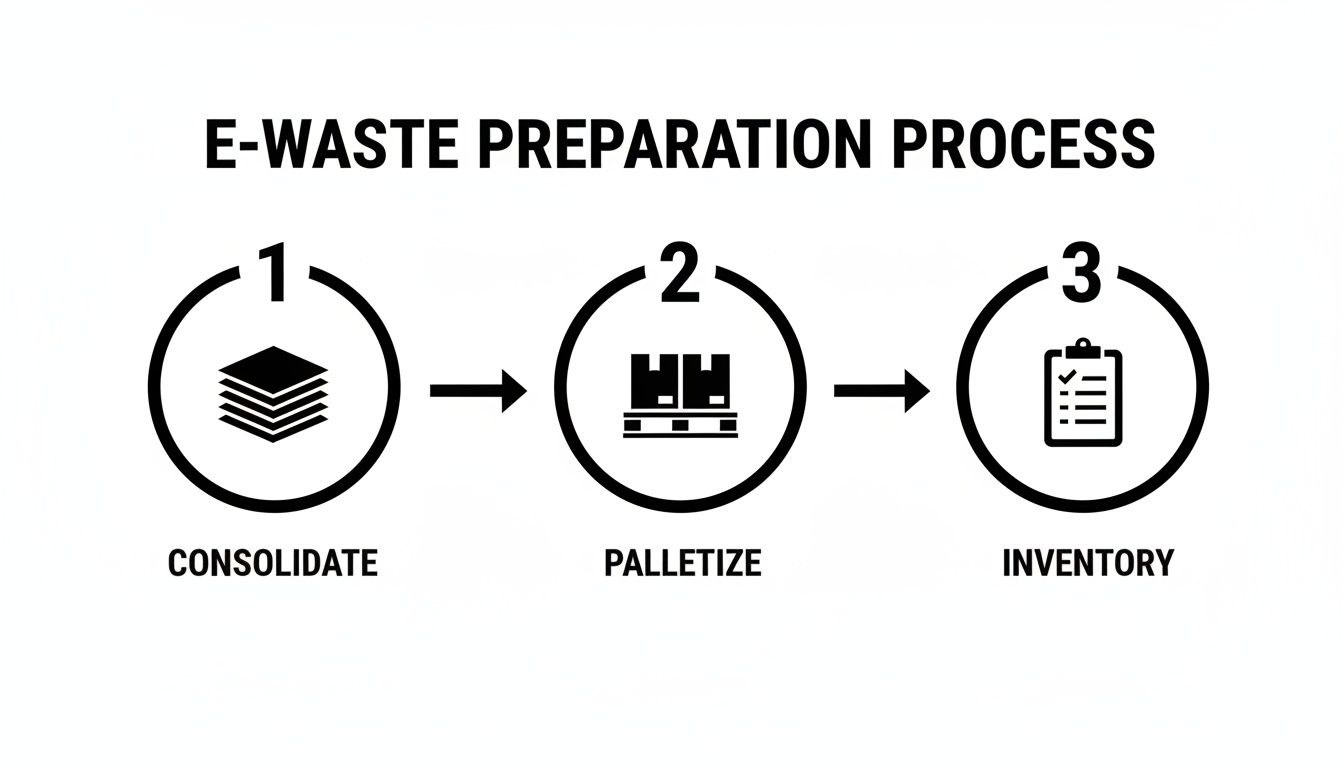
These simple preparation steps are the first link in a secure chain of custody, ensuring every item is accounted for before it even leaves your building.
Demystifying the Chain of Custody
The chain of custody is the documented, unbroken paper trail that tracks your assets from the moment they leave your facility until they are destroyed. A weak or missing chain of custody is a major compliance and security risk. A strong one is your proof that everything was handled properly.
Here's how a proper chain of custody works in the real world:
- Secure On-Site Collection: It starts when our GPS-tracked, secure truck arrives at your DFW facility. Our technicians inventory your assets on-site, verifying the count against your list before anything is loaded.
- Tracked Transit: The assets are transported directly to our secure, access-controlled processing facility with no unauthorized stops.
- Secure Check-In: Upon arrival, your shipment is received into a monitored area and the inventory is checked again. We confirm that every asset that left your site has arrived safely.
- Serialized Tracking: During processing, each individual asset's serial number is scanned and recorded. This connects the physical device to its specific data destruction event.
- Audit-Ready Reporting: This entire journey is documented in a final report, which includes a Certificate of Data Destruction with serialized details for every drive.
A simple pickup receipt is not a substitute for a true chain of custody. Audit-ready compliance requires documented, serialized proof that every single data-bearing asset was tracked, processed, and irrecoverably destroyed.
This level of tracking is non-negotiable for any business concerned with risk management. It’s what separates a basic hauling service from a true ITAD security partner. You can learn more about our specific processes by reading about our secure data destruction services in DFW.
Finally, look for key industry certifications. An R2v3 (Responsible Recycling) certification provides third-party validation that a vendor meets the highest industry standards for data security, environmental protection, and worker safety. When you choose an R2v3-certified provider for your e-waste pickup DFW needs, you get the peace of mind that their processes have been independently audited and verified.
Navigating Costs and Maximizing Your Asset Value
Most organizations see electronics disposal as a pure cost—just another line item on the expense sheet. But a smart approach to your e-waste pickup DFW service can completely change that financial outcome. The key is to stop thinking about "disposal" and start thinking about "asset disposition."
The final quote for your pickup will depend on a few practical factors. Logistics play a big part—the travel distance across the DFW metroplex, the labor needed to clear out a high-rise office versus a ground-floor warehouse, and the sheer volume of equipment all matter. The specific type of data destruction you need, like on-site physical shredding, will also influence the cost.
But that’s only half the picture. The other half is value recovery, which can turn a project from a necessary expense into a revenue-neutral or even profitable engagement.
Unlocking the Hidden Value in Your Retired IT Assets
Not all of your old electronics are "waste." In fact, a lot of newer, functional, or high-demand equipment holds significant value on the secondary market. The single most effective way to offset your pickup and recycling costs is to identify and separate these valuable assets.
So, what kind of equipment are we talking about?
- Recent-Generation Servers: Enterprise servers from Dell, HP, and Supermicro that are less than five years old are always in high demand.
- Enterprise Networking Gear: Switches, routers, and firewalls from top brands like Cisco, Juniper, and Arista retain their value well.
- Modern Laptops and Desktops: Bulk quantities of recent business-class laptops, such as Dell Latitudes or Lenovo ThinkPads, can command strong resale prices.
- Components: Individual parts like CPUs, RAM, and enterprise SSDs also have value. For those interested in this approach, you can explore our guide on where to sell used computer parts.
A practical first step is to create two distinct groups of assets before you even request a quote. Separate your newer, high-value gear from the older, true end-of-life electronics. This simple act of sorting allows your ITAD partner to give you a much more accurate quote that accounts for potential resale value right from the start.
By separating just 10-15 high-value servers from a larger load of mixed e-waste, we’ve seen DFW businesses completely erase their disposal costs. The revenue from remarketing the servers covered all transportation, labor, and data destruction fees for the entire project.
Exploring Donation and Community Impact
Beyond resale, donating functional equipment is another powerful way to maximize the value of your retired assets. A managed donation program, handled by your ITAD partner, ensures your usable computers and laptops get a second life with local nonprofits, schools, or community groups.
This approach delivers several benefits. It supports your corporate social responsibility (CSR) goals, provides a tangible boost to your community, and can even offer potential tax advantages for your business.
Your ITAD provider can manage the entire process—securely wiping all data, performing minor refurbishments, and delivering the equipment to the recipient. You get all the documentation for your records without the logistical headaches of managing it yourself.
The demand for responsible electronics recycling is growing across the DFW metroplex. Community events often highlight the public's desire to dispose of electronics properly. For example, the city of Fort Worth's support for DFW Recycles Day 2026, a free collection event, shows just how high the demand is for R2v3 certified processing—a standard that professional B2B services provide as a matter of course. You can read more about Fort Worth’s free recycling initiative at United Electronic Recycling.
Ultimately, when you view your retired technology through an asset management lens, the entire process changes. It’s no longer about paying to get rid of old equipment. It becomes a strategic financial decision where you can minimize costs, recover value, and contribute to the community—all while ensuring your data remains completely secure.
Common E-Waste Pickup Questions for DFW Businesses
When IT managers and facilities teams across Dallas-Fort Worth look into professional IT asset disposition, they naturally have a few questions. Getting straight answers is the first step toward building a trusted partnership and ensuring a smooth, secure process.
We hear the same great questions from businesses all over the Metroplex. Here are the clear, practical answers you need to plan your next e-waste project with confidence.
What Happens If We Have Specialized Medical or Laboratory Equipment?
This is a critical question, especially for the many healthcare organizations and labs in DFW. We frequently manage the disposal of regulated medical and laboratory equipment, and our process is built from the ground up to handle the specific security needs of this hardware.
These devices often hold Protected Health Information (PHI) and are governed by strict HIPAA rules. Our team is experienced in executing secure data destruction protocols for these specialized assets, ensuring every piece of sensitive information is completely destroyed and documented. When you schedule service, simply let our team know what kind of equipment you have. We’ll coordinate the proper handling from start to finish.
Is There a Minimum Amount of Equipment for a Free Pickup in DFW?
For many DFW businesses, our pickup services are provided at no cost. The possibility of a free pickup is based on the quantity, type, and age of your IT assets. If you have a good volume of recent-model laptops, servers, or networking gear, their remarketing value typically covers all our operational costs for logistics, labor, and certified data destruction.
A nominal fee might apply if the inventory is smaller or consists mainly of older, lower-value electronics. This helps cover the essential costs of transportation and responsible recycling.
The best way to know for sure is to request a quote. Provide a rough inventory list, and we’ll give you a transparent, no-obligation breakdown. You’ll see exactly how the value of your assets can offset service fees.
How Long Until We Receive Our Certificate of Data Destruction?
The entire process, from the moment our truck leaves your facility to the day you receive your final documentation, typically takes 15-30 business days. This timeline accounts for secure transit, a detailed check-in and inventory audit at our facility, and the methodical data destruction process itself.
Your Certificate of Data Destruction is the most important document you’ll get. It is your audit-proof record, listing every asset by serial number and confirming the date and method of destruction. This serialized report is what proves you've met your due diligence for data security and compliance. We deliver this critical document via email as soon as the process is complete.
Can You Handle Pickups from Our Offices Outside of DFW?
Yes, absolutely. While we are headquartered in Dallas and specialize in serving the DFW area, we provide nationwide IT asset disposition services for our clients. We regularly coordinate pickups for branch offices, remote data centers, and even home-based employees across Texas and the rest of the country.
Our centralized logistics model gives your organization a single point of contact for every asset, no matter the location. This simplifies vendor management, guarantees consistent security protocols across all sites, and ensures uniform, audit-ready reporting. You get one compliant disposition policy for your entire enterprise, removing the headache of vetting multiple local vendors for every e-waste pickup.
For over 13 years, Dallas Fortworth Computer Recycling has been the trusted, nationwide ITAD partner for businesses seeking secure and compliant technology retirement. From data center decommissioning to certified data destruction, we provide an end-to-end, audit-ready process. Schedule your e-waste pickup and protect your business today at https://dallasfortworthcomputerrecycling.com.