
Secure Computer Disposal Arlington A Guide to Data Safety
Getting rid of old IT hardware isn't just a cleanup task—it’s a critical security function. For any business in Arlington, secure computer disposal means ensuring that sensitive company, customer, and financial data is permanently destroyed. It also means making sure every device is recycled in a compliant and environmentally responsible way.
The Real Risks of Improper Computer Disposal in Arlington

Those outdated computers and servers sitting in a storage closet aren't just taking up space. They are ticking time bombs loaded with confidential data. A single mishandled laptop can easily become the source of a major data breach, exposing your company to staggering financial penalties and doing irreparable harm to your reputation.
For organizations here in Arlington, the stakes are higher than ever. Improper disposal can lead to serious violations of data privacy laws, from HIPAA in healthcare to Sarbanes-Oxley for public companies. The financial fallout from non-compliance can be devastating, often far exceeding the cost of using a professional IT asset disposition service.
Beyond Data Breaches: Environmental Responsibility
The risks don't stop with your data. There are also significant environmental liabilities tied to e-waste. Simply tossing old electronics into a dumpster is not only irresponsible but often illegal, as they contain hazardous materials like lead, mercury, and cadmium that can contaminate our local soil and water.
This is a piece of a much larger problem. Globally, e-waste generation is increasing by 3-5% annually and is on track to reach 82 million metric tons by 2030. While computers make up a huge part of this waste, documented recycling rates are unfortunately expected to drop. You can see just how quickly this challenge is growing when you review the environmental impact of electronic waste.
Choosing a certified partner for secure computer disposal in Arlington is not an expense—it is a critical investment in your company’s long-term security, compliance, and corporate responsibility.
What Secure Disposal Actually Looks Like
A genuinely secure process is much more than just wiping a hard drive. It requires a documented, auditable chain of custody from the moment an asset leaves your facility. A partner like Dallas Fort Worth Computer Recycling provides this assurance, making sure every single device is tracked and processed according to strict industry standards.
This level of diligence protects your organization from:
- Data Security Risks: Prevents sensitive information from ever falling into the wrong hands.
- Legal & Compliance Penalties: Ensures you adhere to all local, state, and federal regulations.
- Environmental Liabilities: Guarantees responsible recycling and prevents toxic materials from damaging the ecosystem.
Ultimately, a secure and compliant disposal strategy protects your data, your reputation, and the Arlington community you serve. It's a fundamental part of modern corporate governance.
Creating Your IT Asset Retirement Inventory
Before a single server is unplugged or a laptop gets packed away, the entire process of secure computer disposal kicks off with a detailed inventory. Think of it as a pre-flight check for your IT assets; it's your first and best defense against lost devices and the data breaches that can follow.
Creating this list forces you to account for every single piece of hardware slated for retirement. This isn't just about counting machines. A proper retirement inventory is a strategic tool that helps you decide the fate of each asset and establishes an unbreakable chain of custody right from the start.
Key Data Points for Your Inventory
Your inventory spreadsheet or database needs to capture more than just a device's name. To build a list that’s actually useful for your Arlington business, make sure you include these details for each asset:
- Asset ID/Serial Number: The unique identifier for tracking.
- Asset Type: Is it a laptop, desktop, server, or networking switch?
- Brand and Model: Essential for figuring out any resale or parts value.
- Physical Location: Which office, floor, or specific data rack is it in?
- Operational Condition: Note whether it's functional, damaged, or completely non-working.
- Data Sensitivity Level: Classify the kind of data it held (e.g., public, internal, confidential, or regulated).
Getting this level of detail is fundamental. For a deeper dive into organizing this information, take a look at our guide on IT asset management best practices to help build out a robust system.
From Inventory to Action Plan
Once your inventory is locked in, you can start sorting assets for their next step. Not every piece of retired equipment is headed for the shredder. The goal here is to maximize any remaining value while ensuring absolute data security.
Let's imagine an Arlington-based financial services firm retiring a mix of hardware. Their inventory might break down something like this:
| Asset Type | Age | Condition | Data Sensitivity | Disposition Path |
|---|---|---|---|---|
| Employee Laptops | 2 Years | Good | High (Client Data) | Remarket after data destruction |
| Decommissioned Servers | 5 Years | Fair | Critical (PII/PCI) | Destroy (On-site shredding) |
| Networking Switches | 7 Years | Poor | Low (Config Data) | Recycle after factory reset |
| Office Printers | 3 Years | Good | Low | Repurpose for another department |
This kind of classification turns a simple list into a powerful action plan. It allows you to segregate assets based on risk and potential return, ensuring that devices containing sensitive financial data get the highest level of security, like on-site physical destruction.
An accurate and detailed asset inventory isn't just an administrative task—it's the foundational document that proves due diligence. It demonstrates to auditors and stakeholders that you have a deliberate, secure process for every retired computer.
Ultimately, this methodical approach ensures every device is accounted for, its data is handled correctly, and its final disposition is both compliant and secure. This meticulous preparation is the hallmark of a professional approach to secure computer disposal in Arlington.
Choosing the Right Data Destruction Method for Your Needs
Once you have a clear picture of your inventory, you’ve reached the most critical security decision: how to permanently destroy the data on those retired assets. This isn't just a technical box to check; it's a fundamental part of your risk management strategy. For any Arlington-based business serious about secure computer disposal, this choice is what guarantees sensitive information is truly gone for good.
There are three primary methods for certified data destruction. We've seen them all in practice, and understanding the differences helps you match the method to the specific risk level of the data you're handling.
Understanding Data Destruction Standards
You'll hear industry terms like NIST 800-88 and DoD 5220.22-M. These aren't just jargon—they are government-backed standards that define exactly how data sanitization should happen. The modern gold standard is NIST 800-88, which outlines a risk-based approach with three levels of action:
- Clear: Uses software to overwrite existing data. It's a solid choice for low-risk assets you plan to repurpose inside your own company, making data inaccessible with standard recovery tools.
- Purge: A more advanced process using techniques like degaussing (for magnetic drives) to make data unrecoverable even with sophisticated lab equipment. This is for media containing more sensitive information.
- Destroy: The final word in data security. This method involves physically disintegrating the storage media through shredding, melting, or pulverization. The data is rendered completely and permanently unrecoverable, period.
This decision tree helps visualize how you can sort your IT assets for their final disposition.
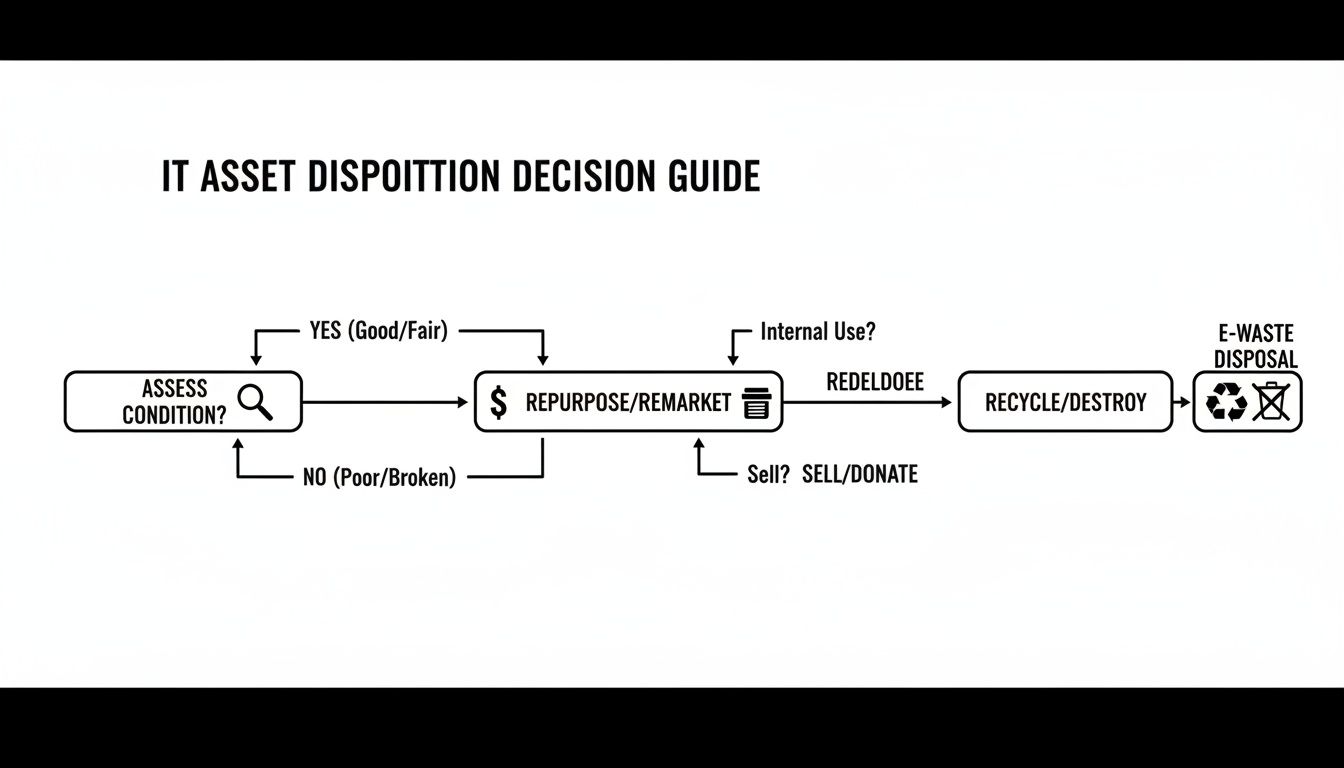
As the chart shows, once an asset is assessed, the path splits based on whether it can be reused or if it must be destroyed to eliminate risk.
On-Site vs. Off-Site Destruction
Another key decision is where the destruction happens: at your Arlington location (on-site) or at our secure facility (off-site). Each has distinct advantages tailored to different security needs.
On-Site Destruction is the top choice for organizations with the highest security demands, like healthcare or finance. We bring a mobile shred truck directly to your office, and you can personally witness every single hard drive being destroyed. It provides an unbroken chain of custody and absolute peace of mind.
Off-Site Destruction is a convenient and cost-effective solution. Your assets are securely loaded into locked, GPS-tracked vehicles and transported to our certified facility for destruction. The entire process is audited and documented from start to finish, providing a full Certificate of Destruction. You can learn more about how we manage the secure off-site process through our professional hard drive shredding in Arlington services.
The choice of method—software-based wiping, degaussing, or physical shredding—is one of the most important decisions in the ITAD process. Here’s a quick comparison to help you decide what’s right for your Arlington business.
Data Destruction Methods Compared
| Method | Description | Compliance Level | Best For |
|---|---|---|---|
| Data Wiping (Clear) | Software overwrites data on the drive, typically 1-3 times. | NIST 800-88 Clear | Re-deploying assets internally; low-risk data. |
| Degaussing (Purge) | A powerful magnetic field erases data from magnetic media like HDDs and tapes. | NIST 800-88 Purge | Securing magnetic media that won't be reused; sensitive data. |
| Physical Shredding (Destroy) | The drive is physically shredded into small, unrecoverable pieces. | NIST 800-88 Destroy, DoD 5220.22-M | The highest level of security; end-of-life drives with highly sensitive or regulated data. |
Ultimately, physical shredding provides irrefutable proof that the data has been destroyed, which is why it remains the preferred method for any organization that cannot afford to take chances.
Choosing the right method all comes down to a simple formula: the more sensitive the data, the more certain the destruction method must be. When in doubt, shredding provides undeniable proof of compliance and the ultimate protection for your business.
How to Manage Logistics and Maintain Chain of Custody
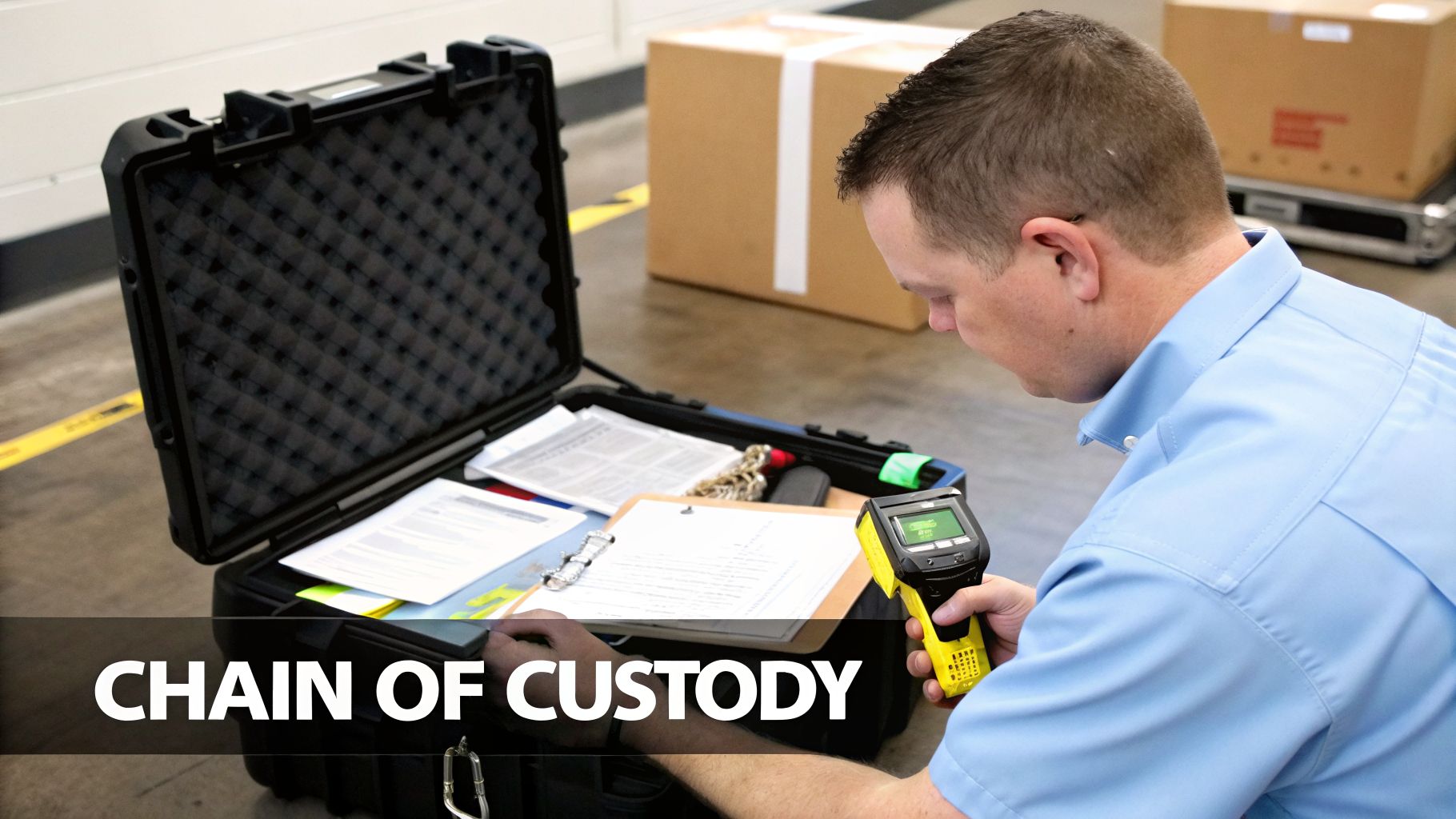
Secure data destruction is only half the battle. The physical journey your old computers take from your office to the processing facility is just as critical. This entire process is tracked through a chain of custody—a meticulous, unbroken record that follows every single piece of equipment.
For any organization in Arlington, this documentation is your official proof that you followed a secure, compliant, and legally defensible process. It’s what stands between you and potential liability.
The process kicks off long before our truck arrives. Every asset you’ve slated for disposal, from a stack of laptops to a decommissioned server, is tagged with a unique, serialized barcode. This tag becomes the device’s identity, linking it to your inventory from start to finish.
The Pickup and Transport Process
On the scheduled pickup day, our technicians will arrive at your Arlington location to scan and inventory every tagged asset before it’s loaded. This on-site verification is a crucial checkpoint, ensuring the physical equipment perfectly matches your asset list.
From there, the equipment is professionally packed and loaded into secure, locked vehicles. These aren’t just any trucks; they’re equipped with GPS tracking, giving you real-time visibility as your assets travel to our secure facility. This level of logistical control is a non-negotiable part of true secure computer disposal Arlington.
A proper chain of custody is your best defense in an audit. It’s the irrefutable evidence that you took every necessary step to protect sensitive data from the moment an asset was retired.
This documentation is more than just a piece of paper; it’s your shield. For instance, a DFW-area healthcare organization recently sailed through a strict HIPAA compliance audit, and their detailed chain-of-custody reports were the key. The reports proved exactly when and how every device containing patient data was handled, transported, and ultimately destroyed.
Verification and Final Reporting
Once the truck arrives at our secure facility, your assets are inventoried again upon receipt. This double-checks the manifest and provides another layer of verification before any data destruction begins.
After we’ve destroyed the data using your chosen method, you’ll receive a comprehensive reporting package. This is the final, crucial step that closes the loop on your assets' lifecycle.
Your final report package should always include:
- A Certificate of Destruction: This is the legally binding document that confirms your data has been permanently and irreversibly destroyed.
- A Certificate of Recycling: This verifies that all non-data-bearing materials were recycled in an environmentally responsible manner.
- A Detailed Audit Report: This report itemizes every asset by its unique serial number, confirming its final disposition and tying everything back to the initial on-site inventory.
Coordinating the logistics for a large-scale IT retirement can feel like a heavy lift, but working with an experienced partner makes it a straightforward, fully documented process. To see exactly how we manage secure transport from start to finish, get more details on our computer recycling pickups in Arlington.
Navigating Compliance and Environmental Regulations
When your old IT hardware reaches the end of its life, simply getting rid of it isn't an option. For any organization in Arlington, a secure computer disposal plan must navigate a complex landscape of data privacy laws and environmental rules. Getting this wrong isn't just a minor mistake—it can lead to serious fines, a damaged reputation, and legal trouble you don't need.
The two pillars of compliance here are data security and environmental responsibility. On the data side, federal laws like the Health Insurance Portability and Accountability Act (HIPAA) and the Sarbanes-Oxley Act (SOX) dictate strict rules for handling sensitive information. A single hard drive tossed in a dumpster can trigger a major violation, making certified data destruction an absolute requirement for any regulated business.
The Gold Standard Certifications to Look For
So, how can you be sure a disposal partner is truly compliant? The proof is in their certifications. These aren't just logos on a website; they represent a commitment to rigorous, audited processes that protect your organization.
Two of the most critical certifications in our industry are:
- R2v3 (Responsible Recycling): This is the leading standard covering everything from data security and environmental safety to worker health. An R2v3-certified recycler follows a strict, documented process for every piece of equipment they handle.
- e-Stewards: Developed by the Basel Action Network, the e-Stewards standard puts a heavy emphasis on preventing the illegal export of hazardous e-waste to developing nations, ensuring top-tier environmental stewardship.
Choosing a partner with certifications like R2v3 isn't just about hiring a vendor. It’s about gaining a documented, auditable process that serves as your proof of due diligence. This is your defense in any compliance audit.
Working with a certified recycler also aligns your IT asset disposal with corporate sustainability goals. It guarantees that your old equipment won’t become part of the growing global e-waste problem. The scale of this issue is staggering; in 2022 alone, the world generated 62 million metric tons of e-waste, but only 22.3% was properly collected and recycled. As this report on global e-waste trends shows, the problem is getting worse, making responsible recycling more critical than ever.
Questions to Ask Your Disposal Partner
To select the right partner for secure computer disposal in Arlington, you need to ask the right questions to verify their commitment to compliance.
Here are the essential questions any potential vendor should be able to answer:
- Are you R2v3 or e-Stewards certified? Can we see a copy of your current certification?
- What data destruction standards do you follow, like NIST 800-88?
- Will you provide a full chain-of-custody report for every asset?
- How do you separate and process data-bearing devices versus non-data-bearing equipment?
- Do you issue both a Certificate of Destruction and a Certificate of Recycling?
Partnering with a certified provider is the single most effective way to mitigate risk. It ensures your sensitive data is handled securely and your e-waste is managed ethically, protecting both your business and the environment. You can learn more about how we meet these strict standards by reviewing our process as an R2 certified electronics recycler.
Common Questions About Secure Computer Disposal
Even with a solid plan in place, we find that Arlington business owners and IT managers often have practical questions when it's time for secure computer disposal. Getting clear, straightforward answers is the best way to avoid common missteps and make confident decisions for your organization.
We get asked all the time: "Do we really need to destroy the hard drives if the computers are old and broken?" The answer is always an emphatic yes. A non-functional computer doesn't mean its data is gone. The hard drive can easily be removed and accessed by someone with basic tools, making physical destruction the only guaranteed way to prevent a data breach.
Can We Just Wipe the Drives Ourselves?
Another common question is about handling data wiping internally. While your IT team might have the software to overwrite hard drives, relying on this method alone can be a significant risk. A professional data destruction partner provides something your team can't: certified, auditable proof.
When you work with a certified ITAD vendor, you receive a Certificate of Destruction. This document serves as your legal proof of compliance, which is absolutely critical if you ever face a regulatory audit. Without it, you have no verifiable evidence that sensitive data was properly handled, leaving your organization exposed to liability.
For many Arlington businesses, the time and labor cost of having an internal team wipe dozens or hundreds of drives often exceeds the cost of professional, certified destruction services—without providing the same legal protection.
What About Items Without Hard Drives?
It's not just about the computers and servers. We frequently get questions about what to do with other old hardware like monitors, keyboards, printers, and networking cables. The simple answer is that they cannot be thrown in the trash.
Most business electronics are classified as e-waste and are subject to specific disposal regulations designed to prevent environmental harm. These items contain materials that are banned from standard landfills.
Here’s a quick guide for common items we handle:
- Monitors: Contain hazardous materials like lead and mercury that must be recycled responsibly.
- Printers and Scanners: Often have small internal memory boards that can hold data fragments; these should be professionally cleared or destroyed.
- Keyboards and Mice: While they don't store user data, they are still e-waste and must be recycled, not trashed.
- Networking Gear (Switches, Routers): These devices store network configurations and must be factory reset before being professionally recycled.
While the Arlington Public Library system offers recycling for some consumer items, this is not a viable solution for commercial-scale IT hardware. A certified partner ensures every piece of your old tech—data-bearing or not—is handled in an environmentally compliant manner.
For a streamlined, compliant, and fully documented process for your organization's IT assets, trust the experts. Dallas Fortworth Computer Recycling provides certified secure computer disposal services in Arlington and nationwide, giving you the peace of mind that comes with proven security. Learn more about our ITAD solutions.