
Electronics Recycling in Dallas Texas A Business Guide
Old laptops are stacked under a conference table. A rack of retired servers is still sitting in a back room because nobody wants to touch it until Legal signs off. A nurse manager asks what to do with old diagnostic equipment. Finance wants the space back. Security wants proof that every drive is handled correctly.
That is what recycling in dallas texas looks like for many businesses. It is not a blue-bin problem. It is an asset control, compliance, and data destruction problem.
For Dallas IT leaders, the risk is bigger than clutter. Hardware often holds regulated data, licensed software, customer records, network configurations, and internal documents. If those assets leave your control without documentation, your organization inherits exposure long after the equipment stops being useful.
The High Stakes of Electronics Recycling for Dallas Businesses
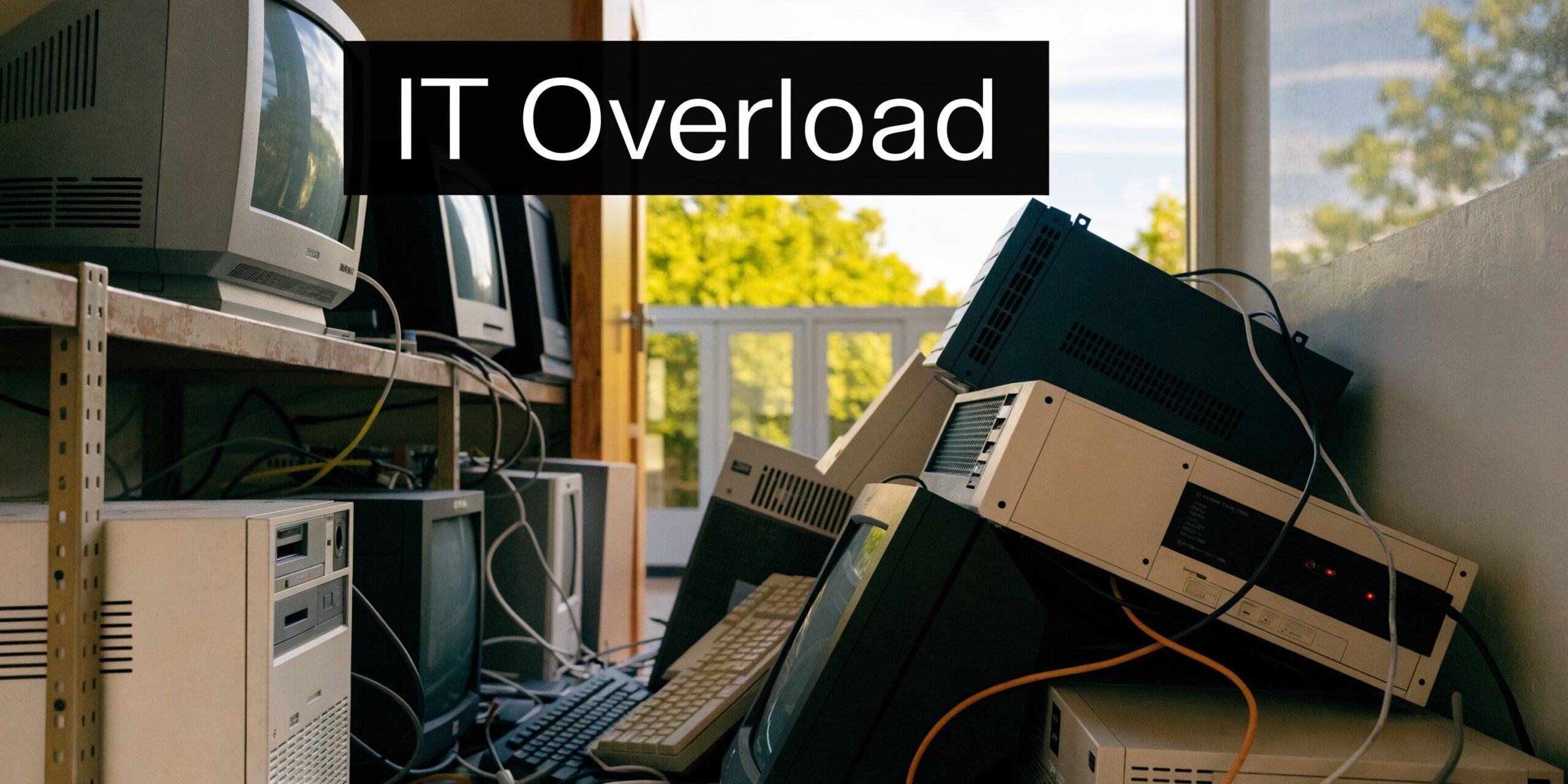
A room full of obsolete hardware creates two kinds of pressure at once. One is operational. People need the space, refresh projects keep moving, and old equipment keeps piling up. The other is risk. If even one device leaves the building without secure disposition, the cleanup can be much harder than the original retirement project.
Dallas adds another layer to that pressure because the broader waste system is already strained. Every year, Dallas residents throw away more than 86,000 tons of recyclables, and recycling those materials could have saved nearly 50 million gallons of oil and preserved more than 1 million cubic yards of landfill space annually. The North Central Texas region’s active landfills have only 35 years of remaining capacity at the current disposal rate, according to the North Central Texas Council of Governments recycling and source reduction data.
For a business, that regional backdrop matters. The more overloaded the general waste stream becomes, the worse it is to treat electronics like ordinary trash. If your team wants a broader sustainability context, this overview of the environmental impact of electronic waste is a useful starting point.
Why old hardware becomes a security issue fast
Retired assets rarely fail in a dramatic way. They usually fail through delay and weak process.
A few common examples:
- Storage drift: Devices sit in unsecured rooms for months.
- Shadow disposal: A local pickup gets arranged outside procurement or security review.
- Incomplete tracking: Some assets are listed by model, but not by serial number.
- Mixed loads: Network gear, laptops, phones, and loose drives get packed together with no separation by risk level.
In practice, the most expensive mistake is often not environmental. It is the absence of proof. Auditors, legal teams, and regulators do not care that equipment was “supposed to be recycled.” They care whether your organization can show who handled it, how data was destroyed, and where the material went afterward.
What works and what does not
What works is simple, even if execution takes discipline.
- Use a documented ITAD workflow
- Separate data-bearing assets from non-data-bearing scrap
- Require chain of custody from pickup onward
- Get final destruction and recycling records back into your compliance files
What does not work is informal disposal. That includes office cleanout vendors, generic junk haulers, and ad hoc trips to public recycling points.
Key takeaway: For Dallas businesses, electronics recycling is a risk-management function first and an environmental function second. The right process handles both.
Beyond the Blue Bin Understanding Commercial E-Waste
Municipal recycling and business e-waste disposition are not the same system. Using one in place of the other is like trying to run corporate accounting through a personal checking account. The tool is real, but it is built for the wrong job.
A city drop-off site or blue bin program is designed around standard household materials. A business retirement project involves servers, switches, firewalls, desktops, laptops, tablets, phones, backup devices, storage arrays, printers, medical electronics, lab equipment, and data center gear. Many of those assets contain storage media, configuration data, or regulated information.
Why municipal options break down for business use
The service gap is not subtle. Municipal programs focus on household items and do not address the secure disposal needs of businesses. Improper e-waste handling leads to 70-80% of it being illegally exported or landfilled globally, which is why specialized B2B handling matters for organizations trying to avoid data and compliance exposure, as noted on this Dallas e-waste services page from Circular Services.
That gap shows up in practical ways:
| Business need | Municipal recycling reality |
|---|---|
| Secure handling of data-bearing assets | No business-grade data destruction workflow |
| Serialized inventory | Usually not provided |
| Chain of custody | Not designed for it |
| Certificates of destruction | Not standard |
| Bulk pickups for IT refreshes | Often limited or unavailable |
| Specialized equipment acceptance | Frequently excluded |
If your organization is reviewing vendors for business electronics recycling, the core question is not whether someone will take the equipment. Plenty of companies will take it. The question is whether they can prove secure, compliant handling from the moment it leaves your office.
What belongs in the commercial e-waste category
Some IT teams underestimate what should be routed through a controlled process. Commercial e-waste includes more than desktop towers and monitors.
Typical categories include:
- End-user devices: laptops, desktops, tablets, phones, thin clients
- Infrastructure: servers, storage, switches, UPS units, racks, access points
- Peripheral systems: copiers, VoIP gear, badge readers, conference room tech
- Regulated equipment: medical devices, lab electronics, specialized diagnostic hardware
- Loose media: hard drives, SSDs, backup tapes, removable storage
A monitor with no storage is one thing. A retired firewall, copier, or medical device can be very different. Many organizations miss secondary devices that still hold logs, credentials, scanned documents, or internal settings.
Practical rule: If a device ever processed, stored, transmitted, or cached business information, treat it as a controlled asset until documented destruction or sanitization is complete.
The compliance problem hiding behind convenience
The reason businesses get into trouble is convenience. Public recycling feels simple. Someone loads a truck, drops off a mixed batch, and the room is cleared.
But convenience without documentation is not compliance. If you cannot match asset lists to destruction records and downstream handling, you have not finished the disposition process. You have only moved the problem off-site.
Navigating E-Waste Regulations for DFW Businesses
Most Dallas businesses do not operate under one clean, standalone e-waste rulebook. They work inside a layered system. Local standards shape recycling operations. Industry certifications establish what enterprise buyers expect. Privacy and sector rules define what must happen to the data on equipment before it leaves circulation.
The practical result is straightforward. If your organization retires technology in Dallas-Fort Worth, you need a process that satisfies both environmental handling and information security.
Start with the certifications that buyers and auditors look for
In the Dallas-Fort Worth market, certification is not a marketing extra. It is procurement evidence. Certified electronics recyclers must operate under R2 and ISO 14001 standards. For data destruction, NAID AAA Certification is the benchmark. These certifications are not optional for enterprise and public-sector clients; they are the required proof of a compliant, risk-mitigated process, according to the City of Dallas commercial recycling information.
For an IT director, that means vendor screening should begin with certifications, not end with them.
Consider the following definitions:
- R2 addresses responsible electronics recycling practices.
- ISO 14001 addresses environmental management systems.
- NAID AAA addresses secure destruction controls and documentation for data destruction.
If a vendor cannot clearly show current certification status, that is not a paperwork issue. It is a risk signal.
For organizations evaluating providers for IT asset disposition in Dallas, certification should appear in the first round of review alongside insurance, scope of services, and reporting capability.
Match the disposal process to your regulated environment
Different industries carry different obligations, but the operating lesson is the same. Data-bearing assets cannot leave your control on assumptions.
Healthcare teams often need stronger controls because devices may touch protected health information. Financial institutions face similar expectations around customer information and internal records. Government departments and contractors often need auditable handling and tightly documented transfers. Laboratories and research environments add another layer because equipment can be specialized, expensive, and hard to classify.
A compliant process usually includes:
Asset identification before pickup
Teams define what is leaving, what contains storage, and what requires special handling.Approved destruction method selection
Some assets can be sanitized for reuse. Others should be physically destroyed.Documented transfer of custody
Pickup is logged, quantities are confirmed, and the receiving party signs for responsibility.Final reporting
Certificates, serialized records, and disposition summaries go back to IT, compliance, or procurement.
Local rules affect operations even when data is the bigger concern
Dallas also regulates recycling access and expectations in the broader commercial environment. The city implemented a Multifamily Recycling Ordinance effective January 1, 2020, applying to multi-family properties with 8+ units and haulers collecting recyclable materials within city limits, as described in the city’s commercial recycling guidance linked above.
That ordinance is not an e-waste law for IT departments, but it reflects a larger truth. Dallas treats recycling as an operational and regulatory matter, not just a voluntary sustainability gesture.
What matters in practice: Your disposal partner should be able to explain the compliance side in plain language, then back it up with records. If they only talk about hauling and weight, they are solving the wrong problem.
Where companies usually fall short
The weak point is rarely intent. It is process mismatch.
Companies run into trouble when they:
- use a vendor that can move equipment but cannot document destruction
- mix reusable and scrap assets without clear decision rules
- forget about drives removed during maintenance or upgrades
- treat a one-time cleanout as separate from compliance policy
A solid program turns disposition into a repeatable control. That is how IT, legal, procurement, and facilities stop working at cross-purposes.
The Blueprint for Secure IT Asset Disposition
A secure ITAD program is a chain of actions, not a single event. The pickup is visible, so people focus on the truck. The actual control point is the process behind it.
When I review whether a company’s retirement workflow is safe, I look at two things first. How is data destroyed, and how is custody documented? If those answers are weak, the rest of the workflow is cosmetic.
Data destruction has to match the asset
Not every device should be handled the same way. The correct method depends on the media type, reuse goals, internal policy, and the sensitivity of the data involved.
Three common approaches show up in professional ITAD:
Software sanitization
Software-based wiping is used when an organization wants assets remarketed, redeployed, or donated after approved sanitization. The value of this method is that it can preserve reuse potential while still creating a documented record that the media was processed.
This works best when the drives are functional and the business wants maximum recovery from retired assets.
Degaussing
Degaussing disrupts magnetic media. It is useful in narrower scenarios and is often part of a higher-security workflow where reuse is not the priority.
It is not a catch-all answer for every media type, which is why vendors should explain clearly when they use it and when they do not.
Physical destruction
Shredding or other physical destruction is often the cleanest choice for failed drives, highly sensitive environments, or media that should never re-enter circulation. It is direct, defensible, and easy to explain to auditors.
The trade-off is obvious. Once a drive is physically destroyed, reuse value is gone.
Practical advice: Ask your vendor to state, in writing, which assets will be wiped, which will be destroyed, and who approves exceptions. Ambiguity at this stage causes the most internal disputes later.
Chain of custody is your evidence trail
The easiest analogy is police evidence handling. Nobody would accept “we think the evidence stayed secure” as a serious standard. Retired IT assets deserve the same discipline.
A proper chain of custody records who possessed the assets, when possession changed, and what happened at each point. For business e-waste, that usually starts at pickup and continues through transport, intake, processing, and final disposition.
Strong chain-of-custody practice typically includes:
- Pickup verification: assets, pallets, or containers are counted and acknowledged
- Secure transport: materials move in a controlled vehicle workflow
- Controlled intake: receiving staff log what arrived
- Processing records: serials, media counts, or destruction batches are recorded
- Final documents: certificates and reports are returned to the client
Separate control decisions from convenience decisions
Many organizations mix policy decisions with cleanup decisions. Facilities wants the room empty. IT wants the project done. Security wants a stronger method for anything that touched regulated data. All three concerns are valid, but they should not be negotiated at the loading dock.
A better workflow uses pre-approved rules such as:
| Asset type | Preferred outcome | Required proof |
|---|---|---|
| User laptops | sanitize for reuse or destroy if failed | inventory plus final disposition record |
| Loose drives | physical destruction | destruction certificate |
| Network gear | evaluate for configuration risk, then sanitize or destroy | asset log and handling record |
| Specialized electronics | controlled intake and approved downstream processing | chain of custody and final report |
Reuse is good, but only after control
Some companies rush to remarketing because they want value recovery. That can be smart, but only after the asset has passed through documented triage and approved sanitization. Reuse without process is just uncontrolled resale.
The organizations that do this well treat ITAD as part of their security program. They do not ask, “How do we get rid of this stuff?” They ask, “How do we retire these assets without creating a new problem?”
From Pickup to Reporting The ITAD Logistics Process
A good ITAD engagement feels less like junk removal and more like a managed project. The handoff should be predictable. Your team should know what is being picked up, how it is packaged, who signs for it, and what documents come back.
That matters even more when the load includes mixed assets. A refresh project might involve laptops from one office, failed drives from a server room, networking gear from a branch, and a few odd items that nobody wants to claim.
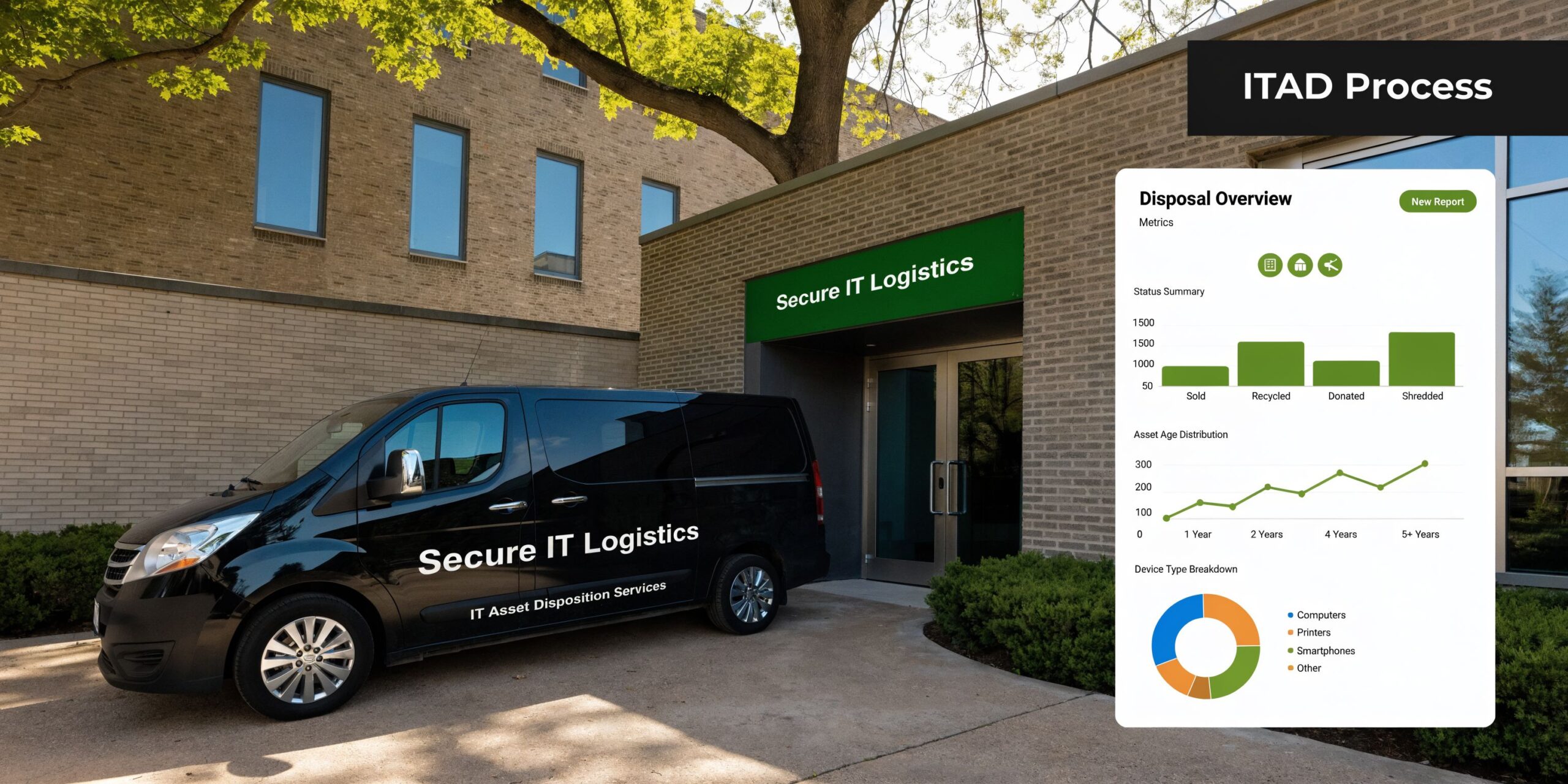
What the pickup should look like
The strongest projects start before the truck arrives.
A typical workflow looks like this:
Scope the load
Identify asset categories, note anything with storage, and flag non-standard equipment early.Set the service level
Decide whether the project needs on-site packing, palletizing, serial capture, drive shredding, or a combination.Prepare site access
Confirm dock availability, elevators, security procedures, and who on your team signs off.Transfer custody
At pickup, responsibility changes hands in a documented way.Receive final records
After processing, the vendor returns certificates and disposition reporting.
For organizations scheduling computer recycling pickup in Dallas, this level of planning is what separates a controlled retirement project from a hurried office cleanout.
Specialized equipment changes the logistics
A standard recycler can usually handle a predictable stream of office electronics. The challenge starts when the inventory is unusual.
Healthcare and lab equipment are a common failure point. Standard Dallas facilities do not accept many specialized devices, and DFW nonprofits discard 40% of reusable electronics to landfills, which highlights the need for specialized pickup programs that can handle non-standard items, according to the City of Dallas drop-off information referenced in the verified data.
That matters because specialized assets create questions general recyclers often cannot answer:
- Does the device contain storage or embedded memory?
- Does it require special packing?
- Can it be reused, or does it need controlled destruction?
- Is there any regulated component that changes handling requirements?
A provider that routinely handles data center gear, medical devices, and lab electronics will ask those questions before pickup day.
Tip for IT and facilities teams: Build one retirement list for everything leaving the site, but mark specialized items separately. Mixed loads move faster when exceptions are identified upfront.
Reporting is part of the service, not an afterthought
Many teams think the project ends when the truck leaves. It does not. The reporting package is what closes the loop.
The most useful records usually include:
- Serialized inventory summaries for tracked assets
- Transfer documentation showing when custody changed
- Certificates of destruction for media or devices destroyed
- Certificates of recycling or disposition summaries for processed materials
Those records do real work inside the organization. Security uses them to validate controls. Procurement uses them for contract closeout. Finance may use them to support asset retirement. Compliance uses them during audits.
One provider mention where it fits
For businesses that want a vendor capable of handling end-user equipment, data center assets, and specialized medical or laboratory electronics in one workflow, Dallas Fortworth Computer Recycling is one example of a B2B-focused ITAD provider that offers pickup, certified data destruction, and documented disposition services.
The important point is not the brand name. It is that your chosen partner must be able to manage logistics and reporting together. If pickup is easy but documentation is thin, the project is unfinished.
How to Choose a Certified Electronics Recycling Partner
Choosing an electronics recycler in Dallas should feel closer to vendor due diligence than office cleanup. The wrong partner can remove the equipment and leave you with unresolved exposure. The right partner gives IT, compliance, procurement, and facilities a process they can all live with.
The easiest way to evaluate options is to stop asking, “Who will take this equipment fastest?” and start asking, “Who can prove secure, compliant handling all the way through?”
Look for operational competence, not just certifications on a page
Certifications matter, but execution matters more. Dallas facilities have practical processing constraints that reveal whether a vendor understands downstream reality. Dallas recycling facilities require plastics to be larger than 2 inches and no larger than a one-gallon container because smaller items can jam sorting machinery, according to the Dallas recycling guide.
That sounds like a residential sorting detail, but it has a bigger meaning for ITAD. Professional processors should already know that mixed plastic packaging, loose wraps, and badly prepared material can create rejections and delays. A vendor that pre-sorts, packages correctly, and controls material streams is less likely to create downstream problems.
If you are comparing providers, this page on choosing an R2 certified electronics recycler gives a good baseline for what to check.
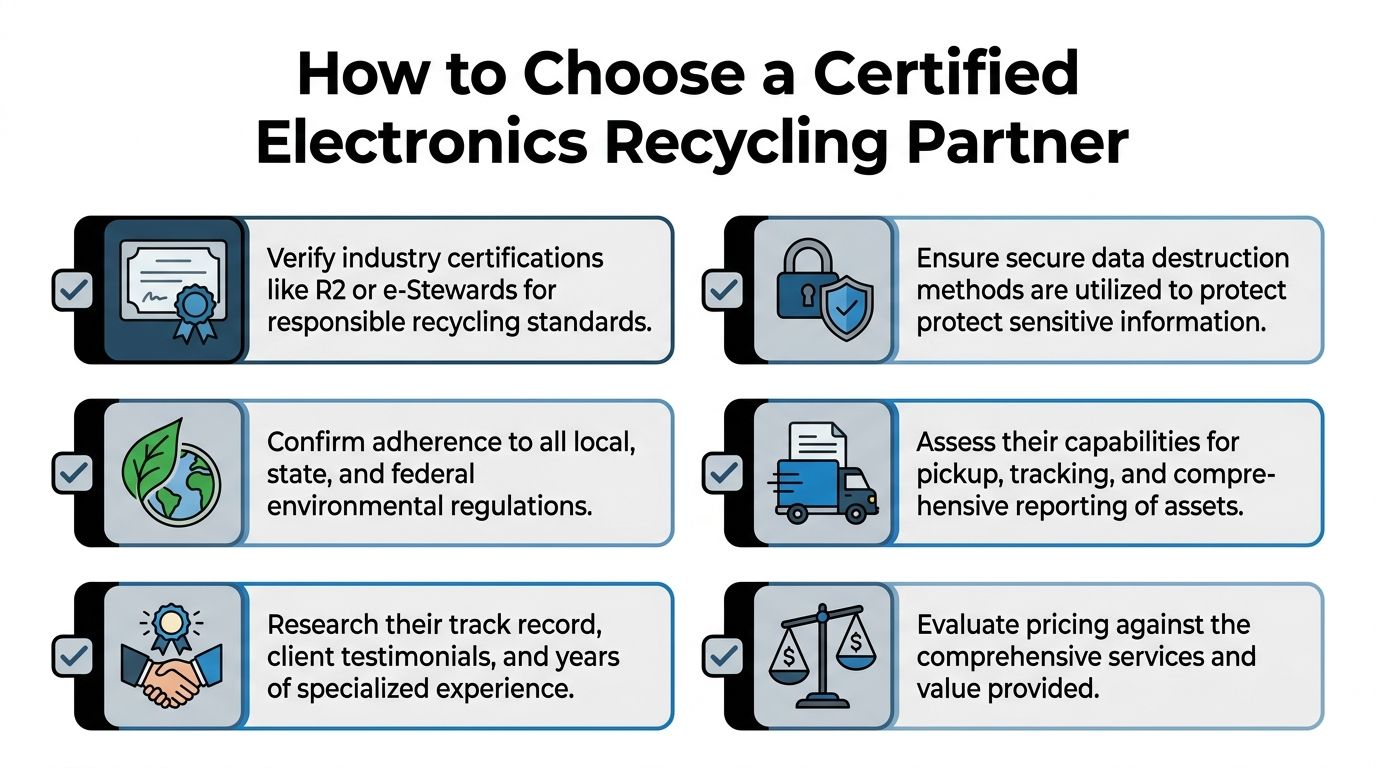
A practical vetting checklist
Use this checklist during vendor review calls, RFPs, or procurement intake.
Certification proof
Ask for current documentation for relevant certifications, not just logos on a website.Data destruction policy
Require a written explanation of when the vendor sanitizes assets versus physically destroys them.Chain of custody detail
Ask what documents are generated at pickup, intake, processing, and closeout.Downstream transparency
Find out where materials go after primary processing and whether the vendor can explain those flows clearly.Specialized equipment handling
Confirm whether they accept medical, lab, data center, and non-standard electronics.Reporting format
Make sure the final package works for audit, legal, and asset-retirement needs.Security controls
Ask who handles pickups, how loads are secured, and whether access to processing areas is controlled.
Price is not the main comparison point
Cheap hauling and compliant ITAD are different purchases.
A low quote may exclude serial tracking, secure packing, on-site services, detailed reporting, or controlled destruction. Those omissions often do not show up until after the project begins. Then the internal cost comes back in staff time, policy exceptions, and audit cleanup.
A better pricing discussion asks:
| Question | Why it matters |
|---|---|
| What level of inventory reporting is included? | Determines audit usefulness |
| Are data-bearing assets handled differently? | Shows whether risk is recognized |
| Can the vendor support mixed and specialized loads? | Reduces project fragmentation |
| What final documents are guaranteed? | Prevents closeout disputes |
Decision rule: If two vendors look similar, choose the one whose documentation standards are easier to defend in front of your security team and procurement office.
What a strong partner sounds like
A qualified partner usually answers in specifics. They can describe pickup workflow, packaging expectations, custody transfers, destruction methods, and reporting deliverables without speaking in generalities.
A weak partner usually sounds broad and reassuring. They say they “take electronics” or “handle everything,” but struggle when you ask about loose drives, embedded storage, or final certificates.
That difference becomes obvious fast. Listen for precision.
Frequently Asked Questions About Business E-Recycling
Can a small business use the same process as an enterprise
Yes. The controls should scale, but the core workflow stays the same. A small office still needs documented pickup, data destruction for storage media, and final records. The difference is usually volume, not obligation.
What if some equipment still has resale or reuse value
That can be a good outcome if the assets go through controlled triage first. Reuse should follow approved sanitization and documented disposition. It should not happen as an informal side channel because someone thinks the devices “still work.”
Do all retired devices need physical shredding
No. Some assets can be sanitized for reuse, while others should be destroyed based on condition, sensitivity, or internal policy. The important part is that your organization decides the rule in advance and gets documentation showing it was followed.
What should we do with loose hard drives and SSDs from prior projects
Treat them as a separate, high-risk stream. Bagging them in a box with general e-waste is poor practice. Keep them controlled, counted, and routed through a documented destruction process.
Can nonprofits and public-interest organizations get help with reusable equipment
Often, yes. Some ITAD providers support donation, reuse, or community-oriented programs when assets are suitable and data risks have been addressed. The right first step is to ask whether the provider has a formal reuse path rather than making ad hoc donations internally.
What about medical devices, lab electronics, or unusual equipment
Those items should be flagged early. Standard public recycling options and general scrap channels may not accept them or may mishandle them. Specialized equipment needs vendor review before pickup so packaging, data risk, and downstream handling are addressed correctly.
How should an IT director prepare for a pickup
Start with a simple internal list:
- Identify assets by category
- Separate data-bearing items
- Flag specialized equipment
- Assign one internal owner for approvals
- Confirm what reporting your compliance team needs
That prep work reduces confusion and shortens the project.
What documents should we expect at the end
At minimum, expect some combination of inventory reporting, custody records, and destruction or recycling certificates based on the services performed. If your vendor cannot explain the closeout package before pickup, stop and get that clarified first.
If your team needs a controlled process for recycling in dallas texas, Dallas Fortworth Computer Recycling provides B2B IT asset disposition, certified data destruction, pickup logistics, and documented reporting for organizations retiring computers, servers, drives, medical devices, lab electronics, and other business technology.