
A Guide to Dallas Recycling Dallas TX for Electronics
For IT managers and procurement teams in Dallas, figuring out what to do with old company electronics can feel like a high-stakes problem. It’s not just about getting rid of old gear. It’s about managing a minefield of data security threats and compliance risks. A solid IT Asset Disposition (ITAD) strategy is essential, one that prioritizes certified e-recycling, verifiable data destruction, and a complete chain of custody.
Let's walk through how to turn this disposal task into a strategic advantage for your Dallas business.
Your Guide to Commercial Electronics Recycling in Dallas
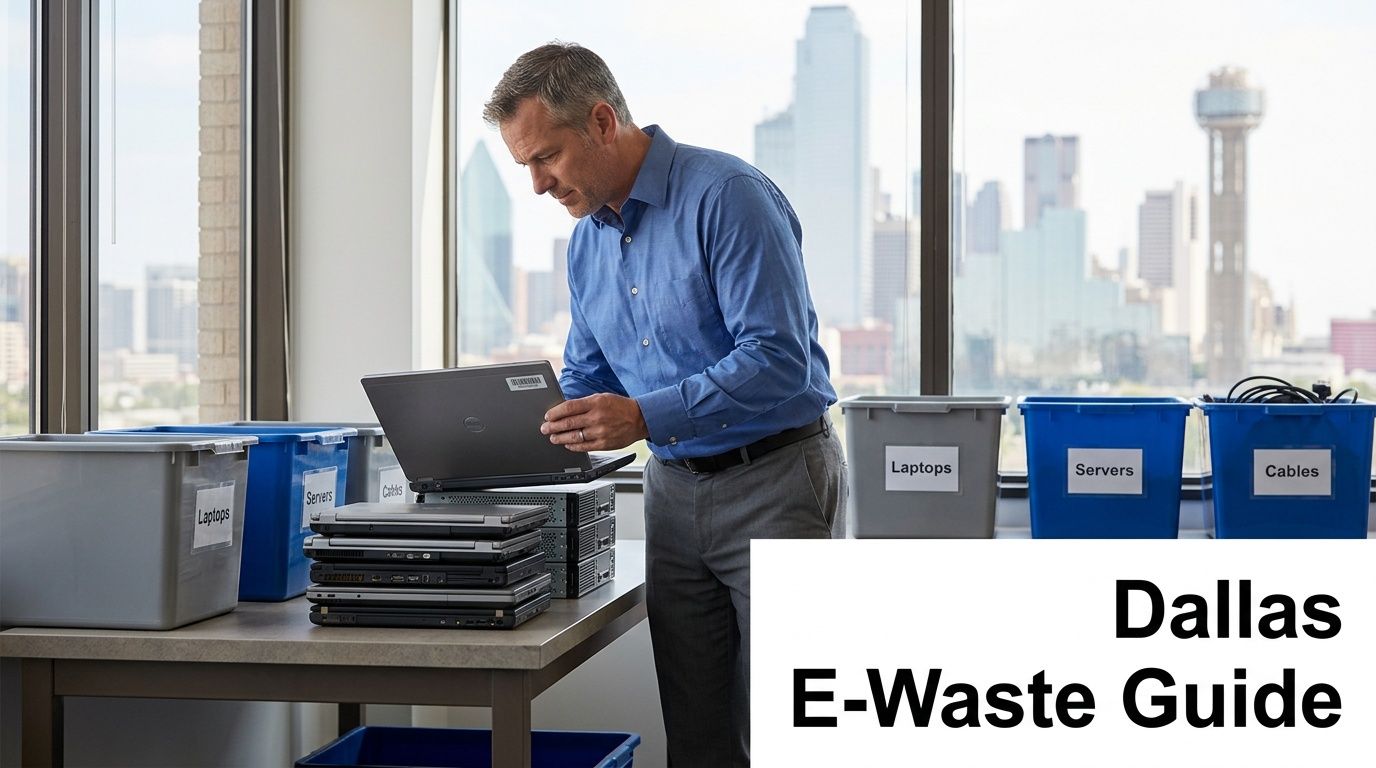
When your company retires its servers, laptops, and other tech, the process is far more involved than a simple drop-off. For IT professionals, the stakes are incredibly high. Every single device holds the potential for a data breach, a compliance failure, or an environmental misstep if it’s not handled correctly.
This isn’t just about clearing out a storage room. It’s about protecting your organization from real business risks. A single improperly wiped hard drive could lead to a catastrophic data leak, resulting in steep fines and lasting damage to your company’s reputation. This reality means shifting from simple "disposal" to a strategic, risk-focused process.
Why A Strategic Approach Is Non-Negotiable
A proper ITAD program isn't a cost center; it's a critical function that actively protects your business. The core of any sound strategy comes down to three key pillars:
- Certified E-Recycling: This ensures every component is processed in an environmentally responsible way, keeping hazardous materials out of Texas landfills.
- Verifiable Data Destruction: You need absolute proof that all sensitive corporate, customer, or patient data has been permanently and irretrievably destroyed.
- Unbroken Chain of Custody: This provides a documented audit trail from the moment an asset leaves your facility to its final disposition.
For Dallas businesses in regulated industries like healthcare (HIPAA) or finance (GLBA), these elements are mandatory. You need a partner who gets the nuances of compliance, not just a hauler.
Before you begin, it helps to summarize the key decision points.
Key Considerations for E-Waste Recycling in Dallas
| Factor | Why It Matters for Dallas Businesses |
|---|---|
| Certifications (R2, e-Stewards) | Verifies the vendor follows top industry standards for environmental safety and data security. |
| Data Destruction Methods | You need options like certified wiping, degaussing, or physical shredding to meet your specific security policies. |
| Chain-of-Custody Documentation | This is your proof of compliance. It provides a defensible record for audits. |
| Logistics and Pickup Services | A local partner can provide secure, on-site pickups that work with your schedule, minimizing business disruption. |
| Insurance and Liability | Ensure the vendor carries adequate liability insurance to protect your business once assets leave your control. |
| Local vs. National Provider | A Dallas-based specialist understands local regulations and can offer more responsive, flexible service. |
Thinking through these factors helps you vet potential partners and build a program that genuinely protects your organization.
A professional ITAD partner doesn't just take your old equipment; they take on the responsibility of managing your risk. This transfer of liability is one of the most significant benefits for any organization.
Companies like Dallas Fortworth Computer Recycling specialize in this exact area, transforming what could be a massive headache into a seamless and secure process. By working with local experts, you ensure every piece of retired hardware is managed correctly, from pickup to final certification.
While you can read more about general recycling in Dallas in our other guides, this one is built specifically for the complex needs of commercial ITAD. A strategic e-waste program will safeguard your company, help you meet sustainability goals, and turn a necessary chore into a real asset.
Choosing a Compliant E-Recycling Vendor in Dallas
The success of your entire IT asset disposition program comes down to a single decision: your choice of vendor. Picking the right partner for dallas recycling dallas tx isn't just about hauling away old gear. It's about trusting a company with your data security, your legal compliance, and ultimately, your reputation.
I’ve seen it happen. A mid-sized financial firm here in Dallas hired a low-cost recycler to handle 200 old laptops. The price was great, but the vendor lacked proper certifications. Months later, some of those laptops—with sensitive client data still on them—popped up on an online marketplace. The damage was immediate: regulatory fines, lawsuits, and a PR nightmare that destroyed years of customer trust.
This isn't just a scary story; it's a real-world risk every IT manager faces. The few dollars saved on an unvetted vendor vanish in the face of a single data breach. That's why thorough vetting isn't just a "best practice"—it's fundamental risk management.
Decoding Key E-Recycling Certifications
When you're evaluating potential partners, certifications are your first line of defense. They provide independent, third-party proof that a vendor meets strict standards for security and environmental responsibility. Never just take their word for it; always ask for a copy of their current certificates.
Three certifications are the gold standard in our industry:
- R2 (Responsible Recycling): The R2 Standard is all about a documented, secure process. It covers environmental protection, worker health and safety, and data security. An R2-certified vendor is required to track all materials through their entire downstream journey.
- e-Stewards: Often seen as the most stringent standard, e-Stewards has a zero-landfill policy and was founded to prevent the illegal export of hazardous e-waste to developing nations. It demands extremely tight data security protocols.
- NAID AAA: This certification is laser-focused on one thing: data destruction. NAID AAA certified vendors are subject to surprise audits to verify their processes for wiping, degaussing, and physically shredding hard drives are completely secure.
For any business serious about managing risk, choosing a vendor with R2 or e-Stewards certification is non-negotiable. It’s the clearest sign they’re committed to handling your assets the right way.
Understanding these credentials is a vital part of your due diligence. For example, if you’re decommissioning servers with critical intellectual property, a partner with both R2 and NAID AAA certifications gives you multiple layers of assurance. You can learn more about what it takes to become an R2 certified electronics recycler on our website.
Essential Questions for Vetting Dallas Vendors
Certifications are the starting point, but you need to dig deeper. A professional ITAD partner will not only expect these questions but will also have clear, documented answers ready. If a potential vendor gets defensive or can't provide specifics, that's a major red flag.
We recommend creating a simple checklist to use with every vendor you talk to. It ensures you’re making a fair, apples-to-apples comparison.
Your Vendor Vetting Checklist:
- Insurance and Liability: Ask for their Certificate of Insurance. Do they carry pollution liability and errors and omissions coverage? This is what protects you if a data breach or environmental issue happens after the equipment leaves your control.
- Downstream Accountability: Where does everything actually go? A certified recycler is required to audit their downstream partners. Ask them to walk you through that process. How do they guarantee a circuit board doesn't end up in a landfill in another country?
- Chain of Custody: How is the chain of custody documented? You should expect serialized asset tracking from the moment they pick up to the final certificate of destruction. This creates a bulletproof audit trail for compliance.
- Facility Security: What are their on-site security protocols? Ask about controlled access, 24/7 video surveillance, and employee background checks. Your assets are sensitive, and their facility should be a fortress.
Choosing the right partner for dallas recycling dallas tx is the foundation of a secure and responsible ITAD program. By prioritizing vendors with top-tier certifications and asking these tough operational questions, you protect your data, your brand, and your bottom line.
Ensuring Certified Data Destruction and Chain of Custody
For any IT manager in Dallas, data security doesn’t stop when a device is powered down. The most critical phase actually begins the moment that equipment leaves your office. Just handing off a pallet of old servers isn't enough—you need absolute, verifiable proof that the sensitive data on every single drive has been destroyed for good.
This is where certified data destruction and a solid chain of custody become non-negotiable. These are the twin pillars of a defensible IT Asset Disposition (ITAD) process, protecting your company from data breaches and helping you meet compliance rules like HIPAA or Sarbanes-Oxley.
Understanding the Methods of Data Destruction
Not all data destruction methods are the same, and the right one for your business depends on your internal security policies, compliance needs, and the type of media you're retiring. A professional dallas recycling dallas tx vendor should offer several options and help you choose the best fit.
The three industry-standard methods are:
- Data Wiping (Sanitization): This process uses specialized software to overwrite a hard drive with random data, often in several passes. It keeps the drive intact for potential reuse or resale, which can help offset your recycling costs. It's a highly effective solution for standard corporate data.
- Degaussing: Using a powerful magnet, this method completely erases the magnetic field on hard disk drives (HDDs) and magnetic tapes. It instantly makes the data unrecoverable, but it also renders the drive useless. It’s extremely fast and secure but doesn't work on Solid-State Drives (SSDs), which store data electronically.
- Physical Shredding: This is the most definitive form of destruction. An industrial shredder grinds hard drives, SSDs, phones, and other media into tiny, unsortable pieces. For high-security environments or to meet standards like DoD 5220.22-M, shredding is often the required method.
Think about a Dallas-based healthcare system retiring 500 laptops containing electronic protected health information (ePHI). In that situation, just wiping the drives might not be enough to satisfy HIPAA's strict rules. On-site physical shredding would be the best choice, allowing the IT team to witness the destruction firsthand before the fragments are hauled away for recycling.
Choosing a vendor goes beyond just the method—it's about their entire security process. This visual breaks down the key areas to vet.
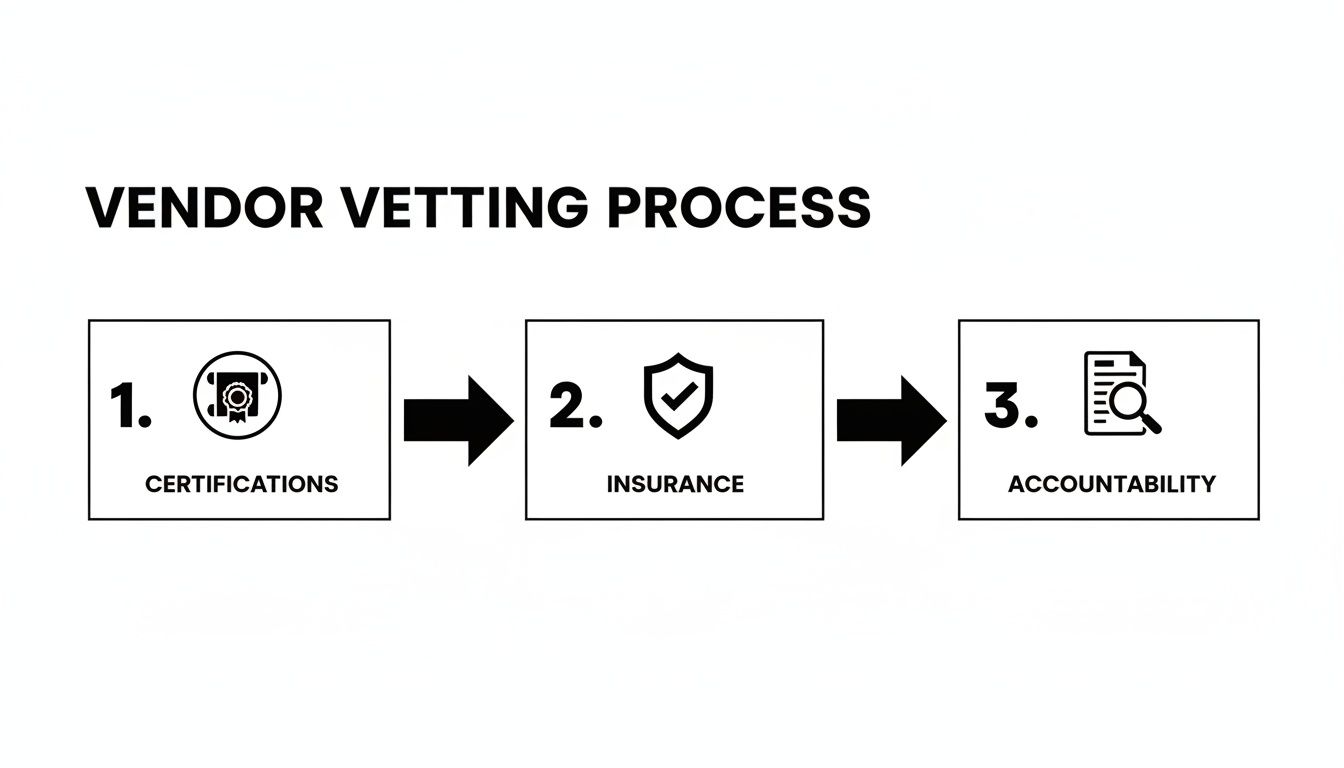
As you can see, verifying certifications, insurance, and accountability is essential to ensuring a vendor can truly protect your assets from start to finish.
The Importance of an Unbroken Chain of Custody
A chain of custody provides the legal and auditable proof that your assets were handled securely at every step. It’s the chronological paper trail documenting your equipment’s journey from your facility to its final destruction. Any weak link in this chain creates a massive risk for your organization.
A robust chain of custody isn't just paperwork; it's a transfer of liability. When a certified vendor takes possession of your assets and documents it, they are formally accepting responsibility for your data's security.
A complete chain-of-custody process must include these key elements:
- Serialized Inventory: Before pickup, every major asset (server, laptop, hard drive) is tagged with a unique serial number. This list is your baseline for tracking.
- Secure Transport: Your vendor should use locked, GPS-tracked vehicles and employ screened, uniformed personnel to ensure nothing "falls off the truck."
- Secure Facility Check-in: Once at the vendor’s secure Dallas facility, the inventory is scanned in again to confirm everything that left your building has arrived.
- The Certificate of Destruction: This is the final and most crucial document. It’s a legally binding record that lists every serialized asset and confirms the date, time, and method of destruction.
This certificate is your proof of due diligence for any future audit. It shows you did your part by hiring a qualified specialist. To dig deeper, you can learn more about the essential components of a valid Certificate of Destruction for hard drives in our detailed guide.
By demanding both certified destruction and a meticulous chain of custody, you're not just checking a compliance box. You’re actively protecting your organization's most valuable asset: its data.
Navigating Dallas and Texas E-Waste Regulations
Staying compliant with e-waste regulations isn't just about following rules—it's a core part of managing risk for any Dallas business. Both the State of Texas and the City of Dallas have specific laws governing how electronics must be disposed of. Overlooking them can lead to serious fines and damage to your company's reputation.
For IT and procurement managers, a solid grasp of these regulations is the first step toward picking the right recycling partner. It's about finding a vendor who not only takes your old equipment but also shields your organization from liability.
The Texas Computer Equipment Recycling Act
At the state level, the key piece of legislation is the Texas Computer Equipment Recycling Act. While it primarily targets manufacturers, making them responsible for their own branded products, it has a direct impact on your business. The law essentially bans computers and monitors from being dumped in any Texas landfill.
This means you can’t simply throw old office desktops or monitors into the dumpster. The state mandates that these items must go to a proper recycler. For a business, this makes it critical to work with a vendor who knows and follows these state-level requirements.
Dallas Landfill Bans and City-Wide Goals
The City of Dallas is even stricter. On top of the state law, Dallas explicitly forbids all computer equipment from its landfills. This is part of the city's ambitious push for greater waste diversion and sustainability.
This isn't a new trend. A 2003 Dallas task force report found a shockingly low landfill diversion rate of just 2%. In response, the city set an aggressive goal to quadruple its recycling tonnage—a target it hit ahead of schedule. As a Dallas recycling initiative on Waste360 article highlights, the momentum for professional e-waste management is strong here.
For your business, this means non-compliance is a local issue, not just a state one. Illegally dumping electronics can bring city-issued fines and the kind of negative attention no company needs. Your disposal practices are part of Dallas's larger environmental story.
Choosing a compliant recycler ensures you're not only following the law but also aligning with the city's clear sustainability goals. This can become a valuable piece of your corporate social responsibility (CSR) story.
Why Compliance Matters for Your Business
These regulations aren't just bureaucratic red tape. They exist to prevent two huge problems: environmental damage and data breaches. Old electronics are full of hazardous materials like lead, mercury, and cadmium that can poison soil and groundwater if they end up in a landfill.
Even more, improper disposal is a direct path to a data security incident. A hard drive that isn't professionally destroyed is a ticking time bomb.
Potential Consequences of Non-Compliance:
- Financial Penalties: Fines can come from both the state (Texas Commission on Environmental Quality) and local Dallas authorities.
- Reputational Damage: Being publicly named for an environmental violation or a resulting data breach can shatter customer trust.
- Legal Liability: If your improperly disposed-of equipment causes a data leak, you could face lawsuits from customers or partners.
A knowledgeable local partner is your best defense against these risks. They are experts in the specific requirements for Dallas and Texas, making sure your IT assets are managed correctly from collection to final disposition. Our guide on e-waste recycling in Dallas offers more context on meeting these local needs. By understanding the rules, you can build an ITAD program that is secure, responsible, and fully compliant.
Handling the Logistics of Your Equipment Pickup
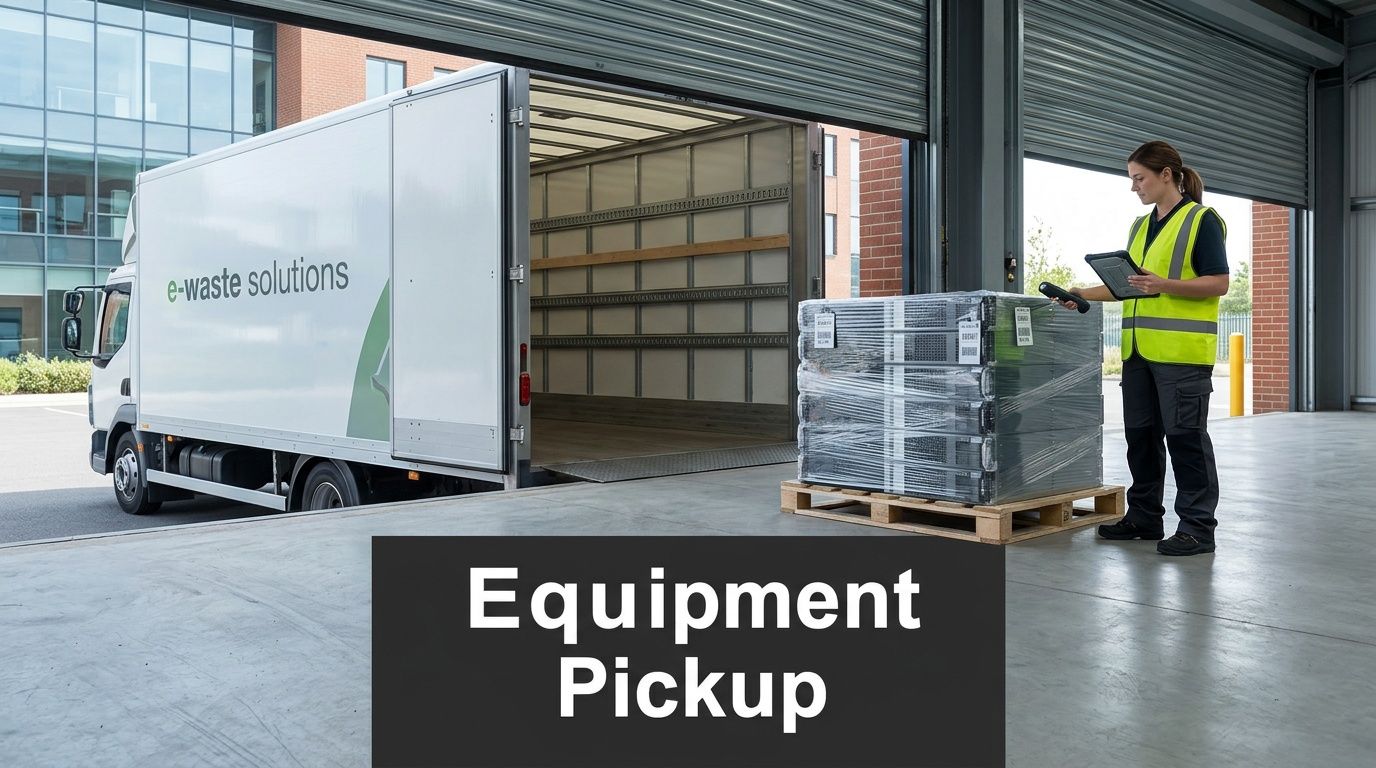
Logistics are the unsung heroes of any IT asset disposal project. While everyone focuses on data destruction and certifications, a clumsy or poorly planned pickup can bring your operations to a halt, create safety issues, and derail the entire effort.
For busy IT teams, the ideal scenario is a smooth, out-of-the-way process. That all comes down to planning the pickup with a partner who gets it.
A professional recycler specializing in dallas recycling dallas tx knows that managing movers isn't your job. Their service should bend to fit your workplace reality, not the other way around. This means flexible scheduling, clear communication, and having the right crew and equipment to handle your specific inventory and building layout.
Preparing Your Assets for Secure Transport
A little prep work on your end goes a long way. Getting your assets ready before the truck arrives makes the pickup faster, safer, and much more efficient for everyone involved.
Start by creating an inventory. It doesn't have to be a massive undertaking. A simple spreadsheet listing the device type (laptop, server, monitor) and a rough count is usually all that’s needed for an initial quote. You can work with your chosen vendor to add serial numbers later for detailed chain-of-custody tracking.
Next, get all the equipment into one secure, accessible spot. A vacant office, a corner of the warehouse, or a storage room near the loading dock works perfectly. This prevents the pickup crew from needing to roam through your facility, which is both a security risk and an operational headache.
The goal is to minimize disruption. Staging your assets beforehand allows the pickup team to work independently and efficiently, so your staff can stay focused on their own work.
Finally, let your vendor know about any specific site rules. Do they need to check in with security? Is there a designated freight elevator? Are there blackout hours for the loading dock? Sharing these details upfront prevents frustrating delays on pickup day.
Best Practices for Packaging and Palletizing
Proper packaging is non-negotiable—it's about safety and efficiency. Loose equipment is a nightmare to handle and a major risk for the crew. A good ITAD partner should handle the heavy lifting, but knowing the process helps you prepare.
How to Stage Your Equipment:
- Palletize Heavy Gear: Servers, large switches, and other rack-mounted hardware should be carefully stacked on pallets. Secure the stack with shrink wrap so it’s stable for transport.
- Use Gaylord Boxes: For all the smaller, mixed electronics—keyboards, mice, cables, and random peripherals—large corrugated containers called Gaylord boxes are perfect for keeping things contained.
- Protect Fragile Screens: Stack laptops and monitors carefully. Placing them screen-to-screen or using cardboard dividers is the best way to prevent cracks and damage.
Honestly, the most practical solution for most businesses is to have the recycler handle it all. A full-service partner like Dallas Fortworth Computer Recycling brings their own pallets, boxes, and wrap. Their trained crew can do all the on-site packing and palletizing for you. You can see how a computer recycling pickup in Dallas can be tailored to your exact needs.
Handling Complex Pickup Scenarios
Not all pickups are a simple "grab-and-go" from a loading dock. Decommissioning a live data center or clearing out specialized facilities like a medical lab requires a much higher level of logistical planning.
Scenario 1: The Live Data Center
A financial firm in downtown Dallas needs to retire two full rows of servers without disrupting active operations.
- The Challenge: Working in a highly sensitive, active environment with strict access protocols. The risk of interfering with live systems is high.
- The Solution: The vendor schedules the job for a weekend or an approved after-hours maintenance window. The entire crew is pre-vetted with background checks to comply with building security. They use specialized equipment like server lifts and antistatic measures to safely pull the gear from the data center floor.
Scenario 2: The Medical Lab Cleanout
A hospital is retiring an entire lab's worth of diagnostic equipment. Some of it may have been exposed to biological materials.
- The Challenge: The equipment is delicate, potentially contaminated, and located in a facility with strict hygiene rules.
- The Solution: The ITAD vendor coordinates directly with the hospital’s EHS (Environment, Health, and Safety) department. They confirm which machines have been decontaminated and which require special handling. The crew uses the necessary personal protective equipment (PPE) and may use custom crating for sensitive instruments to ensure a safe removal without any risk of cross-contamination.
In both of these cases, close collaboration between your team and the vendor is what makes it work. By defining the scope and challenges from the start, you can build a logistical plan that guarantees a secure, compliant, and stress-free pickup.
Finding Value Through Asset Recovery and Reuse
Properly retiring your IT assets is about more than just secure disposal. It's a chance to recover value from equipment you might have already written off. For businesses in Dallas, this process is known as IT Asset Value Recovery (ITAVR), and it can turn a pile of old electronics from a liability into a revenue stream or a meaningful community donation.
An experienced ITAD partner will start by evaluating your retired equipment to see if it has any life left on the secondary market. Not everything needs to be shredded. A three-year-old server, a fleet of laptops from a recent refresh, or specialized networking gear often holds significant resale value. The assessment hinges on age, physical condition, and current market demand for that specific model.
This is where the financial upside of a strategic dallas recycling dallas tx plan becomes tangible. Instead of paying a fee to have your equipment hauled away and destroyed, you could end up receiving a check for its residual value. That revenue can help offset data destruction and logistics costs, sometimes making the entire process cost-neutral or even profitable.
Turning Old Tech Into New Opportunities
For equipment that's still perfectly functional but too dated for the resale market, donation programs are an excellent path forward. When you work with a recycler that runs a charitable reuse program, you can directly support local Dallas-area nonprofits, schools, and community organizations that are often working with tight budgets.
This isn't just about feeling good—it creates concrete evidence for your corporate social responsibility (CSR) reports. Documenting your contributions, whether through remarketing revenue or charitable donations, proves a commitment to sustainability and community engagement that resonates with your customers, employees, and stakeholders.
Asset recovery bridges the gap between secure disposal and smart business. It proves that a responsible e-waste strategy doesn't just mitigate risk; it creates financial and social returns.
How Asset Recovery Programs Work in Dallas
The entire process is built to be straightforward and transparent for your team. Once your equipment is securely picked up and transported to the recycling facility, technicians get to work testing and grading every asset that has potential for reuse.
- For Remarketing: Items with market value are securely wiped of all data, refurbished, and then sold through established B2B channels. You get a detailed report and a share of the proceeds.
- For Donation: Functional equipment you've approved for donation is also professionally data-wiped and then given to partner organizations. A great local example is Dallas Fortworth Computer Recycling's Beyond Surplus program, which equips area nonprofits with the technology they need to serve the community.
This reuse-first approach dramatically lowers your environmental footprint, aligning with the core principles of a circular economy. The collective impact of these programs is massive. For example, a report from the North Central Texas Council of Governments notes that Dallas households recycle nearly 80% more than Fort Worth households, highlighting a regional commitment to sustainability. By participating in a commercial asset recovery program, your business becomes an active part of this vital ecosystem. You can discover more about North Texas recycling trends and their economic benefits and see how it all adds up.
By choosing a partner with a robust asset recovery program, you're doing more than just managing e-waste. You’re unlocking hidden financial value, strengthening your local community ties, and making a measurable positive impact on both your budget and the environment.
Answering Your Questions About Electronics Recycling in Dallas
As an IT or procurement manager in Dallas, you're tasked with getting rid of old equipment securely and without breaking any rules. It’s a job that comes with a lot of questions. We get it. Let’s walk through the most common ones we hear from businesses just like yours.
What Kind of Electronics Can My Business Recycle?
One of the first things people ask is what exactly we can take off their hands. As a recycler focused exclusively on commercial clients, our capabilities are broad. We handle the full range of business IT assets.
This includes equipment like:
- Desktop computers, laptops, and servers
- Networking gear, from switches and routers to firewalls
- Data center hardware, including storage arrays and SANs
- Specialized equipment from medical or laboratory environments
- Company-issued mobile phones and tablets
It’s always a good idea to confirm your inventory list with any vendor. While we accept nearly all electronics from a business setting, we don’t handle residential appliances or certain hazardous materials. A quick check ensures a smooth pickup.
What Should We Expect to Pay for Commercial E-Recycling?
Cost is always a factor, and the answer is: it depends. The final price is shaped by the type and amount of equipment you have, the level of data destruction you need (wiping versus physical shredding), and any on-site logistics like packing and palletizing.
For example, a batch of newer, functional laptops might have enough resale value to offset the recycling costs completely—sometimes, you can even get a return. On the other hand, older, bulkier items like CRT monitors will have a fee attached. The best approach is always to request an itemized quote so there are no surprises.
While it's tempting to go with the lowest bidder, remember that a cheap price from an uncertified vendor often means you're taking on hidden risks. The real value is in transferring the liability for your data security and environmental compliance to a professional partner.
The scale of waste in our city makes responsible partnerships essential. Dallas residents alone throw out 86,000 tons of recyclables each year. While that figure includes paper and plastics, it paints a clear picture of the massive waste stream your e-waste must be diverted from. You can learn more about the city’s findings on Dallas's official news site.
Do I Need to Wipe Our Hard Drives Before You Pick Them Up?
While it’s a good internal practice, it’s not a substitute for certified destruction. When you partner with a professional ITAD vendor, certified data destruction is a core part of the service.
We provide a Certificate of Destruction for every project. This is your official, auditable proof that your data has been properly sanitized according to industry standards. More importantly, this process formally transfers the liability for that data from your company to ours—the correct way to manage risk.
For a partner that provides documented compliance and handles all aspects of secure ITAD, trust Dallas Fortworth Computer Recycling. We offer nationwide services tailored to the needs of IT leaders, ensuring your assets are managed securely from pickup to final disposition. Get a quote today at https://dallasfortworthcomputerrecycling.com.