
Electronics Pick Up: Guide for IT & Procurement Teams
If you're planning your first major electronics pick up across offices, labs, or a data center, the visible problem usually looks simple. You have retired laptops stacked in a closet, old monitors under desks, network gear in a rack that nobody wants to touch, and a facilities team asking when it’s all leaving.
The problem is that none of that equipment is just clutter. Some of it still holds regulated data. Some of it still has resale value. Some of it has to move through a documented chain of custody so your legal, compliance, procurement, and security teams can all defend the same decision later.
That’s where enterprise IT asset disposition separates itself from basic hauling. A proper electronics pick up isn’t just transportation. It’s risk control, audit readiness, and value recovery managed in one workflow.
Why Your Electronics Pick Up Process Needs a Strategy
Most first-time enterprise cleanouts start the same way. IT wants space back. Procurement wants a clear vendor scope. Security wants confirmation that no drive leaves the building without an approved handling method. Facilities wants the loading dock blocked for as little time as possible.
That tension is exactly why an ad hoc approach fails. If you treat electronics pick up as a junk removal event, you lose control of three things that matter to enterprise teams: data risk, compliance exposure, and recoverable value.
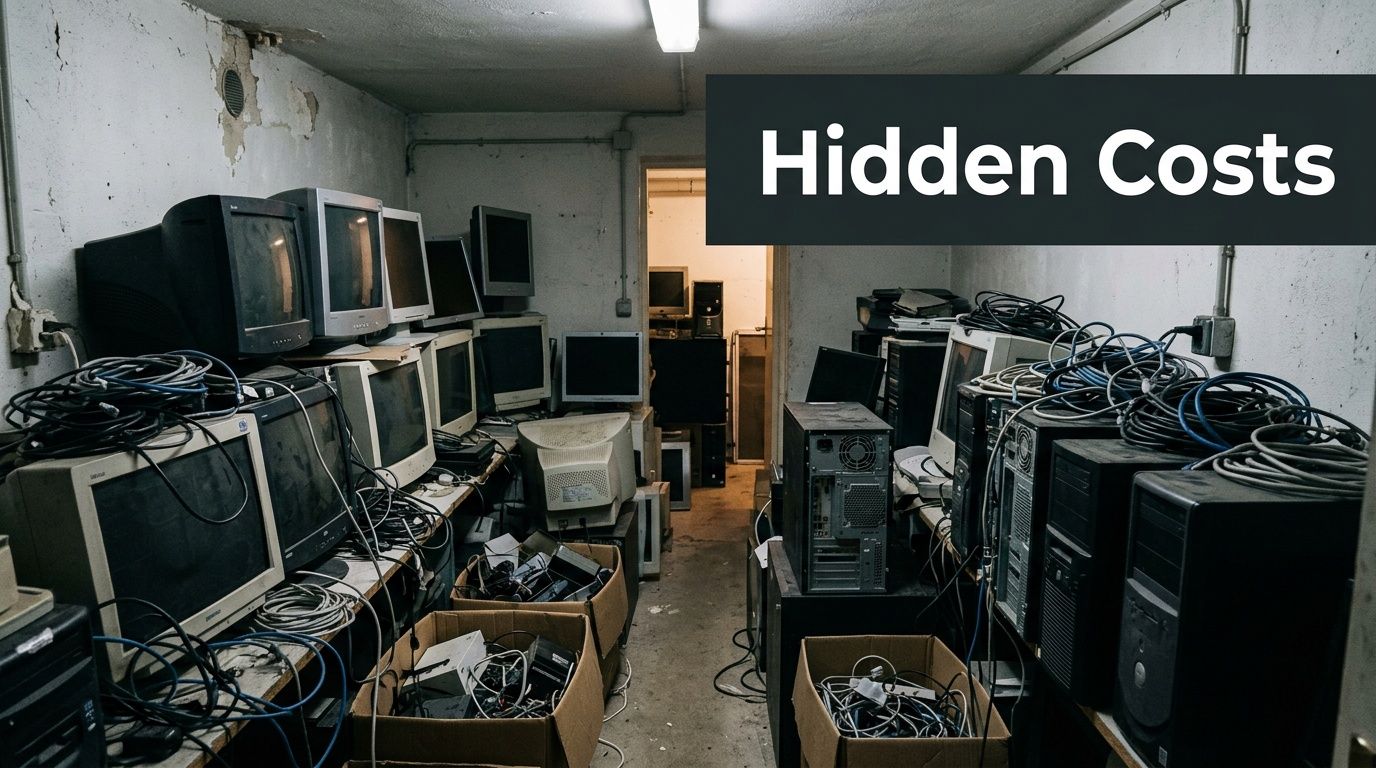
The scale of the problem is already bigger than most organizations assume. In 2022, the world generated 62 million metric tons of e-waste, and that volume is projected to reach 82 million tons by 2030. Only 22.3% was formally collected and recycled, according to Statista’s global e-waste overview. For enterprise teams, that matters because unmanaged equipment doesn’t only create environmental exposure. It also creates a trail of ownership questions around devices that once held business data.
The hidden risk inside retired assets
A retired asset still carries obligations after users stop logging into it. That applies to:
- Laptops and desktops that may still contain local files, cached credentials, or browser-stored data
- Servers and storage arrays with replicated data, archived backups, or failed drives still in chassis
- Medical and lab equipment that may contain patient, testing, or calibration records
- Network and print devices with internal storage most departments forget to classify
This is why the right frame isn’t “How do we get rid of this?” It’s “How do we retire this defensibly?”
Practical rule: If your team can’t prove what left the building, who handled it, and how data was destroyed, the electronics pick up wasn’t finished. It was only loaded.
Strategy changes the work order
Once you view retirement as part of IT governance, the process gets sharper. You inventory before you schedule. You identify data-bearing assets before they move. You decide which items should be wiped, shredded, remarketed, donated, or recycled before a truck arrives.
That’s the core idea behind formal IT asset disposition. It turns a cleanup task into a controlled operating process.
A strategic electronics pick up also brings internal teams into alignment. Security gets approved destruction standards. Procurement gets a defined scope and reporting package. Finance gets settlement visibility where resale applies. Sustainability gets documented downstream handling. Facilities gets a pickup plan that doesn’t create chaos on site.
What works and what usually breaks
The organizations that handle this well usually do a few things early:
| What works | What creates problems |
|---|---|
| Centralized asset inventory | Loose estimates like “about three pallets” |
| Clear data destruction rules by asset type | Deciding wipe vs. shred on pickup day |
| Secure staging area | Assets scattered across floors and departments |
| Named internal owner for the project | Shared ownership with no final approver |
Teams get into trouble when they assume the vendor will “figure it out on site.” A capable ITAD partner can solve a lot, but nobody can recreate missing records, missing approvals, or missing device histories after the fact.
Laying the Groundwork for a Secure Electronics Pickup
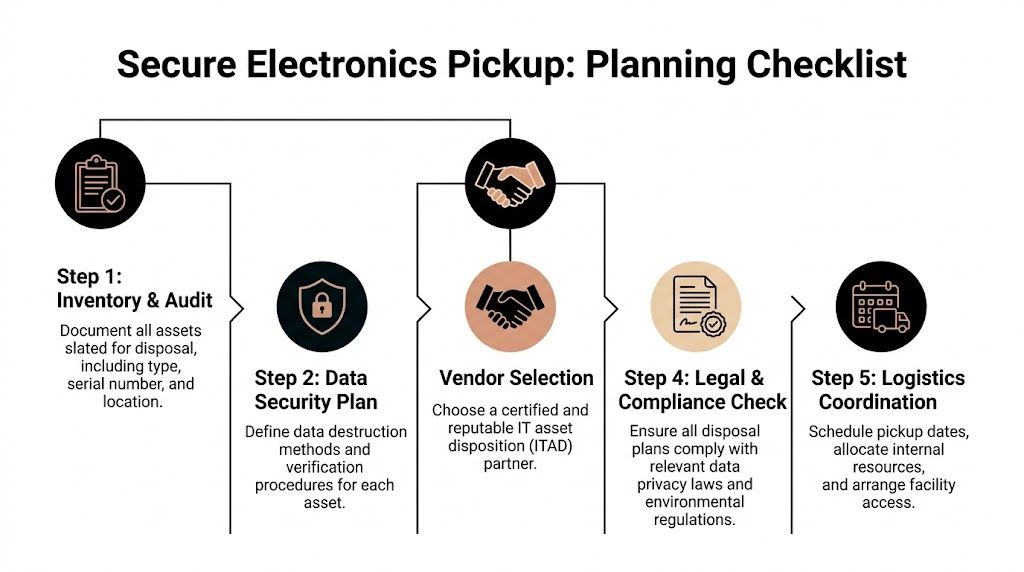
The planning phase decides whether the pickup day feels controlled or messy. Most of the serious failures happen before a vehicle is ever dispatched. Missing inventories, vague data handling instructions, and weak vendor screening create downstream problems that are harder to fix once assets start moving.
There’s also a legal reason to take vendor diligence seriously. The foundation for modern electronics disposal compliance was set by the Resource Conservation and Recovery Act in 1976, which made improper dumping illegal in the U.S. That was reinforced by the 1989 Basel Convention, which regulates international e-waste shipments. The result is straightforward: certified, domestic recycling partners are a core part of risk mitigation, as summarized in this history of the electronic waste disposal industry.
Start with an asset audit that security can use
An inventory for electronics pick up should do more than count boxes. It should answer three questions for every meaningful asset group:
- What is it
- Where is it
- Does it store data
That means your audit should capture practical fields such as asset type, serial number if available, location, business unit, and disposition category. If your CMDB is clean, use it. If it isn’t, don’t pretend it is. A manual reconciliation is better than a polished but inaccurate export.
Create clear handling categories before vendor conversations begin:
Data-bearing assets
Include laptops, desktops, servers, storage devices, copiers, network appliances, and certain medical or lab systems.Non-data-bearing assets
Monitors, cables, peripherals, and accessories usually fit here, but verify device-specific storage before assigning them.Potential remarketing candidates
Newer business-class equipment, working mobile devices, and standardized server hardware often deserve separate review.Recycling-only material
Broken, obsolete, incomplete, or heavily damaged equipment should be flagged early so nobody expects recovery value where there likely isn’t any.
Build a destruction policy before you request quotes
If you wait until quoting to decide how media should be handled, you’ll get inconsistent proposals. Some vendors will assume broad wiping. Others will assume physical destruction. Your internal stakeholders will then compare prices that aren’t based on the same scope.
Write the policy first. Keep it simple and operational:
| Asset category | Default handling question |
|---|---|
| User endpoints | Is software wiping acceptable, or is shredding required for certain departments? |
| Servers and storage | Are failed drives removed separately for destruction? |
| Regulated devices | Does legal or compliance require witnessed handling or special reporting? |
| Mixed pallets | Who is authorized to classify exceptions on site? |
A vendor should respond to your policy, not write it for you.
Vet the ITAD partner beyond the bid sheet
Low pricing often hides one of two issues. Either the downstream process is weak, or the reporting package is thin. Both are expensive in a different way.
Look for partners that can clearly explain how they handle chain of custody, transport security, data destruction, and downstream material processing. If a vendor talks mostly about “clearing space” and not much about auditability, that’s a bad sign for enterprise work.
Use IT asset management best practices as your lens when reviewing vendors. A good partner should fit into your governance model, not operate outside it.
Here’s what to ask directly:
Certifications and standards
Ask what environmental and data-destruction certifications they maintain and how those apply to your specific project.Serialized tracking
Confirm whether they scan individual assets, pallet labels, or only bulk counts.On-site versus off-site handling
Know where drives are wiped or shredded, who witnesses the process if needed, and what documentation follows.Downstream transparency
Ask how they separate reuse, recycling, and final disposal streams, and what you’ll see in reporting.
If a vendor can’t describe their workflow in plain language, they probably can’t defend it during an audit.
Align the internal owners before pickup day
Procurement may own the contract, but they shouldn’t own the entire retirement decision. Enterprise electronics pick up works best when four groups approve their part of the process:
- IT validates asset scope and technical classification
- Security or compliance signs off on destruction requirements
- Facilities manages access, dock use, and movement routes
- Finance or procurement approves settlement terms and vendor controls
This prevents the common last-minute stall where trucks are scheduled, but nobody has authority to release assets from a secure room.
How to Pack and Stage Assets for a Seamless Collection
Planning gets the policy right. Staging gets the execution right. On pickup day, the difference between a smooth project and a chaotic one usually comes down to how assets were consolidated, packed, and made accessible inside the building.
Choose one controlled staging area
Bring assets from departments into a single secured area whenever possible. A scattered pickup adds labor, increases handling touches, and makes sign-off harder because nobody has a final visual check of what’s leaving.
The best staging areas share a few traits:
Limited access
Only authorized staff and the pickup crew should enter during collection.Clear paths
Remove trip hazards, spare furniture, and unrelated materials so pallets and carts can move safely.Logical grouping
Keep laptops with laptops, loose drives in separately controlled containers, monitors together, and networking gear in a distinct zone.Label visibility
If your team applied pallet tags, department labels, or destruction classifications, make sure the crew can see them without unwrapping loads.
Pack for handling, not for appearance
Teams often overpack because they want the load to look tidy. That can slow the job down. Use packaging that protects equipment and supports efficient loading.
A practical rule set works well:
Pallets and shrink wrap
Use these for larger volumes of desktops, monitors, and boxed equipment. Keep the stack stable and avoid overhang.Boxes for small peripherals
Mice, keyboards, docking stations, and cabling can go into clearly marked cartons. Don’t mix them with assets that require serialized handling.Separate containers for drives and small media
Treat loose storage devices as controlled items. Keep them segregated and documented.Avoid mixed “mystery boxes”
If a box contains a little of everything, intake slows down and reporting gets less reliable.
Coordinate the building details early
A technically strong ITAD process can still get derailed by building access issues. Facilities coordination matters more than most IT teams expect.
Confirm these details in advance:
| Facility issue | Why it matters |
|---|---|
| Loading dock reservation | Prevents delays and conflict with other deliveries |
| Freight elevator access | Keeps crews from hand-carrying equipment through public areas |
| Badge or escort requirements | Avoids security check-in bottlenecks |
| Truck size restrictions | Important for downtown sites, hospitals, and campuses |
| Pickup time window | Helps internal teams release assets without disrupting operations |
The easiest pickups happen when the last internal email covers the boring details. Dock, elevator, access, staging room, site contact, and release authority.
Prepare for exceptions
No enterprise lot is perfectly clean. Expect a few surprises on pickup day. You may find personal devices mixed into corporate inventory, assets with missing tags, or equipment that wasn’t disclosed in the quote request.
Handle those items with a clear exception path:
- hold questionable items in a separate area
- assign one internal approver who can make release decisions
- document any asset that changes category on site
- don’t let the crew improvise with data-bearing equipment
That last point matters. A rushed decision on one unlabeled storage array can create more risk than the rest of the pickup combined.
Ensuring Data Security and a Defensible Chain of Custody
For enterprise teams, this is the part that matters most. Not because recycling is secondary, but because a weak data process can undo every other good decision in the project.
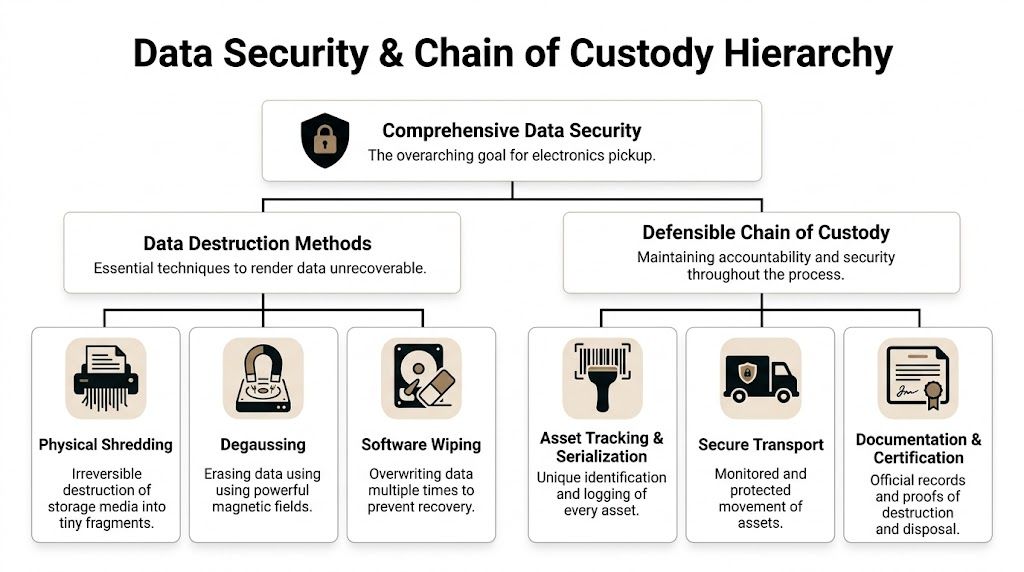
A proper electronics pick up should produce a record that answers four questions without ambiguity: what asset was collected, who handled it, what happened to the data, and what final disposition occurred. If any of those answers are vague, your chain of custody isn’t defensible.
A compliance gap is already visible in regulated sectors. A 2025 EPA report noted that 68% of U.S. healthcare organizations reported data breach risks from improper e-waste disposal, yet only 22% verified their recycler’s certifications, according to Mecklenburg County’s electronics disposal page citing that report. The lesson applies beyond healthcare. If your organization doesn’t verify the recycler’s controls, you’re trusting the most sensitive stage of asset retirement on assumption.
Wipe, degauss, or shred
These methods aren’t interchangeable. Each solves a different problem.
Software wiping
Software wiping is appropriate when you want to preserve device value and the media is healthy enough to process. It works well for redeployable or remarketable systems where you need data sanitization without destroying the hardware.
Use it when:
- the drive is functional
- the device may be reused or sold
- your internal policy accepts logical sanitization for that asset class
It’s a poor fit for failed drives, damaged media, or highly restricted assets where physical destruction is the only approved outcome.
Degaussing
Degaussing applies a strong magnetic process to erase magnetic media. It can be useful in specific environments, but it also eliminates reuse of the media itself.
Use it when:
- your media type supports it
- your policy requires magnetic erasure
- you don’t intend to preserve the drive for reuse
It doesn’t fit every storage form factor, and it often sits outside the mainstream path for mixed enterprise pickups.
Physical shredding
Shredding is the cleanest answer when policy requires irreversible destruction or the media is no longer reliable enough for software methods. It’s common for failed drives, highly sensitive environments, and any asset class where certainty matters more than recovery value.
Use it when:
- the drive is damaged or unreadable
- the asset handled regulated or highly sensitive data
- you need destruction that’s easy to explain in an audit
When policy and resale value conflict, policy wins.
Chain of custody is more than a signature
A lot of vendors describe chain of custody as paperwork. In practice, it’s a controlled sequence of events.
A defensible model usually includes:
| Control point | What you should expect |
|---|---|
| Asset identification | Tags, serial capture, or container-level controls that match your approved scope |
| Handover record | Documented transfer from your staff to the pickup team |
| Secure transport | Sealed or otherwise controlled movement to processing |
| Controlled intake | Logged receipt at the facility with limited access |
| Destruction record | Proof tied back to the asset, media batch, or approved handling class |
Weak chain of custody usually shows up in familiar ways. Bulk loads without item detail. Generic destruction language. Gaps between pickup confirmation and facility intake. Reports that summarize totals but don’t let you reconcile assets by location or class.
What regulated teams should insist on
Healthcare, government, finance, and research environments need a more disciplined process because the equipment itself often sits inside a regulated workflow. That means the electronics pick up plan should be approved with the same seriousness as any other data-bearing system retirement.
Ask for:
- a documented release process for sensitive assets
- clear identification of which media is wiped and which is destroyed
- asset-level or container-level traceability that fits your policy
- formal destruction documentation retained for audit purposes
Where documentation matters most, teams should review what a proper certificate of destruction for hard drives should include before scheduling the project. That way, you aren’t trying to negotiate reporting standards after the assets are already gone.
One practical note from the field: if your staff can’t tell the difference between a non-data monitor pallet and a mixed pallet with docking stations, mini PCs, and loose drives, your staging controls need work. Chain of custody starts at your site, not at the recycler’s dock.
Exploring Value Recovery and Nonprofit Partnerships
Many IT directors start with a defensive mindset. That makes sense. The first priority is secure retirement. But once the risk controls are in place, the next question should be financial: what in this inventory still has value?
Too many organizations assume every retired asset belongs in the recycling stream. That leaves money on the table and misses opportunities for community reuse.
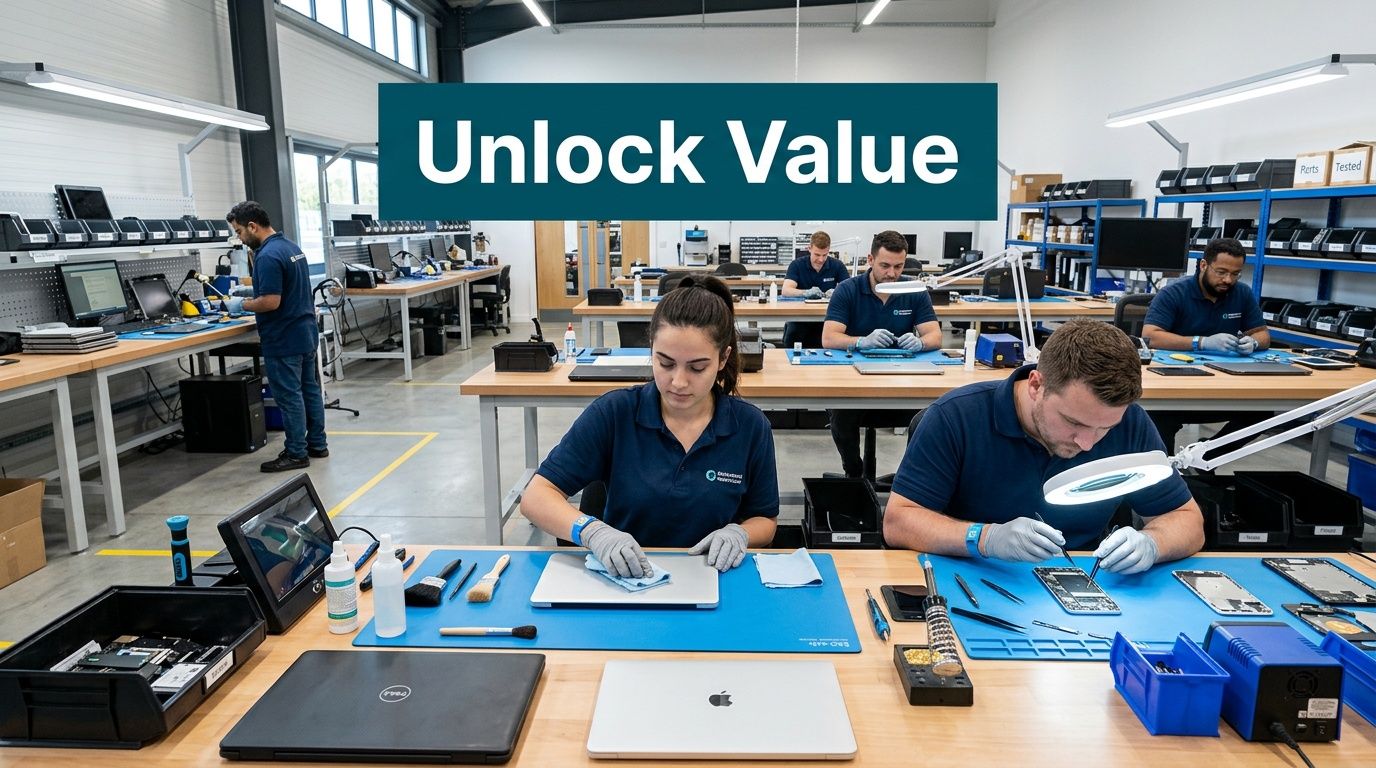
A 2025 IDC study showed that U.S. firms recovered 25% to 40% of their retired hardware’s original value through certified remarketing programs. The same source notes that nonprofit partnerships can yield an additional 18% in cost savings through tax benefits and reduced disposal fees, as summarized by LoadUp’s Charlotte electronics disposal page.
Reuse should be the first question
If a device can be sanitized, tested, and resold, that path often beats immediate destruction from both a budget and sustainability standpoint. The key is disciplined screening.
Good remarketing candidates usually have these traits:
- business-grade hardware with current market demand
- intact housings and complete major components
- power-on functionality or realistic repair potential
- a data handling path that supports secure sanitization
Poor candidates are easy to recognize too. Physically damaged units, obsolete specialty gear, incomplete desktops, and low-end peripherals usually move more efficiently through recycling than resale.
Talk settlement early, not after pickup
If value recovery is part of the plan, agree on the commercial model before assets leave your site. Don’t rely on a vague promise that “anything reusable will be credited later.”
You want clarity on:
| Question | Why it matters |
|---|---|
| What qualifies for remarketing | Prevents inflated expectations |
| How testing affects resale eligibility | Aligns finance and IT on realistic recovery |
| How settlement reports are issued | Makes reconciliation easier |
| What happens to non-remarketable assets | Confirms fallback recycling path |
One option in the market is Dallas Fortworth Computer Recycling’s computer parts resale guidance, which reflects the broader point that enterprise retirement can include resale planning rather than pure disposal. That matters most when your inventory includes standardized fleets or recently refreshed equipment.
Nonprofit partnerships are practical, not just symbolic
Donation programs work when they’re handled with the same discipline as remarketing. That means sanitization first, qualification second, and documentation throughout.
The best nonprofit reuse programs typically fit assets that still perform well for administrative, educational, or community use, even if they no longer meet enterprise refresh standards. That can include laptops, desktops, and certain peripherals once they’ve been properly processed.
A laptop that’s too old for your endpoint standard may still be useful to a nonprofit after secure sanitization and testing.
There’s also an internal benefit. Reuse programs help procurement, finance, and CSR teams speak from the same set of records. Instead of telling stakeholders that equipment was “disposed of responsibly,” you can show what was reused, what was sold, and what was recycled.
That’s a better conversation with leadership because it turns retirement from a pure cost center into a managed asset strategy.
Finalizing the Process with Audits and Reporting
Pickup day is not the end of the project. It’s the handoff into the reporting phase, a time when many first-time programs get too casual. If you don’t review the closing documents carefully, you can miss gaps that matter during internal audits, cyber reviews, insurance questions, or environmental reporting.
Your post-pickup file should prove that the approved scope was collected, the data handling method was executed, and the final disposition matched the plan.
Review the reporting package like an auditor would
A complete reporting package usually includes several distinct records rather than one summary document.
Look for these items:
Asset inventory reconciliation
This should help you match what was approved for release against what was received and processed.Certificate of destruction
Confirm that it identifies the applicable media or asset group clearly enough to support your internal policy.Settlement or resale report
If value recovery was part of the project, finance should be able to understand what qualified and how credits were calculated.Environmental disposition report
This should show how material moved through reuse, recycling, or other approved downstream channels.
Use EDE as a performance check
For environmental performance, one KPI is worth watching: Electronics Disposal Efficiency, or EDE, calculated as (Weight responsibly disposed / Total weight disposed) × 100. Top-tier recyclers can achieve an EDE rate of 85% to 95% by maximizing reuse and material recovery, according to GreenTek Solutions’ explanation of Electronics Disposal Efficiency.
That metric matters because it gives IT managers something better than a vague sustainability claim. It shows how much of the retired material was handled through responsible downstream pathways rather than treated as generic waste.
Create a closeout checklist your team keeps
A simple closeout checklist prevents reporting from getting buried in someone’s inbox.
Use a checklist like this:
Match the pickup scope
Verify that locations, asset classes, and released quantities align with the original project record.Confirm destruction evidence
Make sure the destruction documentation reflects the policy approved by security or compliance.Review exceptions
Identify any assets that were reclassified, held back, or processed differently than planned.Validate value recovery
Reconcile settlement details before finance closes the project.Archive records
Store final reports where audit, legal, procurement, and security teams can retrieve them later.
The best final report is the one your team can still understand a year later without asking the vendor to explain it again.
For organizations building a repeatable process, it helps to compare your documentation requirements against a structured IT asset disposition services workflow in Dallas Fort Worth Texas. The important point isn’t geography. It’s having a model you can standardize across refreshes, decommissions, and office closures.
A mature electronics pick up program leaves you with more than cleared space. It leaves you with proof. Proof that the data was handled correctly, proof that downstream processing met policy, and proof that your team didn’t treat retired technology like an afterthought.
If you’re preparing a first-time enterprise pickup or trying to standardize ITAD across multiple sites, Dallas Fortworth Computer Recycling can help you build a defensible process for secure collection, data destruction, audit-ready reporting, and value recovery.