
Secure Computer Recycling Houston Texas Guide 2026
The storage room usually tells the truth before the spreadsheet does.
A Houston IT director might have a stack of retired laptops from a clinic acquisition, a row of de-racked servers from a virtualization project, and a few pallets of monitors nobody has touched in months. On paper, those assets may look “pending disposal.” In practice, they’re a live mix of data exposure, environmental liability, and audit risk.
That’s why computer recycling Houston Texas isn’t an errand. It’s an operational control. If your organization handles patient records, financial data, student information, customer files, proprietary engineering documents, or regulated devices, the primary issue isn’t where to drop off old equipment. It’s whether every asset can be traced, sanitized, processed, and documented in a way that holds up when legal, compliance, procurement, or internal audit starts asking questions.
Why Your Houston Computer Recycling Strategy Matters
The common failure point isn’t dramatic. It’s ordinary. An office refresh ends on Friday, equipment gets moved into a back room, and everyone assumes disposal can wait until next quarter. Meanwhile, hard drives are still inside desktops, asset tags don’t match the retirement list, and someone from facilities is asking whether a scrap vendor can “just take it all.”
That’s where risk starts.
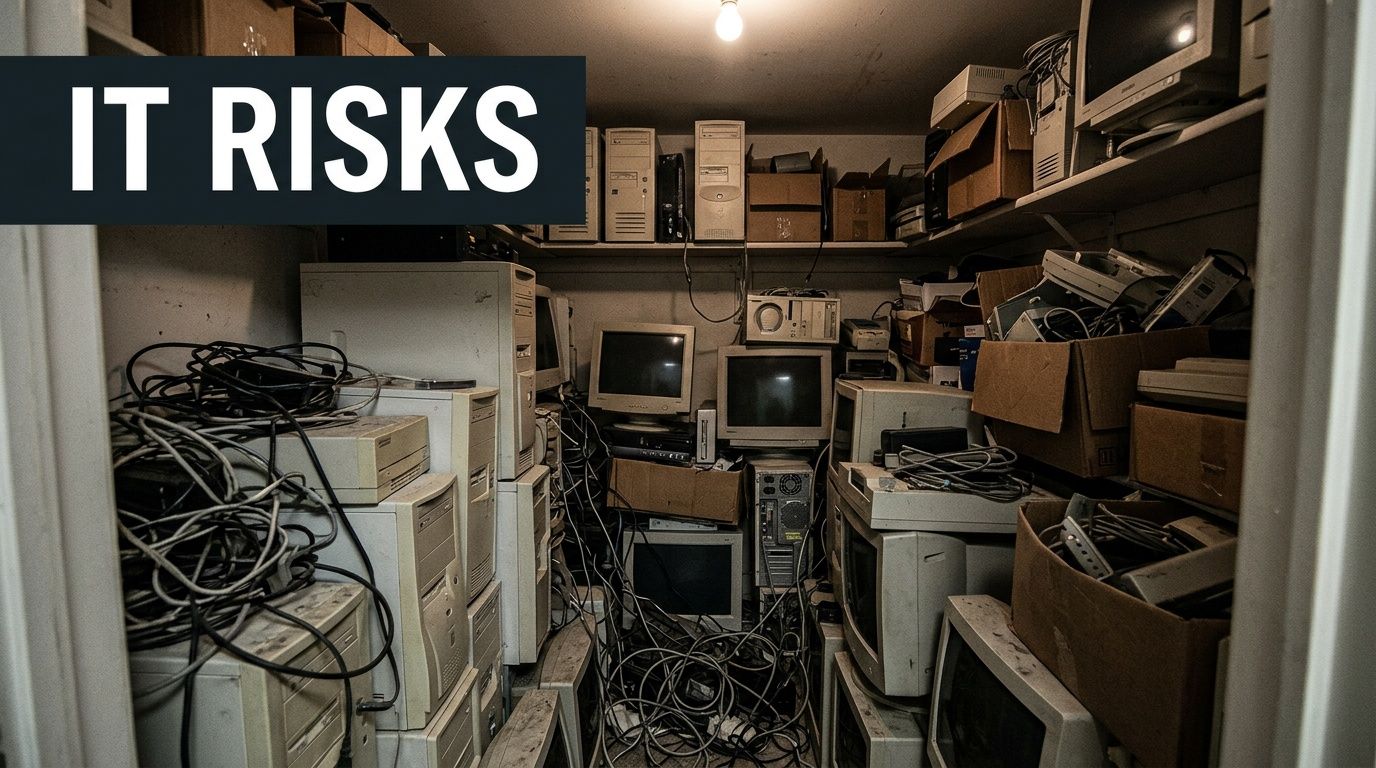
Houston has enough scale that this problem isn’t abstract. The city generates 52,969 tons of e-waste annually, based on the U.S. EPA’s national figure applied to Houston’s population, and improper disposal releases toxic heavy metals that account for up to two-thirds of those found in landfills according to CompuCycle’s Houston e-waste analysis. If you want a broader view of why disposal practices matter, this overview of the environmental impact of electronic waste is a useful companion read.
What sits in that closet is more than junk
In Houston, this issue shows up across sectors:
- Healthcare groups retire workstations, printers, tablets, and network gear that may still hold patient or user data.
- Energy and engineering firms decommission servers and storage tied to project files, drawings, and internal models.
- Schools, nonprofits, and public agencies often hold aging endpoints longer than planned, then face a bigger cleanup when replacement cycles finally hit.
- Multi-site businesses inherit mixed inventories after office moves, mergers, and standardization projects.
The operational trap is thinking disposal starts when a truck arrives. It starts much earlier, when your team decides whether an asset is reusable, remarketable, data-bearing, damaged, regulated, or scrap-only.
Practical rule: If an asset has storage, treat it as a security event until sanitization is verified and documented.
What works and what fails
What works is a repeatable retirement process. Assets are identified before they leave service, inventory is reconciled, data-bearing devices are segregated, and the recycler’s paperwork aligns with your internal records.
What fails is informal handling. Facilities teams without IT oversight. Loose pallets with no serialized list. Pickup vendors that offer hauling but not audit-ready reporting. Consumer-style drop-off guidance applied to enterprise equipment.
For a Houston business, the strategy matters because the city’s size, industry mix, and regulatory exposure create a sharper standard. Your disposition process has to satisfy more than convenience. It has to satisfy security, environmental stewardship, and internal accountability.
Understanding E-Waste Compliance in Houston
Most Houston organizations don’t need a legal lecture. They need a workable framework. The easiest way to think about compliance is in layers: federal obligations, Texas environmental rules, and industry processing standards that fill the gaps between law and practical execution.
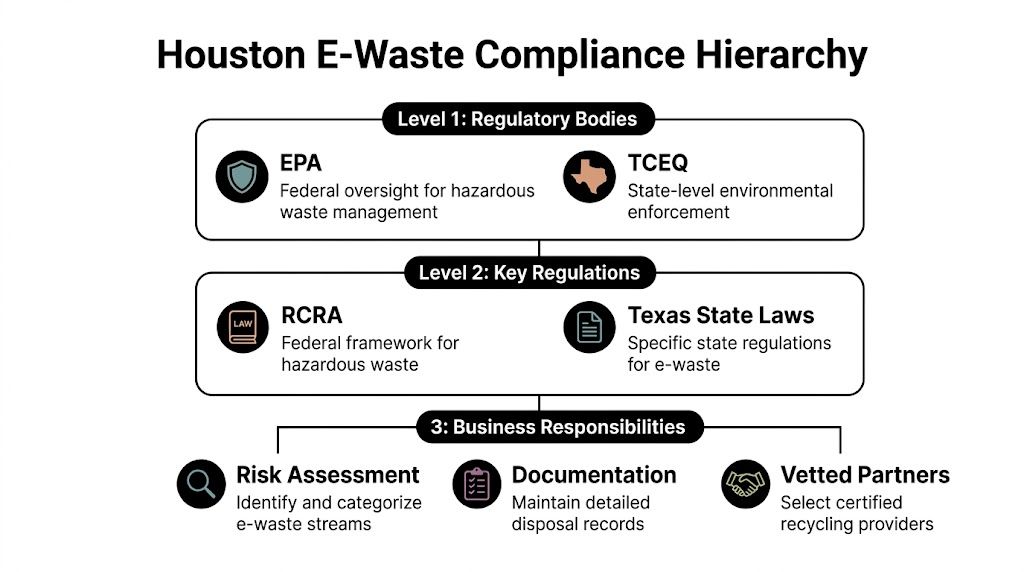
Texas enacted the Computer Equipment Recycling Program in 2007, requiring manufacturers to provide free recycling to consumers. That program, administered by TCEQ, doesn’t cover businesses, but it helped establish Texas as a major processing hub and raised the bar for vendors serving commercial clients, as summarized in the Houston Beautiful e-waste report. For a state-level overview, review this Texas electronics recycling resource.
Federal rules shape the risk profile
Federal requirements usually apply through the data on the device, not the device itself.
A healthcare provider disposing of nurse station PCs, diagnostic workstations, tablets, or retired storage arrays has to think about protected health information. A financial organization has similar concerns around customer data. A research-heavy business may not face HIPAA, but it still has a serious duty to control confidential files, credentials, and internal intellectual property.
That’s why the first compliance question should be: What lived on this equipment?
If the answer includes regulated or sensitive information, then recycling becomes part of a documented data governance process. The recycler isn’t just a downstream vendor. They become part of your control environment.
Texas rules matter differently for B2B organizations
Houston businesses often assume the state’s consumer recycling structure solves their problem. It doesn’t.
The consumer programs are useful context, but B2B organizations need something more rigorous:
- Auditable chain of custody from pickup through processing.
- Documented data destruction aligned with recognized practices such as NIST 800-88.
- Weight and disposition reporting that can support internal review and external audits.
- Clear handling paths for reusable devices, scrap units, batteries, and specialty equipment.
A manufacturer-funded consumer program and a hospital decommissioning project are not the same thing. Neither are a school district laptop refresh and a corporate data center shutdown.
Houston companies get into trouble when they use a residential disposal mindset for enterprise assets.
Certifications are not the law, but they tell you a lot
Industry certifications matter because they show whether a vendor has a defined management system for environmental controls, worker safety, downstream oversight, and data-bearing material handling.
For Houston buyers, certifications should prompt questions, not end them. Ask how the vendor handles intake, how they identify reusable systems, how they track serialized items, and when chain-of-custody responsibility formally transfers. Ask what records you receive at the end.
A capable vendor should be able to explain the process in plain language.
A simple compliance filter for Houston IT teams
Use this quick screen before any project moves forward:
| Compliance layer | What to ask internally | What to confirm with vendor |
|---|---|---|
| Data regulation | Did these assets store regulated or confidential data? | What sanitization or destruction method will be used? |
| Environmental handling | Are there batteries, monitors, peripherals, or mixed loads? | How are non-reusable materials processed and documented? |
| Audit readiness | Will internal audit or procurement ask for proof later? | Can you provide serialized reporting, certificates, and pickup records? |
Where local guidance often falls short
A lot of Houston recycling content is built around household drop-offs. That’s fine for residents. It doesn’t help much when you’re retiring endpoint fleets, imaging lab systems, thin clients, rack equipment, or mixed medical electronics across multiple sites.
The gap is practical compliance advice. Not “bring your items here.” More like: Who signs the pickup manifest? How do you separate data-bearing assets from accessories? What does a destruction certificate need to match against your inventory? How do you preserve an audit trail when equipment moves from clinic to warehouse to processor?
Those are the questions that define compliant B2B computer recycling in Houston Texas.
Ensuring Bulletproof Data Destruction
Data destruction is where good intentions often collapse. A company can hire a legitimate recycler, schedule a clean pickup, and still create exposure if it never validates how data-bearing devices were sanitized.
A retired computer isn’t safe because it’s old. It’s safe when the chosen destruction method matches the media type, the risk level, and the documentation standard your organization can defend later.
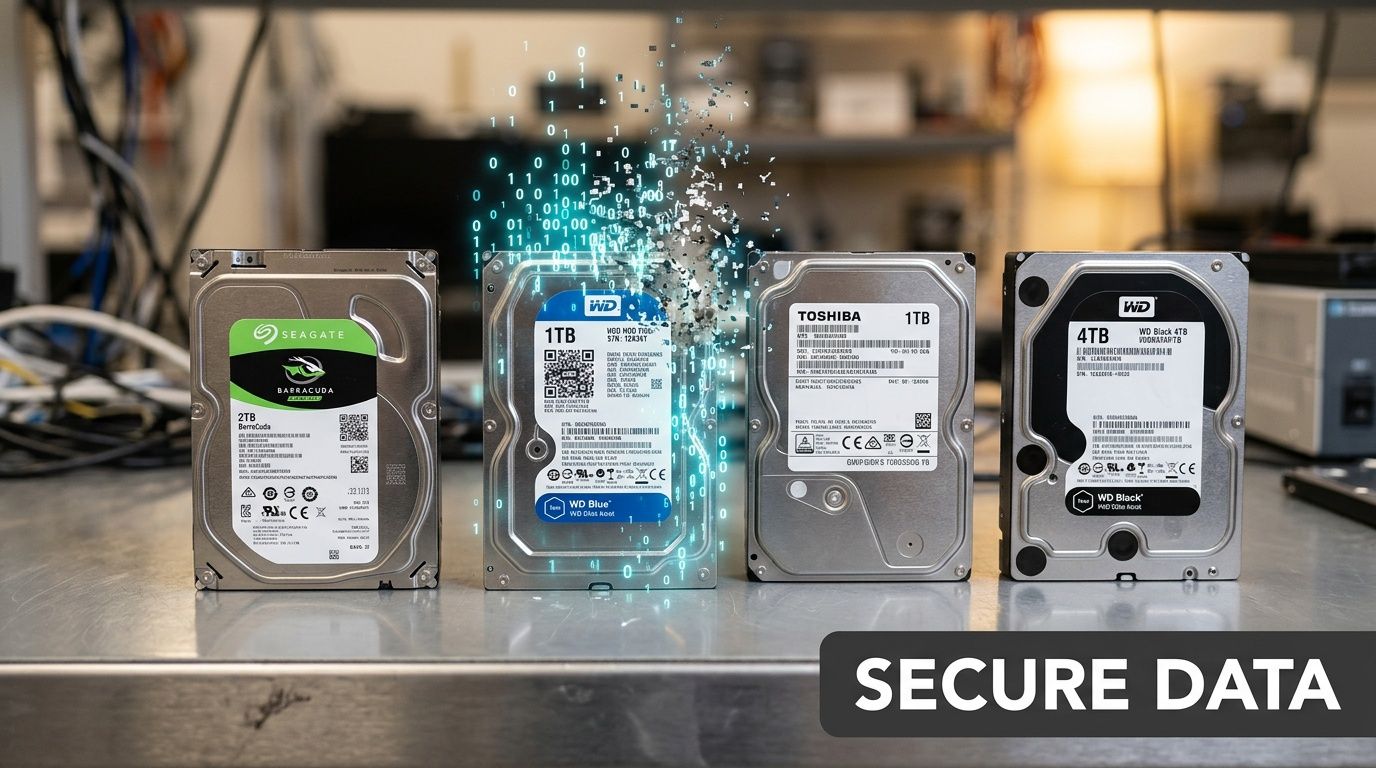
Houston recyclers with advanced processing can use staged shredding and automated sorting. State-of-the-art electronics shredders in the city can process 40,000 pounds of material daily, achieve material recovery exceeding 95%, and reduce drives to particles smaller than a quarter-inch, according to InnovationMap’s report on Houston electronics shredding. If your team needs a baseline on service expectations, review these secure data destruction services.
The three methods most IT directors need to evaluate
Not every asset needs the same treatment.
Software wiping
Software-based sanitization is usually the right fit when equipment has resale or redeployment value and the media supports reliable overwrite or purge procedures. It works best when the process is verified, logged, and tied to the device serial number or asset tag.
The upside is obvious. You preserve value on reusable systems and still maintain a documented process. The downside is that wiping requires discipline. The vendor has to prove the job completed successfully, and exceptions have to be isolated and handled differently.
Software wiping is usually strongest for:
- Reusable laptops and desktops that may be remarketed or donated after sanitization
- Standard drives in working systems where verification data can be captured
- Organizations that want both security and value recovery
Degaussing
Degaussing has a narrower role. It’s relevant for certain magnetic media, but it also changes the future handling path because the media often becomes unusable afterward. That may be fine if reuse doesn’t matter and the policy calls for media destruction.
The challenge is that degaussing alone can create a paperwork gap if the downstream physical disposition isn’t also documented. Security teams may accept the magnetic destruction event, but audit and asset teams still need to know what happened to the physical device.
Physical shredding
Physical destruction is the cleanest answer when the risk tolerance is low, the media is damaged, the device is non-functional, or the data classification is high enough that reuse is not worth the debate.
This is common for failed hard drives, certain solid-state media, and regulated environments that prefer finality over residual asset value. In Houston, where some processors can handle shredding in-house, it’s often the simplest path for high-risk media because it reduces handling complexity.
Field advice: Don’t let a vendor choose the destruction method purely by convenience. Match the method to the media and the compliance requirement.
What a real certificate should include
A vague “we destroyed your data” letter is not enough. Your records should support a future audit without relying on anyone’s memory.
A strong Certificate of Data Destruction usually includes:
- Unique identifiers such as serial numbers, asset tags, or media IDs
- Method used such as sanitization, degaussing, or shredding
- Date of destruction
- Facility or service details showing where the event occurred
- Reference to the governing standard or internal procedure
- Authorized signoff from the provider
If the certificate can’t be reconciled to your internal asset list, it has limited value. That’s where many organizations stumble. They collect a certificate, but not one that maps cleanly to what left the building.
Matching method to asset type
A practical way to decide:
| Asset type | Best-fit approach | Main reason |
|---|---|---|
| Working laptops slated for resale | Verified software wipe | Preserves remarketing value |
| Failed hard drives | Physical shredding | Removes uncertainty from unreadable media |
| Mixed data center storage with unknown history | Policy-driven split between sanitization and destruction | Keeps handling consistent and defensible |
The verification question matters more than the marketing
When vetting a Houston recycler, ask these exact operational questions:
- How do you verify successful sanitization?
- What happens when a drive fails wipe verification?
- Can you provide serial-level reporting for both sanitized and shredded media?
- Is destruction performed in-house or sent downstream?
- When does custody transfer, and how is that documented?
Those answers matter more than broad claims about being secure.
What often goes wrong
The biggest mistakes are predictable. Teams mix wiped and non-wiped equipment on the same pallet. A vendor collects bulk loads before the final inventory is signed. IT assumes facilities removed all drives from printers, copiers, and specialty devices. Certificates arrive weeks later with generic descriptions instead of serialized detail.
Bulletproof data destruction doesn’t come from one tool or one machine. It comes from a controlled sequence: identify the media, select the method, verify the result, and keep documentation that can survive scrutiny.
Selecting Your Houston IT Asset Disposition Partner
Choosing the recycler is the most critical decision in the whole project. If you pick well, the rest of the workflow becomes easier to control. If you pick badly, no internal spreadsheet will save you from weak chain of custody, vague destruction records, or downstream handling you can’t explain.
That’s why I push Houston IT teams to stop shopping for “electronics pickup” and start evaluating for ITAD capability.
Local marketing often highlights household convenience. The underserved issue is B2B documentation. As noted in Goodwill Houston’s discussion of the local market gap, enterprises need providers that can support compliance and audit trails, especially in regulated sectors. If you’re comparing national and regional options, this list of IT asset disposition companies helps frame the market.
The vendor checklist that actually matters
Use this table during procurement, security review, or RFP scoring.
| Vetting Criteria | What to Look For | Why It Matters |
|---|---|---|
| Certifications | Current certifications relevant to electronics recycling and data-bearing asset handling | Shows the vendor operates within a defined management framework |
| Chain of custody | Serialized tracking, pickup records, receiving logs, and reconciliation reporting | Lets you prove what was collected and what happened next |
| Data destruction process | Clear explanation of wiping and shredding workflows, exception handling, and reporting | Prevents generic “data destroyed” claims that don’t stand up in audit |
| In-house vs downstream processing | Transparency about which steps happen internally and which are outsourced | Reduces blind spots in the handling path |
| Insurance and contractual protections | Evidence of appropriate coverage and clear service terms | Helps manage residual business risk |
| Audit access | Willingness to support site visits, documentation review, or process validation | Serious vendors don’t hide the process |
| Regulated equipment experience | Familiarity with healthcare, government, education, or data center projects | Complex environments need more than commodity hauling |
| Reporting quality | Asset-level reports, certificates, and final disposition summaries | Good paperwork closes the project cleanly |
Red flags that should slow the deal down
Some warning signs show up before the first pickup.
- Consumer-first messaging only means the vendor may be optimized for drop-offs, not enterprise controls.
- No clear answer on downstream vendors means you may lose visibility after collection.
- Generic destruction certificates usually signal weak serialization and poor reconciliation.
- Reluctance to discuss process details often points to a thin operational model behind the sales pitch.
- Pickup promises without project scoping can create confusion about packaging, access, labor, and chain-of-custody handoff.
If a provider talks mostly about convenience and very little about documentation, assume you’ll be doing the compliance work yourself.
Questions worth asking in the first call
Don’t waste time on broad questions like “Are you secure?” Ask operational ones.
Try these:
- Walk me through the custody chain from our dock to final processing.
- What document does your driver present at pickup?
- How do you distinguish reusable systems from scrap-only units?
- How do you handle drives found inside equipment that wasn’t flagged as data-bearing?
- Can your final report reconcile against our serial list?
- What do you issue for sanitization versus physical destruction?
- How do you handle mixed projects such as endpoints, servers, networking gear, and accessories?
A vendor that can answer without hesitation is usually running a real process. A vendor that answers in slogans usually isn’t.
Houston-specific fit matters
Houston projects often include a mix of office IT, industrial environments, healthcare equipment, and multi-location pickup logistics. That complexity changes the selection criteria. A recycler that’s fine for a single office move may not be right for a phased hospital refresh or a data center decommissioning effort with chain-of-custody requirements.
The right partner should be comfortable with staged collections, restricted-access areas, documentation handoffs, and exception management. They should also understand that your procurement team, legal group, compliance office, and infrastructure team may all ask different questions about the same load.
The strongest position to take
Treat vendor selection as a risk transfer exercise, not a disposal transaction. You are deciding who gets access to retired assets, embedded data, and your audit trail. Cost matters, and logistics matter, but they sit below control.
That’s especially true for computer recycling Houston Texas projects involving healthcare systems, field offices, educational institutions, or infrastructure-heavy environments. In those settings, the best vendor isn’t the one who shows up fastest. It’s the one who leaves the cleanest documentation behind.
Executing Your Computer Recycling Plan
A strong vendor won’t fix a disorganized internal process. The smooth projects start before pickup is scheduled, with clear ownership inside IT, facilities, compliance, and any business unit contributing equipment.
For Houston organizations, execution tends to break down in three places: inventory accuracy, staging discipline, and document control. Fix those early and the rest of the project usually follows.
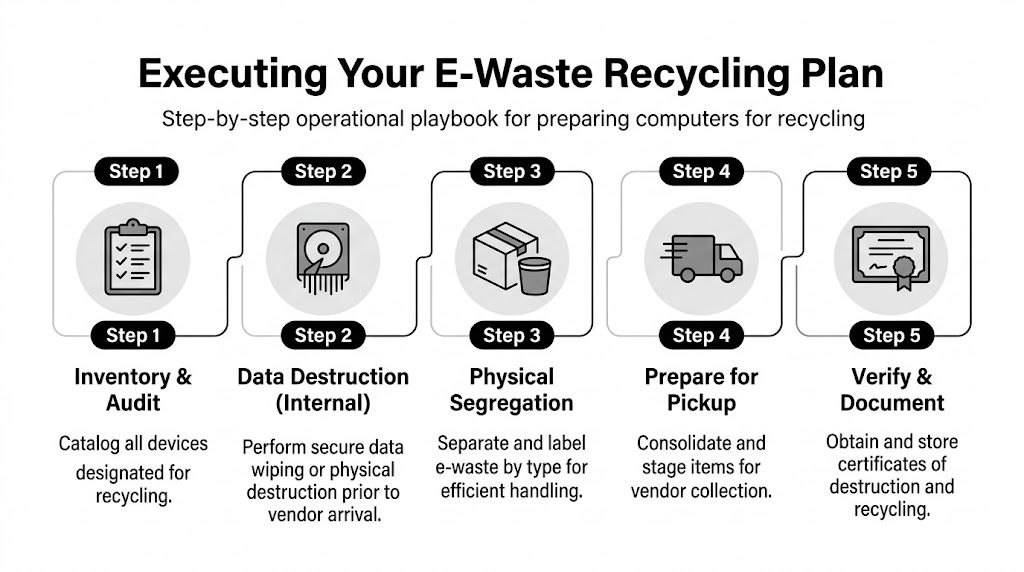
For B2B compliance in Texas, organizations need an auditable chain-of-custody, NIST-compliant data destruction, and reporting on weights collected and reused. Top-tier Houston vendors can achieve over 98% material diversion and provide serialized tracking reports that support TCEQ and industry audit requirements, as outlined by the Texas Commission on Environmental Quality electronics recycling guidance.
Start with a retirement inventory that someone can trust
Don’t begin with pallets. Begin with records.
Your inventory should identify each asset scheduled for retirement and separate what you know from what you still need to verify. In real projects, that means listing desktops, laptops, servers, storage, monitors, network gear, printers, tablets, and loose drives in distinct groups instead of one mixed spreadsheet tab.
At minimum, capture:
- Asset tag or serial number for every data-bearing device
- Device category such as laptop, server, switch, monitor, printer
- Location including building, floor, closet, cage, or room
- Disposition intent such as reuse, remarket, recycle, or destroy
- Data-bearing status so nobody treats a storage device like general scrap
A surprisingly common error is forgetting embedded storage in non-obvious equipment. Printers, copiers, firewalls, multifunction devices, and some specialty systems may hold data even when they don’t look like “computers.”
Segregation is what keeps projects clean
Once the list is built, physically separate equipment by handling path.
Use one area for data-bearing assets awaiting wipe or destruction. Use another for accessories and non-data items. Keep batteries and damaged units isolated according to your safety practices. For larger projects, label gaylords, pallets, or cages by category before the vendor arrives.
That’s not busywork. It prevents cross-mixing that later breaks your paperwork.
A chain of custody isn’t just a form. It starts with how your team groups and labels assets before anyone touches a truck.
What to do before pickup day
The best-run Houston pickups usually follow this internal checklist:
- Confirm project scope with the vendor in writing, including asset types, site contacts, access constraints, and service expectations.
- Reconcile inventory against the staged equipment so you’re not discovering missing devices at the dock.
- Identify exceptions such as broken drives, locked rooms, equipment with missing tags, or items requiring internal approval.
- Assign a site owner from your side who can sign documents, answer questions, and stop the load if something doesn’t match plan.
- Prepare paperwork including internal release forms, inventory extracts, and any building access instructions.
Some organizations also perform internal data wiping before pickup. That can make sense if your policy requires it, but don’t assume internal action eliminates the need for downstream documentation. You still need proof of final disposition.
What pickup day should look like
On collection day, treat the event like a controlled transfer, not a routine shipment.
A disciplined pickup usually includes identity confirmation for the vendor team, a review of scope at arrival, visual confirmation of staged materials, and a signed transfer record that accurately reflects what was loaded. If your list changes, document the change at the time. Don’t rely on an email later.
Practical handoff checks
| Checkpoint | What your team should verify |
|---|---|
| Arrival | Correct vendor, scheduled site, agreed service scope |
| Loading | Assets match staged categories and approved pickup list |
| Transfer document | Quantities or identifiers reflect what actually left |
| Exceptions | Unlisted or questionable items are held back, not guessed into the load |
Documentation to collect after processing
Many IT teams stop paying attention once the truck leaves. That’s too early.
You should expect final records that match the service performed. Depending on project scope, that may include serialized asset reporting, data destruction certificates, recycling certificates, settlement reporting for value recovery, and summary disposition documentation for internal files.
The key is reconciliation. Your internal list, pickup paperwork, and final vendor reports should tell one coherent story. If they don’t, fix the gap immediately while the project is still fresh.
Special handling for healthcare and data center work
Healthcare and lab environments usually need tighter coordination because equipment may involve PHI, embedded media, peripherals attached to regulated workflows, or devices retired from controlled areas. Data center work adds another layer with rack sequencing, drive handling, cabinet access, and possible after-hours logistics.
In both cases, vague scheduling creates mistakes. Build a written runbook. Identify what gets removed, who witnesses it, how media is separated, and what records need to be returned.
A repeatable operating rhythm
The organizations that handle computer recycling Houston Texas projects well don’t reinvent the process every quarter. They standardize it.
That usually means:
- A retirement policy with clear ownership
- A standard inventory template
- A defined chain-of-custody handoff process
- Approved vendor requirements
- A records retention method for certificates and final reports
Once those pieces are in place, office refreshes, branch closures, clinic replacements, and hardware lifecycle events become much easier to execute without surprises.
Maximizing Value and Minimizing Risk in ITAD
The best ITAD programs don’t treat every retired asset the same. Some equipment still has value. Some should be destroyed immediately. Some can support a donation or redeployment path if the data handling is solid and the device condition justifies the effort.
The mistake is making that decision too late.
By the time mixed loads are piled together without labels, you’ve already reduced your options. Working laptops lose remarketing potential when they’re handled like scrap. Reusable monitors get bundled into low-value loads. Data-bearing systems that could have followed a controlled resale path end up in the destruction queue because nobody separated them properly.
How to think about value without weakening controls
A practical rule is simple. Value recovery is optional. Documentation is not.
If an asset still has functional life, a managed reuse or resale path can make sense. If the hardware is obsolete, damaged, incomplete, or tied to a higher-risk data classification, destruction and recycling may be the cleaner choice. Teams evaluating resale pathways often also look at secondary market options like where to sell computer parts, but that decision should always come after security and chain-of-custody requirements are satisfied.
Donation, resale, or destruction
Each path works under different conditions.
- Donation fits when equipment is functional, sanitization is verified, and your organization is comfortable releasing the hardware without future support obligations.
- Resale fits when devices are standardized, in reasonable condition, and your ITAD partner can document testing, data sanitization, and downstream handling.
- Destruction fits when media risk is high, the equipment is unreliable, or the administrative burden of recovery outweighs the value.
None of those paths should happen on instinct. They should be driven by policy.
The safest long-term ITAD program isn’t the one that destroys everything. It’s the one that applies the right disposition path consistently and can prove why.
Build the program, not just the project
A one-time cleanup feels good, but it doesn’t solve the root issue if retired assets start piling up again six months later.
A sustainable program usually has these traits:
| Program element | Why it matters |
|---|---|
| Scheduled refresh planning | Prevents storage rooms from becoming unmanaged graveyards |
| Standard disposition categories | Helps teams decide faster and document decisions consistently |
| Central recordkeeping | Makes audit response faster and less painful |
| Cross-functional ownership | Keeps IT, facilities, security, and procurement aligned |
The reputational side is real
Security and compliance usually drive the conversation, but brand risk sits in the background. Customers, patients, donors, employees, and board members expect old technology to be retired responsibly. If an organization can’t explain how it handles obsolete computers, storage, and regulated electronics, that raises questions far beyond recycling.
That’s why computer recycling Houston Texas should sit inside a broader lifecycle strategy. Procurement standards, deployment standards, refresh timing, secure retirement, and final reporting all connect. Treat them that way and ITAD becomes much easier to manage.
A disciplined disposition program protects more than data. It protects operational credibility. When the next office closure, storage refresh, merger cleanup, or clinic replacement arrives, your team won’t be improvising. You’ll be following a process that already works.
If your organization needs a B2B-focused partner for secure, compliant electronics retirement, Dallas Fortworth Computer Recycling supports businesses, healthcare providers, public-sector teams, and data center operators with documented IT asset disposition, certified data destruction, and nationwide pickup logistics built for auditability.