
Computer Equipment Disposal A Complete Guide for 2026
Retired laptops under desks. Old towers in a storage closet. A pallet of decommissioned servers waiting for “later.” Most IT directors already have a computer equipment disposal problem before they label it as one.
What makes it risky isn't the volume alone. It's the combination of unknown data exposure, weak documentation, and inconsistent downstream handling. An old device can carry all three at once. If your team treats disposal as a cleanup task instead of a control process, you end up managing hidden security, environmental, and financial risk with no audit trail.
The strongest disposal programs don't split those issues into separate checklists. They treat them as one system. A drive that isn't tracked can't be securely destroyed. A device that could have been reused but gets scrapped destroys residual value. A recycler without strong chain of custody turns a sustainability decision into a compliance problem. Good IT asset disposition works because each decision supports the next one.
The Hidden Risks in Your Old Computer Equipment
The warning signs usually look ordinary. A cabinet in the server room holds failed drives from past swap-outs. Office moves leave behind monitors, docking stations, and aging desktops. Someone in infrastructure keeps a shelf of “temporary” retired laptops because no one wants to release them until legal, security, and procurement all agree.
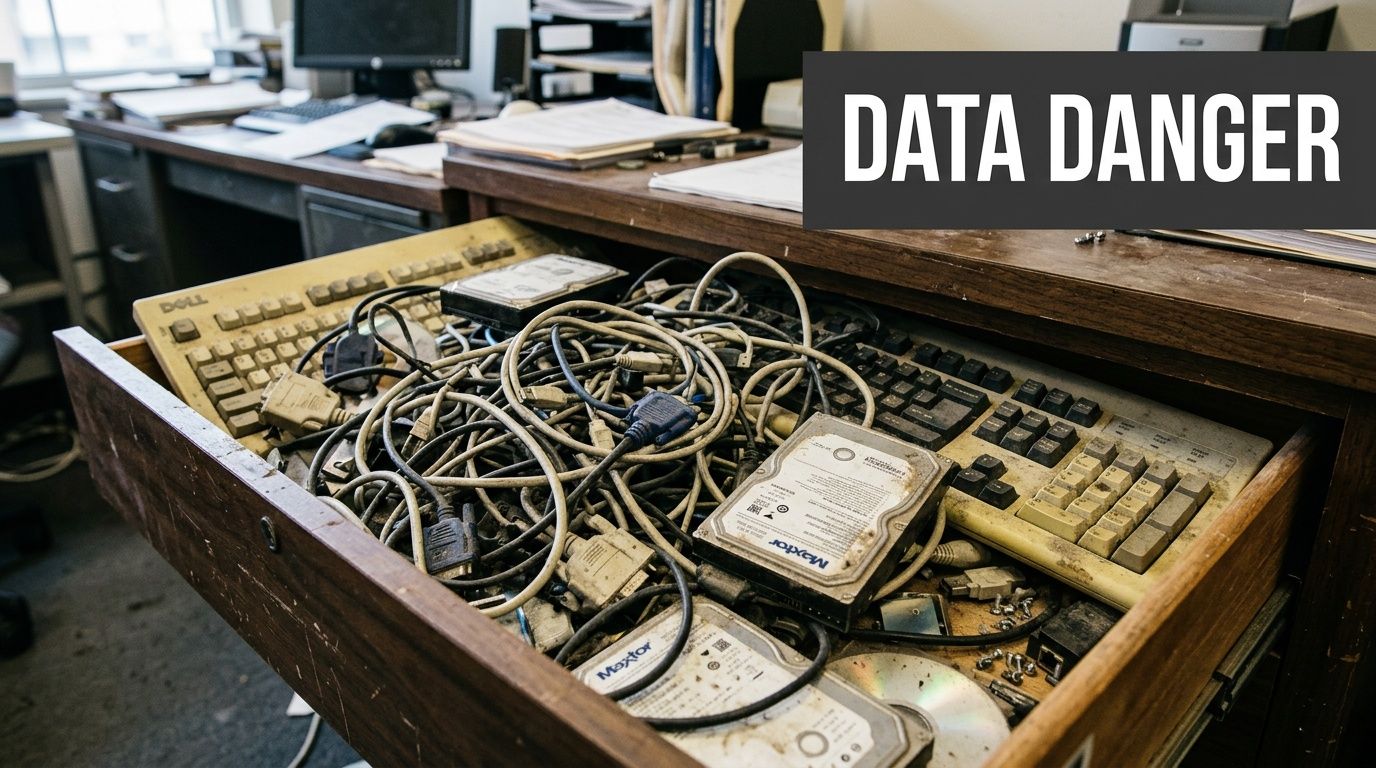
That backlog has a name. Recyclers and IT teams often describe it as the drawers of doom problem. Consumer stockpiles have grown from 20 to 30 items per household in four years, and organizations face a similar, unquantified version with obsolete computers and servers lingering in closets, cages, and staging areas, which increases breach exposure when assets aren't tracked properly, as noted in this discussion of the drawers of doom phenomenon.
Why storage becomes liability
An unused device still sits inside your risk boundary until you've documented what happened to it. If a laptop disappears before wipe confirmation, that's not a recycling issue. It's a data governance issue. If failed SSDs pile up in a cage with no serialized log, the problem isn't clutter. It's loss of chain of custody.
I've seen organizations delay disposition because holding equipment feels safer than releasing it. In practice, hoarding often does the opposite. It creates a growing set of assets no one actively patches, audits, or owns.
Practical rule: If an asset is retired from service but not yet documented for reuse, destruction, or recycling, treat it as an active risk item.
The cost of waiting
Teams often postpone computer equipment disposal for sensible reasons. They want legal signoff, they may be waiting for a refresh to finish, or they don't want to destroy hardware that might still have resale value. Those are real trade-offs.
What doesn't work is leaving those decisions informal. Informal storage leads to mixed inventories, uncertain media status, and no clear separation between reusable equipment and end-of-life scrap. That confusion also drives poor environmental outcomes, especially when assets sit too long and lose reuse potential, which is one reason many organizations pay closer attention to the environmental impact of electronic waste.
A retired computer isn't harmless because it's powered off. It's harmless when its data is irrecoverable, its disposition path is documented, and its final outcome is auditable.
Understanding Your Disposal Obligations
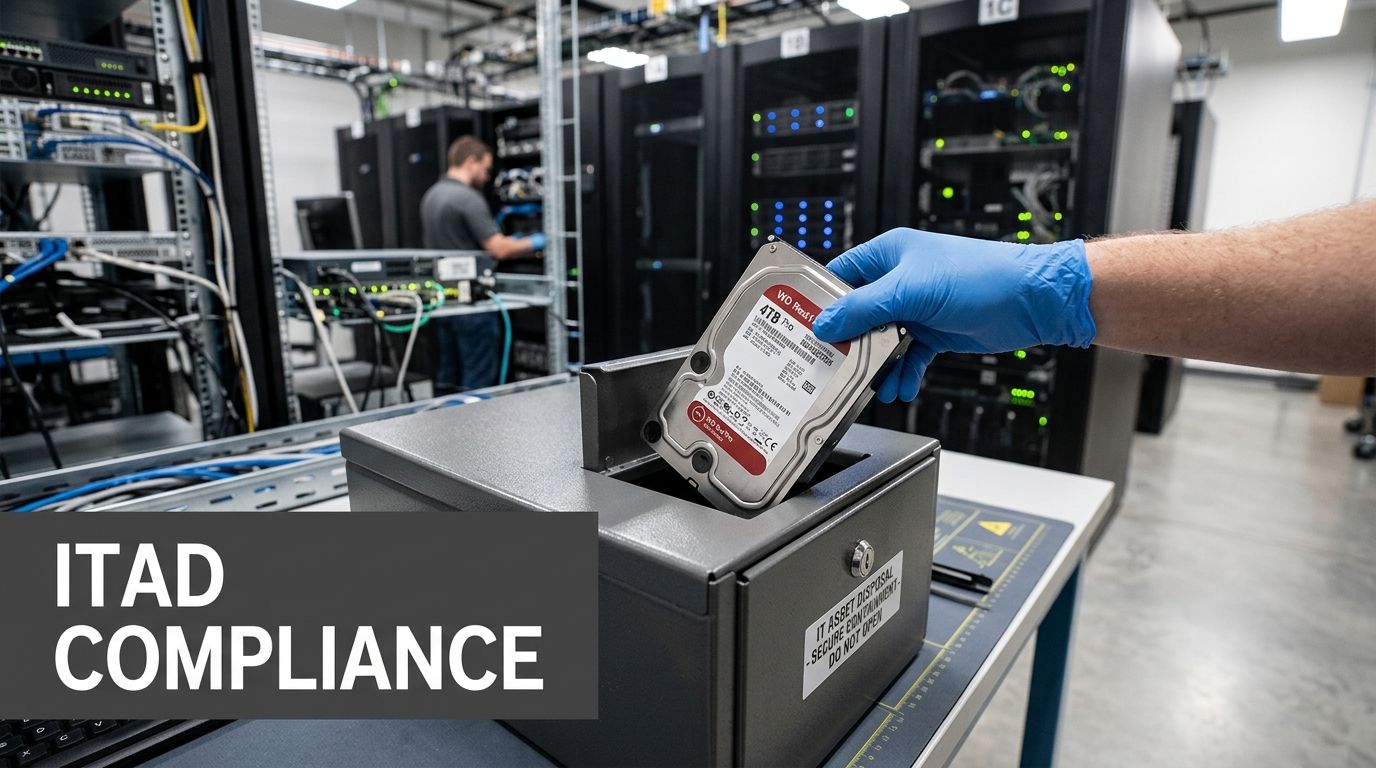
Computer equipment disposal is really IT asset disposition, or ITAD. That's a controlled business process for retiring technology in a way that addresses data security, environmental handling, and regulatory accountability together. Throwing devices into a recycler bin, sending them to surplus storage, or asking facilities to “take care of it” isn't ITAD.
Most organizations need a framework that answers three questions before any device leaves their control. What data risk does it carry? What environmental obligations apply? What evidence will prove the asset was handled correctly?
The environmental side alone is enough to demand structure. The world generated 62 million tonnes of e-waste in 2022, an 82% increase from 2010, and only 22.3% was properly recycled, leaving over 48 million tonnes mismanaged. Producing a single computer requires 240 kg of fossil fuels and 1.5 tonnes of water, which is why disposal decisions belong inside formal governance rather than ad hoc cleanup work, according to these global e-waste figures.
Data security comes first
A retired asset often still holds recoverable data unless your team can prove otherwise. That includes user laptops, virtual host servers, network appliances with embedded storage, and lab or medical systems with less obvious local data.
For IT directors, the operational question isn't whether data destruction matters. It's whether the organization can show:
- Which assets left service: Serial numbers, asset tags, device type, and prior owner or business unit.
- What happened to the media: Wiped for reuse, removed for destruction, or physically destroyed with identifiers recorded.
- Who handled each handoff: Internal team, transport provider, processor, and final disposition point.
If any one of those is missing, your disposal record is weak.
Environmental handling isn't separate from compliance
IT teams sometimes treat sustainability as a secondary benefit. In practice, environmental handling affects legal exposure, procurement standards, and public reporting. Electronics contain materials that can't be managed like ordinary trash, and many states have different rules around e-waste programs and landfill restrictions.
In the U.S., only 25 states have e-waste laws, and recycling rates hover around 15-25%, which leaves a lot of room for inconsistent practices, as summarized in this review of Texas and broader U.S. e-waste realities. That inconsistency is exactly why your internal standard must be stronger than the minimum local habit.
Disposal isn't compliant because a vendor picked it up. It's compliant because your organization can prove what happened from retirement through final processing.
Legal and audit obligations stay with you
Outsourcing doesn't transfer accountability. If your organization handles regulated data, your disposal controls still need to support internal audits, customer security reviews, and legal inquiries.
That usually means aligning disposal records with the same discipline used in other controlled processes:
- Define asset classes by risk, such as standard office endpoints, infrastructure hardware, and specialized regulated equipment.
- Set approved disposition paths for each class, including reuse, resale, recycling, or destruction.
- Require evidence artifacts before closing an asset, such as destruction certificates, serialized pickup logs, and downstream processing confirmation.
- Review exceptions whenever assets are missing identifiers, damaged before logging, or held in temporary storage too long.
The ethical obligation and the governance obligation are the same here. Retire technology in a way that protects people, the business, and the material value still left in the equipment.
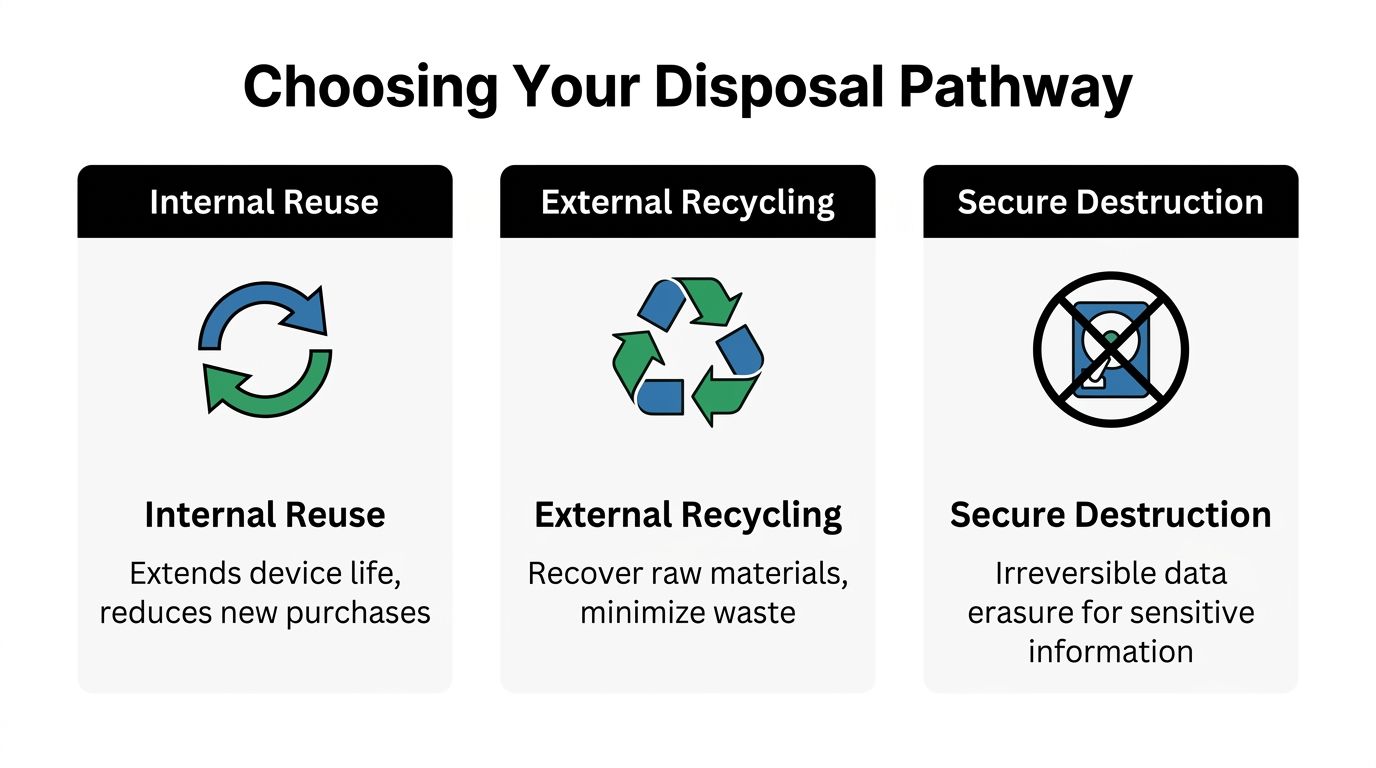
Choosing Your Disposal Pathway Reuse vs Recycling vs Destruction
There isn't one correct outcome for every retired device. A good computer equipment disposal program sorts assets into the right pathway based on condition, data sensitivity, reuse potential, and audit requirements. That's where many programs drift off course. They either destroy too much and erase value, or they try to reuse too much and create avoidable security exposure.
This decision deserves structure because the waste stream is moving in the wrong direction. Electronic waste has grown 2-3 times faster than any other waste stream. In 2019, the U.S. generated 6.92 million tons of e-waste and recycled only 15%, discarding materials worth $7.49 billion. Recycling 1 million laptops saves enough electricity to power over 3,500 U.S. homes for a year, according to these EPA-based e-waste statistics.
Internal reuse
Internal reuse makes sense when hardware still meets workload needs and your team can reissue it under a controlled process. This works well for laptops moving from power users to task workers, or for office endpoints reassigned to less demanding roles.
The upside is straightforward. You extend device life, delay replacement spending, and reduce the volume entering downstream processing. The downside is operational. Reuse only works when the team can confidently sanitize data, verify device health, and re-enroll the asset into support and inventory systems.
Internal reuse works best when you can answer yes to all of these:
- Can the device still serve a real business role? Not a theoretical one.
- Can your team sanitize and validate it reliably? If not, reuse becomes risky.
- Will it return to active inventory with ownership assigned? Otherwise it's just recirculated clutter.
External resale and remarketing
Remarketing is often the right path for functional assets that still hold market value but don't fit your internal fleet standards anymore. This is common after a standardization project, merger, office closure, or data center refresh.
The trade-off is that remarketing raises the documentation bar. If a device is going to be sold, every record around sanitization, serialization, grading, and transfer needs to be clean. Value recovery matters, but it should never outrank proof of data removal.
For teams trying to estimate what may still carry residual value, a practical starting point is reviewing common resale channels for computer parts and retired equipment. That helps distinguish salvageable hardware from material that should go straight to certified processing.
If a device has reuse value and low enough residual risk after verified sanitization, selling it can support both budget discipline and sustainability. If sanitization is uncertain, destroy the media and downgrade the value expectation.
Certified recycling
Certified recycling fits assets that no longer make sense for reuse or sale but still contain recoverable materials. Think broken desktops, outdated peripherals, damaged monitors, failed infrastructure hardware, and mixed office cleanout loads.
This pathway is easy to underestimate. Recycling is not the “simple” option if chain of custody is weak. The right recycler needs to separate commodities properly, handle hazardous components responsibly, and provide enough reporting to prove the equipment didn't just disappear into an opaque downstream stream.
What works:
- Sorting by asset type before pickup
- Separating storage media from non-storage equipment
- Using a vendor that documents downstream handling
What doesn't work:
- Mixing reusable devices with scrap loads
- Sending drives loose in gaylords or bins
- Accepting vague assurances instead of itemized reporting
Secure destruction
Secure destruction is the path for media and devices that carry high sensitivity, failed sanitization attempts, damaged drives, or hardware that isn't worth remarketing. It's also common in regulated environments where reuse is technically possible but not worth the residual risk.
IT directors require discipline. Some organizations destroy whole devices when only the storage media requires destruction. Others try to preserve resale value on assets that should never leave under sanitized-only assumptions. Both are expensive mistakes in different ways.
A useful way to frame the decision is this short comparison:
| Pathway | Best fit | Main upside | Main risk if misused |
|---|---|---|---|
| Internal reuse | Functional devices with manageable risk | Extends service life | Incomplete sanitization before reassignment |
| External resale | Functional assets outside fleet standard | Recovers value | Weak proof of erasure before transfer |
| Certified recycling | End-of-life or low-value equipment | Material recovery | Poor downstream traceability |
| Secure destruction | High-risk or failed media | Maximum data assurance | Unnecessary loss of reusable hardware if overapplied |
Some providers can support multiple pathways under one process. Dallas Fortworth Computer Recycling is one example of a nationwide ITAD partner that handles reuse, recycling, and certified data destruction within the same service model, which can simplify governance when you don't want separate vendors for each outcome.
The strongest programs don't pick one pathway. They build decision rules so the right pathway is chosen every time.
Ensuring Data Is Gone Forever
Data destruction is where many computer equipment disposal programs become either defensible or fragile. Teams often say a device was “wiped” when what they really mean is that the user files were deleted, the operating system was reinstalled, or the drive was reformatted. None of those statements is enough for an audit.
For magnetic hard drives, recognized sanitization methods can work well when the device is functional and intended for reuse. For solid-state media, the answer changes. You need to know the media type before you choose the method.
Why HDDs and SSDs need different treatment
The DoD 5220.22-M standard requires multiple overwrites for hard drives. That approach is used to sanitize magnetic media by replacing existing data patterns. For HDDs, this can support secure clearance when the process is performed correctly. For SSDs, it isn't reliable because wear-leveling means the controller may remap data across flash cells, leaving areas untouched by a conventional overwrite routine. For that reason, physical destruction, including shredding to 2mm particles, is required to guarantee data is unrecoverable on SSDs under the guidance described in this explanation of drive wiping and complete hard drive sanitization.
That distinction matters in real environments because mixed fleets are now common. A laptop refresh may contain both SATA HDD devices from older systems and NVMe SSDs from newer ones. If your process treats them the same, your documentation may look consistent while your results are not.
Data destruction methods compared
| Method | Effective For | Security Level | Verifiability | Allows Reuse? |
|---|---|---|---|---|
| Software overwrite aligned to DoD 5220.22-M | Functional HDDs | Strong for appropriate HDD use cases | Good when logs and serial mapping are retained | Yes |
| Degaussing | Magnetic media | High for compatible magnetic media | Moderate unless paired with asset records and witness controls | No |
| Crushing | Some storage devices slated for destruction | Useful when reuse is not intended, but depends on execution and media type | Moderate if documented and witnessed | No |
| Shredding to 2mm particles | SSDs and media requiring irreversible destruction | Highest when physical destruction is required | Strong when certificates and serialized chain of custody are retained | No |
What certified destruction should look like
A strong destruction process is specific, not generic. The vendor or internal team should record device identifiers before destruction, document the method used, and tie the result back to the asset inventory.
Look for evidence such as:
- Serialized intake records that match asset tags or drive serials
- Method-specific reporting that states whether the media was wiped, degaussed, crushed, or shredded
- Chain-of-custody documentation from collection through final processing
- Certificates tied to assets, not just a general statement that “materials were destroyed”
A certificate without item-level traceability is better than nothing, but it won't answer the hard questions after an incident.
When destruction is non-negotiable
Software erasure has a place. It supports reuse and can preserve value where the media and use case allow it. But there are cases where destruction is the better call even if the device still powers on.
That usually includes:
- SSDs with regulated or highly sensitive data
- Failed drives that can't complete a verified wipe
- Media removed from decommissioned servers where chain of custody was interrupted
- Devices from environments where reuse risk outweighs residual value
The mistake isn't choosing destruction. The mistake is choosing it too late, after drives have sat untracked in a cabinet for months.
How to Build a Compliant ITAD Program
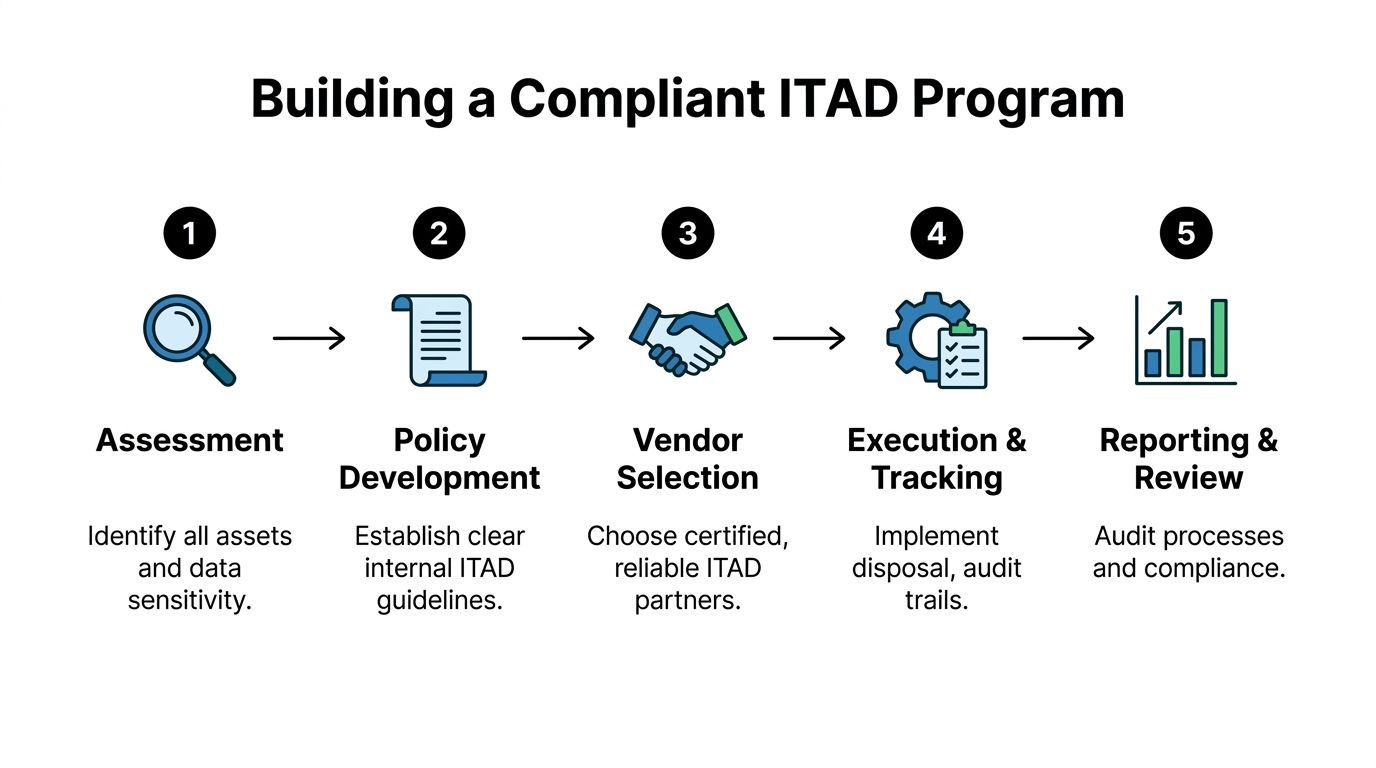
A compliant ITAD program isn't complicated because the steps are mysterious. It's difficult because several teams touch the same asset at different times. Desktop support retires it. Infrastructure removes it. Security cares about the data. Procurement asks about value recovery. Facilities wants it out of the building. Without one operating model, each group solves only part of the problem.
The answer is to make computer equipment disposal a controlled workflow with ownership, evidence, and closure criteria.
Start with asset visibility
Most disposal failures begin before pickup day. They start when the organization can't produce a clean list of what is being retired.
Build your intake around a simple rule. No asset enters the disposition stream without an identifier and a stated disposition intent. That doesn't mean every legacy item will have perfect records. It means your team should classify exceptions instead of letting them disappear into mixed scrap.
A working intake record usually includes:
- Asset identifier such as serial number, asset tag, or both
- Device type and media type so the right handling method is chosen
- Business owner or source location for accountability
- Intended path such as reuse, resale, recycling, or destruction
- Data sensitivity flag for regulated or higher-risk assets
Create an unbroken chain of custody
This part determines whether your process can survive an audit. Chain of custody should begin when equipment is collected from the retiring team, not when the vendor truck leaves the loading dock.
That means documenting every custody transfer. If devices move from a branch office to a central cage, record it. If drives are removed before transport, record it. If a third party takes possession, someone should sign for the inventory and match counts or identifiers.
A useful operating principle is to design disposal controls the same way you design access controls. Limit who can touch assets, log every handoff, and investigate exceptions quickly.
Field note: The moment an asset leaves active service is the moment your disposal controls need to start, not the moment a recycler scans it.
Define closure documents before the first pickup
Many organizations wait until after a project to ask what records they'll receive. That's backwards. Decide in advance what documentation closes an asset.
For most ITAD programs, closure means a package of evidence, not one document:
- Pickup or transfer record showing what left the site
- Processing report showing what happened to each asset or media class
- Certificate of destruction or recycling tied to the recorded inventory
- Exception log for missing serials, damaged labels, or unresolved items
For teams formalizing policy, it helps to anchor the process in a clear internal definition of what IT asset disposition includes operationally. The language in policy should match what your vendor and internal teams can execute.
Build the program around events, not just steady state
Routine laptop turnover is one thing. Data center decommissioning, mergers, relocations, and office closures are another. Those events create compressed timelines and mixed asset conditions, which is when weak programs break.
Prepare for event-driven projects by deciding in advance:
- Who approves destruction vs reuse decisions
- How drives are segregated from non-storage devices
- Where staging will happen and who controls access
- How often inventory reconciliations will occur during the project
The cleanest programs review outcomes after each major event. Not with a generic lessons-learned meeting, but with a short control review. Which assets lacked identifiers? Which records came back late? Which handoffs created ambiguity? Tightening those points over time is what makes the program auditable rather than merely busy.
Choosing a Partner for Computer Equipment Disposal
A disposal vendor shouldn't be evaluated like a junk removal company. You're not buying hauling capacity. You're extending your control environment to a third party.
That changes the buying criteria. Price matters, pickup speed matters, national coverage may matter, but none of those outrank process integrity. If a partner can't show how it preserves chain of custody, validates destruction methods, and documents downstream outcomes, you're taking on blind risk.
What to ask before you sign
The best vendor conversations get concrete quickly. Ask them to walk through what happens from the moment equipment is collected to the moment final reports are issued.
Focus on questions like these:
- How do you track serialized assets through intake and processing?
- What data destruction methods do you use for HDDs versus SSDs?
- Can you support witnessed destruction when needed?
- What documentation do you issue after processing?
- How do you handle specialized or regulated equipment?
- What happens to reusable equipment, scrap commodities, and residual waste?
A credible partner won't answer with marketing language alone. They should describe actual controls, actual handoffs, and actual reporting outputs.
Certifications are useful, but they aren't the whole answer
Industry certifications can help you filter providers, especially around environmental handling and downstream standards. But a certification logo isn't a substitute for operational fit. The key question is whether the provider's process matches your risk profile.
For example, an organization with dispersed offices may need coordinated pickups and uniform reporting across sites. A healthcare system may need tighter handling around embedded data in specialized devices. A data center project may require staged removals, media segregation, and exact reconciliation. The right partner is the one whose process can support your controls without forcing your team to improvise around gaps.
Signs a vendor will create work for your team
Some warning signs show up early:
- Vague answers about SSD destruction
- Generic certificates not tied to identifiable assets
- No explanation of downstream handling
- Overpromising on resale without discussing sanitization controls
- Treating all equipment as one undifferentiated stream
The vendor should reduce ambiguity, not add to it.
The best partnerships feel operationally boring in the right way. Equipment gets scheduled, collected, tracked, processed, reported, and closed. Nothing goes missing. Nothing depends on memory. Nothing is left for your team to reconstruct months later.
Common Questions About Computer Equipment Disposal
Can we donate old computers instead of recycling them
Yes, but only after the same security and documentation controls you'd require for resale. Donation isn't a shortcut around sanitization. If a device still contains recoverable data, the fact that it's going to a nonprofit doesn't reduce your obligation. Donation works best for functional equipment with verified data removal, documented transfer records, and a recipient process that can effectively use the hardware.
What about medical and laboratory computers
These need more care than standard endpoint disposal. For specialized equipment like medical and laboratory computers, IT managers must balance HIPAA or GDPR obligations with e-waste handling rules. Certified ITAD partners are important here because they can validate destruction for embedded bio-data sensors and support zero-landfill outcomes under frameworks such as e-Stewards, which bans the export of hazardous e-waste, as described in this overview of specialized equipment recycling and compliance.
Is it cheaper to store retired equipment until we decide later
Usually, that's a false economy. Delayed decisions create crowded storage, messy inventories, mixed media status, and lower reuse value. They also make final reconciliation harder because the people who knew the assets best may no longer remember what was removed, wiped, or cannibalized. A shorter, rules-based decision cycle is usually safer and easier to audit than indefinite storage.
Should we wipe everything or shred everything
Neither extreme works well. Blanket wiping assumes every asset is reusable and every media type can be sanitized with equal confidence. Blanket shredding destroys value and can be unnecessary for lower-risk reusable equipment. Good programs decide by asset type, media type, condition, and data sensitivity.
What records do we need to keep
Keep enough documentation to prove the asset existed, entered the disposition process, moved through controlled custody, and reached a defined final outcome. In practice, that means inventory records, transfer logs, destruction or recycling records, and exception tracking. If your team ever has to answer an internal audit question, a customer questionnaire, or a legal inquiry, those records are what turn disposal from a claim into evidence.
How do we handle the backlog already sitting in closets and cages
Start with triage, not perfection. Separate obvious peripherals from storage-bearing equipment. Isolate loose drives first. Identify assets that still have tags or serials. Then process the backlog in waves with documented intake so your cleanup effort doesn't create a second undocumented pile. The goal isn't just to remove clutter. It's to bring old assets back under control.
If your team needs a practical disposal program with secure data destruction, documented chain of custody, and nationwide pickup support, Dallas Fortworth Computer Recycling provides B2B IT asset disposition services for organizations retiring computers, laptops, servers, and specialized equipment. Their process is designed for auditable outcomes, responsible reuse and recycling, and straightforward scheduling for office cleanouts, refresh cycles, and data center projects.