
Business: business computer recycling Plano – A Practical IT Leader’s Guide
Before you can even think about a business computer recycling Plano project, you need to know exactly what you’re dealing with. A detailed inventory isn't just a nice-to-have; it's the first and most critical step for getting rid of old IT equipment securely and correctly.
Conducting Your Initial IT Asset Audit
Jumping into a hardware refresh without a plan is a surefire way to create security holes and logistical nightmares. The very first move any Plano business should make is a thorough IT asset audit. This is more than just counting old PCs; it’s about cataloging every single piece of equipment you’re retiring to understand its value, condition, and—most importantly—its data security risk.
Think of it as creating a master list that will guide every decision you make, from getting accurate quotes to ensuring a completely transparent and compliant disposal process. A good audit is your best defense against surprise costs and compliance headaches, helping your ITAD partner plan logistics efficiently, whether you're in Plano, Richardson, or anywhere else in the DFW area.
What to Include in Your IT Asset List
You can create your inventory with a simple spreadsheet or use dedicated IT Asset Management (ITAM) software. Honestly, the tool you use matters less than the information you gather. The goal is to collect enough detail to make smart decisions about each asset.
At a minimum, your audit log needs to include:
- Asset Type: Is it a laptop, desktop, server, monitor, or switch?
- Manufacturer and Model: For example, "Dell Latitude 7420" or "HP ProLiant DL380 Gen10."
- Serial Number: This is the unique ID that's absolutely critical for tracking and chain of custody.
- Asset Tag (if applicable): Your company’s internal tracking number.
- Specifications: Key specs like CPU (e.g., Intel Core i7-1185G7), RAM (e.g., 16GB), and storage (e.g., 512GB SSD).
- Condition: A simple grading system is perfect—A (Excellent), B (Good, minor cosmetic wear), C (Working, heavy wear), or F (Non-functional/for parts).
This level of detail is what separates a basic "get rid of it" job from a strategic, value-driven disposition plan. It’s the data that tells us whether an item can be sold for a return or if it needs to be securely recycled.
Beyond the Basics: Asset Tagging and Evaluation
Once your list is ready, it's time to organize the equipment itself. If your assets aren't already tagged, now’s the time to apply labels with a unique number that matches your spreadsheet. This simple step is crucial for maintaining accountability when our team arrives for pickup.
As you catalog, take a moment to evaluate each item's potential for reuse versus recycling. A three-year-old, high-spec laptop has a completely different end-of-life path than a decade-old server. This is also when you should flag every single device that stores data. Every laptop, desktop, server, and even some networking gear will have a hard drive or SSD that needs to be properly sanitized.
Key Takeaway: Your initial audit isn't just a list—it's a security and financial planning tool. A detailed inventory allows you to negotiate better terms, ensures every data-bearing device is identified for destruction, and maximizes your potential return.
This process can also uncover some hidden value. You'd be surprised how often components like high-end graphics cards, server RAM, and enterprise CPUs hold their value even when the machine itself is obsolete. If your business has a large volume of these parts, you might want to learn more about where to sell computer parts for an extra revenue boost.
Taking the time to build a meticulous audit log is the single most important step for a successful business computer recycling project in Plano. It sets the stage for a secure, compliant, and often profitable outcome.
Securing Your Data: Wiping vs. Destruction
Once you have a complete inventory, the conversation immediately turns to the data still living on those old devices. For any Plano company, getting this part wrong is not an option. A single data breach from an improperly retired hard drive can trigger devastating financial penalties, ruin your reputation, and create a legal nightmare.
Let’s be clear: simply deleting files or reformatting a drive does nothing to protect you. You need a guaranteed, auditable process to make that information permanently unrecoverable. This is what professional data destruction is all about, and it's a non-negotiable requirement for meeting compliance standards like HIPAA, PCI-DSS, and Texas privacy laws.
Software Wiping vs. Physical Destruction
When it comes to destroying data, you have two primary methods: software-based wiping and physical destruction. The right choice hinges on your specific security needs, compliance mandates, and whether your old equipment still has any resale value.
Software Data Wiping: This method uses specialized software to overwrite every sector of a hard drive or SSD with random characters. A thorough, multi-pass wipe that meets the NIST 800-88 standard makes the original data impossible to recover with current technology. This is an excellent option for newer, functional devices you plan to resell, as it preserves the drive's usability.
Physical Destruction: This is exactly what it sounds like. The drive is fed into an industrial shredder that grinds it into small, unrecognizable pieces of metal and plastic. Physical destruction offers the ultimate security, guaranteeing that the data is 100% irretrievable. It’s the go-to method for devices with highly sensitive data or for drives that are old, faulty, or have no resale value.
A common scenario we see involves a healthcare clinic in Plano retiring a batch of laptops. For the newer models with market value, we perform a NIST 800-88 wipe. For the older machines that handled patient health information (PHI), we physically shred the hard drives to ensure absolute HIPAA compliance.
Your IT audit directly informs which path to take. This decision tree shows how a proper inventory kicks off a compliant and secure disposition strategy.
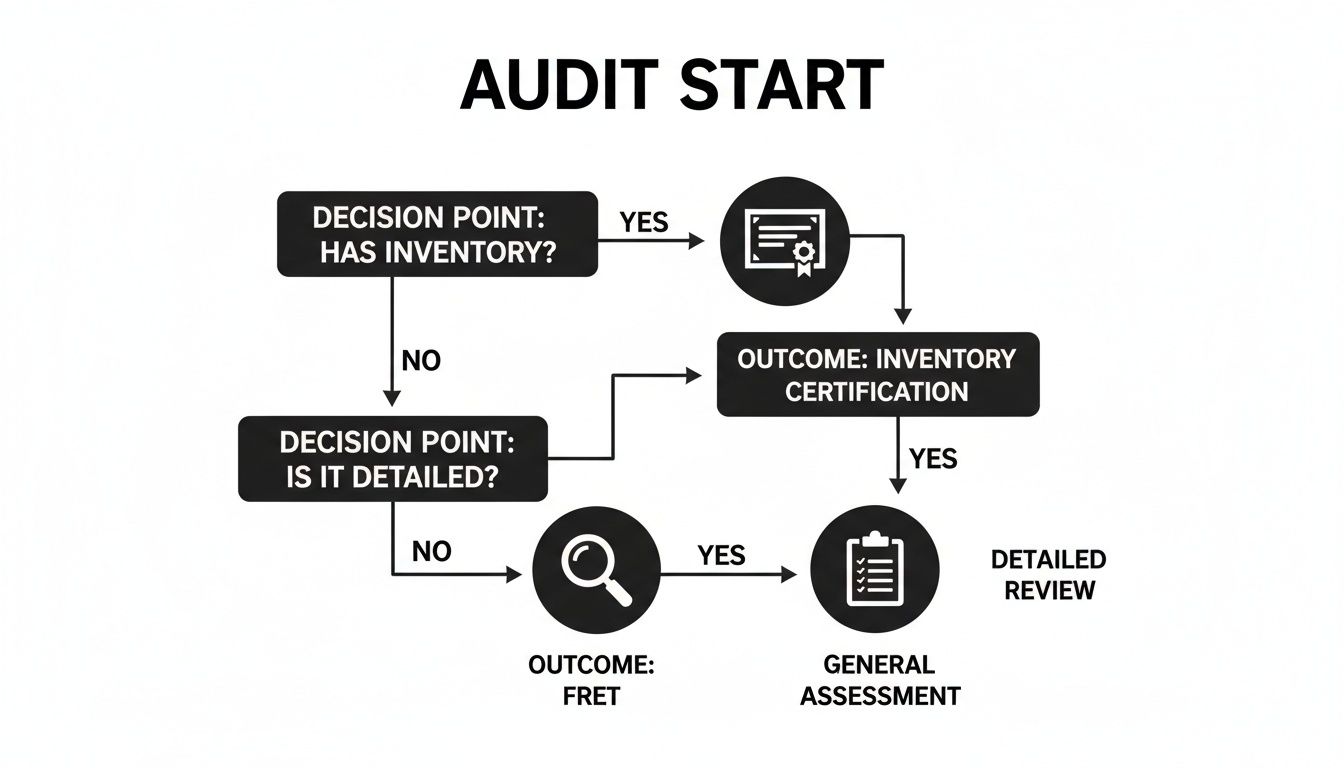
As you can see, a detailed asset list is the foundation for every secure action that follows.
The Certificate of Data Destruction: Your Liability Shield
Regardless of the method you choose, the most important document you will receive is the Certificate of Data Destruction (CoDD). This official document is your legal proof that your data has been destroyed in a compliant, documented manner. It's not just a receipt; it's your primary defense in an audit or legal challenge.
A proper CoDD from a certified ITAD partner will list the unique serial number of every single hard drive or SSD that was destroyed. This creates an unbroken, auditable trail from your initial inventory to the final disposition of each device. For any business in North Texas operating in finance, healthcare, or legal services, this certificate is essential.
Data Destruction Methods Compared
Choosing the right data destruction technique is a key decision. This table breaks down the two main approaches to help you decide.
| Method | Security Level | Best For | Compliance Alignment | Reuse Potential |
|---|---|---|---|---|
| NIST 800-88 Wiping | High | Newer assets with resale value; devices with non-sensitive data. | Meets most general data privacy standards. | Excellent – Preserves the hard drive for reuse. |
| Physical Shredding | Absolute | Obsolete or faulty drives; devices with PII/PHI; end-of-life assets. | Essential for HIPAA, PCI-DSS, and high-security needs. | None – The drive is completely destroyed. |
This choice directly impacts your security posture, compliance standing, and any potential financial return from remarketing your assets. For companies handling sensitive information, a "shred-all" policy for storage media is often the simplest and most secure approach.
You can learn more about our specific processes by exploring our certified data destruction services and how they protect your organization. Making an informed choice here provides peace of mind and ensures your company’s data legacy ends securely.
Why Compliant E-Waste Recycling Matters
Understanding the ‘why’ behind responsible electronics recycling is what separates a forward-thinking Plano business from the rest. This isn’t just about clearing out a storage closet full of old computers; it's a strategic decision with serious financial, legal, and brand implications.
Viewing professional IT Asset Disposition (ITAD) as just another business expense misses the bigger picture. The reality is that compliant e-waste handling is a direct investment in risk mitigation and a core part of modern corporate social responsibility (CSR).
The Scale of the E-Waste Challenge
The global e-waste problem is genuinely staggering, and those massive numbers bring the local challenge right to our doorstep here in North Texas. The sheer volume of discarded electronics is growing at a rate that simply isn't sustainable, creating a tidal wave of hazardous materials and lost resources.
In 2022 alone, the world generated a stunning 62 million tonnes of electronic waste. Projections show that number could climb to more than 181 billion pounds per year by 2030 if current trends hold. For any organization in Plano, those aren't just abstract statistics—they represent the escalating disposal headache every company has to solve.
This rapid accumulation of old tech puts immense pressure on the environment and creates significant, often hidden, liabilities for businesses that fail to act responsibly.
Beyond the Landfill: Environmental and Ethical Imperatives
When you choose a partner for business computer recycling in Plano, you're making a choice with consequences that extend far beyond your office walls. Electronics are full of toxic substances like lead, mercury, and cadmium. If those devices end up in a landfill, these hazardous materials can leach into the soil and groundwater, posing a real threat to our local ecosystems and public health.
- Preventing Contamination: A certified recycling process ensures these toxic components are safely managed and removed, stopping environmental damage before it starts.
- Resource Conservation: Your old equipment is rich in valuable materials, including gold, silver, copper, and aluminum. Recycling recovers these finite resources, reducing the need for destructive new mining operations.
- Supporting the Circular Economy: By turning old products back into raw materials for new ones, responsible recycling helps build a more sustainable, circular economic model.
Key Insight: Responsible ITAD isn't just about disposal; it transforms a potential liability into a positive action. It’s a direct contribution to your company's sustainability goals and a tangible demonstration of your commitment to the community where you operate.
This commitment to protecting the environment isn't just good for the planet—it's also good for business. In today's market, customers and B2B partners alike are actively choosing to work with companies that have strong ethical and environmental track records.
Mitigating Risk and Enhancing Your Brand
The benefits of compliant recycling go far beyond environmental stewardship. For any Plano-based business, it’s a critical risk management strategy. A certified process provides a clear, auditable trail that protects you from potential fines related to data breaches or improper hazardous waste disposal. It’s documented proof that you took every necessary step.
Furthermore, a well-defined CSR program that includes responsible e-waste recycling strengthens your brand's reputation from the inside out. It shows your employees, customers, and investors that you are a truly responsible corporate citizen. By actively addressing the environmental impact of electronic waste, you position your company as a leader committed to sustainable practices—a powerful differentiator in a crowded DFW market.
Choosing the Right ITAD Partner in the DFW Area
Picking a vendor for business computer recycling in Plano is one of the most important decisions you'll make in your IT lifecycle management. This isn't just about getting old equipment hauled away; it's about trusting a partner with your company's data, its legal standing, and its brand reputation. One wrong move can lead to a data breach, steep regulatory fines, or your company's name ending up in the news for all the wrong reasons.
The right IT Asset Disposition (ITAD) partner should feel like an extension of your own team. You need a partner who provides transparent pricing, rock-solid security protocols, and detailed, auditable reporting that lets you sleep at night. For any business in the Dallas-Fort Worth metroplex, thoroughly vetting a potential vendor is an absolute necessity.
Decoding Non-Negotiable Certifications
When you start looking at vendors, a few key certifications will pop up immediately. These aren't just decorative badges for a website—they represent independent, third-party audits confirming a recycler's processes are secure, ethical, and environmentally sound. For any serious business, these are non-negotiable.
R2v3 (Sustainable Electronics Reuse & Recycling): This is the gold standard for the electronics recycling industry. R2v3 certification guarantees a vendor follows strict rules for data security, environmental protection, and worker safety. It also requires a clear chain of custody and full transparency about where your old equipment actually goes.
e-Stewards: Developed by the Basel Action Network, the e-Stewards standard is laser-focused on stopping the export of hazardous e-waste to developing nations. It enforces a strict zero-landfill policy and is widely seen as the toughest environmental standard in the business.
A vendor with one or both of these certifications has invested heavily to prove they do things the right way. A lack of certification is a massive red flag. It often means they cut corners on security or environmental rules, putting your business squarely in the path of risk.
Expert Tip: Never just take a vendor’s word for it. Ask for a copy of their current certification documents. Any legitimate, certified recycler will be happy to provide this proof. This simple check can save you from a world of compliance headaches.
Critical Questions to Ask Potential Vendors
Once you've confirmed certifications, it’s time to get into the nitty-gritty of their process. How they answer these questions will tell you everything you need to know about their ability to protect your company. A professional partner should have clear, confident answers for each one.
What does your chain-of-custody process look like? Have them walk you through every single step, from a secure pickup at your Plano office to final disposition. How are assets tracked? Are their trucks GPS-monitored? Who is handling your equipment?
Can you provide serialized reporting? A simple weight receipt isn't enough. A professional ITAD partner will deliver a detailed report that lists the serial number of every asset they process, complete with a matching Certificate of Data Destruction for every single hard drive and SSD.
How do you handle downstream partners? No single recycler processes every type of material on-site. Ask them about their downstream vendors—the partners who handle the separated plastics, metals, and circuit boards. Certified recyclers are required to audit these partners to make sure they also operate responsibly.
Do you offer on-site services? For extremely sensitive data, you might require hard drives to be physically shredded at your location before they leave the building. A flexible partner will offer on-site shredding to provide that ultimate layer of security and verification.
Finding the right team is about building a partnership, not just making a transaction. By digging into these details, you can select the best among the various IT asset disposition companies serving the DFW area. This ensures your project is handled with the security and professionalism it demands from start to finish.
Planning Your Pickup Logistics
Once you've chosen a certified partner and settled on a data destruction plan, it's time to handle the physical removal of your old IT assets. A smooth pickup all comes down to clear communication and a bit of smart prep work.
That detailed inventory you built isn't just a list—it's the roadmap for the entire pickup. It ensures every single piece of equipment is accounted for and handled securely from the moment it leaves your Plano office. The logistics are about more than just scheduling a truck; a professional ITAD provider will work with your team to find a pickup window that doesn't disrupt your business, whether that means using specific loading dock hours or arranging an after-hours collection.

Preparing Your Equipment for Transport
How you stage your equipment can make a huge difference in the efficiency and security of the pickup. A little organization beforehand makes the handoff faster and less prone to mistakes. Your ITAD partner will give you specific instructions, but here are a few best practices we always recommend.
- Consolidate and Palletize: Group similar items together. We advise stacking desktops and servers neatly on pallets and securing them with shrink wrap. This is the standard for any project with significant volume.
- Box Up Loose Items: Keyboards, mice, cables, and other small peripherals should be boxed. Labeling these boxes—for instance, "Mixed Peripherals"—really helps with the final audit.
- Label Everything: Make sure every pallet, server rack, and major group of assets is clearly labeled. If your vendor gives you pallet tags, use them. This step is crucial for maintaining a tight chain of custody.
We saw this in action with a Plano law firm that retired 150 desktops. By palletizing the towers and boxing up all the keyboards and mice, they helped our team load and secure everything in under an hour, all while we maintained a detailed count against their asset list.
What to Expect on Pickup Day
On the scheduled day, a team of our trained technicians will arrive in a secure, GPS-tracked vehicle. These aren't just movers; they're professionals trained to handle sensitive electronics and uphold a secure chain of custody. Your staff’s main job is simply to provide access to the equipment and verify the pickup against your inventory list.
Before anything is moved, our lead technician will give you a Bill of Lading (BOL). Think of this as the formal contract that transfers custody of the assets from your business to us. It will detail the items being collected. Do not let any equipment leave your facility without signing and receiving a copy of the BOL.
Pro Tip: If your business requires the highest level of security, you might want to consider on-site services. While our standard process involves secure transport to our processing facility, some companies prefer to witness the physical destruction of their hard drives before the equipment ever leaves. You can check out our guide on on-site shredding options to see if it’s the right fit for you.
This kind of logistical coordination is critical, especially given the volume of business technology being retired. In fact, IT and telecom equipment is a fast-growing slice of the electronics recycling market, with a projected 14.55% compound annual growth rate. Grey goods like PCs and servers made up nearly 44% of e-waste in 2025, a trend driven by enterprise refresh cycles. This is exactly why Dallas-Fort Worth businesses need to partner with specialists who can manage large-scale logistics without a hitch. You can read more about this growing market in research from Mordor Intelligence.
A well-planned pickup is what solidifies the security of your entire business computer recycling Plano project, guaranteeing a documented and stress-free handoff.
Common Questions About Business Computer Recycling
When it comes to retiring old IT hardware, businesses in Plano often have a lot of the same questions. We get it. You need to protect your company's data, stay compliant, and do the right thing for the environment. After working with hundreds of local companies, we’ve put together answers to the questions we hear most.
Think of this as your practical guide to managing business computer recycling in Plano the right way—securely and without the guesswork.
What Actually Happens to Our Computers After Pickup?
This is one of the most important questions you can ask. The answer really shows why a certified, professional process matters so much.
Once our team securely picks up the equipment from your Plano office, it’s transported directly to a certified processing facility. The first step is a full audit, where we check every item against your inventory list. This confirms nothing was lost in transit and every asset is accounted for.
From there, any device that could hold data is immediately pulled aside for certified data destruction. Based on your security needs, we'll either perform a software wipe that meets NIST 800-88 standards or physically shred the drives. You’ll receive a serialized Certificate of Data Destruction, which is your proof of compliance.
After data is verifiably destroyed, assets are sorted for their next step:
- Remarketing: Functional equipment that still has market value, like newer laptops or enterprise servers, can be refurbished and resold. This is a great way to get a financial return for your business and contribute to the circular economy.
- De-manufacturing: For older or broken gear, we carefully de-manufacture it, separating it into core components like metals, plastics, and circuit boards.
- Commodity Recycling: These raw materials are then sent to our vetted downstream partners to be properly recycled and used to make new products. This ensures a secure and environmentally sound outcome.
Can We Get Money Back for Our Old IT Equipment?
Absolutely. Recovering value from your retired IT assets is a major benefit of a well-managed ITAD program. The return you can expect really depends on the age, condition, and current market demand for your specific hardware.
Newer-generation servers, enterprise networking gear, and recent business-class laptops often hold significant resale value. A reputable ITAD partner will evaluate your inventory and can offer a revenue-sharing agreement or even a direct buyout for those assets. This can often offset—or in some cases, completely cover—the costs of recycling and data destruction.
Even if your equipment doesn't have resale value, professional recycling helps you avoid the massive potential costs of a data breach or environmental fines. Think of it as a crucial investment in risk mitigation.
What Documentation Is Essential for Compliance?
Solid documentation is everything. It’s your official record of due diligence and the legal shield that protects your business from future liability. Any professional ITAD partner must provide a few key documents to create a complete, auditable chain-of-custody record.
For your Plano business, these are the non-negotiables:
- Bill of Lading: This is issued right at pickup and serves as the official receipt, confirming the transfer of your assets from your facility into our custody.
- Certificate of Data Destruction: This is arguably the most critical document you'll receive. It lists every single serialized hard drive and SSD, confirming its destruction method. This is your auditable proof for regulations like HIPAA or PCI-DSS.
- Certificate of Recycling: The final document, this certificate confirms that all your non-reusable materials were processed in an environmentally compliant way, according to R2v3 or e-Stewards standards.
Together, these documents form an unbroken chain of custody that protects your business. For more local guidance, our article on computer recycling near me offers additional tips for businesses across the DFW area.
How Do We Handle Specialized or Bulk Equipment?
Specialized assets, whether it’s medical lab equipment or a full data center's worth of hardware, demand a partner with specific, proven experience. You can't just hand it over to a generalist.
If you're in healthcare, for example, you need a vendor who understands how to handle devices that may have been used in regulated environments. For a full data center decommissioning, you need a partner with the project management skills and logistical muscle to de-rack, pack, and securely transport thousands of assets.
Always ask a potential vendor for case studies or references from projects similar to yours in scale and type. A qualified partner will have the right tools, trained technicians, and a clear plan to get the job done right.