
Fiber Optic Installation Near Me: A Business Guide (2026)

A director usually starts this project after something has already gone wrong, or come close. A core link is running hot during business hours. A lease event exposes a closet full of undocumented copper. A security review turns up edge hardware that should have been retired years ago. The search for fiber optic installation near me happens at that point, under time pressure, with operations, facilities, procurement, and security all pulling in different directions.
Treat the search as the start of a capital project, not a cabling purchase.
Fiber changes more than transport speed. It affects demarc placement, pathway capacity, rack layout, cutover planning, carrier handoff, firestopping, labeling, warranty terms, and closeout records. It also creates a decision many teams postpone too long: what to do with the copper plant, patching, optics, switches, routers, and telecom hardware being replaced. If that scope stays fuzzy, costs show up later as change orders, delayed turnover, audit gaps, and storage rooms filled with retired equipment nobody owns.
That lifecycle view matters. A good install gives you stable service. A well-run project also defines how the legacy network is disconnected, documented, removed, sanitized where needed, and sent into a controlled disposition process. Teams that plan those steps early usually avoid the messiest handoffs between network deployment and asset retirement.
Set the internal guardrails before you call vendors. Four decisions shape cost, risk, and project duration:
- Name the business driver: Site consolidation, cloud migration, circuit replacement, voice modernization, and data center backhaul do not produce the same design.
- Set cutover risk tolerance: The installer needs to know whether you can accept a short maintenance window, a phased migration, or parallel operation before turnover.
- Define retirement scope: Old copper cabling, patch panels, transceivers, routers, switches, UPS units, and racks should be accounted for before labor and disposal pricing are finalized.
- Require closeout records: As-builts, test results, labeling standards, chain-of-custody for removed equipment, and confirmation of what stayed in place should be specified up front.
I have seen projects meet the turn-up date and still fail operationally because nobody assigned responsibility for the old environment. The new fiber was lit. The abandoned copper remained above the ceiling, unsupported gear stayed in the rack, and the documentation package could not support the next audit or refresh cycle.
That is why many organizations pair installation planning with a broader telecom infrastructure and retirement strategy. The local installer matters. The full asset lifecycle matters more.
Introduction Your Strategic Fiber Upgrade
At 2:00 a.m., the cutover is complete, the new fiber path is lit, and traffic is flowing. By 9:00 a.m., a different problem surfaces. The old copper patching is still in the rack, unsupported edge gear is still drawing power, and nobody can say with confidence what was removed, what stayed, and who signed off on the change. That is how a straightforward network upgrade turns into an operations, audit, and disposal problem.
A director searching for fiber optic installation near me is usually responding to a real business trigger. A lease event exposes weak MDF and IDF conditions. A carrier contract is ending. A data center or cloud initiative demands cleaner backhaul and higher capacity than the current handoff can support. In each case, the installation matters, but the larger decision is how the new network will be commissioned, documented, and tied to retirement of the old one.
Fiber projects succeed or fail on end-state discipline
The strongest fiber projects start with a clear operational target. The question is not only how to get bandwidth from point A to point B. The question is what the finished environment should look like after cutover, who owns it, and which legacy components leave the building.
That changes the way leadership should evaluate the job:
- Resilience: Redundant paths, cleaner uplinks, and better physical plant design reduce outage exposure and simplify failover planning.
- Control: Modern cabling and optics make it easier to standardize edge architecture, segment traffic, and support policy enforcement.
- Asset reduction: A fiber upgrade creates the best opportunity to remove abandoned copper, retire unsupported hardware, and stop carrying equipment that adds power, cooling, and audit risk without business value.
Those are cost and risk decisions, not just cabling decisions.
Local installer selection is only part of the job
Good crews can terminate, test, and label fiber correctly. That does not guarantee a good project outcome. Leadership still has to define where provider responsibility ends, where internal plant responsibility starts, which closets need remediation before work begins, and what happens to displaced switches, patch panels, UPS units, and copper runs after turnover.
I have seen organizations approve a technically sound install and still inherit months of cleanup because decommissioning was treated as someone else's task. Old circuits stayed patched. Retired hardware remained in cabinets. Documentation covered the new links but not the removed assets. The network was upgraded, yet the environment was harder to support.
That is why many teams tie fiber planning to a broader telecom infrastructure and retirement strategy. The installer gets the plant built. The lifecycle plan keeps the project from creating new liabilities.
Urgency should be matched with control
The market is expanding, carrier options are improving, and many organizations no longer want to keep stretching copper-era designs past their useful life. That urgency is justified. It still needs discipline.
A strategic fiber upgrade should leave the site in a better state than it started. That means live service on the new path, complete test and closeout records, a defined chain of custody for removed equipment, and a clean plan for retiring the infrastructure that no longer belongs in production.
Defining Your Fiber Optic Project Scope and Requirements
A fiber project usually goes off course before procurement starts. The failure point is scope. If leadership cannot state what problem the new plant solves, where the installer's responsibility starts and stops, and which legacy components will be retired at turnover, the project will absorb cost later through change orders, cutover delays, and cleanup work that nobody funded.
A usable scope starts with operating reality, not product preference. Review interface utilization, recurring incident patterns, WAN performance, closet conditions, and building constraints. Then test those findings against planned changes such as cloud migration, office reconfiguration, carrier turnover, or a move from distributed server rooms to a consolidated core. The goal is to define the network the business will need for the next phase of operations, while avoiding unnecessary design complexity that adds cost without reducing risk.
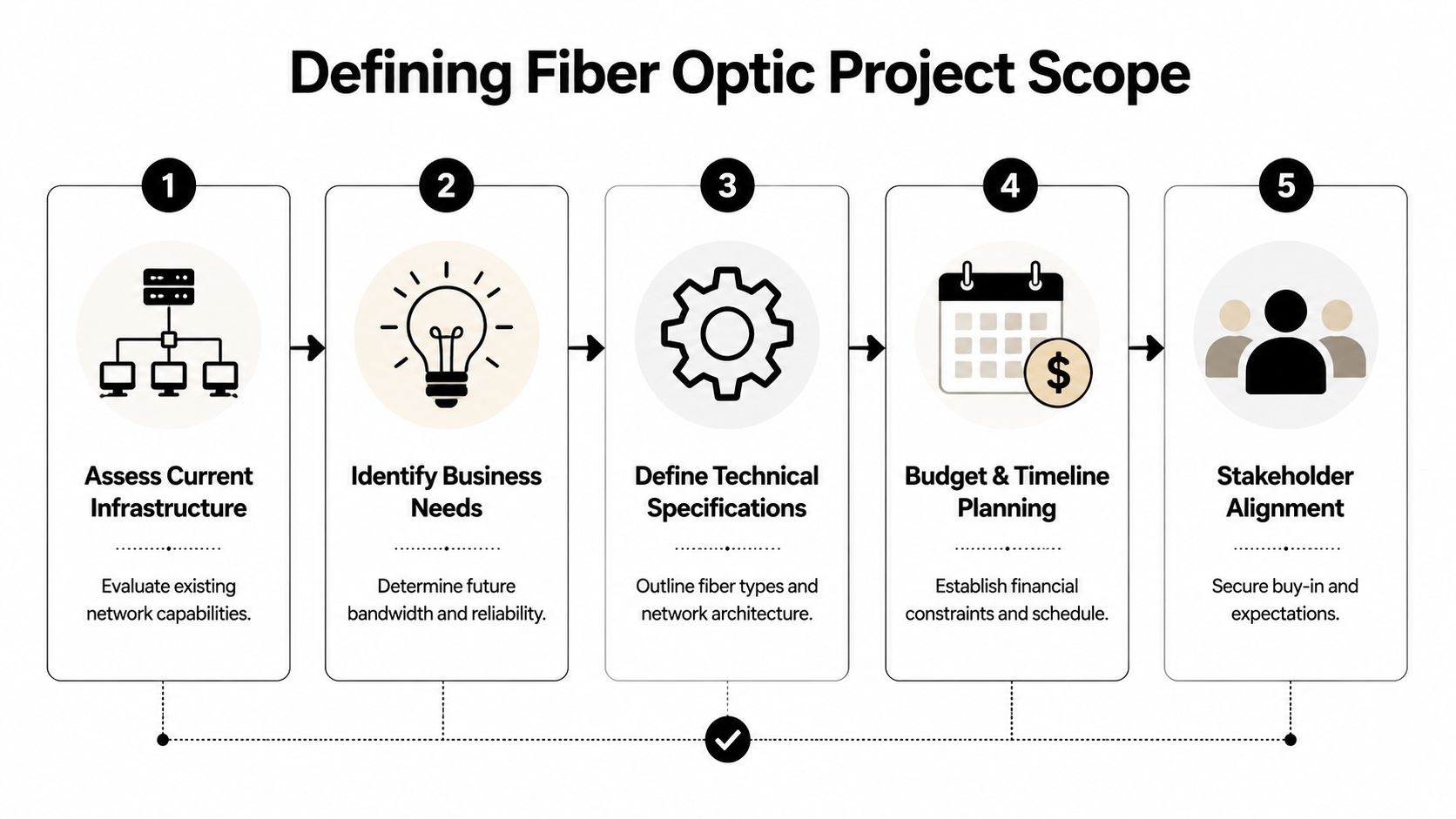
Teams that do this well frame the project in business terms before they ask for installation pricing. That means tying bandwidth, resiliency, recovery objectives, site growth, and retirement of old infrastructure into one document. If you need a model for that planning language, use a broader telecom solutions for businesses framework so technical requirements map directly to continuity, compliance, and total cost of ownership.
What your requirements document should include
Write the scope around decisions a contractor can price, schedule, and deliver without guesswork.
Service objective
Define whether the build supports carrier handoff, dark fiber, inter-building transport, MDF to IDF backbone links, data center backhaul, or a full structured cabling refresh.Start and end points
State the exact physical boundaries of the work. Entrance facility, demarc extension, riser pathway, MDF termination, IDF patching, rack cleanup, and active gear installation are separate tasks and should be named as such.Physical pathway conditions
Document conduit availability, riser access, ceiling restrictions, core drilling limits, outdoor routing issues, asbestos controls, and any landlord or campus rules that affect labor and schedule.Operational constraints
Define outage windows, blackout dates, escort requirements, change approval procedures, and rollback expectations before the first quote is requested.Testing and documentation requirements
Specify labeling standards, as-built drawings, strand schedules, OTDR expectations, power meter results, and who accepts final turnover.Legacy retirement assumptions
Identify what happens to the copper plant, old transceivers, patch panels, switches, UPS units, and abandoned circuits that the new build displaces. If removal and disposition are out of scope, say that clearly. If they are included, define chain of custody and site cleanup requirements now, not after cutover.
Translate business needs into engineering choices
The right fiber type depends on distance, environment, growth plans, and optics strategy. A short backbone inside one facility may justify a different design than a campus run, a multi-building link, or a carrier extension. Directors do not need to pick the strand count or connector type themselves, but they do need to define the operating requirement behind those choices. Otherwise, the installer is forced to fill in business assumptions, and those assumptions often surface later as change orders.
Route planning deserves the same discipline. Estimating footage is not enough. The scope should identify known pathway congestion, limited rack space, closet remediation needs, and any requirement for diverse routing. It should also state whether the project ends at lighting the new links or includes removal of superseded copper and telecom hardware. That distinction affects labor, outage planning, documentation, and disposal obligations.
A practical internal checklist
- Current-state topology: Closets, demarc points, risers, conduits, patch fields, and dependencies on active gear
- Application impact: Systems that cannot tolerate interruption or latency during cutover
- Growth horizon: Expected site expansion, staff increases, new workloads, and future carrier changes
- Resiliency requirements: Diverse entrances, alternate pathways, or spare strands for recovery options
- Closeout standard: Required test records, labeling format, and asset retirement documentation
- Disposition plan: Ownership of removed copper, electronics, batteries, and any equipment subject to data destruction or environmental handling rules
If the scope cannot answer where the cable terminates, who approves the test package, and what happens to the retired infrastructure, it is not ready for bid.
Scope discipline lowers total cost of ownership
The lowest installation price often excludes the work that creates a supportable environment after turnover. I have seen organizations fund the fiber build but leave old copper patched in place, retired switches mounted in racks, and no documented path for disposal. The result is a cleaner network diagram on paper and a mess in the closets.
A good scope prevents that outcome. It gives installers a clear target, gives procurement comparable bids, and gives operations a defined end state that includes both the new fiber plant and the controlled retirement of the infrastructure it replaces. That is how a network upgrade becomes an asset lifecycle decision rather than a one-time construction task.
Building Your RFP and Vetting Local Installation Partners
A weak RFP produces polished confusion. Every vendor says yes, every bid looks different, and nobody can tell whether the cheapest option is efficient or just incomplete.
The better approach is to write an RFP that exposes differences in method, not just price. That means asking vendors to show how they'll manage safety, route planning, communication, testing, documentation, and exceptions. When a team searches fiber optic installation near me, local presence can help with response time and site familiarity, but local availability doesn't prove project discipline.
What a strong bid package forces vendors to reveal
In one enterprise rollout, the client asked three installers for pricing on a simple demarc-to-MDF extension. The low bidder looked attractive until the review meeting. They had excluded after-hours access, left patch panel labeling vague, treated OTDR reporting as optional, and expected the client to coordinate all utility markings and landlord permissions. Their number wasn't low because they were efficient. It was low because key work had been pushed back onto the customer.
That's why your RFP should force detail on assumptions.
| Category | Essential Item / Question | Why It Matters |
|---|---|---|
| Scope | What exact start and end points are included in the price? | Prevents disputes over demarc, risers, closets, and rack work |
| Site access | Who coordinates landlord, facilities, escort, and after-hours access? | Reduces delays and finger-pointing |
| Safety | What safety protocols govern trenching, aerial work, and occupied spaces? | Physical mistakes create outages and liability |
| Certifications | Which technicians are certified, and who supervises field work? | Validates competency and accountability |
| Testing | What post-install tests will be delivered, in what format? | Ensures verifiable performance and acceptance |
| Documentation | Will you provide as-built diagrams and labeling schedules? | Supports operations after cutover |
| Change control | How are route changes and unforeseen conditions approved? | Prevents surprise cost and schedule drift |
| Insurance | What coverage, bonding, and claims history can you provide? | Protects the client if damage occurs |
| Project management | Who is the single point of contact and escalation lead? | Keeps communication usable during live work |
| Legacy gear | Is removal of replaced hardware or cabling included or excluded? | Avoids abandoned infrastructure after go-live |
Safety and handling aren't side issues
The field risk is real. Physical damage from construction accidents or improper handling accounts for up to 70% of fiber outages in major markets, and repair incidents can cost over $10,000, according to the verified summary from Coastal Fiber's installation best practices. That's why vendor vetting can't stop at “Do you install fiber?”
Ask how crews protect existing plant during trenching, interior drilling, and pathway access. Ask what happens if they discover congestion in a riser or conflict with another trade. Ask who owns utility coordination. Ask whether the company uses breakaway swivels, proper pulling hardware, and documented tension controls. Competent vendors answer these questions plainly. Weak ones fall back on generalities.
Vet the company, not just the quote
A vendor list from a local telecom company directory can help you identify nearby providers, but the actual work starts after that.
Use reference calls to verify behavior under pressure. Don't ask, “Were you happy?” Ask narrower questions:
- Schedule pressure: What happened when access was delayed or permits slipped?
- Documentation quality: Did the as-builts and test results arrive on time and match the site?
- Change management: How did the installer handle unforeseen conditions?
- Field conduct: Did the crew work cleanly in occupied areas?
- Closeout discipline: Were punch-list items resolved promptly?
The best references usually mention problems. What matters is whether the installer solved them without losing control of the project.
Review hidden contract risk
The SLA and statement of work deserve the same scrutiny as the engineering drawings. Look for vague language around acceptance, exclusions, restoration of disturbed areas, material substitutions, and delay responsibility. If “testing” appears without defining deliverables, tighten it. If site restoration is silent, address it. If the quote assumes customer-furnished pathways or permits, make sure your organization agrees.
Signs a partner is worth shortlisting
A strong installer usually does three things before you award work. They ask precise questions about pathway ownership. They identify risks in your scope without trying to inflate it. And they treat documentation as part of the installation, not an administrative afterthought.
That's the partner you want when the work affects production operations, building access, and future auditability.
Navigating Site Prep Permitting and Project Coordination
A fiber cutover can be approved, funded, and technically sound, then still miss its date because the riser room is locked, the landlord rejects a wall penetration, or the old copper gear is still sitting in the rack space the new handoff needs. That is usually how delays start. Not with optics, but with site control.

For organizations managing Texas locations or a mix of metro sites, a regional provider with experience in telecommunications services in Dallas helps address key coordination points. Municipal reviewers, landlords, utility owners, facilities teams, and security contacts all affect the schedule.
Keep control of the site, not just the budget
Once the purchase order is issued, the client still owns access, approvals, and business risk. If that oversight disappears, field crews start making route decisions in real time. Some changes are reasonable. Some create longer runs, tighter entries into cabinets, blocked service loops, or future maintenance problems that cost far more than they saved in labor that day.
Route software and preconstruction planning help. As noted earlier, better planning can reduce deployment waste. It does not correct a bad field decision after cable is already in the pathway.
What to confirm before the first crew arrives
Run a readiness meeting on site. Include IT, facilities, the installer, and any landlord or property contact who can approve building access or pathway changes. Walking the route in person usually exposes issues that never show up in an email thread.
Verify these items before mobilization:
- Pathways exist and are clear: Confirm sleeves, conduits, risers, trays, innerduct, and penetration points physically, not from old prints alone.
- Telecom rooms are ready: Check rack capacity, power, grounding, cooling, patch panel layout, and labeling standards.
- Access rules are documented: After-hours entry, escort requirements, roof access, loading dock use, elevator reservations, and badging should be settled in writing.
- Dependencies have owners: Utility locates, inspections, firestop approvals, and other trades need named contacts and dates.
- Legacy equipment has a removal plan: Old copper panels, abandoned patching, and retired hardware should not be left in the way of the new build.
That last point gets missed often. A fiber project is cleaner, faster, and safer when the team decides early what stays in production, what gets disconnected, and what will be removed and disposed of after cutover.
Permits and third-party approvals set the real schedule
Exterior routing, trenching, and aerial work introduce delays that the installer cannot clear alone. Interior jobs have the same problem in a different form. Landlord approvals, structural restrictions, fire-rated penetrations, and inspection windows can all hold up progress even when materials and labor are ready.
Require a visible dependency log with dates, owners, permit status, and blockers. Review it every week. If a permit is pending or a building approval is still under review, leadership should know before the crew shows up with cable and no approved route.
A project plan based only on labor hours is not a real plan.
Field handling during prep affects long-term performance
Damage during installation often shows up later as intermittent loss, unstable links, or unexplained attenuation after a move, add, or cabinet cleanup. That is why site prep and routing deserve the same scrutiny as testing.
Focus on three areas:
Pull method and tension control
Difficult routes need the right pull points, lubrication where appropriate, and a method that respects the cable's tensile limits. Forcing a pull to stay on schedule is expensive rework disguised as progress.Bend management at every transition
Trouble usually appears at riser entries, tray drops, cabinet turn-ins, and enclosure exits. A route can look fine across 300 feet and still fail in the last 3 feet.Termination environment
Enclosures, slack storage, splice protection, and panel layout affect future maintenance. Clean terminations shorten troubleshooting time years after the original install team is gone.
Site prep should account for decommissioning too
Directors often budget the new fiber path and leave the legacy environment for later. That approach increases risk. Copper backbones, retired switches, obsolete PBX gear, and abandoned patch fields create confusion during cutover and complicate audits, security reviews, and future moves.
Build the decommissioning sequence into project coordination from the start. Identify what must remain live during transition, what can be disconnected after acceptance, and which assets require secure disposition. That improves rack planning now and lowers total cost of ownership later.
Well-run site prep gives the installation team fewer excuses, gives your stakeholders clearer accountability, and leaves you with a network that is easier to operate, document, and eventually retire.
Managing Installation Day and Verifying Project Completion
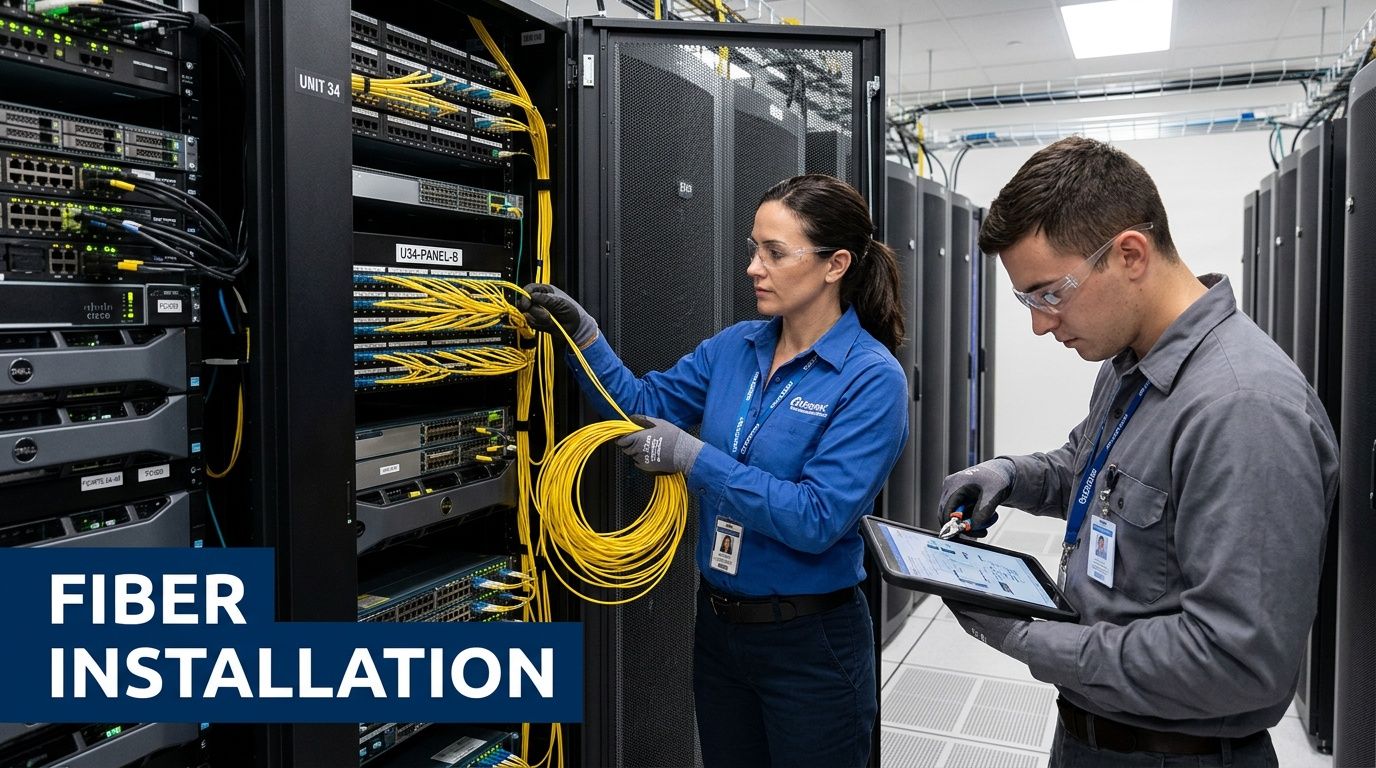
A bad installation day usually does not look dramatic. The crew finishes, link lights come up, everyone wants to call the job done, and the problems surface later during troubleshooting, an audit, or the first failover event. That is why directors need a controlled acceptance process, not a verbal “we're finished.”
What to control during the live work window
Installation day is an execution test. The questions are practical. Is the crew staying on the approved route? Are changes being approved before cable is dressed in and closed up? Are MDF and IDF spaces being kept serviceable, or is the team creating a cleanup problem for your operations staff?
Watch the handoffs closely. Many avoidable issues happen when one crew finishes a pull, another terminates, and nobody owns final cabinet condition, labeling consistency, or patching discipline. A clean pathway means little if the rack face is disorganized and the documentation does not match what was installed.
Safety and business continuity matter too. Occupied areas should stay protected, access rules should be followed, and any work near active production gear should be staged to reduce the chance of an outage. If a route deviation is necessary, document it that day. Verbal explanations disappear fast after the contractor leaves.
Verify performance, records, and operational readiness
A green link light only proves that some level of connectivity exists. Acceptance should confirm that the installed fiber plant meets the design intent, that records are complete, and that your team can support the environment after the installers are gone.
For most enterprise projects, ask for the full test package. That typically includes OTDR traces, insertion loss results, splice records where applicable, final labeling, and as-built drawings that reflect the actual route and termination points. Your team does not need to run the tester, but someone responsible for infrastructure should review the results and compare them to the agreed standards in the scope of work.
Use a sign-off checklist that covers:
- Test documentation received: OTDR traces, loss results, and splice documentation if splicing was part of the build
- As-built documents delivered: Final pathways, cabinet locations, panel assignments, and termination details
- Physical labels verified: Patch panels, enclosures, strands, and ports match the documentation
- Punch-list items assigned: Open corrections have owners, due dates, and a retention amount if your contract allows it
- Service validation completed: Applications, voice, WAN, or uplink services perform as expected under normal operations
Do not approve final completion while operating records are still missing.
Close the project with the old environment in view
Project completion should also capture what changed in the legacy network. If the new fiber replaced copper uplinks, retired a switch stack, bypassed media converters, or made a telecom cabinet obsolete, record that status before the closeout meeting. Otherwise, old equipment stays in place, draws confusion during incidents, and creates security and audit exposure later.
I advise clients to treat this as lifecycle control, not cleanup. At acceptance, identify which legacy assets remain temporarily in service, which are disconnected and awaiting approval for removal, and which need secure disposition because they store configurations, logs, or customer data. That step protects chain of custody and keeps the upgrade from ending with unmanaged hardware scattered across closets and racks.
If your closeout package includes a documented path for data center IT asset disposition and decommissioning, you finish with more than a working fiber link. You finish with a network that is testable, supportable, and easier to retire correctly when its next refresh cycle arrives.
Integrating Installation with IT Asset Disposition and Decommissioning
The least discussed part of a fiber upgrade is often the part that creates the longest tail of risk. Once the new link is live, the old environment is easy to ignore. Copper stays in trays. Retired switches remain powered off in a rack. Media converters, patch panels, edge routers, and telecom gear get pushed to a corner “for now.”
That's not harmless. It's unmanaged infrastructure.
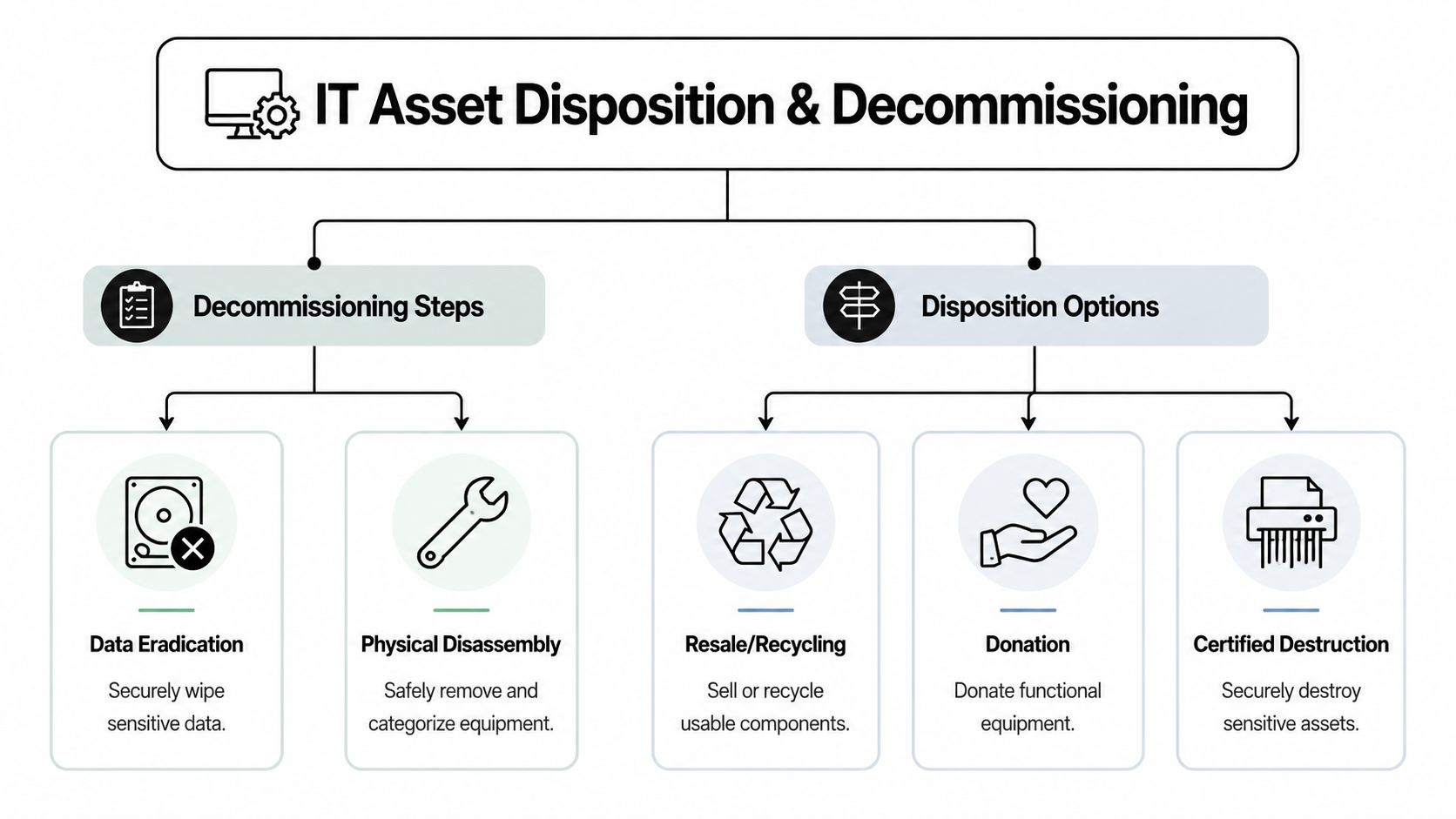
The bigger issue is that public guidance is thin. There's a significant gap in guidance for decommissioning legacy fiber or copper infrastructure, which creates problems for IT directors who need secure data destruction, compliant equipment removal, and responsible logistics for obsolete telecom hardware, as noted in the verified summary based on All Points Broadband's fiber construction content.
Build a retirement plan before cutover
The right time to plan decommissioning is during installation design, not months later. Your project plan should identify what gets retired, who approves removal, what data-bearing equipment requires sanitization, and how chain of custody will be documented.
That applies to more than obviously sensitive devices. A “network project” can leave behind firewalls, routers, WAN appliances, wireless controllers, smart PDUs, servers used for legacy services, and optical gear with stored configuration data. If those devices are replaced, they belong in the same governance conversation as the new fiber path.
Separate cable removal from asset disposition
These are related, but they aren't the same task.
- Cable and passive plant removal deals with patch panels, legacy copper runs, splice enclosures, rack cleanup, and pathway housekeeping.
- IT asset disposition addresses active equipment, storage components, chain of custody, data eradication, and environmental processing.
Some projects need both. Some only need one immediately. What matters is that the organization makes a conscious choice rather than leaving the old environment in limbo.
A practical decommissioning workflow
Inventory what the upgrade replaced
Tie each retired component to the project record so there's no dispute about ownership or status.Classify by risk
Data-bearing hardware, regulated systems, and business-sensitive equipment should move through stricter controls than passive materials.Define disposition path
Reuse, resale, recycling, donation, or certified destruction each require different handling and paperwork.Document removal and custody
The records should show when equipment left service, who handled it, and where it went.Plan for future end-of-life now
The new fiber environment will also age out. Labeling, as-builts, and standardized closeout records make eventual retirement far easier.
Good installation teams think about service activation. Good IT leaders think about service activation and retirement at the same time.
Why this matters to total cost of ownership
Abandoned infrastructure increases support confusion, complicates audits, and leaves cleanup costs for a future project team. Planned decommissioning does the opposite. It keeps closets clean, removes uncertainty around asset ownership, and reduces the chance that sensitive equipment disappears into informal storage.
For organizations handling larger site transitions, a formal data center ITAD process often provides the structure missing from network-only project plans. That's especially relevant when a fiber upgrade is tied to a broader refresh, consolidation, or facility exit.
Fiber installation is the visible part of the upgrade. Controlled retirement of the old environment is what makes the upgrade complete.
Conclusion Your Network Upgrade Is a Strategic Investment
Searching for fiber optic installation near me feels like a local procurement task. In reality, it's a high-impact infrastructure decision with consequences that reach well beyond the install date.
The strongest projects start with scope discipline. They define the business need, the facility boundary, the technical requirements, and the documentation standard before the first vendor walk-through. They vet installers for field competence, safety practice, and contract clarity rather than chasing the lowest bid. They keep active oversight during site prep and field execution, especially where access, permits, route changes, and handling quality can alter the outcome.
They also finish the job properly.
That means reviewing test results, collecting as-builts, validating labels, and closing punch-list items. It also means treating retired copper, displaced network hardware, and old telecom equipment as part of the same lifecycle. Installation without decommissioning leaves risk behind. Installation with controlled retirement creates a cleaner, more supportable environment.
That's the essential decision in front of an IT leader. You're not just buying a connection. You're setting the standard for how your organization designs, deploys, documents, and retires critical infrastructure.
A well-managed fiber project improves connectivity. A fully governed one improves operations for years after the cutover.
If your organization needs a partner for the retirement side of that lifecycle, Dallas Fortworth Computer Recycling supports secure, compliant IT asset disposition, data destruction, and data center decommissioning for businesses managing network upgrades, infrastructure refreshes, and legacy telecom cleanup.