
Business Guide to business computer recycling Irving in 2026
For businesses here in Irving, computer recycling isn't just a cleanup task—it's a critical part of managing risk. It’s all about the secure and compliant disposal of your company's old IT assets to prevent crippling data breaches and steep regulatory fines. With most corporate tech being refreshed every 3-5 years, this is a constant operational challenge.
Why Smart IT Asset Disposition Is a Must-Have for Your Business
That storage closet full of outdated technology is one of the most overlooked liabilities for modern companies. Simply stashing old computers away—or worse, tossing them in a dumpster—creates a massive security exposure. Every retired laptop, server, or desktop contains a hard drive potentially loaded with sensitive company files, private customer data, or confidential financial records.
Just one of those discarded hard drives falling into the wrong hands can trigger a catastrophic data breach. The damage to your reputation alone can be devastating, destroying the customer trust you've worked so hard to build. This is exactly why a professional IT Asset Disposition (ITAD) strategy isn't an optional expense; it's a core piece of your company's security.
The Real Stakes of Improper Disposal
The financial fallout from improper disposal goes way beyond the costs of cleaning up a data breach. Businesses in Irving also have to navigate a complex web of environmental and data privacy laws. Failing to comply can lead to substantial fines.
The goal of a strong ITAD program is to turn a major liability—your end-of-life electronics—into a secure, documented, and straightforward process. It’s all about managing risk before it becomes a disaster.
When you partner with a certified specialist for business computer recycling in Irving, you effectively transfer that compliance burden. A professional partner ensures every single asset is handled according to regulations like the Resource Conservation and Recovery Act (RCRA), which governs hazardous materials.
A Strategic Shield for Your Business
A formal ITAD program acts as a protective shield for your entire organization. Instead of facing uncertainty and potential legal headaches, you get a clear, auditable trail for every piece of equipment that leaves your building. This includes certified proof of data destruction, which is absolutely essential if you're ever audited.
Digging into the broader benefits of e-waste recycling shows how this process supports both your security and sustainability goals.
Ultimately, a structured approach protects your bottom line by preventing costly fines and turning retired assets into a secure, closed loop. It’s a strategic move that safeguards your brand, secures your data, and delivers complete peace of mind.
Your Framework for Preparing Assets for Secure Recycling
Effective business computer recycling in Irving starts long before a truck ever shows up at your office. A solid game plan is what ensures every device is accounted for, sensitive data is properly handled, and the entire process is smooth and fully auditable. Without this foundational work, you’re just opening the door to security gaps and logistical headaches.
The absolute cornerstone of this process is a detailed asset inventory. This isn't just about getting a quick headcount of your old machines; it's a critical record-keeping step that forms the backbone of your chain of custody. For every single asset slated for disposal—from servers and desktops to company smartphones—you need to capture the right details.
Building Your Asset Inventory
You don't need a fancy, expensive asset management system for this. A simple shared spreadsheet works perfectly, as long as you're consistent.
The goal is to create a master list that will follow your equipment from your facility to its final disposition. For each item, make sure you document:
- Asset Tag: Your company’s internal ID number.
- Serial Number: The unique manufacturer's identifier.
- Device Type: Is it a Laptop, Desktop, Server, or Network Switch?
- Brand and Model: For instance, Dell Latitude 7420 or Cisco Catalyst 9300.
- General Condition: Make a quick note if a device is functional, damaged, or has missing parts.
This inventory is your primary tool for accountability. It ensures nothing gets "lost" along the way. For a deeper look into this process, our guide on IT asset management best practices provides more great tips and structure.
To help you get started, we've put together a simple checklist. Use this to capture the essential data points for each IT asset before pickup, which is vital for a complete and auditable chain of custody.
IT Asset Inventory Checklist for Secure Recycling
| Data Point | Description | Importance for Recycling |
|---|---|---|
| Asset Tag | Your company's internal tracking number or label. | Links the physical device to your internal records for auditing. |
| Serial Number | The manufacturer's unique serial number (S/N). | Provides a universal identifier for chain of custody and reporting. |
| Device Type | The category of the device (e.g., Laptop, Server). | Helps the recycler categorize assets for proper processing. |
| Brand & Model | The manufacturer and specific model (e.g., HP EliteBook 840). | Important for assessing potential resale value and processing needs. |
| Location/User | The last known office location or assigned user. | Aids in internal tracking and confirming all assets are collected. |
| Condition | A brief note on its state (e.g., Working, Damaged Screen). | Informs decisions on refurbishment vs. end-of-life recycling. |
Creating this list is a non-negotiable first step. It provides the clear, documented trail that regulators and auditors look for.
Internal Wipes Versus Professional Destruction
Once your inventory is built, the conversation always turns to the data still living on those devices. Many internal IT teams think about wiping the drives themselves, but it's crucial to understand the very real limitations of that approach.
Simply reformatting a drive or running basic wipe software often leaves data recoverable with widely available tools. While doing it in-house might feel like a way to save money, it rarely provides the certified proof and liability protection your business needs to be compliant.
Professional data destruction is about more than just deleting files; it's about eliminating liability. A Certificate of Data Destruction from a certified partner is your definitive proof that you met your due diligence obligations.
When you engage a professional service for business computer recycling in Irving, you transfer that critical responsibility. A certified vendor uses methods that align with standards like NIST 800-88 for data erasure or offers complete physical destruction through industrial-grade shredding. This is the only way to guarantee data is 100% irrecoverable and get the formal documentation to prove it.
Secure Consolidation Before Pickup
The final piece of the puzzle is gathering and securing the actual hardware. One of the biggest mistakes we see is retired equipment left scattered across different offices, closets, or storage rooms.
Instead, designate a single, secure, and access-controlled area to consolidate everything on your inventory list.
This one simple action dramatically reduces the risk of theft or accidental loss before your scheduled pickup. It also makes the actual pickup day much faster and more efficient for both your team and your recycling partner. Stack items neatly on pallets if you can, keep power cords and peripherals with their machines, and make sure the area is clear for a smooth and secure handover.
Understanding Data Destruction Methods for Full Compliance
For any Irving business, the single biggest hang-up with computer recycling is data security. Let's be honest—just handing over a stack of old hard drives feels risky unless you have complete confidence that your confidential data is gone for good. A certified partner takes the guesswork out of this by using established, auditable methods to guarantee your information is permanently destroyed.
There are really two main paths you can take for data sanitization: software-based erasure and physical destruction. Each one has its place, and the right choice boils down to the type of assets you have and your specific security requirements.
This flowchart maps out the initial prep work, which has a direct impact on the data destruction method you'll ultimately need for your business's computer recycling project in Irving.
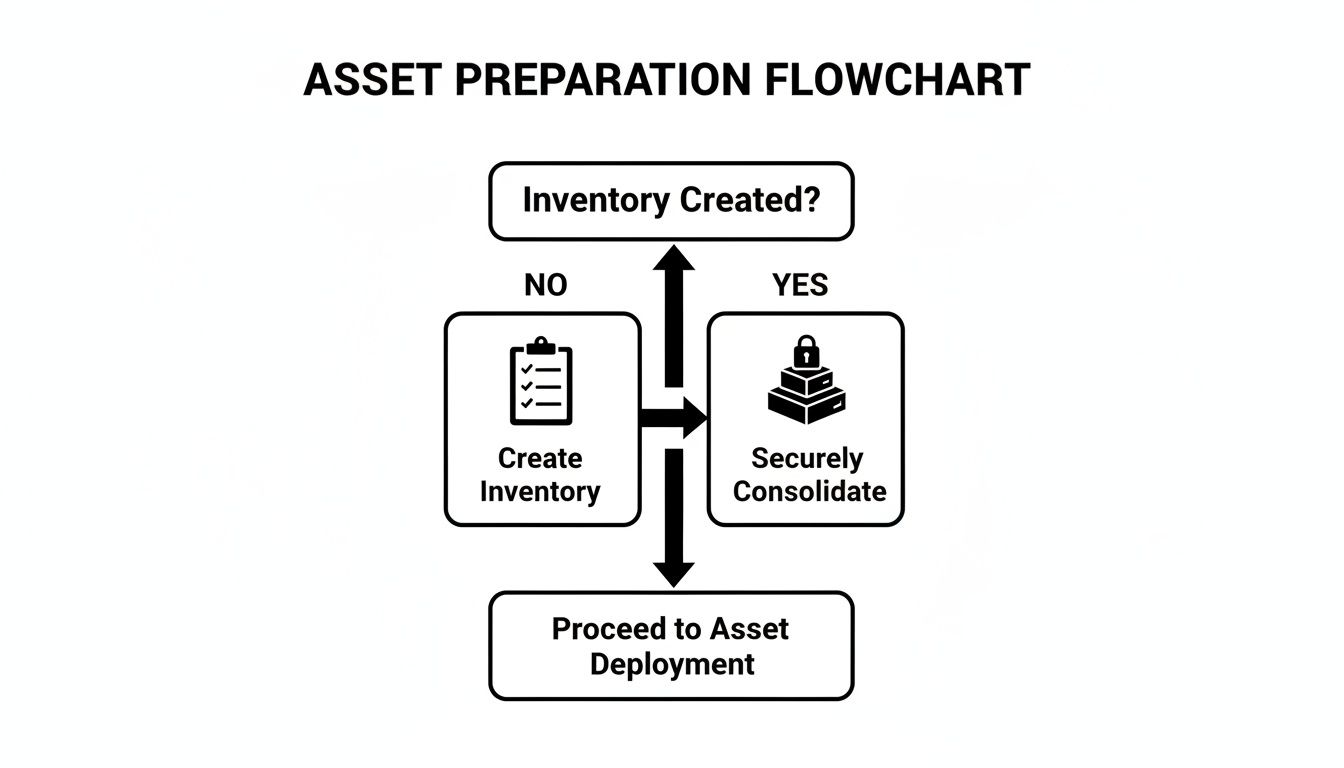
As you can see, a clear inventory is the critical first step. It's what allows you to securely consolidate your assets and ensures no device gets left behind.
Software Erasure for Asset Remarketing
Software-based data erasure isn’t just a simple “format.” It involves using specialized programs to overwrite the entire hard drive with random data, often in several passes. A quick format only removes the file pointers, leaving the underlying information easily recoverable with off-the-shelf software.
When it's done right, data wiping makes information completely irretrievable. The key is working with a vendor who uses methods compliant with government standards, like NIST 800-88.
This approach is perfect for your newer, functional equipment that still has some life in it. Wiping the drive preserves the physical asset, which means your recycling partner can test, refurbish, and resell it. This not only promotes reuse—the best form of recycling—but can also generate a financial return to help offset your service costs.
Physical Destruction for Ultimate Security
Sometimes, wiping a drive just isn't enough. For devices that held your most sensitive information—think patient records, financial data, or proprietary R&D—physical destruction is the only way to go. This method gives you absolute certainty because the media itself is utterly destroyed, leaving zero possibility of data recovery.
A Certificate of Data Destruction isn't just a piece of paper; it's your legal proof of due diligence. This document confirms every single drive on your inventory list was properly sanitized or destroyed, protecting you in the event of an audit.
The two primary forms of physical destruction are:
- Degaussing: We use a powerful magnetic field to instantly and permanently erase data from magnetic media like traditional hard drives (HDDs) and backup tapes.
- Shredding: The hard drive is fed into an industrial shredder that grinds it into small, unrecognizable pieces of metal. Data reconstruction is physically impossible.
For many businesses we work with, a hybrid approach makes the most sense. Functional laptops and desktops can be wiped for resale, while older servers and failed drives holding critical data are sent straight to the shredder. This strategy perfectly balances recovering value with uncompromising security.
You can dive deeper into our rigorous processes by exploring our complete guide to security and data destruction services. A trustworthy partner will always consult with you to find the best method for each asset and provide meticulous documentation for every single one.
The Logistics of Secure Pickup and Processing in Irving
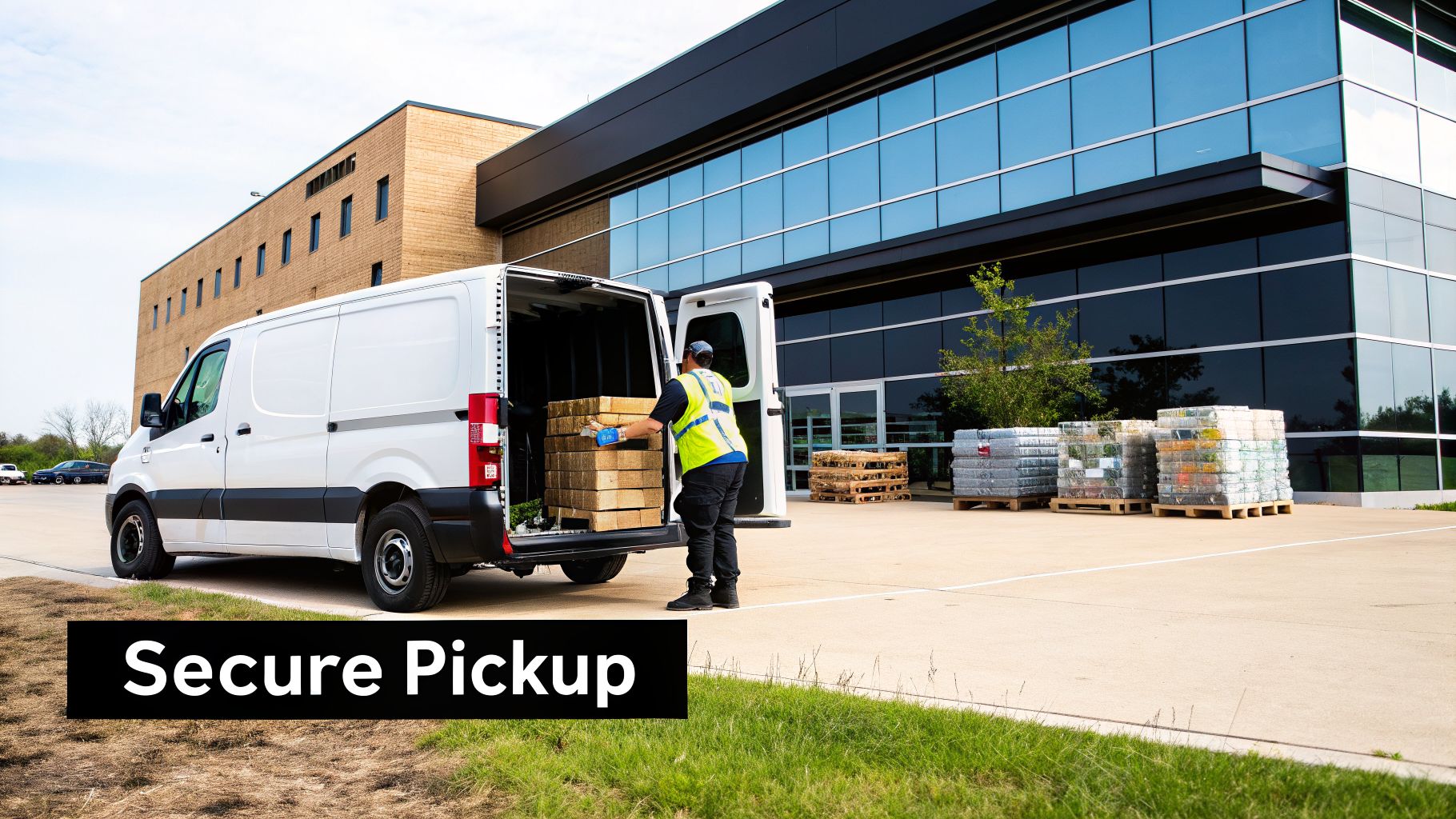
Once you’ve scheduled a pickup for business computer recycling in Irving, our process kicks in to ensure a secure and transparent experience from start to finish. It all starts the moment our team arrives at your location.
Our logistics are built entirely around security and accountability. Our vetted, professional staff arrive in GPS-tracked vehicles, ready to collect your inventoried assets. We’ll verify the equipment against your list, making sure every device is accounted for before it ever leaves your sight.
This methodical approach maintains a strict chain of custody, preventing any loss or unauthorized access from your door to our secure processing facility. Your equipment is never left unattended.
Inside the Secure Recycling Facility
Upon arrival at our facility, your assets are immediately moved into a controlled-access area to begin sorting and triage. This is where our "reuse, recover, recycle" philosophy really comes to life as our technicians evaluate each device based on its type, condition, and potential for refurbishment.
Functional equipment is identified and separated for comprehensive testing and certified data destruction. For many Irving businesses, the logistics of e-waste can feel overwhelming, but our structured process simplifies everything. You can learn more about our end-to-end e-waste recycling services in Irving and see how we manage the entire lifecycle.
Meanwhile, non-functional or obsolete devices are staged for secure dismantling and material recovery. This dual-pathway approach ensures we maximize the value and lifespan of every possible component.
The core principle is to treat every item as a source of value first and as waste last. This hierarchy prioritizes reuse, followed by component recovery, and finally, responsible material recycling.
From Sorting to Final Disposition
Each category of assets follows a carefully managed path. For devices that can be reused, our process is thorough:
- Thorough Diagnostics: Our technicians test key components like processors, RAM, and storage to confirm functionality and performance levels.
- Certified Data Erasure: All storage media undergoes a rigorous data wiping process that permanently removes all information, meeting NIST 800-88 standards.
- Refurbishment: Viable equipment is cleaned, repaired, and prepared for resale, which extends its useful life and supports the circular economy.
For assets designated as end-of-life, the focus shifts to responsible material recovery. These devices are carefully dismantled by hand.
This manual process allows us to separate hazardous materials, like batteries and mercury-containing lamps, for specialized disposal. All other materials—plastics, metals, and circuit boards—are then shredded and sorted. This ensures that valuable commodities are reclaimed for manufacturing new products, completing the responsible business computer recycling loop right here in the Irving area.
Navigating E-Waste Regulations in Texas and Beyond
Trying to keep up with e-waste regulations can feel like chasing a moving target. For businesses here in Irving, these rules aren't just about being green—they're a core part of managing risk. One misstep can lead to serious legal and financial trouble, which is why getting professional help is so important.
At the federal level, the big one is the Resource Conservation and Recovery Act (RCRA). This law gives the EPA authority over hazardous waste from the moment it's created to its final disposal. Since computers and other electronics are full of materials like lead, mercury, and cadmium, they often fall under RCRA's rules once they're no longer in use.
What does that mean for you? It means you can't just toss old IT gear into the dumpster. Not only is it bad for the environment, but it's a direct violation that can bring on heavy fines.
Beyond General Environmental Laws
For most Irving businesses, the compliance puzzle gets even more complicated. Industry-specific rules often add another layer, tying your recycling process directly to data security.
These regulations are usually the main reason companies look for certified business computer recycling in Irving. The common denominator is the strict, non-negotiable requirement to protect sensitive personal information.
- HIPAA (Health Insurance Portability and Accountability Act): If you're in healthcare, you know protecting patient health information (PHI) is everything. Any device that ever held PHI has to be sanitized or destroyed so that the data is 100% unrecoverable.
- FACTA (Fair and Accurate Credit Transactions Act): This law impacts nearly every business that deals with consumer data, from banks to local retailers. It requires you to properly dispose of consumer information to stop identity theft in its tracks.
- Sarbanes-Oxley (SOX) and Gramm-Leach-Bliley (GLBA): These acts place tough data security and record-keeping duties on financial firms and publicly traded companies.
When you partner with a certified e-waste recycler, you're essentially handing off that compliance burden. A professional partner knows this complex regulatory maze and provides the proof you need—like a Certificate of Data Destruction—to show you've met your legal duties.
The rise of these strict regulations has helped create a strong, professional recycling industry. In fact, North America is expected to hold the largest regional market share at around 37% of the global electronic waste recycling market by 2025. This growth is driven by frameworks like RCRA and a steady flow of business investment in compliant disposal, with the U.S. industry expanding at a CAGR of 4.8% between 2020 and 2025. You can dig deeper into this trend in a recent e-waste recycling market report.
At the end of the day, you shouldn't have to navigate these rules on your own. Working with an expert who understands federal, state, and industry-specific mandates is the only way to be sure your IT asset disposal program is secure and defensible. It turns a potential liability into a managed, documented part of your business operations.
Common Questions About Business Computer Recycling
When it's time to handle IT asset disposition, we find that most businesses in Irving have the same core questions. Getting clear, straightforward answers is the only way to move forward with confidence, knowing your business computer recycling in Irving will be secure and compliant.
Here are some of the most common concerns we hear from IT leaders and our direct answers.
What Types of Business Equipment Do You Accept?
Our goal is to be the only call you need to make for any and all of your IT and electronic assets. We handle a massive range of equipment, going far beyond just desktops and laptops.
Honestly, if it plugs in and was used for your business, we can almost certainly handle it. That includes:
- Standard Office Tech: Desktops, laptops, servers, printers, and monitors.
- Data Center Hardware: Rack and blade servers, network switches, routers, and storage arrays.
- Mobile Devices: All of your company-issued smartphones and tablets.
- Specialized Equipment: We also manage lab, medical, and point-of-sale (POS) systems.
This broad capability means you aren't stuck juggling multiple vendors. You get one trusted partner to manage the entire process from start to finish.
What Does Business Computer Recycling in Irving Cost?
Every project is different, so the cost is based on your specific needs. The price depends on the volume and type of equipment, your location, and the services you need—like on-site hard drive shredding versus software-based wiping.
But a professional ITAD program should be seen as a value driver, not just another line-item expense. For many of our clients, the process actually generates a positive financial return.
The real value comes from two places: risk mitigation and asset recovery. By avoiding a single data breach fine, the service pays for itself many times over. Plus, the returns from remarketing viable assets often offset or even exceed the service fees.
This is how we turn a potential expense into a net-positive outcome for your business.
How Can We Prove Our Data Was Destroyed?
This is the most critical question, and our entire process is built around providing an undeniable answer. We operate on a foundation of auditable security. Whether you choose software erasure that meets NIST 800-88 standards or physical destruction, every single step is documented.
For every project, we issue a formal Certificate of Data Destruction. This isn't just a receipt—it's your official, legal proof that you've met your compliance obligations. It lists the serial numbers of the media we sanitized or destroyed, giving you a clear audit trail that protects your business from liability.
If you're trying to understand the differences between providers, check out our insights on selecting the right computer recycle companies for your specific needs.
How Do We Get Started?
Getting started is simple. The first step is to just reach out and schedule a quick consultation with our team. On that call, we'll talk through your inventory, security requirements, and what you need logistically.
From there, we build a plan tailored to you. We'll then schedule a secure pickup from your Irving location at a time that won't disrupt your operations. Our team is here to guide you through it all, making responsible business computer recycling a completely seamless process.
Ready to implement a secure and compliant IT asset disposition program for your Irving business? Dallas Fortworth Computer Recycling offers end-to-end services, from secure logistics to certified data destruction. Contact us today for a consultation.