
Secure ITAD at Dallas/Fort Worth International Airport 2026
Your team may be dealing with this right now. A terminal refresh is underway, old point-of-sale systems are piled in a back room, a rack of retired network gear is waiting in a telecom closet, and someone has asked for “recycling pickup” as if this were a standard office cleanout.
At dallas/fort worth international airport, that assumption creates risk fast.
An airport tenant doesn’t retire equipment in a normal environment. Assets may sit inside public terminals, behind badge-controlled doors, in airline support spaces, in cargo facilities, or in rooms shared across vendors and operators. Some devices hold payment data. Others may store operational records, security footage, passenger information, access logs, or internal communications. If chain of custody breaks once, the problem isn’t just disposal. It becomes an audit, a security incident, or a lease and compliance dispute.
Secure IT Recycling in a Global Hub
If you manage IT, facilities, or infrastructure at DFW, the hard part usually isn’t deciding to retire old equipment. The hard part is moving it out without disrupting operations, exposing data, or creating a paperwork gap someone will discover later.

That’s what makes this airport different. Dallas/Fort Worth International Airport opened in 1974 and has grown into a global superhub with over 86 million annual passengers, its own city designation, and an economic impact of over $78 billion annually for North Texas, according to the Dallas/Fort Worth International Airport overview. In practice, that means your “pickup site” is closer to a city-sized operating environment than a typical commercial building.
Why generic recycling fails here
A standard recycler usually thinks in terms of loading docks, office closures, and bulk pallets.
Airport work is different:
- Access is controlled: Your retired assets may not be in an area where outside crews can walk in.
- Timing matters: Removal windows have to work around tenant operations, customer traffic, and security restrictions.
- Documentation has to hold up: Informal asset counts and vague receipts won’t satisfy internal audit, legal, or security teams.
I’ve seen the same mistake repeatedly in complex facilities. Teams focus on “getting it gone” and only later ask whether every asset was inventoried, every drive was accounted for, and every movement was documented.
Practical rule: If a vendor can’t explain chain of custody before pickup day, they won’t fix it after pickup day.
For airport tenants, secure retirement starts with planning the removal as an operational event, not a recycling errand. That includes asset identification, access coordination, custody controls, and a destination facility that can support audited processing. Teams that need a starting point for electronics removal planning at DFW often begin with a practical review of DFW electronics recycling options and then narrow the workflow to airport conditions.
The real exposure
The risk isn’t just hard drives in a server room.
At DFW, retired assets can include POS terminals, back-office desktops, network switches, security workstations, check-in peripherals, kiosks, storage media, and specialty systems that don’t look sensitive until someone asks what was stored locally. In airport environments, that question should come first, not last.
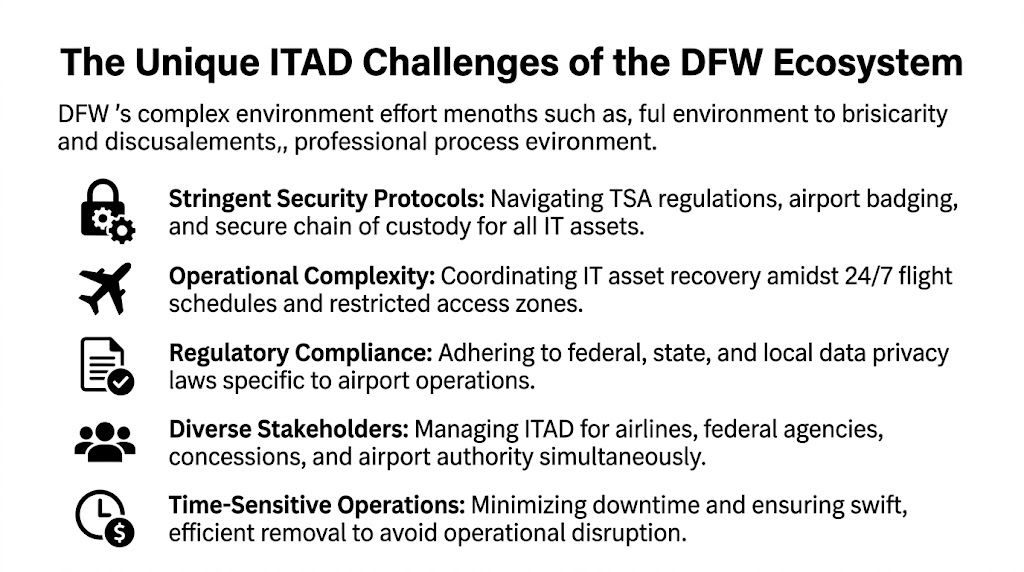
The Unique ITAD Challenges of the DFW Ecosystem
The main challenge at DFW isn’t volume alone. It’s that the airport operates as a shared but fragmented environment where many entities function side by side under different responsibilities, rules, and contracts.
One site, many authorities
DFW doesn’t behave like a single corporate campus. The governance environment is more complex than that. The airport’s structure, shaped by agreements tied to the Wright Amendment and involving the cities of Dallas and Fort Worth, the airport authority, and major airlines, creates coordination gaps for IT asset management, as described in this Wright Amendment background.
That matters because retired equipment often doesn’t sit neatly inside one owner’s footprint. A closet may be controlled by one tenant, fed by another party’s network, and accessed only through an area managed under separate rules.
Security perimeter changes the job
In a normal office, a recycler arrives, checks in, loads assets, and leaves.
At an airport, the same movement can involve different conditions depending on where the assets are located:
| Area type | Practical ITAD issue |
|---|---|
| Public terminal areas | Removal has to avoid customer disruption and visible staging problems |
| Badge-controlled back rooms | Access depends on prior coordination and approved personnel |
| Airside or restricted spaces | Entry, escorting, and custody controls become tighter |
| Shared operational rooms | Ownership and authorization may need confirmation before touching assets |
A generic vendor usually underestimates this. They assume all retired gear is ready at one dock. It rarely is.
Data sensitivity is uneven and easy to miss
Not every airport asset looks like a server. That’s why airport ITAD work needs a device-by-device mindset.
A few examples:
- POS systems: May contain transaction records, credentials, or local configuration data.
- Security workstations: Can hold footage access paths, user accounts, or investigative records.
- Network appliances: Often retain configuration files, VPN settings, and stored credentials.
- Operational endpoints: May contain schedules, maintenance logs, vendor access records, or internal messages.
The device that causes the problem is often the one everyone called “just an old terminal.”
Teams that want a tighter internal process before scheduling any pickup should align stakeholders around IT asset management best practices first. That reduces the usual airport failure points, especially unclear ownership, incomplete inventories, and last-minute access confusion.
What doesn’t work
Three approaches fail repeatedly in airport environments:
- Mixed piles with no serialized inventory. That creates dispute later over what was removed and what wasn’t.
- Unbadged crews with vague pickup windows. The airport environment won’t accommodate improvisation well.
- Assuming all equipment can leave the same way. Different locations require different movement plans.
Secure ITAD at dallas/fort worth international airport depends on accepting one fact early. This is a coordination job as much as a recycling job.
Our Secure Workflow for Airport IT Assets
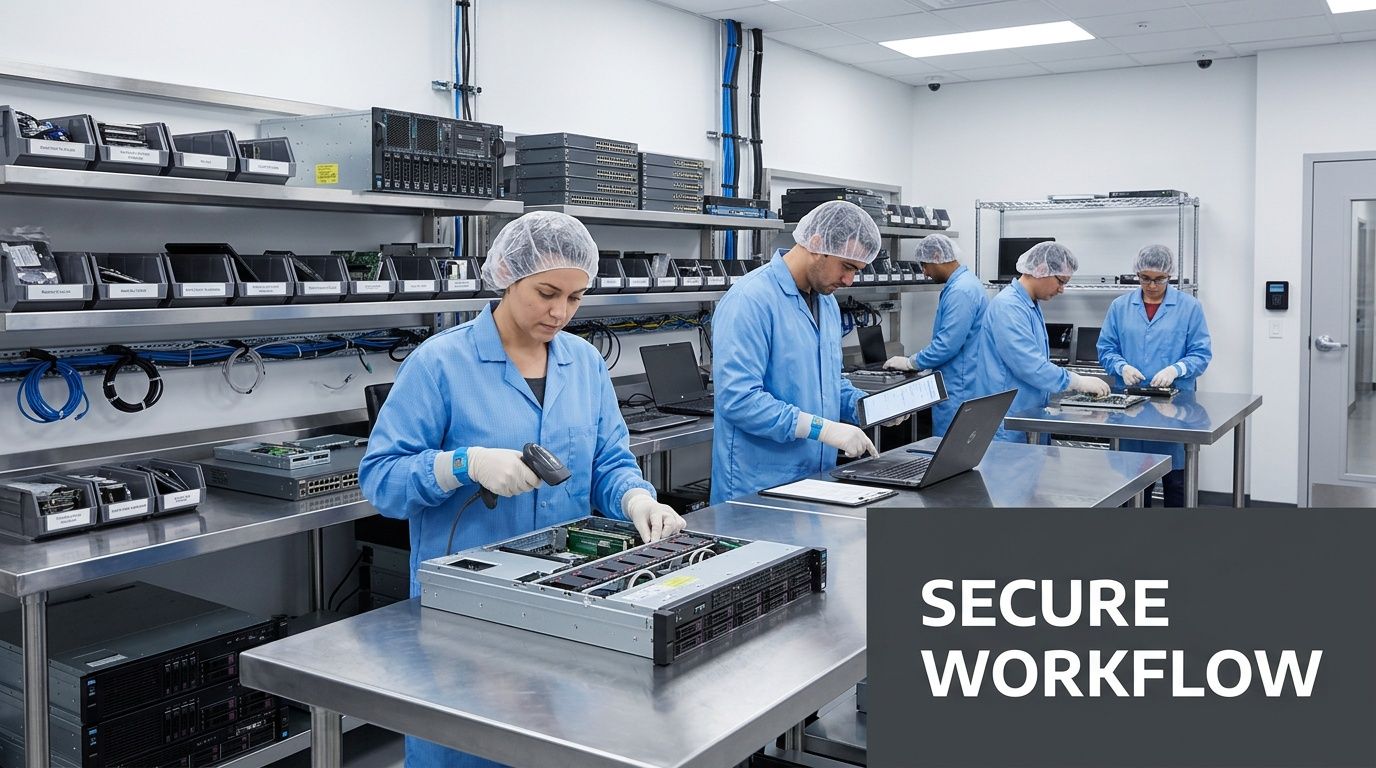
Airport IT asset retirement works best when every movement is planned before the first technician touches a device. The workflow has to control identity, location, media handling, transport, and final reporting without relying on assumptions in the field.
Step one is asset visibility
The strongest airport projects begin with a working inventory, not a truck appointment.
That inventory should separate assets into practical categories:
- Data-bearing equipment
- Network and infrastructure hardware
- Peripherals with no storage
- Items requiring on-site destruction
- Items approved for off-site processing
This isn’t busywork. It determines where technicians can work, what tools they need, and which items can be sealed for transport versus destroyed immediately.
Custody starts at point of pickup
Once technicians are on site, the chain of custody has to begin immediately. That means asset verification, tagging, quantity confirmation, and controlled packing in the exact area where the handoff occurs.
A sound airport workflow usually includes:
- On-site verification of listed equipment against the pickup scope.
- Segregation of storage-bearing devices from low-risk peripherals.
- Tamper-evident packaging or sealed containers for transport-ready material.
- Signed custody transfer records before any load leaves the site.
If your legal or security team ever asks who handled a device, when it moved, or whether destruction was completed, this is the record trail they’ll expect.
On-site destruction versus off-site processing
Not every airport client needs the same handling model.
Some situations call for on-site drive shredding or media destruction in a secured area because the data profile or internal policy won’t allow transport of intact media. Other projects are better suited to controlled off-site processing at a qualified facility, especially when the project includes mixed equipment, resale evaluation, material recovery, and larger serialized reporting.
The key is choosing the method before pickup day.
Field reality: The worst time to decide whether drives must be shredded on site is when the crew is already in the terminal.
For teams that need formal proof tied to destroyed storage media, a documented certificate of destruction for hard drives should be part of the workflow, not an afterthought.
What good workflow prevents
A disciplined airport process helps prevent:
- Untracked removals
- Drive commingling
- Assets waiting unsecured in staging areas
- Confusion over ownership
- Gaps between physical removal and reporting
In airport environments, secure handling isn’t about adding steps for appearance. It’s about removing the weak points where loss, exposure, and disputes usually happen.
Certified Data Destruction for Aviation and Federal Compliance
In airport environments, data destruction is the part that can’t be treated as a recycling add-on. It has to be the center of the plan.
Aviation tenants often manage information that carries outsized risk if it leaves control. That can include passenger-related data, employee records, payment information, operational schedules, access credentials, maintenance records, and internal security documentation. Even when a device looks routine, the stored data may not be.
The method has to match the asset
No single destruction method fits every device or policy requirement.
A defensible program usually evaluates media by type and exposure level, then applies the right path:
- NIST 800-88 aligned data wiping for devices approved for sanitization and potential remarketing
- Degaussing where magnetic media and policy requirements support it
- Physical shredding for drives and storage media that must be destroyed beyond reuse
The mistake I see most often is choosing the method based on convenience. Secure teams choose the method based on the asset, the data category, and the organization’s retention and compliance obligations.
Documentation matters as much as destruction
Many organizations stop at “the drive was destroyed.” That’s not enough in a regulated or security-sensitive environment.
What protects the organization later is a report trail that can answer specific questions:
| Compliance question | Required proof |
|---|---|
| Was this device included? | Serialized asset record |
| Was data destroyed or sanitized? | Method-specific processing record |
| When did custody transfer occur? | Pickup and chain-of-custody documentation |
| Can we prove completion? | Certificate of destruction and final reporting |
If you can’t prove destruction by asset, you’re relying on trust where audit teams expect evidence.
That’s especially important for organizations inside airport ecosystems because multiple parties may ask for proof. Internal audit, information security, procurement, legal, and property management may all need records for different reasons.
What doesn’t hold up
These shortcuts create problems later:
- A blanket invoice that says “electronics recycled”
- A generic destruction statement with no asset tie-back
- A pickup log without media-level reporting
- Verbal confirmation that “everything was shredded”
Certified data destruction only works if the record set is specific enough to survive scrutiny after the equipment is gone.
Navigating DFWs Logistical and Security Maze
The physical side of airport ITAD is where unprepared vendors usually break down. They understand recycling. They don’t understand movement inside an active international airport.

At DFW, pickup planning has to account for secure access, service routes, tenant coordination, time-of-day restrictions, and the airport's continuous operation. A good logistics plan reduces how long assets sit in hallways, back rooms, dock areas, or temporary cages.
Access planning has to be specific
Airport pickups stall when the work order says “Terminal pickup” and nothing else.
A usable plan should identify:
- Exact collection point: terminal room, office, closet, dock, or support area
- Access method: badge, escort, service entrance, or tenant representative handoff
- Approved pickup window: aligned with facility and tenant operations
- Staging limits: what can and can’t be accumulated before removal
- Vehicle constraints: where loading is authorized and how long crews can remain
This sounds basic, but it’s where delays happen. If any one of those items is unclear, the crew waits, the assets sit longer, and internal staff get pulled into avoidable coordination.
Cargo capacity changes removal options
DFW has a freight advantage that many organizations don’t fully use. The airport operates seven runways with varying lengths that support simultaneous operations and help maximize throughput for its 19 dedicated cargo airlines, according to DFW Airport facts. For ITAD planning, that matters less as an aviation detail and more as a logistics reality. It creates multiple daily freight windows and more flexibility for moving equipment out efficiently.
That can reduce one of the most common airport disposal problems. Equipment lingering on site because outbound movement wasn’t coordinated well.
What experienced teams do differently
They don’t treat all airport locations as equal.
A concessionaire kiosk, an airline office, a cargo operator space, and a back-of-house server room each need a different retrieval model. Infrastructure teams handling larger retirements, including racks and storage gear, usually need the same rigor used for data center equipment disposal services in Dallas Fort Worth Texas, but adapted to airport access and security conditions.
Fast pickup isn’t the goal. Controlled pickup with no operational friction is the goal.
The practical trade-off
Off-hours work often reduces public disruption, but it can also tighten staffing, escort availability, and facility access. Daytime work may simplify coordination while increasing congestion and visibility. Neither approach is automatically better.
The right answer depends on where the assets are, who controls the area, and how much handling is required before loading. That’s why airport ITAD planning should be built around operational fit, not the recycler’s default route schedule.
Meeting Compliance and ESG Goals with Documented Recycling
The job isn’t finished when the truck leaves. It’s finished when your team has a record set that closes the loop for audit, security, procurement, and environmental reporting.
At DFW, that documentation matters more because many organizations operate inside a broader ecosystem that is already under pressure to demonstrate responsible operations. DFW Airport is pursuing a net-zero carbon goal by 2030, and there is a public information gap around how end-of-life IT equipment is handled, as discussed in this DFW sustainability case story. That creates a practical opening for tenants and operators to improve their own documentation around retired technology.
What the paper trail should include
A proper post-service package usually contains more than a simple invoice.
The most useful reporting includes:
- Asset-level disposition records showing what was received and how it was processed
- Certificates of destruction for media or devices destroyed under approved methods
- Recycling and downstream accountability records that support environmental review
- Exception reporting for missing tags, damaged assets, or nonconforming items
That package gives different internal teams what they need. Security gets proof of controlled handling. Procurement gets closure on retired property. Sustainability teams get defensible reporting instead of vague recycling language.
Why this matters for ESG and regulated operations
Environmental claims without records are weak. Compliance claims without records are weaker.
Organizations operating in airport environments often need to satisfy a mix of obligations, depending on what they do and what data they handle. That can include payment controls, privacy controls, contract requirements, internal retention rules, and corporate sustainability targets. Working with an R-2 certified electronics recycler helps align the disposition process with a more disciplined documentation framework.
A simple standard to use
Ask one question after every project: could an internal auditor or outside reviewer understand what happened without calling the vendor?
If the answer is no, the reporting is incomplete.
Recommended Next Steps for Your DFW Team
If your team has aging equipment at dallas/fort worth international airport, don’t start with pickup scheduling. Start with control.
A practical checklist
- Build a preliminary inventory. List what’s being retired, where it sits, and who owns it.
- Flag all data-bearing devices. Don’t assume desktops are the only concern. Include laptops, servers, appliances, POS systems, and removable media.
- Identify the access conditions. Note whether each pickup point is public, badge-controlled, escorted, or otherwise restricted.
- Choose a secure holding area if possible. If assets can be consolidated without increasing exposure, that usually makes chain of custody easier to manage.
- Separate what requires on-site destruction. Don’t leave that decision for the day of service.
- Confirm who must approve removal. In airport settings, operations, facilities, security, procurement, and the tenant contact may all need visibility.
- Request a consultation built around your site conditions. The right planning conversation should cover access, timing, custody, media handling, and documentation.
What to avoid first
Don’t let departments self-stage equipment in random rooms. Don’t mix reusable assets, scrap, and storage media in the same pile. Don’t assume one pickup window fits every location.
The cleaner your internal prep, the easier it is to execute a removal that doesn’t create follow-up problems.
Frequently Asked Questions
What types of organizations within DFW Airport do you service
Organizations in the DFW ecosystem often include airlines, cargo handlers, retailers, food and beverage operators, logistics providers, airport support contractors, and government-related contractors working on site.
The ITAD challenge is usually different for each one. A retail tenant may need secure removal of POS systems and back-office devices. A cargo operator may have handhelds, network gear, and workstation turnover. An airline or support contractor may need stricter control over operational hardware and storage media.
Are there minimum volume requirements for a pickup at the airport
Airport projects don’t always arrive in neat bulk quantities. Some clients have a full refresh. Others have a small but sensitive group of devices that still require secure handling.
Larger pickups are usually easier to route and process efficiently, but smaller jobs can still make sense when they’re scheduled properly, combined with other service needs, or tied to a recurring retirement cycle. The key issue at DFW usually isn’t volume. It’s whether the pickup can be executed securely and cleanly under airport conditions.
How do you handle badging and security escorts for personnel
Airport work should never rely on crews arriving and figuring it out on site.
A proper process coordinates with the client’s designated airport contact in advance to determine whether temporary access, local escorting, service-entry procedures, or restricted-area controls apply. That planning should happen before the service date so the team arriving on site already knows where it can go, who must meet them, and what handling rules apply in each location.
Can you perform data destruction on site at the airport
Yes, in many cases on-site media destruction is the right choice, especially when the organization doesn’t want intact storage media transported off airport property.
The decision should be made in advance and tied to the asset list, data profile, and site rules. On-site destruction works best when the team has a confirmed work area, clear custody procedures, and a reporting process that ties destroyed media back to the client’s asset records.
What documentation should our team expect after service
Expect documentation that does more than confirm pickup.
A strong record package usually includes chain-of-custody confirmation, asset-level reporting, destruction records where applicable, and final disposition reporting. If your internal audit team, information security group, or sustainability lead can’t use the paperwork without asking follow-up questions, the reporting probably isn’t strong enough.
What is the biggest mistake DFW tenants make during IT equipment retirement
They treat airport disposition like a normal office removal.
That usually leads to one of three issues: incomplete inventory, poor access coordination, or weak data handling decisions made too late. The safest approach is to define ownership, location, media risk, and required documentation before the first asset is moved.
If your team needs secure, documented retirement of technology inside the DFW airport ecosystem, Dallas Fortworth Computer Recycling can help you plan the project around access controls, data destruction, logistics, and compliance from the start.