
E-Waste Pickup Arlington: Secure & Compliant Business Recycling
Figuring out commercial e-waste disposal can seem overwhelming, but it doesn't have to be. For IT managers and operations leaders in Arlington, arranging a professional e-waste pickup is the critical first step toward a secure and compliant IT asset disposition process. This isn't just about basic recycling; it's about meeting the strategic needs of your business, especially if you're in a regulated industry like healthcare or finance.
Your Guide to Professional E-Waste Pickup in Arlington
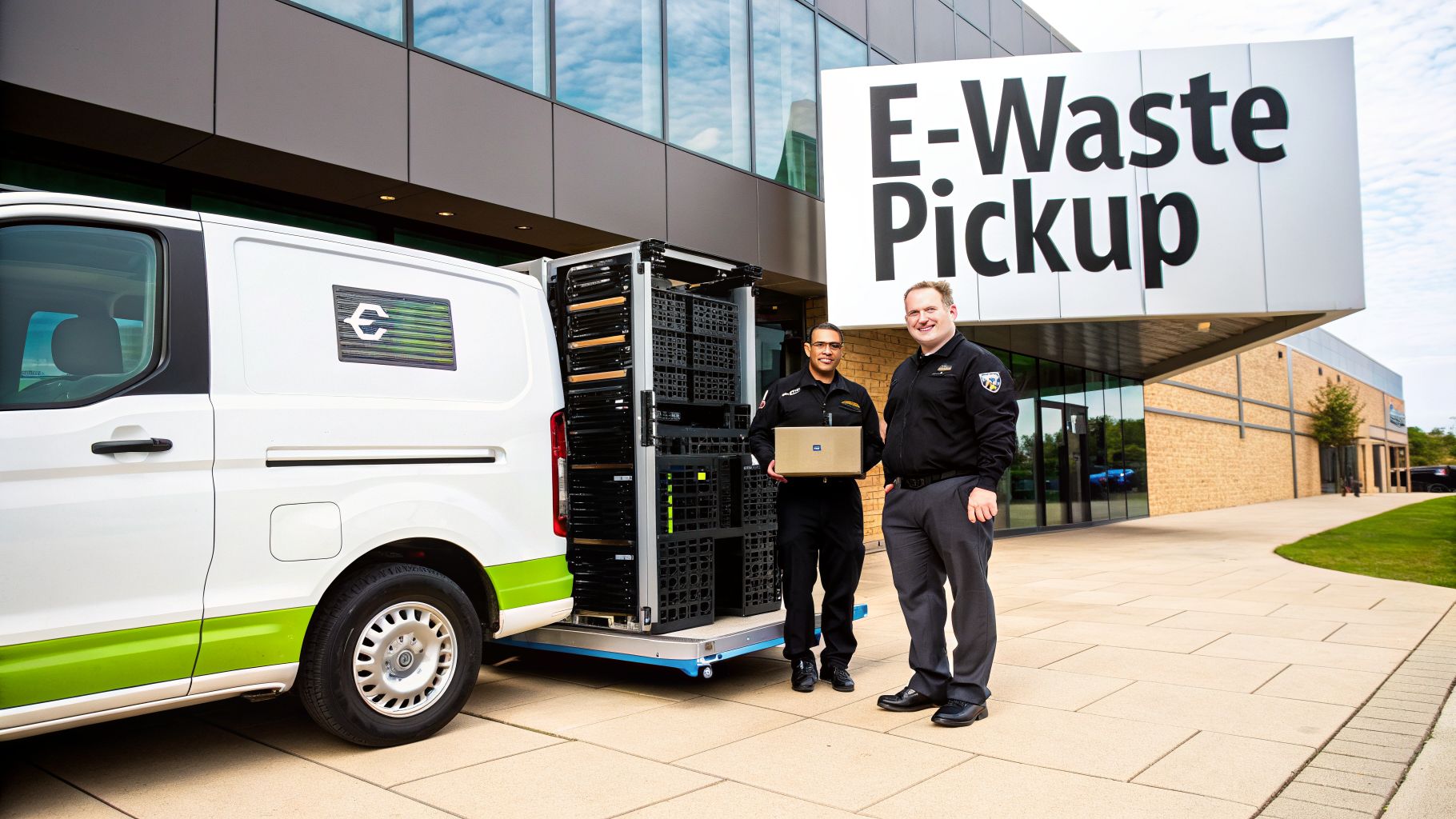
When your server room is packed with retired hardware or a storage closet is overflowing with old laptops, a simple run to a local drop-off point just won't cut it. Commercial e-waste is a different animal, bound by strict regulations, data security requirements, and environmental laws. For businesses in Arlington, working with a certified e-waste service isn't a luxury—it's a fundamental part of managing risk.
A professional e-waste pickup in Arlington is built for organizations that generate significant volumes of electronics or have devices loaded with sensitive data. Unlike residential programs, these commercial services give you documented proof of secure handling and destruction, which is absolutely essential for any compliance audit.
Who Is Eligible for Commercial Services
Technically, any organization can request a pickup, but these services are really designed for businesses, schools, and government agencies that need more than just a place to dump old gear. It's less about "eligibility" and more about having needs that match what a professional vendor provides.
Think about these common scenarios:
- A financial services firm in Arlington is retiring 50 employee workstations and requires certified data destruction to meet federal privacy laws.
- A local healthcare clinic is upgrading diagnostic equipment and must dispose of the old machines in a way that is fully HIPAA-compliant.
- A growing tech company is relocating and needs to clear out a data closet full of old servers, network switches, and heavy UPS batteries.
In every one of these cases, the need for security, documentation, and a clear chain-of-custody makes a professional service the only logical choice. Your standard residential drop-off simply can't provide the certified data wiping or auditable trail required for business assets.
The global e-waste problem puts local action into perspective. The world produced a record 136 billion pounds of electronic waste in 2022. What's alarming is that nearly 78 percent of that staggering amount was not properly recycled. This is exactly why certified e-waste services in Arlington are so important for responsible organizations.
The Strategic Value Beyond Simple Disposal
Just thinking of an e-waste pickup as "getting rid of old stuff" misses the bigger picture. It's a key function of your overall IT asset disposition (ITAD) strategy. A properly managed pickup protects your company from data breaches, keeps you in line with environmental regulations, and safeguards your brand's reputation. To get a better handle on this, you might want to review our detailed look at the core principles of IT asset disposition in Arlington.
The right partner delivers real business value:
- Auditable Reporting: Certificates of Data Destruction and Certificates of Recycling become your official records for any compliance check.
- Risk Mitigation: Secure handling ensures that sensitive company or customer data doesn't end up in the wrong hands.
- Environmental Responsibility: Certified recyclers make sure hazardous materials like lead and mercury are managed safely and kept out of our landfills.
For IT and operations leaders, a scheduled e-waste pickup is the action that turns a pile of outdated electronics into a secure, documented, and responsible outcome. It’s about transforming a potential liability into a verified asset retirement.
How to Schedule Your E-Waste Service
Once you’ve decided it’s time for a professional e-waste pickup in Arlington, the next step is getting it on the calendar. The process is straightforward, but a little prep work goes a long way in making everything run smoothly and quickly.
Think of it as putting together a quick brief for your recycling partner. It all starts when you reach out with a service request, either by filling out an online form or making a direct call. This is your chance to lay out the scope of the job so the vendor can put together an accurate quote for your organization.
Gathering Your Initial Information
Before you even pick up the phone, take a few minutes to get a handle on what you have. You don't need a perfect, itemized list just yet, but a solid estimate will speed things up significantly. This initial inventory is your most valuable tool.
Try to sort your equipment into a few basic categories. For example, make a quick count of things like:
- Core IT Hardware: Laptops, desktops, monitors, and servers.
- Networking Gear: Switches, routers, and firewalls.
- Peripherals: Keyboards, mice, printers, and scanners.
- Data Center Equipment: Server racks, UPS units, and blade servers.
This simple breakdown gives your service provider a clear idea of the project's scale and what logistics will be involved. "Some computers" is pretty vague, but "around 40 laptops, 15 desktops, and three server racks" gives us concrete details to work with. Also, don't forget to mention your physical location in Arlington and any access details, like whether you have a loading dock or specific hours.
Pro Tip: If you have devices with hard drives or other storage media, bring up your data destruction needs right away. Specifying that you require certified data destruction ensures this critical security service is included in your quote from the start, avoiding any surprises down the road.
Understanding the Scheduling Process
After you send in your request and initial inventory, you'll typically get a preliminary quote and a few follow-up questions. This is where having a point person on your IT or facilities team really pays off. We might ask about where the equipment is located—is it all consolidated in one storage room, or is it spread out across multiple floors?
Once you’ve approved the scope and the quote, scheduling the pickup is the final piece of the puzzle. Most professional e-waste services in Arlington operate during standard business hours, usually Monday through Friday, from 8:00 AM to 5:00 PM. This flexibility allows the pickup to happen with minimal disruption to your daily operations.
For instance, a busy medical clinic might schedule a pickup for a Friday afternoon when patient traffic is lower. A large corporate office might prefer a mid-morning slot to avoid the morning rush of employees arriving. As you finalize the details, you might also find our general guide on how to arrange an e-waste pickup in the DFW area useful for additional context.
The entire process, from your first call to having a firm pickup date, can often be wrapped up in just a few business days. The key is providing clear and organized information from the get-go. This proactive approach ensures your e-waste pickup in Arlington is not only booked efficiently but also executed flawlessly, keeping your business secure and compliant.
Preparing Your Office for a Seamless Pickup
With your service scheduled, a little on-site organization will make a huge difference. Good preparation ensures your e-waste pickup in Arlington is quick, safe, and efficient, causing minimal disruption to your daily operations.
The most important thing you can do is consolidate all equipment into one central, easily accessible location. This might be a vacant office, a designated corner of a warehouse, or a spot near your loading dock. Having everything in one place prevents our crew from having to search through multiple floors or storage closets, which saves significant time.
Staging Your Equipment Effectively
Consolidation is the first step, but how you stage the equipment also matters. A bit of thoughtful organization goes a long way in protecting both the equipment and our crew, preventing a hazardous pile of tangled cords and precariously stacked monitors.
Imagine our crew arrives, but your 20 servers are still live in the data center, and 50 laptops are scattered across three different departments. This immediately creates delays. To avoid this common pitfall, it’s best to pre-stage your assets with these tips in mind:
- Group similar items together: Place laptops with laptops, monitors with monitors, and servers with other data center hardware.
- Disconnect all peripherals: Remove keyboards, mice, power cords, and other cables from the main units. You can bag or box these smaller items separately to keep things tidy.
- Designate a clear work area: Give our pickup team enough space to safely maneuver dollies and pallet jacks around the staged equipment.
This level of readiness allows our team to get to work the moment they arrive.
To Palletize or Not to Palletize
For large-volume pickups, clients often ask if they should palletize the equipment themselves. In almost all cases, the answer is no, let the professionals handle it. Our experienced crews are trained in the proper techniques for loading and securing electronics for safe transport.
Palletizing IT assets correctly is a specific skill. Heavier items like servers must be placed at the bottom for stability, and the entire pallet needs to be properly shrink-wrapped. Incorrectly stacked pallets can shift or collapse in transit, creating a serious safety hazard and potentially damaging the equipment.
Our team will arrive with all the necessary materials, including pallets, shrink wrap, and moving equipment. They know how to build secure, stable pallets that meet all transportation safety standards, which is especially critical for heavy or irregularly shaped items like data center racks. Letting our crew manage palletization removes your liability and ensures your assets are protected. A full understanding of what happens to your end-of-life IT equipment can offer additional peace of mind.
Coordinating Site Logistics
Minor logistical hiccups are the most common source of pickup day delays. A classic example is a crew arriving at an office building only to find the loading dock has been reserved by another tenant or that there's no clear path from the service elevator.
To help ensure your e-waste pickup in Arlington goes off without a hitch, it's a good idea to coordinate a few key details in advance. This quick checklist can help your facilities or IT team prepare the site.
On-Site Preparation Checklist
| Preparation Task | Best Practice Tip | Why It Matters |
|---|---|---|
| Building Access | Notify building management of the pickup date and time. | This ensures the crew is granted access without delay and can use service elevators or designated entrances. |
| Loading Dock/Area | Reserve the loading dock or a specific parking area for the truck. | Prevents conflicts with other deliveries and guarantees a close, safe spot for loading. |
| Clear Pathways | Ensure hallways, doorways, and elevator paths are clear of obstructions. | A clear path allows for quick and safe movement of heavy equipment on dollies and pallet jacks. |
| On-Site Contact | Designate one person from your team to meet the crew and direct them. | This single point of contact can answer questions and resolve any on-the-spot issues that arise. |
By taking care of these simple site logistics, you enable our crew to focus entirely on their core task: efficiently and securely removing your retired assets.
When the crew arrives, they'll conduct an on-site inventory, comparing the collected items against your initial service request. They work methodically, scanning asset tags and documenting serial numbers to establish the chain of custody right from the start.
Ensuring Compliant Data Destruction
When you schedule an e-waste pickup in Arlington, you’re doing more than just clearing out old hardware. You're entrusting a partner with the devices that hold your organization’s most sensitive information. For any business, ensuring this data is permanently and verifiably destroyed isn't just good practice—it's a critical security mandate.
The moment your electronics leave your facility, a strict process must begin to protect your data. This is about far more than just wiping a hard drive; it's about choosing the right destruction method to meet your specific compliance needs, whether you're governed by HIPAA, NIST, or other industry regulations.
Selecting the Right Destruction Method
Not all data destruction methods are created equal. The right choice really comes down to the type of media, your specific security requirements, and your industry’s compliance standards. Understanding the differences is the key to making an informed decision.
There are three primary methods for data sanitization:
- Software Wiping: This process uses specialized software to overwrite the entire drive with random data, often multiple times. It’s effective for drives that may be refurbished and reused, but it requires the drive to be fully functional.
- Degaussing: This method uses a powerful magnet to completely erase the magnetic field on hard drives and tapes. This renders them permanently unusable and the data unrecoverable. It's a fast and highly secure option for magnetic media.
- Physical Shredding: This is the most definitive method, period. The hard drives, solid-state drives (SSDs), or other media are fed into an industrial shredder that grinds them into small, unsalvageable pieces. For the absolute highest level of security, this is the gold standard.
A healthcare organization, for instance, would almost certainly opt for physical shredding to ensure total compliance with HIPAA's strict patient data protection rules. On the other hand, a company looking to recover some value from newer laptops might choose software wiping before resale. To get a better feel for the physical destruction process, you can explore the specifics of our certified hard drive shredding services in Arlington.
This infographic gives you a quick visual of the secure process, from collection to final certification.
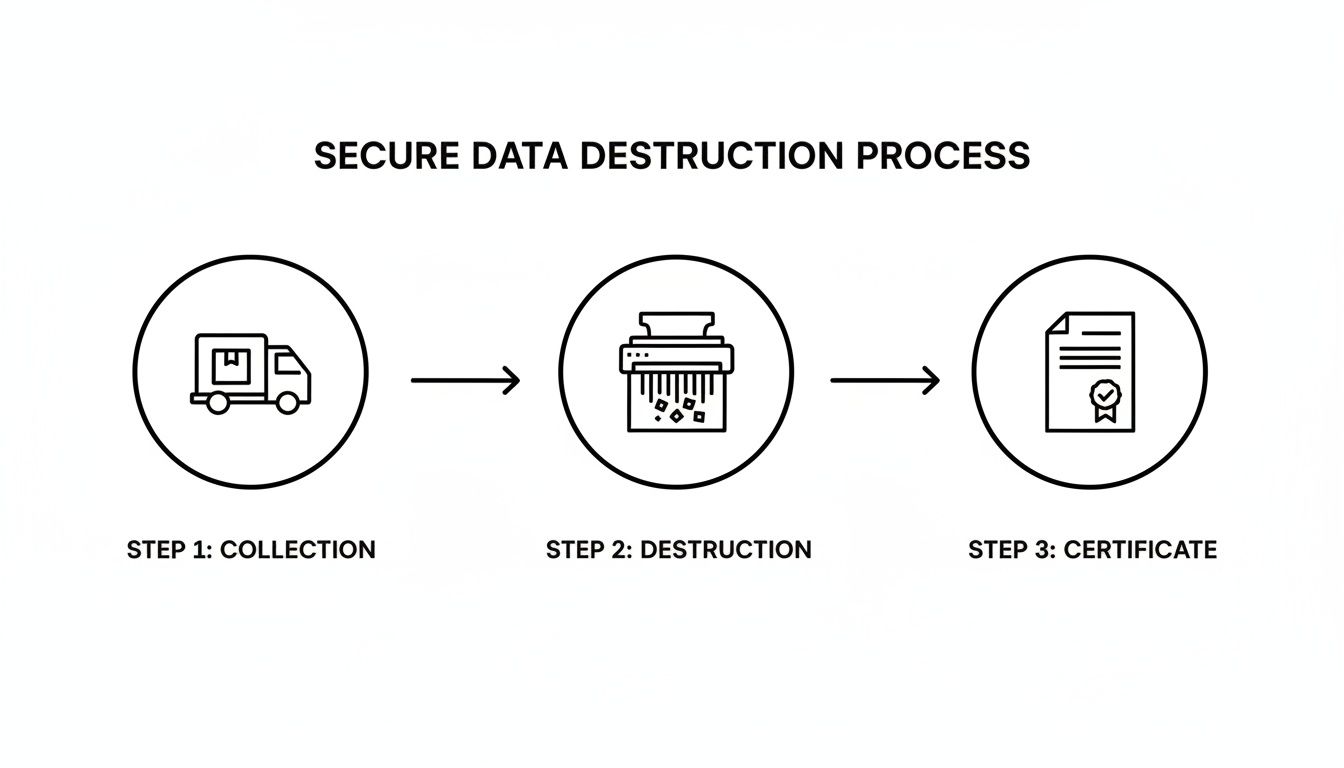
This simple flow—Collection, Destruction, and Certification—highlights the controlled journey your assets take, ensuring security is maintained at every single step.
The Importance of Chain-of-Custody Documentation
So, how can you be certain your assets were handled securely from the moment they left your office? The answer lies in the chain-of-custody documentation. This critical document is your official record, tracking your equipment from your doorstep all the way to its final disposition.
Think of it as a detailed logbook for your assets. It includes vital information such as:
- The pickup date and time
- A detailed list of the collected assets, often with serial numbers
- The signatures of both your on-site representative and the pickup crew
- Details of the secure transport vehicle
This document creates an unbroken, auditable trail. If a regulator ever asks you to prove how you disposed of a server containing sensitive financial data, the chain-of-custody form is your first line of defense.
Key Takeaway: The chain-of-custody is more than just a receipt. It is your legal and procedural proof that you transferred responsibility for your IT assets to a certified and secure partner, mitigating your organization's risk.
Your Final Proof: The Certificate of Destruction
After your data-bearing devices have been securely destroyed, you will receive a Certificate of Data Destruction. This is the final and most important document in the entire process. It serves as your official, auditable proof that your data has been permanently eliminated in compliance with all relevant standards.
This certificate formally states the method of destruction used (e.g., shredding to a specific particle size), lists the serial numbers of the destroyed devices, and is signed by an authorized representative from the recycling facility. For any IT leader, this document is absolutely essential for demonstrating due diligence and closing the loop on the asset lifecycle. It’s the final handshake that provides complete peace of mind.
Understanding What You Can Recycle and How Much It Costs
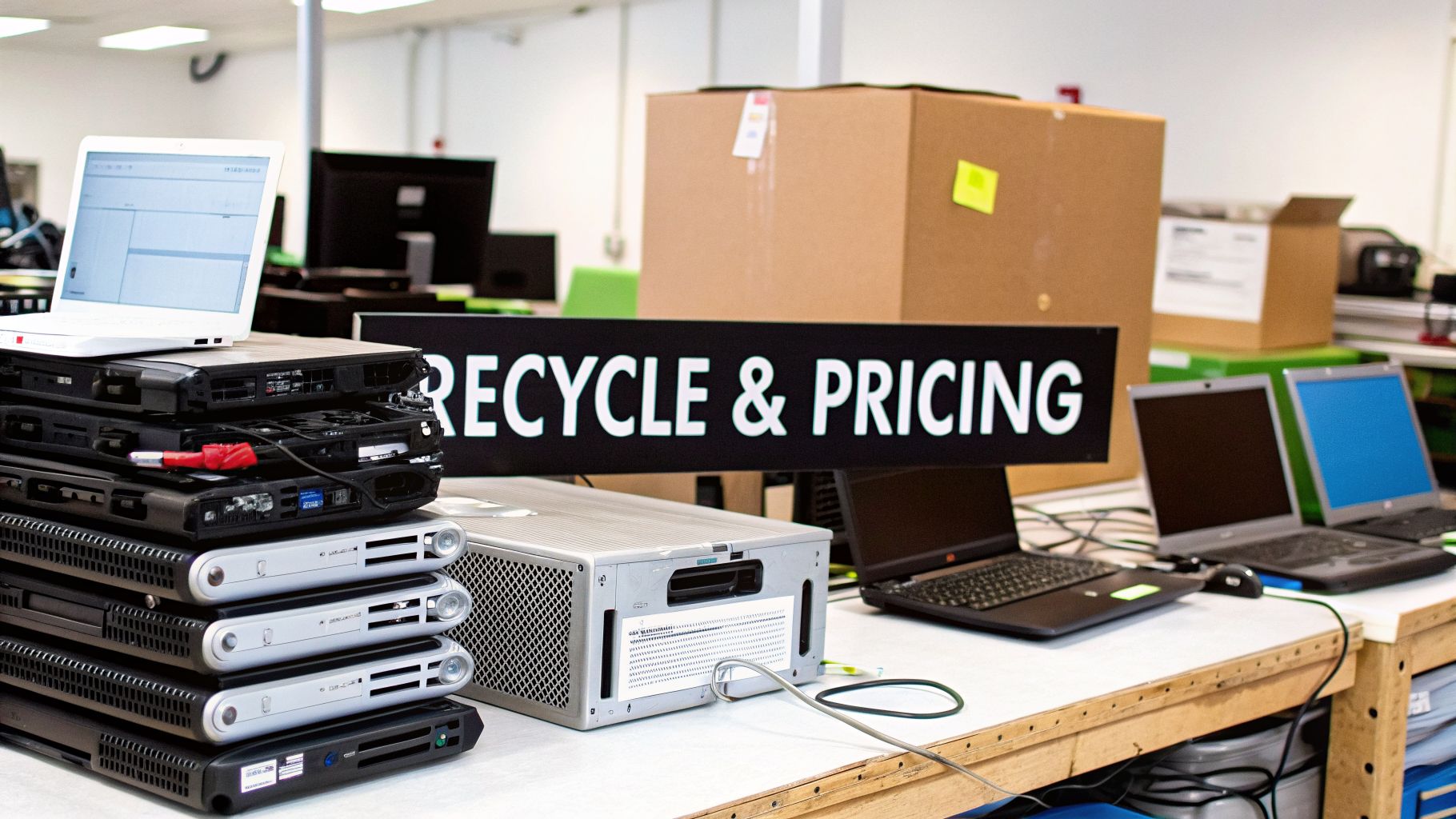
When you're planning an e-waste pickup in Arlington, two questions immediately come to mind: what can we get rid of, and what's it going to cost? Getting clear answers upfront is essential for budgeting and setting the right expectations internally. The good news is, a professional recycler can handle the vast majority of electronics your business uses.
The pricing for a commercial pickup isn't a one-size-fits-all number. It’s tailored to the job, usually factoring in the total weight of the equipment, the specific types of devices, and any logistical challenges at your location. This approach ensures you get a fair quote that accurately reflects the scope of work.
Decoding the Costs of E-Waste Pickup
When we put together a quote, a few key things come into play. For large-scale clear-outs with a mix of different electronics, pricing is often based on weight. If you have a more uniform batch of assets, like a pallet of old laptops or desktops, a per-item cost might make more sense.
You may also see service-based fees for specialized tasks, like on-site hard drive shredding or the careful disassembly of heavy data center racks. Generally speaking, a professional e-waste recycling project in Arlington can range from $50 to $500, depending on the size of the job and your specific needs. For individual items, you might see costs of $5 to $25 for phones and laptops, while larger electronics like monitors could be between $10 and $40 per unit.
Expert Tip: Don't get fixated on just the pickup fee. The real value is in the complete service—secure logistics, certified data destruction, and full environmental compliance. Those are the things that shield your organization from the serious financial and reputational risks of a data breach or compliance violation.
Commonly Accepted vs. Restricted Items for Commercial Pickup
Knowing what your e-waste partner can and can't take is key to a smooth pickup day. Most standard office tech is fair game, but some hazardous materials or non-electronic items will be off-limits. Sorting your assets beforehand saves everyone time and prevents surprises.
To help your team prepare, we've put together a straightforward comparison of what typically qualifies for an e-waste pickup in Arlington versus what needs to be handled separately.
| Item Category | Examples of Accepted Items | Examples of Restricted Items |
|---|---|---|
| Computers & Peripherals | Desktops, laptops, monitors, keyboards, mice, printers, scanners | Loose ink/toner cartridges (must be in a printer), items with liquids |
| Data Center Hardware | Servers, network switches, routers, firewalls, UPS battery backups | Equipment contaminated with biological hazards or radioactive materials |
| Specialized Equipment | Decontaminated medical devices, POS systems, A/V equipment | Smoke detectors, fire alarms, or any device with a radioactive source |
| General Office Electronics | Office phones, mobile devices, tablets, projectors | Light bulbs, non-rechargeable batteries, appliances (refrigerators, AC units) |
This table gives a solid overview, but it’s always best to confirm if you have unusual equipment.
Specialized hardware, such as devices from a medical or lab environment, is often acceptable but will likely require a certificate of decontamination to ensure it's safe for our crews to handle. You can get more specifics on our guide to computer equipment recycling.
Project Timelines from Pickup to Certification
Understanding the timeline is just as important as knowing the cost. The job isn't done when our truck pulls away from your facility; it's done when you have the official certificates in hand confirming your assets were securely and properly handled.
From start to finish, the entire process for an e-waste pickup in Arlington typically takes anywhere from three days to two weeks. This window covers everything from the on-site collection to the final delivery of your Certificate of Destruction.
Here’s a quick rundown of what to expect:
- Pickup (Day 1): Our team arrives, inventories the equipment, and securely loads it for transport to our processing facility.
- Processing & Destruction (Days 2-10): Back at our facility, assets are sorted. Any devices with data are sent for secure wiping or shredding, depending on what we've agreed upon.
- Documentation (Days 3-14): Once everything is processed and all data is destroyed, we generate the official certificates and reports. This provides you with a complete, auditable record and closes out the project.
The total volume of equipment and the data destruction methods you choose can affect the timeline. A certified partner will always prioritize a secure, documented process over pure speed, giving you total peace of mind that every step was handled correctly.
Answering Your Questions About E-Waste Pickup in Arlington
Even the most straightforward plan can bring up a few last-minute questions. IT and operations managers in Arlington often want to iron out the details before committing to an e-waste pickup, and we get that. It’s about making sure your company’s assets are handled correctly.
We’ve put together the questions we hear most often from businesses just like yours, with practical answers to give you the clarity you need.
Do You Have a Minimum Volume for Business Pickups?
This is probably the most common question we get asked. While there’s no single, hard-and-fast rule, our commercial pickups are built for business-level volumes, not for a single keyboard or monitor. A good rule of thumb: if all your gear can easily fit into the trunk of a car, a local drop-off event might be more practical.
However, our professional on-site service is the perfect fit when you're dealing with:
- A batch of 10 or more major assets like desktops, laptops, or servers.
- Heavy or oversized equipment that's a pain to move, such as data center racks or large multifunction printers.
- Any amount of equipment—even a single device—that holds sensitive data and requires certified destruction.
If you only have a handful of items but they contain highly confidential information, a professional service is non-negotiable. The priority shifts from sheer volume to documented security and a clear chain of custody.
What Does a Certificate of Destruction Actually Look Like?
Think of a Certificate of Destruction not as a simple receipt, but as a formal, auditable document that provides legal proof of compliant data sanitization. It’s the final, critical piece of paperwork that officially closes the loop on your IT asset's lifecycle.
The format might vary slightly between certified recyclers, but every legitimate certificate must contain key details:
- Your company’s name and address as the original owner of the assets.
- The recycler’s name and credentials, including their certification (e.g., R2v3).
- A unique serial number for tracking the certificate itself.
- An itemized list of the destroyed media, which should include the serial numbers of the hard drives or parent devices.
- The specific date and method of destruction (e.g., "Physically shredded to 2mm particle size").
- An authorized signature from the recycling partner, attesting that the work was completed as described.
This document is your definitive proof for any audit, whether internal or external. It demonstrates your due diligence and is your best defense against liability.
What if Some of My Equipment Still Has Resale Value?
That's a great question, and it gets to the heart of a smart IT Asset Disposition (ITAD) strategy. Not everything you're getting rid of is "waste." Newer or high-spec equipment, like recent-model enterprise servers or well-maintained laptops, can still hold significant value on the secondary market.
A true ITAD partner will assess your inventory for these remarketing opportunities. Here’s how that typically works:
- Assessment: During the initial inventory, we flag any assets with potential resale value.
- Secure Wiping: These devices undergo a certified data wiping process to completely sanitize the drives without physically destroying them.
- Testing and Refurbishment: Our team tests the equipment, cleans it up, and prepares it for resale.
- Value Sharing: After the items sell, your organization gets a share of the revenue. This can help offset your recycling costs or even turn a profit.
This approach transforms your e-waste pickup in Arlington from a pure cost center into a value recovery channel.
Keep in mind that for this to be a viable option, the equipment usually needs to be relatively modern and in good working order. An experienced partner can give you a realistic appraisal of what to expect.
Do You Offer Pickups Outside of Arlington?
Absolutely. Many of our clients are mid-sized and enterprise companies with offices spread across the Dallas-Fort Worth metroplex and even across the country. We know managing e-waste for multiple locations is a logistical headache.
We specialize in providing coordinated pickup services for businesses with a distributed footprint. Whether you have another office in Plano, a warehouse in Fort Worth, or a data center in a different state, we can organize a consistent and compliant pickup.
This centralized approach simplifies vendor management and ensures all your locations are held to the same high standards for data security and environmental responsibility.
At Dallas Fortworth Computer Recycling, we understand the unique challenges businesses face when managing retired IT assets. Our goal is to make the process secure, compliant, and straightforward. If you're ready to schedule a professional and reliable e-waste pickup for your organization, let's connect. Get in touch with our team today to discuss your needs and receive a no-obligation quote.