
Texas Rangers Tech: From Stadium to Secure E-Waste Plan
A championship crowd sees the scoreboard, the lights, the card readers, and the replay wall. An IT manager sees something else. Thousands of electronic touchpoints that will all reach end of life on different schedules, with different data risks, inside one of the most visible environments in Texas.
The Winning Team Behind the Texas Rangers' Technology
The texas rangers finally reached the top in 2023 after a long arc that began with the club’s move to Arlington in 1972. That championship season included six All-Stars, and Marcus Semien played every game while driving in over 100 runs from the leadoff spot, as noted in the Texas Rangers franchise history).

That public success hides a less glamorous reality. A modern ballpark runs on screens, storage, networking gear, handheld devices, office systems, security infrastructure, and broadcast technology that have to work in front of massive crowds with very little tolerance for downtime.
A ballpark is an enterprise environment
Globe Life Field isn't just a venue. It behaves like a mixed-use enterprise with retail, media production, facilities management, ticketing, physical security, and corporate administration happening at the same time.
For IT leaders, that matters because stadium technology ages faster than people expect. Fan-facing systems become outdated. Payment hardware gets replaced. Video systems move to newer standards. Staff laptops and back-office desktops cycle out. Storage media accumulates in closets, cabinets, and staging rooms.
Public visibility raises the stakes
In a private office, a retired switch or an old POS terminal might sit unnoticed for months. In a major venue, weak asset control can turn into an operational problem, a security incident, or a brand problem fast.
That’s why the Texas Rangers technology and security angle is useful beyond baseball. It shows how a high-profile organization depends on disciplined asset handling behind the scenes. The lesson for any business is simple. If a venue built for constant public traffic needs a controlled end-of-life process, so does a hospital, data center, school district, municipal office, or regional enterprise campus.
Stadium tech feels unique on the surface. At end of life, it creates the same problems every IT team faces. Unknown inventory, stored data, chain-of-custody gaps, and disposal shortcuts.
Inside Globe Life Field's Massive IT Infrastructure
The fastest way to understand venue disposal risk is to map the systems first. When people hear “stadium tech,” they usually think about the main display. That’s only one layer.
Globe Life Field covers 1.8 million square feet and its retractable roof peaks at 278 feet. The climate-controlled design holds a consistent 72°F, and that environment has been associated with a 3 to 5% reduction in player error rates during hot Texas summers, according to the Globe Life Field facts and figures page.
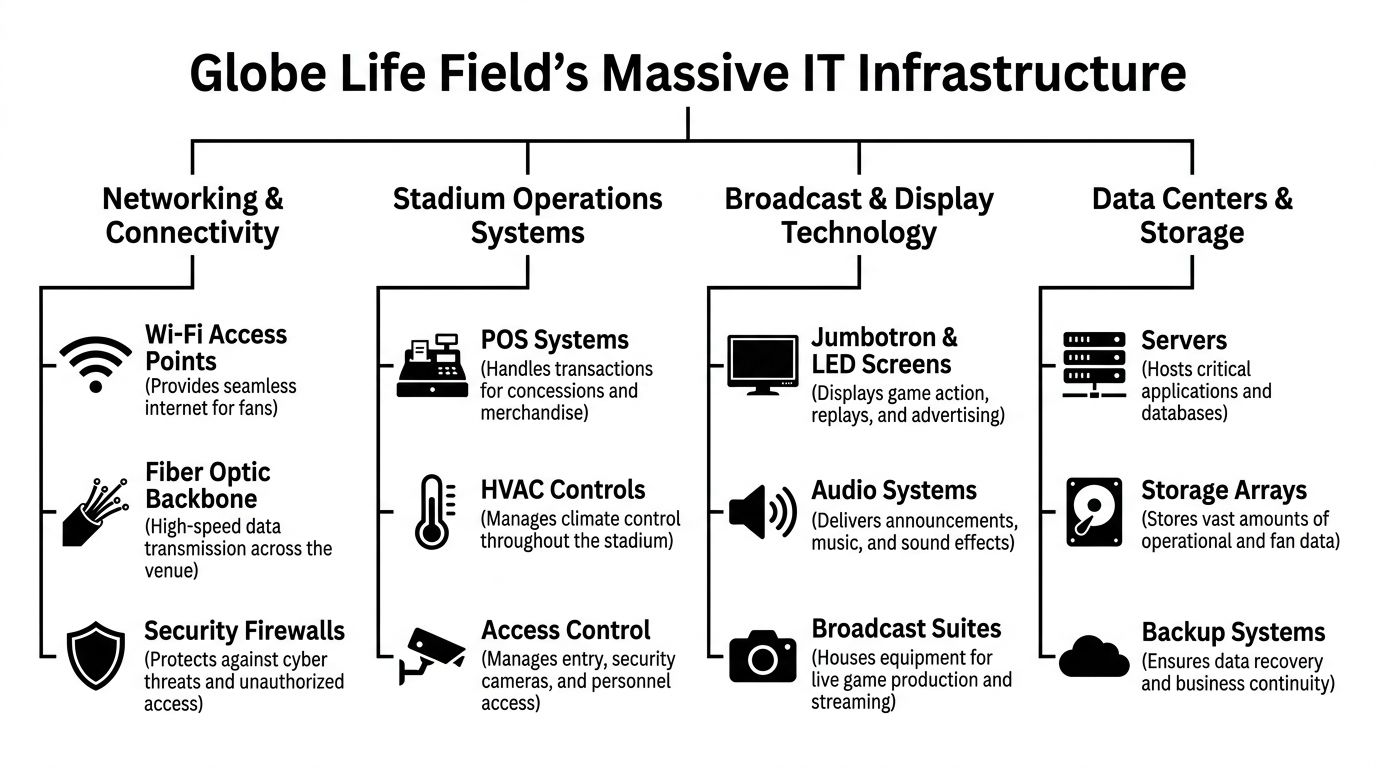
That scale tells you something important. A venue this large doesn't have one IT environment. It has several stacked together.
Core systems that create disposal exposure
A practical stadium inventory usually includes:
- Point-of-sale hardware for concessions, bars, suites, and merchandise locations. These systems often hold transaction data, local logs, credentials, or configuration details.
- Digital signage and display controllers across concourses, entry points, clubs, and premium areas.
- Broadcast and production gear used for replay, in-house programming, live feeds, content storage, and control-room workflows.
- Networking equipment such as switches, wireless infrastructure, firewalls, and edge devices that store settings, keys, and topology information.
- Security systems including cameras, recorders, access control panels, badge readers, and monitoring workstations.
- Facilities technology tied to HVAC, building controls, and other operational systems that often live outside traditional IT inventories.
- Back-office computing like laptops, desktops, printers, mobile devices, and storage media used by finance, HR, operations, and partnerships teams.
What works and what doesn't
The best-run organizations treat venue technology as a governed asset class, not as a facilities afterthought. They maintain retirement triggers, ownership, and disposition instructions before a system ever goes live.
What doesn't work is the common split-responsibility model where one team owns procurement, another owns deployment, facilities owns part of the infrastructure, and nobody owns final disposition. That’s how old drives end up on shelves and retired endpoints sit in unsecured storage.
A disciplined asset program starts with governance. The IT asset management best practices that matter in a corporate office matter even more in a public venue. The only difference is complexity.
| Technology area | Common end-of-life issue | Control that reduces risk |
|---|---|---|
| POS and kiosks | Devices retired without verified wipe status | Serialized intake and destruction records |
| Network gear | Configurations left on hardware | Standardized sanitization before release |
| Broadcast systems | Mixed ownership and unclear storage media custody | Formal handoff between media, facilities, and IT |
| Security equipment | Old recorders stored for “just in case” retention | Written retention and disposal schedule |
The Hidden Lifecycle of Stadium and Venue Electronics
Most organizations still talk about procurement as if it's the main decision point. It isn't. The harder work starts after deployment.
In a stadium environment, electronics turn over for several reasons at once. Some assets fail. Some become unsupported. Some are replaced because the fan experience changed. Others get removed because operations teams don’t want to carry legacy hardware into the next season.
Retirement isn't a one-time event
A venue doesn't retire technology in one clean wave. It creates a rolling stream of endpoints, storage devices, cabling accessories, controllers, rack gear, displays, handhelds, and support hardware.
That changes how ITAD should be planned.
- Planned refreshes usually affect user endpoints, payment devices, wireless equipment, and display systems.
- Emergency replacements happen after hardware failures, damage, or performance problems.
- Operational redesigns remove equipment that still works but no longer fits the environment.
- Vendor transitions often leave orphaned equipment and uncertain ownership unless contracts are clear.
The biggest mistake is treating retired gear as inactive risk
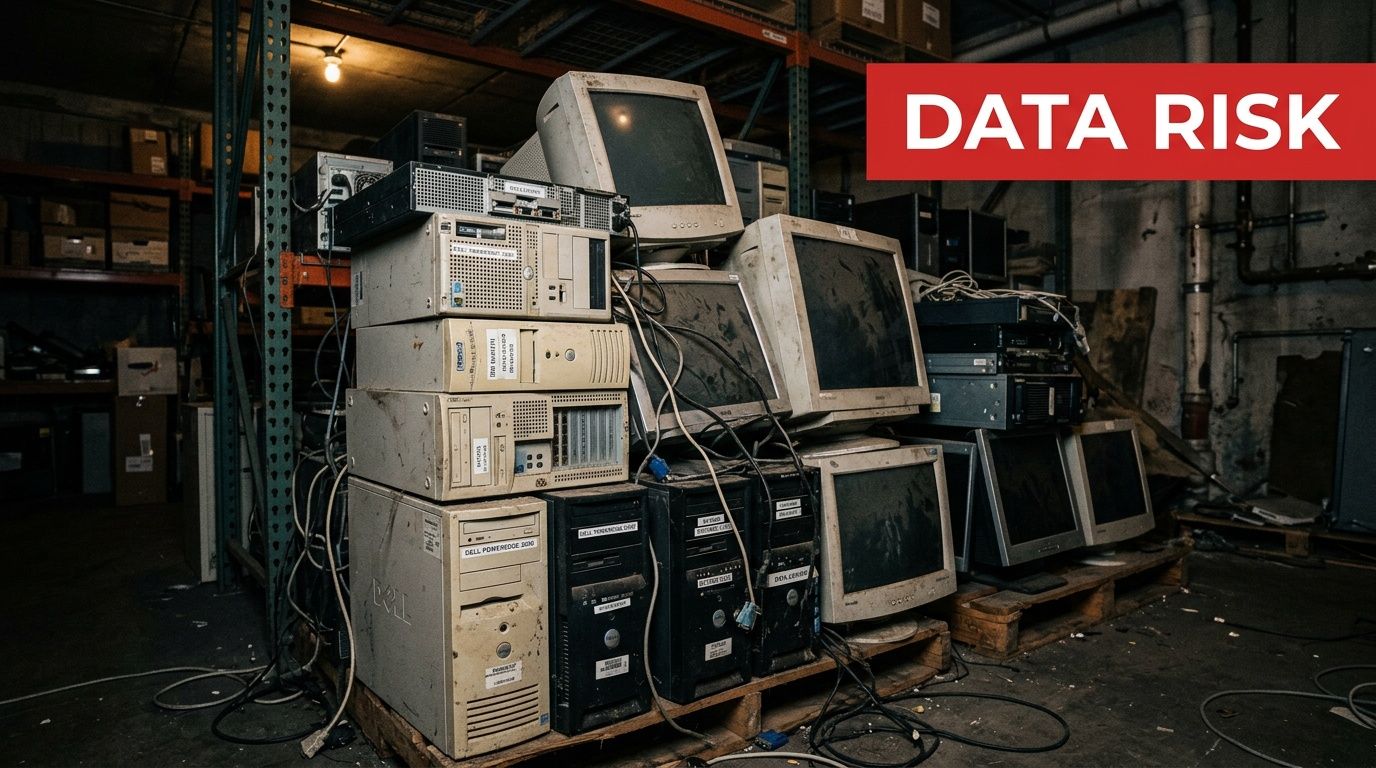
Retired equipment isn't harmless because it’s unplugged. It still occupies space, still requires inventory control, and still may contain recoverable data.
I've seen this pattern repeatedly in large organizations. Assets leave production, then disappear into “temporary” storage. Months later, no one is sure whether a drive was wiped, whether a switch was reset, or whether a device was meant for resale, destruction, or internal reuse.
Practical rule: If an asset has left production but hasn't entered a documented disposition workflow, it is still an active risk.
That’s why mature teams define the retirement path before equipment ages out. They set intake procedures, designate secure staging areas, require serialized tracking, and decide which categories can be remarketed versus physically destroyed.
A stadium is a good case study because it forces the issue. There’s constant pressure to free space, avoid disruption, and keep operations moving. Without a formal process for end-of-life IT equipment, organizations fall back on ad hoc storage and occasional cleanouts. That approach creates blind spots, not control.
Data Security Risks in Decommissioned Venue Technology
The environmental side of e-waste gets attention. The security side deserves more.
Public information on the Rangers’ community work is easy to find, but there’s also a clear gap in publicly available detail around certified data destruction and IT asset disposition for electronics removed from Globe Life Field and related operations, as noted on the Texas Rangers community page. For an IT leader, that gap is the core issue. If the process isn't visible internally and documented externally where needed, risk grows fast.
Where sensitive data hides
Venue technology stores more information than many operators realize.
A retired POS terminal may hold credentials, local transaction traces, or support access details. An old office workstation may contain payroll records, contracts, sponsor files, or email archives. A firewall, wireless controller, or managed switch can expose network maps, authentication settings, and administrative credentials. Security systems may preserve footage, badge data, user lists, and device relationships.
The risk isn't limited to hard drives in servers. It extends to solid-state storage, removable media, embedded flash, copier drives, and specialty systems that facilities teams may not classify as “data devices.”
Common failure points
The weak spots are usually procedural, not technical.
- Unsecured storage rooms where retired devices accumulate without access logs
- Partial inventories that track models but not serial numbers
- Informal wiping practices with no verification or audit trail
- Mixed vendor handoffs where transport responsibility is unclear
- Assumptions about factory reset that don't meet sanitization requirements
A serious disposition program aligns with recognized destruction practices and documented chain of custody. In regulated environments, that often means using methods consistent with NIST 800-88 and maintaining defensible records for every asset movement and destruction event.
Old electronics don't become safe because they've been replaced. They become safe when custody, sanitization, and final disposition are documented.
For organizations that handle customer data, employee records, payment environments, or sensitive infrastructure, security-focused data destruction isn't optional. It’s a control function.
Building a Championship Plan for IT Asset Disposition
Strong ITAD programs look a lot like strong baseball operations. They rely on evidence, repeatable process, and disciplined review instead of assumptions.
The Rangers’ turnaround has been described through advanced performance data, with players like Corey Seager and Marcus Semien standing out in bWAR. That same mindset applies to ITAD. The Baseball Savant team data page also supports a useful analogy. In baseball, a high barrel rate means better contact quality. In ITAD, a high reuse rate means you extracted more value from the assets that still had useful life.
Four controls that separate mature programs from cleanup projects
Asset visibility
If the inventory is weak, everything downstream is weak. You need model, serial, device type, custody status, and disposition path for each asset class.
That includes the hardware nobody wants to think about. Old badge systems. Conference room PCs. Spare drives. Production carts. Broadcast-adjacent storage. Legacy gear from earlier upgrades.
Verified data destruction
“Wiped” isn't a business record. A documented sanitization result is.
For reusable equipment, that means tested and recorded erasure. For failed media or devices leaving the reuse stream, that means physical destruction with matching records. The point isn't theatrics. The point is evidence.
Chain of custody
A pickup ticket alone isn't enough. The process should show who handled the assets, when they moved, where they were staged, and how they were processed.
A practical checklist looks like this:
- Before pickup inventory is reviewed and packaging or palletization is controlled.
- During transfer serialized assets are reconciled against transport records.
- At processing disposition decisions are documented by category.
- At closeout certificates and downstream reports match the original intake.
Value recovery and environmental handling
Not every retired device belongs in a shred pile. Some equipment still has secondary market value. Some components belong in certified recycling streams. Some media should be destroyed immediately even if the chassis is reusable.
That’s the trade-off many teams mishandle. They either over-destroy and lose recoverable value, or they over-reuse and create security risk. Good ITAD partners know where to draw that line and can prove why.
The best disposition plans don't optimize for one outcome. They balance data security, compliance, resale potential, and environmental responsibility at the same time.
Secure Your Assets with a Trusted DFW Recycling Partner
Texas has a long tradition of associating the Texas Rangers name with protection. The original force formed in 1823 to protect the frontier, a legacy documented by the Texas Rangers history archive. For modern businesses, the frontier isn't geographic. It's operational. It sits at the edge of your network, inside your retired hardware, and throughout every handoff where custody can break down.
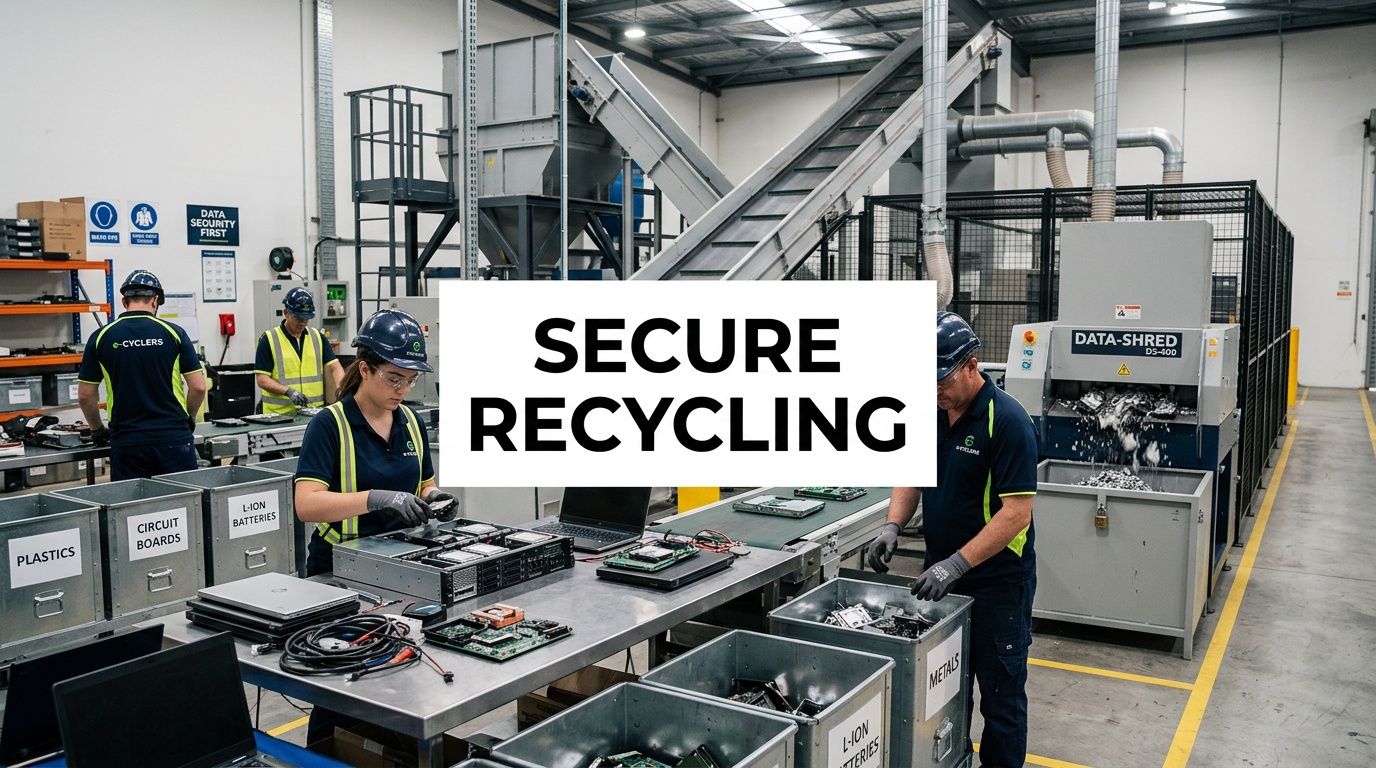
A trusted local partner matters when you're decommissioning endpoints, clearing storage rooms, retiring networking gear, or planning a larger facility refresh. That’s especially true in DFW, where venue operations, corporate campuses, healthcare systems, public agencies, and data-heavy organizations all generate the same core problem. Sensitive electronics must leave service without exposing data, disrupting operations, or creating audit gaps.
What to look for in a partner
Choose a provider that can handle more than pickup.
- Secure intake processes that preserve chain of custody from the first touch
- Certified destruction options for media and devices that shouldn't be reused
- Business-grade reporting that supports procurement, compliance, and internal audit teams
- Operational flexibility for office cleanouts, recurring pickups, and larger decommissions
Short-term convenience usually creates long-term cleanup. The better approach is to build a documented disposal path before the next refresh cycle starts.
Organizations in North Texas that need a practical starting point can review IT asset disposition services in Dallas Fort Worth Texas and compare that standard against their current process. If your internal workflow depends on guesswork, manual spreadsheets, or “temporary” storage, it’s time to tighten the system.
Dallas Fortworth Computer Recycling helps organizations retire technology without losing control of the process. If you need secure pickup, certified data destruction, data center decommissioning, or responsible electronics recycling, contact Dallas Fortworth Computer Recycling to build a documented ITAD plan that protects your data, your compliance posture, and your brand.