
Where Can I Sell Used Laptops: 2026 Business Solutions

A lot of IT directors ask a simple question: where can i sell used laptops?
What they usually mean is more complicated. They’re not trying to unload one personal MacBook. They’re staring at shelves of retired Dell Latitudes, Lenovo ThinkPads, and mixed-condition refresh-cycle equipment that still holds value but also carries data, compliance, and handling risk.
That changes the answer.
If you’re managing corporate assets, the best place to sell used laptops isn’t the place with the biggest consumer audience. It’s the channel that lets your team retire equipment securely, document the process, and avoid turning a cleanup project into an audit problem.
The Hidden Risks in Your IT Storage Closet
The usual scene is familiar. A refresh project finishes, users get their new devices, and the old laptops go into temporary storage. Then temporary turns into months. A locked room becomes a holding area for devices with unknown drive status, faded asset tags, missing chargers, and no clear disposition path.
That pile doesn’t represent easy money. It represents unresolved liability.
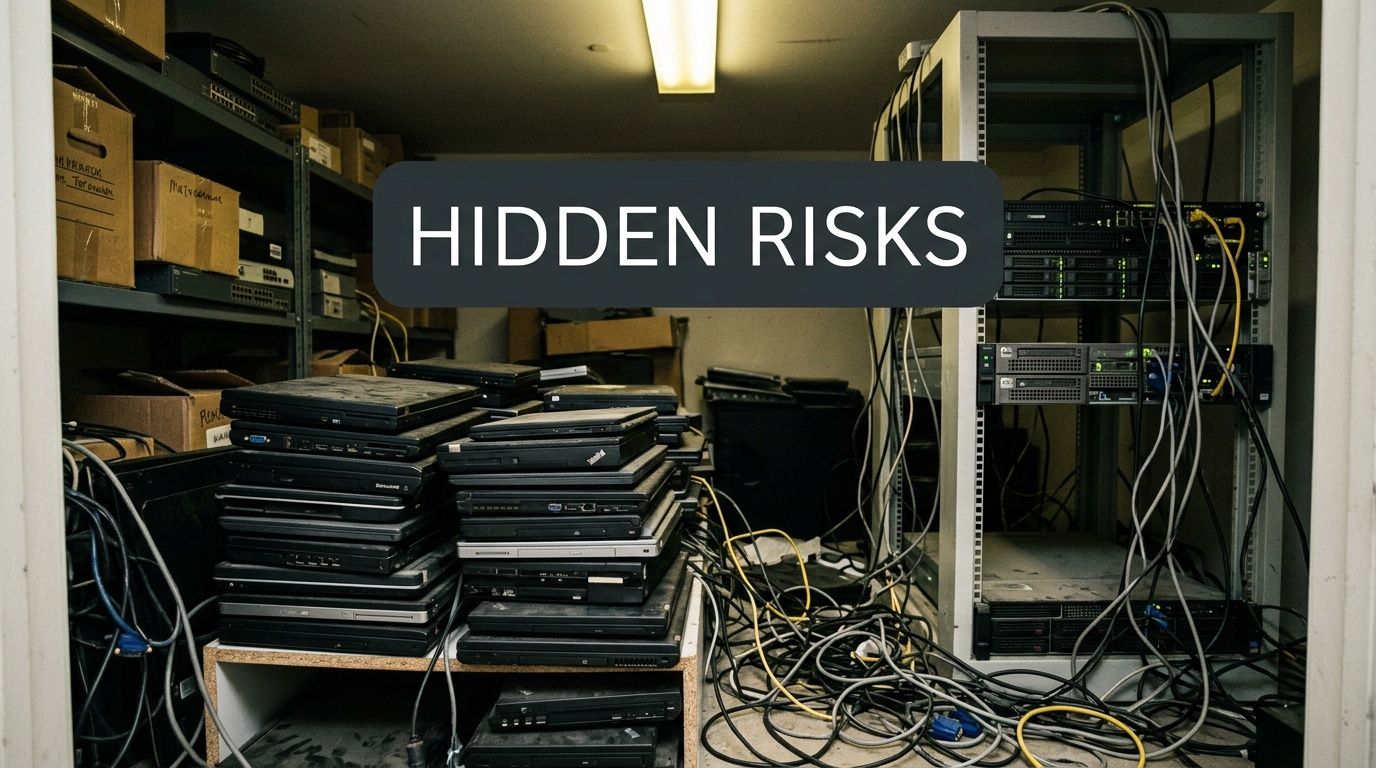
Most online advice misses that point. As CashItUsed notes in its discussion of used laptop selling, existing content on selling used laptops overwhelmingly targets individual consumers, largely ignoring the unique challenges faced by IT directors in mid-size to enterprise companies where data security and regulatory compliance demand certified data destruction and chain-of-custody documentation before any resale or recycling.
Why old laptops become a business problem
A retired corporate laptop creates several obligations at once:
- Data handling: You need to know whether the drive was wiped, how it was wiped, and whether the result was documented.
- Asset control: Finance, procurement, and security teams often need confirmation that equipment was removed from service properly.
- Storage burden: Every week those devices sit in a closet, your team is still indirectly managing them.
- Disposition consistency: One office might box devices neatly. Another might stack them in a telecom room and forget them.
If you’re searching for a process instead of a one-off sale, a documented computer equipment disposal workflow matters more than a fast listing site.
Practical rule: If a laptop came from your organization, treat disposition as a controlled IT process, not a side hustle.
The wrong question costs time
Consumer sellers ask, “What’s the highest price I can get for this device?”
IT leaders need to ask different questions:
- Who maintains chain of custody?
- What documentation will I have after the assets leave?
- Can the process scale across offices, clinics, campuses, or data centers?
- How much staff time will this consume?
Those questions determine whether a laptop sale reduces risk or adds to it. In enterprise environments, that distinction matters more than squeezing out a slightly better per-unit headline price.
Exploring Consumer and Prosumer Sales Channels
Consumer channels still matter because they dominate search results, and they do fit some use cases. If you’re evaluating where can i sell used laptops, you should understand how these options work before ruling them in or out.
The main categories are online marketplaces, local peer-to-peer channels, and direct buyback services. Each one solves a different problem.
Online marketplaces
Platforms like eBay and Amazon give sellers broad visibility. The reach is undeniable. eBay has 165 million active users and Amazon attracts over 2 billion monthly visits, according to CIO’s review of used tech sales channels. That kind of traffic is why individual sellers gravitate there.
The trade-off is operational. The same source notes that these platforms typically impose selling fees between 10-15%, which gets painful quickly when you’re moving equipment in volume.
For a single laptop, that may be acceptable. For an organization, it often isn’t.
A cash recovery team comparing channels should also look at labor. A marketplace listing requires photos, specs verification, condition grading, buyer communication, packing, shipment, payment reconciliation, and dispute handling. Repeat that across a large batch and the channel starts consuming internal resources fast.
If your organization is evaluating resale routes, it helps to compare that work against options built for cash-for-laptops programs rather than public marketplace selling.
Local peer-to-peer channels
Facebook Marketplace, Craigslist, OfferUp, and similar local channels appeal to people who want to avoid shipping and deal directly with buyers. In the right scenario, they can move a single machine quickly.
They also create a lot of manual work:
- Meeting coordination: Someone has to answer messages, schedule pickups, and handle no-shows.
- Condition disputes: A buyer may interpret “good condition” differently than your staff.
- Payment inconsistency: Cash, transfers, or ad hoc arrangements create uneven controls.
- No process standardization: Every transaction can look different.
For a small office clearing out a couple of spare laptops, that might be manageable. For a business with recurring refresh cycles, it usually isn’t.
Direct buyback and trade-in sites
Direct buyers like Swappa-style electronics channels or online trade-in services reduce effort. You submit model details, receive an offer, ship the item, and get paid if the condition matches the submission.
That’s simpler than listing publicly, but these services are still generally designed around the individual or very small-batch seller. They’re convenient because they remove negotiation and reduce friction.
The more a channel is optimized for one seller and one device, the less likely it is to work cleanly for a dispersed IT estate.
This is the core trade-off across consumer and prosumer channels. They’re built to help someone sell a laptop. They’re not built to help an IT director retire a fleet.
The Enterprise Disposition Dilemma Why Consumer Channels Fail at Scale
Consumer channels don’t fail because they’re bad platforms. They fail because enterprise disposition has different requirements.
A company retiring a handful of laptops might improvise. A company retiring devices from multiple sites, departments, or regulated workflows needs repeatability. That’s where public marketplaces and local sales channels break down.
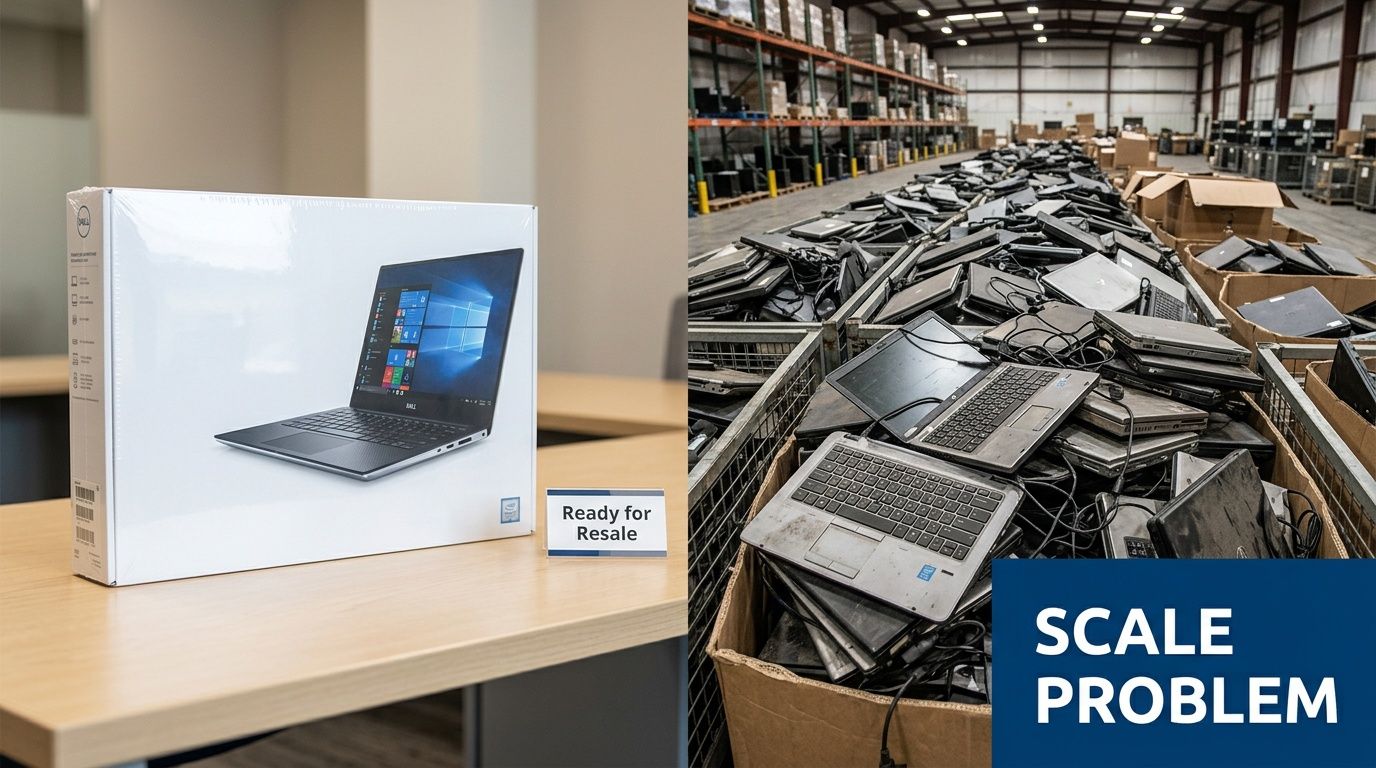
Data security is the first failure point
Consumer resale channels assume the seller is responsible for their own device preparation. That’s a major gap for business assets. Your team may factory reset a laptop, but that isn’t the same thing as a documented sanitization workflow tied to asset records.
In practice, this creates uncertainty. Was the right method used for the drive type? Was the device verified? Is there a record that security, legal, or compliance can rely on later?
If the answer is “we think so,” the process isn’t strong enough.
Compliance breaks next
Businesses in healthcare, government, finance, education, and other controlled environments don’t just need devices gone. They need evidence of what happened to them. Consumer channels rarely provide auditable documentation that maps cleanly to internal controls.
That creates a familiar problem. The IT team can tell leadership that the laptops were sold, but it can’t always show a defensible chain of custody from retirement through data destruction and final disposition.
A resale event without paperwork isn’t a completed project. It’s an undocumented handoff.
Logistics become the hidden cost center
The operational friction shows up fast once you spread assets across offices or facilities. Exit Technologies notes that local channels like Craigslist and Facebook Marketplace create scalability challenges, with similar laptops ranging from $300 to $800 depending on region and timing. That variability may be normal in local consumer sales, but it’s a headache for organizations trying to standardize outcomes.
What looks flexible at small scale becomes chaotic at volume.
- One branch office might get decent local interest.
- Another might sit on equipment because the local market is weak.
- A third might get offers that don’t justify the staff time.
You also lose the advantages of a bulk process. Instead of moving a project through one intake path, your team manages scattered micro-transactions.
A consumer channel can sell a laptop. It can’t run a nationwide disposition program for you.
Value erosion is usually self-inflicted
Many organizations focus too narrowly on headline resale price. That’s a mistake. Net recovery depends on more than the amount a buyer offers.
You also have to count:
- Internal labor spent cataloging, listing, packing, and answering buyers
- Inconsistent pricing across markets and timing windows
- Dispute risk tied to condition disagreements or shipping claims
- Delayed closeout because units move one by one instead of in managed lots
At that point, the question stops being “Can we sell these ourselves?” and becomes “Why are we operating our own informal resale business?”
For most IT departments, that isn’t a good use of staff time or risk tolerance.
A Comparison of Laptop Disposition Channels for Businesses
A business decision on where can i sell used laptops should compare channels by total disposition outcome, not just apparent resale upside. That means looking at control, documentation, internal effort, and consistency.
Laptop Disposition Channel Comparison for IT Teams
| Channel | Best For | Value Recovery | Data Security | Compliance & Audit Trail | Logistical Effort |
|---|---|---|---|---|---|
| Online Marketplaces | Single devices or very small batches where staff can manage each sale | Potentially strong per-unit asking prices, but fees and labor reduce net recovery | Seller-managed, inconsistent, and hard to validate at scale | Limited for business needs | High |
| Local Sales | Nearby one-off transactions and informal liquidation | Unpredictable because pricing varies by region, timing, and buyer interest | Informal and difficult to standardize | Weak for regulated environments | Very high |
| Buyback Sites | Small organizations that want convenience more than process depth | More predictable than public listings, but often lower than open-market expectations | Better than ad hoc sales, but documentation depth varies | Moderate at best, depending on provider | Moderate |
| ITAD Partners | Mid-size to enterprise refreshes, decommissions, and regulated asset retirement | More consistent business-grade recovery tied to bulk processing and remarketing | Managed sanitization and controlled handling | Strong, with chain-of-custody and destruction documentation | Low relative to internal handling |
The pattern is straightforward. The channels that appear attractive to individuals become harder to justify when the seller is an organization.
What the table really shows
Online marketplaces reward seller effort. That sounds fine until you remember your seller is often an IT team, a field support lead, a procurement analyst, or an operations manager. Their time isn’t free, and their core job isn’t writing resale listings.
Local sales remove shipping complexity but replace it with fragmented work. Devices move inconsistently, standards vary by site, and your process quality depends on who happens to be coordinating the transaction that week.
Buyback sites are easier to manage, but they still tend to sit between consumer convenience and enterprise controls. They can be useful for light volume, especially if your organization wants a straightforward path without public listings.
If your team is also evaluating component-only recovery, it’s worth reviewing options for where to sell computer parts because the right outlet for complete laptops isn’t always the right one for harvested or nonstandard equipment.
The business lens to apply
Ask four questions before you choose a channel:
- Can this process be repeated consistently across locations?
- Will we receive documentation that survives internal review?
- How much staff time does this model consume?
- Does the channel support bulk handling, not just individual transactions?
Those questions usually narrow the field quickly. What’s left tends to look less like ecommerce and more like managed disposition.
The Secure Solution IT Asset Disposition Partners
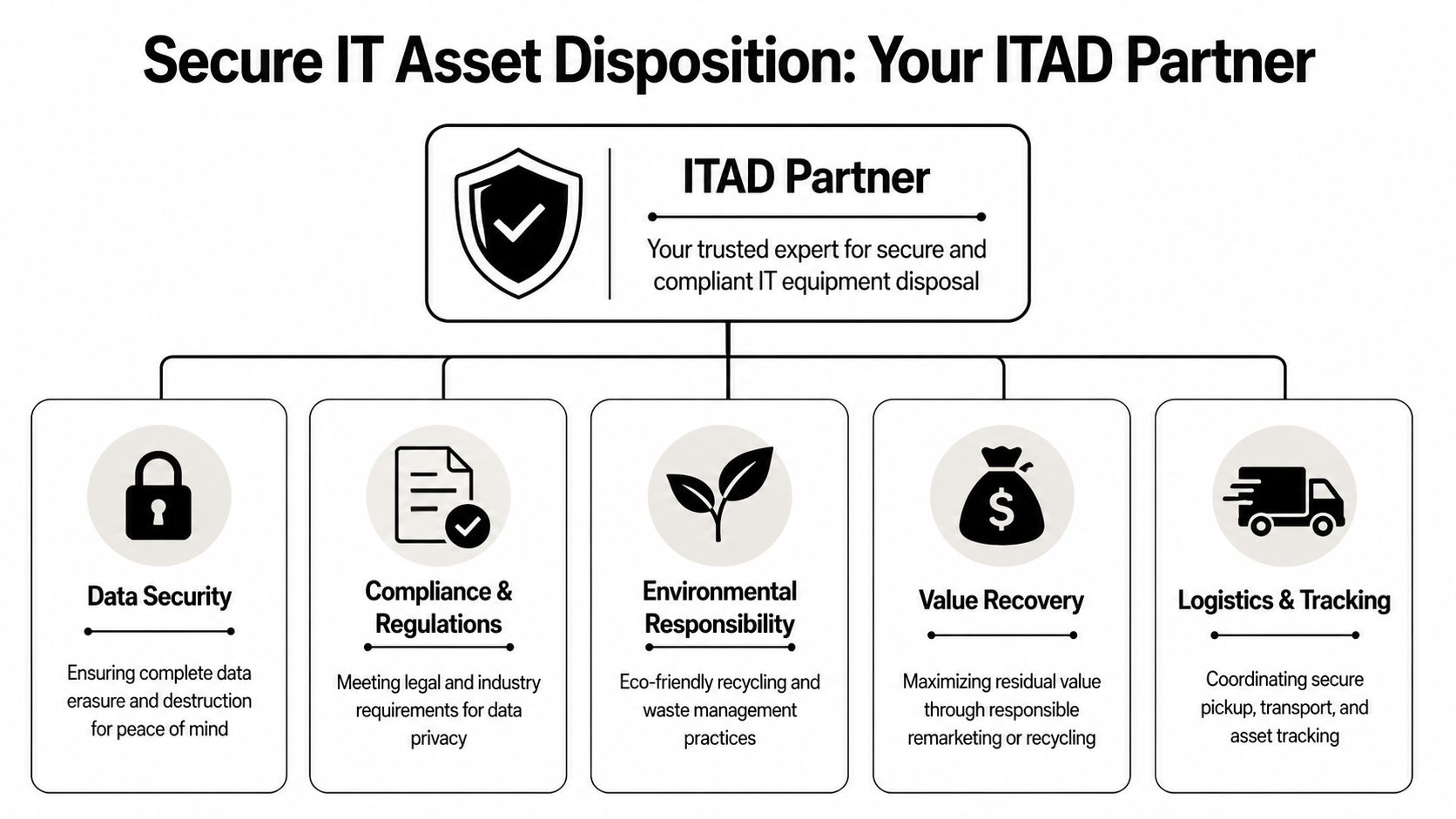
For business sellers, the strongest answer to where can i sell used laptops is usually an IT Asset Disposition partner. That’s because ITAD isn’t just a resale outlet. It’s an operating model for retiring technology with control.
A good ITAD provider handles the pieces that internal teams struggle to coordinate on their own: intake, chain of custody, data sanitization, remarketing, recycling, reporting, and project closeout.
Why ITAD changes the economics
The biggest misconception is that ITAD is only about security and environmental handling. It also improves the business case.
According to We Buy Used IT Equipment’s 2026 market discussion, for bulk sales of corporate laptops of 50+ units, ITAD providers deliver 20-40% higher ROI per unit than marketplaces due to lower processing costs and certified data sanitization to NIST 800-88 standards. The same source adds that this process minimizes breach risks, which affect 28% of e-waste disposals according to Gartner reports.
That matters because enterprise value recovery isn’t just about list price. It’s about what remains after handling, labor, and risk are accounted for.
What a mature ITAD process includes
A real ITAD engagement should cover more than pickup and payment. It should give your organization a controlled retirement path.
Look for these elements:
- Chain of custody: The provider should be able to show when assets were collected, transferred, processed, and finalized.
- Certified sanitization: NIST 800-88 alignment matters because it gives your team a recognized framework for data destruction.
- Downstream clarity: You should know whether devices are being refurbished, remarketed, recycled, or broken down.
- Reporting: Your records should support internal audit, security review, and asset closeout.
- Scalable logistics: Multi-site pickup coordination should be normal, not an exception.
If a vendor talks mainly about resale value and barely discusses process controls, that’s a warning sign.
Why enterprise teams prefer specialists
Enterprise disposition is operationally messy. Asset tags don’t always match records. Some laptops arrive with damaged screens, missing SSDs, or failed batteries. Some are still useful. Some belong in recycling. A consumer sale model doesn’t absorb that complexity well.
ITAD providers are built for mixed-condition lots and fleet-level projects. They don’t need every device to be pristine to make the project work.
That’s also why many IT leaders shortlist firms that specialize in IT asset disposition services for business equipment retirement rather than general resale channels. The specialization matters more than marketplace popularity.
If your disposition partner can’t explain its chain-of-custody workflow in plain language, keep looking.
What works in practice
The strongest laptop disposition programs share a few traits:
- Procurement knows the approved vendor path.
- Security signs off on the sanitization standard.
- Site teams follow one intake method.
- Finance gets consistent reporting.
- Assets leave storage quickly instead of aging in place.
That’s what turns disposition from a recurring backlog into a repeatable operating process.
Your Action Plan Executing a Secure Laptop Disposition Project
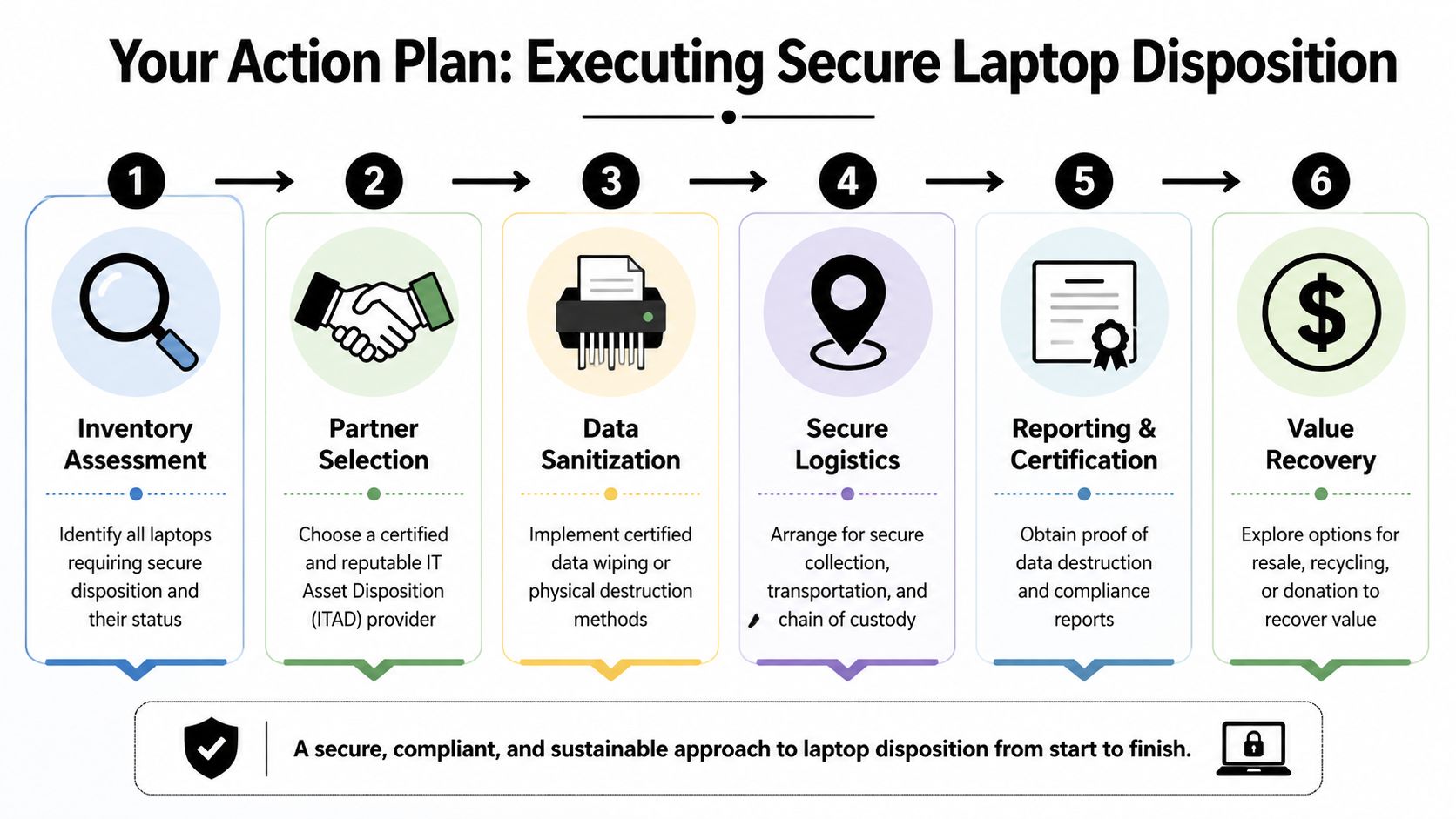
Once you stop treating old laptops like miscellaneous surplus, the process becomes much easier to manage. The key is to run disposition like a controlled project with clear handoffs.
Start with inventory discipline
Before requesting quotes, build a usable asset list. It doesn’t have to be perfect, but it should be structured.
Capture the basics:
- Manufacturer and model
- Processor, RAM, and storage where known
- Functional status
- Drive presence or absence
- Power adapter availability
- Location by site or room
- Asset tag or serial when available
This step does two things. It improves quote quality, and it exposes exceptions early. Missing drives, damaged units, and mixed configurations are easier to manage before pickup than after intake.
Select the partner based on workflow, not promises
Choose the provider that can explain exactly how the project will move. Ask who handles packaging guidance, how pickups are scheduled, what sanitization methods are used, and what documents you’ll receive at closeout.
In regulated environments, that technical detail matters. ComSources notes that certified ITAD services use methods such as cryptographic erase for NVMe SSDs, achieving more than 99.9% data unrecoverability versus 15-20% residual data exposure risk from consumer trade-ins, and that this process can boost payout by 30% for bulk lots.
That’s the difference between a generic buyer and a real disposition partner.
If your internal team needs a refresher on media preparation standards, a practical guide on how to completely wipe a hard drive helps frame the right technical questions before release.
Don’t ask only, “What will you pay?” Ask, “What exactly happens to our drives, and what proof do we get?”
Coordinate logistics with chain of custody in mind
Many internal projects often drift. Devices get moved twice, boxed inconsistently, or left with front-office staff awaiting pickup. That weakens control.
A better model is to assign one internal owner and one provider contact, then define:
- Pickup sites
- Asset staging rules
- Labeling requirements
- Whether devices are palletized or boxed
- Signoff at transfer
Even straightforward projects benefit from this discipline. Once assets leave your site, the record of that handoff should be unambiguous.
Close the loop with documentation
The project isn’t done when the laptops leave the building. It’s done when records are complete and archived.
Your closeout package should support multiple stakeholders:
- IT operations needs confirmation that assets are retired.
- Security needs sanitization evidence.
- Compliance or legal may need audit-ready documentation.
- Finance may need disposition or recovery reporting.
Store that documentation where future reviewers can find it. A certificate nobody can retrieve later doesn’t help much.
Build a repeatable playbook
The best result of one successful project is a better process for the next one. Document your internal steps, approved vendor path, required asset fields, and retention rules for final paperwork.
That turns “where can i sell used laptops” from a recurring scramble into a standard operating procedure. Once that happens, old devices stop clogging storage rooms and start moving through a controlled retirement cycle.
Conclusion From Liability to Strategic Asset Retirement
If you’re an individual seller, there are plenty of places to sell a used laptop. If you’re an IT director, that’s not really your problem.
Your actual problem is retiring business assets without losing control of data, documentation, staff time, or residual value. That’s why most consumer advice falls short. It focuses on listings, not liability. It talks about quick sales, not chain of custody. It assumes one device and one seller, not dozens of sites and a formal refresh cycle.
The right answer depends on scale and risk. Public marketplaces, local sales apps, and trade-in sites all have valid uses, but they weren’t built around enterprise disposal requirements. Once you factor in sanitization, auditability, and project management, the better-fit option is usually a specialized ITAD workflow.
That’s the shift that matters most. Old laptops aren’t just equipment to sell. They’re assets to retire properly.
When organizations make that shift, the storage closet stops being a forgotten backlog. It becomes the starting point of a controlled process that protects the business, supports compliance, and recovers value without pulling your team into ad hoc resale work.
If your organization needs a secure, documented way to retire laptops and other IT equipment, Dallas Fortworth Computer Recycling provides nationwide B2B IT asset disposition and electronics recycling services built for IT leaders, procurement teams, healthcare organizations, government agencies, and multi-site enterprises. They combine certified data destruction, chain-of-custody controls, straightforward logistics, and responsible downstream handling so your team can move assets out of storage and into a defensible disposition process.