
Arlington Secure Electronics Recycling Guide
For any Arlington organization, managing retired electronics goes far beyond just clearing out a storage room—it's a critical security and compliance mandate. Handling Arlington secure electronics recycling with a professional, structured approach is essential. Without one, that old hardware quickly becomes a ticking time bomb of liability, opening you up to data breaches and serious regulatory fines.
Why Secure IT Asset Disposition Is Non-Negotiable
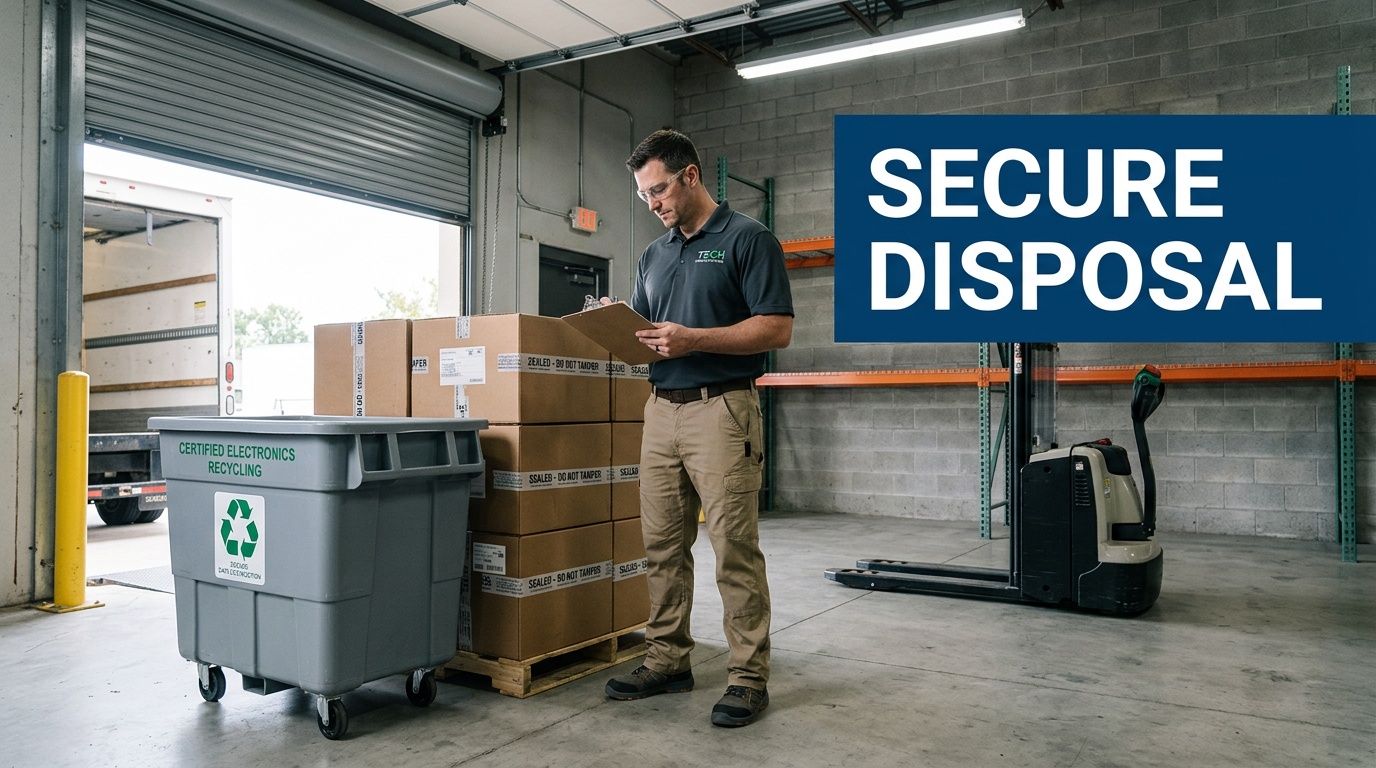
Simply sending old computers to a general recycler or dropping them off at a municipal event is a dangerously flawed strategy for any business. These channels were never designed for corporate security and lack the documentation and certified processes needed to protect your organization.
Every retired server, laptop, and company smartphone holds a detailed history of sensitive data. We’re talking about everything from customer PII and internal financial records to your most valuable intellectual property.
Improper disposal is one of the easiest paths to a data breach. It only takes one hard drive falling into the wrong hands to trigger millions in damages, regulatory penalties, and a hit to your reputation that you can never fully erase. This is exactly where a formal IT Asset Disposition (ITAD) program becomes non-negotiable. You can get a clearer picture by exploring our guide on what IT asset disposition entails.
The Pillars of a Defensible ITAD Program
A strong ITAD strategy is built on several key components that work together to eliminate risk and ensure you can prove compliance. It turns what feels like a logistical headache into a secure, auditable, and responsible business process. These pillars aren't just suggestions; they are the foundation of any defensible electronics recycling plan.
A secure ITAD program always includes these core components, which are essential for protecting your organization.
Secure ITAD Program Core Components
| Component | Objective | Key Action for IT Directors |
|---|---|---|
| Asset Inventory & Tracking | To create a verifiable record of every device from start to finish. | Ensure your vendor tags and records every asset by serial number upon collection. |
| Certified Data Destruction | To permanently and verifiably destroy all data on storage media. | Demand NIST 800-88 compliant data wiping or physical destruction with certificates. |
| Chain of Custody | To maintain an unbroken audit trail of asset possession. | Require signed documentation at every handoff point, from your door to final disposition. |
| Compliance & Reporting | To provide auditable proof that all legal and security duties were met. | Collect and file all Certificates of Destruction and Recycling for future audits. |
These elements transform asset retirement from a liability into a controlled, documented procedure that stands up to scrutiny.
The local community's awareness of e-waste is certainly growing. For example, at a recent Arlington E-CARE event, nearly 1,500 residents dropped off an impressive 14.6 tons of old electronics. While this is great for residential recycling, it highlights the sheer volume of devices that, for a business, demand a much higher standard of security.
For an IT director, the goal of secure electronics recycling isn't just disposal—it's risk elimination. A certified ITAD partner delivers the auditable proof needed to demonstrate due diligence and insulate the company from legal and financial blowback.
Building Your Definitive Asset Inventory
Before a single device leaves your building, you need a bulletproof inventory. This isn't just about counting old laptops; it's about creating the foundational document for your entire Arlington secure electronics recycling program. A detailed asset list is the cornerstone of a defensible chain of custody, and without it, you're essentially flying blind.
Think of it this way: an undocumented asset is an untraceable liability. If an auditor asks you to prove a specific server was destroyed, you can't do it if you have no record that the server ever existed in the first place.
From Data Centers to Desktops
Your inventory needs to cover every single piece of equipment slated for retirement. This means everything from the massive server racks in your data center down to the individual tablets used by your executive team. Each device category carries its own unique data footprint and risk profile.
For example, retiring a server rack is a high-stakes project. These machines likely hold huge amounts of proprietary data, customer PII, and sensitive financial records. On the other hand, a batch of field-service tablets might have less data overall, but that data could include client communications or location history protected by specific privacy regulations.
A thorough inventory forces you to confront the specific data risks tied to each asset. This upfront assessment is what dictates the level of security and data destruction required for every item down the line.
The end goal is a master list that acts as the single source of truth for the entire ITAD project. This document will be your guide from pickup to final reporting.
Tagging and Logging Best Practices
Creating this list requires a systematic approach. While a simple spreadsheet might suffice for a tiny office, most organizations will find dedicated asset management software to be far more efficient and reliable. If you're looking at your options, our guide on the best IT asset management software is a good place to start.
Whatever tool you choose, the process boils down to a few key actions:
- Assign Unique Identifiers: Every device needs a unique asset tag physically attached to it. If it doesn't have one, assign one.
- Record Serial Numbers: Log the manufacturer's serial number for every major component. For a PC, that means the chassis and, most importantly, the hard drive.
- Capture Key Details: Document the basics—asset type (laptop, server, switch), manufacturer, and model number.
- Note the User or Department: If possible, record the last person or department that used the device. This context is invaluable for figuring out what kind of data might be on it.
This level of detail might seem tedious, but it's what saves you during a crisis. Imagine a regulator questioning the disposal of a specific laptop that belonged to a C-level executive. With a detailed inventory, you can instantly pull up the asset tag and serial number, cross-reference it with the certificate of data destruction, and demonstrate complete due diligence. Without it, you’re left scrambling for answers.
Assessing Data Sensitivity Levels
With your list complete, the next step is to categorize each asset by its data sensitivity. This is where your inventory transforms from a simple manifest into a powerful risk management tool. We recommend a simple tiered system.
Sample Data Sensitivity Tiers
| Tier | Description | Example Assets | Recommended Action |
|---|---|---|---|
| High-Risk | Contains PII, PHI, financial data, or critical IP. | Servers, SANs, executive laptops, finance workstations. | On-site shredding or NIST 800-88 certified wiping. |
| Medium-Risk | Contains internal business data or non-public employee information. | Standard employee desktops, network switches, routers. | Certified software wiping. |
| Low-Risk | Has no data storage capability. | Monitors, keyboards, mice, peripherals, docking stations. | Standard, responsible recycling. |
Classifying your assets this way helps you communicate your security requirements clearly to your ITAD partner and ensures your resources are focused where the risk is greatest. It builds a logical and defensible framework for your entire Arlington secure electronics recycling strategy.
Mastering Data Destruction and Chain of Custody
Once you have a detailed asset inventory, the next step is the most critical: making absolutely sure every last bit of sensitive data is gone for good. Just hitting "delete" or running a factory reset won't cut it. Those methods often leave recoverable data fragments that are a goldmine for anyone with bad intentions. Real security requires certified data destruction.
This goes far beyond protecting company secrets. If your Arlington business handles financial, healthcare, or personal information, failing to destroy that data before disposal can bring on severe penalties under regulations like HIPAA, GLBA, and the Texas Identity Theft Enforcement and Protection Act.
Choosing the Right Data Destruction Method
There are three main methods for certified data destruction. The right choice really depends on how sensitive your data is, your compliance requirements, and the type of media you’re dealing with.
- Software-Based Wiping: This uses specialized software to overwrite a drive with random 1s and 0s, often multiple times. It’s a great option for devices that might be refurbished and resold. The key here is making sure the process meets industry standards like NIST 800-88 or DOD 5220.22-M.
- Magnetic Degaussing: For older magnetic media like traditional hard drives and backup tapes, degaussing is a fast and effective solution. It uses a powerful magnet to scramble the drive’s magnetic field, instantly rendering the data unreadable. The downside? The drive is completely unusable afterward.
- Physical Shredding: This is the most final form of destruction, period. The drive is physically shredded into tiny, unrecognizable pieces. It’s the go-to method for the most sensitive data and is often a requirement for government or military assets.
The inventory process you just completed—categorizing, tagging, and assessing your assets—directly informs which of these methods you'll need.
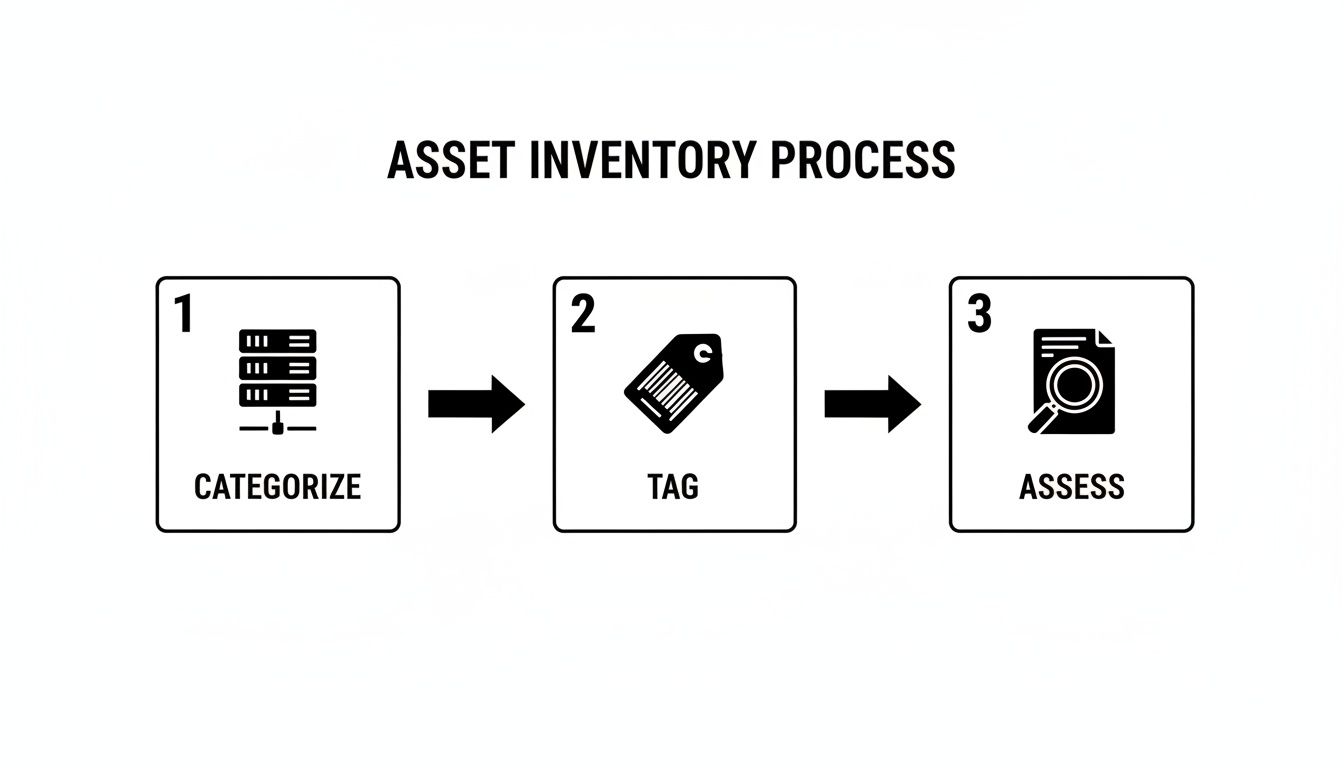
As you can see, a structured inventory is the foundation for making defensible security decisions down the line.
The Unbroken Chain of Custody
Data destruction is only half the story. You also need an unbroken, documented chain of custody. Think of this as the formal audit trail that follows your assets from the moment they leave your Arlington facility until they are officially processed. It’s your proof that no device went missing, was stolen, or was mishandled along the way.
A solid chain of custody document logs every single handoff and must include:
- The date and time of pickup.
- Signatures from both your representative and the vendor’s driver.
- The unique serial numbers or asset tags for all collected items.
- Confirmation that the assets arrived at the secure processing facility.
This documentation is not optional. Without it, you have no way to prove you did your due diligence if an incident ever occurs. We cover the specifics of this process in more detail in our guide on achieving secure data destruction in Arlington.
For an IT director, a chain of custody is more than just paperwork—it's your legal defense. It provides irrefutable evidence that you entrusted your assets to a certified partner and tracked them through every step of a secure process.
On-Site vs. Off-Site Destruction Scenarios
Your choice of destruction method also impacts logistics. You can have a vendor bring their equipment to you for on-site destruction, or have your assets securely transported to their facility for off-site processing.
On-Site Destruction
- Scenario: A financial firm in Arlington is decommissioning a server rack filled with sensitive client investment data.
- Action: The ITAD partner arrives with a mobile shredding truck. The IT director can physically watch the hard drives get shredded before the truck even leaves the parking lot, giving them maximum peace of mind.
Off-Site Destruction
- Scenario: A local healthcare network needs to retire 500 laptops from its various clinics across the DFW area.
- Action: A certified vendor picks up the devices in sealed, locked containers. The assets are then transported in a GPS-tracked vehicle to a secure facility, where they are wiped or destroyed under 24/7 camera surveillance before a Certificate of Destruction is issued.
Finding a partner who offers certified, auditable services is a top priority for most organizations. Some facilities even provide free data destruction that is compliant with HIPAA, NIST, and DOD standards—a major benefit for budget-conscious teams trying to avoid the steep costs of a data breach, which average $4.88 million.
Ultimately, mastering both data destruction and the chain of custody transforms Arlington secure electronics recycling from a potential liability into a documented, compliant, and completely defensible business process.
How To Vet Your Electronics Recycling Partner

Choosing a recycling partner is the single most critical decision in your IT asset disposition plan. Get it right, and your security and compliance are locked in. Get it wrong, and you open the door to devastating legal, financial, and reputational blows. This is one area where simply picking the lowest bidder is never the right move.
You're not just hiring a hauler; you're looking for an extension of your security team. Their processes must be transparent, their certifications current, and their approach to data security completely uncompromising. Vetting them properly is the only way to gain the confidence that your retired assets are in safe hands from pickup to final disposition.
Start with Key Industry Certifications
Your first filter for any potential partner should be their industry certifications. These aren't just logos for their website—they represent proof that an independent auditor has validated their processes against rigorous data security and environmental standards. Without them, you’re just relying on promises.
For any business serious about Arlington secure electronics recycling, two certifications are the gold standard:
- R2v3 (Sustainable Electronics Recycling International): This is the leading global standard for the industry. It puts a heavy focus on environmental protection, worker safety, and, most importantly, data security. An R2v3-certified partner has proven they adhere to a strict hierarchy of reuse, recycling, and responsible disposal.
- e-Stewards (Basel Action Network): Known for its incredibly strict environmental rules, this standard includes an absolute commitment to never export hazardous e-waste. It also features robust data security requirements.
A vendor holding one or both of these certifications has already made a significant investment in a difficult and expensive audit. It’s a clear signal you’re dealing with a professional operation.
Ask the Right Questions About Security and Insurance
Once you've confirmed their certifications, it's time to dig into the specifics of their security protocols. This is what truly separates the compliant partners from the rest. Your questions need to be direct, leaving no room for vague answers.
We've put together a quick questionnaire to help you guide this conversation.
Vendor Vetting Questionnaire
| Category | Critical Question to Ask | What a Good Answer Looks Like |
|---|---|---|
| Data Destruction | "What are my options for data destruction, and how do you verify success?" | "We offer on-site and off-site shredding, as well as NIST 800-88 compliant wiping. We provide a Certificate of Destruction with serialized reporting for every drive." |
| Facility Security | "Can you describe the security measures at your facility?" | "Our facility has 24/7 video surveillance, controlled and logged access points, and all employees undergo background checks and security training." |
| Chain of Custody | "How do you document and track my assets from pickup to final disposition?" | "We use a serialized asset tracking system. Every asset is scanned at your location and tracked through our secure facility to destruction, with a complete, auditable report." |
| Insurance | "What kind of liability insurance do you carry specifically for data breaches?" | "We carry specialized data breach and pollution liability insurance. We can provide a certificate of insurance for your records." |
These questions cut through the sales pitch and get to the core of what matters: protecting your data.
Critical Red Flag: If a potential vendor can't show you a detailed, auditable chain-of-custody process, walk away. An unbroken, documented trail is non-negotiable. It's the only real proof that your assets were managed securely. Vague talk about "secure tracking" is not enough.
Don't forget to verify their insurance. A reputable partner will have no problem providing a copy of their insurance certificate to confirm their coverage. Understanding the nuances can be tough, which is why we’ve detailed what to look for when evaluating IT asset disposition companies.
Verify Their Downstream Disposal Chain
Here’s a step many companies miss: you need to know where your electronics actually end up. Your primary recycling partner likely won't process every single commodity in-house. They rely on downstream partners to handle specific materials like circuit boards, plastics, and glass.
You have a right—and a responsibility—to know who these downstream vendors are. Ask for a list. A transparent partner will have this information ready and can explain their own vetting process for these vendors.
The history of e-waste shows why this is so important. Decades ago, it was common for recyclers to simply ship hazardous materials overseas. Certifications like R2v3 and e-Stewards were created to stop this. Today, the IT asset disposition market has grown to an estimated $50 billion valuation, largely because secure handling prevents an estimated 90% of data breaches that originate from recycled devices. Long-standing providers built their names on this trust. You can learn more about how the industry has evolved to prioritize secure electronics recycling in Arlington.
Your due diligence here protects your company from being tied to environmental or labor issues, no matter how far down the chain they occur.
Finalizing Logistics and Compliance Documentation
Just because the truck has left your loading dock doesn't mean the job is done. In fact, this last phase of your Arlington secure electronics recycling project is where you secure the proof of a job well done. It’s all about coordinating the physical pickup and, most importantly, getting the compliance documents that close the loop on your liability.
Once you’ve selected a partner and inventoried your assets, the focus turns to execution. This requires close coordination between your team and your vendor to guarantee a smooth, secure, and documented handoff.
Preparing Your Assets for Secure Transit
Before the pickup team arrives, you need to stage the equipment properly. This is more than just stacking old equipment in a corner; it's about setting the stage for a secure, accountable transfer. A messy staging area is a recipe for confusion, missed assets, and security risks.
Your ITAD partner should give you clear guidance, but here are a few best practices we always recommend:
- Designate a Secure Staging Area: Find a low-traffic, access-controlled space. A locked storage room or a roped-off section of a warehouse works perfectly. This prevents other employees from moving or taking assets before they're officially logged out.
- Consolidate by Asset Type: Grouping similar items is a huge help. Palletize servers, put laptops into secure bins, and box up loose keyboards and mice. This simple step makes the pickup faster and helps the vendor’s crew check everything against your inventory list.
- Ensure All Asset Tags Are Visible: Walk through and do a final check to make sure every device has its asset tag clearly visible. The vendor will need to scan these to log each item, which is the very first step in establishing a solid chain of custody.
A little bit of prep work here pays dividends. A well-organized pickup communicates professionalism and helps the entire process go off without a hitch.
Coordinating the Pickup and Transport
On pickup day, clear communication is everything. Appoint a single person from your team to act as the point of contact. This individual will be in charge of verifying the crew’s identity, showing them the staged assets, and signing the initial paperwork.
The transport itself is a massive security consideration. Your vendor must be using secure, company-owned vehicles—not unmarked rentals. For high-risk assets, you should insist on GPS-tracked trucks and sealed, tamper-evident containers.
The moment your electronics leave the building is a critical handoff. Always get a signed copy of the initial asset list or bill of lading from the driver before they pull away. This document is your first piece of evidence in the chain of custody.
This initial paperwork confirms your vendor has officially taken possession of the assets, transferring liability from your shoulders to theirs.
The Critical Compliance Documentation
After your equipment is gone, the final and most important phase begins: receiving the compliance documentation. This paperwork is the only definitive proof that you met your legal and ethical obligations. Without it, the entire effort is undocumented and leaves you exposed.
A professional ITAD partner will provide a full reporting package. Here is what you must get and review with a fine-toothed comb:
- Final Reconciled Inventory Report: This report should line up with your initial asset list, updated to reflect the final count verified at the vendor’s facility. Any differences should be flagged and explained immediately.
- Certificate of Data Destruction: This is the most critical document of all. It certifies that every data-bearing device was wiped or destroyed according to a specific standard, such as NIST 800-88. It absolutely must list the serial number of every single hard drive, creating an unbroken link between the physical device and its sanitization.
- Certificate of Recycling or Reuse: This document confirms that all non-data-bearing materials were recycled responsibly and in line with environmental regulations. If any equipment was refurbished for resale, that should also be clearly noted.
This collection of documents creates a complete, auditable trail from your facility to final disposition. You should keep these records on file indefinitely. If an auditor ever questions your disposal practices—even years down the road—this paperwork will be your irrefutable proof of due diligence. To get a better sense of what to look for, you can learn more about what a proper Certificate of Destruction for hard drives contains.
Nailing these final steps is what separates a truly secure ITAD program from a simple pickup service. It ensures your Arlington secure electronics recycling initiative is not just successful, but completely defensible.
Your Arlington Secure E-Waste Recycling Questions Answered
When it's time to retire old electronics, IT directors and procurement teams in Arlington have a lot to consider. Questions about compliance, security, and logistics are common. We get it.
Here are straightforward answers to the questions we hear most often from businesses trying to build a secure and compliant Arlington secure electronics recycling plan.
What's The Difference Between City Drop-Offs And Professional ITAD Services?
Many of us know about Arlington's E-CARE events or library drop-offs for things like old phones. While these are great for residents, they were never built to handle the security and compliance demands of a business.
A professional ITAD service is designed for business needs from the ground up. It provides critical safeguards residential programs simply don't offer:
- Legally Defensible Chain of Custody: You get signed documentation tracking every single asset from your office to its final recycling or destruction.
- Certified Data Destruction: We provide serialized Certificates of Data Destruction, proving that every drive was professionally wiped or shredded according to NIST 800-88 standards.
- Detailed Asset Reporting: You receive a final inventory report that reconciles every piece of equipment, creating a complete audit trail.
This isn't just about extra paperwork. This documentation is your legal proof of due diligence. Without it, your company is still on the hook for any data breach that might happen down the line—a risk a public drop-off event can't protect you from.
Are Texas Businesses Legally Required To Use A Certified E-Recycler?
While Texas law puts the onus on manufacturers for consumer recycling programs, the real legal pressure on businesses comes from data privacy regulations. Laws like the Texas Identity Theft Enforcement and Protection Act, along with federal rules like HIPAA or GLBA, are very clear about protecting sensitive data.
Using a certified R2v3 or e-Stewards partner is the industry standard for proving you took data security seriously. If a device your company threw away turns up with personal data still on it, the fines and legal fallout can be devastating.
Choosing a certified partner for Arlington secure electronics recycling isn't just about following a rule; it's a fundamental risk management decision. It's how you prove to auditors and regulators that you took every necessary step to protect your data.
Can Our Functional Equipment Be Resold Instead Of Destroyed?
Absolutely. In fact, it’s a smart strategy we highly recommend. Any good ITAD partner should evaluate your retired assets for their remarketing potential. It's a key part of the "reuse" principle and a great way to recover value from your old tech.
The process is simple and secure:
- First, your partner performs certified data wiping on all functional devices to completely sanitize them.
- Next, they test and refurbish the equipment—like laptops, servers, or networking gear—to get it ready for the secondary market.
- Finally, they sell the equipment through their established sales channels.
This approach not only supports a circular economy but can also generate a financial return. Often, this return can offset or even cover the entire cost of your ITAD project, turning a necessary expense into a revenue-positive outcome.
What Types Of Equipment Need Special Handling?
Most office tech is straightforward, but some assets require specialized disposal. It's crucial to be upfront with your ITAD provider about any unique items to ensure they're handled safely and correctly.
A few common examples include:
- Medical and Lab Equipment: These devices can be contaminated with biohazards and are subject to strict health and safety regulations. They must be decontaminated and handled by specialists.
- Data-Sensitive Government Assets: Equipment that once held classified information often requires mandatory on-site physical shredding to guarantee total security.
- Older CRT Monitors: Those old, bulky monitors contain large amounts of leaded glass, which is a hazardous material. They have to be processed by a recycler certified to manage hazardous waste under EPA rules.
Always run these special cases by your recycling partner to confirm they have the right certifications and capabilities to manage them compliantly.
Navigating the complexities of IT asset disposition requires a partner with proven experience and a commitment to security. Dallas Fortworth Computer Recycling offers nationwide, certified services to help your organization manage its retired technology securely and responsibly. To learn how we can create a tailored plan for your Arlington business, visit us at https://dallasfortworthcomputerrecycling.com.