
Austin Texas Recycling Schedule & Business Guide

If you are the person who gets the call when an Austin office closes a floor, swaps laptops, retires storage, or cleans out a network closet, “recycling schedule” is usually not the question. The question is which local rules apply, what the city will take, what your hauler handles, and how to move retired electronics without creating a data security problem.
That is where a simple search for austin texas recycling schedule gets frustrating fast. Most official guidance is built for households. IT teams, facilities managers, healthcare operators, schools, and public agencies need something else: a clear way to separate residential pickup rules from business obligations, then build a compliant process for e-waste and IT asset disposition.
Your Quick Guide to Austin's Residential Recycling Schedule
For households, the answer is straightforward. Austin Resource Recovery runs biweekly curbside recycling for single-family homes up to four-plexes, and residents can look up their exact pickup day with the city’s My Schedule tool at Austin’s schedule lookup page. The city also notes that carts must be at the curb by 5:30 AM, and holiday slides apply for Thanksgiving, Christmas, and New Year’s Day, according to Austin Resource Recovery’s residential recycling collection page.
How to find your pickup day
Use the city tool and enter your address. Once your address is confirmed, you can:
- See your next recycling date
- View compost and trash days
- Export the calendar to Google, Outlook, or iCal
- Turn on reminders by text or email
That setup matters more than many realize. Missed set-outs are often just scheduling failures, not participation failures.
How to set out the cart correctly
Austin’s residential rules are built around automated collection. That means placement matters.
- Set carts out early: Have the recycling cart at the curb by 5:30 AM.
- Leave clearance: Keep carts 5 feet apart and away from obstacles.
- Close the lid: Overflow creates collection problems and contamination risk.
- Do not bag recyclables: Loose material sorts better than bagged material.
- Use extra capacity correctly: Austin allows extra recyclables in reusable containers or cardboard boxes that match the cart size.
Tip: Residential recycling works best when the cart is treated like a standardized loading point, not a storage area. Clean material, loose material, and clear truck access prevent avoidable service issues.
For residents with occasional electronics, bulk collection and drop-off options may be enough. For organizations handling larger volumes or data-bearing equipment, that model breaks down quickly. If you need a starting point for broader electronics handling beyond the blue cart, this electronics recycling center resource shows the type of specialized service category businesses usually end up needing.
The Critical Gap Between Residential and Business Recycling Needs
Austin’s residential system is visible, organized, and easy to search. Business recycling is not.
That mismatch matters because the city’s broader diversion performance has stalled. Austin adopted a Zero Waste Strategic Plan with a goal of diverting 90 percent by 2040, yet the city’s diversion rate in 2024 was 37 percent, down from 39.81 percent in 2014, according to the Austin Monitor’s report on the city audit. The same report says Austin Resource Recovery collects only about 15 percent of the waste Austinites produce, while private haulers manage the rest. Among those private haulers serving commercial and multifamily properties, 73.3 percent of collected waste went to landfills in 2021.
Why IT leaders feel this gap immediately
If you manage business assets, you are usually outside the simple curbside framework. You may have:
- office workstations with storage drives
- retired switches, servers, and UPS units
- mixed loads with cardboard, packaging, and peripherals
- leased space where building management controls dumpsters
- regulated devices that cannot leave the site without documentation
Residential guidance does not solve any of that. It gives you a pickup date for a blue cart. It does not tell you how to handle chain-of-custody, serialized asset tracking, media destruction, or mixed commercial waste streams.
What works and what does not
A few practical distinctions help.
| Situation | Residential-style approach | Business-grade approach |
|---|---|---|
| Old keyboard and mouse from a home office | Often manageable through local residential options | Usually unnecessary unless bundled with larger loads |
| Laptop with company data | Not enough by itself | Requires documented handling |
| Rack equipment from a server room | Not workable | Needs scheduled logistics and asset control |
| Multi-floor office refresh | Too fragmented | Needs coordinated pickup and inventory process |
The main operational problem is fragmentation. A business may have one vendor for janitorial, another for office moving, a building-provided trash stream, and a separate recycling agreement that excludes electronics. In practice, that pushes e-waste into storage rooms until someone takes ownership.
That is why many organizations move toward a dedicated business electronics recycling process instead of trying to bolt commercial IT disposal onto a residential system that was never designed for it.
Understanding Austin's Universal Recycling Ordinance for Businesses
Austin does have a business-facing framework. It is the Universal Recycling Ordinance, often shortened to URO. For commercial properties, this is the rule set that matters most operationally.
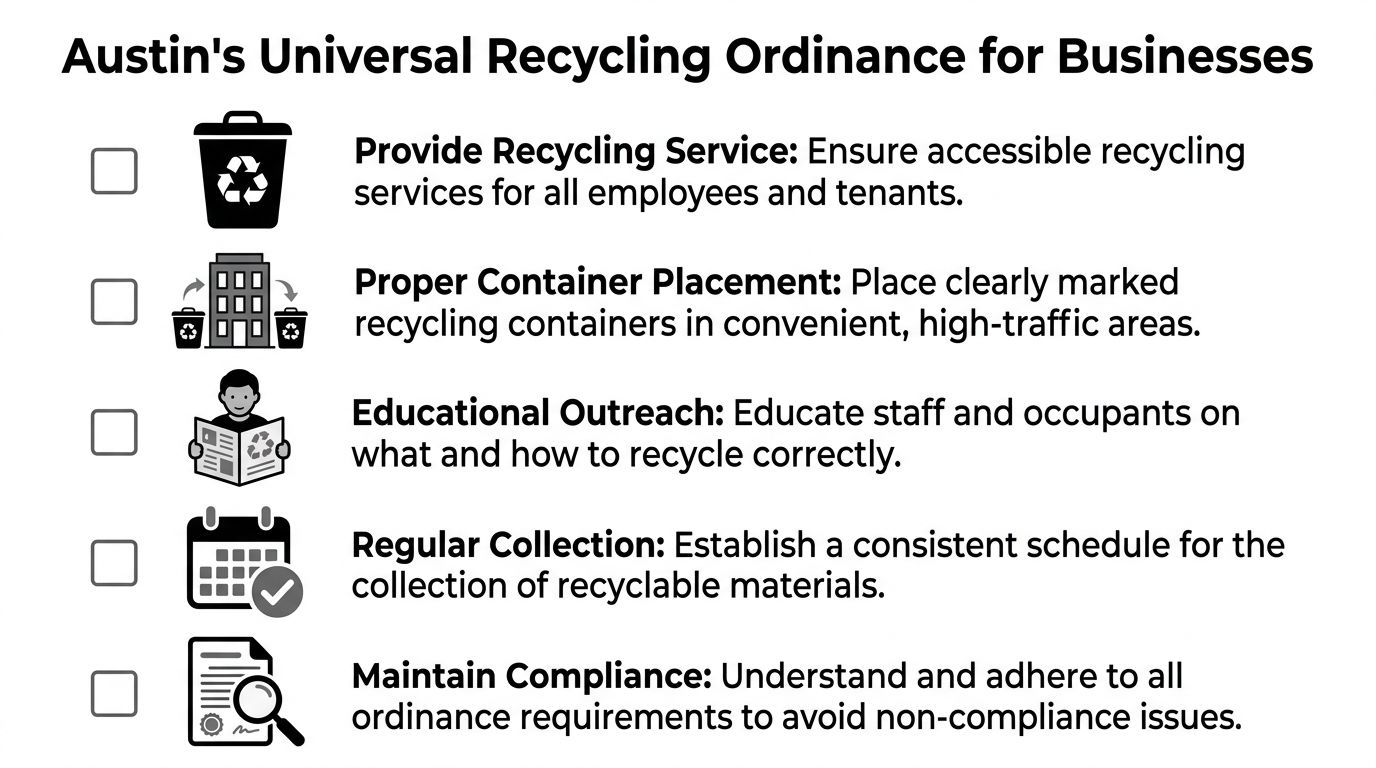
According to the URO technical guide, covered properties must provide recycling for five core materials, keep recycling containers within 25 feet of trash containers, and submit an annual Diversion Plan between October 1 and February 1.
What the ordinance requires in practice
The ordinance is not just about having one recycling bin in a break room. It expects a usable system.
The five core materials are:
- Mixed paper
- Corrugated cardboard
- Glass bottles and jars
- Plastic containers
- Aluminum and tin cans
The 25-foot rule is one of the most important details. If recycling containers are too far from trash containers, people default to the nearest opening. Convenience decides behavior long before policy does.
What building managers and IT teams should check
Many compliance failures are operational, not intentional. Walk the site and verify:
- Container placement: Is recycling next to trash in common-use areas?
- Signage quality: Are employees and tenants clear on what goes where?
- Service alignment: Does the hauling setup match actual occupancy and waste volume?
- Diversion plan ownership: Is facilities handling the filing, or has nobody been assigned?
Key takeaway: URO compliance is a systems problem. If no one owns bin placement, signage, vendor coordination, and annual reporting, the property can look compliant on paper and still fail in day-to-day use.
Where electronics fit awkwardly
This is the part many businesses miss. URO covers standard recyclable materials. It does not turn commercial electronics into curbside material. Servers, laptops, access points, drives, printers, and lab equipment still need a separate disposition path.
For Austin organizations trying to align property compliance with secure electronics handling, an electronic recycling service in Austin is the kind of separate workflow that closes the gap between ordinary recycling and IT asset disposition.
Electronics Recycling Rules What Austin Accepts and What It Rejects
A facilities manager can set out perfectly labeled recycling bins and still end up with a compliance problem the moment a retired laptop, switch, or printer gets dropped in with cardboard. Austin’s standard recycling guidance helps residents sort everyday material. It does not give a business a secure path for company electronics, data-bearing devices, or auditable IT asset disposition.
What municipal channels can handle
City programs are generally built for residential volumes and household turnover. For a resident replacing a phone, clearing out a few cords, or dropping off a broken small device, those options can work.
Typical residential-type items include:
- phones
- small household electronics
- limited quantities of consumer devices
- occasional bulky electronics handled through resident-focused services
That is a very different use case from an office refresh, branch closure, server room cleanup, or district-wide laptop replacement.
What businesses should keep out of the standard recycling stream
The practical dividing line is not whether an item has metal, plastic, or a power cord. The dividing line is business risk. Once equipment belongs to an organization, contains storage, carries asset tags, or supports regulated operations, disposal is no longer a simple recycling decision.
Watch for these categories:
- Data-bearing devices such as laptops, desktops, servers, hard drives, and storage arrays
- Infrastructure gear including switches, firewalls, wireless equipment, and telecom hardware
- Specialized equipment used in healthcare, labs, education, or public operations
- Bulk loads that exceed the scale of household drop-off programs
- Assets requiring records for audit, internal controls, insurance, or legal review
In practice, I advise Austin IT leaders to treat these items as ITAD material first and recyclable material second. Recycling still matters. Security, documentation, and control come first.
A sorting method that works in real business environments
Use three internal buckets before anything leaves the building.
Standard office recyclables
Paper, cardboard, and clean packaging go through the property’s normal recycling program.Low-risk electronics
Cables, keyboards, mice, and similar accessories may be recyclable, but they still need separate collection so they do not contaminate paper and container streams.Controlled IT assets
Any item with storage media, network identity, asset tags, or a history of business use should move through a documented electronic disposal service in Austin.
The trade-off is straightforward. Sending everything through ordinary recycling is faster in the moment, but it creates avoidable exposure. Sorting devices into the right stream takes more discipline up front and prevents the larger problems businesses get measured on: data security failures, missing assets, and disposal records that do not hold up under review.
Mixed loads create predictable mistakes. Recyclable material gets thrown away, or sensitive equipment gets handled like ordinary office cleanup.
How to Prepare Business E-Waste for a Secure Pickup
A secure pickup starts long before a truck arrives. The best outcomes come from internal preparation, not last-minute sorting.
IT teams that do this well build a short, repeatable process. The goal is simple: know what is leaving, who approved it, whether data is involved, and how the material is packaged.

Start with inventory, not stacking
Before anyone touches a pallet, create an asset list. It does not need to be elegant. It does need to be consistent.
Include:
- Asset type: laptop, desktop, server, switch, printer, drive, monitor
- Identifier: tag number, serial number, hostname, or internal inventory reference
- Location: closet, floor, lab, branch office, or data center room
- Data status: no media, media present, unknown
- Disposition intent: recycle, remarket, destroy, or evaluate
If your team already uses a CMDB or endpoint platform, export what you can. Then reconcile the physical pile against the system list.
Separate media-bearing assets from everything else
Do not let drives disappear into a mixed gaylord or loose box of accessories. Pull media-bearing equipment aside first.
That includes:
- laptops and desktops
- servers and storage appliances
- standalone hard drives and SSDs
- copiers and multifunction devices with internal storage
- certain medical or lab systems with embedded memory
Unknowns matter too. If your staff is not sure whether a device stores data, quarantine it into the secure stream until someone verifies it.
Package for control, not speed
A rushed loadout often causes the most preventable problems. Broken screens, missing drives, mixed labels, and uncounted accessories all create downstream confusion.
Use this handling sequence:
Consolidate by category
Keep monitors separate from computers, and network gear separate from user devices.Label containers clearly
Mark boxes or pallets with department, location, and asset class.Bag loose drives and small media
Anti-static bags and sealed containers help preserve control.Stage in a limited-access area
Do not leave retired devices in an open hallway or shared dock area.
A clean pickup begins with a clean handoff. If your team can explain the load in one page, the chain of custody is usually in good shape.
For organizations handling multiple departments or sites, it helps to coordinate pickup logistics in advance through a service built for business electronics recycling pickup in Texas.
Scheduling Compliant E-Waste and IT Asset Pickups
Once your assets are organized, the scheduling process should be boring. That is a good sign. Disposal is highest risk when it feels improvised.
Austin’s residential recycling program performs well with households. The city reports 85 percent participation among residents served by curbside service, and those services now cover more than 220,000 households, according to the Austin Monitor’s June 2025 report on Austin Resource Recovery. That same report also makes the core business point clear: residential improvements such as on-demand bulk pickups do not meet the scale, security, or compliance needs of commercial operations.
What a business pickup should look like
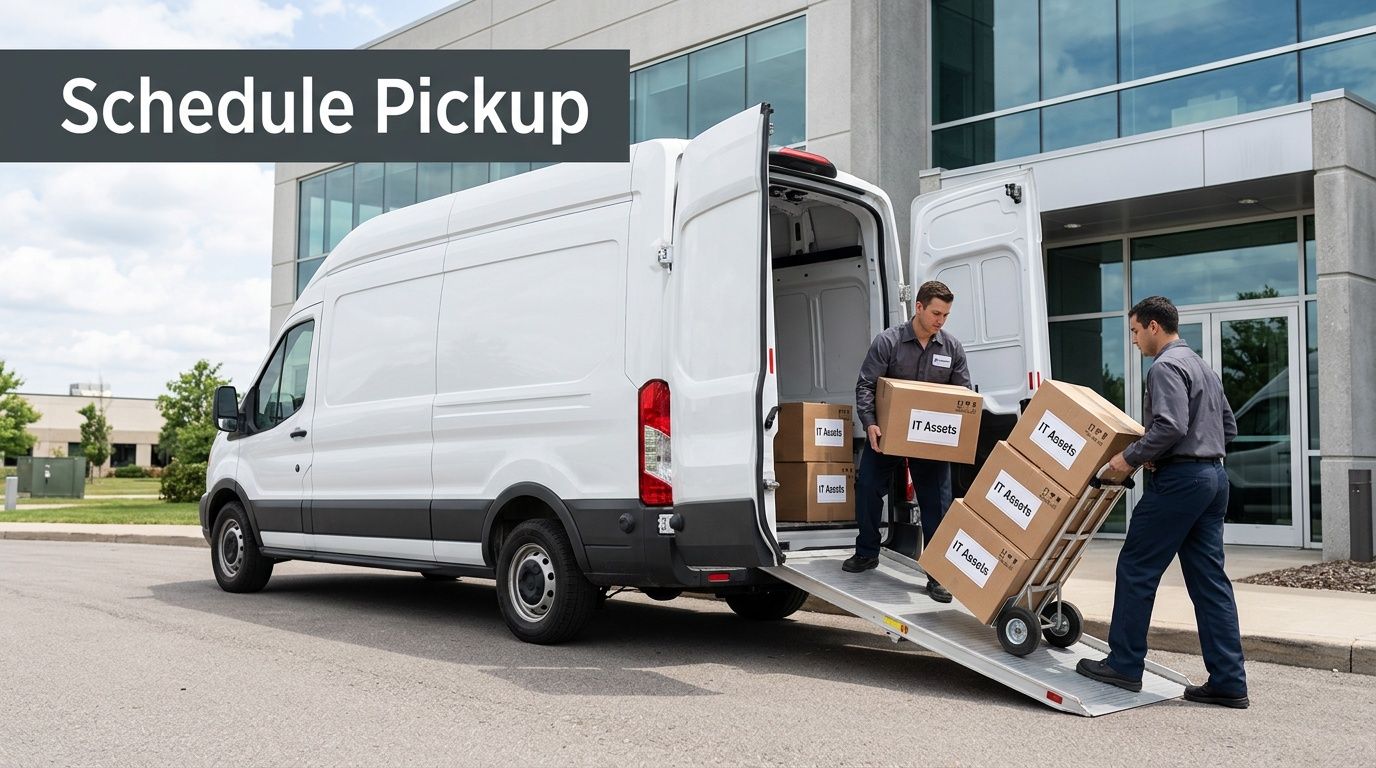
A proper pickup process usually starts with scope, not calendar slots. Key questions include:
- What equipment types are involved?
- Are there drives or other data-bearing components?
- Is this one location or several?
- Does the load need dock access, palletization, or inside service?
- Are there timing constraints tied to a move, closure, or refresh?
Those questions matter because a server decommissioning pickup is not the same as clearing a training room full of desktops.
What to expect operationally
Most business-grade pickups follow a sequence like this:
| Stage | What your team provides | What the pickup partner should confirm |
|---|---|---|
| Initial request | Asset types, volume estimate, locations | Service scope and scheduling window |
| Pre-pickup review | Building access rules, dock details, security needs | Handling plan and pickup requirements |
| Collection day | Staged assets and site contact | Controlled loading and receipt process |
| Post-collection | Internal closure tasks | Documentation for disposition trail |
A single B2B process surpasses patching together local residential options, ad hoc movers, and a general waste hauler. You want one workflow, one point of accountability, and one documented chain from pickup through disposition.
What works best in Austin operations
For Austin-area businesses, the smoothest pickups usually share three traits:
- A site contact owns access and approvals
- IT and facilities agree on scope before collection day
- Sensitive assets are identified before movers arrive
When those three pieces are missing, the day turns into hallway sorting, access delays, and questions about what is leaving the building.
Ensuring Data Destruction and Chain-of-Custody Compliance
Recycling answers the environmental question. Data destruction answers the security question. They are not the same service.
For business devices, secure disposition usually means one of three paths: software-based sanitization for reusable systems, degaussing where appropriate, or physical destruction for media that must not be reused. Which path fits depends on the asset type, internal policy, contractual obligations, and regulatory environment.
What chain of custody means
Chain of custody is the documented record of who controlled the asset at each point from release to final disposition. In practice, that means your team should be able to answer:
- who approved the asset for retirement
- where it was staged
- who transferred possession
- what happened to the data-bearing components
- what final disposition record exists
Without that trail, organizations are relying on memory and trust. That may feel acceptable for a broken keyboard. It is not acceptable for a retired laptop fleet, storage node, or medical workstation.
Why this matters for regulated environments
Healthcare, finance, education, government, and nonprofit organizations often hold devices longer than they should because the disposal path feels risky. The bigger risk is unmanaged storage. Devices left in closets, cages, and branch offices still contain data and still create exposure.
Secure ITAD is not “throwing electronics away responsibly.” It is controlled retirement of business assets with auditable handling from release through final processing.
Frequently Asked Questions for Austin Businesses
Can a mixed-use property use one recycling approach for everyone
Usually not. Residential tenants may use city-facing residential programs, while commercial tenants often need separate handling for electronics, volume, and compliance. Property management should not assume one stream covers both.
Who is responsible in a leased office
The lease and building rules decide part of it, but the business still owns responsibility for its data-bearing assets. Even if the landlord controls dumpsters and recycling enclosures, your IT team still needs a secure disposition path for electronics.
What if we have a one-time office cleanout
Treat it like a project, not a routine pickup. Build an inventory, separate media-bearing assets, and coordinate dock access and timing before collection day.
Can we use city residential options for company laptops
That is a poor fit. The city’s public guidance is residential-oriented and does not provide the documentation most businesses need for secure IT asset retirement.
Austin businesses rarely need just a recycling date. They need a documented, defensible process for retiring electronics, protecting data, and keeping materials out of the landfill. If your team needs that kind of support, Dallas Fortworth Computer Recycling provides nationwide B2B IT asset disposition, secure data destruction, electronics recycling, and pickup coordination for organizations managing office cleanouts, data center equipment, healthcare technology, and other sensitive assets.