
A Guide to Secure Computer Disposal McKinney Businesses Trust
For any business in a high-growth area like McKinney, getting rid of old computers isn't just about clearing out a storage closet—it's a critical security function. A casual approach to disposal simply isn't an option anymore. You need a structured plan for secure computer disposal in McKinney as a non-negotiable part of modern IT management to protect your company’s data and reputation.
One wrong move can lead to a devastating data breach, significant regulatory fines, and permanent damage to the trust you've built with your customers.
Why Secure Computer Disposal Is a Critical Security Task
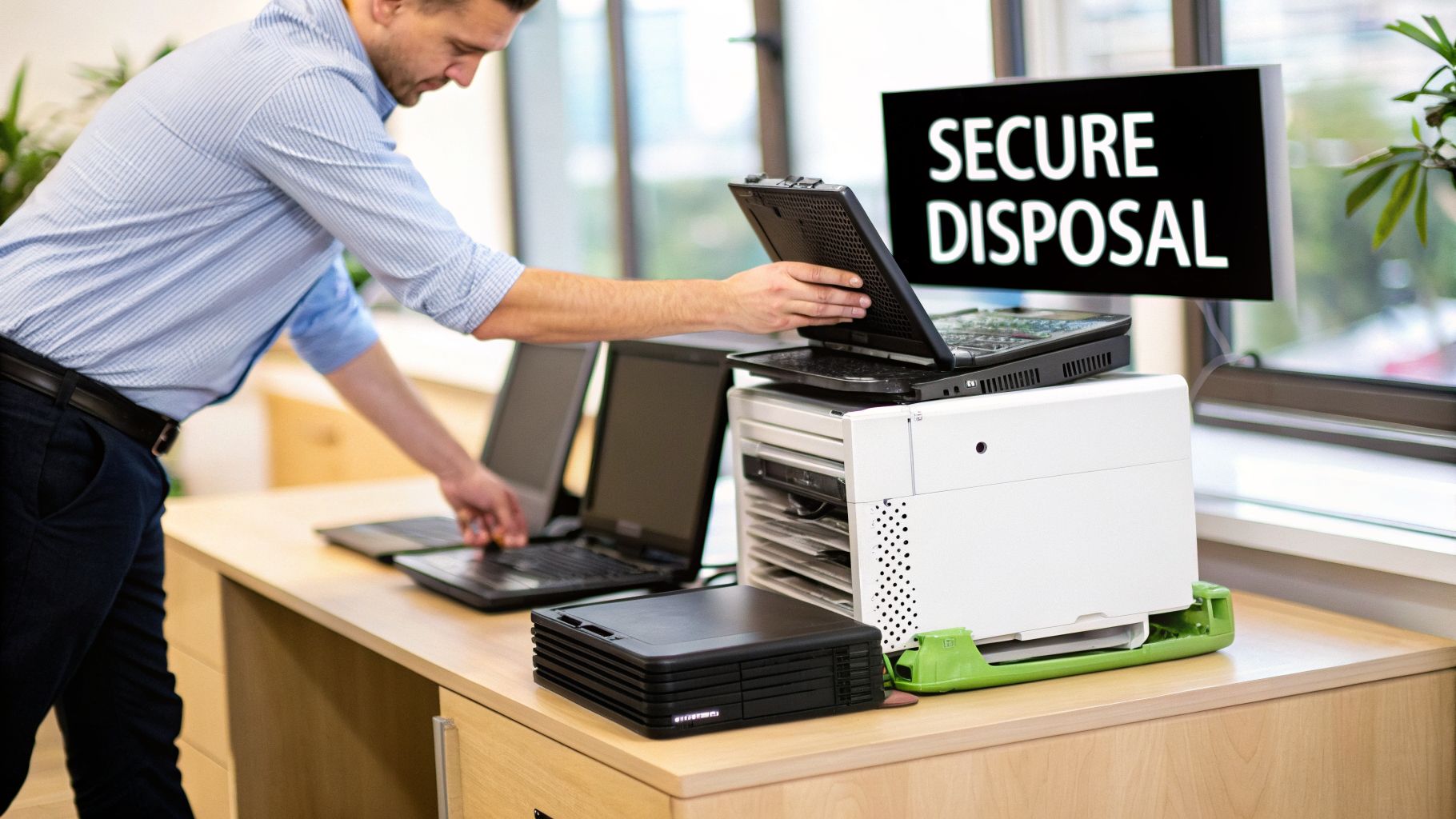
Tossing an old office computer into a dumpster or handing it off to a general-purpose recycler is one of the riskiest things a modern business can do. Every retired laptop, server, or desktop hard drive is a potential treasure trove for data thieves. Without certified data destruction, you’re essentially handing over sensitive information.
This goes far beyond just protecting a customer list. Your company's most valuable intellectual property lives on those devices.
- Proprietary Information: Think about your R&D data, internal financial reports, marketing strategies, and employee records. A breach could expose your competitive edge and internal operations.
- Client and Patient Data: For healthcare providers, law firms, and financial institutions in the McKinney area, this is especially critical. The information on those drives is protected by strict federal laws like HIPAA and FACTA.
- Logins and Credentials: Stored passwords and network access credentials on old machines can give bad actors a direct path into your live systems, bypassing your active security measures.
A single discarded hard drive can contain enough information to cripple a business. The reputational damage from a public data leak often far exceeds any regulatory fines, eroding customer trust that took years to build.
More Than Just Data, It's About Compliance
Beyond the immediate threat of a data breach, McKinney businesses operate within a framework of local and federal regulations. Improper disposal isn't just irresponsible—it's often illegal. Failing to follow established data protection rules can lead to severe penalties, legal battles, and audit failures that have long-term consequences.
A professional and secure disposal process is not an IT expense; it's a core part of your risk management strategy. It provides a documented, defensible trail proving you took every necessary step to protect sensitive information, safeguarding your organization from liability and demonstrating due diligence during any regulatory scrutiny.
This documented process becomes your shield in an audit. The scale of this challenge is reflected in the market itself; the global computer recycling market was valued at $50 billion in 2025 and is projected to grow at a 12% CAGR through 2033. This growth underscores the increasing demand from businesses for certified partners who can handle complex IT retirement securely.
The Hidden Costs of a DIY Approach
Some organizations are tempted to handle computer disposal in-house to save money, but this often creates hidden costs and unforeseen risks. A DIY approach simply lacks the certified processes, specialized equipment, and chain-of-custody documentation that a professional ITAD partner provides.
Without a certified process, you have no verifiable proof that data was properly destroyed or that e-waste was handled in an environmentally responsible manner. If you want to learn more, our guide on the broader strategy of IT asset disposition in McKinney shows how secure disposal fits into your overall IT lifecycle management.
Professional secure computer disposal services in McKinney eliminate these uncertainties, providing peace of mind and the ironclad documentation your business needs.
Cataloging Your IT Assets for Disposal
A successful disposal project doesn't start when a truck shows up at your McKinney office. It begins long before that, with a detailed inventory of every single asset you plan to retire. This list isn't just paperwork—it’s the foundation of your entire disposal strategy.
Without a precise, serialized inventory, you can't establish a secure chain of custody. It's impossible to track what you haven't recorded, and that leaves your company wide open to risk if a device goes missing. Think of this catalog as your first line of defense, ensuring accountability from your door to the final destruction.
This step is also what gets you an accurate quote from a disposal partner. Simply saying you have "50 computers" isn't enough information. A professional provider needs specifics to figure out the logistics, labor, and resources for a secure pickup.
Building Your Disposal Inventory
A useful inventory is more than just a head count. Your goal is to capture key data points for each asset that will guide every other decision in the disposal process. It's like creating a passport for each device.
At a minimum, your spreadsheet or asset management system needs these fields for every item:
- Asset Tag: Your company’s internal ID number.
- Serial Number: The unique manufacturer's identifier.
- Device Type: (e.g., Laptop, Desktop, Server, Switch).
- Make and Model: (e.g., Dell Latitude 7420, HP EliteDesk 800 G6).
- Physical Location: (e.g., Storage Closet B, User's Desk, Data Center Rack 42U).
This level of detail immediately clarifies logistics. A vendor planning a secure computer disposal in McKinney can instantly see if they're collecting 100 laptops from one room or decommissioning servers spread across multiple closets—two very different jobs.
Adding Context to Your Asset List
A truly solid inventory also includes information about the data on each device. This context is what elevates your plan from simple logistics to a robust security strategy, because not all computers carry the same amount of risk.
Consider adding columns to classify the data sensitivity of each device. This helps you and your disposal partner choose the right data destruction method down the line.
Pro Tip: A simple classification system can make a world of difference. Label devices as "Low Sensitivity" (like a conference room PC), "Medium Sensitivity" (standard employee laptops), or "High Sensitivity" (HR computers, executive laptops, or servers holding financial data). This directly informs your destruction plan.
This is especially critical when you're dealing with a mix of hardware. For instance, the disposal plan for a remote worker's laptop that holds sensitive client data will be different from a kiosk machine from your lobby. A detailed inventory makes these distinctions clear right from the start.
Using Software for Efficiency
For organizations with hundreds or even thousands of assets, creating an inventory by hand is a massive undertaking. This is where dedicated software becomes a necessity, not just a convenience. These tools can automate much of the data collection, cutting down on human error and saving a ton of time.
Many platforms can scan your network to populate device details automatically, helping you maintain a real-time record of your IT environment. That makes it much easier to identify and separate assets ready for disposal. To help you choose the right tool, you can check out our guide on the best IT asset management software available for businesses.
Ultimately, whether you use a sophisticated platform or a meticulously managed spreadsheet, the goal is identical. You need to create a definitive, serialized list that acts as the single source of truth for your disposal project. This document ensures every single device is accounted for, evaluated for risk, and tracked through every step of the process.
Choosing the Right Data Destruction Method
Once you have your inventory squared away, it’s time to decide how to handle the data on those retiring assets. This isn't just about deleting files; it's about making a legally defensible choice that matches your company's risk profile and compliance needs. The method you choose for one batch of computers might be overkill, or dangerously insufficient, for another.
It really boils down to two paths: software-based data wiping or outright physical destruction. Understanding the practical differences helps you have a smarter conversation with your ITAD partner, ensuring the service you pay for is the one you actually need for secure computer disposal in McKinney.
This decision tree helps visualize the core choice your team will face.
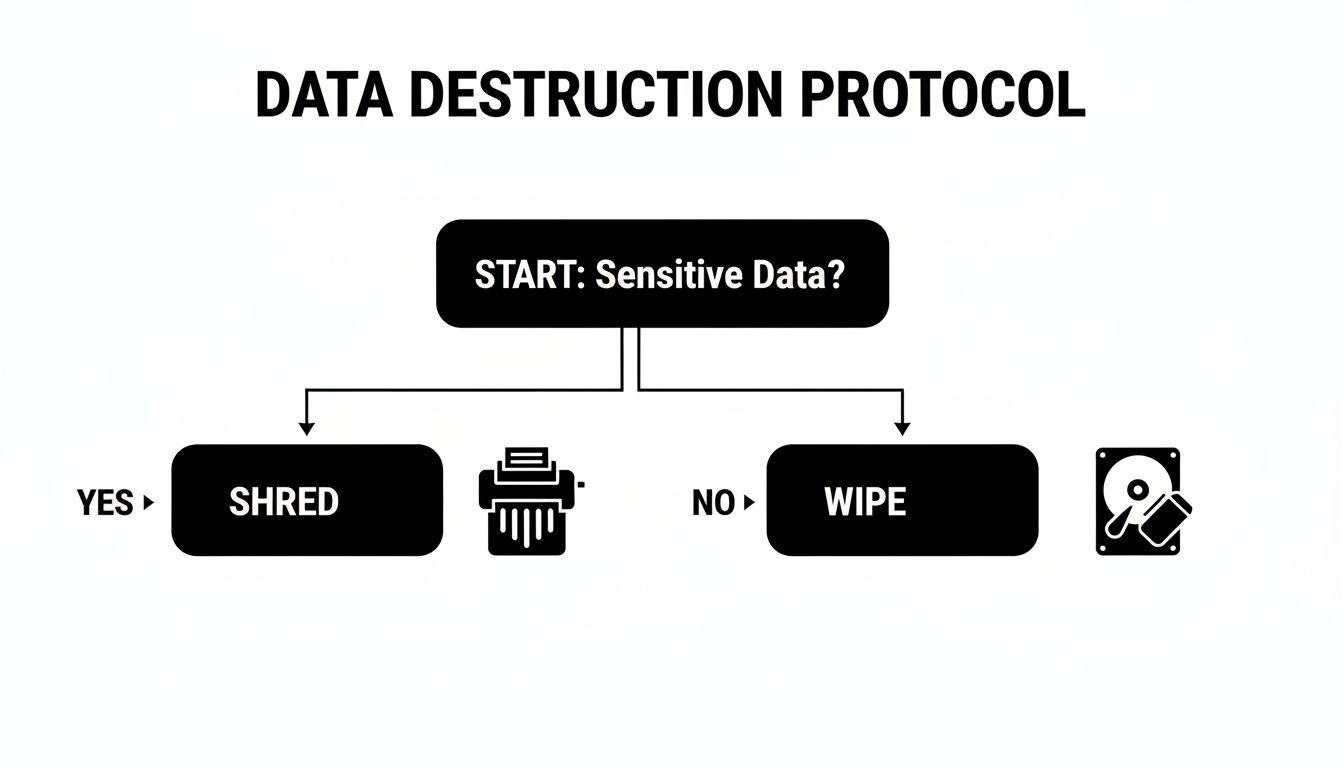
As you can see, the presence of sensitive data is the single biggest factor pushing you toward a more robust destruction method.
When to Use Software-Based Wiping
Software wiping, often called data sanitization, uses specialized programs to completely overwrite a hard drive with random data, making the original information practically unrecoverable. The gold standard for this is the National Institute of Standards and Technology (NIST) Special Publication 800-88.
This standard outlines a few approaches, but the two you'll encounter most are:
- NIST 800-88 Clear: This uses software to sanitize data across all user-addressable storage locations. It's great against basic recovery attempts but might not stop a determined, lab-level attack.
- NIST 800-88 Purge: A much tougher method that protects data from being recovered even with state-of-the-art laboratory tools. This is the level most businesses should be targeting for wiping.
Wiping is a fantastic option when you want to resell, donate, or redeploy the hardware. It keeps the asset intact and preserves its value. For example, if your McKinney business is refreshing laptops that only held standard office documents, a NIST 800-88 Purge is often the perfect blend of security and value recovery.
When Physical Destruction Is Non-Negotiable
For some data, wiping just isn't enough. There are times when complete physical destruction is the only acceptable path, leaving zero room for error or recovery.
For any device that ever stored financial records, protected health information (PHI), trade secrets, or government data, physical destruction is the only defensible choice. It provides absolute certainty that the data is gone for good.
The main methods here are degaussing and shredding.
- Degaussing: This uses an incredibly powerful magnet to scramble the data on traditional magnetic hard disk drives (HDDs). It's fast, but it’s completely ineffective on modern solid-state drives (SSDs).
- Shredding: This is the most final solution. We feed the drives into an industrial shredder that grinds them into tiny metal fragments. It works on both HDDs and SSDs, and there is no coming back from it.
For a healthcare provider in McKinney retiring a server that held patient records, HIPAA compliance demands this level of certainty. A financial firm would do the same to meet Sarbanes-Oxley (SOX) rules. Seeing your hard drives turned into a pile of metal provides clear, visual proof of destruction for any audit.
To help you decide, here’s a quick comparison of the common methods.
Comparing Data Destruction Methods
This table breaks down the most common data destruction methods to help you choose the right level of security for your IT assets.
| Method | Best For | Compliance Level | Asset Recovery |
|---|---|---|---|
| NIST 800-88 Clear | Low-risk data, internal redeployment | Low | Full |
| NIST 800-88 Purge | Medium-risk data, asset resale/donation | Medium-High | Full |
| Degaussing | High-risk data on HDDs only | High (for magnetic media) | None |
| Shredding | Highest-risk data (PHI, PII, IP) on any drive type | Highest | None |
For a deeper dive into these options, our guide on secure hard drive disposal provides even more context.
Ultimately, your job is to match the data's sensitivity to the right security method. By knowing the real-world difference between wiping and shredding, you can build a disposal plan that truly manages risk, nails compliance, and protects your organization.
Making Sense of Data Privacy and E-Waste Rules
For any business in McKinney, compliance isn't just a buzzword—it's a strict requirement, especially if you're in healthcare, finance, or legal services. When you dispose of old computers, you're navigating a minefield of laws covering both data security and environmental impact. A misstep here can put your company in serious legal and financial jeopardy.
Getting rid of old tech the right way means knowing exactly which rules apply to you. Federal regulations create a baseline for data protection, and they are notoriously strict about how you handle sensitive information, even on hardware you're retiring. These aren't just guidelines; they come with heavy penalties.
Federal Regulations You Can't Ignore
Several major federal laws have a direct say in how McKinney companies must handle secure computer disposal. Each one lays out specific rules for protecting data throughout its entire life, right up to the point of destruction.
Here are the big ones every IT and procurement leader should know:
- HIPAA (Health Insurance Portability and Accountability Act): If you handle any protected health information (PHI), HIPAA demands that data be made completely "unusable, unreadable, or indecipherable" before you get rid of the asset. This means you’re looking at physical destruction or, at a minimum, a NIST 800-88 Purge.
- FACTA (Fair and Accurate Credit Transactions Act): This law applies to almost every business because it covers consumer information. It requires the proper destruction of any data from a consumer report to prevent identity theft. Just tossing a drive in a bin is a direct violation.
- Sarbanes-Oxley Act (SOX): For publicly traded companies, SOX brings tough rules for records management and data integrity. Securely wiping financial data from old machines is a fundamental part of those internal controls.
Failing to meet these standards simply isn't an option. Regulators expect you to have a documented, defensible process, and the fines for non-compliance are steep. This is where your choice of an IT disposal partner becomes a critical business decision.
The Power of a Solid Paper Trail
When an auditor comes knocking, your best defense is a clear and complete set of documents. Saying you handled disposal securely isn't enough—you have to prove it. This is how you turn a potential liability into a documented strength.
A certified ITAD partner will provide two critical documents that act as your proof of compliance:
- Certificate of Data Destruction: This document is your official record that the data on specific assets was destroyed according to industry standards. It must list serial numbers for every hard drive, the destruction method used (like shredding), and the exact date.
- Certificate of Recycling: This confirms the physical hardware was processed in an environmentally responsible way, proving you met e-waste regulations and didn't just dump electronics in a landfill.
These certificates are more than just receipts. They are legally recognized documents that transfer the liability for that hardware and its data from your company to the certified vendor. Without them, you're still on the hook.
This documentation is absolutely vital. The world is grappling with a massive e-waste problem, with a projected 347 million metric tonnes of unrecycled e-waste piled up globally by 2025. With only about 42% of nations having any formal e-waste laws, the rules can feel fragmented. This makes working with a partner who understands national standards even more important.
A detailed chain-of-custody report from your vendor completes this audit trail. It tracks every single asset from your McKinney office to its final destruction or recycling, creating a serialized, auditable record. This level of documentation is non-negotiable in modern IT governance. To understand why certifications are so important, read our article on how to choose an R2-certified electronics recycler. It ensures your secure disposal process is a verifiable fact, not just a promise.
The Logistics of Secure Asset Pickup and Transport
Once your inventory is finalized and you know which machines need wiping or shredding, the next step is getting everything out of your McKinney office and to the processing facility. This is where the rubber meets the road. The handoff from your team to your vendor is a critical point where security can break down if it’s not handled with military precision.
A professional ITAD partner isn’t just a moving crew. They’re a security team. They should arrive with uniformed, insured technicians who know how to handle sensitive IT assets without disrupting your day-to-day business. Their plan of action is built directly from the inventory you provided.
Preparing Your Assets for Collection
A smooth pickup day starts with a little prep work from your team. While your ITAD partner handles the actual moving, staging the equipment beforehand speeds things up and keeps the chain of custody tight right from the start.
We often get questions from facility managers about dealing with palletizing or collecting assets from all over a large campus.
- Palletizing: Do you need to get everything on pallets and shrink-wrapped? Not at all. A good vendor will bring their own pallets, wrap, and bins. Your main job is to get the equipment consolidated into a secure, designated spot.
- Multiple Locations: What if you have PCs on different floors or servers locked away? Your vendor's logistics team should plan for this. They’ll send a crew with the right tools—like server lifts and stair climbers—and enough people to collect everything from the locations you specified.
- Asset Segregation: If some devices are getting wiped for resale and others are heading straight for the shredder, label them clearly and keep them in separate groups. This simple step prevents a costly mix-up during the pickup.
Taking these steps on your end helps the vendor work faster and more accurately, which directly boosts the security of the entire project.
Secure Transport and Chain of Custody
So, the truck is loaded and pulling away from your building. How do you know those assets are still secure? This is what separates a basic recycler from a partner providing secure computer disposal in McKinney. The chain of custody must extend beyond your front door.
The moment that truck leaves your property, the security of the transport is everything. A reputable vendor will use sealed, locked trucks equipped with GPS tracking. This gives you a verifiable, time-stamped log of the vehicle's route from your office straight to their secure facility.
This isn't just a bell or a whistle; it's a non-negotiable part of your compliance paperwork. It proves there were no detours or unscheduled stops where assets could have been compromised. Once the truck arrives at their secure, access-controlled facility, every pallet is unloaded and checked against the original pickup inventory. This dock-to-dock accountability is what makes the process truly secure.
You can get a better sense of what to expect by looking over our guide to a business electronics recycling pickup in Texas. A well-organized pickup is the first sign you’ve picked a partner who takes your security as seriously as you do.
How to Vet Your Computer Disposal Partner

Choosing an IT asset disposition (ITAD) partner is the single most important decision in this process. This isn't like picking an office supply vendor; the company you select is a direct extension of your security and compliance team.
A cheap, uncertified provider can expose your McKinney business to immense risk. A truly qualified partner, on the other hand, protects your data, your brand, and your bottom line. The vetting process has to go far beyond a simple price comparison, because a low bid often hides a lack of insurance, weak security, or a non-compliant recycling process.
Look for Crucial Certifications
Certifications are non-negotiable. They are the clearest indicator that a vendor meets strict, third-party audited standards for data security, environmental responsibility, and worker safety. For any company offering secure computer disposal in McKinney, these credentials are proof of their competence.
You need to see one of these two key certifications:
- R2v3 (Responsible Recycling): This is the leading global standard, covering the entire lifecycle of electronics. It ensures responsible management from pickup to final disposition, with a strong emphasis on data sanitization, testing, and materials recovery.
- e-Stewards: Developed by the Basel Action Network, this standard is particularly focused on preventing the illegal export of hazardous e-waste. It requires rigorous accountability for all downstream recycling partners.
Your very first question to any potential partner should be, "Are you R2v3 or e-Stewards certified?" If the answer is no, it's a major red flag, and you should move on.
Verify Their Insurance and Security Protocols
Proper insurance is your financial backstop if something goes wrong. If a data breach happens while your assets are in a vendor’s possession, their insurance coverage is what stands between you and massive financial loss. A legitimate partner will readily provide proof of their policies.
Ask for their Certificate of Insurance and confirm it includes:
- General Liability: This covers basic incidents, like property damage during a pickup.
- Pollution Liability: This is crucial, covering cleanup costs related to environmental contamination from improper e-waste handling.
- Errors & Omissions (Cyber Liability): This is the most important policy. It specifically covers financial losses that result from a data breach caused by their service.
Beyond insurance, you need to dig into their physical and logistical security. Your assets must be protected from the moment they leave your McKinney office.
A key question to ask is: "Can we witness the destruction?" A transparent, confident partner will always say yes. They should welcome you to their facility to see your hard drives being shredded, giving you absolute peace of mind.
Ask the Right Questions About Accountability
A trustworthy vendor provides a clear, auditable trail for every single asset. Their ability to deliver detailed reporting is just as important as the physical destruction process itself.
The world generated an astonishing 62 million tonnes of electronic waste in 2022, an 82% increase from 2010. Shockingly, only 22.3% of it was properly recycled, highlighting the massive global gap in responsible disposal. You can discover more insights about these global e-waste statistics and see why choosing a compliant recycler is so vital.
Use this checklist of questions to ask every potential partner you speak with:
- Do you provide serialized Certificates of Data Destruction and Recycling for each project?
- Can you detail your chain-of-custody process from our door to final disposition?
- What does your downstream accountability look like? How do you vet your own recycling partners?
- Are your transport vehicles GPS-tracked and operated by background-checked employees?
A professional partner for secure computer disposal in McKinney will have confident, detailed answers for every one of these questions. Their responses will reveal the true quality of their service and prove they have the secure, documented process your business needs.
Frequently Asked Questions About Secure Computer Disposal
Even with a solid plan, specific questions always pop up when you're preparing for a hardware refresh. We hear these all the time from McKinney businesses going through the IT asset disposition process. Getting clear on these points ahead of time is key to a smooth, secure project.
What Is the Most Secure Method for Destroying Data?
For absolute certainty, nothing beats physical destruction. While professional data wiping software is incredibly effective and allows for asset reuse, industrial-grade shredding provides irreversible, visual proof that your data is gone for good.
If your organization handles any kind of sensitive information—financial records, healthcare data (PHI), or proprietary R&D—shredding is the gold standard. It's the most defensible option in a compliance audit and completely eliminates any risk of data recovery from that device.
Do We Need a Certificate of Destruction for Every Single Device?
Yes, absolutely. A professional ITAD partner must provide a serialized Certificate of Destruction that itemizes every single asset you handed over. This document is your official legal proof of due diligence and a critical part of your compliance and risk management strategy.
Think of this certificate as your liability shield. It proves you took responsible, documented steps to destroy sensitive data and properly recycle the hardware. Without it, you lack the crucial paperwork needed to defend your company's actions during an audit.
This document should list each serial number, confirm the destruction method used, and state the date of service. It creates a clear, auditable trail for every single computer you dispose of.
Can't We Just Drop Off Our Old Computers Somewhere?
For any business, this is a bad idea. Municipal recycling centers and community drop-off events are not equipped for secure business data destruction. They simply can't provide the serialized tracking, chain-of-custody documentation, or certified destruction methods required for regulatory compliance.
Working with a dedicated IT Asset Disposition (ITAD) provider is the only way to ensure your old equipment is handled correctly. A certified vendor specializing in the secure computer disposal McKinney businesses require is essential to prevent data breaches, meet compliance standards, and protect your organization from liability.
Ready to implement a secure, compliant, and hassle-free disposal plan for your organization's IT assets? The team at Dallas Fortworth Computer Recycling has over a decade of experience providing certified data destruction and responsible electronics recycling for businesses across the country. Get a quote for your project today and ensure your old technology is handled with the security and accountability it deserves.