
Austin Texas Recycling: A Business e-Waste Guide for 2026
Your server refresh is done. The storage room has a pallet of old laptops, a rack of retired switches, a few failed drives from the last virtualization project, and nobody wants to be the person who guesses wrong about disposal.
This highlights a core problem with austin texas recycling for businesses. Austin has mature public messaging around residential diversion, composting, and household drop-off options. But if you are an IT director, facilities lead, compliance officer, or data center manager, the question is not where to toss electronics. It is how to retire corporate technology without creating a data breach, a compliance gap, or an audit trail that falls apart later.
For business electronics, ordinary recycling advice is not enough. You need documented disposition, secure handling, clear downstream accountability, and records you control.
Navigating Austin's Complex E-Waste Environment
Austin has a strong public identity around zero waste. That helps residents. It does not automatically solve corporate IT disposition.
One of the biggest gaps in local coverage is straightforward business guidance for electronics. City resources discuss household hazardous waste and residential options, but they do not give IT teams detailed operating guidance for retiring computers, servers, or storage media. The same city framework also includes enforcement pressure. Austin's Universal Recycling Ordinance can carry fines up to $2,000 per day for violations, yet city materials do not spell out certified data destruction requirements for business electronics in practical terms, as noted by the City of Austin recycling guidance.
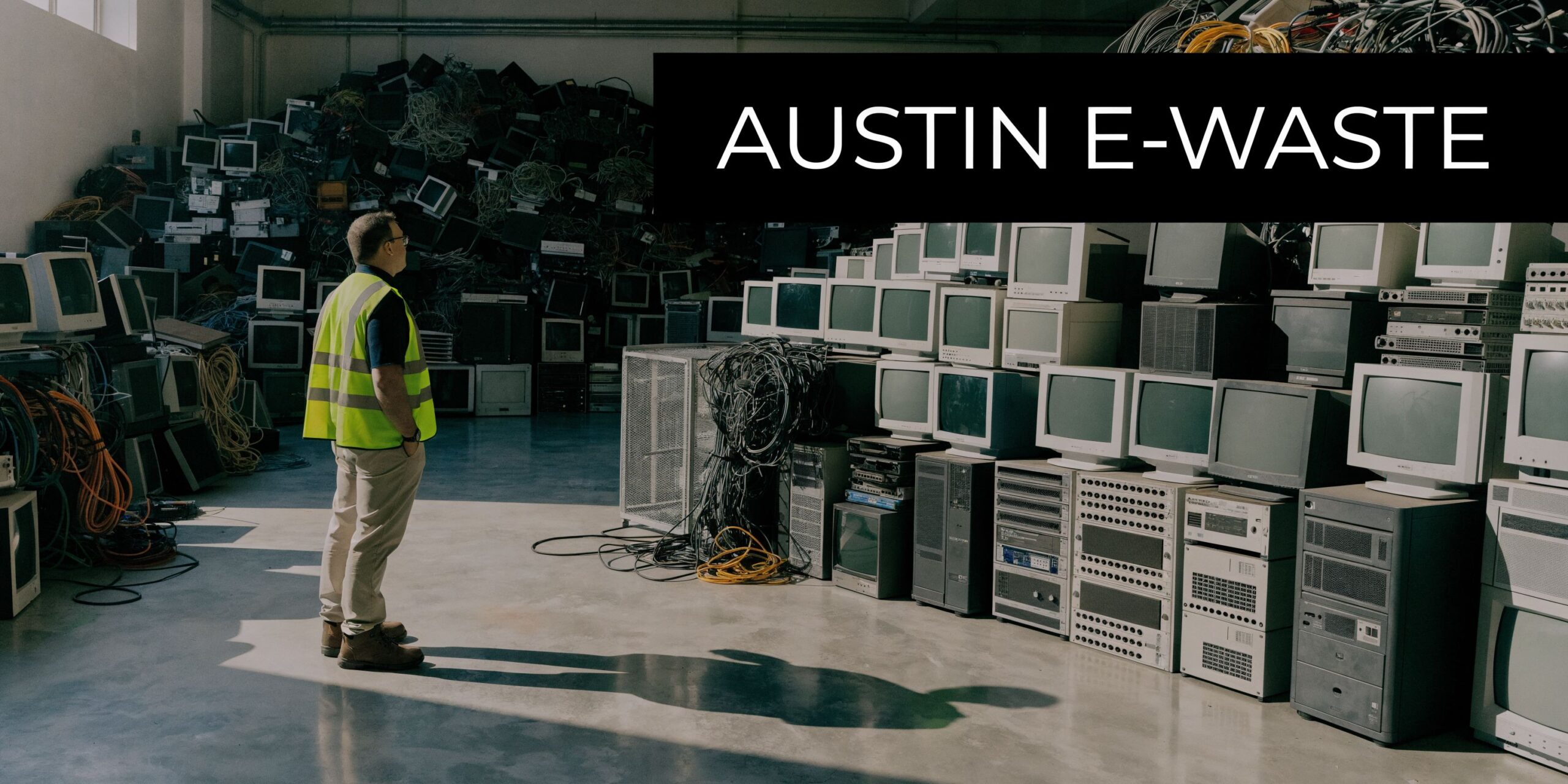
That leaves many Austin companies in a familiar position. The facilities team sees scrap. Finance sees sunk cost. Security sees risk. Legal sees exposure. IT sees assets that still contain credentials, customer data, internal configurations, or regulated records.
Why standard recycling advice breaks down
A blue-cart mindset does not work for enterprise hardware.
A business disposition program has to answer questions residential guidance does not cover:
- What data still sits on the device
- Which assets have resale or redeployment value
- Who touched the equipment from pickup through processing
- What proof exists if an auditor asks later
- Whether the downstream recycler handled material responsibly
Those are IT asset disposition questions, not generic recycling questions.
The local gap creates operational risk
Austin's sustainability goals are real. So are the blind spots for organizations with racks, endpoints, medical devices, lab equipment, or telecom gear.
Practical takeaway: If your disposal plan starts with "find an electronics recycler" and ends there, it is incomplete. For business equipment, the process has to start with data, inventory, and custody controls.
If you are sorting through options for electronic disposal in Austin, treat environmental recycling as only one layer of the decision. Data destruction, asset accounting, and documentation matter just as much.
Austin's Universal Recycling Ordinance and Your Business
Austin did not arrive at its current recycling system by accident. The city committed to zero waste by 2040 in 2005, then later adopted a phased Universal Recycling Ordinance that required all commercial properties to provide recycling services by October 1, 2017. The ordinance was part of a broader effort to move the city's diversion rate from 38% toward a target of 90% by 2030, according to the EPA's Austin case study.
For a business, that history matters because it shows two things. First, Austin expects commercial participation. Second, electronics are only one slice of a larger compliance environment, so your IT disposal program has to fit into property-level waste and diversion obligations.
What the ordinance means in practice
The ordinance is broad. It requires access to recycling service. It does not function as a business e-waste playbook.
That distinction matters. Many IT leaders assume that if a property has recycling service, the organization has "covered" electronics disposal. It has not. Office paper, cardboard, and containers fall into one operational stream. Retired laptops, failed SSDs, backup tapes, phones, and decommissioned servers belong in a much more controlled process.
What the ordinance does not solve for you
The ordinance does not tell your team:
- whether drives should be wiped or physically destroyed
- how to document serial numbers
- how to separate reusable equipment from scrap
- what chain-of-custody record to require from a hauler
- how to verify downstream handling for sensitive electronics
That is why many corporate programs fail. They satisfy the spirit of recycling access while missing the discipline required for secure disposition.
Austin's private-hauler reality changes the compliance burden
Commercial waste in Austin is heavily privatized. That means your business cannot assume the city has a complete record of what happened to your retired technology.
If your landlord, property manager, or waste provider offers a convenient haul-away option, ask a harder question: will that process produce a defensible audit record tied to asset serials, data-bearing media, and final disposition? In many cases, the answer is no.
Risk view: For business electronics, compliance is not proven by saying material left the building. It is proven by records that show what left, who handled it, how data was destroyed, and where the assets went next.
The ordinance should shape your policy, not replace it
The strongest Austin organizations do not treat recycling compliance as a facilities-only issue. They turn it into a joint workflow across IT, security, procurement, legal, and operations.
A practical internal policy should define:
| Control area | What your business should decide internally |
|---|---|
| Scope | Which devices count as IT assets and data-bearing media |
| Ownership | Who approves release of assets from service |
| Security | When wiping is acceptable and when destruction is required |
| Documentation | Which records must be retained after pickup |
| Vendor rules | Which certifications, insurance, and reporting standards are mandatory |
That is the difference between "we recycle" and "we can prove compliant disposition."
Preparing IT Assets for Secure Disposition
Before any truck is scheduled, get your internal house in order. This step prevents the most common failures: missing assets, unmanaged drives, and last-minute confusion over what can be reused.
The biggest reason this matters in Austin is structural. Private firms handle 85% of waste and often do not share full data, which makes it important for businesses to create their own detailed inventories and disposition records rather than relying on hauler reporting, according to the Austin Chronicle's reporting on Austin Resource Recovery planning.
Build the asset record first
Start with a working inventory, not a pile.
Include the basics:
- Asset identifier: internal tag, serial number, hostname, or device ID
- Device type: laptop, desktop, server, switch, firewall, phone, tablet, storage array
- Data status: known data-bearing, unknown, or confirmed non-data-bearing
- Condition: working, repairable, incomplete, damaged, or scrap
- Disposition path: redeploy, remarket, harvest parts, recycle, destroy
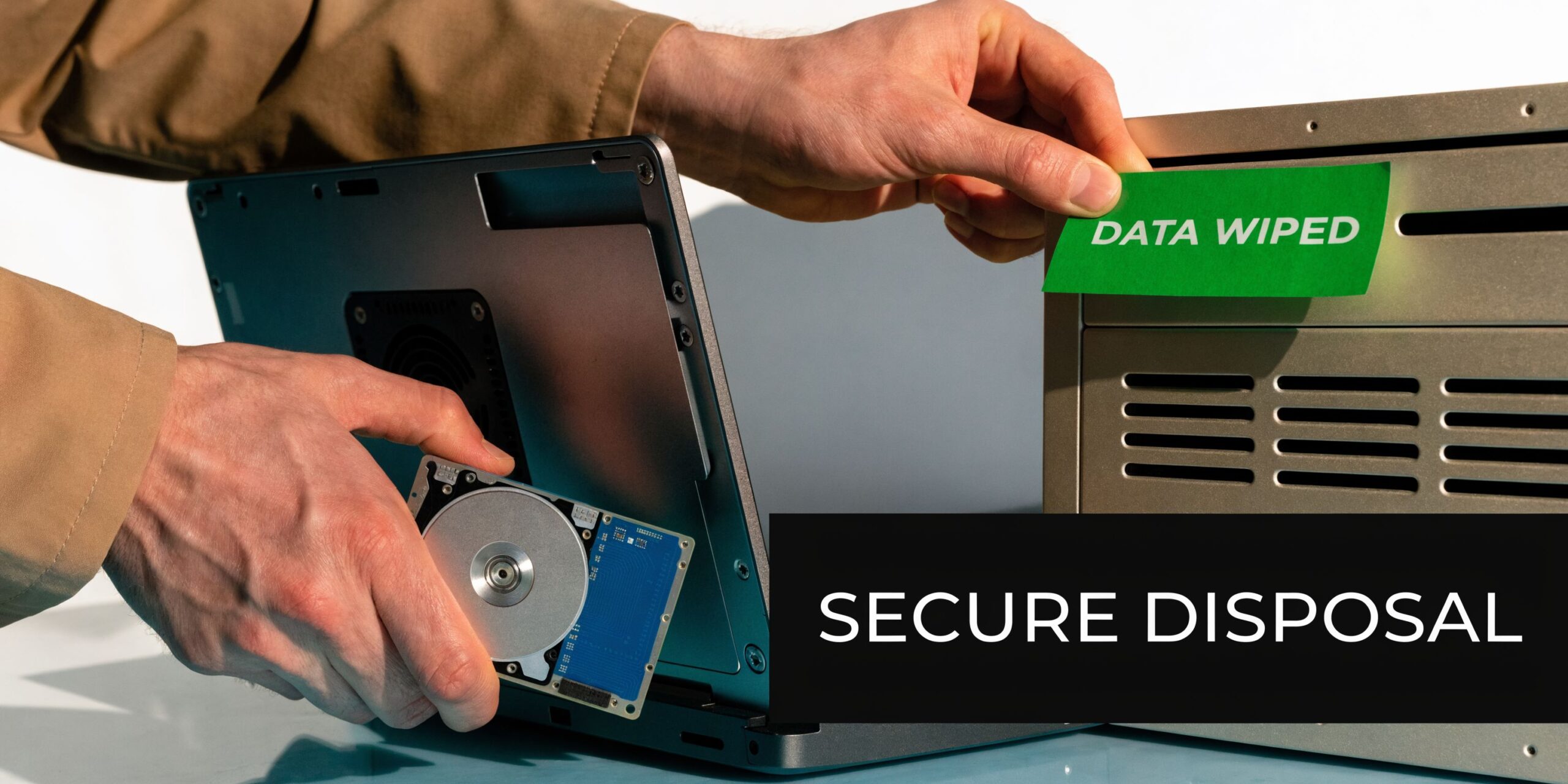
If your team needs a baseline process for media sanitization, this guide on how to erase a computer hard drive is a useful reference point before equipment leaves your control.
Separate by risk, not just by device type
Do not stack everything together because it is all "old IT stuff."
A better staging layout uses three lanes:
Reuse candidates
Working laptops, newer monitors, and network gear with remaining value belong here.Data-destruction required
Servers, desktops, storage devices, and anything with uncertain media history should be isolated.Material recovery only
Broken peripherals, damaged boards, cable scrap, and low-value items can move into recycling prep after review.
That separation improves pricing, lowers handling errors, and avoids accidental release of media-bearing equipment.
Confirm release authority
Many bad disposals happen because equipment is physically old but administratively active.
Check with the teams that own the environment:
- Infrastructure: confirm gear is out of production
- Security: confirm logs, configs, and credentials are no longer needed
- Legal or compliance: confirm no hold applies
- Finance: confirm asset retirement treatment if needed
Tip: If an asset has uncertain ownership or uncertain data status, treat it as high risk until someone clears it in writing.
Label what has been done
When teams move quickly, memory fails. Labels help.
Use clear status labels such as:
- data wipe pending
- wipe completed
- drive removed
- physical destruction required
- approved for resale
- recycle only
A labeled staging area reduces mistakes when pickup day arrives and different teams are involved.
How to Choose a Certified E-Waste Recycling Partner
Vendor selection is where risk either narrows or expands. A polished website and a free pickup offer do not tell you much. The right partner should be able to explain controls in plain language and back them up with documentation.
For Austin businesses, the safest approach is to vet an electronics recycler as if they will eventually be questioned by your auditor, privacy counsel, or cyber insurer. Because they might be.
Start with certifications, but do not stop there
Certifications matter because they signal process discipline. They are not magic. You still need to ask what happens operationally when your assets leave the dock.
Use this quick comparison to frame the conversation.
Key E-Waste Certifications at a Glance
| Feature | R2 (Responsible Recycling) | e-Stewards |
|---|---|---|
| Core focus | Structured responsible recycling and reuse controls | Responsible recycling with strict downstream and environmental expectations |
| Data security relevance | Often paired with documented sanitization and asset tracking workflows | Often paired with strong controls around handling and downstream accountability |
| Reuse support | Commonly supports repair, resale, and parts recovery when appropriate | Commonly supports responsible reuse with close attention to export and downstream issues |
| Best use in vendor review | Good starting point for commercial ITAD screening | Strong option when your organization wants strict environmental governance questions addressed |
If you want a detailed primer on one of the main standards, this overview of an R2 certified electronics recycler is worth reviewing before you start vendor interviews.
Questions that reveal whether a vendor is serious
Ask direct questions. If a provider answers vaguely, keep looking.
How do you maintain chain of custody from pickup through processing?
You want a step-by-step answer, not marketing language.Do you record serial numbers at pickup, at receipt, or both?
The answer affects your audit trail.Which data destruction methods do you offer?
Ask when wiping is used, when shredding is required, and what proof you receive afterward.What happens to equipment with resale value?
A mature ITAD partner should talk about reuse before scrap, when appropriate.Who are your downstream vendors?
If they refuse all transparency, that is a warning sign.What insurance coverage do you maintain for transportation, processing, and liability?
You do not need marketing copy. You need specifics and proof.
Watch for three common red flags
The all-in-one scrap pitch
If a vendor talks mainly about weight, containers, and commodity loads, they may be a solid scrap operator but a weak ITAD partner. Corporate electronics need more than bulk recycling.
No distinction between wiping and destruction
A credible provider should explain the difference and when each method applies. If every answer ends with "we shred everything," that may be simple, but it can also destroy reuse value unnecessarily.
Weak downstream visibility
A responsible vendor should be comfortable discussing where materials go after primary processing. Total opacity shifts too much risk back onto your company.
Key takeaway: Certification is the admission ticket. Operational transparency is the test.
Managing Pickup Logistics and Chain of Custody
Once you choose a provider, the work becomes operational. A well-planned disposition either stays audit-ready or becomes a stack of missing details.
The chain of custody should begin before the truck arrives and continue until you receive final processing records. In Texas, recycled materials contributed over $702 million in value and supported over 17,000 jobs, according to the Texas recycling economic impact study. For a business, documented e-waste handling does more than satisfy compliance. It creates proof that your retired equipment entered a legitimate circular economy workflow.
What a controlled pickup looks like
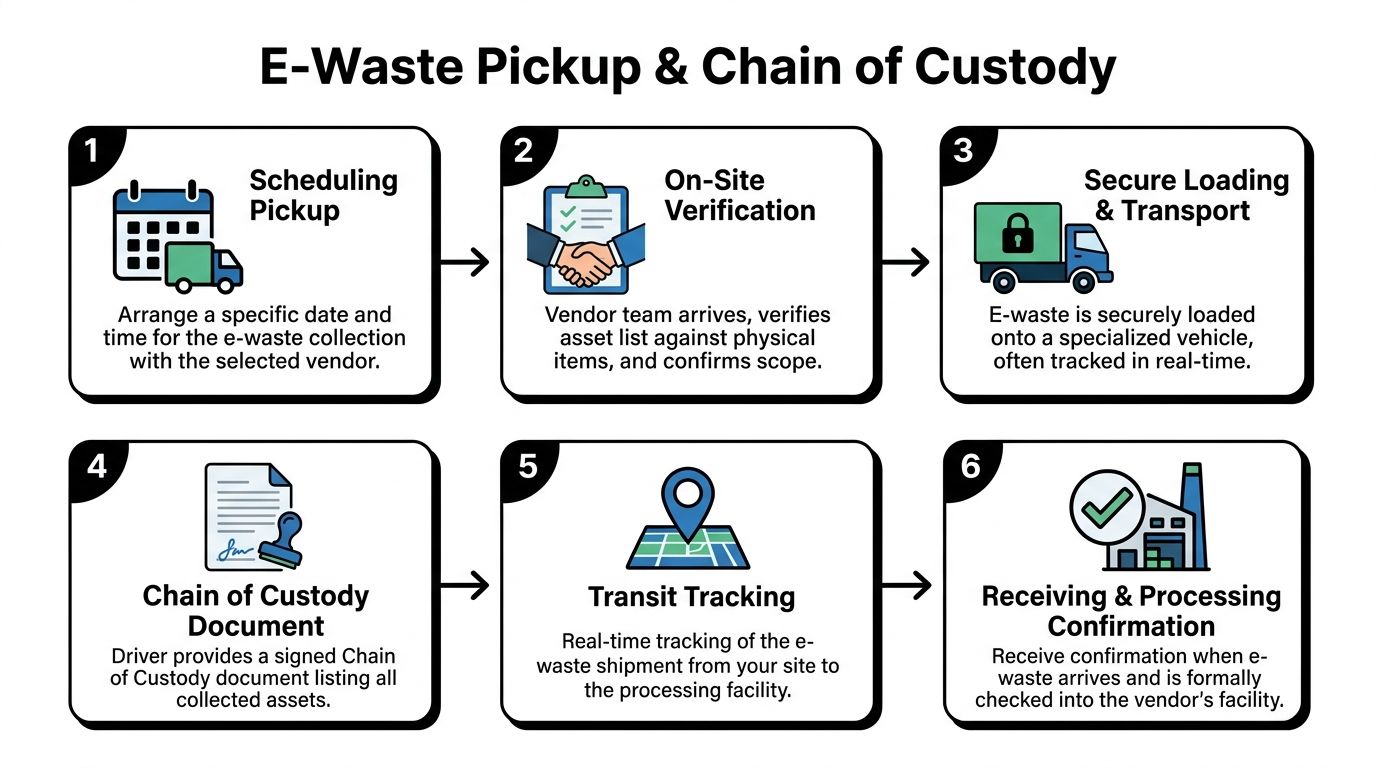
A professional pickup usually includes several checkpoints:
Pre-pickup confirmation
Scope, location access, loading conditions, and asset categories should be confirmed in writing.On-site reconciliation
The crew verifies what was expected against what is staged.Secure loading
Assets are loaded in a way that preserves accountability, especially for data-bearing devices.Transport documentation
Someone signs for transfer of custody.Facility intake
The receiving site confirms arrival and logs what was received.
If any one of those steps is informal, your documentation weakens.
The documents you should expect
The two records I consider essential are:
Chain-of-custody form
This should identify the pickup event, date, parties involved, and the assets or containers transferred.Certificate of destruction or processing record
This should confirm what happened to media or equipment after receipt.
For teams that want to understand the purpose of this record in more detail, this explanation of a certificate of destruction for hard drives lays out why it matters.
What to verify before closing the project
Do not close the ticket when the truck leaves.
Review:
- whether the pickup record matches your internal inventory
- whether all serialized media received a final disposition outcome
- whether any exceptions were noted, such as missing drives or damaged labels
- whether resale, recycling, and destruction were separated in the final report
Operational advice: Keep your internal inventory and the vendor's final report together in the same retention system. Audits get messy when records live in separate inboxes and shared drives.
Turning E-Waste Compliance into a Business Advantage
Handled poorly, retired technology becomes a mess of storage overflow, uncertain data exposure, and weak sustainability claims. Handled well, it becomes a clean operating discipline.
That is the useful way to think about austin texas recycling from an enterprise perspective. The public conversation often centers on diversion programs. Your business decision is broader. You are protecting data, proving policy compliance, controlling asset retirement, and showing that useful equipment was not treated as anonymous scrap.
Three habits consistently separate strong programs from risky ones:
The three habits that matter
Inventory before pickup
Your records should not depend on a third party to reconstruct what left the site.Vet the partner, not just the price
Certifications, custody controls, and downstream transparency matter more than a quick quote.Document the outcome
If you cannot produce the final disposition record later, the project is not finished.
There is also a sustainability upside. Reuse, parts harvesting, and disciplined recycling create better outcomes than indiscriminate destruction. This overview of the benefits of e-waste recycling is a good reminder that environmental value and risk reduction do not have to compete.
Frequently Asked Questions About Austin Business Recycling
Can my business use residential electronics recycling options in Austin
Usually, that is the wrong path for corporate equipment.
Residential programs are designed around household participation and convenience. Business assets create different obligations. You need documented custody, serial-level accountability where appropriate, and clear handling for data-bearing devices. Even when a local option accepts electronics, acceptance is not the same thing as business-grade disposition control.
What is the difference between recycling and IT asset disposition
Recycling is one outcome. IT asset disposition, or ITAD, is the full management process around retired technology.
ITAD includes inventory control, data destruction decisions, chain of custody, remarketing or reuse where appropriate, component harvesting, recycling, and final reporting. That distinction matters because Austin still sends about 58% of reusable materials to landfills, according to The Years Project's Austin case study. For business electronics, a specialized ITAD approach that prioritizes reuse and component recovery usually creates a better diversion result than a shred-first approach.
How should I think about cost
Cost should be weighed against risk, labor, and recoverable value.
A cheap haul-away service can become expensive if your team has to rebuild records later, explain missing devices, or respond to questions about data handling. A structured ITAD program may include service charges for logistics, labor, media destruction, or reporting. It can also offset some cost when equipment still has reuse value.
The right budgeting question is not "what is the cheapest pickup?" It is "what process gives us a clean exit, defensible records, and the best responsible outcome for the assets we have?"
Dallas Fortworth Computer Recycling helps organizations retire technology with secure data destruction, documented chain of custody, and compliant nationwide logistics. If your Austin team needs a practical plan for servers, laptops, storage, networking gear, or full-site cleanouts, learn more at Dallas Fortworth Computer Recycling.