
Secure Business Computer Recycling Arlington: Data Destruction & Compliance
For businesses in the Arlington tech corridor, business computer recycling has evolved from a simple disposal chore into a critical operational necessity. This guide is your roadmap to managing old IT assets the right way, ensuring every server, laptop, and hard drive is handled securely and compliantly.
Why Business Computer Recycling in Arlington Is Not Optional
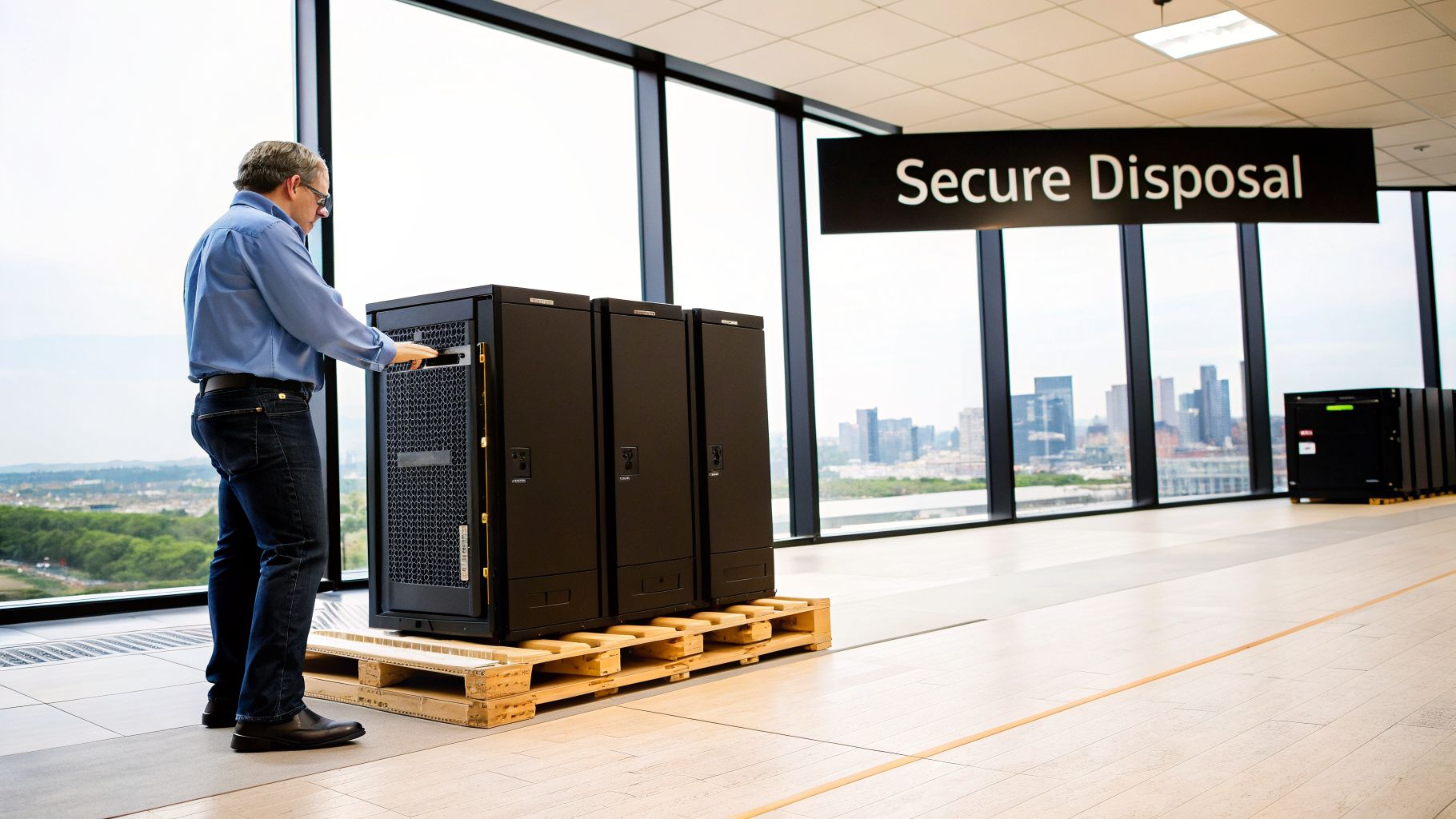
For IT directors and managers, the old "out of sight, out of mind" approach to computer disposal is now a major liability. In a dense tech hub like Arlington, improperly handling retired IT equipment creates serious risks. These dangers go far beyond a cluttered storage closet—they involve data security, regulatory compliance, and your company's reputation.
This isn't just a local trend. Technology refresh cycles mean most businesses replace servers and laptops every 3-5 years. That equipment has to go somewhere, and the legal and financial stakes for getting it wrong have never been higher.
The Financial and Reputational Stakes
The consequences of non-compliance are severe. A single data breach from an improperly discarded hard drive can lead to steep fines under regulations like HIPAA or Texas privacy laws. The damage to your company's reputation, however, can be far more costly and erode customer trust that took years to build.
Partnering with a certified recycling specialist is not merely about environmental responsibility—it's a crucial risk management strategy. It protects your brand, shields you from liability, and ensures compliance.
This global need for secure and sustainable IT asset disposition has driven huge market growth. In 2026, the global computer recycling market hit a $50 billion valuation and is expected to grow at a 12% CAGR through 2033. This surge is fueled by strict regulations and the high cost of mistakes, with potential fines exceeding $25,000 per violation for mishandling sensitive data.
Turning a Compliance Task into a Business Advantage
A structured approach to business computer recycling in Arlington transforms a compliance headache into a strategic asset. By working with a professional partner, your organization gains concrete benefits:
- Ironclad Security: Certified data destruction guarantees that sensitive company and customer information is permanently and verifiably erased.
- Verifiable Compliance: Chain-of-custody documentation provides a clear audit trail, giving you the proof you need to show you’ve met your legal duties.
- Enhanced Reputation: Responsible recycling demonstrates a commitment to sustainability, boosting your corporate social responsibility (CSR) profile.
Understanding the full scope of these advantages is key to making the right decision for your business. You can dive deeper into the benefits of e-waste recycling and see how a professional partnership pays off.
Preparing Your IT Assets For A Secure Handover
Before any equipment ever leaves your building, your internal process is the single most important line of defense. Proper business computer recycling in Arlington starts long before a truck pulls up to your door. This isn't just about piling old PCs in a storage closet; it's about establishing control and accountability the moment an asset is taken offline. A messy handover is exactly where equipment "walks away" and data risks explode.
Your first move should always be to conduct a thorough IT asset inventory. Don't just count the devices—get specific and categorize them. A detailed spreadsheet is the perfect tool to track every single piece of equipment slated for disposal.
Building Your Asset Inventory
This inventory log needs to be more than just a quick list. For true control, you need to capture key details that will guide the entire disposition process. This data is what helps you decide between remarketing, donation, or outright destruction.
- Asset Tag/Serial Number: The unique ID for each device.
- Device Type: Is it a laptop, desktop, server, switch, or monitor?
- Age and Model: This is critical for determining any potential resale value. A three-year-old high-spec server has a very different future than a seven-year-old desktop.
- Condition: Make a quick note if the device is functional, has minor damage, or is totally dead.
- Data-Bearing Status: This is non-negotiable. Clearly mark if the device contains a hard drive or any other storage media. This is your primary flag for ensuring complete data destruction.
Creating this inventory builds the foundation for your audit trail and helps your recycling partner give you a much more accurate quote. It takes the process from pure guesswork to a documented, professional operation.
A detailed inventory and a documented chain of custody are not just best practices—they are essential internal controls. They protect your company from inside risks and prove you've maintained accountability for every asset, even before it leaves your premises.
Establishing A Clear Chain Of Custody
Once an asset is logged, your job isn't quite finished. The chain of custody actually begins the second a computer is unplugged. Think of it as a documented timeline that tracks the asset's journey from its user to the secure storage area where it will await pickup.
Designate a specific person or team to be responsible for these decommissioned assets. When an employee turns in an old laptop, it should be immediately signed in, tagged, and moved to a locked, access-controlled room—not left sitting in an unsecured office. This simple step is a powerful deterrent against internal theft and ensures no device gets misplaced.
Having this internal log gives you an unbroken record of custody that you can later match against the documents your recycling vendor provides. It’s a simple but powerful risk mitigation tool. Before you even contact an outside vendor, it’s a good idea to make sure your team understands how to securely prepare the drives. If you need a refresher, check out our guide on how to wipe a hard drive completely for some foundational knowledge.
Executing Ironclad Data Destruction
The phrase "we just wiped the drives" should set off alarm bells for any IT leader. When it comes to business computer recycling in Arlington, the data destruction stage is where your organization faces its greatest risk. This isn't just about hitting "delete."
Proper data sanitization is a non-negotiable step to shield your company from costly data breaches and ensure you meet all compliance obligations. Simply formatting a drive leaves a trail of recoverable data, creating a massive—and completely avoidable—liability.
Understanding Your Sanitization Options
True data destruction isn't a one-size-fits-all process. It breaks down into three main categories, and the right choice depends on your industry, the sensitivity of your data, and what you plan to do with the equipment afterward.
For many businesses, software-based wiping is a perfect fit. This method uses specialized software to overwrite a hard drive's entire surface with random data, often in several passes. The key is to use a process that meets or exceeds the NIST 800-88 guidelines, the recognized gold standard for media sanitization. This allows devices to be safely refurbished or resold, which is ideal for a standard office refresh.
However, when you're dealing with highly sensitive information or stricter regulations, you need a more definitive approach. Degaussing uses incredibly powerful magnets to instantly scramble the magnetic field on hard drives and backup tapes, rendering the data completely unrecoverable. It's fast and absolute, but it also makes the drive itself unusable.
The Finality of Physical Destruction
When there can be absolutely no question of data recovery, physical shredding is the only answer. This process literally grinds hard drives, solid-state drives (SSDs), and other media into tiny, shredded fragments. It's the ultimate end-of-life solution.
For example, a healthcare clinic in Arlington governed by HIPAA must ensure patient health information (PHI) is irrevocably destroyed. For them, physical shredding isn't just an option; it's a requirement. There is zero room for error.
To help you decide, here’s a quick comparison of the common methods:
Comparing Data Destruction Methods
| Method | Description | Best For | Compliance Level |
|---|---|---|---|
| Software Wiping | Overwrites drive data with random characters using certified software. | Resale or reuse of hardware; standard corporate data. | High (NIST 800-88) |
| Degaussing | Uses a powerful magnetic field to destroy data on magnetic media like HDDs and tapes. | High-security data on magnetic media; renders drives inoperable. | Very High |
| Physical Shredding | Grinds drives and other media into small, unsalvageable fragments. | Highest-security data (PHI, PII); end-of-life hardware. | Absolute |
Choosing the right method is the first step, but proving it happened is what truly protects your business.
The ultimate proof of compliance isn't a promise; it's a Certificate of Data Destruction. This critical document lists the unique serial number of every single drive that was sanitized or destroyed, providing a legal attestation and an indispensable audit trail.
This asset-level documentation is the cornerstone of any responsible IT asset disposition (ITAD) strategy. The process starts with a structured handover, as illustrated below.
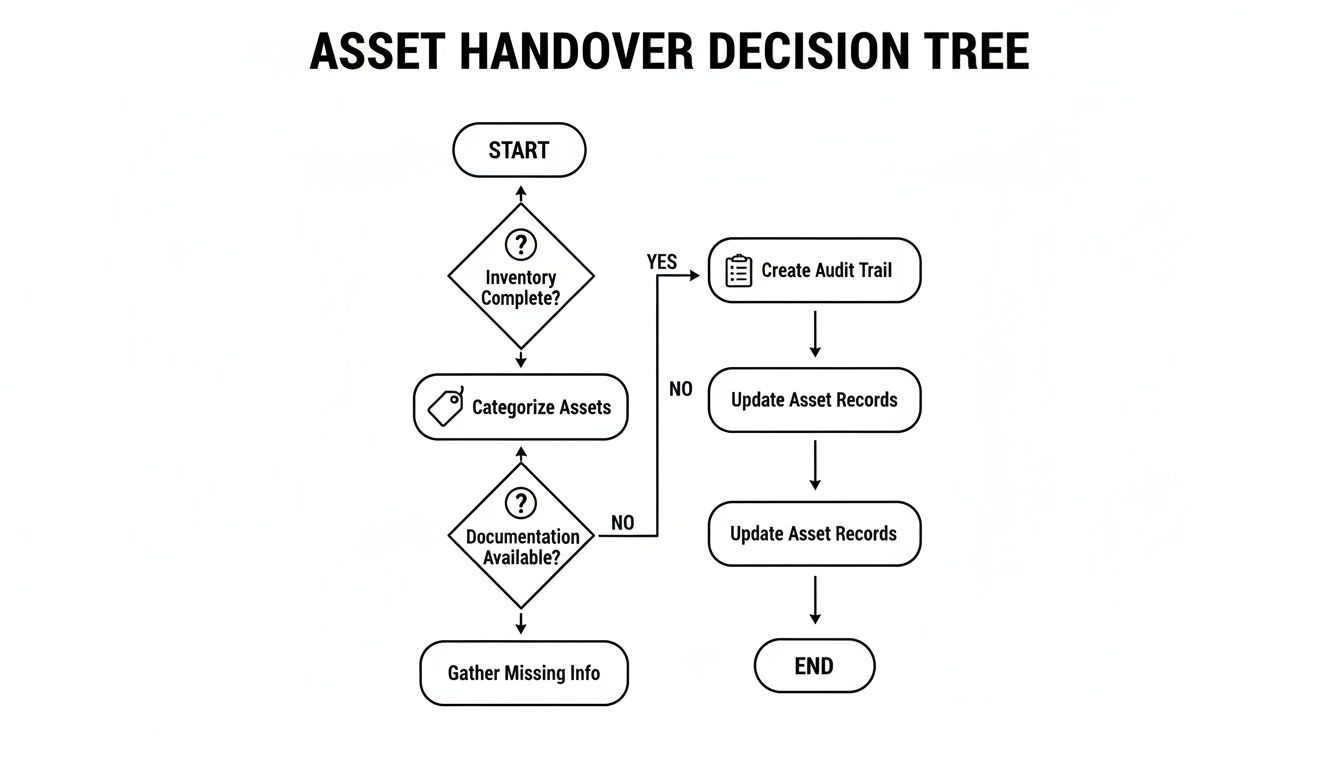
As you can see, a detailed inventory is what makes a complete audit trail and certified data destruction possible.
The challenge is significant. Globally, e-waste is projected to surpass 60 million metric tons each year. With corporate refresh cycles driving growth in tech-heavy areas like Arlington, IT equipment now represents 35% of the $22.2 billion electronics recycling market. Yet, with only 22.3% of this waste being formally and securely recycled, the risk of data-bearing assets falling into the wrong hands is immense.
To ensure your process is airtight, you can dive deeper into our detailed guide on security and data destruction services.
Selecting The Right Recycling Partner In The Arlington Area
Choosing who handles your computer recycling in Arlington is one of the most important decisions you'll make in this process. A great partner shields you from liability and keeps you compliant. The wrong one can expose your business to staggering data breach risks and environmental fines. You're looking for a genuine partner, not just a company that picks up old equipment.
The first thing to look for is industry-standard certifications. These aren't just logos for a website; they are your assurance that a vendor is committed to security and processing things the right way. Key certifications like R2v3 (Responsible Recycling) and e-Stewards are non-negotiable. They guarantee your old computers won't be dumped in a landfill, here or overseas, and that the entire process is secure and documented.
But environmental compliance is only half the battle. You absolutely have to verify their data security credentials.
Verifying Security And Downstream Transparency
When it comes to data destruction, the gold standard is NAID AAA Certification. This isn't a self-proclaimed status. It's a grueling, third-party audit from the International Secure Information Governance & Management Association (i-SIGMA) that scrutinizes everything—hiring practices, facility security, and the destruction methods themselves. A partner with NAID AAA certification gives you the highest possible confidence that your sensitive data is gone for good.
A question I always recommend asking a potential vendor is: "Can you walk me through your downstream process?" A transparent, trustworthy partner will have a clear answer, detailing exactly where shredded materials and recycled commodities go. They should be able to guarantee a zero-landfill policy for every piece of electronic gear they handle.
Don't just take their word for it, though. You need to see proof.
- Request Proof of Insurance: Ask to see their Certificate of Insurance. Look for specific policies like professional liability (errors and omissions) and pollution liability. These are what protect you if a data breach or environmental mishap occurs on their watch.
- Demand Serialized Reporting: A professional vendor provides detailed, serialized reports for every single asset. This documentation, along with a Certificate of Data Destruction, becomes your indispensable audit trail.
- Confirm Secure Logistics: Ask about their on-site procedures. Are their employees vetted and in uniform? Are your assets packed into sealed, locked containers before they even leave your building? This focus on detail is what maintains an unbroken chain of custody.
This level of diligence is critical. As business hubs like Arlington continue to grow, the volume of retired IT gear skyrockets. Regulations are getting tighter, demanding strict collection and recycling from companies. This pressure pushes reliable partners to offer complete decommissioning services that achieve 99.9% data sanitization through certified, auditable processes.
By focusing on these practical checks—certifications, security protocols, and transparent logistics—you can confidently choose the right partner for your business in Arlington. To get a better feel for what these credentials represent, it’s worth taking a closer look at what it means to be an R2 certified electronics recycler.
Getting Value Back From Your Retired IT Assets
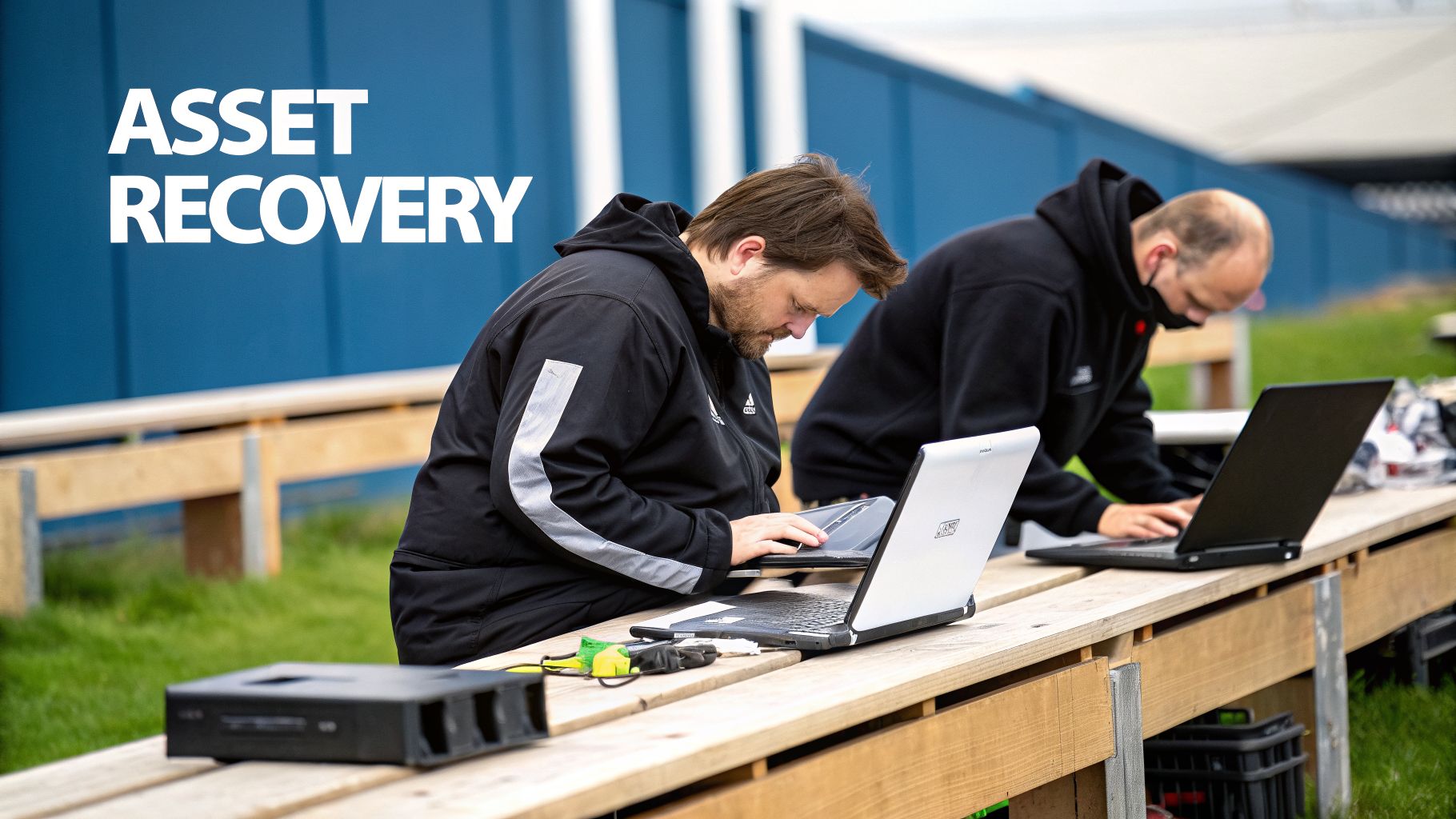
When your company retires a batch of servers or laptops, it's easy to see them as just another disposal task. But much of that equipment still holds significant recoverable value. Responsible business computer recycling in Arlington isn’t just about secure destruction—it's also about smart recovery. The right strategy can turn old tech into a surprising revenue stream.
This process is known as IT Asset Value Recovery (ITAV). It’s a service where your functional, decommissioned equipment is professionally tested, securely wiped, and refurbished for sale on the secondary market. The revenue generated is then returned to your business, helping offset the cost of new hardware and the recycling service itself.
Identifying Candidates For Resale
Not every piece of old equipment is a candidate for resale. The key is to correctly identify which devices have market value versus which are better suited for simple recycling and destruction. Your ITAD partner will help assess your inventory, but here are the prime candidates for value recovery:
- Enterprise-Grade Servers and Networking Gear: High-end servers, switches, and routers from major brands often retain significant value, even if they are several years old.
- Recent-Model Laptops and Desktops: Business-class laptops like Dell Latitudes or Lenovo ThinkPads that are three to five years old are always in high demand.
- Specialized Components: Items like high-capacity RAM, enterprise SSDs, and powerful graphics cards can often be sold individually. Our article on where to sell used computer parts offers more specific tips on this.
On the other hand, older desktops (over seven years), broken monitors, and basic peripherals like keyboards and mice typically have minimal resale value. These items should be slated for responsible recycling.
Boosting Your Brand Through Community Donation
Beyond just generating revenue, your old equipment can make a genuine difference in the community. Donating functional computers is a powerful way to bolster your company’s Corporate Social Responsibility (CSR) profile while supporting local causes right here in Arlington.
Donating usable IT equipment to Arlington-area non-profits and schools is more than a good deed—it's a strategic brand move. It demonstrates a tangible commitment to the community, improves public perception, and gives your old hardware a second life where it's needed most.
Many Arlington charities and educational programs are in constant need of reliable technology but operate on tight budgets. Your company’s three-year-old laptops could become essential tools for a local after-school program or a non-profit’s administrative office.
A certified ITAD partner can manage the entire donation process for you. This includes performing certified data destruction to ensure complete security before delivering the equipment to the organization you've chosen. It provides a secure, auditable path for your business to make a meaningful local impact.
Answering Your Arlington E-Waste Recycling Questions
Even with a well-defined process, specific questions often come up when a business decides to recycle its computers. We’ve compiled a few of the most common questions we hear from Arlington businesses to provide clarity on the core principles of security, compliance, and responsible recycling.
What Types Of Business Equipment Can Be Recycled?
Virtually all IT and electronic office equipment can and should be professionally recycled. This goes far beyond just the computers themselves.
Commonly accepted items include:
- Core IT Hardware: Desktops, laptops, servers, and mainframes.
- Networking Gear: Routers, switches, firewalls, and hubs.
- Peripherals: Monitors, keyboards, mice, printers, and scanners.
- Storage Media: External hard drives, SSDs, and backup tapes.
- Data Center Equipment: Server racks, uninterruptible power supplies (UPS), and power distribution units (PDUs).
A dedicated partner for business computer recycling in Arlington will handle this full range of equipment. This ensures that everything, from a single box of old laptops to a complete data center decommissioning, is managed responsibly and kept out of your general office trash.
How Much Does Business Computer Recycling Cost In Arlington?
The cost of service can vary, but for many businesses, it can be very low-cost, free, or even generate a positive return. The final price tag really depends on a few key factors.
These include the volume and type of your equipment, the level of data destruction you require, and the logistics of the pickup. For example, on-site physical shredding of hard drives will cost more than off-site software wiping because it involves specialized equipment and dedicated labor at your location.
The biggest factor influencing your final cost is often IT Asset Value Recovery (ITAV). If your retired computers and servers still have residual market value, the proceeds from their resale can easily offset or completely cover your recycling expenses. The best way to know for sure is to request a custom quote based on your specific inventory.
What Documentation Should I Expect From My Recycling Vendor?
Documentation is the foundation of any compliant and risk-free recycling program. These documents are your official record, proving you met all your legal and internal governance obligations.
You should always receive three critical documents from your vendor:
- Chain of Custody: This form tracks your assets from the moment they leave your facility, documenting every transfer until they arrive at the secure processing plant.
- Certificate of Data Destruction: This is an itemized report that lists the unique serial number of every single hard drive and storage device, confirming it was sanitized or physically destroyed.
- Certificate of Recycling: This final document confirms that all non-reusable materials were processed according to environmental regulations and a zero-landfill policy.
These records are your proof of due diligence in the event of an audit.
Are We Liable For Data Breaches After Computers Leave Our Office?
Yes, your business remains legally liable for its data until that data has been verifiably and permanently destroyed. This is a critical point that many companies miss. Simply handing over old computers to a standard scrap hauler or an uncertified recycler exposes your organization to immense risk. If that data is breached down the line, the liability still falls squarely on you.
This is precisely why partnering with a NAID AAA Certified vendor is essential. This certification, combined with a detailed Certificate of Data Destruction, effectively transfers the data liability risk from your company to your recycling partner. Their professional liability insurance provides another critical layer of financial protection, safeguarding your business from the catastrophic consequences of a data breach.
Ready to implement a secure, compliant, and responsible recycling program for your Arlington business? Dallas Fortworth Computer Recycling offers end-to-end IT asset disposition services with the certifications and documentation you need for total peace of mind. Get your custom quote today by visiting https://dallasfortworthcomputerrecycling.com.