
Arlington IT Equipment Disposal: Your Secure Solution
A solid plan for Arlington IT equipment disposal starts long before you call a vendor. It begins with a meticulous asset inventory and a rock-solid chain-of-custody plan. This groundwork is what ensures every retired device is accounted for, its risks are understood, and its journey is tracked from your office to its final, secure end.
Getting this right isn't just about hiring a recycler; it’s about having a documented, auditable process in place before a single piece of equipment walks out the door.
Preparing Your Tech for Secure Disposal
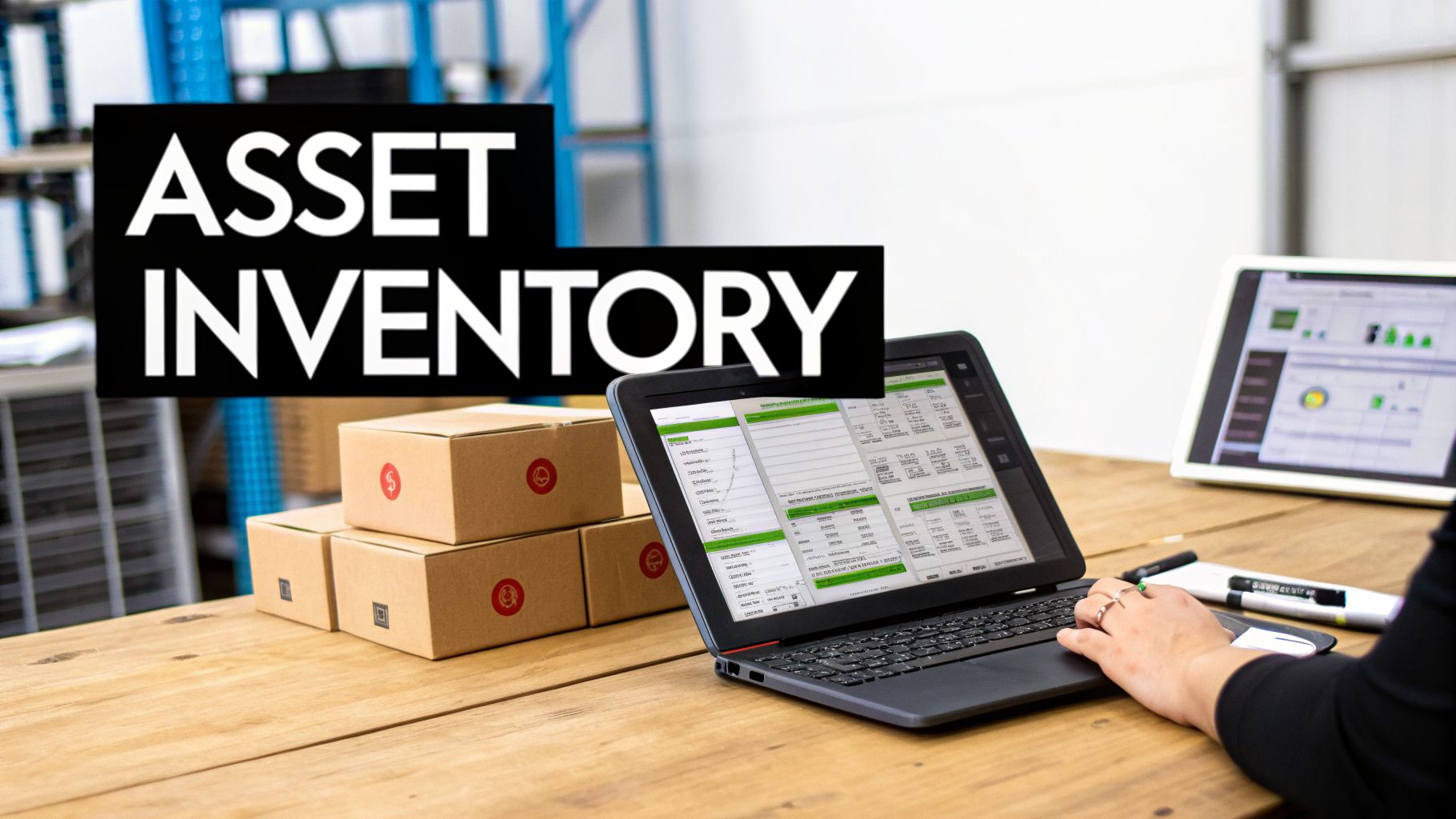
Before you even think about unplugging hardware, you need to lay the foundation for a secure and compliant disposal project. We’ve seen it time and again—rushing this prep stage is the number one cause of lost assets, unaccounted-for data, and major compliance headaches down the road.
The cornerstone of all this prep work is a detailed IT asset inventory. And I don't mean a simple list of device types. To do this correctly, you have to get granular.
Building a Bulletproof Asset Inventory
Your asset inventory should be a dynamic risk management tool, not just a static spreadsheet. For every single asset you plan to dispose of, your list needs to capture these key data points:
- Asset Tag/Serial Number: The non-negotiable unique ID for tracking.
- Device Type: Is it a laptop, server, firewall, or mobile phone?
- User/Department: Who was the last person to use it? This gives you clues about the data inside.
- Data Sensitivity Level: Classify assets as holding Low, Medium, or High-Risk data. A server from your accounting department is in a totally different risk category than a PC from the break room.
- Physical Location: Pinpoint the building and room number where the asset sits right now.
This level of detail turns your inventory from a basic checklist into a strategic roadmap. It lets you flag assets for special handling. For instance, you can segregate all devices marked "High-Risk" and schedule them for on-site data destruction to ensure maximum security. To go deeper on this, you can learn more about how to erase a computer hard drive in our guide.
Key Takeaway: An IT asset inventory isn't just about counting machines. It's about quantifying risk. Knowing you have 50 laptops to retire is one thing; knowing that 10 of them hold sensitive R&D data is what truly shapes a secure disposal strategy.
Establishing an Unbreakable Chain of Custody
The second a device is decommissioned, your chain of custody officially begins. This is the documented trail that proves you maintained control over that asset—and its data—at every single step. If you can’t prove it, you’re creating a massive liability blind spot.
Think about this scenario: an old company laptop with customer records ends up on eBay. Without a chain-of-custody document showing you transferred it to a certified vendor, your company is on the hook for that data breach. A proper process is your best defense.
Your internal chain-of-custody workflow should include these elements:
- A Secure Staging Area: Designate a locked room with controlled access for all decommissioned assets. Leaving old gear in an open office or an unlocked closet is asking for trouble.
- Internal Transfer Forms: When an employee moves a device from their desk to the staging area, use a simple sign-off sheet. It should log the asset tag, the person who moved it, and the date.
- Pre-Pickup Reconciliation: Before your ITAD vendor shows up, do one last audit. Match every device in the staging area against your master inventory list. This confirms nothing was misplaced internally and gives the vendor an exact count for the pickup.
This disciplined approach ensures that from the moment a computer is powered down, its journey is tracked, secure, and auditable. This internal diligence is the most critical step in any successful Arlington IT equipment disposal project. It's what separates a professional, risk-managed process from a simple cleanout.
How to Vet ITAD Partners in Arlington
Choosing the right IT Asset Disposition (ITAD) partner is more than just a procurement task—it's a critical security and compliance decision for your Arlington business. The wrong vendor can expose you to data breaches, environmental fines, and serious reputational damage. The right one delivers a seamless, risk-free process that protects your organization from all downstream liability.
Your vetting process has to go deeper than a sales pitch or a basic price sheet. You need to dig into their certifications, inspect their processes, and demand proof of their security claims. This diligence is what separates a true professional partner from a simple scrap hauler.
Decoding Essential Certifications
Certifications aren't just logos on a website; they are third-party proof of a vendor's operational integrity. For any business serious about secure Arlington IT equipment disposal, these credentials are non-negotiable. They show that a provider has been audited and meets strict industry standards for security and environmental safety.
Here are the key certifications to look for and what they really mean for your business:
- R2v3 (Responsible Recycling): This is the gold standard for environmental responsibility and worker safety. An R2v3-certified vendor guarantees your old electronics won't end up in a landfill and that all hazardous materials are managed correctly. To learn more, see what it means to be an R2 certified electronics recycler.
- e-Stewards: Another highly respected environmental certification, e-Stewards is known for its strict ban on exporting hazardous e-waste to developing nations. It provides an extra layer of assurance for environmentally conscious organizations.
- NAID AAA: This is arguably the most important certification for data security. The National Association for Information Destruction (NAID) AAA certification validates a vendor's data destruction processes, from their hiring practices to facility security and audit trails. A partner with this certification can give you legally defensible proof that your data was permanently destroyed.
If a potential vendor doesn't have these core certifications, you should see it as a major red flag. They simply cannot offer the same level of verified protection as an audited and certified provider.
A common mistake is thinking all "recyclers" offer the same level of service. There's a huge difference between a residential collection event and an enterprise-grade ITAD solution.
For instance, many local municipalities host great community e-waste drives. In Arlington, Texas, the city's annual Computer Roundup & E-Waste Recycling event, a key part of local environmental efforts since 2014, is a fantastic resource for residents. But for businesses, these events fall short because they lack the certified data destruction and chain-of-custody documentation needed for compliance.
Professional B2B providers, on the other hand, offer scheduled pickups with complete audit trails. This ensures Texas businesses can responsibly manage their portion of the state's 500,000+ tons of annual e-waste while meeting zero-landfill goals. For more on local and state recycling efforts, you can check with resources like Green Source DFW.
Auditing Security and Logistics Capabilities
Once you've shortlisted certified vendors, the next step is to evaluate their real-world security measures. A certificate is one thing; how a vendor actually implements its security protocols day-to-day is what truly matters.
Start by asking specific questions about their logistics and facility security:
- Do their collection trucks have GPS tracking?
- Are assets transported in sealed, locked containers?
- What are the access control measures at their processing facility (e.g., security cameras, badge access, monitored alarms)?
- Are employees who handle data-bearing devices background-checked and trained on security protocols?
A professional ITAD partner will welcome these questions and should be able to provide clear, confident answers. They should also be willing to let you tour their facility—either virtually or in person—to see their security measures for yourself.
Verifying Documentation and Reporting
Ultimately, your goal is to receive legally defensible documentation that proves you acted responsibly. The paperwork your ITAD partner provides is your primary defense against any future liability. Always insist on seeing samples of their reporting documents before signing a contract.
A complete documentation package should include:
- Serialized Asset Report: A detailed list of every single asset collected, identified by its serial number or your company's asset tag. This report should track each item from pickup to its final disposition—whether that's resale, recycling, or destruction.
- Certificate of Data Destruction: This is your audit-proof evidence that data was eliminated. It must specify the serial numbers of the media destroyed, the destruction method used (e.g., wiping to NIST 800-88 standards, physical shredding), the date of destruction, and an authorized signature.
- Certificate of Recycling: This document confirms that your non-viable assets were processed in an environmentally compliant manner, fulfilling your corporate social responsibility and environmental obligations.
Without this trifecta of documentation, your Arlington IT equipment disposal process has a critical blind spot. A vendor that can’t provide this level of detailed reporting isn't offering a true enterprise-level service. Choosing the right partner is an investment in risk mitigation, and demanding this thoroughness is the only way to ensure your peace of mind.
From Your Office to Final Destruction: Secure Pickup and Data Sanitization
Once you’ve done the hard work of vetting and choosing a certified ITAD partner, the focus shifts to execution. This is where a vendor’s promises of security and compliance are truly tested. For any business in Arlington, knowing exactly how a professional pickup and data destruction process works provides critical peace of mind.
This isn't a simple hauling job. A professional pickup is a coordinated security operation, scheduled to work with your team, not against them.
What to Expect During a Professional ITAD Pickup
When the day arrives, you should expect a team of trained, background-checked technicians to manage the entire process. They won't just show up with an empty truck; they’ll arrive with a clear plan based on the inventory you’ve already provided.
The on-site process is built around total accountability. Your assets should be cross-referenced against your inventory list as they’re packed into secure, locked containers. Those containers are then loaded onto a GPS-tracked vehicle, creating an unbroken and monitored chain of custody from your Arlington office to their secure facility. This is non-negotiable—it closes the gaps where assets can go missing.
This flow chart outlines the key vetting criteria that lead to this level of professional service.
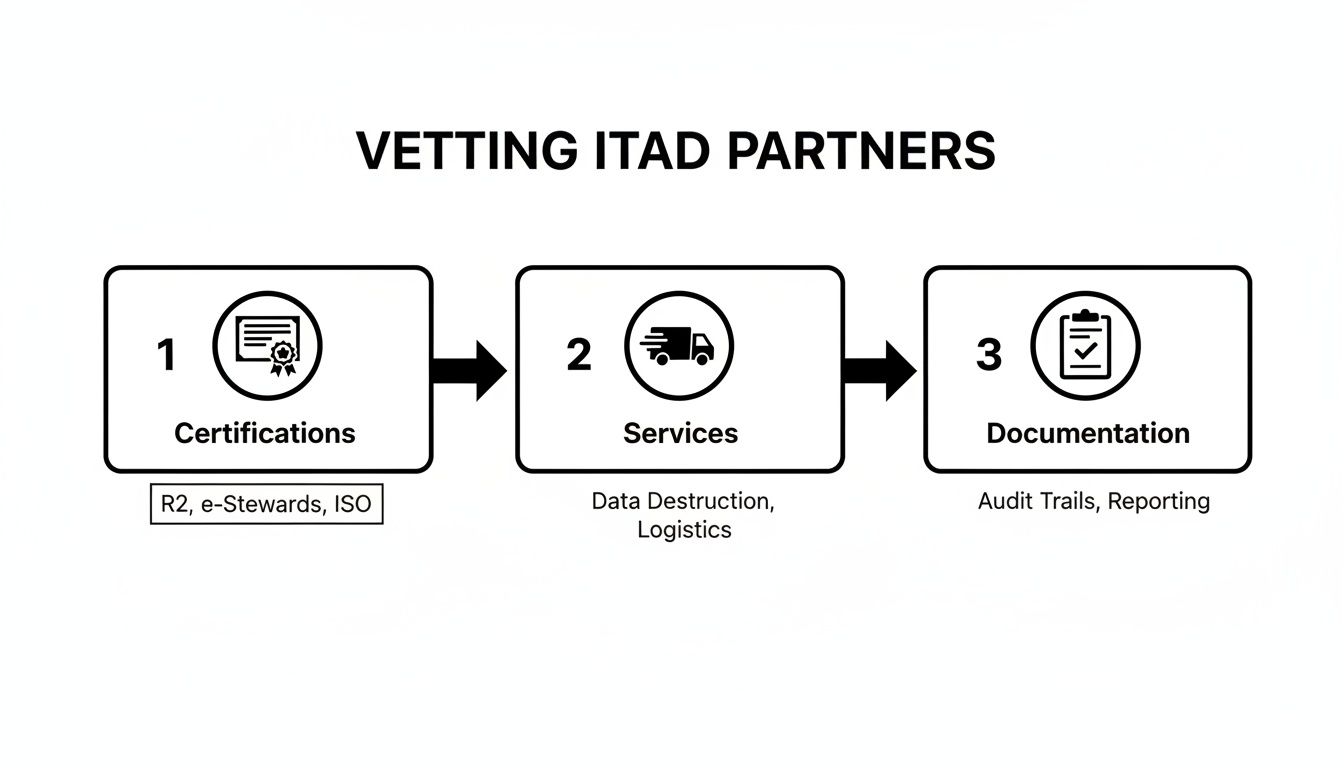
As you can see, a secure process begins long before the truck arrives. Vetting for certifications, logistics, and documentation all comes together during the physical pickup.
Understanding Data Destruction Methods
After your equipment is securely transported, the most critical step begins: permanent data destruction. There are two primary, industry-accepted methods, and the right choice depends on your compliance needs and the devices themselves.
1. Multi-Pass Data Wiping: This is a software-based method that overwrites a hard drive's entire surface with random characters, making the original data impossible to recover. The gold standard here is the NIST 800-88 protocol. This approach is perfect for newer, functional hard drives that might be resold, as it preserves the physical hardware.
2. Physical Shredding: For older drives, damaged media, or devices that held highly sensitive information (like PHI under HIPAA), physical destruction is the only acceptable answer. The drives are fed into an industrial shredder that pulverizes them into tiny metal fragments. There's no coming back from that.
Expert Insight: We often see clients use a hybrid approach. It's common to request on-site shredding for servers that contained critical financial data while opting for data wiping on standard employee laptops. A good partner will help you make this call based on a practical risk assessment.
No matter which method is used, the entire process must be documented. A professional vendor will provide a Certificate of Data Destruction, a legal document that serves as your auditable proof. This certificate must list the serial numbers of every single drive that was wiped or shredded, creating a closed-loop security trail.
The Importance of Serialized Reporting
From the moment an asset leaves your door, it should be tracked by its unique serial number. This process, known as serialized reporting, is the backbone of any defensible Arlington IT equipment disposal program.
Your final report should be a comprehensive document detailing the journey of each asset:
- Pickup Confirmation: A list of every serial number collected from your site.
- Data Destruction Log: Confirmation of which serial-numbered drives were wiped or shredded.
- Final Disposition: A record showing whether each asset was resold, recycled, or destroyed.
This level of detail gives you complete transparency and is exactly what auditors look for to prove due diligence. When it comes to a professional computer recycling pickup in Arlington, this documented process is what separates a true partner from a potential liability.
A well-oiled operation can move surprisingly fast. To give you a concrete idea, here’s a typical timeline for decommissioning a batch of assets.
| IT Equipment Disposal Timeline for an Arlington Business |
| :— | :— | :— |
| Phase | Action Item | Typical Duration |
| Week 1 | Initial Contact & Inventory Audit | 1-2 business days |
| Week 1 | Quote Approval & Pickup Scheduling | 1 business day |
| Week 2 | On-Site Secure Pickup & Transport | 1 business day |
| Week 2-3 | Asset Triage & Data Destruction | 3-5 business days |
| Week 3-4 | Final Reporting & Certificate Issuance | 2-3 business days |
| Total | From Pickup to Final Docs | Approx. 2 Weeks |
This timeline shows that a project involving 500 assets can be fully completed, with documentation in hand, in just a few weeks. This efficiency minimizes the time your IT team spends on the project and ensures sensitive assets aren't left sitting in a storage closet, creating unnecessary risk.
Managing Disposal for Regulated and Specialized Tech
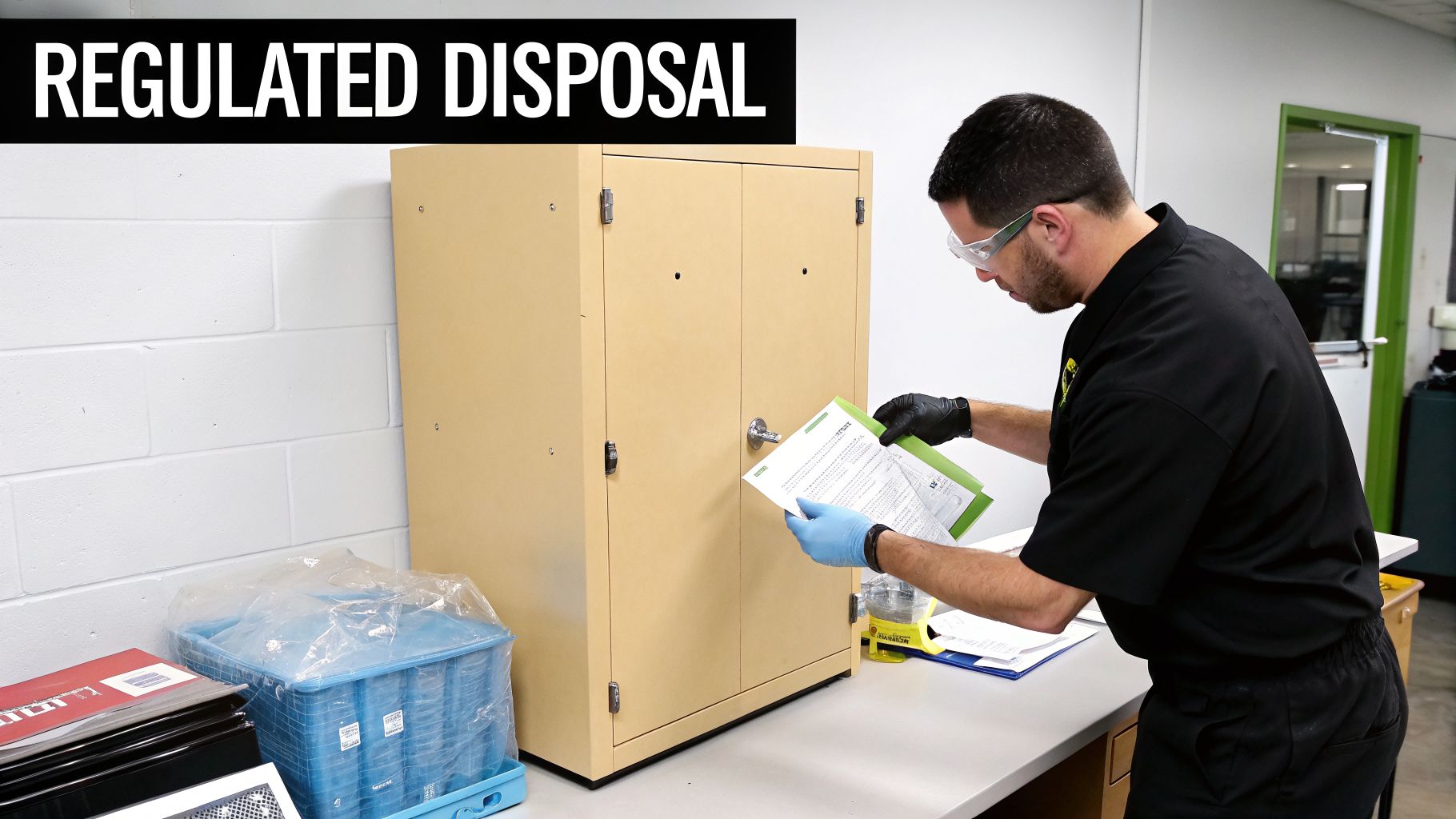
When you're in Arlington's healthcare, finance, or government sectors, getting rid of old IT equipment isn't just about recycling. One small mistake can turn into a massive data breach, steep regulatory fines, and a complete loss of public trust. For any device that ever held Protected Health Information (PHI) or sensitive financial data, there is absolutely no room for error.
Standard disposal just doesn't cut it. These industries demand a higher level of security, documentation, and compliance with laws like HIPAA and various financial regulations. Every single step, from how you handle equipment on-site to its final destruction, needs to be airtight.
Handling Devices with Protected Health Information
For Arlington's clinics, labs, and healthcare providers, any piece of equipment can be a liability. Patient-facing tablets, diagnostic machines, and office servers are all potential containers for PHI. A HIPAA violation, with fines that can reach $1.5 million per year for repeat offenses, means you need a much stricter disposal plan.
- Asset Segregation is Key: Devices containing PHI should never be mixed with your general e-waste. They need a separate inventory and must be stored in a secure, access-controlled area before pickup.
- On-Site Destruction is the Safest Bet: We always recommend on-site physical destruction (shredding) for any hard drives or media that held PHI. This completely removes any risk of a data breach during transit.
- Business Associate Agreements (BAAs) are Mandatory: Your ITAD vendor must sign a BAA. This is a non-negotiable legal contract that holds them just as liable for protecting PHI as you are.
Retiring medical equipment properly is a critical part of protecting patient privacy. You can find more specific guidance in our post on HIPAA-compliant electronics recycling in Texas.
Decommissioning Data Centers and Financial Systems
Financial institutions and data centers have their own complex challenges. Decommissioning server racks or an entire facility means managing a huge volume of assets loaded with incredibly sensitive data. This isn't just a bigger office cleanout—it's a major security and logistics project.
Real-World Scenario: An Arlington-based credit union migrating to the cloud needed to retire its data center. Their ITAD partner brought a shredding truck on-site to destroy every server drive, all witnessed by the credit union's security officer. This guaranteed that terabytes of customer financial data were gone for good before the server racks ever left the building.
For these kinds of projects, you need to insist on a few extra protocols:
- Serialized Inventory Verification: Every drive, server, and switch must be inventoried by serial number on-site before it moves. That list is then checked and re-checked at every step.
- Secure Logistics: Your vendor must use sealed, GPS-tracked trucks for transport. This creates a fully documented and monitored chain of custody from your door to theirs.
Specialized Lab and Industrial Equipment
Beyond office IT, many Arlington companies use specialized lab instruments, manufacturing control systems, or industrial PCs. These devices often hold valuable intellectual property like proprietary formulas, research data, or operational programming.
When disposing of this equipment, you need a partner who knows data isn't always on a standard hard drive. It can be on integrated circuits, memory cards, and other embedded media. A true professional in Arlington IT equipment disposal will know how to find and destroy all data-bearing components, no matter how obscure.
Breaking Down the Costs and Uncovering Hidden Value
Let's talk about the bottom line. How much should professional IT equipment disposal cost? It’s a fair question and a top concern for Arlington businesses looking to retire technology the right way without a surprise invoice at the end. The reality is that costs can vary, but a transparent partner will always provide a clear, itemized quote upfront.
Most pricing models are built around a few key factors: pickup and logistics fees, per-pound or per-item rates for recycling, and specific charges for services like on-site hard drive shredding. The final cost really comes down to the volume of your equipment, where it’s located in your building, and the level of data destruction you need.
Understanding Common Pricing Structures
When you get a quote for Arlington IT equipment disposal, you’ll probably see a few different line items. Knowing what they mean helps you compare offers and see where the real value is.
- Logistics Fees: This is the cost to get a truck and team to your location. It might be a flat fee for the service or based on your distance from the vendor’s processing facility.
- Per-Pound Rates: Many vendors charge for recycling based on the total weight of the equipment. This is standard for large-scale disposals of older hardware that has no resale value.
- Per-Item Fees: Certain items, like old CRT monitors or large enterprise printers, have their own fees. This is because they contain hazardous materials that require special handling to be recycled correctly.
- Data Destruction Charges: You’ll see separate costs for services like certified data wiping or physical shredding, usually priced per hard drive.
This kind of breakdown gives you a clear picture of the services. The idea is to make sure you only pay for what you need while getting complete, documented compliance.
How Costs Fluctuate in the Arlington Market
The price for e-waste services isn't set in stone; it's shaped by local market dynamics. For instance, e-waste recycling costs in Arlington, Texas, typically run from $50 to $500 per project, depending on the scope. A simple office pickup of 50-100 computers might fall in the $50-$150 range, while a complete data center cleanout could be closer to $300-$500.
Because the DFW metroplex is so dense, the competition among vendors helps keep rates about 10-20% lower than national averages. This works in your favor.
Key Insight: Don't let an initial cost quote put you off. Many established ITAD providers will waive pickup and recycling fees for larger loads (often 500 pounds or more) if the equipment has enough resale value. This is where the conversation shifts from pure cost to potential return.
Turning a Cost Center into a Value Driver
The smartest way to approach Arlington IT equipment disposal is to stop seeing it as just an expense. Instead, think of it as an opportunity for value recovery through a process called asset remarketing.
A professional ITAD partner is an expert at finding the remaining market value in your retired equipment. They'll evaluate your decommissioned assets—like three-year-old laptops, servers, or networking gear—to see if they can be securely refurbished and resold. The revenue from those sales is then shared back with you, often as a credit that offsets your disposal fees.
This completely changes the financial picture.
Cost vs Value in Arlington IT Disposal
Looking at the numbers shows how a strategic approach can turn a disposal project into a net positive for your budget. The key is the age and type of equipment you're retiring.
| Service Tier | Typical Scenario | Estimated Cost Range | Potential Value Recovery |
|---|---|---|---|
| Recycling Only | 100 older desktops, no resale value | $150 – $300 | $0 |
| Mixed Assets | 50 laptops (4 yrs old), 50 monitors | $100 – $250 | $150 – $400 (Net gain possible) |
| Value Recovery | 200 laptops (2-3 yrs old), servers | $0 (Fees often waived) | $5,000 – $15,000+ |
As you can see, a project with newer, functional equipment can easily generate enough revenue to cover all the service costs. In many cases, it results in a significant payment back to your company. To get a better sense of how values are determined, you can learn more about where to sell used computer parts.
Ultimately, when you work with a seasoned ITAD firm, the conversation moves beyond fees and rates. It becomes a strategic discussion about maximizing your ROI while ensuring total security and compliance. This approach doesn't just protect your budget—it reinforces your company’s commitment to smart, sustainable business practices.
Common Questions on Arlington IT Disposal
Working with businesses across Arlington, we get a lot of questions about how to handle old IT equipment correctly. Getting it wrong can lead to data breaches or compliance issues, so it’s critical to have clear answers. Here are some of the most common inquiries we help IT managers and procurement teams with every day.
Can My Business Use City E-Waste Events?
We often hear from businesses wondering if they can use Arlington's public e-waste collection events. While these are a great resource for residents, they are not designed for commercial needs.
Business equipment disposal requires certified data destruction, a documented chain of custody, and detailed reporting to prove compliance. City-run events simply don't provide this level of security and documentation. To protect your business, you need a professional B2B ITAD partner who can deliver an auditable, secure process.
A professional partner for Arlington IT equipment disposal closes the liability gap that public collection events leave open. Your business's security depends on a process with documented proof of compliance, from pickup to final destruction.
What Certifications Matter Most for a Vendor?
When you’re vetting a disposal partner, certifications are the clearest indicator of quality and security. We always advise clients to prioritize vendors holding both R2v3 (Responsible Recycling) and NAID AAA certifications.
- R2v3 is the premier standard for environmental responsibility and worker safety. It’s your guarantee that assets won't end up in a landfill and that hazardous materials are managed properly.
- NAID AAA focuses entirely on data security, confirming a vendor’s destruction processes are audited, secure, and compliant with all known data protection laws like HIPAA and GLBA.
A vendor with both certifications provides comprehensive coverage, protecting your organization from both environmental and data security risks. It's the most reliable sign you’re working with a top-tier provider.
How Do I Prove My Company's Data Was Destroyed?
Proof of data destruction is absolutely non-negotiable. Any reputable ITAD partner will provide a formal Certificate of Data Destruction, which serves as your legal, audit-proof record that your data has been permanently eliminated.
This isn't just a simple receipt. A valid certificate must include:
- A detailed list of asset serial numbers for each destroyed device.
- The specific destruction method used, like wiping to NIST 800-88 standards or physical shredding.
- The date and location of the destruction.
- An authorized signature from the vendor.
Without this document, you have no verifiable proof of compliance. Always confirm that your partner provides this level of reporting as a standard part of their service.
Can IT Disposal Actually Generate Revenue?
Yes, it absolutely can. Through a process called value recovery or asset remarketing, your IT disposal project can turn an expense into a revenue stream. If your retired equipment still has market value—like recent-model laptops, servers, or networking gear—your ITAD partner can refurbish and resell it through secure channels.
The revenue from those sales is then shared back with your organization. This can significantly offset or even exceed your disposal costs, transforming your Arlington IT equipment disposal from a cost center into a value-generating activity.
Ready to turn your retired IT assets into a secure, compliant, and cost-effective solution? Dallas Fortworth Computer Recycling offers nationwide ITAD services with a focus on certified data destruction and value recovery. Contact us today to schedule your secure pickup.